infrastructureascode
2 Topics🚀 Git-Driven Deployments for Microsoft Fabric Using GitHub Actions
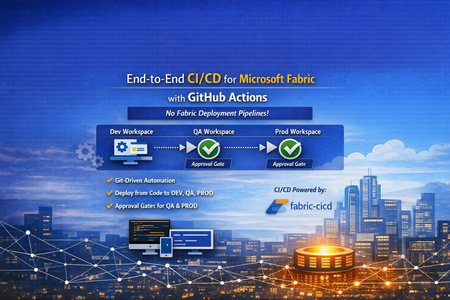
👋 Introduction If you've been working with Microsoft Fabric, you've likely faced this question: "How do we promote Fabric items from DEV → QA → PROD reliably, consistently, and with proper governance?" Many teams default to the built-in Fabric Deployment Pipelines — and they work great for simpler scenarios. But what happens when your enterprise demands: 🔒 Centralized governance across all platforms (infra, app, and data) 📜 Full audit trail of every change tied to a Git commit ✅ Approval gates with reviewer-based promotion 🔑 Per-environment service principal isolation 🧩 Alignment with your existing DevOps standards That's exactly the problem we set out to solve. In this post, I'll walk you through a production-ready, enterprise-grade CI/CD solution for Microsoft Fabric using the fabric-cicd Python library and GitHub Actions — with zero dependency on Fabric Deployment Pipelines. 🎯 What Problem Are We Solving? Traditional Fabric promotion workflows often look like this: Step Method Problem Build in DEV workspace Fabric Portal UI ✅ Works fine Promote to QA Fabric Deployment Pipeline or manual copy ⚠️ No Git traceability Promote to PROD Fabric Deployment Pipeline with approval ⚠️ Separate governance model from app/infra CI/CD Rollback 🤷 Manual recreation ❌ No deterministic rollback path Audit "Who clicked what, when?" ❌ Limited trail The Core Issue Fabric Deployment Pipelines introduce a parallel governance model that's disconnected from how your platform and application teams already work. You end up with: 🔀 Two different promotion systems (GitHub Actions for apps, Fabric Pipelines for data) 🕳️ Governance blind spots between the two 😰 Cultural friction ("Why do data teams have a different process?") Our Approach: Git as the Single Source of Truth 📖 ┌─────────────┐ push to main ┌─────────────┐ │ Developer │ ──────────────────▶ │ GitHub │ │ commits to │ │ Actions │ │ Git repo │ │ Workflow │ └─────────────┘ └──────┬──────┘ │ ┌─────────────────┼─────────────────┐ ▼ ▼ ▼ ┌──────────┐ ┌──────────┐ ┌──────────┐ │ 🟢 DEV │ │ 🟡 QA │ │ 🔴 PROD │ │ Auto │────▶│ Approval │────▶│ Approval │ │ Deploy │ │ Required │ │ Required │ └──────────┘ └──────────┘ └──────────┘ Every deployment originates from Git. Every promotion is traceable to a commit SHA. Every environment has its own approval gate. One pipeline model — across everything. 🏗️ Solution Architecture 📁 Repository Structure fabric-cicd-project/ │ ├── 📂 .github/ │ ├── 📂 workflows/ │ │ └── 📄 fabric-cicd.yml # GitHub Actions pipeline │ ├── 📄 CODEOWNERS # Review enforcement │ └── 📄 dependabot.yml # Automated dependency updates │ ├── 📂 config/ │ └── 📄 parameter.yml # Environment-specific parameterization │ ├── 📂 deploy/ │ ├── 📄 deploy_workspace.py # Main deployment entrypoint │ └── 📄 validate_repo.py # Pre-deployment validation │ ├── 📂 workspace/ # Fabric items (Git-integrated / PBIP) │ ├── 📄 .env.example # Environment variable template ├── 📄 .gitignore ├── 📄 ruff.toml # Python linting config ├── 📄 requirements.txt # Pinned dependencies ├── 📄 SECURITY.md # Vulnerability disclosure policy └── 📄 README.md 🔧 Key Components Component Purpose fabric-cicd Python library Deploys Fabric items from Git to workspaces (handles all Fabric API calls internally) deploy_workspace.py CLI entrypoint — authenticates, configures, deploys, logs parameter.yml Find-and-replace rules for environment-specific values (connections, lakehouse IDs, etc.) validate_repo.py Pre-flight checks — validates repo structure, parameter.yml presence, .platform files fabric-cicd.yml GitHub Actions workflow — orchestrates validate → DEV → QA → PROD ✨ Feature Deep Dive 1️⃣ Per-Environment Service Principal Isolation 🔐 Instead of a single shared service principal, each environment gets its own: DEV_TENANT_ID / DEV_CLIENT_ID / DEV_CLIENT_SECRET QA_TENANT_ID / QA_CLIENT_ID / QA_CLIENT_SECRET PROD_TENANT_ID / PROD_CLIENT_ID / PROD_CLIENT_SECRET Why this matters: 🛡️ Least-privilege access — the DEV SP can't touch PROD 🔍 Audit clarity — you know which identity deployed where 💥 Blast radius reduction — a compromised DEV secret doesn't affect PROD The deploy script automatically resolves the correct credentials based on TARGET_ENVIRONMENT, with fallback to shared FABRIC_* variables for simpler setups. 2️⃣ Environment-Specific Parameterization 🎛️ A single parameter.yml drives all environment differences: find_replace: - find: "DEV_Lakehouse" replace_with: DEV: "DEV_Lakehouse" QA: "QA_Lakehouse" PROD: "PROD_Lakehouse" - find: "dev-sql-server.database.windows.net" replace_with: DEV: "dev-sql-server.database.windows.net" QA: "qa-sql-server.database.windows.net" PROD: "prod-sql-server.database.windows.net" ✅ Same Git artifacts → different runtime bindings per environment ✅ No manual edits between promotions ✅ Easy to review in pull requests 3️⃣ Approval-Gated Promotions ✅ The GitHub Actions workflow uses GitHub Environments with reviewer requirements: Environment Trigger Approval 🟢 DEV Automatic on push to main None — deploys immediately 🟡 QA After successful DEV deploy ✅ Requires reviewer approval 🔴 PROD After successful QA deploy ✅ Requires reviewer approval Reviewers see a rich job summary in GitHub showing: 📌 Git commit SHA being deployed 🎯 Target workspace and environment 📦 Item types in scope ⏱️ Deployment duration ✅ / ❌ Final status 4️⃣ Pre-Deployment Validation 🔍 Before any deployment runs, a dedicated validate job checks: Check What It Does 📂 workspace exists Ensures Fabric items are present 📄 parameter.yml exists Ensures parameterization is configured 📄 .platform files present Validates Fabric Git integration metadata 🐍 ruff check deploy/ Lints Python code for syntax errors and bad imports If validation fails, no deployment runs — across any environment. 5️⃣ Full Git SHA Traceability 📜 Every deployment logs and surfaces the exact Git commit being deployed: Why this matters: 🔄 Rollback = git revert <sha> + push → pipeline redeploys previous state 🕵️ Audit = every PROD deployment tied to a specific commit, reviewer, and timestamp 🔀 Diff = git diff v1..v2 shows exactly what changed between deployments 6️⃣ Concurrency Control 🚦 concurrency: group: fabric-deploy-${{ github.ref }} cancel-in-progress: false Two rapid pushes to main won't cause parallel deployments fighting over the same workspace. The second run queues until the first completes. 7️⃣ Smart Path Filtering 🧠 paths-ignore: - "**.md" - "docs/**" - ".vscode/**" A README-only commit? A docs update? No deployment triggered. This saves runner minutes and avoids unnecessary approval requests for QA/PROD. 8️⃣ Retry Logic with Exponential Backoff 🔁 The deploy script wraps fabric-cicd calls with retry logic: Attempt 1 → fails (HTTP 429 rate limit) ⏳ Wait 5 seconds Attempt 2 → fails (HTTP 503 transient) ⏳ Wait 15 seconds Attempt 3 → succeeds ✅ Transient Fabric service issues don't break your pipeline — the deployment retries automatically. 9️⃣ Orphan Cleanup 🧹 Set CLEAN_ORPHANS=true and items that exist in the workspace but not in Git get removed: Workspace has: Notebook_A, Notebook_B, Notebook_C Git repo has: Notebook_A, Notebook_B → Notebook_C gets removed (orphan) This ensures your workspace exactly matches your Git state — no drift, no surprises. 🔟 Dependency Management with Dependabot 🤖 # .github/dependabot.yml updates: - package-ecosystem: "pip" schedule: interval: "weekly" - package-ecosystem: "github-actions" schedule: interval: "weekly" fabric-cicd, azure-identity, and GitHub Actions versions are automatically monitored. When updates are available, Dependabot opens a PR — keeping your pipeline secure and current. 1️⃣1️⃣ CODEOWNERS Enforcement 👥 # .github/CODEOWNERS /deploy/ @platform-team /config/ @platform-team /.github/workflows/ @platform-team Changes to deployment scripts, parameterization, or the workflow require review from the platform team. No one accidentally modifies the pipeline without oversight. 1️⃣2️⃣ Job Timeouts ⏱️ Job Timeout Validate 10 minutes Deploy (DEV/QA/PROD) 30 minutes A hung process won't burn 6 hours of runner time. It fails fast, alerts the team, and frees the runner. 1️⃣3️⃣ Security Policy 🛡️ A dedicated SECURITY.md provides: 📧 Responsible vulnerability disclosure process ⏰ 48-hour acknowledgement SLA 📋 Best practices for contributors (no secrets in code, least-privilege SPs, 90-day rotation) 🔄 The Complete Workflow Here's what happens end-to-end when a developer merges a PR: 1. 👨💻 Developer merges PR to main │ 2. 🔍 VALIDATE job runs │ ✅ Repo structure checks │ ✅ Python linting (ruff) │ ✅ parameter.yml validation │ 3. 🟢 DEPLOY-DEV job runs (automatic) │ 🔑 Authenticates with DEV SP │ 📦 Deploys all items to DEV workspace │ 📝 Logs commit SHA + summary │ 4. 🟡 DEPLOY-QA job waits for approval │ 👀 Reviewer checks job summary │ ✅ Reviewer approves │ 🔑 Authenticates with QA SP │ 📦 Deploys all items to QA workspace │ 5. 🔴 DEPLOY-PROD job waits for approval │ 👀 Reviewer checks job summary │ ✅ Reviewer approves │ 🔑 Authenticates with PROD SP │ 📦 Deploys all items to PROD workspace │ 6. 🎉 Done — all environments in sync with Git 🆚 Comparison: This Approach vs. Fabric Deployment Pipelines Capability Fabric Deployment Pipelines This Solution (fabric-cicd + GitHub Actions) Source of truth Workspace ✅ Git Promotion trigger UI click / API call ✅ Git push + approval Approval gates Fabric-native ✅ GitHub Environments (same as app teams) Audit trail Fabric activity log ✅ Git commits + GitHub Actions history Rollback Manual ✅ git revert + auto-redeploy Cross-platform governance Separate model ✅ Unified with infra/app CI/CD Parameterization Deployment rules ✅ parameter.yml (reviewable in PR) Secret management Fabric-managed ✅ GitHub Secrets + per-env SP isolation Drift detection Limited ✅ Orphan cleanup (CLEAN_ORPHANS=true) 🚀 Getting Started Prerequisites 3 Fabric workspaces (DEV, QA, PROD) Service principal(s) with Contributor role on each workspace GitHub repository with Actions enabled GitHub Environments configured (dev, qa, prod) Quick Setup # 1. Clone the repo git clone https://github.com/<your-org>/fabric-cicd-project.git # 2. Install dependencies pip install -r requirements.txt # 3. Copy and fill environment variables cp .env.example .env # 4. Run locally against DEV python deploy/deploy_workspace.py GitHub Actions Setup Create GitHub Environments: dev, qa (add reviewers), prod (add reviewers) Add secrets to each environment: DEV_TENANT_ID, DEV_CLIENT_ID, DEV_CLIENT_SECRET QA_TENANT_ID, QA_CLIENT_ID, QA_CLIENT_SECRET PROD_TENANT_ID, PROD_CLIENT_ID, PROD_CLIENT_SECRET DEV_WORKSPACE_ID, QA_WORKSPACE_ID, PROD_WORKSPACE_ID Push to main — the pipeline takes over! 🎉 💡 Lessons Learned After implementing this pattern across several engagements, here are the key takeaways: ✅ What Works Well Teams love the Git traceability once they experience a clean rollback Approval gates in GitHub feel natural to platform engineers Parameter.yml changes in PRs create great review conversations about environment differences Job summaries give reviewers confidence to approve without digging into logs ⚠️ Watch Out For Cultural resistance is the #1 blocker — invest in enablement, not just automation Fabric items with runtime state (data in lakehouses, refresh history) aren't captured in Git Secret rotation across 3+ environments needs process discipline (consider OIDC federated credentials) Run a "portal vs. pipeline" side-by-side demo early — it changes minds fast 🤝 For CSAs: Sharing This With Customers This solution is ideal for customers who: ☑️ Already use GitHub Actions for application or infrastructure CI/CD ☑️ Have governance requirements that demand Git-based audit trails ☑️ Operate multiple Fabric workspaces across environments ☑️ Want to standardize their promotion model across all workloads ☑️ Are moving from Power BI Premium to Fabric and want to modernize their DevOps practices 🗣️ Conversation Starters "How are you promoting Fabric items between environments today?" "Is your data team using the same CI/CD patterns as your app teams?" "If something goes wrong in production, how quickly can you roll back to the previous version?" 📚 Resources 📦 fabric-cicd on PyPI 📖 fabric-cicd Documentation 🐙 GitHub Actions Documentation 🏗️ Microsoft Fabric Git Integration 🌐Git Repository URL: vinod-soni-microsoft/FABRIC-CICD-PROJECT: Enterprise-grade CI/CD solution for Microsoft Fabric using fabric-cicd Python library and GitHub Actions. Git-driven deployments across DEV → QA → PROD with environment approval gates, per-environment service principal isolation, and parameterized promotion — no Fabric Deployment Pipelines required. 🏁 Conclusion The shift from UI-driven promotion to Git-driven CI/CD for Microsoft Fabric isn't just a technical upgrade — it's a governance and cultural alignment decision. By using fabric-cicd with GitHub Actions, you get: 📖 One source of truth (Git) 🔄 One promotion model (GitHub Actions) ✅ One approval process (GitHub Environments) 🔍 One audit trail (Git history + Actions logs) 🔐 One security model (GitHub Secrets + per-env SPs) No parallel governance. No hidden drift. No "who clicked what in the portal." Just Git, code, and confidence. 💪 Have questions or want to share your experience? Drop a comment below — I'd love to hear how your team is approaching Fabric CI/CD! 👇1.5KViews0likes0CommentsSupercharging NVAs in Azure with Accelerated Connections
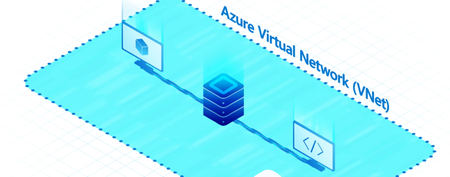
Hello folks, If you run firewalls, routers, or SD‑WAN NVAs in Azure and your pain is connection scale rather than raw Mbps, there is a feature you should look at: Accelerated Connections. It shifts connection processing to dedicated hardware in the Azure fleet and lets you size connection capacity per NIC, which translates into higher connections‑per‑second and more total active sessions for your virtual appliances and VMs. This article distills a recent E2E chat I hosted with the Technical Product Manager working on Accelerated Connections and shows you how to enable and operate it safely in production. The demo and guidance below are based on that conversation and the current public documentation. What Accelerated Connections is (and what it is not) Accelerated Connections is configured at the NIC level of your NVAs or VMs. You can choose which NICs participate. That means you might enable it only on your high‑throughput ingress and egress NICs and leave the management NIC alone. It improves two things that matter to infrastructure workloads: Connections per second (CPS). New flows are established much faster. Total active connections. Each NIC can hold far more simultaneous sessions before you hit limits. It does not increase your nominal throughput number. The benefit is stability under high connection pressure, which helps reduce drops and flapping during surges. There is a small latency bump because you introduce another “bump in the wire,” but in application terms it is typically negligible compared to the stability you gain. How it works under the hood In the traditional path, host CPUs evaluate SDN policies for flows that traverse your virtual network. That becomes a bottleneck for connection scale. Accelerated Connections offloads that policy work onto specialized data processing hardware in the Azure fleet so your NVAs and VMs are not capped by host CPU and flow‑table memory constraints. Industry partners have described this as decoupling the SDN stack from the server and shifting the fast‑path onto DPUs residing in purpose‑built appliances, delivered to you as a capability you attach at the vNIC. The result is much higher CPS and active connection scale for virtual firewalls, load balancers, and switches. Sizing the feature per NIC with Auxiliary SKUs You pick a performance tier per NIC using Auxiliary SKU values. Today the tiers are A1, A2, A4, and A8. These map to increasing capacity for total simultaneous connections and CPS, so you can right‑size cost and performance to the NIC’s role. As discussed in my chat with Yusef, the mnemonic is simple: A1 ≈ 1 million connections, A2 ≈ 2 million, A4 ≈ 4 million, A8 ≈ 8 million per NIC, along with increasing CPS ceilings. Choose the smallest tier that clears your peak, then monitor and adjust. Pricing is per hour for the auxiliary capability. Tip: Start with A1 or A2 on ingress and egress NICs of your NVAs, observe CPS and active session counters during peak events, then scale up only if needed. Where to enable it You can enable Accelerated Connections through the Azure portal, CLI, PowerShell, Terraform, or templates. The setting is applied on the network interface. In the portal, export the NIC’s template and you will see two properties you care about: auxiliaryMode and auxiliarySku. Set auxiliaryMode to AcceleratedConnections and choose an auxiliarySku tier (A1, A2, A4, A8). Note: Accelerated Connections is currently a limited GA capability. You may need to sign up before you can configure it in your subscription. Enablement and change windows Standalone VMs. You can enable Accelerated Connections with a stop then start of the VM after updating the NIC properties. Plan a short outage. Virtual Machine Scale Sets. As of now, moving existing scale sets onto Accelerated Connections requires re‑deployment. Parity with the standalone flow is planned, but do not bank on it for current rollouts. Changing SKUs later. Moving from A1 to A2 or similar also implies a downtime window. Treat it as an in‑place maintenance event. Operationally, approach this iteratively. Update a lower‑traffic region first, validate, then roll out broadly. Use active‑active NVAs behind a load balancer so one instance can drain while you update the other. Operating guidance for IT Pros Pick the right NICs. Do not enable on the management NIC. Focus on the interfaces carrying high connection volume. Baseline and monitor. Before enabling, capture CPS and active session metrics from your NVAs. After enabling, verify reductions in connection drops at peak. The point is stability under pressure. Capacity planning. Start at A1 or A2. Move up only if you see sustained saturation at peak. The tiers are designed so you do not pay for headroom you do not need. Expect a tiny latency increase. There is another hop in the path. In real application flows the benefit in fewer drops and higher CPS outweighs the added microseconds. Validate with your own A/B tests. Plan change windows. Enabling on existing VMs and resizing the Auxiliary SKU both involve downtime. Use active‑active pairs behind a load balancer and drain one side while you flip the other Why this matters Customers in regulated and high‑traffic industries like health care often found that connection scale forced them to horizontally expand NVAs, which inflated both cloud spend and licensing, and complicated operations. Offloading the SDN policy work to dedicated hardware allows you to process many more connections on fewer instances, and to do so more predictably. Resources Azure Accelerated Networking overview: https://learn.microsoft.com/azure/virtual-network/accelerated-networking-overview Accelerated connections on NVAs or other VMs (Limited GA): https://learn.microsoft.com/azure/networking/nva-accelerated-connections Manage accelerated networking for Azure Virtual Machines: https://learn.microsoft.com/azure/virtual-network/manage-accelerated-networking Network optimized virtual machine connection acceleration (Preview): https://learn.microsoft.com/azure/virtual-network/network-optimized-vm-network-connection-acceleration Create an Azure Virtual Machine with Accelerated Networking: https://docs.azure.cn/virtual-network/create-virtual-machine-accelerated-networking Next steps Validate eligibility. Confirm your subscription is enabled for Accelerated Connections and that your target regions and VM families are supported. Learn article Select candidate workloads. Prioritize NVAs or VMs that hit CPS or flow‑table limits at peak. Use existing telemetry to pick the first region and appliance pair. 31 Pilot on one NIC per appliance. Enable on the data‑path NIC, start with A1 or A2, then stop/start the VM during a short maintenance window. Measure before and after. 32 Roll out iteratively. Expand to additional regions and appliances using active‑active patterns behind a load balancer to minimize downtime. 33 Right‑size the SKU. If you observe sustained headroom, stay put. If you approach limits, step up a tier during a planned window. 34253Views0likes0Comments