hdinsight
52 Topics
Migration of Apache Spark from HDInsight 5.0 to HDInsight 5.1
Azure HDInsight Spark 5.0 to HDI 5.1 Migration A new version of HDInsight 5.1 is released with Spark 3.3.1. This release improves join query performance via Bloom filters, increases the Pandas API coverage with the support of popular Pandas features such as datetime.timedelta and merge_asof, simplifies the migration from traditional data warehouses by improving ANSI compliance and supporting dozens of new built-in functions. In this article we will discuss about the migration of user applications from HDInsight Spark 3.1 to HDInsight Spark 3.315KViews1like0CommentsSecuring Azure HDInsight: ESM Support with Ubuntu 18.04, Cluster Updates, and Best Practices
Azure HDInsight, Microsoft's cloud-based big data analytics platform, continues to advance its features to provide users with a secure and efficient environment. In this article, we will explore the latest enhancements, focusing on Expanded Security Maintenance (ESM) support, the importance of regular cluster updates, and best practices recommended by Microsoft to fortify HDInsight deployments. The foundation of a secure Azure HDInsight environment lies in its ability to address critical vulnerabilities promptly. Microsoft ensures this by shipping the latest HDInsight images with Expanded Security Maintenance (ESM) support, which provides a framework for ongoing support, stability with minimal changes specifically targeting critical, high and some medium-level fixes. This ensures that HDInsight users benefit from a continuously updated and secure environment. ESM Support in Latest Images: Azure HDInsight 5.0 and 5.1 versions use Ubuntu 18.04 pro image. Ubuntu Pro includes security patching for all Ubuntu packages due to Expanded Security Maintenance (ESM) for Infrastructure and Applications. Ubuntu Pro 18.04 LTS will remain fully supported until April 2028. For more information on what's new in the latest HDInsight images with ESM support, users can refer to the official release notes on the Azure HDInsight Release Notes Archive. Periodic Cluster Updates: Maintaining a secure HDInsight environment requires diligence in keeping clusters up to date. Microsoft facilitates this process through the HDInsight OS patching mechanism. Periodically updating clusters using the procedures outlined in the official documentation ensures that users benefit from the latest features, performance improvements, and crucial security patches. Learn more about updating HDInsight clusters through the Azure HDInsight OS Patching documentation. ESM and HDI Release Integration: Extended Security Maintenance is seamlessly integrated into HDInsight releases. As part of each HDInsight release, critical fixes provided by ESM are bundled. This ensures that users benefit from the latest security enhancements with each new release. Customer Recommendation: Use the Latest Image: To maximize the benefits of the latest features and security updates, customers are strongly recommended to use the most recent HDInsight image number. By doing so, organizations ensure that their HDInsight clusters are fortified against the latest threats and vulnerabilities. Accessing Fixed CVE Details: For users seeking detailed information about the fixed Common Vulnerabilities and Exposures (CVEs), the Ubuntu CVE site serves as a valuable resource. Here, users can access comprehensive insights into the specific vulnerabilities addressed in each release, empowering them to make informed decisions about their security posture.2.3KViews0likes0Comments
Agile Data Vault 2.0 Projects with Azure DevOps
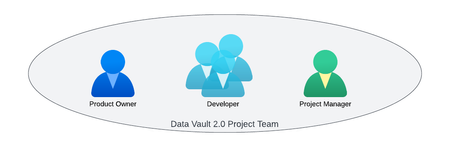
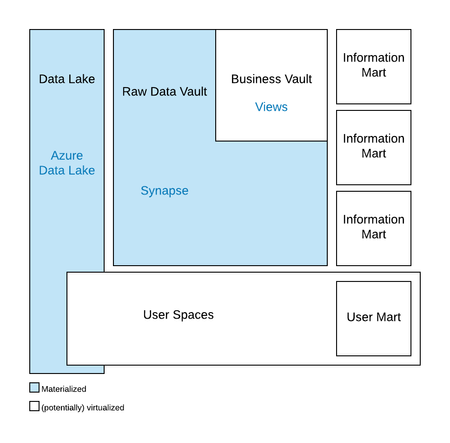
Having discussed the value of Data Vault 2.0 and the associated architectures in the previous articles of this blog series, this article will focus on the organization and successful execution of Data Vault 2.0 projects using Azure DevOps. It will also discuss the differences between standard Scrum, as used in agile software development, and the Data Vault 2.0 methodology, which is based on Scrum but also includes aspects from other methodologies. Other functions of Azure DevOps, for example the deployment of the data analytics platform, will be discussed in subsequent articles of this ongoing blog series.7.2KViews1like0CommentsHDInsight 5.0 with Spark 3.x – Part 2
Author(s): Arun Sethia is a Program Manager in Azure HDInsight Customer Success Engineering (CSE) team. Introduction This blog is part of Spark 3.x series of blogs; the blog is dedicated towards looking into two different aspects of AQE (Adaptive Query Execution), Dynamic Switching Join Strategies and Dynamic Optimizing Skew Join using Apache Spark in Azure HDInsight. Adaptive Query Execution – Dynamic Switching Join Strategies There are multiple business scenarios where we must join multiple datasets to generate business insight for end-user consumption. Spark applies different join strategies based on the nature of dataset or query basic to choose the join operations. Few of the join strategies are: Broadcast Hash Join Shuffle Hash Join Shuffle sort-merge Join Cartesian Join Broadcast Nested Loop Join We will not get into the detail of these join strategies in this blog; these join strategies are explained here. The Broadcast Hash Join is the most performant when any join side fits well in memory. Spark plans a Broadcast Hash Join if the estimated size of a join relation is less than the configured spark.sql.autoBroadcastJoinThreshold value. The smaller DataFrame will be broadcasted to all executors to perform Broadcast Hash Join. The example code used for this blog has two datasets: Customer Sales The business would like to get sales by date for a given state (filter customer data for a given state); which can be done by joining the customer data set with the sales data set. %%sql SELECT tx_date, sum(tx_value) AS total_sales FROM sale JOIN customer ON customer.customer_id = sale.customer_id WHERE address_state="IL" GROUP BY tx_date The filter by address state is not known in static planning, so the initial plan opts for sort merge join. The customer table after filtering is small (~10% of original), so the query can do a broadcast hash join instead. The broadcast join is a very high-performance join and a better option for the smaller data set where a smaller data/table is sent to every executor to execute a map-side join. We can use broadcast Spark join hint to enforce specific join must be used during the join operation. The broadcast joins hint suggests that Spark use broadcast join regardless of the configuration property autoBroadcastJoinThreshold. Without AQE, the estimated size of join relations comes from the statistics of the original table. Unfortunately, it can go wrong in most real-world cases. Developers can only determine the table/dataset size after applying a filter and using a hint without knowing the dataset's size may result in an OOM exception. AQE converts sort-merge join to broadcast hash join when the runtime statistics of any join side are smaller than the broadcast hash join threshold. It is not as efficient as planning a broadcast hash join in the first place, but it's better than keep doing the sort-merge join, as we can save the sorting of both the join sides and read shuffle files locally to save network traffic(if spark.sql.adaptive.localShuffleReader.enabled is true) The AQE can be enabled using Spark Configuration (from Spark 3.2.0 onwards, It is enabled by default). Let's run the earlier code, enabled with AQE with HDInsight 5.0 using Spark 3.1.1. The source code example is available GitHub. // Enable AQE sql("SET spark.sql.adaptive.enabled=true") sql("set spark.sql.adaptive.localShuffleReader.enabled=true") As we can see, Spark optimizes the initial plan; It can replan the join strategy dynamically from sort-merge join to broadcast hash join at runtime if the size fits spark.sql.autoBroadcastJoinThreshold. We can see local shuffle reader (CustomShuffleReader) is used to avoid shuffle when AQE optimizes the sort-merge join to the broadcast join. Adaptive Query Execution – Dynamic Handle Skew Joins Data skewness happens when data are unevenly distributed for a given key column; that means few column values have more rows than others; for example, the number of orders for day/month/year is more than others, uneven number of orders by selective customers, an uneven number of claims from a geo-location, number of page hits are uneven during the hours of the day, etc. Spark join operation on two datasets would require moving data with the same join key(s) to the same executor. If your business data are skewed among different partition key column values, one or more partitions will have more data than other partitions. Such data skewness can cause Spark jobs to have one or more trailing tasks (larger partitions), severely downgrade queries' overall elapsed time, and waste resources on the cluster because idle waiting for these trailing tasks to complete. Such skewed partitions do not fit in the memory of the executors. In that case, such tasks can result in garbage-collection problems or more slowness because data may spill to the disk, or in the worst case, this can result in Out of Memory exceptions and cause jobs to fail. The example code used for this example has two datasets: Sales Items In the code example the sales data has been modified to generate data skewness for item id “18”. The source code example is available GitHub. The business would like to get sales by date; we need to join sales with the item to get the item's price. %%sql SELECT tx_date, sum(soldQty * unit_price) AS total_sales FROM sale JOIN item ON item.item_id = sale.item_id GROUP BY tx_date It is difficult to detect data skewness from the Spark query execution plan. It provides the steps performed to execute a job but does not provide data distribution after each task. For this, we can use Spark UI from the history server. If we examine the job detail by accessing Spark UI, we get the following: Stage 4 has taken longest time 7 mins, and if we drill down this stage to task level, we can see summary statistics of all 201 tasks of this stage. There is significant difference between max and 75 th percentile or median. It is a strong indicator of data skewness. The number of records processed by one task is significantly higher than other tasks, and we can also see the skewness problem from that task that it cannot fit data in memory, and data are spilled onto the disk. We can manage data skew problems in multiple ways, such as using derived columns to divide large partitions, Broadcast Hash join if the dataset is not too large, etc. But we still may see room for performance improvements. The Adaptive Query Execution from Spark 3.x can rescue you with minimal code change; this feature dynamically handles skew in sort-merge join by splitting (and replicating if needed) skewed tasks into roughly evenly sized tasks. It takes effect when both spark.sql.adaptive.enabled and spark.sql.adaptive.skewJoin.enabled configurations are enabled. There are two additional parameters to tune skewJoin in AQE: spark.sql.adaptive.skewJoin.skewedPartitionFactor – A partition is considered as skewed if its size is larger than this factor multiplying the median partition size. spark.sql.adaptive.skewJoin.skewedPartitionThresholdInBytes - A partition is considered as skewed if its size in bytes is larger than this threshold. We will enable both AQE and skewjoin to our last example execution. sql("SET spark.sql.adaptive.enabled=true") sql("SET spark.sql.adaptive.skewJoin.enabled=true") By looking execution plan and SQL query plan, we can find Spark optimizes the initial plan, the time taken by the query has reduced from 7 mins to 1.5 mins, and the number of tasks has reduced from 200 to 70. If we drill down stage#6 to the task level, we can see summary statistics of all 70 tasks of this stage. There is not much difference between the max and 75th percentile or median. This is because the AQE has optimized uneven partitions. While looking to Spark SQL plan from Spark UI, we can find: There is a skewed partition from the "sale" dataset AQE splits the skewed partition into smaller partitions (in this case 47 smaller paritions). And finally sort merge join operator is marked with a skew join flag. By default, AQE Coalesce Partitions (spark.sql.adaptive.coalescePartitions.enabled) is enabled; if not, you can enable the same so that AQE will optimize smaller partitions into larger partitions based on statistics of data and processing resources that will reduce shuffle time and data transfer. Summary AQE in Spark optimizes joins, especially where to join involves a filter; it optimizes the initial plan from a sort-merge join to a broadcast join based on runtime statistics. AQE can replan the join strategy dynamically from sort-merge join to broadcast hash join at runtime. Similarly, AQE can help significantly in managing data skew, especially long-running jobs that should be analyzed for such opportunities to allow developers to mitigate data-skew problems early to utilize resources and better overall performance. AQE is a splendid feature added since Spark 3.x; migrating your HDInsight clusters to Spark 3.x can improve your business ROI and better performance. Contact the HDInsight team if you need help to migrate your workload from HDInsight 4.0 to HDInsight 5.x to take maximum benefits. References https://spark.apache.org/docs/3.1.1/sql-performance-tuning.html HDInsight 5.0 with Spark 3.x – Part 1 - Microsoft Community Hub2.6KViews0likes0CommentsEnhanced autoscale capabilities in HDInsight clusters
HDInsight now has enhanced capabilities which include improved latency, and feedback loop alongside support for recommissioning nodemanagers in case of load-aware autoscale which improves cluster utilization massively and lowers the total cost of ownership significantly.5.2KViews2likes0Comments