groups
432 Topics
Calendar items not sent to new members of group
Hello, I have created some calendar items in outlook that are sent to a group. Whenever I make a change in that group (either add or delete members) this calendar item is not updated. This means that new group members do not receive an invitation for existing meetings. What I need to do to resolve this, is to edit each such meeting, eg make a change in description, and then send it again. Only this way the new group members will get invited. I come from Google, where this feature works flawlessly and it seems very strange for outlook to force me to update each calendar item, just to update the recipients. It kind of defeats the whole purpose of using groups in calendar. Is there any way you can fix this please? Thank you! Kostas11KViews1like6Comments
Outlook: All Guests suddenly Members + No new Guests allowed
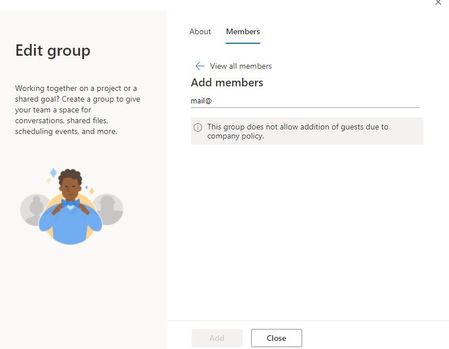
With the re-design of Outlook Groups settings pan arriving for us, two things happened across all Outlook Groups: 1) All former guests are listed as members (not in Teams) 2) I can only add Members - i.e. no new Guests invitations are allowed in Outlook (even for admins) but the same issue does NOT exist in Teams The first one, though without much affect, is very troubling since we educated our staff to understand the difference between members and guests... We did click through the myriad of settings in the admin-section but cannot find anything. A list of possible triggers would be much appreciated.807Views0likes0Comments
Retention policy and deleted group
Hello there. I do have a question regarding retention policies on o365 groups and what happens to it after deletion. As I was testing my group, I deleted it, I was able to see it as softdeleted via get-unifiedgroup but I couldn’t see it as inactive mailbox anywhere, couldn’t pull mailbox statistics as well. I wasn’t able to do content search as it couldn’t find it. Am I missing something here? I thought mailbox would be preserved after deletion - like shared or user mailbox.Solved2.7KViews0likes4CommentsAnnouncing support for new Groups properties via Microsoft Graph
We are excited to announce that Microsoft 365 Groups now supports more flexible methods of hiding and showing groups in any Outlook client or the address book. Two new properties have been introduced to the Group Resource Type in Microsoft Graph: hideFromOutlookClients and hideFromAddressLists. Previously, these properties could only be changed via PowerShell. We now provide access to these properties via Microsoft Graph, which will help support additional customization through Power Automate and 3 rd party applications. Setting hideFromOutlookClients to True (which also sets hideFromAddressLists to True) prevents the group from showing in the Outlook left-hand navigation, prevents the group name from resolving during message creation, and prevents the group from showing in the Global Address List (GAL). If hideFromOutlookClients is set to False, hideFromAddressLists will also be set to False. Setting hideFromAddressLists by itself controls whether the group is hidden or shown in the GAL, but it won’t affect the Outlook left-hand navigation or name resolution during message creation. Changing hideFromAddressLists by itself does not change the value of hideFromOutlookClients. The default value for both properties is False, and they are only retrieved when using $select. The following example shows how to use the GET method to retrieve values for hideFromOutlookClients and hideFromAddressLists using Graph Explorer. Sample query: https://graph.microsoft.com/v1.0/groups/ed8083cb-8540-46f9-b817-46866469695d?$select=displayName,description,hideFromOutlookClients,hideFromAddressLists These values can be updated using methods like PATCH, as shown in the following example: In the response, hideFromOutlookClients is now set to false. Both properties are updated: Updating just hideFromAddressLists will not have any effect on hideFromOutlookClients. You can find detailed API documentation here. As always, we welcome your feedback! Mike McLean Principal Program Manager Microsoft 365 Groups3.1KViews4likes2CommentsOffice 365 Groups (aka Microsoft 365 Groups) Recap from Microsoft Ignite 2019
As we come to the close of the month of May, which would have normally rounded out Microsoft Ignite the Tour, I just wanted to share the link to our Office 365 Groups (aka Microsoft 365 Groups) recap from Ignite 2019 in Orlando. This post has several useful links which cover the new innovations and feature improvements announced this year. https://techcommunity.microsoft.com/t5/office-365-blog/office-365-groups-ignite-recap/ba-p/1036796 Looking forward to another year of innovation with Microsoft 365 Groups! Mike McLean Principal Program Manager Microsoft 365 Groups710Views1like0CommentsData Encryption Policy (Customer Keys)
Hi All, Is there any way to apply a Data Protection Policy that mandates a Customer Key to the mailbox used by a Group? For user or shared mailboxes we can only apply where a license is assigned, but we can't assign a license to a Group. TIA677Views0likes0Comments
Shared contacts list on group
I have a group with 5 people that has a group mailbox like mailto:sales@contoso.com, I would like that every member can look and add contact to the contact list of that mailbox... Is it possibile ? Is there a way to have a shared contact list between member of the same group ?953Views0likes1Comment