governance
10 TopicsUsing Copilot in Sensitive Healthcare Teams Meetings - Without Recording or Transcription
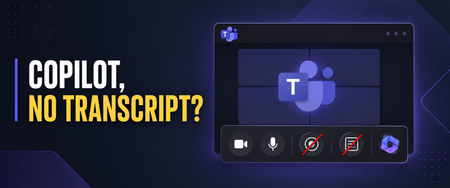
Healthcare organizations want the productivity benefits of Microsoft 365 Copilot, but those benefits must be balanced with privacy, security, and compliance requirements. I recently worked with a healthcare customer whose compliance team was concerned about persistent meeting artifacts. They wanted users to benefit from Copilot during Microsoft Teams meetings, but they did not want every conversation recorded or a transcript available afterward—especially for meetings involving sensitive operational, workforce, legal, compliance, or patient-related discussions. Microsoft Teams provides an option that can help with this scenario: allowing Copilot only during the meeting while disabling recording and transcription. Important: This article describes a technical configuration and customer scenario. It is not legal or compliance advice. Your privacy, security, compliance, records-management, and legal teams should determine whether this configuration is appropriate for your organization and specific meeting types. Why This Matters in Healthcare Healthcare organizations conduct many meetings where the discussion may include sensitive information: Patient care coordination Quality and safety reviews Compliance investigations Workforce and employee matters Security incidents Legal or risk-management discussions Research and clinical program planning A recording or transcript can become an additional persistent information asset that must be appropriately protected, retained, governed, and eventually disposed of. The HIPAA Security Rule requires covered entities and business associates to implement reasonable and appropriate administrative, physical, and technical safeguards for electronic protected health information. This includes evaluating risk, controlling access, implementing audit controls, and periodically reviewing security measures. The U.S. Department of Health and Human Services provides an overview of these requirements here. HIPAA’s minimum necessary standard also generally calls for organizations to limit unnecessary access to protected health information, although important exceptions apply—including certain disclosures for treatment. HHS provides additional guidance on the minimum necessary requirement. Turning off recording and transcription does not automatically make a meeting compliant. However, reducing the creation of unnecessary meeting artifacts can be one useful part of a broader, risk-based healthcare data-governance strategy. Copilot Without a Persistent Transcript When a Teams meeting is configured for Only during the meeting, Copilot can use temporary speech-to-text data to understand the active conversation. A traditional meeting transcript does not need to be started. Users can ask Copilot to: Summarize what has been discussed Identify decisions List open questions Capture action items Explain areas of disagreement Help someone catch up after joining late Microsoft explains that Copilot must be manually started by a participant in this configuration. Copilot can then provide insights based on the conversation taking place while it is active. See Microsoft’s guidance for using Copilot without recording or transcribing a Teams meeting. There are two important limitations users must understand. First, Copilot does not automatically start when the meeting begins. If someone activates it five minutes into the meeting, it will not have the same context it would have had if it had been started at the beginning. Second, users should capture anything they need before leaving the meeting. Without transcription, they will not have the same post-meeting Copilot conversation history or transcript-based recap. Microsoft recommends copying any Copilot content users want to keep before the meeting ends. Watch the Complete Walkthrough In the following video, I demonstrate the user experience, the corresponding Teams administrative policies, the Facilitator consideration, and several lessons I learned while implementing this for a healthcare customer. How to Use Copilot in Teams Without Recording or Transcription: Admin Setup & Gotchas The Administrative Configuration For this scenario, the goal was to create a scoped Teams meeting policy that: Prevented users from recording meetings Prevented users from starting transcription Allowed Copilot to operate during the meeting Avoided enabling a transcript-dependent post-meeting Copilot experience The settings are managed through Teams meeting policies in the Teams admin center. In the video, I walk through the relevant recording, transcription, and Copilot controls and show the resulting experience from a user’s perspective. For a healthcare organization, I would normally begin with a limited population instead of immediately applying a new policy globally. A pilot group gives the organization an opportunity to test the technical behavior and evaluate it with stakeholders from: Privacy and compliance Information security Legal and risk management Records management Clinical or operational leadership Microsoft 365 administration End-user training and adoption The appropriate configuration may differ between clinical, administrative, research, legal, HR, and general collaboration scenarios. A single organization-wide meeting policy may not be the right answer for every healthcare meeting. “No Transcript” Does Not Mean “No Compliance Data” This distinction is critical. Although participants may not receive a traditional meeting recording or transcript, Copilot prompts and responses can still be subject to Microsoft Purview retention policies. Depending on the organization’s configuration, those interactions may also be discoverable through Microsoft Purview eDiscovery. Microsoft explicitly notes that Copilot prompts and responses may be retained for compliance purposes even when recording and transcription are disabled. Microsoft’s Purview training covers auditing, retention, eDiscovery, and compliance controls for Copilot interactions. Healthcare organizations should therefore evaluate more than the visible Teams recap. The governance review should include: Copilot interaction retention Microsoft Purview Audit eDiscovery requirements Data Loss Prevention policies Sensitivity labels Records-management obligations Access to saved notes or exported Copilot responses Organizational policies governing the entry of PHI into AI-assisted experiences The user experience may feel temporary, but the organization’s compliance controls can still operate behind the scenes. The Lesson We Almost Missed: Facilitator Still Creates Loop Artifacts This was one of the most important lessons from my recent engagement. While working to Copilot to operate only during the meeting. Recording was disabled, transcription was disabled, and users did not receive the traditional transcript-based recap we were trying to avoid. But Loop files were still appearing. That initially seemed inconsistent with the policy design. After investigating, we discovered that the files were not being created by the personal Copilot experience—they were being generated because Microsoft Facilitator was enabled. This distinction is easy to miss: Copilot only during the meeting gives an individual user private, real-time assistance without requiring a persistent transcript. Facilitator is a shared meeting agent that can generate collaborative notes and other meeting artifacts. Microsoft documents that Facilitator’s meeting data is stored as a .loop file in the Meetings folder of the OneDrive account belonging to the user who initiated Facilitator. The data is treated as meeting transcript data for governance purposes. Facilitator notes may also be available to meeting participants through Notes and the meeting recap. Microsoft documents Facilitator’s behavior, storage, and administrative controls here. For a healthcare organization, that Loop file is not simply a convenient set of notes. Depending on what was discussed, it could contain sensitive operational information, workforce information, security details, or protected health information. It becomes another persistent artifact that must be considered in the organization’s access, sharing, retention, eDiscovery, lifecycle-management, and data-protection strategy. Copilot and Facilitator Require Separate Governance Decisions Disabling recording and transcription while allowing Copilot during the meeting does not automatically prevent Facilitator from producing shared meeting content. Healthcare organizations should make separate decisions about: Whether users should have access to Copilot during meetings. Whether users should be allowed to initiate Facilitator. Which meeting types are appropriate for shared AI-generated notes. Which users or groups should be allowed to use Facilitator. How the resulting Loop files should be stored, accessed, retained, labeled, and disposed of. Facilitator can be extremely useful for approved operational meetings where collaborative notes, decisions, and follow-up actions are valuable. However, it may not be appropriate for every sensitive clinical, compliance, legal, HR, or incident-response meeting. Microsoft allows administrators to control whether Facilitator is available across the organization or only to selected groups of users through Teams app policies and app-centric management. One important administrative nuance is that access to Facilitator can be scoped, while Microsoft’s control for turning off AI-generated meeting notes is currently tenant-wide rather than user-specific. That makes intentional scoping particularly important. Instead of assuming every Copilot-licensed user should also be able to initiate Facilitator, organizations can identify the populations and meeting scenarios where persistent collaborative notes have a defined business purpose and an approved governance model. The practical lesson is simple: If your goal is to use Copilot without creating persistent meeting artifacts, do not stop after validating the recording, transcription, and Copilot policies. Verify whether Facilitator is enabled and inspect the resulting Loop behavior as part of your testing. The Meeting Option That Can Cause Confusion and Broke Things For Us One of the most important lessons from this implementation involved the meeting organizer’s Copilot setting. If an organizer changes the meeting from Only during the meeting to During and after the meeting, Copilot expects transcription to be available. If the organization’s policy prevents transcription, the user may receive an error indicating that Copilot cannot access the meeting. From the user’s perspective, that can look like a licensing problem or a broken Copilot deployment. In reality, it may simply be a mismatch between: The organization’s transcription policy The Copilot meeting option selected by the organizer The type of Copilot experience the user is attempting to start Microsoft’s meeting guidance confirms that During and after the meeting requires transcription, while Only during the meeting can operate without it. Review the current Copilot behavior in Microsoft Teams meetings. This is why user education is just as important as the policy itself. A Healthcare Deployment Checklist Before introducing this configuration more broadly, consider the following: Classify the meeting scenarios. Determine where in-meeting Copilot is appropriate and where AI assistance should be restricted entirely. Engage compliance early. Validate the design with privacy, security, legal, records-management, and compliance stakeholders. Use scoped policies. Pilot with specific users or groups before considering a broader rollout. Review more than recordings and transcripts. Evaluate Purview retention, auditing, eDiscovery, DLP, sensitivity labels, and exported Copilot content. Evaluate and scope Facilitator separately. Determine which users should be able to initiate Facilitator and which meeting scenarios justify shared AI-generated notes. Test where the resulting Loop files are stored, who can access them, and how retention, sensitivity labels, eDiscovery, sharing, and lifecycle controls apply. Test for unexpected artifacts. After a pilot meeting, inspect the organizer’s and initiator’s OneDrive, the meeting chat, Notes, Recap, Loop, and relevant Purview experiences. Confirm that the meeting produces only the artifacts your governance team expects. Train meeting organizers. Explain the difference between Only during the meeting and During and after the meeting. Prepare users for the temporary experience. Users should capture approved action items or summaries before the meeting ends. Test the complete workflow. Validate the experience using representative accounts, policies, licenses, meeting types, and organizational controls. Review the configuration periodically. Microsoft Teams and Copilot capabilities continue to evolve, and healthcare organizations should reassess their controls as features change. Finding the Right Balance Healthcare organizations do not necessarily have to choose between disabling Copilot completely and generating a recording and transcript for every meeting. The Only during the meeting option provides another path: users can receive real-time assistance while the organization limits the creation of traditional post-meeting artifacts. It is not a substitute for a complete healthcare compliance strategy. It is a technical control that can support a broader strategy built around risk assessment, appropriate access, retention, auditing, training, and clearly defined meeting scenarios. The Facilitator lesson also demonstrates why organizations must test the entire meeting experience—not just the most visible policy settings. Copilot may be operating as expected while another enabled capability is still creating shared, persistent content. For the healthcare customer that inspired this video, the technical settings were only part of the solution. The real success came from understanding the user experience, finding the unexpected Loop artifacts, separating Copilot governance from Facilitator governance, and teaching organizers how the different options behave. That is the lesson I hope this walkthrough helps other healthcare organizations apply.Right-Sizing Intelligence: Building a Multimodal Model Portfolio for Healthcare and Life Sciences
For two years, the AI conversation in healthcare fixated on a single question: which large language model is best? That question is now out of date. The frontier didn't just get smarter, it got plural. The most capable healthcare AI systems being built today are not one model but a portfolio: large reasoning models, small efficient models, and specialized models for voice, images, and video, each doing the part of the job it does best. Microsoft Foundry makes that portfolio practical. Its model catalog spans over 1,900 models from Microsoft, OpenAI, Anthropic, Meta, Mistral, xAI, DeepSeek, Hugging Face, and others, together with the tools to compare, ground, evaluate, and govern them in one place. For healthcare and life sciences (HLS) leaders, the strategic shift is from *pick the model* to *design the portfolio*. This post walks through one concrete, high-value pattern, turning a clinician's spoken encounter into a verified, structured note, and uses it to show how a model portfolio works end to end, what it costs at scale, and how to keep it safe. Several of the newest capabilities referenced here are in preview; confirm current naming and availability before you build. Why “model” is now a plural A modern model strategy spans two axes: capability size and modality. Getting both right is the whole game. On the size axis, Microsoft Foundry presents a clear menu. GPT-5-class models are the most capable for complex, multi-step reasoning and multimodal scenarios. GPT-4.1 strikes a balance of capability and cost for production workloads, and GPT-4.1 mini is tuned for the lowest-latency, highest-throughput jobs. Alongside them sit Microsoft's Phi small language models, Phi-4, Phi-4-mini, and Phi-4-multimodal, designed for strong reasoning with efficient deployment, including on-device through Foundry Local. On the modality axis, the catalog reaches well beyond text. Microsoft's MAI (Microsoft AI) family includes MAI-Voice-1, an expressive neural text-to-speech model for natural, long-form English speech, and MAI-Transcribe, a speech-recognition model tuned for both accuracy and efficiency. Phi-4-multimodal accepts text, images, and audio in a single model. And a dedicated set of healthcare AI models, such as MedImageInsight, MedImageParse, and CXRReportGen, brings multimodal reasoning to medical imaging, pathology, and radiology. The point isn't to use them all; it's that the right answer to almost any real HLS workflow is several of them, composed. A multimodal model portfolio in Microsoft Foundry: diverse inputs, the smallest capable model per task, governed outputs. The business problem: documentation, education, and unread data Start with the problem clinicians feel most acutely: documentation. Writing notes, orders, and after-visit summaries consumes hours that clinicians would rather spend with patients, and it is a leading contributor to burnout. Ambient AI scribing, listening to the visit and drafting the note, is one of the clearest near-term wins in healthcare AI. But documentation is only the first domino. The same portfolio that drafts a note can generate patient-education material in plain language and natural voice, summarize a specialist's imaging findings for a referring physician, and make dense clinical text understandable for caregivers. Much of healthcare's most valuable data, audio, images, and scanned documents, has historically gone unread by software. Multimodal models change that. The catch is economics. If every one of these tasks calls the largest available model, the combined cost and latency make the program impossible to scale. Right-sizing, matching each task to the smallest model that can do it well, is what turns a compelling demo into a sustainable service. A technical walkthrough: from voice to verified note Consider the ambient-documentation workflow in detail. It is a useful template because it touches every part of the portfolio, speech, small models, large models, retrieval, evaluation, and human review, in a single pass. The inputs The pipeline starts with two inputs: the ambient audio of the encounter, captured with patient consent, and structured context from the electronic health record (EHR), the patient's problem list, current medications, and recent results. Related images or documents can come along for the ride when the visit calls for them. Which model does what Here is where the portfolio earns its keep. No single model touches the whole job: Speech-to-text. A speech model (Azure AI Speech, or MAI-Transcribe for high accuracy and efficiency) converts the conversation into an accurate, timestamped transcript. Extraction and structuring. A small Phi model parses the transcript into discrete elements, problems, medications, and follow-ups, at a fraction of the cost and latency of a frontier model, and it can run close to the data. Grounding (RAG). A retrieval step injects only approved context, the organization's clinical guidelines and the specific patient's record, so the draft reflects real, current, permissioned information rather than the model's memory. Drafting. A larger GPT-class model composes the narrative note, reconciling the transcript, the structured extraction, and the grounded context into clean clinical prose. Patient-facing media. For the after-visit summary, MAI-Voice-1 can render a plain-language version as natural speech, and avatar or video generation can produce short education clips for patients or providers. Imaging insights. When images are involved, healthcare models such as MedImageInsight or CXRReportGen surface findings for a specialist to review, in supported, non-diagnostic configurations. Orchestration, evaluation, and the human checkpoint Foundry orchestrates these calls, and two stages matter as much as the models themselves. Evaluation runs automated checks on every draft, grounding and faithfulness, safety, and completeness, and routes low-confidence outputs for extra scrutiny. Human review is the non-negotiable final gate: the clinician reads, edits, and signs off before anything reaches the chart. The model drafts; the clinician decides. From voice to verified note: each stage uses the smallest capable model, and a clinician signs off before anything reaches the chart. Capture with consent. Record ambient audio and pull the relevant EHR context at the point of care. Transcribe. Convert audio to text with a speech model sized for accuracy and throughput. Extract. Use a small Phi model to structure the transcript into problems, medications, and actions. Ground. Retrieve only approved guidelines and the patient's own record as context (RAG). Draft. Have a larger model compose the note from transcript, structure, and grounded context. Evaluate. Score each draft for faithfulness, safety, and completeness; flag the doubtful ones. Review and sign off. The clinician edits and approves; the edits feed back to improve prompts and routing. The economics at scale: right-sizing the portfolio The difference between a pilot and a platform is cost-to-serve. A right-sized portfolio attacks it on several fronts at once. Match model to task. Most steps above, transcription, extraction, classification, routing, are high-volume but not cognitively hard. They belong on small models like Phi, which deliver strong results at far lower cost and latency. Reserve the large, expensive models for the genuinely difficult step: composing and reconciling the final note. Spending frontier-model dollars on routine extraction is the single most common way AI programs blow their budget. Cache and batch. Identical or near-identical requests, a common guideline lookup, a standard education snippet, can be cached and reused. Non-urgent work, overnight summarization or cohort processing, can be batched for throughput rather than instant response. Run small models close to the data. Through Foundry Local, eligible Phi workloads can run on-device or at the edge, cutting per-call cost and keeping sensitive audio and text on local infrastructure, valuable in a hospital where latency and data residency both matter. Make unit economics predictable. For specialized work, Microsoft's premium healthcare models are offered as pay-as-you-go serverless endpoints with predictable per-image economics, so finance can model cost per study rather than guess at infrastructure. The net effect: cost and latency scale with the difficulty of the work, not with raw volume. One large model for everything versus a right-sized portfolio: matching model size to task difficulty is what changes the economics. Governance: safety, responsible AI, and human oversight In healthcare, governance is not a layer you add at the end; it is the foundation. A right-sized portfolio actually makes governance easier, because each model has a narrower, better-understood job. Responsible AI by design. Foundry includes built-in evaluation, content safety, and observability, so teams can test models against their own data and monitor them in production. Data boundaries. The pipeline runs within your tenant, under your existing identity, permissions, and data-protection controls; grounding restricts the model to approved, permissioned sources. Human in the loop. Microsoft's healthcare models are explicitly designed to support, never replace qualified professionals; many are in preview and intended for research and development, not autonomous clinical decisions. A clinician signs off on every clinically meaningful output. Provenance and feedback. Capturing edits and approvals creates an audit trail and a continuous-improvement loop for prompts, routing, and model selection. Responsibility stays with the deploying organization: you remain accountable for verifying outputs, meeting applicable healthcare regulations, and obtaining any clearances required before a model informs clinical decision-making. The portfolio approach supports that accountability by keeping each step inspectable and each consequential decision human. How to start: a 30-day mini-playbook Pick one painful, high-volume workflow. Ambient documentation, referral summaries, or patient-education drafting are strong first candidates. Map the modalities. List the inputs (audio, text, images) and outputs (note, summary, voice) so you know which model types you need. Draft the portfolio, smallest-first. Assign each step to the smallest capable model and reserve large models for the hardest step only. Ground it. Connect approved guidelines and the relevant record through retrieval before you optimize anything else. Stand up evaluation early. Define faithfulness, safety, and completeness checks, and a human-review step, from day one, not after launch. Measure cost and latency per task, then tune routing, caching, and batching against real usage. Expand by reuse. Once the portfolio works for one workflow, most of it, speech, extraction, grounding, governance, carries straight over to the next. The organizations that win with healthcare AI over the next year won't be the ones who picked the single “best” model. They'll be the ones who designed the best portfolio, matching capability and modality to each task, grounding every output, and keeping clinicians firmly in the loop. Right-sizing isn't a cost-cutting afterthought; it is the architecture that makes AI affordable, fast, and safe enough to use everywhere. Subscribe to the Microsoft Healthcare & Life Sciences blog for weekly, practical deep dives on building AI that scales. And one question to leave you with: if you mapped your top clinical workflow today, how many of its steps actually need a frontier model, and how many are quietly overpaying for one? Sources What is Microsoft Foundry? Microsoft Foundry Models overview Healthcare AI models in Microsoft Foundry What is MAI-Voice? MAI-Transcribe in Azure Speech Phi open models Related links Microsoft Foundry — Build, evaluate, and deploy AI across a catalog of 1,900+ models. Phi small language models — Microsoft's efficient open models, including Phi-4-multimodal. Healthcare AI models in Microsoft Foundry — Multimodal foundation models for medical imaging and more. Azure AI Speech — Speech-to-text, text-to-speech, and the MAI voice and transcribe models. Microsoft Responsible AI — Principles and practices for building AI responsibly. Healthcare & Life Sciences Tech Community — More HLS deep dives and announcements.The Agentic Workday: A Technical Deep Dive into Microsoft Scout for Healthcare and Life Sciences
The Agentic Workday: A Technical Deep Dive into Microsoft Scout for Healthcare and Life Sciences Healthcare and life sciences teams do not have a motivation problem. They have a time problem. The people closest to patients, studies, and customers spend a striking share of their week assembling information — pulling records, reconciling notes, cross-checking criteria, and stitching together the context a single decision requires. The work is essential, but most of it is assembly, not judgment. And assembly is exactly what a well-governed agent can take off their plate. That is the promise of agentic AI, and it is why Microsoft Scout — an agentic AI desktop assistant — belongs at the center of the modern HLS workday. This is a technical deep dive, not a teaser. We will walk two concrete workflows end to end: how the work happens today, how Scout would actually do it step by step, where a human stays in control, and how the whole thing stays inside your existing security and compliance boundaries. The product claims are kept functional and defensible, and the guardrails are made explicit — because in this industry the guardrails are the point. From assistant to agent: why the shift matters in HLS First-generation generative AI was reactive. You asked a question; it produced text. Helpful, but the human still did all the connecting — opening the file, navigating the portal, copying the answer into the next system. Agentic AI changes the unit of work. Instead of a single response, an agent can plan a sequence of steps, operate the tools already on your machine, draw on the sources you permit, and pause for your approval before anything consequential happens. In most industries that is a convenience. In healthcare and life sciences it is the difference between a demo and a deployable workflow, because the steps between "knowing" and "doing" are wrapped in regulated systems, sensitivity labels, and review obligations. An agent that respects those boundaries does not just save time; it makes the time savings auditable. How Microsoft Scout is grounded in your work Microsoft Scout is designed to act, not just chat. It can read and organize files, run routine multi-step tasks across your everyday applications, browse the public web for current information, and reach into your Microsoft 365 work — Outlook email and calendar, Teams messages, and documents in OneDrive and SharePoint — to assemble the context a task genuinely needs. Where clinical or proprietary systems are involved, the practical and defensible pattern is to ground Scout in permitted exports and connectors and your existing permissions, rather than assuming a built-in line into any system of record. Microsoft Scout draws on permitted sources and returns review-ready drafts — within your existing identity, permissions, and sensitivity labels. The experience HLS leaders notice is momentum. Rather than narrating every click, you describe an outcome — "prepare the prior-authorization packet for today's queue" — and Scout drafts the path, does the assembly, and brings the result back for review with its work shown. Two design choices make that adoptable in a regulated setting: a human stays in the loop on anything consequential, and every step is visible, so reviewers can trust what they sign. Deep dive 1: Prior-authorization preparation The business problem, and what it costs today Prior authorization is one of the most friction-heavy workflows in provider operations. Before a procedure or therapy can proceed, someone has to demonstrate it meets the payer's medical-necessity criteria — and that proof lives in fragments scattered across clinical notes, prior results, correspondence, and policy documents. The cost is rarely a single dramatic number; it is the steady drag of skilled coordinators and clinicians spending hours on document hunting and formatting, delays that push back care, and the rework that follows when a submission comes back incomplete. Every hour spent assembling is an hour not spent on patients or on the genuinely hard calls. The manual process today Walk the current path and the pattern is familiar: a coordinator identifies the cases in the queue, then opens system after system to locate the supporting documentation. They copy relevant notes into a working document, compare what they have against the payer's criteria for that specific service, and — often late — discover a missing result or an unanswered question. They chase it down, assemble the submission, give it a final review, and key it into the payer portal. The judgment at the end is real and valuable. Almost everything before it is assembly. The agentic how-to: how Microsoft Scout would do it Scout automates gathering, drafting, and gap-flagging; the coordinator reviews, approves, and submits. Trigger — a scheduled run. Scout starts on a schedule (for example, early each morning) against the day's work queue, so a first-pass packet is waiting before the team sits down. It can also be launched on demand for a single case. Gather from permitted sources. Operating under the coordinator's existing permissions, Scout pulls the relevant context: documentation provided through permitted exports or connectors, related Outlook email threads, and supporting files in OneDrive or SharePoint. It only ever sees what that user is already allowed to see. Draft the packet against criteria. Scout assembles a structured summary, organized to mirror the payer's medical-necessity criteria for the specific service, and lines up the supporting evidence next to each requirement. Flag gaps and questions. Crucially, it surfaces what is missing up front — an absent result, an unsigned note, an unanswered clinical question. The expensive "discovered late" moment moves to the very beginning, where it is cheap to fix. Human review and edit (checkpoint). The coordinator or clinician opens a ready draft rather than a blank page. They verify every linked source, correct anything off, and resolve the flagged gaps. This is the human-in-the-loop checkpoint, and it is non-negotiable. Approve and submit. The person — not the agent — makes the final call and submits in the payer portal. Scout prepared; the human decided. The same standards are met, but the assembly that used to consume the morning is done before review begins. The shape of the win is visible in the comparison: the standards do not move, but the order changes. Gaps are caught first, the human starts from a review-ready draft, and the rote assembly happens off the critical path. Governance and compliance None of this is adoptable unless it is safe, so the controls are the feature. Scout operates within your existing identity and permissions — it acts as the signed-in user and inherits exactly their access, no more. Microsoft Purview sensitivity labels travel with content, so classified material keeps its protections as it moves through the workflow and is not written out to unprotected destinations. Consequential actions — submitting, sending, finalizing — wait for explicit human approval. And because Scout shows its steps and the sources it touched, you get an audit-friendly trail of what was assembled, from where, and who approved it. In a setting where "show your work" is a compliance requirement, that visibility is as valuable as the speed. How to start this week You do not need a transformation program to begin. Pick one payer and one common service line with well-understood criteria. Confirm which sources are already permitted and which exports or connectors are available. Have Scout assemble draft packets for a handful of cases, and ask your coordinators to do what they always do — review and decide — while noting where the draft saved time and where it needed correction. Keep the human checkpoint firmly in place, and let the evidence from one narrow workflow make the case for the next. Deep dive 2: Field medical pre-engagement briefs The business problem, and what it costs today In medical affairs, the quality of a field medical engagement often comes down to preparation. Before a meeting with a healthcare professional, a medical science liaison needs a clear, accurate picture: relevant background, the latest approved internal materials, prior interactions, and the open scientific questions worth exploring. Pulling that together is time-consuming, and when calendars are full it is the part that gets compressed — which means well-qualified experts sometimes walk in less prepared than they would like. The cost is a softer one: engagements that are good when they could be excellent, and institutional knowledge that lives in individual inboxes rather than in a repeatable process. The manual process today Today an MSL typically prepares by hand: scanning email and notes from previous interactions, hunting for the most current approved materials, checking the calendar for context, and drafting their own talking points. Done well it is excellent; done under time pressure it is uneven. And because it is manual, the standard varies from person to person and week to week. The agentic how-to: how Microsoft Scout would do it From a scheduled trigger through source-checked drafting to a required field-medical review before the brief is final. Trigger ahead of the engagement. Scout runs on a schedule tied to upcoming engagements — for instance, the day before each scheduled meeting — so a draft brief is ready in advance. Gather context from permitted sources. Under the MSL's own permissions, it draws on approved internal materials, prior interaction notes, related Outlook threads, and calendar context. Summarize into a usable brief. Scout drafts a structured read-ahead — concise background, suggested talking points, and a short list of open scientific questions — shaped for the person to refine, not to send as-is. Check sources. It grounds the brief in approved, permitted content and shows where each element came from, so nothing rests on an unverifiable claim. Field medical review (checkpoint). The MSL edits and confirms accuracy. In medical affairs this review is essential — the human owns scientific accuracy and compliance, every time. Brief ready. The reviewed read-ahead is in hand before the meeting, and the same high standard applies to every engagement, not just the ones with time to spare. The benefit is consistency as much as speed: the floor rises, because every brief starts from a thorough, source-checked draft, and the expert's time goes to sharpening the science rather than gathering the inputs. Governance and compliance The same guardrails apply. Scout works within the MSL's identity and permissions; sensitivity labels stay attached to the materials it touches; the field medical review is a hard checkpoint before anything is finalized; and the trail of sources keeps the brief defensible. For regulated medical affairs work, an agent that drafts transparently and then steps back for human sign-off is precisely the right division of labor. How to start this week Choose one engagement type and one well-curated set of approved materials. Have Scout produce draft briefs for the next few meetings, and ask your MSLs to review and refine as they normally would. Compare the agent-drafted starting point with a blank page, and watch what happens to both preparation time and consistency across the team. Where Cowork and Microsoft 365 Copilot fit Scout is the star at the individual desktop, but it is part of a broader fabric. Microsoft Cowork extends agentic collaboration into the flow of teamwork, so momentum is shared rather than personal. Microsoft 365 Copilot keeps AI close to the documents, meetings, and messages where so much HLS work already lives. The practical sequence for most organizations is to start where the friction is sharpest — a recurring prep workflow like the two above — prove the model with the human firmly in control, and then extend across the team. The throughline: do more with less, without doing less Across both deep dives the pattern is identical. The agent does the assembling; the human does the deciding. Speed to market improves because the busywork shrinks, not because the standards do. Compliance gets easier because the agent operates inside your existing identity, permissions, and labels, and because every consequential action waits for a person. That is what makes agentic AI a fit for healthcare and life sciences specifically: it is fast and it is accountable, and in this industry you are not allowed to choose only one. Subscribe to the Microsoft Healthcare and Life Sciences blog for weekly, practical deep dives on putting Microsoft AI to work — safely — across care, research, and commercial teams. If you mapped your own highest-friction prep workflow onto the six steps above, which step would you let an agent own first — and what evidence would you need before you trusted it with the rest?The Agent Era Has Already Arrived in Healthcare. Are You Ready to Govern It?
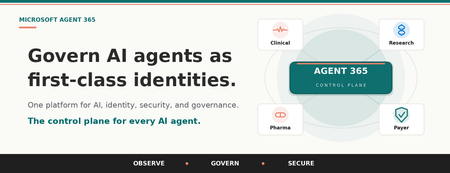
Start here. Answer honestly. Right now, how many AI agents are running inside your organization? Who built them? Which patient data, claims information, or proprietary research are they configured to access? If your CISO walked into your office tomorrow and asked for a complete inventory of every agent in your enterprise, including each one's owner, the systems it is permitted to access, and the policies that govern how it operates, could you produce that inventory before lunch? When the analyst who built that clinical summarization agent moves to a new role next quarter, what happens to the agent? Does its access continue? Does anyone notice? If a regulator opened an audit tomorrow, could you prove that every AI agent operating in your environment is subject to the same lifecycle controls, identity standards, and data protection policies you apply to your human workforce? Could you disable a compromised agent enterprise-wide with a single click, the same way you would revoke a lost access credential? If those questions made you hesitate, you are not alone. Almost no healthcare or life sciences organization can answer them confidently today. And that gap is exactly where the next decade of risk, and the next decade of competitive advantage, will be decided. The quiet crisis nobody talks about yet Healthcare and life sciences leaders are caught in a paradox. You need AI to survive the operational pressures squeezing your organization from every direction. Physician burnout is at crisis levels, with 45.2% of US physicians reporting symptoms in recent Mayo Clinic research. Revenue cycle complexity continues to climb, and McKinsey now estimates that the cost to collect consumes 30 to 60 percent of net patient revenue at many provider organizations. Prior authorization backlogs delay care. Clinical trial timelines stretch into years. Documentation burden eats hours that belong to patients. So you started piloting Microsoft 365 Copilot. You experimented with agents in Copilot Studio. Maybe a clinical team built an agent to draft discharge summaries. A revenue cycle group spun up an agent to triage denials. A medical affairs team built one to comb through literature. Each one delivered value. Each one was approved on its own merits. And then a quiet thing happened. You lost track of how many agents you have. According to KPMG's AI Quarterly Pulse Survey, 88 percent of organizations are now exploring or piloting AI agents. IDC projects that 1.3 billion agents will be in operation by 2028. Inside your own walls, the number is climbing fast. Each new agent is a digital identity that authenticates into your environment, accesses your data, and executes work on behalf of your business. Most have no formal owner. Most have no documented access scope. Most have no decommissioning plan. Most have never been reviewed by Compliance. Microsoft's 2024 Data Security Index found that 84 percent of organizations lack confidence in their AI data security posture, and 40 percent have already experienced an AI related data security incident. That is not a future problem. That is a now problem. If shadow IT was the defining governance challenge of the last decade, agent sprawl is the defining challenge of this one. And in healthcare and life sciences, where ePHI, member PII, and proprietary clinical trial data are at stake, the consequences are not theoretical. They are existential. The reframe that changes everything Here is the counterintuitive truth that separates HLS organizations that scale AI from those stuck in pilot purgatory. Governance is not the brake on AI adoption. Governance is the accelerator. When security, identity, and agent oversight are engineered in from day one, your teams stop tiptoeing. They build with confidence because the guardrails are real. They expand into clinical use cases because Compliance trusts the foundation. They scale wall-to-wall because IT can prove every agent is accounted for. The organizations that lead with trust end up moving faster in the long run, not slower. This is the bet behind Microsoft Agent 365 and Microsoft 365 E7. What Agent 365 and Microsoft 365 E7 actually are Microsoft 365 E7, announced March 6, 2026 and now generally available, is the Frontier Suite. It is Microsoft's answer to a single question that every healthcare CIO, CISO, and COO is wrestling with: how do you run AI safely, at scale, across an entire organization? E7 is not another SKU on top of your existing stack. It is one cohesive platform that brings together four essential capabilities: Microsoft 365 E5 for your enterprise productivity, collaboration, and security foundation, including Microsoft Defender, Microsoft Purview, and Microsoft Intune. Microsoft 365 Copilot for AI grounded in your organizational data through Work IQ, embedded in the flow of work for clinicians, researchers, operations teams, and administrators. Microsoft Entra Suite for identity governance, Conditional Access, and Zero Trust network access, extended consistently across users, applications, and AI agents. Microsoft Agent 365 as the centralized control plane to observe, govern, and secure every AI agent, whether built by Microsoft, your internal teams, or external partners. Agent 365 is also available as a standalone capability. But the magic happens when it works alongside the rest of E7, because that is where AI, identity, security, and governance stop being separate disciplines and become one operating system for the agentic era. The mental model that unlocks everything: agents are first-class digital identities Here is the simplest way to understand what Agent 365 does. Microsoft 365 governs your enterprise identities. Agent 365 governs your agent identities. The same control plane disciplines apply to both. Think about the rigor you apply to any privileged identity in your environment, whether a service account, an API integration, or a third-party application connector. You issue it a unique identity in Microsoft Entra. You assign a human owner who is accountable. You scope its access to least privilege. You apply DLP, sensitivity labels, and Conditional Access. You monitor for anomalous behavior. You have a documented decommissioning path. Identities that no one watches over become identities that get exploited. Now ask yourself how the last AI agent in your environment was created. The honest answer at most organizations: someone opened Copilot Studio, pointed it at a SharePoint library of clinical protocols, gave it a name, and moved on. No documented owner. No access review. No retirement plan. Compliance was never consulted. You would never stand up a privileged service account that way. Yet that is exactly how most organizations are standing up the fastest-growing class of digital identities in their environment. Agent 365 closes that gap by extending the identity, security, and lifecycle controls you already trust for users and applications so they apply with the same rigor to AI agents. Every agent receives a unique Entra Agent ID, a first-class identity in Azure AD with the same governance primitives as any other privileged identity. Every agent has a designated human owner who is accountable for its scope and behavior. Access is granted explicitly through Conditional Access and policy templates, so each agent operates only against the resources its purpose requires. Microsoft Purview DLP and sensitivity labels govern which data the agent is permitted to read, generate, or share. Microsoft Defender monitors agent activity for anomalies and surfaces alerts the same way it does for any other identity-driven risk. Lifecycle rules flag or auto-retire agents that are dormant, orphaned, or risky, eliminating the unowned automations that quietly accumulate in every enterprise. This is not metaphor. It is the actual architecture. The fastest path to governing agents is to extend the identity infrastructure you already trust. The three pillars of Agent 365: Observe, Govern, Secure Pillar 1: Observe. Know what is actually happening. You cannot govern what you cannot see. The first job of Agent 365 is to give you complete, continuous visibility into every AI agent operating in your environment. The Agent Registry is the single authoritative inventory of every agent, whether built by Microsoft, custom developed by your team, deployed by a partner, or discovered as a shadow agent operating without oversight. Each entry shows the owner, purpose, capabilities, lifecycle status, and business context. Agent Analytics tracks adoption, quality, performance, and business impact. Agent Map visualizes how agents connect with other agents, people, tools, and data sources, surfacing dependencies and risk concentrations you would never spot in a spreadsheet. Real time monitoring flows directly into Microsoft Defender, so unusual agent behavior generates alerts the same way unusual user behavior does today. For a health system CISO, that means finally being able to answer the question: which agents are touching ePHI, and is every one of them authorized? For a life sciences compliance officer, it means audit ready visibility into every AI system operating across R&D, regulatory affairs, and commercial. For a payer operations leader, it means knowing which claims processing agents are actually delivering accuracy and throughput, and which are quietly underperforming. Pillar 2: Govern. Set the rules. Control the lifecycle. Visibility is the start. Control is what turns visibility into outcomes. Agent 365 ensures that every agent is approved, compliant, and accountable from creation through retirement. IT led onboarding workflows make sure each agent launches with the right identity, access, and ownership before it ever touches data. Policy templates enforce data handling, permission, and usage rules consistently from day one through Defender, Entra, and Purview. Rules based agent management gives admins an automated If This Then That interface. If an agent is unused for 90 days, auto retire it. If an agent is flagged as risky, block it and alert the security operations team. No human in the loop required for the routine cases, full alerting and override for the exceptions. Ownership enforcement requires every agent to have a designated human owner. When that owner leaves the organization, the platform flags the orphaned agent for bulk reassignment, so nothing operates without clear accountability. The Tools Gateway brokers and audits tool access for agents, enabling least privilege at the action level, not just the identity level. For HLS specifically, that translates to outcomes you can take to your board. A hospital CIO can ensure any agent touching Epic or Cerner goes through standardized approval. A pharma IT director can enforce that clinical trial matching agents only touch de identified data unless elevated permissions are explicitly granted and documented. A payer compliance team can automatically retire agents tied to a completed open enrollment campaign instead of letting them silently expand the attack surface. Pillar 3: Secure. Protect agents and data with the stack you already trust. The final pillar is what makes Agent 365 production grade for healthcare and life sciences. Security and compliance are not bolted on. They are the same proven Microsoft security stack you already run for your users, extended natively to agents. Microsoft Purview, your data security and compliance backbone: Data Security Posture Management for AI gives visibility into how agents interact with sensitive data and detects risky usage patterns. Data Loss Prevention stops agents from accessing or processing files labeled Highly Confidential, even when a user prompts them to. Sensitivity labels are inherited automatically by agent outputs, governing how data is viewed, extracted, or shared downstream. Insider Risk Management detects risky behavior by users interacting with agents, such as unusual prompt patterns or excessive access to sensitive data. Communication Compliance monitors AI driven interactions for regulatory or ethical violations and unauthorized disclosures. eDiscovery and Audit logs every agent interaction, giving legal, compliance, and IT teams the transparency required for HIPAA, GDPR, and FDA 21 CFR Part 11. Oversharing Assessments run weekly checks for sensitive data exposure across SharePoint sites and agent access patterns. Microsoft Entra, your identity control plane: Entra Agent ID gives every agent a unique identity in Azure AD, so Conditional Access, role based access, and risk based policies apply individually. Conditional Access for agents enforces policies like only allow this prior authorization agent to access claims data from approved devices and locations during business hours. Identity Governance provides access packages for agents with reduced scope permissions and least privilege defaults. Block at Scale lets you instantly disable all high-risk agents from Entra in a single action. Microsoft Defender, your threat protection layer: Security Posture Management identifies and remediates agent misconfigurations, such as agents running with no authentication. Threat Detection and Blocking monitors suspicious agent activity, generates alerts, and blocks unauthorized tool invocations. Threat Investigation and Hunting collects unified agent observability logs so SOC teams can forensically trace every action an agent took. One Click Kill Switch instantly disables any agent and surfaces the complete audit trail of every action it took before being stopped. For a hospital security operations team, that means the same DLP policies protecting patient records in email and Teams now protect agents that summarize clinical notes. For a life sciences data protection officer, it means agents accessing proprietary compound data respect the same sensitivity labels as human researchers. For a payer CISO, it means an anomalous claims agent can be killed in seconds, with a complete forensic record of every member record it touched. Why this only works as an integrated platform Individual capabilities are useful. Integration is what makes them transformative. Here is the contrast HLS leaders feel today versus what changes the moment E7 lights up. Without an integrated platform, you operate with: Fragmented tools for identity, security, compliance, and AI, each with its own console and its own gaps. No centralized agent inventory, forcing your IT and security teams to track bots and automations in spreadsheets. Inconsistent policy enforcement across agents, creating compliance gaps every audit team will eventually find. Blind spots where agents access data, invoke tools, or interact with other agents without any oversight. Manual triage when an incident hits, because nothing connects user identity, agent identity, and data classification in one view. With Microsoft 365 E7, you gain: A Unified Agent Registry providing a single source of truth for every agent, whether Microsoft built, custom developed, partner deployed, or shadow discovered. Entra Agent ID giving each agent a unique identity, so Conditional Access, role based access, and risk based policies apply at the individual agent level. Full lifecycle governance with standardized onboarding, periodic review, ownership transfers, auto retirement of dormant agents, and structured offboarding. Policy by design, where Purview DLP, sensitivity labels, and compliance rules extend to all agent interactions through pre built templates applied consistently from day one. One click disable to instantly freeze any agent, with Defender threat detection extended to agents and full audit trails for forensic investigation. Expanded threat coverage that addresses agent sprawl, overprivileged access, tool misuse, misconfiguration, and inter agent risk patterns no legacy tool was designed to see. Shared registry and controls that let IT, Security, and Compliance reference the same authoritative inventory across Defender, Entra, and Purview, eliminating the silos that slow incident response. This is the reason E7 exists as a platform, not a bundle. AI, identity, security, and governance stop being separate disciplines and start operating as one system. What this is actually worth: the Forrester numbers Microsoft commissioned Forrester to conduct a Total Economic Impact study of Microsoft 365 Copilot, published in March 2025. The composite organization in that study, modeled on real customer interviews, achieved: 132 percent three-year ROI with payback in under one year. 9 hours saved per Copilot user per month through automation of routine work like drafting, summarizing, and analysis. Up to 2.6 percent top line revenue lift through better qualified opportunities, improved win rates, and stronger retention in customer facing teams. 25 percent acceleration in new employee onboarding as new hires ramp faster on summarized institutional knowledge. Those are the verified numbers. The bigger story for HLS is what they look like when applied to clinical, claims, and research workflows where every reclaimed hour is an hour that goes back to patients, members, or science. AI is already defending AI The same agentic capabilities transforming clinical and operational workflows are now embedded in your security stack. Microsoft Security Copilot agents work alongside human analysts inside Defender, Entra, Purview, and Intune, accelerating threat response and absorbing the manual load that today drowns most security operations teams. Independent benchmarks back the impact. In a 162 admin randomized study published in 2025, the Conditional Access Optimization Agent in Microsoft Entra completed configuration tasks 43 percent faster and produced 48 percent more accurate Conditional Access policies than admins working without it. Security triage, alert investigation, and identity hygiene are following the same trajectory. For HLS security teams already stretched thin, that is hours reclaimed every week to focus on the threats that actually matter, with the same Agent 365 governance applying to the security agents themselves. The defenders are governed by the same rules as the workforce they defend. How HLS organizations are putting Agent 365 to work Here is how the value shows up across the three biggest HLS segments. For providers: reclaiming time for care The challenge: clinicians spend more time on documentation than on patients. Care coordination is fragmented. Burnout is gutting retention. The strategy: deploy agents that absorb administrative load while Agent 365 ensures every one of them respects ePHI boundaries. Clinical documentation agents integrated with Microsoft Dragon Copilot structure dictation against EHR requirements, apply billing codes, and flag missing elements before submission. Care coordination agents generate care plans, allocate tasks, and surface relevant patient context during multidisciplinary rounds, optimized for HL7 FHIR interoperability. Patient intake and scheduling agents built in Copilot Studio handle appointment booking, reminders, eligibility verification, and referral management. Handoff and shift summary agents pull from multiple systems to generate complete handoff summaries for nurses and physicians transitioning between shifts, reducing communication gaps that drive adverse events. The aha moment: applied across a 10,000 employee health system, nine hours per user per month is more than one million reclaimed hours a year. That is the equivalent of hundreds of full time clinicians, returned to direct patient care, with every agent governed under the same Conditional Access and DLP policies your IT team already manages today. For payers: transforming revenue cycle and member experience The challenge: prior auth backlogs delay care. Denial rates climb. Member services teams drown in volume. The strategy: agentic AI rewires the most expensive, most manual workflows in your operation while Agent 365 keeps every agent inside the lines on member PII. Prior authorization agents autonomously gather clinical documentation, cross reference medical policy, determine approval criteria, and route decisions, accelerating turnaround from days to hours. Claims processing agents automate billing and denial management. With cost to collect running 30 to 60 percent of net patient revenue at many organizations, even modest automation produces material margin recovery. Denial resolution and appeals agents analyze denial patterns, surface root causes, generate appeal documentation, and track success rates over time, turning a cost center into a continuous improvement engine. Member services agents integrated with Microsoft 365 Copilot Chat handle benefits inquiries, claims status, and self service triage, deflecting call volume and improving first contact resolution. Fraud detection and risk adjustment agents scan claims data for anomalies and optimize coding accuracy for Medicare Advantage and ACA populations. The aha moment: a payer CISO can disable an anomalous prior auth agent in one click and produce a complete forensic record of every member record it accessed, while Compliance simultaneously confirms the agent never violated DLP. That is regulatory readiness that legacy automation cannot deliver. For life sciences and pharma: accelerating discovery and commercialization The challenge: clinical trials take years. Regulatory submissions consume teams. Medical affairs cannot keep up with literature volume. The strategy: orchestrate agents across R&D, regulatory, medical, and commercial, with Agent 365 enforcing the data classification rules that proprietary IP and clinical data demand. Clinical trial matching agents scan patient profiles and eligibility criteria to surface trial opportunities, accelerating recruitment. Regulatory document preparation agents assemble submissions, cross reference data across modules, and ensure consistency in FDA, EMA, and global filings. Medical research and literature review agents powered by Microsoft GraphRAG retrieve research backed insights with verified source references, giving medical science liaisons trustworthy synthesis on demand. Pharmacovigilance agents monitor safety databases, flag potential adverse events, and generate timely case reports. Commercial insights and launch planning agents synthesize market data, payer policy, and HCP sentiment for sharper launch and field strategy. The aha moment: cutting even three months off a regulatory cycle on a single high revenue product can mean tens of millions in additional sales, while Purview sensitivity labels guarantee every agent accessing proprietary compound data respects the same data classification as your senior researchers. A phased path that actually works in regulated industries In regulated industries, a big bang AI rollout is a recipe for incidents. The HLS organizations getting this right are following a five-phase pattern that builds expertise and validates governance before scale. Establish. Form a cross-functional champion team across IT, Compliance, Clinical Operations, and Research. Define what risks you are mitigating and what outcomes you are unlocking. Inventory the agents already in flight. Configure. Stand up identity, DLP, and policy templates in Microsoft 365 Admin Center, Power Platform Admin Center, and Microsoft Purview. Enforce that any agent handling PHI runs in a secure environment with audit logging on by default. Pilot. Choose a small group of makers in a controlled environment. Start with non-critical workflows like internal reporting or scheduling before moving to clinical or member facing use cases. Run weekly reviews with Compliance and Security. Empower. Launch role specific training for clinicians, researchers, makers, and IT. Stand up a Center of Excellence to provide templates, best practices, and reusable patterns. Promote success stories internally to build momentum. Scale. Expand agent development across departments with governance as a guardrail, not a gate. Use pay as you go metering to track usage and optimize licensing. Refine policies continuously based on Purview signals and audit results. The strategic insight: organizations that lead with governance reach scale faster than those that lead with experimentation. Trust is the unlock, not the obstacle. Governance is a team sport Here is the pattern we see again and again. The HLS organizations that succeed with AI at scale are not the ones with the smartest IT shop or the boldest Compliance officer. They are the ones whose IT, Security, Compliance, Clinical, Research, and Operations leaders sit at the same table on agent strategy from week one. Agent 365 was designed for that table. The Agent Registry is the shared truth. Purview policies satisfy your Compliance officer. Entra controls reassure your CISO. The lifecycle workflows give your CIO confidence. The clinical and research outcomes give your COO and Chief Medical Officer the business case. Everyone gets the view they need from the same single source. Stand up an agent governance council. Meet every two weeks. Use the Agent Registry as your standing agenda. Make decisions in plain sight. The organizations that do this consistently outperform on both speed and safety. The ones that try to keep AI inside a single function fall behind on both. Who contributes what Think back to the mental model. You would never let a single function authorize, configure, and oversee a new privileged system on its own, not when it touches ePHI, claims, or proprietary research. Security, IT, Compliance, Clinical, and the relevant business owner all weigh in because the stakes are too high for any one seat to carry alone. Agent governance demands the same multidisciplinary scrutiny, and the council is where that happens. Each seat brings something the others cannot. CIO. Owns the agent strategy and the platform investment. Translates board-level AI ambition into an operating model the rest of the organization can execute against. CISO and Security Operations. Define agent identity standards, Conditional Access policies, and incident response playbooks. Without this seat, an anomalous agent touching ePHI becomes a breach instead of a contained event. Chief Compliance Officer and Privacy. Translate HIPAA, GDPR, FDA 21 CFR Part 11, and state regulations into Purview policies and audit requirements. This is the seat that keeps you out of an OCR investigation or a 483 letter. Chief Medical Officer and Clinical Operations. Validate that clinical agents are safe, accurate, and aligned with care standards. Own the clinical risk review for any agent that touches patient care, the same way you would for a new clinical protocol. Chief Research Officer or Head of R&D. Govern how agents interact with proprietary trial data, compound libraries, and scientific IP. The seat that protects the next decade of pipeline value. COO and Revenue Cycle Leadership. Prioritize the operational workflows where agents will move the needle on cost to collect, denial rates, and throughput, and own the business outcomes that justify the investment. Center of Excellence Lead. Maintains templates, reusable patterns, and maker enablement. Turns every council decision into a guardrail builders can actually use the next morning. Frontline champions. Clinicians, claims specialists, and researchers who pilot, give feedback, and carry credibility back to their peers. The seat that decides whether agents get adopted or quietly ignored. When every one of these voices is in the room, your governance council operates like a tumor board for AI. Different lenses, one shared decision, full accountability. That is how regulated industries make complex calls safely, and it is exactly the muscle Agent 365 was built to support. Seven questions to bring to your next leadership meeting If you want to know whether your organization is ready, run through these together. The places you hesitate are exactly where Agent 365 and E7 deliver the most value. Visibility. Do you know which AI agents, bots, and automations are running in your environment today, who built them, what they have access to, and whether they are still needed? Control. If someone on your team builds a new AI agent tomorrow, what is the actual process to make sure it is approved and secured? Or could they deploy it with wide open access? Security. What prevents an AI agent from reading or transmitting patient data it should not? Do you have a way to detect and stop a rogue or compromised agent? Accountability. Who owns the outputs of an AI agent's actions? What is the offboarding process when the agent or its creator leaves? Scale. Six months from now, you may have a hundred agents deployed across departments. Are your oversight and compliance structures ready for that volume? Cross-functional alignment. How are your IT, Security, and Compliance teams partnering on AI today? Governance is a team sport. Data readiness. How confident are you that your data estate is clean, labeled, and governed well enough for AI to surface accurate answers and not outdated or conflicting information? If you hesitated on even one of those, you have just identified where Agent 365 and Microsoft 365 E7 will pay for themselves the fastest. The path forward Here is the honest truth. The healthcare and life sciences organizations that lead in the next decade will not be the ones that adopted AI first. They will be the ones that adopted AI safely, compliantly, and at scale, with intelligence and trust woven into every layer. Microsoft Agent 365 and Microsoft 365 E7 give you the only integrated platform that brings AI, identity, security, and governance into one cohesive system, running in the flow of work you already use. This is not about adding another tool to your stack. It is about extending the investments you have already made in Microsoft 365, Entra, Defender, and Purview to cover the fastest-growing class of digital identities in your environment. The agent era has already arrived. The question is whether you will govern it with confidence or chase it with anxiety. We would love to help you lead. Take the next step Explore Microsoft Agent 365: The Control Plane for Agents Microsoft Entra Agent ID: aka.ms/EntraAgentID Learn more about Microsoft 365 E7, the Frontier Suite: Introducing Microsoft 365 E7 See Microsoft 365 Copilot in action: Microsoft 365 Copilot Read the Forrester TEI study: The Total Economic Impact of Microsoft 365 Copilot
Microsoft Purview: Comprehensive solutions for data governance, protection, compliance & management.
Microsoft Purview provides a unified data governance solution to help manage and govern your on-premises, multicloud, and software as a service (SaaS) data, Office Apps, Microsoft Office 365 services, Devices and Cloud Apps. Easily create a holistic, up-to-date map of your data landscape with automated data discovery, sensitive data classification, and end-to-end data lineage. Enable data consumers to access valuable, trustworthy data management.
Azure DevOps - Leveraging Pipeline Decorators for Custom Process Automation
Introduction Background In the recent pandemic, health institutions all across the world have been pushed to their limits on about every facet. Through this, many such institutions have begun to reprioritize their modernization efforts around their cloud infrastructure to support increasing demands and hedge against uncertainty. As institutions are migrating their existing workloads into the cloud, a common challenge they are faced with is that many of their on-prem security processes and standards tend to not map one-to-one with the services they are being migrated to. With the sensitive nature of the healthcare industry, it is especially important to solution feasible routes to always ensure security and validation is in place end-to-end. In this blog post, we will look at how Azure DevOps Pipeline Decorators can be leveraged to bridge the gap in our cloud environment with the customer's existing security processes on their on-premises IIS server. What are Pipeline Decorators? If you have ever run across jobs executing on your azure pipelines that you have not previously defined, there is a good chance you may have already run into decorators before! Pipeline decorators allow you to program jobs to execute before or after any pipeline runs across your entire Azure DevOps organization. For scenarios such as running a virus scan before every pipeline job, or any sort of automated steps to assist with governance of your CICD processes, pipeline decorators grants you the ability to impose your will at any scale within Azure DevOps. Read further on decorators on Microsoft Learn: Pipeline decorators - Azure DevOps | Microsoft Learn In this blog post, I will be walking through a sample process based on the customer scenario’s requirements, and how the pipeline decorators can fit in to assist with their governance objectives. Scenario Customer’s Azure DevOps organization has grown to a considerable size composed of numerous projects with various applications with no clearly defined process or standards they adhere to. All of these applications have been hosted on an on-premises IIS server, where the application teams are trusted to provide manual inputs to deployment variables. Due to the lack of out-of-the-box controls for validating IIS file path permissions with Azure Active Directory identities within Azure DevOps, this was an area of concern with the customer as the deployed production applications effectively did not have any preventative measures to address malicious actors or human error overwriting existing applications. When looking at the deployment tasks to IIS servers from Azure DevOps, the two primary variables the customer was looking to control were: virtualAppName - Name of an existing an already existing virtual application on the target machines websiteName - Name of an existing website on the machine group Considering the RBAC strategy the customer has in mind with AAD, there will be a third variable to represent the ownership of the application via an AAD group. groupId - AAD ID of the application owner’s group In the next section, I will outline a high-level process proposal based on these three variables, that goes into onboarding applications. Solutioning High-Level Process Proposal for Onboarding New Applications For this demo’s purposes, we will make the following assumptions to build out a process that illustrates how application teams can successfully onboard and assist the operations team in successfully managing the application environment within their on-prem IIS server. Assumptions Ops team only require the following three parameters to help govern application deployments: virtualAppName groupId websiteName Application teams only need flexibility while building applications within the CICD pipelines, and currently do not have much concerns or the expertise to manage deployments. Ops team wishes to also build security around these parameters such that only the authorized actors will be able to modify these values. Onboarding New Applications Ops team provides a template (such as GitHub issues templates) for new application requests to the application teams, and captures the following IIS deployment-specific information: virtualAppName groupId websiteName For this demo, I have created a simple GitHub issues YAML form which the operations team can leverage to capture basic information from the application teams, which can also be tied to automation to further reduce operational overhead: Ops team is then notified of the request, and upon successful validation continues to provision an Application Environment with the captured information application environment in this context involves the following components: Key Vault (per application) Service Connection to application Key Vault with read permissions over secrets Place the application team provided, ops team validated virtualAppName , groupId , websiteName values as secrets Place Service Connection details in the project variable group to allow for the decorator to dynamically retrieve secrets for each project Application registered onto the IIS server that adheres to existing IIS server file management strategies Once the environment is ready for use, notify the application teams by updating the issue template and now the application teams only need to focus on building and publishing their artifact within their CICD pipelines Updating Existing Applications Ops team provides a template for change requests to the application teams, and captures the following information: virtualAppName groupId websiteName Change Justification/Description Core Ops team reviews and approves the change request Update the application environment accordingly Notify the application team Now with the high-level process defined, we will now look at how we could bring in the relevant parameters into the decorators to impose validation logic. Building the Demo Setting up our Demo Application Environment In this example, I created a key vault named kv-demolocaldev , and placed the virtualAppName , groupId , and websiteName so we may retrieve the values later as shown below: Now, we must create the project and subsequently create the service connection to the key vault scoped to the project. To do this, I created an Azure Resource Manager Service Connection while using my demo identity, that is scoped to the resource group containing the key vault: Once the service connection is done provisioning, you can navigate to the AAD object by following the Manage Service Principal link, which will allow you to retrieve the Application ID to be used when adding the access policy. Selecting the Manage Service Principal link will take us to the AAD object, where we can find the Azure Application ID to add to our Key Vault access policy. The service connection will only need GET secret permissions on its access policy. Afterwards, we now capture the information about the service connection and key vault by creating a variable group on the application's Azure DevOps project named demo-connection-details : There will need to be additional steps taken to provision the IIS server as well with the parameters, but for this demo's purpose we will assume that the provisioning steps have already been taken care of. Now with this, we can move onto building out our decorators. Building the Decorators For the pipeline side, the customer is looking to control both the pre-build with validating the input variables, and post-build in placing guardrails around deployment configurations with the validated parameters. Both pre and post decorators will leverage the same key vault secrets, so we will start with integrating the key vault secrets into the YAML definition. Pipeline decorators leverage the same YAML schema as the YAML build pipelines used within Azure DevOps. Meaning we can take advantage of conditional logic with repo branches, dynamic variables, and pull in key vault secrets with service connections. The high-level logic we are attempting to demonstrate for the pre and post decorators are the following: Pre: Check for variables/conditions to bypass decorators Using pre-established variables, connect to application’s Azure Key vault and retrieve secret values For each of the deployment variables, process custom validation logic Post: Deploy the application/artifact to the IIS server You can find the demo files within the following repo: https://github.com/JLee794-Sandbox/ADO-Decorators-PoC Pre-build decorator To ensure users can opt-out of the process during development, we can leverage the same YAML schema as build pipelines to construct our conditionals. Check for variables/condition to bypass decorators In the pre-build decorator YAML definition (located in Build/Pre/input-parameter-decorator.yml ), for pipeline builds that run off the main branch, that also checks for a simple variable flag named testDecorator to be true for the decorator to execute. steps: - ${{ if and(eq(variables['Build.SourceBranchName'], 'main'), contains(variables['testDecorator'],'true') ) }}: Following right after, I retrieve websiteName , groupId , and virtualAppName with the connection details we have placed within the demo-connection-details , which will be passed in by the build pipeline. - task: AzureKeyVault@2 displayName: '[PRE BUILD DECORATOR] Accessing Decorator Params from the key vault - $(decorator_keyvault_name), using $(decorator_keyvault_connection_name) connection.' inputs: azureSubscription: $(decorator_keyvault_connection_name) # Service Connection Name (scoped to RG) KeyVaultName: $(decorator_keyvault_name) # Key Vault Name SecretsFilter: 'websiteName,groupId,virtualAppName' # Secret names to retrieve from Key Vault RunAsPreJob: true Now that the secrets have been pulled in, we can now run our custom validation logic for each. For the purpose of this demo, we will just check that each variable exists and throw an error through a simple PowerShell script. - task: PowerShell@2 name: ValidateDeploymentVariables displayName: '[PRE BUILD DECORATOR] Validate Deployment Variables (Injected via Decorator)' inputs: targetType: 'inline' script: | $errorArr = @() try { Write-Host "VirtualAppName: $(virtualAppName)" # your input test cases go here # e.g querying the remote-machine to match the virtualAppName } catch { errorArr += 'virtualAppName' Write-Host "##vso[task.logissue type=error]Input parameter 'virtualAppName' failed validation tests." } try { Write-Host "GroupID: $(groupId)" # your input test cases go here # e.g querying the remote-machine to match the groupId against the local file permissions } catch { Write-Host "##vso[task.logissue type=error]Input parameter 'groupId' failed validation tests." errorArr += 'GroupID' } try { Write-Host "WebSiteName: $(webSiteName)" # your input test cases go here # e.g querying the web-site URL to see if site already exists, etc. } catch { Write-Host "##vso[task.logissue type=error]Input parameter 'webSiteName' failed validation tests." errorArr += 'GroupID' } if ($errorArr.count -gt 0) { # Link to your teams documentation for further explanation Write-Warning -Message "Please provide valid parameters for the following variables: $($errorArr.join(', '))" Write-Warning -Message "See <https://docs.microsoft.com/en-us/azure/devops/pipelines/process/variables?view=azure-devops&tabs=yaml%2Cbatch> for additional details" throw "Please provide valid values for $($errorArr.join(', '))." } And we are done with the pre-build decorator! Of course, while developing it is important to iteratively test your code. If you would like to publish your code now, skip to the (Publish your extension) section below. Post-build decorator For our post-build decorator, all we want to do is determine when the decorator should run, and simply invoke a deployment task such as the IISWebAppDeploymentOnMachineGroup task. Of course, there are many more validation steps and tools you can place here to further control your deployment process, but for the sake of this demo we will just be outputting some placeholder messages: steps: - task: PowerShell@2 name: DeployToIIS displayName: Deploy to IIS (Injected via Decorator) condition: | and ( eq(variables['Build.SourceBranch'], 'refs/heads/main'), eq(variables.testDecorator, 'true') ) inputs: targetType: 'inline' script: | # Validation steps to check if IIS # Validation steps to check if iOS or Android # > execute deployment accordingly Write-Host @" Your IIS Web Deploy Task can look like this: - task: IISWebAppDeploymentOnMachineGroup@ inputs: webSiteName: $(webSiteName) virtualApplication: $(virtualAppName) package: '$(System.DefaultWorkingDirectory)\\**\\*.zip' # Optionally, you can parameterize this as well. setParametersFile: # Optional removeAdditionalFilesFlag: false # Optional excludeFilesFromAppDataFlag: false # Optional takeAppOfflineFlag: false # Optional additionalArguments: # Optional xmlTransformation: # Optional xmlVariableSubstitution: # Optional jSONFiles: # Optional "@ Publishing the Extension to Share with our ADO Organization First, we need to construct a manifest for the pipeline decorators to publish them to the private Visual Studio marketplace so that we may start using and testing the code. In the demo directory, under Build we have both Pre and Post directories, where we see a file named vss-extension.json on each. We won’t go into too much of the details around the manifest file here today, but the manifest file allows us to configure how the pipeline decorator executes, and for what sort of target. Read more on manifest files: Pipeline decorators - Azure DevOps | Microsoft Learn With the manifest file configured, we can now publish to the marketplace and share it with our ADO organization: Create publisher on the Marketplace management portal Install tfx command line tool npm install -g tfx-cli Navigate to the directory containing the vss-extension.json Generate the .vsix file through tfx extension create > tfx extension create --rev-version TFS Cross Platform Command Line Interface v0.11.0 Copyright Microsoft Corporation === Completed operation: create extension === - VSIX: /mnt/c/Users/jinle/Documents/Tools/ADO-Decorator-Demo/Build/Pre/Jinle-SandboxExtensions.jinlesampledecoratorspre-1.0.0.vsix - Extension ID: jinlesampledecoratorspre - Extension Version: 1.0.0 - Publisher: Jinle-SandboxExtensions Upload the extension via the Marketplace management portal or through tfx extension publish Share your extension with your ADO Organization on the management portal Install the extension on your ADO Organization Organization Settings > Manage Extensions > Shared > Install Testing the Decorator Now that your pipeline decorators are installed in your organization, any time you push an update to the Visual Studio marketplace to update your extensions, your organization will automatically get the latest changes. To test your decorators, you can leverage the built in GUI for Azure DevOps to validate your YAML syntax, as well as executing any build pipeline with the appropriate trigger conditions we have configured previously. In our demo application environment, I updated the out-of-the-box starter pipeline to include our connection variable group, as well as specify the testDecorators flag to true: variables: - name: testDecorator value: true - group: demo-connection-details Running the pipeline, I can now see the tasks I have defined execute as expected: Once we verify that the pre and post tasks have run as expected with the conditional controls evaluating in a similar manner, we can then conclude this demo. Conclusion Now with the decorator's scaffolding in place, the customer can continue to take advantage of the flexibility provided by Azure DevOps pipeline's YAML schema to implement their existing security policies at the organization level. I hope this post helped bring understanding to how pipeline decorators can be leveraged to automate custom processes and bring governance layers into your ADO environment. If you have any questions or concerns around this demo, or would like to continue the conversation around potential customer scenarios, please feel free to reach out any time.4.9KViews2likes0CommentsMWT Webcast - Microsoft Teams Governance and Adoption in Healthcare & Life Sciences
On January 7th at 12 noon eastern please join us for the interactive webcast " Microsoft Teams Governance and Adoption in Healthcare & Life Sciences." We are happy to host Microsoft Ignite Speaker Karuana Gatimu (Principal Program Manager, Microsoft Teams) who will be presenting this session live online and answering your questions.Extending Office 365 Operation Management and Governance in HLS with AvePoint – Michael on the Go
In this Michael on the Go video AvePoint’s Nick Carr (Vice President, Americas Partner Program) discusses how AvePoint can help Healthcare and Life Sciences customers to enhance and extend their Management and Governance of Office 365 (including Microsoft Teams!) with AvePoint.