governance
24 TopicsIs Power Automate Becoming the New Technical Debt in Dynamics 365 Projects?
Power Automate has transformed how organisations build automation within Dynamics 365 and the Power Platform. Teams can automate processes quickly, reduce manual effort, and deliver business value without extensive custom development. At the same time, I have noticed an interesting challenge in some organizations as Power Platform adoption matures. Over time, hundreds of flows can be created by different teams, often with varying levels of governance, documentation, and ownership. Business logic may become distributed across multiple automations, making troubleshooting, maintenance, and long-term support more complex. On the other hand, many organisations have successfully scaled Power Automate by implementing strong governance practices and automation standards. I'm interested in hearing different perspectives from the community. Have you seen Power Automate become difficult to manage at scale, or has it reduced technical debt in your organization? What governance, architecture, or operational practices have worked best for balancing innovation with maintainability?124Views1like0CommentsModel Mondays S2E12: Models & Observability
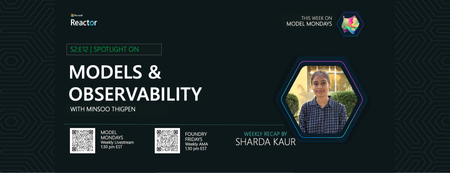
1. Weekly Highlights This week’s top news in the Azure AI ecosystem included: GPT Real Time (GA): Azure AI Foundry now offers GPT Real Time (GA)—lifelike voices, improved instruction following, audio fidelity, and function calling, with support for image context and lower pricing. Read the announcement and check out the model card for more details. Azure AI Translator API (Public Preview): Choose between fast Neural Machine Translation (NMT) or nuanced LLM-powered translations, with real-time flexibility for multilingual workflows. Read the announcement then check out the Azure AI Translator documentation for more details. Azure AI Foundry Agents Learning Plan: Build agents with autonomous goal pursuit, memory, collaboration, and deep fine-tuning (SFT, RFT, DPO) - on Azure AI Foundry. Read the announcement what Agentic AI involves - then follow this comprehensive learning plan with step-by-step guidance. CalcLM Agent Grid (Azure AI Foundry Labs): Project CalcLM: Agent Grid is a prototype and open-source experiment that illustrates how agents might live in a grid-like surface (like Excel). It's formula-first and lightweight - defining agentic workflows like calculations. Try the prototype and visit Foundry Labs to learn more. Agent Factory Blog: Observability in Agentic AI: Agentic AI tools and workflows are gaining rapid adoption in the enterprise. But delivering safe, reliable and performant agents requires foundation support for Observability. Read the 6-part Agent Factory series and check out the Top 5 agent observability best practices for reliable AI blog post for more details. 2. Spotlight On: Observability in Azure AI Foundry This week’s spotlight featured a deep dive and demo by Han Che (Senior PM, Core AI/ Microsoft ), showing observability end-to-end for agent workflows. Why Observability? Ensures AI quality, performance, and safety throughout the development lifecycle. Enables monitoring, root cause analysis, optimization, and governance for agents and models. Key Features & Demos: Development Lifecycle: Leaderboard: Pick the best model for your agent with real-time evaluation. Playground: Chat and prototype agents, view instant quality and safety metrics. Evaluators: Assess quality, risk, safety, intent resolution, tool accuracy, code vulnerability, and custom metrics. Governance: Integrate with partners like Cradle AI and SideDot for policy mapping and evidence archiving. Red Teaming Agent: Automatically test for vulnerabilities and unsafe behavior. CI/CD Integration: Automate evaluation in GitHub Actions and Azure DevOps pipelines. Azure DevOps GitHub Actions Monitoring Dashboard: Resource usage, application analytics, input/output tokens, request latency, cost breakdown, and evaluation scores. Azure Cost Management SDKs & Local Evaluation: Run evaluations locally or in the cloud with the Azure AI Evaluation SDK. Demo Highlights: Chat with a travel planning agent, view run metrics and tool usage. Drill into run details, debugging, and real-time safety/quality scores. Configure and run large-scale agent evaluations in CI/CD pipelines. Compare agents, review statistical analysis, and monitor in production dashboards 3. Customer Story: Saifr Saifr is a RegTech company that uses artificial intelligence to streamline compliance for marketing, communications, and creative teams in regulated industries. Incubated at Fidelity Labs (Fidelity Investments’ innovation arm), Saifr helps enterprises create, review, and approve content that meets regulatory standards—faster and with less manual effort. What Saifr Offers AI-Powered Compliance: Saifr’s platform leverages proprietary AI models trained on decades of regulatory expertise to automatically detect potential compliance risks in text, images, audio, and video. Automated Guardrails: The solution flags risky or non-compliant language, suggests compliant alternatives, and provides explanations—all in real time. Workflow Integration: Saifr seamlessly integrates with enterprise content creation and approval workflows, including cloud platforms and agentic AI systems like Azure AI Foundry. Multimodal Support: Goes beyond text to check images, videos, and audio for compliance risks, supporting modern marketing and communications teams. 4. Key Takeaways Observability is Essential: Azure AI Foundry offers complete monitoring, evaluation, tracing, and governance for agentic AI—making production safe, reliable, and compliant. Built-In Evaluation and Red Teaming: Use leaderboards, evaluators, and red teaming agents to assess and continuously improve model safety and quality. CI/CD and Dashboard Integration: Automate evaluations in GitHub Actions or Azure DevOps, then monitor and optimize agents in production with detailed dashboards. Compliance Made Easy: Safer’s agents and models help financial services and regulated industries proactively meet compliance standards for content and communications. Sharda's Tips: How I Wrote This Blog I focus on organizing highlights, summarizing customer stories, and linking to official Microsoft docs and real working resources. For this recap, I explored the Azure AI Foundry Observability docs, tested CI/CD pipeline integration, and watched the customer demo to share best practices for regulated industries. Here’s my Copilot prompt for this episode: "Generate a technical blog post for Model Mondays S2E12 based on the transcript and episode details. Focus on observability, agent dashboards, CI/CD, compliance, and customer stories. Add correct, working Microsoft links!" Coming Up Next Week Next week: Open Source Models! Join us for the final episode with Hugging Face VP of Product, live demos, and open model workflows. Register For The Livestream – Sep 15, 2025 About Model Mondays Model Mondays is your weekly Azure AI learning series: 5-Minute Highlights: Latest AI news and product updates 15-Minute Spotlight: Demos and deep dives with product teams 30-Minute AMA Fridays: Ask anything in Discord or the forum Start building: Watch Past Replays Register For AMA Recap Past AMAs Join The Community Don’t build alone! The Azure AI Developer Community is here for real-time chats, events, and support: Join the Discord Explore the Forum About Me I'm Sharda, a Gold Microsoft Learn Student Ambassador focused on cloud and AI. Find me on GitHub, Dev.to, Tech Community, and LinkedIn. In this blog series, I share takeaways from each week’s Model Mondays livestream.347Views0likes0CommentsThe Agent Era Has Already Arrived in Healthcare. Are You Ready to Govern It?
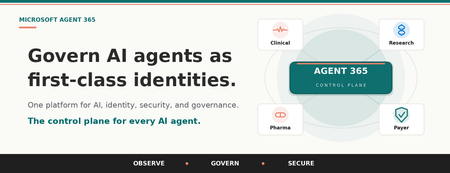
Start here. Answer honestly. Right now, how many AI agents are running inside your organization? Who built them? Which patient data, claims information, or proprietary research are they configured to access? If your CISO walked into your office tomorrow and asked for a complete inventory of every agent in your enterprise, including each one's owner, the systems it is permitted to access, and the policies that govern how it operates, could you produce that inventory before lunch? When the analyst who built that clinical summarization agent moves to a new role next quarter, what happens to the agent? Does its access continue? Does anyone notice? If a regulator opened an audit tomorrow, could you prove that every AI agent operating in your environment is subject to the same lifecycle controls, identity standards, and data protection policies you apply to your human workforce? Could you disable a compromised agent enterprise-wide with a single click, the same way you would revoke a lost access credential? If those questions made you hesitate, you are not alone. Almost no healthcare or life sciences organization can answer them confidently today. And that gap is exactly where the next decade of risk, and the next decade of competitive advantage, will be decided. The quiet crisis nobody talks about yet Healthcare and life sciences leaders are caught in a paradox. You need AI to survive the operational pressures squeezing your organization from every direction. Physician burnout is at crisis levels, with 45.2% of US physicians reporting symptoms in recent Mayo Clinic research. Revenue cycle complexity continues to climb, and McKinsey now estimates that the cost to collect consumes 30 to 60 percent of net patient revenue at many provider organizations. Prior authorization backlogs delay care. Clinical trial timelines stretch into years. Documentation burden eats hours that belong to patients. So you started piloting Microsoft 365 Copilot. You experimented with agents in Copilot Studio. Maybe a clinical team built an agent to draft discharge summaries. A revenue cycle group spun up an agent to triage denials. A medical affairs team built one to comb through literature. Each one delivered value. Each one was approved on its own merits. And then a quiet thing happened. You lost track of how many agents you have. According to KPMG's AI Quarterly Pulse Survey, 88 percent of organizations are now exploring or piloting AI agents. IDC projects that 1.3 billion agents will be in operation by 2028. Inside your own walls, the number is climbing fast. Each new agent is a digital identity that authenticates into your environment, accesses your data, and executes work on behalf of your business. Most have no formal owner. Most have no documented access scope. Most have no decommissioning plan. Most have never been reviewed by Compliance. Microsoft's 2024 Data Security Index found that 84 percent of organizations lack confidence in their AI data security posture, and 40 percent have already experienced an AI related data security incident. That is not a future problem. That is a now problem. If shadow IT was the defining governance challenge of the last decade, agent sprawl is the defining challenge of this one. And in healthcare and life sciences, where ePHI, member PII, and proprietary clinical trial data are at stake, the consequences are not theoretical. They are existential. The reframe that changes everything Here is the counterintuitive truth that separates HLS organizations that scale AI from those stuck in pilot purgatory. Governance is not the brake on AI adoption. Governance is the accelerator. When security, identity, and agent oversight are engineered in from day one, your teams stop tiptoeing. They build with confidence because the guardrails are real. They expand into clinical use cases because Compliance trusts the foundation. They scale wall-to-wall because IT can prove every agent is accounted for. The organizations that lead with trust end up moving faster in the long run, not slower. This is the bet behind Microsoft Agent 365 and Microsoft 365 E7. What Agent 365 and Microsoft 365 E7 actually are Microsoft 365 E7, announced March 6, 2026 and now generally available, is the Frontier Suite. It is Microsoft's answer to a single question that every healthcare CIO, CISO, and COO is wrestling with: how do you run AI safely, at scale, across an entire organization? E7 is not another SKU on top of your existing stack. It is one cohesive platform that brings together four essential capabilities: Microsoft 365 E5 for your enterprise productivity, collaboration, and security foundation, including Microsoft Defender, Microsoft Purview, and Microsoft Intune. Microsoft 365 Copilot for AI grounded in your organizational data through Work IQ, embedded in the flow of work for clinicians, researchers, operations teams, and administrators. Microsoft Entra Suite for identity governance, Conditional Access, and Zero Trust network access, extended consistently across users, applications, and AI agents. Microsoft Agent 365 as the centralized control plane to observe, govern, and secure every AI agent, whether built by Microsoft, your internal teams, or external partners. Agent 365 is also available as a standalone capability. But the magic happens when it works alongside the rest of E7, because that is where AI, identity, security, and governance stop being separate disciplines and become one operating system for the agentic era. The mental model that unlocks everything: agents are first-class digital identities Here is the simplest way to understand what Agent 365 does. Microsoft 365 governs your enterprise identities. Agent 365 governs your agent identities. The same control plane disciplines apply to both. Think about the rigor you apply to any privileged identity in your environment, whether a service account, an API integration, or a third-party application connector. You issue it a unique identity in Microsoft Entra. You assign a human owner who is accountable. You scope its access to least privilege. You apply DLP, sensitivity labels, and Conditional Access. You monitor for anomalous behavior. You have a documented decommissioning path. Identities that no one watches over become identities that get exploited. Now ask yourself how the last AI agent in your environment was created. The honest answer at most organizations: someone opened Copilot Studio, pointed it at a SharePoint library of clinical protocols, gave it a name, and moved on. No documented owner. No access review. No retirement plan. Compliance was never consulted. You would never stand up a privileged service account that way. Yet that is exactly how most organizations are standing up the fastest-growing class of digital identities in their environment. Agent 365 closes that gap by extending the identity, security, and lifecycle controls you already trust for users and applications so they apply with the same rigor to AI agents. Every agent receives a unique Entra Agent ID, a first-class identity in Azure AD with the same governance primitives as any other privileged identity. Every agent has a designated human owner who is accountable for its scope and behavior. Access is granted explicitly through Conditional Access and policy templates, so each agent operates only against the resources its purpose requires. Microsoft Purview DLP and sensitivity labels govern which data the agent is permitted to read, generate, or share. Microsoft Defender monitors agent activity for anomalies and surfaces alerts the same way it does for any other identity-driven risk. Lifecycle rules flag or auto-retire agents that are dormant, orphaned, or risky, eliminating the unowned automations that quietly accumulate in every enterprise. This is not metaphor. It is the actual architecture. The fastest path to governing agents is to extend the identity infrastructure you already trust. The three pillars of Agent 365: Observe, Govern, Secure Pillar 1: Observe. Know what is actually happening. You cannot govern what you cannot see. The first job of Agent 365 is to give you complete, continuous visibility into every AI agent operating in your environment. The Agent Registry is the single authoritative inventory of every agent, whether built by Microsoft, custom developed by your team, deployed by a partner, or discovered as a shadow agent operating without oversight. Each entry shows the owner, purpose, capabilities, lifecycle status, and business context. Agent Analytics tracks adoption, quality, performance, and business impact. Agent Map visualizes how agents connect with other agents, people, tools, and data sources, surfacing dependencies and risk concentrations you would never spot in a spreadsheet. Real time monitoring flows directly into Microsoft Defender, so unusual agent behavior generates alerts the same way unusual user behavior does today. For a health system CISO, that means finally being able to answer the question: which agents are touching ePHI, and is every one of them authorized? For a life sciences compliance officer, it means audit ready visibility into every AI system operating across R&D, regulatory affairs, and commercial. For a payer operations leader, it means knowing which claims processing agents are actually delivering accuracy and throughput, and which are quietly underperforming. Pillar 2: Govern. Set the rules. Control the lifecycle. Visibility is the start. Control is what turns visibility into outcomes. Agent 365 ensures that every agent is approved, compliant, and accountable from creation through retirement. IT led onboarding workflows make sure each agent launches with the right identity, access, and ownership before it ever touches data. Policy templates enforce data handling, permission, and usage rules consistently from day one through Defender, Entra, and Purview. Rules based agent management gives admins an automated If This Then That interface. If an agent is unused for 90 days, auto retire it. If an agent is flagged as risky, block it and alert the security operations team. No human in the loop required for the routine cases, full alerting and override for the exceptions. Ownership enforcement requires every agent to have a designated human owner. When that owner leaves the organization, the platform flags the orphaned agent for bulk reassignment, so nothing operates without clear accountability. The Tools Gateway brokers and audits tool access for agents, enabling least privilege at the action level, not just the identity level. For HLS specifically, that translates to outcomes you can take to your board. A hospital CIO can ensure any agent touching Epic or Cerner goes through standardized approval. A pharma IT director can enforce that clinical trial matching agents only touch de identified data unless elevated permissions are explicitly granted and documented. A payer compliance team can automatically retire agents tied to a completed open enrollment campaign instead of letting them silently expand the attack surface. Pillar 3: Secure. Protect agents and data with the stack you already trust. The final pillar is what makes Agent 365 production grade for healthcare and life sciences. Security and compliance are not bolted on. They are the same proven Microsoft security stack you already run for your users, extended natively to agents. Microsoft Purview, your data security and compliance backbone: Data Security Posture Management for AI gives visibility into how agents interact with sensitive data and detects risky usage patterns. Data Loss Prevention stops agents from accessing or processing files labeled Highly Confidential, even when a user prompts them to. Sensitivity labels are inherited automatically by agent outputs, governing how data is viewed, extracted, or shared downstream. Insider Risk Management detects risky behavior by users interacting with agents, such as unusual prompt patterns or excessive access to sensitive data. Communication Compliance monitors AI driven interactions for regulatory or ethical violations and unauthorized disclosures. eDiscovery and Audit logs every agent interaction, giving legal, compliance, and IT teams the transparency required for HIPAA, GDPR, and FDA 21 CFR Part 11. Oversharing Assessments run weekly checks for sensitive data exposure across SharePoint sites and agent access patterns. Microsoft Entra, your identity control plane: Entra Agent ID gives every agent a unique identity in Azure AD, so Conditional Access, role based access, and risk based policies apply individually. Conditional Access for agents enforces policies like only allow this prior authorization agent to access claims data from approved devices and locations during business hours. Identity Governance provides access packages for agents with reduced scope permissions and least privilege defaults. Block at Scale lets you instantly disable all high-risk agents from Entra in a single action. Microsoft Defender, your threat protection layer: Security Posture Management identifies and remediates agent misconfigurations, such as agents running with no authentication. Threat Detection and Blocking monitors suspicious agent activity, generates alerts, and blocks unauthorized tool invocations. Threat Investigation and Hunting collects unified agent observability logs so SOC teams can forensically trace every action an agent took. One Click Kill Switch instantly disables any agent and surfaces the complete audit trail of every action it took before being stopped. For a hospital security operations team, that means the same DLP policies protecting patient records in email and Teams now protect agents that summarize clinical notes. For a life sciences data protection officer, it means agents accessing proprietary compound data respect the same sensitivity labels as human researchers. For a payer CISO, it means an anomalous claims agent can be killed in seconds, with a complete forensic record of every member record it touched. Why this only works as an integrated platform Individual capabilities are useful. Integration is what makes them transformative. Here is the contrast HLS leaders feel today versus what changes the moment E7 lights up. Without an integrated platform, you operate with: Fragmented tools for identity, security, compliance, and AI, each with its own console and its own gaps. No centralized agent inventory, forcing your IT and security teams to track bots and automations in spreadsheets. Inconsistent policy enforcement across agents, creating compliance gaps every audit team will eventually find. Blind spots where agents access data, invoke tools, or interact with other agents without any oversight. Manual triage when an incident hits, because nothing connects user identity, agent identity, and data classification in one view. With Microsoft 365 E7, you gain: A Unified Agent Registry providing a single source of truth for every agent, whether Microsoft built, custom developed, partner deployed, or shadow discovered. Entra Agent ID giving each agent a unique identity, so Conditional Access, role based access, and risk based policies apply at the individual agent level. Full lifecycle governance with standardized onboarding, periodic review, ownership transfers, auto retirement of dormant agents, and structured offboarding. Policy by design, where Purview DLP, sensitivity labels, and compliance rules extend to all agent interactions through pre built templates applied consistently from day one. One click disable to instantly freeze any agent, with Defender threat detection extended to agents and full audit trails for forensic investigation. Expanded threat coverage that addresses agent sprawl, overprivileged access, tool misuse, misconfiguration, and inter agent risk patterns no legacy tool was designed to see. Shared registry and controls that let IT, Security, and Compliance reference the same authoritative inventory across Defender, Entra, and Purview, eliminating the silos that slow incident response. This is the reason E7 exists as a platform, not a bundle. AI, identity, security, and governance stop being separate disciplines and start operating as one system. What this is actually worth: the Forrester numbers Microsoft commissioned Forrester to conduct a Total Economic Impact study of Microsoft 365 Copilot, published in March 2025. The composite organization in that study, modeled on real customer interviews, achieved: 132 percent three-year ROI with payback in under one year. 9 hours saved per Copilot user per month through automation of routine work like drafting, summarizing, and analysis. Up to 2.6 percent top line revenue lift through better qualified opportunities, improved win rates, and stronger retention in customer facing teams. 25 percent acceleration in new employee onboarding as new hires ramp faster on summarized institutional knowledge. Those are the verified numbers. The bigger story for HLS is what they look like when applied to clinical, claims, and research workflows where every reclaimed hour is an hour that goes back to patients, members, or science. AI is already defending AI The same agentic capabilities transforming clinical and operational workflows are now embedded in your security stack. Microsoft Security Copilot agents work alongside human analysts inside Defender, Entra, Purview, and Intune, accelerating threat response and absorbing the manual load that today drowns most security operations teams. Independent benchmarks back the impact. In a 162 admin randomized study published in 2025, the Conditional Access Optimization Agent in Microsoft Entra completed configuration tasks 43 percent faster and produced 48 percent more accurate Conditional Access policies than admins working without it. Security triage, alert investigation, and identity hygiene are following the same trajectory. For HLS security teams already stretched thin, that is hours reclaimed every week to focus on the threats that actually matter, with the same Agent 365 governance applying to the security agents themselves. The defenders are governed by the same rules as the workforce they defend. How HLS organizations are putting Agent 365 to work Here is how the value shows up across the three biggest HLS segments. For providers: reclaiming time for care The challenge: clinicians spend more time on documentation than on patients. Care coordination is fragmented. Burnout is gutting retention. The strategy: deploy agents that absorb administrative load while Agent 365 ensures every one of them respects ePHI boundaries. Clinical documentation agents integrated with Microsoft Dragon Copilot structure dictation against EHR requirements, apply billing codes, and flag missing elements before submission. Care coordination agents generate care plans, allocate tasks, and surface relevant patient context during multidisciplinary rounds, optimized for HL7 FHIR interoperability. Patient intake and scheduling agents built in Copilot Studio handle appointment booking, reminders, eligibility verification, and referral management. Handoff and shift summary agents pull from multiple systems to generate complete handoff summaries for nurses and physicians transitioning between shifts, reducing communication gaps that drive adverse events. The aha moment: applied across a 10,000 employee health system, nine hours per user per month is more than one million reclaimed hours a year. That is the equivalent of hundreds of full time clinicians, returned to direct patient care, with every agent governed under the same Conditional Access and DLP policies your IT team already manages today. For payers: transforming revenue cycle and member experience The challenge: prior auth backlogs delay care. Denial rates climb. Member services teams drown in volume. The strategy: agentic AI rewires the most expensive, most manual workflows in your operation while Agent 365 keeps every agent inside the lines on member PII. Prior authorization agents autonomously gather clinical documentation, cross reference medical policy, determine approval criteria, and route decisions, accelerating turnaround from days to hours. Claims processing agents automate billing and denial management. With cost to collect running 30 to 60 percent of net patient revenue at many organizations, even modest automation produces material margin recovery. Denial resolution and appeals agents analyze denial patterns, surface root causes, generate appeal documentation, and track success rates over time, turning a cost center into a continuous improvement engine. Member services agents integrated with Microsoft 365 Copilot Chat handle benefits inquiries, claims status, and self service triage, deflecting call volume and improving first contact resolution. Fraud detection and risk adjustment agents scan claims data for anomalies and optimize coding accuracy for Medicare Advantage and ACA populations. The aha moment: a payer CISO can disable an anomalous prior auth agent in one click and produce a complete forensic record of every member record it accessed, while Compliance simultaneously confirms the agent never violated DLP. That is regulatory readiness that legacy automation cannot deliver. For life sciences and pharma: accelerating discovery and commercialization The challenge: clinical trials take years. Regulatory submissions consume teams. Medical affairs cannot keep up with literature volume. The strategy: orchestrate agents across R&D, regulatory, medical, and commercial, with Agent 365 enforcing the data classification rules that proprietary IP and clinical data demand. Clinical trial matching agents scan patient profiles and eligibility criteria to surface trial opportunities, accelerating recruitment. Regulatory document preparation agents assemble submissions, cross reference data across modules, and ensure consistency in FDA, EMA, and global filings. Medical research and literature review agents powered by Microsoft GraphRAG retrieve research backed insights with verified source references, giving medical science liaisons trustworthy synthesis on demand. Pharmacovigilance agents monitor safety databases, flag potential adverse events, and generate timely case reports. Commercial insights and launch planning agents synthesize market data, payer policy, and HCP sentiment for sharper launch and field strategy. The aha moment: cutting even three months off a regulatory cycle on a single high revenue product can mean tens of millions in additional sales, while Purview sensitivity labels guarantee every agent accessing proprietary compound data respects the same data classification as your senior researchers. A phased path that actually works in regulated industries In regulated industries, a big bang AI rollout is a recipe for incidents. The HLS organizations getting this right are following a five-phase pattern that builds expertise and validates governance before scale. Establish. Form a cross-functional champion team across IT, Compliance, Clinical Operations, and Research. Define what risks you are mitigating and what outcomes you are unlocking. Inventory the agents already in flight. Configure. Stand up identity, DLP, and policy templates in Microsoft 365 Admin Center, Power Platform Admin Center, and Microsoft Purview. Enforce that any agent handling PHI runs in a secure environment with audit logging on by default. Pilot. Choose a small group of makers in a controlled environment. Start with non-critical workflows like internal reporting or scheduling before moving to clinical or member facing use cases. Run weekly reviews with Compliance and Security. Empower. Launch role specific training for clinicians, researchers, makers, and IT. Stand up a Center of Excellence to provide templates, best practices, and reusable patterns. Promote success stories internally to build momentum. Scale. Expand agent development across departments with governance as a guardrail, not a gate. Use pay as you go metering to track usage and optimize licensing. Refine policies continuously based on Purview signals and audit results. The strategic insight: organizations that lead with governance reach scale faster than those that lead with experimentation. Trust is the unlock, not the obstacle. Governance is a team sport Here is the pattern we see again and again. The HLS organizations that succeed with AI at scale are not the ones with the smartest IT shop or the boldest Compliance officer. They are the ones whose IT, Security, Compliance, Clinical, Research, and Operations leaders sit at the same table on agent strategy from week one. Agent 365 was designed for that table. The Agent Registry is the shared truth. Purview policies satisfy your Compliance officer. Entra controls reassure your CISO. The lifecycle workflows give your CIO confidence. The clinical and research outcomes give your COO and Chief Medical Officer the business case. Everyone gets the view they need from the same single source. Stand up an agent governance council. Meet every two weeks. Use the Agent Registry as your standing agenda. Make decisions in plain sight. The organizations that do this consistently outperform on both speed and safety. The ones that try to keep AI inside a single function fall behind on both. Who contributes what Think back to the mental model. You would never let a single function authorize, configure, and oversee a new privileged system on its own, not when it touches ePHI, claims, or proprietary research. Security, IT, Compliance, Clinical, and the relevant business owner all weigh in because the stakes are too high for any one seat to carry alone. Agent governance demands the same multidisciplinary scrutiny, and the council is where that happens. Each seat brings something the others cannot. CIO. Owns the agent strategy and the platform investment. Translates board-level AI ambition into an operating model the rest of the organization can execute against. CISO and Security Operations. Define agent identity standards, Conditional Access policies, and incident response playbooks. Without this seat, an anomalous agent touching ePHI becomes a breach instead of a contained event. Chief Compliance Officer and Privacy. Translate HIPAA, GDPR, FDA 21 CFR Part 11, and state regulations into Purview policies and audit requirements. This is the seat that keeps you out of an OCR investigation or a 483 letter. Chief Medical Officer and Clinical Operations. Validate that clinical agents are safe, accurate, and aligned with care standards. Own the clinical risk review for any agent that touches patient care, the same way you would for a new clinical protocol. Chief Research Officer or Head of R&D. Govern how agents interact with proprietary trial data, compound libraries, and scientific IP. The seat that protects the next decade of pipeline value. COO and Revenue Cycle Leadership. Prioritize the operational workflows where agents will move the needle on cost to collect, denial rates, and throughput, and own the business outcomes that justify the investment. Center of Excellence Lead. Maintains templates, reusable patterns, and maker enablement. Turns every council decision into a guardrail builders can actually use the next morning. Frontline champions. Clinicians, claims specialists, and researchers who pilot, give feedback, and carry credibility back to their peers. The seat that decides whether agents get adopted or quietly ignored. When every one of these voices is in the room, your governance council operates like a tumor board for AI. Different lenses, one shared decision, full accountability. That is how regulated industries make complex calls safely, and it is exactly the muscle Agent 365 was built to support. Seven questions to bring to your next leadership meeting If you want to know whether your organization is ready, run through these together. The places you hesitate are exactly where Agent 365 and E7 deliver the most value. Visibility. Do you know which AI agents, bots, and automations are running in your environment today, who built them, what they have access to, and whether they are still needed? Control. If someone on your team builds a new AI agent tomorrow, what is the actual process to make sure it is approved and secured? Or could they deploy it with wide open access? Security. What prevents an AI agent from reading or transmitting patient data it should not? Do you have a way to detect and stop a rogue or compromised agent? Accountability. Who owns the outputs of an AI agent's actions? What is the offboarding process when the agent or its creator leaves? Scale. Six months from now, you may have a hundred agents deployed across departments. Are your oversight and compliance structures ready for that volume? Cross-functional alignment. How are your IT, Security, and Compliance teams partnering on AI today? Governance is a team sport. Data readiness. How confident are you that your data estate is clean, labeled, and governed well enough for AI to surface accurate answers and not outdated or conflicting information? If you hesitated on even one of those, you have just identified where Agent 365 and Microsoft 365 E7 will pay for themselves the fastest. The path forward Here is the honest truth. The healthcare and life sciences organizations that lead in the next decade will not be the ones that adopted AI first. They will be the ones that adopted AI safely, compliantly, and at scale, with intelligence and trust woven into every layer. Microsoft Agent 365 and Microsoft 365 E7 give you the only integrated platform that brings AI, identity, security, and governance into one cohesive system, running in the flow of work you already use. This is not about adding another tool to your stack. It is about extending the investments you have already made in Microsoft 365, Entra, Defender, and Purview to cover the fastest-growing class of digital identities in your environment. The agent era has already arrived. The question is whether you will govern it with confidence or chase it with anxiety. We would love to help you lead. Take the next step Explore Microsoft Agent 365: The Control Plane for Agents Microsoft Entra Agent ID: aka.ms/EntraAgentID Learn more about Microsoft 365 E7, the Frontier Suite: Introducing Microsoft 365 E7 See Microsoft 365 Copilot in action: Microsoft 365 Copilot Read the Forrester TEI study: The Total Economic Impact of Microsoft 365 CopilotAI Didn’t Break Your Production — Your Architecture Did
Most AI systems don’t fail in the lab. They fail the moment production touches them. I’m Hazem Ali — Microsoft AI MVP, Principal AI & ML Engineer / Architect, and Founder & CEO of Skytells. With a strong foundation in AI and deep learning from low-level fundamentals to production-scale, backed by rigorous cybersecurity and software engineering expertise, I design and deliver enterprise AI systems end-to-end. I often speak about what happens after the pilot goes live: real users arrive, data drifts, security constraints tighten, and incidents force your architecture to prove it can survive. My focus is building production AI with a security-first mindset: identity boundaries, enforceable governance, incident-ready operations, and reliability at scale. My mission is simple: Architect and engineer secure AI systems that operate safely, predictably, and at scale in production. And here’s the hard truth: AI initiatives rarely fail because the model is weak. They fail because the surrounding architecture was never engineered for production reality. - Hazem Ali You see this clearly when teams bolt AI onto an existing platform. In Azure-based environments, the foundation can be solid—identity, networking, governance, logging, policy enforcement, and scale primitives. But that doesn’t make the AI layer production-grade by default. It becomes production-grade only when the AI runtime is engineered like a first-class subsystem with explicit boundaries, control points, and designed failure behavior. A quick moment from the field I still remember one rollout that looked perfect on paper. Latency was fine. Error rate was low. Dashboards were green. Everyone was relaxed. Then a single workflow started creating the wrong tickets, not failing or crashing. It was confidently doing the wrong thing at scale. It took hours before anyone noticed, because nothing was broken in the traditional sense. When we finally traced it, the model was not the root cause. The system had no real gates, no replayable trail, and tool execution was too permissive. The architecture made it easy for a small mistake to become a widespread mess. That is the gap I’m talking about in this article. Production Failure Taxonomy This is the part most teams skip because it is not exciting, and it is not easy to measure in a demo. When AI fails in production, the postmortem rarely says the model was bad. It almost always points to missing boundaries, over-privileged execution, or decisions nobody can trace. So if your AI can take actions, you are no longer shipping a chat feature. You are operating a runtime that can change state across real systems, that means reliability is not just uptime. It is the ability to limit blast radius, reproduce decisions, and stop or degrade safely when uncertainty or risk spikes. You can usually tell early whether an AI initiative will survive production. Not because the model is weak, but because the failure mode is already baked into the architecture. Here are the ones I see most often. 1. Healthy systems that are confidently wrong Uptime looks perfect. Latency is fine. And the output is wrong. This is dangerous because nothing alerts until real damage shows up. 2. The agent ends up with more authority than the user The user asks a question. The agent has tools and credentials. Now it can do things the user never should have been able to do in that moment. 3. Each action is allowed, but the chain is not Read data, create ticket, send message. All approved individually. Put together, it becomes a capability nobody reviewed. 4. Retrieval becomes the attack path Most teams worry about prompt injection. Fair. But a poisoned or stale retrieval layer can be worse, because it feeds the model the wrong truth. 5. Tool calls turn mistakes into incidents The moment AI can change state—config, permissions, emails, payments, or data—a mistake is no longer a bad answer. It is an incident. 6. Retries duplicate side effects Timeouts happen. Retries happen. If your tool calls are not safe to repeat, you will create duplicate tickets, refunds, emails, or deletes. Next, let’s talk about what changes when you inject probabilistic behavior into a deterministic platform. In the Field: Building and Sharing Real-World AI In December 2025, I had the chance to speak and engage with builders across multiple AI and technology events, sharing what I consider the most valuable part of the journey: the engineering details that show up when AI meets production reality. This photo captures one of those moments: real conversations with engineers, architects, and decision-makers about what it truly takes to ship production-grade AI. During my session, Designing Scalable and Secure Architecture at the Enterprise Scale I walked through the ideas in this article live on stage then went deeper into the engineering reality behind them: from zero-trust boundaries and runtime policy enforcement to observability, traceability, and safe failure design, The goal wasn’t to talk about “AI capability,” but to show how to build AI systems that operate safely and predictably at scale in production. Deterministic platforms, probabilistic behavior Most production platforms are built for deterministic behavior: defined contracts, predictable services, stable outputs. AI changes the physics. You introduce probabilistic behavior into deterministic pipelines and your failure modes multiply. An AI system can be confidently wrong while still looking “healthy” through basic uptime dashboards. That’s why reliability in production AI is rarely about “better prompts” or “higher model accuracy.” It’s about engineering the right control points: identity boundaries, governance enforcement, behavioral observability, and safe degradation. In other words: the model is only one component. The system is the product. Production AI Control Plane Here’s the thing. Once you inject probabilistic behavior into a deterministic platform, you need more than prompts and endpoints. You need a control plane. Not a fancy framework. Just a clear place in the runtime where decisions get bounded, actions get authorized, and behavior becomes explainable when something goes wrong. This is the simplest shape I have seen work in real enterprise systems. The control plane components Orchestrator Owns the workflow. Decides what happens next, and when the system should stop. Retrieval Brings in context, but only from sources you trust and can explain later. Prompt assembly Builds the final input to the model, including constraints, policy signals, and tool schemas. Model call Generates the plan or the response. It should never be trusted to execute directly. Policy Enforcement Point The gate before any high impact step. It answers: is this allowed, under these conditions, with these constraints. Tool Gateway The firewall for actions. Scopes every operation, validates inputs, rate-limits, and blocks unsafe calls. Audit log and trace store A replayable chain for every request. If you cannot replay it, you cannot debug it. Risk engine Detects prompt injection signals, anomalous sessions, uncertainty spikes, and switches the runtime into safer modes. Approval flow For the few actions that should never be automatic. It is the line between assistance and damage. If you take one idea from this section, let it be this. The model is not where you enforce safety. Safety lives in the control plane. Next, let’s talk about the most common mistake teams make right after they build the happy-path pipeline. Treating AI like a feature. The common architectural trap: treating AI like a feature Many teams ship AI like a feature: prompt → model → response. That structure demos well. In production, it collapses the moment AI output influences anything stateful tickets, approvals, customer messaging, remediation actions, or security decisions. At that point, you’re not “adding AI.” You’re operating a semi-autonomous runtime. The engineering questions become non-negotiable: Can we explain why the system responded this way? Can we bound what it’s allowed to do? Can we contain impact when it’s wrong? Can we recover without human panic? If those answers aren’t designed into the architecture, production becomes a roulette wheel. Governance is not a document It’s a runtime enforcement capability Most governance programs fail because they’re implemented as late-stage checklists. In production, governance must live inside the execution path as an enforceable mechanism, A Policy Enforcement Point (PEP) that evaluates every high-impact step before it happens. At the moment of execution, your runtime must answer a strict chain of authorization questions: 1. What tools is this agent attempting to call? Every tool invocation is a privilege boundary. Your runtime must identify the tool, the operation, and the intended side effect (read vs write, safe vs state-changing). 2. Does the tool have the right permissions to run for this agent? Even before user context, the tool itself must be runnable by the agent’s workload identity (service principal / managed identity / workload credentials). If the agent identity can’t execute the tool, the call is denied period. 3. If the tool can run, is the agent permitted to use it for this user? This is the missing piece in most systems: delegation. The agent might be able to run the tool in general, but not on behalf of this user, in this tenant, in this environment, for this task category. This is where you enforce: user role / entitlement tenant boundaries environment (prod vs staging) session risk level (normal vs suspicious) 4. If yes, which tasks/operations are permitted? Tools are too broad. Permissions must be operation-scoped. Not “Jira tool allowed.” But “Jira: create ticket only, no delete, no project-admin actions.” Not “Database tool allowed.” But “DB: read-only, specific schema, specific columns, row-level filters.” This is ABAC/RBAC + capability-based execution. 5. What data scope is allowed? Even a permitted tool operation must be constrained by data classification and scope: public vs internal vs confidential vs PII row/column filters time-bounded access purpose limitation (“only for incident triage”) If the system can’t express data scope at runtime, it can’t claim governance. 6. What operations require human approval? Some actions are inherently high risk: payments/refunds changing production configs emailing customers deleting data executing scripts The policy should return “REQUIRE_APPROVAL” with clear obligations (what must be reviewed, what evidence is required, who can approve). 7. What actions are forbidden under certain risk conditions? Risk-aware policy is the difference between governance and theater. Examples: If prompt injection signals are high → disable tool execution If session is anomalous → downgrade to read-only mode If data is PII + user not entitled → deny and redact If environment is prod + request is destructive → block regardless of model confidence The key engineering takeaway Governance works only when it’s enforceable, runtime-evaluated, and capability-scoped: Agent identity answers: “Can it run at all?” Delegation answers: “Can it run for this user?” Capabilities answer: “Which operations exactly?” Data scope answers: “How much and what kind of data?” Risk gates + approvals answer: “When must it stop or escalate?” If policy can’t be enforced at runtime, it isn’t governance. It’s optimism. Safe Execution Patterns Policy answers whether something is allowed. Safe execution answers what happens when things get messy. Because they will, Models time out, Retries happen, Inputs are adversarial. People ask for the wrong thing. Agents misunderstand. And when tools can change state, small mistakes turn into real incidents. These patterns are what keep the system stable when the world is not. 👈 Two-phase execution Do not execute directly from a model output. First phase: propose a plan and a dry-run summary of what will change. Second phase: execute only after policy gates pass, and approval is collected if required. Idempotency for every write If a tool call can create, refund, email, delete, or deploy, it must be safe to retry. Every write gets an idempotency key, and the gateway rejects duplicates. This one change prevents a huge class of production pain. Default to read-only when risk rises When injection signals spike, when the session looks anomalous, when retrieval looks suspicious, the system should not keep acting. It should downgrade. Retrieve, explain, and ask. No tool execution. Scope permissions to operations, not tools Tools are too broad. Do not allow Jira. Allow create ticket in these projects, with these fields. Do not allow database access. Allow read-only on this schema, with row and column filters. Rate limits and blast radius caps Agents should have a hard ceiling. Max tool calls per request. Max writes per session. Max affected entities. If the cap is hit, stop and escalate. A kill switch that actually works You need a way to disable tool execution across the fleet in one move. When an incident happens, you do not want to redeploy code. You want to stop the bleeding. If you build these in early, you stop relying on luck. You make failure boring, contained, and recoverable. Think for scale, in the Era of AI for AI I want to zoom out for a second, because this is the shift most teams still design around. We are not just adding AI to a product. We are entering a phase where parts of the system can maintain and improve themselves. Not in a magical way. In a practical, engineering way. A self-improving system is one that can watch what is happening in production, spot a class of problems, propose changes, test them, and ship them safely, while leaving a clear trail behind it. It can improve code paths, adjust prompts, refine retrieval rules, update tests, and tighten policies. Over time, the system becomes less dependent on hero debugging at 2 a.m. What makes this real is the loop, not the model. Signals come in from logs, traces, incidents, drift metrics, and quality checks. The system turns those signals into a scoped plan. Then it passes through gates: policy and permissions, safe scope, testing, and controlled rollout. If something looks wrong, it stops, downgrades to read-only, or asks for approval. This is why scale changes. In the old world, scale meant more users and more traffic. In the AI for AI world, scale also means more autonomy. One request can trigger many tool calls. One workflow can spawn sub-agents. One bad signal can cause retries and cascades. So the question is not only can your system handle load. The question is can your system handle multiplication without losing control. If you want self-improving behavior, you need three things to be true: The system is allowed to change only what it can prove is safe to change. Every change is testable and reversible. Every action is traceable, so you can replay why it happened. When those conditions exist, self-improvement becomes an advantage. When they do not, self-improvement becomes automated risk. And this leads straight into governance, because in this era governance is not a document. It is the gate that decides what the system is allowed to improve, and under which conditions. Observability: uptime isn’t enough — you need traceability and causality Traditional observability answers: Is the service up. Is it fast. Is it erroring. That is table stakes. Production AI needs a deeper truth: why did it do that. Because the system can look perfectly healthy while still making the wrong decision. Latency is fine. Error rate is fine. Dashboards are green. And the output is still harmful. To debug that kind of failure, you need causality you can replay and audit: Input → context retrieval → prompt assembly → model response → tool invocation → final outcome Without this chain, incident response becomes guesswork. People argue about prompts, blame the model, and ship small patches that do not address the real cause. Then the same issue comes back under a different prompt, a different document, or a slightly different user context. The practical goal is simple. Every high-impact action should have a story you can reconstruct later. What did the system see. What did it pull. What did it decide. What did it touch. And which policy allowed it. When you have that, you stop chasing symptoms. You can fix the actual failure point, and you can detect drift before users do. RAG Governance and Data Provenance Most teams treat retrieval as a quality feature. In production, retrieval is a security boundary. Because the moment a document enters the context window, it becomes part of the system’s brain for that request. If retrieval pulls the wrong thing, the model can behave perfectly and still lead you to a bad outcome. I learned this the hard way, I have seen systems where the model was not the problem at all. The problem was a single stale runbook that looked official, ranked high, and quietly took over the decision. Everything downstream was clean. The agent followed instructions, called the right tools, and still caused damage because the truth it was given was wrong. I keep repeating one line in reviews, and I mean it every time: Retrieval is where truth enters the system. If you do not control that, you are not governing anything. - Hazem Ali So what makes retrieval safe enough for enterprise use? Provenance on every chunk Every retrieved snippet needs a label you can defend later: source, owner, timestamp, and classification. If you cannot answer where it came from, you cannot trust it for actions. Staleness budgets Old truth is a real risk. A runbook from last quarter can be more dangerous than no runbook at all. If content is older than a threshold, the system should say it is old, and either confirm or downgrade to read-only. No silent reliance. Allowlisted sources per task Not all sources are valid for all jobs. Incident response might allow internal runbooks. Customer messaging might require approved templates only. Make this explicit. Retrieval should not behave like a free-for-all search engine. Scope and redaction before the model sees it Row and column limits, PII filtering, secret stripping, tenant boundaries. Do it before prompt assembly, not after the model has already seen the data. Citation requirement for high-impact steps If the system is about to take a high-impact action, it should be able to point to the sources that justified it. If it cannot, it should stop and ask. That one rule prevents a lot of confident nonsense. Monitor retrieval like a production dependency Track which sources are being used, which ones cause incidents, and where drift is coming from. Retrieval quality is not static. Content changes. Permissions change. Rankings shift. Behavior follows. When you treat retrieval as governance, the system stops absorbing random truth. It consumes controlled truth, with ownership, freshness, and scope. That is what production needs. Security: API keys aren’t a strategy when agents can act The highest-impact AI incidents are usually not model hacks. They are architectural failures: over-privileged identities, blurred trust boundaries, unbounded tool access, and unsafe retrieval paths. Once an agent can call tools that mutate state, treat it like a privileged service, not a chatbot. Least privilege by default Explicit authorization boundaries Auditable actions Containment-first design Clear separation between user intent and system authority This is how you prevent a prompt injection from turning into a system-level breach. If you want the deeper blueprint and the concrete patterns for securing agents in practice, I wrote a full breakdown here: Zero-Trust Agent Architecture: How to Actually Secure Your Agents What “production-ready AI” actually means Production-ready AI is not defined by a benchmark score. It’s defined by survivability under uncertainty. A production-grade AI system can: Explain itself with traceability. Enforce policy at runtime. Contain blast radius when wrong. Degrade safely under uncertainty. Recover with clear operational playbooks. If your system can’t answer “how does it fail?” you don’t have production AI yet.. You have a prototype with unmanaged risk. How Azure helps you engineer production-grade AI Azure doesn’t “solve” production-ready AI by itself, it gives you the primitives to engineer it correctly. The difference between a prototype and a survivable system is whether you translate those primitives into runtime control points: identity, policy enforcement, telemetry, and containment. 1. Identity-first execution (kill credential sprawl, shrink blast radius) A production AI runtime should not run on shared API keys or long-lived secrets. In Azure environments, the most important mindset shift is: every agent/workflow must have an identity and that identity must be scoped. Guidance Give each agent/orchestrator a dedicated identity (least privilege by default). Separate identities by environment (prod vs staging) and by capability (read vs write). Treat tool invocation as a privileged service call, never “just a function.” Why this matters If an agent is compromised (or tricked via prompt injection), identity boundaries decide whether it can read one table or take down a whole environment. 2. Policy as enforcement (move governance into the execution path) Your article’s core idea governance is runtime enforcement maps perfectly to Azure’s broader governance philosophy: policies must be enforceable, not advisory. Guidance Create an explicit Policy Enforcement Point (PEP) in your agent runtime. Make the PEP decision mandatory before executing any tool call or data access. Use “allow + obligations” patterns: allow only with constraints (redaction, read-only mode, rate limits, approval gates, extra logging). Why this matters Governance fails when it’s a document. It works when it’s compiled into runtime decisions. 3. Observability that explains behavior Azure’s telemetry stack is valuable because it’s designed for distributed systems: correlation, tracing, and unified logs. Production AI needs the same plus decision traceability. Guidance Emit a trace for every request across: retrieval → prompt assembly → model call → tool calls → outcome. Log policy decisions (allow/deny/require approval) with policy version + obligations applied. Capture “why” signals: risk score, classifier outputs, injection signals, uncertainty indicators. Why this matters When incidents happen, you don’t just debug latency — you debug behavior. Without causality, you can’t root-cause drift or containment failures. 4. Zero-trust boundaries for tools and data Azure environments tend to be strong at network segmentation and access control. That foundation is exactly what AI systems need because AI introduces adversarial inputs by default. Guidance Put a Tool Gateway in front of tools (Jira, email, payments, infra) and enforce scopes there. Restrict data access by classification (PII/secret zones) and enforce row/column constraints. Degrade safely: if risk is high, drop to read-only, disable tools, or require approval. Why this matters Prompt injection doesn’t become catastrophic when your system has hard boundaries and graceful failure modes. 5. Practical “production-ready” checklist (Azure-aligned, engineering-first) If you want a concrete way to apply this: Identity: every runtime has a scoped identity; no shared secrets PEP: every tool/data action is gated by policy, with obligations Traceability: full chain captured and correlated end-to-end Containment: safe degradation + approval gates for high-risk actions Auditability: policy versions and decision logs are immutable and replayable Environment separation: prod ≠ staging identities, tools, and permissions Outcome This is how you turn “we integrated AI” into “we operate AI safely at scale.” Operating Production AI A lot of teams build the architecture and still struggle, because production is not a diagram. It is a living system. So here is the operating model I look for when I want to trust an AI runtime in production. The few SLOs that actually matter Trace completeness For high-impact requests, can we reconstruct the full chain every time, without missing steps. Policy coverage What percentage of tool calls and sensitive reads pass through the policy gate, with a recorded decision. Action correctness Not model accuracy. Real-world correctness. Did the system take the right action, on the right target, with the right scope. Time to contain When something goes wrong, how fast can we stop tool execution, downgrade to read-only, or isolate a capability. Drift detection time How quickly do we notice behavioral drift before users do. The runbooks you must have If you operate agents, you need simple playbooks for predictable bad days: Injection spike → safe mode, block tool execution, force approvals Retrieval poisoning suspicion → restrict sources, raise freshness requirements, require citations Retry storm → enforce idempotency, rate limits, and circuit breakers Tool gateway instability → fail closed for writes, degrade safely for reads Model outage → fall back to deterministic paths, templates, or human escalation Clear ownership Someone has to own the runtime, not just the prompts. Platform owns the gates, tool gateway, audit, and tracing Product owns workflows and user-facing behavior Security owns policy rules, high-risk approvals, and incident procedures When these pieces are real, production becomes manageable. When they are not, you rely on luck and hero debugging. The 60-second production readiness checklist If you want a fast sanity check, here it is. Every agent has an identity, scoped per environment No shared API keys for privileged actions Every tool call goes through a policy gate with a logged decision Permissions are scoped to operations, not whole tools Writes are idempotent, retries cannot duplicate side effects Tool gateway validates inputs, scopes data, and rate-limits actions There is a safe mode that disables tools under risk There is a kill switch that stops tool execution across the fleet Retrieval is allowlisted, provenance-tagged, and freshness-aware High-impact actions require citations or they stop and ask Audit logs are immutable enough to trust later Traces are replayable end-to-end for any incident If most of these are missing, you do not have production AI yet. You have a prototype with unmanaged risk. A quick note In Azure-based enterprises, you already have strong primitives that mirror the mindset production AI requires: identity-first access control (Microsoft Entra ID), secure workload authentication patterns (managed identities), and deep telemetry foundations (Azure Monitor / Application Insights). The key is translating that discipline into the AI runtime so governance, identity, and observability aren’t external add-ons, but part of how AI executes and acts. Closing Models will keep evolving. Tooling will keep improving. But enterprise AI success still comes down to systems engineering. If you’re building production AI today, what has been the hardest part in your environment: governance, observability, security boundaries, or operational reliability? If you’re dealing with deep technical challenges around production AI, agent security, RAG governance, or operational reliability, feel free to connect with me on LinkedIn. I’m open to technical discussions and architecture reviews. Thanks for reading. — Hazem Ali1.5KViews0likes0CommentsAzure Policies for Automating Azure Governance - Automating Policies
In the earlier post, I covered issues and concerns organizations may face and how many built in Azure policies can address these problems. Now we are going to take it a step further and discuss how to enforce policies and automate their creation11KViews1like1CommentAZ-500: Microsoft Azure Security Technologies Study Guide
The AZ-500 certification provides professionals with the skills and knowledge needed to secure Azure infrastructure, services, and data. The exam covers identity and access management, data protection, platform security, and governance in Azure. Learners can prepare for the exam with Microsoft's self-paced curriculum, instructor-led course, and documentation. The certification measures the learner’s knowledge of managing, monitoring, and implementing security for resources in Azure, multi-cloud, and hybrid environments. Azure Firewall, Key Vault, and Azure Active Directory are some of the topics covered in the exam.23KViews4likes3CommentsMicrosoft 365 Champion community call | June 2025 | AM
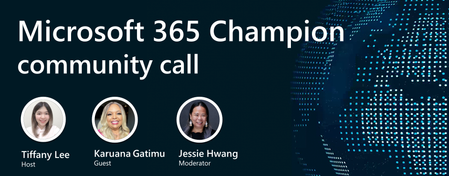
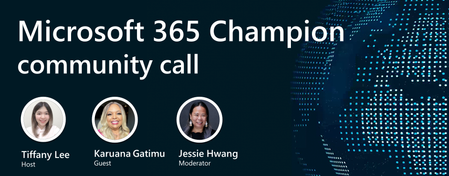
Join our next community call on June 24, 2025, to learn more about SharePoint agents, agent governance, and the Get Stuff Done campaign with Karuana Gatimu. Host: Tiffany Lee Guest: Karuana Gatimu Moderator: Jessie Hwang 📢 NOTE: our community call format has changed to using Teams webinars to enable more dynamic discussions! Join link is still the same but you must register to be able to join the call when it starts: https://aka.ms/M365ChampionCallAM ⏰ 🗨️ Each call includes an open Q&A discussion section, where you'll have a chance to ask your questions about Microsoft 365. 👋 Join the Microsoft 365 Champion program today! Champions combine technical acumen with people skills to drive meaningful change. Our community calls are open to everyone but only Champions have access to the presentation resources (access link in the initial welcome email and in the monthly newsletters). Join now: https://aka.ms/M365Champions. Note: If you are unable to watch the recording on YouTube, try watching it here.321Views0likes0CommentsMicrosoft 365 Champion community call | June 2025 | PM
Join our next community call on June 24, 2025, to learn more about SharePoint agents, agent governance, and the Get Stuff Done campaign with Karuana Gatimu. Host: Tiffany Lee Guest: Karuana Gatimu Moderator: Jessie Hwang 📢 NOTE: our community call format has changed to using Teams webinars to enable more dynamic discussions! Join link is still the same but you must register to be able to join the call when it starts: https://aka.ms/M365ChampionCallPM ⏰ 🗨️ Each call includes an open Q&A discussion section, where you'll have a chance to ask your questions about Microsoft 365. 👋 Join the Microsoft 365 Champion program today! Champions combine technical acumen with people skills to drive meaningful change. Our community calls are open to everyone but only Champions have access to the presentation resources (access link in the initial welcome email and in the monthly newsletters). Join now: https://aka.ms/M365Champions. Note: If you are unable to watch the recording on YouTube, try watching it here.141Views0likes0CommentsMVP Collective Launches In-Depth Guide on SharePoint Content AI
MVP and Regional Director Gokan Ozcifci, together with eight fellow Microsoft MVPs, has co-authored SharePoint Content AI, Solutions and Advanced Administration - a new book that delves into the intersection of artificial intelligence and SharePoint. We spoke with the authors to learn more about their collaboration, what inspired the project, and the key themes they explore. What inspired you to collaborate on this eBook, and how did the idea for focusing on AI and SharePoint come about? Gokan Ozcifci, Belgium: The inspiration behind this book stems from observing how rapidly AI is transforming the way organizations manage content, particularly within Microsoft 365 and SharePoint. As this transformation accelerated, I noticed a growing gap: many industry experts, digital transformation directors, and business leaders were eager to embrace these AI-driven tools but found it difficult to understand how capabilities like Autofill, AI-powered metadata, OCR, or governance solutions translate into real-world value. That’s when a group of SharePoint enthusiasts, MVPs, consultants, and practice owners joined forces with a shared goal—to bridge that gap. We set out to create more than just a technical guide. We aimed to build a resource grounded in practical experience, offering clear explanations and actionable insights for those navigating the evolving world of Content AI. SharePoint naturally became our focal point due to its central role in enterprise content management and its rapid evolution in tandem with Microsoft’s AI strategy. Our goal was to demystify the technology, understand the requirements, translate the needs, and show how AI can empower organizations to manage content more intelligently, securely, and efficiently. Can you share a real-world example where AI significantly enhanced SharePoint content management or administration? Frane Borozan – MVP, Croatia: A global enterprise had a use case to classify thousands of legacy contracts in SharePoint. SharePoint content AI extracts metadata, such as expiration dates, the names of signatories, and the validity period of the contract, as well as similar information that is available within the contract. This cut manual effort by almost 90% to hire the workforce to review all these legacy contracts. Noorez Khamis – MVP, Canada: For one client they previously had 5–10 interns manually logging into 20 banking websites each month to download client statements, upload them to SharePoint, tag metadata, and update Salesforce—an inefficient and error-prone process. Now, an automated solution using Power Automate Desktop Flows handles document retrieval, Syntex extracts key metadata, and a validation Power App ensures data accuracy before integrating with Salesforce for approvals and updates. This end-to-end system eliminates manual effort, increases accuracy, and streamlines document processing across platforms. Drew Madelung – MVP, USA: As an M365 consultant, I work with multiple customers and write unique and complex statements of work. I actively utilize SharePoint Content AI features, such as autofill columns, to help summarize and provide key metadata from statements of work, enabling me to discover details from prior and existing projects where overlap is likely to occur. Mike Maadarani – MVP, Canada: AI was deployed at a university to manage their application admissions process. The Content AI significantly improved the classification and extraction of information from various application formats. This process reduced manual work by over 98%, resulting in substantial savings and a high return on investment for the client. Antonio Maio – MVP, Canada: I had a client who greatly benefited from Content AI models in SharePoint Online. They’re a corporate real estate firm that utilizes Content AI models to process lease agreements and rental contracts, automatically extracting key metadata values from these content types. This metadata automatically populates columns in SharePoint libraries, which then drives business process automation and retention policies for those documents. This all happens by users simply uploading new documents into SharePoint libraries. How do you see the role of AI evolving in the SharePoint ecosystem over the next few years? Frane Borozan – MVP, Croatia: SharePoint, as the content management platform, doesn't have a future without the help of AI. Use cases are varied, ranging from extracting metadata from content to helping create new content. I believe that with the help of AI, the possibilities of SharePoint are unlimited. Noorez Khamis – MVP, Canada: Copilot is making SharePoint the go-to content management system by transforming how you discover, create, and interact with content. You can now ask for what you need, generate pages from your existing documents, and get personalized answers through AI-powered SharePoint Agents. With more intelligent automation, beautiful intranet design, and fewer clicks, SharePoint feels more like an intelligent assistant than a static site. Vlad Catrinescu – MVP, Canada: AI will continue transforming how we work, and SharePoint is no exception. Today, we’re already seeing AI help fill in metadata for document libraries. But imagine if AI could go further: automatically suggest and create the right columns, build content types based on the documents you upload, or even configure web parts through natural language prompts. SharePoint has always been a powerful platform, but it hasn’t always been the easiest to use. AI has the potential to make that power more accessible to every user, not just the experts. Drew Madelung – MVP, USA: I would like to see SharePoint Content AI evolve in a way that identifies opportunities for AI using existing content that automatically configures it without user intervention to improve discoverability. The ability to configure and work with these AI features should have a minimal learning curve and be integrated seamlessly, without requiring specialized technical skills. Mike Maadarani – MVP, Canada: As artificial intelligence continues to advance, it is anticipated that content management will become fully automated, reducing the need for administrators to establish and enforce rules. AI algorithms will be significantly more sophisticated, enhancing their ability to comprehend an organization's policies, the nature of the content being added, and the necessary actions required by the rules. Antonio Maio – MVP, Canada: I think auto-fill columns will have a significant impact on SharePoint Online. Metadata is a core element of good information management, but we know that users don’t want to fill in metadata. They’re busy and often move too quickly from task to task, leaving little time to provide a wealth of metadata elements. SharePoint’s auto-fill columns offer an easy way for us to automatically extract metadata, based on a prompt that’s supplied to the column. Joanne Klein – MVP, Canada: As a security and compliance professional, I observe the evolution of AI data governance, which aims to control the proliferation, access, and lifecycle of AI solutions across SharePoint within the enterprise. We need to elevate AI to be a core pillar within an organization's holistic data governance strategy. What advice would you give to SharePoint professionals who are just beginning to explore AI-powered capabilities? Frane Borozan – MVP, Croatia: If you're starting with AI in SharePoint, taxonomy tagging is a perfect first step. It shows how AI can reduce manual effort and bring structure to your content. Set up a managed metadata column linked to your term store and let AI handle tagging based on document content. It’s a simple way to improve search, consistency, and governance—without heavy customization. Start here, learn the basics, and expand as you go. Noorez Khamis – MVP, Canada: Start with the basics and learn how to prompt effectively while using the full Microsoft 365 Copilot capabilities across all the workplace tools you use every day, such as Teams, SharePoint, Word, Excel, PowerPoint, and Outlook. Take the time to revise your prompts and use templates that have been proven to work, saving you time, streamlining tasks, and boosting productivity. In SharePoint specifically, explore how to create pages, rewrite content, and use AI-powered SharePoint agents. Vlad Catrinescu – MVP, Canada: Get hands-on as early as possible. Theory is great, but real understanding comes from testing in your environment. Set up a lab, start small, and explore practical use cases where AI can help automate or enhance existing processes. With the Pay-As-You-Go model, there’s no upfront cost—you only pay for what you use. That said, I highly recommend setting a budget cap in Azure to avoid surprises. Drew Madelung – MVP, USA: SharePoint remains essentially unchanged in many ways, and it is still essential to understand the concepts of content types, columns, and permission hierarchies to implement advanced AI solutions against your organization's content effectively. Mike Maadarani – MVP, Canada: IT professionals must stay current with evolving technologies, particularly in the rapidly changing field of AI. With the emergence of AI agents, I recommend acquiring skills in creating, managing, and deploying agents within Microsoft 365 to enhance the integration and utilization of AI in their organizations. Antonio Maio – MVP, Canada: Be curious about AI - play with the AI technology that’s built into SharePoint; experiment with it to see what best benefits your organization to improve how you specifically manage information. Your experience will be different than everyone else’s, so try different things to figure out what works for you and your users. Joanne Klein – MVP, Canada: If your SharePoint setup is a mess, your AI will be too. Solid, well-defined structure and smart governance (site owner stewardship, explicit permissions, retention/deletion to clean up ROT, and data protection controls) are like laying concrete before building—skip it, and your AI’s standing on quicksand. Access the full 194-page e-book, SharePoint Content AI, Solutions and Advanced Administration, at the following link SharePoint Content AI, Solutions and Advanced Administration893Views1like0CommentsUpcoming June 2025 Microsoft 365 Champion Community Call
Join our next community call on June 24, 2025, where learn more about SharePoint agents, agent governance, and the Get Stuff Done campaign with Karuana Gatimu. Our community calls are now in the Teams webinar format, which means you must register to ensure you will be able to join the call when it starts. An on-demand recording will still be available on our Driving Adoption > Events pages, as well as on our Microsoft Community Learning YouTube channel. The calls will still start at 5 minutes past the hour for both sessions (at 8:05 AM and 5:05 PM PT), and it will still end at the top of the hour (9:00 AM and 6:00 PM PT, respectively). The registration links for both sessions are below. Once you register, you will receive an email confirmation and calendar invite with the event join link. https://aka.ms/M365ChampionCallAM https://aka.ms/M365ChampionCallPM Since our calls are open to everyone, you must be a member of the Microsoft 365 Champion Program in order to access the presentation materials - the access link is in the initial welcome email and the monthly newsletter emails sent the week before the community calls. If you have not yet joined our Champion community, sign up here to get access to the monthly newsletters, calendar invites, and program assets (e.g., the presentations).279Views0likes0Comments