governance
238 Topics
Best practice for Copilot Studio agents and SharePoint libraries with unique permissions?
We recently ran into an issue where a Copilot Studio agent was unable to retrieve content from SharePoint libraries that have unique permissions and nested folder structures. Users with elevated permissions were able to retrieve results, while users with read-only/visitor access could not, even though they had access to the underlying documents. We've observed similar behavior across multiple agents and suspect the library's unique permission structure is impacting indexing or content retrieval. For organizations that use SharePoint libraries with extensive unique permissions, nested folders, and restricted access models: What is the recommended approach when using these libraries as knowledge sources for Copilot Studio agents? Are there known limitations or best practices regarding unique permissions and nested folders? Is it better to simplify permissions, create dedicated access groups, flatten the folder structure, or maintain separate agent-specific content locations? How are others balancing security requirements with reliable agent retrieval? We'd appreciate any guidance, best practices, or lessons learned from similar implementations.64Views0likes1Comment
Using Dynamics 365 ERP MCP Server from a Standalone Copilot Studio Environment
We have a Copilot Studio environment that is not connected to Dataverse and is not linked to any Dynamics 365 Finance & Operations environment. We would like to use the Dynamics 365 ERP MCP Server from an agent in this Copilot Studio environment to retrieve data from F&O. Is this configuration supported? If so: What connection and authentication setup is required between Copilot Studio and the Dynamics 365 ERP MCP Server? Does the Copilot Studio environment need to be linked to the target F&O environment or Dataverse environment? Can the ERP MCP Server connect directly to F&O independently of the Copilot Studio environment? How is user authentication handled when the agent invokes MCP tools? Does the MCP connection use the authenticated user's F&O permissions, a service principal, or the connection owner's credentials? Are there any prerequisites, limitations, or recommended architectures for using the ERP MCP Server from a standalone Copilot Studio environment?16Views0likes0CommentsGovernance is becoming agentic, too: How enterprises can operate AI at scale
Organizations have spent the past few years trying to get people building with AI. That effort is working: Agents are moving beyond experimentation and into real business processes. For IT teams, this kind of successful adoption creates a new set of questions. What agents exist across the organization? Who owns them and what systems and data can they access? How are they being used, and what do they cost to operate? Are they healthy? And how do you know when an agent’s risk profile or behavior changes? These questions get harder as the agent estate of an organization grows. Agents may be built by different teams or on different platforms. Some may operate outside the Microsoft ecosystem entirely. Their capabilities can also change as they connect to new data and tools. We’ve been thinking a lot about this challenge as we prepare for the Microsoft Power Platform Conference (PPCC) in October 2026. One idea comes up again and again: Scaling agents doesn’t just mean governing more things. It requires changing how governance itself works. Inventories, reviews, and administrator controls remain important. But they need to become part of a more continuous operating model. I see that evolution in three parts: observe continuously, respond proportionately, and automate where appropriate. Observe continuously You can’t govern what you can’t see. And when it comes to agents, visibility means more than maintaining an inventory. It means understanding each agent in context: its ownership, identity, access, usage, health, and behavior. It is important to note that that context isn’t static. A maker or admin could give an agent access to a new tool or data source. They could change the agent's owner. The way people use it in production may reveal something about the build that wasn’t apparent during development. And, of course, usage of that agent (hopefully) will grow over time. That makes observability, defined as visibility into agent activity and behavior through telemetry, an ongoing requirement. Then, at enterprise scale, there’s the question of coverage. In my experience, many enterprises plan to build agents in multiple places. They may be built with Microsoft platforms like Copilot Studio, third-party platforms, and/or custom development. This is where cross-platform management layers like Microsoft Agent 365 become especially important. A shared agent control plane—that is, a common layer for managing and governing agents across platforms—makes observability actionable across the agent estate, rather than leaving signals isolated within individual platforms. IT can use those signals to detect changes such as risk, usage, cost, and health over time. isualize how agents fit into the broader ecosystem, connect with other agents, and perform over time to simplify monitoring and resolve issues quickly. At PPCC, the Agent 365: Securely Managing and Governing Agents at Scale workshop will go deeper into the controls and operating practices behind this model. If these are questions you’re working through in your organization, I hope you’ll join us there. Respond proportionately Once you have signals, the next question is what you do with them. Not every agent represents the same level of risk. An agent that answers employee questions from approved internal documentation is very different from one that can access sensitive data and take actions in a production system. They shouldn’t necessarily go through the same governance process. At enterprise scale, treating every agent identically creates problems in both directions. Too little oversight introduces unnecessary risk. Too much can create bottlenecks for scenarios that fit established policies. A more scalable approach is to align the response with the risk. Identity, permissions, data access, autonomy, and available actions all provide useful context. Organizations can use that content to determine which policies apply and where additional review is appropriate. For example, imagine an agent gains access to a new data source. That change is a signal. What’s the appropriate response? If the new access falls within established policies and risk boundaries, the agent may not need additional intervention. If it introduces a higher level of risk—such as access to sensitive data—it could trigger stronger controls or human review. This type of program might look something like this: The important shift seen with this approach is that governance becomes less dependent on applying the same manual process to every agent. Instead, organizations can establish patterns for different levels and types of risk. That makes governance more predictable for builders, too. Teams know the boundaries they’re working within, while higher-risk agents can receive additional scrutiny. We’re applying this principle inside Microsoft as well. At PPCC, How Microsoft Does IT: Managing and Governing Agents with Risk-Aligned Oversight will share how we’re approaching risk-aligned agent governance across Copilot Studio, Agent 365, Microsoft Defender, and Microsoft Purview. Automate where appropriate Once you can observe changes and determine the appropriate response, the next question is: Does a person need to execute that response every time? At enterprise scale, the answer increasingly needs to be no. Many governance decisions are repeatable. Organizations already know the policies they want to enforce, the boundaries agents should operate within, and the conditions that require additional review. This is where I think governance starts to become agentic, too. One useful way I’ve found to think about it is as a continuous loop: Observe → assess → act → escalate At a high level, this loop represents how a more automated governance framework can work. Basically, in such a framework: The governance system detects a relevant signal and evaluates it against the context and policies the organization has established. When the appropriate response is clear, an automated control can act. When the situation falls outside those boundaries or requires judgment, it can be escalated to a person. The goal isn’t to automate every governance decision, but rather to automate the decisions we already know how to make. People will continue to be responsible for setting policies, defining risk tolerances, and deciding where human judgment is required. The objective here is to let automation handle more of the repeatable work inside those boundaries. In practice, that changes the job of IT teams and Centers of Excellence (CoEs). Instead of inspecting and configuring agents one at a time, they can spend more of their effort designing how governance operates: defining trusted patterns, establishing risk thresholds, and deciding when human intervention is required. You can see some of this shift from visibility toward action at PPCC. The Agentic Governance: Secure, Govern, and Operate Your Power Platform at Scale session will explore real-time inventory and telemetry alongside automated controls and security, using the Power Platform API as an extensibility layer for enterprise governance. Governance must evolve with the agent estate The goal isn’t a future where people disappear from agent governance. It’s one where their attention is used more deliberately. As agents become more capable, the systems around them need to become better at sensing change. As the estate grows, oversight needs to reflect actual risk. And as routine governance work increases, organizations need to decide what can be handled through established policy and what needs human judgment and accountability. That is the shift I mean when I say governance is becoming agentic, too. And we’re only beginning to explore what that operating model can look like at enterprise scale. If you’re working through these questions in your own organization, we’ll be digging into them throughout PPCC. Here are a few sessions and workshops I recommend: Sessions Governance of All Your Agents at Scale How Microsoft Does IT: Managing and Governing Agents with Risk-Aligned Oversight Observability and Governance for Your Third-Party Agents with Minimal Configuration and Maximum Control Secure by Design: Preparing Agents for Production and Scale Governance First, Agents at Scale: How Wells Fargo Built Copilot Studio Agents in a Regulated Bank Workshops Agent 365: Securely Managing and Governing Agents at Scale Mastering Governance at Scale: Unlock the Full Potential of Your Power Platform and Agent Estate Nobody Knows How Many Agents You Have486Views0likes0Comments
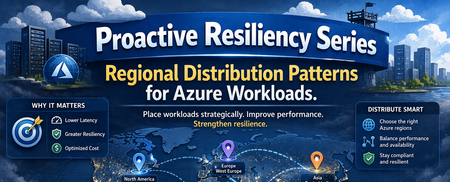
Proactive Reliability Series — Article 2: Regional Distribution Patterns for Azure Workloads
Public cloud platforms — including Microsoft Azure — are built on three foundational principles that distinguish them from traditional on-premises infrastructure: Elasticity: The platform can automatically expand and contract resource capacity in response to demand. Capacity is not statically provisioned; it is drawn from a shared pool and released when no longer needed. Scaling: Workloads can scale horizontally (adding more instances) or vertically (increasing instance size) on demand, without pre-procurement of physical hardware. Consumption-based billing: Customers pay for what they use, when they use it. Cost is proportional to resource consumption, not to physical capacity reserved in advance. These principles are properties of the platform, not of any single location. Microsoft Azure Cloud is not a single region — it is a globally distributed platform comprising dozens of regions across every major geography, interconnected by a private backbone network. When an organisation deploys to Azure, it is deploying into this global system; the choice of which region or regions to use is based on an organizational strategy and architectural decision. Using a single Azure region is a valid choice in many scenarios, but it has to be a deliberate architecture decision, not an omission. Why Multi-Region? Microsoft Azure CTO Mark Russinovich summarises the case for multi-region in Achieve agility and scale in a dynamic cloud world: organisations that span multiple regions gain scalability and flexibility (choosing from the full Azure region portfolio, including differentiated pricing, AI capabilities, and deployment options), resilience and availability (reducing the impact of regional disruptions through multiple backup and recovery options), and performance and reduced latency (serving users from infrastructure that is geographically closer to them). The post's closing recommendation — "leverage Azure as a cloud platform, not a datacenter region" — makes explicit what the multi-region decision ultimately is: a choice to treat the platform's global footprint as an asset, not a constraint. Mark Russinovich — Achieve agility and scale in a dynamic cloud world (Microsoft Azure, September 2024) This article also does not argue whether to adopt a multi-region strategy — that is a business and risk decision. It describes what the options are: the available regional distribution patterns, the forces each resolves, and the trade-offs each accepts. Regional workload distribution is not simply an application-level decision — it is an organisational one. It shapes how a company scales its cloud presence, manages cost and operational complexity across a growing portfolio, meets data residency and regulatory obligations, and positions itself to respond to changing conditions. Multi-region is often a necessity, not a free choice: growth ambitions, compliance requirements, or risk obligations may demand it. But necessity does not determine form. These patterns define the decision space: whether operating across multiple regions is warranted at all, and if so, which structural arrangement fits the organisation's scale, objectives, and operational capability. Several patterns are adapted from Gregor Hohpe's multi-cloud strategy patterns, originally described in Multi Cloud Architecture: Decisions and Options and further elaborated in Multi-cloud: From Buzzword to Decision Model. Important This is an unofficial guide to regional distribution patterns for Azure workloads. It is not an official Microsoft publication and is not officially supported, endorsed, or maintained by Microsoft. All descriptions and recommendations are based on publicly available Azure documentation and general distributed systems principles. Always refer to official Azure documentation and the Azure Well-Architected Framework for authoritative guidance. The Risks and Opportunities Pattern selection is a direct response to specific risks or solution quality requirements. Before evaluating patterns (options), it is necessary to understand what risks are actually relevant — infrastructure faults, capacity constraints, service coverage gaps, and compliance or business obligations — and what their scope of impact is. Azure infrastructure is complex and distributed. While Microsoft invests heavily in reliability, faults can and do occur across a wide range of blast radii — from a single compute instance at the narrowest end, through Availability Zone and regional failures, to global service disruptions at the widest. The appropriate pattern is the one that reduces unacceptable risks to a tolerable level. The Azure Well-Architected Framework — Reliability pillar recommends Failure Mode Analysis (FMA) as the structured technique for enumerating failure modes, assessing their impact, and identifying mitigations before they are needed in production. The fault types below are the infrastructure-layer inputs to that analysis. For a detailed breakdown of each fault type — including likelihood analysis, real-world incident examples, and detection guidance — see Proactive Reliability Series — Article 1: Fault Types in Azure. Risk Catalog (Sample) The following is a representative sample of risks relevant to regional workload distribution decisions, not an exhaustive catalogue. Not all entries are infrastructure faults — some represent business and compliance obligations. The Category column identifies the type of each risk. Likelihood values are relative planning heuristics to help prioritise resilience investments — they are not statistical probabilities and do not represent Azure SLA commitments. Risk Category Blast Radius Likelihood Primary Mitigation Service Fault (Region) Infrastructure Fault Single service within a region Medium Region redundancy Region Fault Infrastructure Fault Regional degradation or full regional loss (partial-to-full region impact) Low Region redundancy; cross-region failover Network POP Location Fault Infrastructure Fault Network colocation site (affects connectivity, not compute) Low ExpressRoute Metro (dual peering locations); network path redundancy Service Fault (Global) Infrastructure Fault Worldwide or multiple regions simultaneously Very Low Accept risk; use alternative service if downtime is intolerable Regional Service Capacity Constraint Infrastructure Capacity Single region (required capacity unavailable — whole service or specific SKU — at failover time or sustained shortage) Low Region redundancy; Capacity Reservations; Hot Standby; alternative region Service Regional Unavailability Infrastructure Fault Single region (desired service not offered in that region) Low Deploy to a region where the service is available Geopolitical Risk Compliance One or more regions (regulatory or political mandate to relocate) Low Portable pattern; pre-validated alternative region Sustainability Constraint Compliance One or more regions (sustainability targets unachievable in current region) Low Portable pattern; relocate to region with required sustainability profile The Patterns While there could be many ways to distribute workloads across Azure regions, the following patterns represent the most common and widely applicable approaches. Each pattern is a structural topology that defines how workloads are deployed and how they respond to Risks and Quality Requirements. The patterns are not mutually exclusive — they can be combined or layered to meet specific requirements. The following patterns describe the principal ways workloads can be distributed across Azure regions. Patterns 1-3 are described and found very often, while patterns 4-5 are less common but still important to consider. The table below summarises the patterns, their intent, and the primary driver for their adoption. # Pattern Intent Primary Driver 1 Single All resources in one Azure region; AZ redundancy optional Simplicity; cost; data residency constraints 2 Failover Primary region serves traffic; secondary region is a cold or hot standby for DR Business continuity 3 Parallel Same workload deployed to multiple regions simultaneously; all active Continuous availability; zero-downtime failover 4 Segmented Services or service portfolio distributed across regions by BU, LOB, tenant, or data residency Isolation; sovereignty; independent release cadence 5 Portable Full portability; workloads can be relocated between regions without application changes Operational flexibility; on-demand relocation 1. Single Region Pattern Pattern Name: Single Region Workload Distribution Classification: Regional workload distribution Scope: Workload — applies to a single application or service deployment, Workload (Application) Portfolio Intent: Deploy all workload resources in one Azure region; Context: A workload is being deployed to Azure and must decide how many regions to use. The business impact of a regional outage has been assessed — either as tolerable within the workload’s criticality tier, or as not applicable because data sovereignty constraints prohibit cross-region replication. The team needs to treat Single Region as an explicitly chosen architecture, not an omission. Problem: Every additional Azure region adds infrastructure cost and workload integration complexity due to the introduced network latency. Not all workloads justify this overhead. The question is not “should I always use multiple regions?” but “when is a single region the correct and explicitly chosen answer, and when does adding a second region produce risk-reduction that justifies the cost?” Forces: The workload’s risk profile does not justify cross-region redundancy: the business impact of a regional outage is tolerable, data sovereignty rules prohibit cross-region replication, or reliability requirements are fully met within a single region with Availability Zone redundancy. The cost of multi-region infrastructure produces no corresponding risk-reduction return for this workload. Solution Place all compute, data, and networking resources in a single Azure region. Apply Availability Zone redundancy within that region for protection against datacenter-level failures. Formally accept region-level risk as within tolerance for this workload’s criticality tier — this is a deliberate architecture decision, not an omission. Implementation: Enable Availability Zones for all production resources where supported. Use Azure Infrastructure Resiliency Manager (AIRM) to validate zone-redundancy posture across the workload. Document the risk-acceptance decision explicitly at the application level. Consequences Benefits: Lowest cost and operational footprint of all patterns. No cross-region routing, replication lag, or failover coordination complexity. Simplest deployment pipeline, observability surface, and incident response. Liabilities: No mitigation for any region-level fault — full workload loss on regional failure. Data concentrated in one geography; no cross-region durability without explicit configuration. No pre-deployed capacity in an alternative region. Risk posture: Risk Assessment Region Fault ❌ Primary unaddressed risk — partial degradation or full regional failure has no cross-region recovery path; accept or upgrade pattern Service Fault (Region) ❌ Regional service failures have no cross-region alternative Regional Service Capacity Constraint ❌ No alternative region available; both on-demand failover provisioning and sustained SKU shortages have no mitigation path Network POP Location Fault ✅ Addressable within this pattern via ExpressRoute Metro (dual peering locations in the same metro); does not require a multi-region distribution change Known Uses Development and test environments; Bronze- or Non-Critical-tier workloads; workloads with strict data residency constraints that prohibit cross-region replication; proof-of-concept and time-limited deployments. See Azure Services - Sample Multi-Region Capabilities Pattern Mapping for how individual Azure services implement this pattern. 2. Failover Pattern (Primary + Standby Region) Pattern Name: Failover Workload Distribution Also Known As: Active-Passive, Disaster Recovery (DR), Business Continuity and Disaster Recovery (BCDR) Classification: Regional workload distribution, Application Design, Platform/Infrastructure Design, Disaster Recovery Scope: Workload — an application and infrastructure design pattern that requires both layers to work in tandem; Workload (Application) Portfolio Intent: Recover from a regional disaster or other longer duration region outage by designating a primary region to carry all production traffic and a standby region to absorb that traffic upon primary region failure. The typical quality attribute metrics that govern its design are RTO (Recovery Time Objective — maximum tolerable downtime), RPO (Recovery Point Objective — maximum tolerable data loss), and MTTR (Mean Time To Recovery — the observed average recovery time, measured through drills and real incidents, that validates whether the RTO target is achievable in practice). Context: A workload must survive region-level failures, but the architectural complexity of running two fully active deployments simultaneously — with multi-region write-conflict resolution — is not justified. The business can tolerate a bounded recovery time and, depending on the sub-variant chosen, a bounded data loss window. Problem: A fully active multi-region deployment (Parallel pattern) introduces multi-region write-conflict complexity that the application cannot or need not absorb. The Failover pattern trades continuous availability for single-writer simplicity: one region is active, one is standby, and recovery is bounded by RTO/RPO targets. The sub-variant choice (Cold / Warm / Hot) then determines how much cost is invested in standby readiness — from minimal (~1.1×) to near-full duplication (~2×) — based on how fast recovery must be. Forces: A single active write region is required — multi-region write-conflict resolution adds unacceptable consistency risk or development complexity. RTO and RPO targets must be met, but budget constrains how pre-warmed the standby region can be, driving the Cold / Warm / Hot sub-variant selection. Regional Service Capacity Constraint in the standby region is a residual risk for Cold and Warm sub-variants — the standby may fail to scale at failover time unless capacity is pre-reserved. Solution Designate one region as primary (all production traffic under normal conditions) and a second as standby (no production traffic until failover). The standby’s readiness level — the sub-variant choice — is determined by the RTO/RPO requirements and cost envelope. Replication from primary to standby is continuous; failover is triggered manually or automatically when the primary becomes unavailable. Note on "Active-Passive": This pattern is often called Active-Passive in Microsoft documentation. That framing is accurate at the traffic level (one region active, one passive), but it can obscure the architectural intent. The Failover label here emphasises the capability being purchased: the ability to redirect the entire workload to a pre-designated region when the primary is unavailable. Implementation: The key design decision is how ready the standby is at the moment it is needed. Three sub-variants define this readiness spectrum: Sub-variant Secondary state Cost multiplier Cold Standby No running compute; data either in scheduled backups or continuously replicated ~1.1–1.5× Warm Standby Reduced-scale compute running; data continuously replicated ~1.5–1.8× Hot Standby Full-scale compute running; data continuously replicated ~2× Cold Standby — No compute is running in the standby region under normal conditions. Cold Standby covers two positions within this state, differing in how the data layer is protected: Backup/Restore: Data is backed up or geo-replicated on a scheduled basis. On failover, infrastructure must be deployed from scratch and data restored before traffic can be redirected. RTO is measured in hours; RPO equals the interval between the last backup cycle and the failure event. Data-layer live, compute stopped: Core infrastructure (networking, identity, data tier) is kept running with continuous replication to the standby region; compute is stopped or scaled to zero. On failover, compute is started and scaled up to meet full load. RTO is typically 15–60 minutes; RPO is bounded by async replication lag rather than backup interval. Both positions share the defining characteristic of Cold Standby: no production-equivalent compute running in the secondary region under normal conditions. The difference is the investment in keeping the data layer live, which reduces both RTO and the data loss window at a modestly higher steady-state cost. Warm Standby — The standby region runs a scaled-down but functionally complete version of the workload. Traffic is not routed there under normal conditions. On failover, the secondary scales up and traffic is redirected. A brief scale-out lag occurs before the secondary absorbs full traffic; the running environment eliminates cold-start delay. Hot Standby — The standby region runs a full, production-equivalent deployment — same compute capacity, same configuration — but receives no traffic under normal conditions. Data is continuously and near-synchronously replicated. Failover is fast and often automated because no scale-up is required. Consequences Benefits: Enables recovery from region-level faults at a fraction of Parallel pattern cost. Flexible cost-vs-RTO trade-off across Cold / Warm / Hot sub-variants. No multi-region write-conflict complexity; single active write region throughout normal and recovery operation. Liabilities: Cold and Warm standby introduce meaningful RTO (minutes to hours). Replication lag creates a data loss window (RPO > 0) at the moment of failover. The failover path is the least-exercised code path — untested recovery inflates actual RTO. Failover is often neglected and not properly and regularly tested - this leads toward a fear to execute failover when needed (and it is not only full region disaster). Risk posture: Risk Assessment Region Fault ⚠️ Primary driver; standby region absorbs traffic on full regional loss, but partial regional degradation may not trigger automated failover. RTO depends on sub-variant Regional Service Capacity Constraint ⚠️ Cold/Warm Standby are exposed to both on-demand provisioning failure and sustained SKU shortages — mitigated by Capacity Reservations or Hot Standby Service Fault (Region) ✅ Standby region provides an alternative deployment for regional service failures Service Regional Unavailability ⚠️ Secondary region must be verified for full service parity at design time — absent services block failover regardless of compute readiness Known Uses Business-critical workloads with defined RTO/RPO targets that cannot accept region-level risk but do not require continuous multi-region availability; workloads with single-writer data models where multi-region write-conflict resolution is unacceptable; regulatory environments where a designated recovery region must be pre-approved. See Azure Services - Sample Multi-Region Capabilities Pattern Mapping. 3. Parallel Workload Distribution (Simultaneous Active Deployment) Pattern Name: Parallel Workload Distribution (Simultaneous Active Deployment) Also Known As: Active-Active Classification: Regional workload distribution, Application Design Scope: Workload — an application-level design pattern; requires the application and its data layer to be explicitly designed for concurrent multi-region operation, Workload (Application) Portfolio Intent: Deploy the same workload simultaneously to two or more Azure regions, all serving production traffic. Context: Two independent drivers lead to this pattern, often simultaneously: the workload serves geographically distributed users who require regional proximity to meet latency targets, and the availability tier demands zero-downtime through region-level failures. A single deployment point cannot satisfy both. Manual failover timelines, standby region promotion, and RPO windows are incompatible with the required availability tier. This pattern is the mandated baseline for Mission-Critical workloads in the Azure Well-Architected Framework. Problem: Passive standby and failover mechanisms introduce recovery time and data loss windows that are incompatible with high-availability targets (e.g. 99.99%+). Meeting both demands requires all regions to be equal active participants — not a primary and a standby. But this demands that the data layer either supports concurrent writes across regions, relies on continuous cross-region replication with a defined consistency model, or is predominantly read-heavy — and that pre-provisioned capacity is maintained in every active region at all times. Forces: Regional failure must produce zero downtime — manual failover timelines cannot satisfy the availability target. Traffic originates from geographically distributed users who require regional proximity to meet latency SLAs. Availability targets (e.g. 99.99%+) eliminate passive standby as a viable option. The application can tolerate eventual consistency or is read-heavy enough that multi-region write complexity is manageable. Once multi-region data access is solved, every region's compute actively serves production traffic — the capacity that Failover Hot Standby holds idle is fully utilised; the cost multiplier buys active production capacity, not idle insurance. Solution Deploy the workload identically to two or more Azure regions. Route production traffic to all active deployments simultaneously via a global load balancer — under normal conditions, each user is directed to the nearest active region, minimising latency. On regional failure, the load balancer automatically rebalances traffic to the remaining healthy regions — no manual promotion, no scale-up delay. All regions are equal peers; there is no concept of primary and secondary. Implementation: Deployment Stamps are commonly used to implement Parallel at scale — multiple active regional instances behind global routing. See Deployment Stamps pattern — Azure Architecture Center. Stamps are not exclusive to Parallel: the same approach can also support Segmented and, in some designs, Failover. Regions active: 2+ (all serving production traffic simultaneously). Typical cost multiplier: ~2–3×. Microsoft guidance — Mission-Critical workloads: The Azure Well-Architected Framework’s Mission-Critical design methodology explicitly advises active-active multi-region deployment as the baseline for workloads targeting 99.99% availability or higher. The application design guidance states: “The application must be able to withstand regional and zone failures. It must be deployed in an active/active model so that the load is distributed among all regions.” The regions and availability zones guide reinforces this: “Mission-critical workloads should use both multiple availability zones and multiple regions.” The WAF Reliability pillar describes active-active as the mechanism to achieve zero downtime, noting it is “ideal for mission-critical workloads that require uninterrupted availability.” Consequences Benefits: Regional failure triggers automatic traffic rebalancing — no manual failover, no service interruption. Lowest RTO of all patterns; zero-downtime regional failure recovery. On regional failure, remaining regions absorb redirected traffic immediately — if at capacity, the workload degrades under load rather than failing completely; degraded performance is a fundamentally better failure mode than an unavailability window. Serves geographically distributed users within latency bounds simultaneously from the nearest active region. Compute deployed per region actively generates production value under normal conditions — the nominal cost multiplier buys utilised capacity, not idle standby insurance. Liabilities: Highest nominal cost (~2–3×) — though compared to Failover Hot Standby (~2×), the effective cost of resiliency is lower: every unit of deployed capacity actively serves production traffic rather than sitting idle as insurance. Requires the application to support multi-region writes or be predominantly read-heavy; write-conflict resolution is an application responsibility. Multi-region CI/CD, distributed observability, and write-conflict handling add steady-state operational overhead — but eliminate the failure-event burden: no failover procedure, no drill schedule, no risk of untested recovery paths inflating actual RTO. Risk posture: Risk Assessment Region Fault ✅ Primary driver; automatic traffic rebalancing handles both partial regional degradation and full regional loss — no promotion or manual steps required Service Fault (Global) ⚠️ No regional workload distribution pattern mitigates a truly global service disruption — but the impact is often partial: only specific SKUs, tiers, or versions of a service may be affected, leaving workloads on unaffected variants operational. Where the risk is intolerable, the mitigation is service substitution: switching to an alternative Azure service with equivalent functionality, or a third-party / self-hosted equivalent Service Fault (Region) ✅ Automatic rebalancing redirects traffic away from the affected region without manual failover Regional Service Capacity Constraint ✅ All regions are pre-deployed and running; no on-demand capacity provisioning required at failover time — if a region fails and remaining regions reach capacity limits, the result is degraded performance under load, not complete unavailability Known Uses Mission-Critical workloads targeting 99.99%+ availability per WAF guidance; globally distributed consumer applications where regional proximity is a primary SLA requirement; financial trading and payment platforms where any recovery window is commercially unacceptable; real-time communication and streaming services where failover lag degrades the user experience. See Azure Services - Sample Multi-Region Capabilities Pattern Mapping. 4. Segmented Workload Distribution (Regional Distribution by Boundary) Pattern Name: Segmented Workload Distribution Also Known As: Deployment Boundaries, Regional Portfolio Allocation Classification: Regional workload distribution (portfolio scope) Scope: Portfolio / Organisation — a structural pattern for distributing a portfolio of workloads, tenants, or business units across regions; individual workloads within a segment may independently apply any other pattern Intent: Assign each Azure region a distinct, non-overlapping responsibility boundary so that regions are differentiated by ownership and isolation rather than by redundancy. Context: A portfolio of workloads, a multi-tenant application, or a multi-LOB organisation must distribute services or data across regions. The drivers include regulatory boundaries, tenant isolation, blast-radius containment, or operational independence — not simply increasing redundancy. Individual boundaries within the portfolio have materially different criticality tiers, release cadences, and recovery requirements. Problem: Running a second Azure region purely as a Failover standby generates ongoing cost without delivering business value under normal conditions. How can an organisation operate multiple regions so that every region carries real production workload, the cost is justified by utilisation rather than insurance alone, and each region's scope is independent enough that faults and changes in one area do not propagate to others? Forces: Regulatory, sovereignty, or compliance obligations drive geographic boundary placement — but strict data residency that prohibits cross-boundary replication also prevents the cross-region recovery that makes Segmented cost-efficient; a boundary whose data cannot leave its region can only recover within that region (Single Region posture), regardless of what neighbouring segments deploy. Independent release cadences, lifecycle autonomy, and scaling requirements across services, tenants, or business units conflict with coupled shared-infrastructure deployments. Blast-radius containment requirements prevent a single fault or bad deployment from affecting the entire portfolio. This pattern does not answer how each boundary recovers; that choice is made independently per boundary using Single, Failover, or Parallel. Solution Define non-overlapping responsibility boundaries and assign each boundary to a region. Each region owns its boundary exclusively — no region is a replica of another. Each boundary independently selects its own recovery posture (Single, Failover, or Parallel) based on its own criticality and requirements. The key structural advantage is region reuse: because multiple regions are already deployed and carrying real production load, each region can simultaneously serve as the Failover standby or Parallel peer for a neighbouring boundary — the same infrastructure investment delivers both production utilisation and recovery capability. This dual-purpose reuse is only available where cross-boundary data replication is permitted; where strict data residency prohibits it, each boundary must treat itself as isolated and plan recovery within its own region. Implementation: The boundary can be defined at different scopes: Within one application: tenants, markets, release rings, or data partitions assigned to different regions. Across a service portfolio: different applications, domains, or business capabilities intentionally placed in different regions. Segmentation axis Example Geography / data residency EU services and data in West Europe, US services and data in East US Business unit / LOB Finance portfolio in Region A, HR portfolio in Region B Customer tier Premium customer workloads in dedicated region(s), standard in shared region(s) Release ring Ring 0 workloads in Region A, Ring 1 workloads in Region B Scale tier High-volume service groups in larger regions, low-volume groups in smaller regions Consequences Benefits: A fault in one boundary is contained to that region and does not propagate to adjacent boundaries. Each boundary independently selects its own recovery posture, cost level, and compliance configuration. Supports independent release cadences, scaling policies, and lifecycle management per boundary. Region reuse: already-deployed regions carrying production load can simultaneously serve as Failover standby or Parallel peer for neighbouring boundaries — the infrastructure investment delivers both production utilisation and recovery capability without paying for idle standby capacity. Liabilities: Cross-boundary dependencies — shared identity, shared data stores — undermine isolation guarantees and must be minimised by design. Governance overhead scales with the number of active boundaries; requires a formal boundary ownership model to remain manageable. Risk posture: Risk Assessment Service Fault (Region) ⚠️ Fault is contained to the affected boundary; adjacent boundaries continue operating — within-boundary recovery depends on that boundary’s posture Region Fault ⚠️ Only the boundary hosted in the affected region is impacted — RTO/RPO is determined by that boundary's individual recovery posture Regional Service Capacity Constraint ⚠️ Only the boundary in the capacity-constrained region is affected; other boundaries continue operating — mitigation depends on the boundary's own topology (Failover or Parallel provides alternatives; Single does not) Geopolitical Risk ✅ Boundaries can be relocated independently; the rest of the estate continues operating while the affected boundary is relocated Service Regional Unavailability ✅ Each boundary can be independently placed in a region where all required services are available Known Uses Geo-distributed enterprise application portfolios; organisations with a federated business model where autonomous business units operate independently with their own release cadence, cost accountability, and compliance obligations; SaaS platforms with tenant-per-region isolation; regulated financial and healthcare services with strict data residency by jurisdiction. See Azure Services - Sample Multi-Region Capabilities Pattern Mapping. 5. Portable Workload Distribution (Full Abstraction) Name: Portable Workload Distribution (Full Abstraction) Also Known As: Region-Agnostic Deployment, Cloud-Neutral Deployment Classification: Operational property (applicable to any structural pattern) Scope: Workload — a design property of an individual workload; composable with any structural pattern at either workload or portfolio scope Intent: Fully abstract the workload from the underlying Azure environment so it can be relocated to any Azure region at any time without modifying application code or configuration. Context: A workload is subject to compliance obligations — regulatory, geopolitical, or sustainability — that may require region relocation on short notice. Or the workload's operational requirements include the ability to optimise cost, respond to capacity constraints, or avoid service unavailability across regions. Portability is not the default outcome — it requires an explicit design decision and sustained engineering investment. Without that intent, the default is a workload that is structurally bound to its current region. Problem: Without a portability investment at design time, a relocation trigger forces significant rearchitecting under pressure rather than as a controlled migration. Forces: Compliance obligations — regulatory, geopolitical, or sustainability — may require relocation on short notice; deferring the portability decision converts a design choice into a forced rearchitecting event at the worst possible time. Data portability is the hardest dimension: scheduled backup/restore, continuous replication, and live migration each introduce cost, complexity, and consistency trade-offs that must be accepted at design time. Relocation may be temporary or permanent; the architecture must support both without distinguishing between them at deploy time. A port may be partial (subset of workloads) or full (entire estate); partial porting creates transient cross-region dependencies that must be explicitly designed for and eliminated as the migration progresses. Solution Select and implement a data portability mechanism — continuous replication, backup/restore, or live migration — whose cost, RPO, and operational model are explicitly accepted at design time. The target region is not fixed at design time — it is chosen when a trigger event occurs, and can be any eligible region. The workload stays in its current region under normal conditions and relocates only when a trigger event warrants it. Implementation: Portable is a layered property, not a separate structural topology. The underlying structural topology (Single, Failover, Parallel, or Segmented) determines traffic routing and redundancy; Portable governs whether that topology can be instantiated in a different region without application changes. The cost multiplier adds toolchain and abstraction overhead on top of the chosen structural topology. Data portability — the critical path: Compute portability is straightforward — container images and environment-agnostic configuration are standard practice. Data portability is the harder problem. Two mechanisms make it achievable: Continuous replication: The data layer replicates to the target region at all times, so the data is already present when a relocation is triggered. Azure Cosmos DB with multi-region writes, Azure SQL Database geo-replication, and Azure Storage geo-redundancy (RA-GRS/RA-GZRS) are common implementations. Continuous replication minimises RPO but adds steady-state cost. Automated data migration: A codified and continuously tested migration pipeline moves data to the target region at relocation time. Appropriate when continuous replication cost is not justified, or when the data tier does not support native geo-replication. The migration must be automatable, testable in isolation, and fast enough to satisfy the workload’s RTO for the trigger event. Port modes: Partial vs. Full A port — the act of relocating a workload using the Portable pattern — can be scoped in two ways: Partial port: A subset of workloads is relocated to the target region while others remain in the source region. This creates transient cross-region dependencies — service calls, data access, shared identity — between moved and not-yet-moved workloads. These dependencies must be explicitly designed for, monitored for latency and failure, and eliminated progressively as the migration advances. Partial porting is the natural execution mode for large estates where simultaneous full relocation is operationally infeasible. Full port: All workloads are relocated to the target region, either simultaneously or in a planned sequence that keeps cross-region dependencies only for the duration of each step. A full port is a long-term, intentional change of primary region. It is fundamentally different from a Failover event: Dimension Failover Full Port (Portable) Intent Quick recovery and return to primary region when resolved Permanent change of the region Duration Temporary — primary is restored after the event Long-term or permanent — target becomes the new primary Return Expected — traffic and workloads revert to original region Not expected — no return is planned Driver Region fault, outage, or transient unavailability Compliance, cost, sustainability, or strategic decision Transition Time Aiming RTO Transition can take weeks or months (but it can be designed to serve the Failover purpose and meet RTO and RPO requirements) Transition disruption Minimal — automated or semi-automated failover Managed — gradual migration with a cross-region dependency period The Portable pattern must support both modes and both scopes. A workload that can only be relocated as an atomic all-or-nothing operation has limited practical utility; a workload designed for incremental partial porting is far more executable at scale. Consequences Benefits: Workload can relocate to any Azure region without application changes — eliminates region lock-in. Target region is determined at the time of the trigger, not at design time — unlike Failover's fixed designated standby, the destination can be any eligible region and can change between port events as requirements evolve. Primary architectural mitigation for compliance-driven relocation risks (Geopolitical Risk, Sustainability Constraint). Relocation can be temporary (workload returns after trigger resolves) or permanent — the architecture supports both without distinguishing between them. Liabilities: Portability is costly to establish and maintain; data portability and the abstraction layer add ongoing engineering and toolchain overhead. Data portability is the hardest and most underestimated engineering challenge — relocating compute is straightforward; relocating live data at acceptable cost, latency, and consistency is not. Introduces dependency on the abstraction toolchain — portability conventions must be actively enforced as engineering standards; without governance, individual implementation decisions erode them over time. Risk posture: Risk Assessment Geopolitical Risk ✅ Primary driver — region-agnostic workload relocates to a compliant region; unportable workloads face forced migration under time pressure Sustainability Constraint ✅ Workload moves to a region with the required sustainability profile without application-level changes Regional Service Capacity Constraint ✅ Workload can be relocated to an alternative region with available capacity — addresses both on-demand provisioning failure and sustained shortages Region Fault ✅ Workload can be relocated to an alternative region; recovery speed depends on data portability readiness Service Regional Unavailability ✅ Workload can be redirected to any region where required services are available — portability removes the fixed-region constraint Known Uses Workloads subject to data sovereignty or geopolitical obligations that may require region relocation on regulatory notice; sustainability-committed workloads that may need to move to regions with a lower carbon intensity; workloads in rapidly expanding organisations that need to follow business growth into new geographies without rearchitecting. Several patterns are adapted from Gregor Hohpe's cloud strategy patterns: Multi Cloud Architecture: Decisions and Options — Architect Elevator. See Azure Services - Sample Multi-Region Capabilities Pattern Mapping. Related Patterns Portable vs. Failover — Both result in a workload running in a different region, and a full port and a Hot Standby activation look nearly identical at execution time. The distinctions are fundamental: Failover is a topology (one region is permanently designated as standby); Portable is a property that can be layered on top of any topology. Failover requires a fixed secondary region to be designated at design time — the target is known, pre-provisioned, and not interchangeable. Portable has no fixed target: the destination region is chosen at the time of the trigger, can be any eligible region, and can differ between port events as compliance, cost, or operational requirements change. Failover is triggered by an unplanned disruption and is temporary — the expectation is to return to the original primary when the event resolves. A Portable port is triggered by a deliberate decision and is permanent — the destination becomes the new primary with no planned return. A Failover workload can also be Portable, applying both patterns simultaneously: Failover handles unplanned disruptions; Portable handles deliberate relocation decisions. They are orthogonal — not alternatives. From Patterns to a Cloud Growth Strategy The patterns in this article show that regional distribution is not a single decision — it is a spectrum of options, each with a different cost, complexity, and risk mitigation profile. The patterns are not mutually exclusive: a portfolio — or even a single workload — may combine multiple patterns to achieve its reliability, compliance, and operational goals. Having the full range of patterns available does not answer the harder question: which patterns are right for your organisation, which applications need them, and what will it take to get there? That is a strategy question — and it requires a deliberate answer. Most organisations today operate their workloads in the Single Region or Failover pattern. Transitioning from that baseline to Parallel, Segmented, or Portable distribution is not an infrastructure change — it is a programme of work that requires investment justification, architectural readiness, and a governed execution plan. A Cloud Growth Strategy based on regional workload distribution starts by defining the organisation's objectives: what reliability targets must be met, which compliance or sovereignty constraints apply, what operational scale is planned, and where the current estate falls short. From those objectives it derives what the regional footprint should look like for this organisation — not as a generic best practice, but as a concrete commitment about which patterns apply to which parts of the portfolio, at what pace, and at what cost. Conclusion Azure's global footprint makes regional workload distribution a choice for every workload — but not a requirement for all of them. The decision starts with risk: the Risk Catalog identifies which fault types and capacity or compliance constraints are actually relevant to the workload, and what blast radius each carries. From that foundation, five patterns emerge — Single Region, Failover, Parallel, Segmented, and Portable — each resolving a distinct set of forces at a different cost and complexity point. Real Azure services rarely fit one pattern cleanly; the service examples in this article illustrate how capability gaps, consistency models, and replication architectures constrain which patterns are structurally achievable. Translating this into organisational practice requires a deliberate Cloud Growth Strategy: classify applications by criticality, assess their suitability for each pattern against their current state, and produce a governed distribution map that is maintained as the portfolio and platform evolve.Managing apps built in Copilot Studio
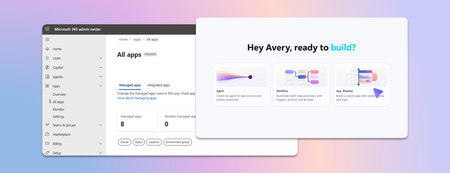
Last week we announced app building in Copilot Studio and Copilot Cowork. Makers can now describe business outcomes and produce full-stack apps with built-in source control, deployment stages, and version isolation—all on Microsoft-hosted infrastructure that requires no infrastructure provisioning, hosting configuration, or deployment pipeline. With those capabilities built in, your administrative scope is narrower and more familiar. Apps are created in the maker's personal developer environment following the environment routing policies you already have. That means things like connector permissions and data policies apply to an app both while it is being built and after it is published. Apps also access connected data on behalf of the signed-in user, which means publishing or sharing an app never grants anyone access to data they could not already reach. With these new capabilities, there are three things that every admin should be thinking about: Review your app estate Control cost with credit caps Choose where makers can build apps Review your app estate Published apps are inventoried in the Microsoft 365 admin center. Each app shows: Who built it Its lifecycle state Which data sources and connectors it uses Which policies apply to it Usage and operational metrics From the same experience, you can also block or disable a published app, remove a connector, bring an app back within policy, control whether it can be shared, and retire apps that are no longer used. Control cost with credit caps Building and running apps are both charged through Copilot Credits usage-based billing, and are metered as two separate services. This distinction lets you manage maker cost and app runtime cost independently. Build consumption varies with the language model used, the complexity of the app, and how much iteration is involved. Runtime consumption, on the other hand, varies with the volume and complexity of the tasks the app processes. At runtime, if the user holds a Power Apps Premium license, usage is included within existing request limits. Beyond those limits, or without a license, usage bills through Copilot Credits. You can learn more by reviewing the Copilot Credits licensing guide. As an admin, you can define credit cap policies to manage your costs. For both maker and runtime usage, caps are set per user, and the controls are managed through usage-based billing. For makers, think of a cap as a per-user budget: you can set the same budget for everyone, or different budgets for groups of users, such as departments that carry separate budgets of their own. Choose where makers can build apps By default, app creation is available to all users in both Copilot Studio and Copilot Cowork. However, you may want to limit where people can build apps. To do so: In the Microsoft 365 admin center, navigate to Apps, then Overview, and find ‘Choose where people can make apps’. Two paths appear: Copilot Studio, where makers build directly, which is on by default and recommended Copilot Cowork, where people create apps through chat, with availability managed by your organization's participation in the Frontier program Note that turning a path off prevents new apps being created that way. However, apps that are already published through that path will continue to run. Key takeaways for managing apps built in Copilot Studio The Microsoft 365 admin center is the one place to review the app estate, adjust app policies, and decide which creation paths stay open. Set credit caps as per-user budgets today, uniformly or by group, and plan for environment-level caps as project budgets when they arrive. Decide who is accountable for overseeing published apps before makers start publishing, as you would for any other application estate. Go to the Microsoft 365 admin center1.4KViews1like0CommentsUsing Copilot in Sensitive Healthcare Teams Meetings - Without Recording or Transcription
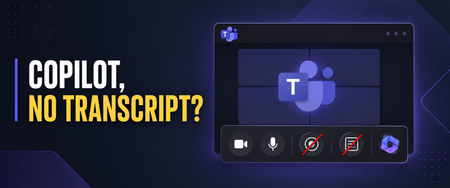
Healthcare organizations want the productivity benefits of Microsoft 365 Copilot, but those benefits must be balanced with privacy, security, and compliance requirements. I recently worked with a healthcare customer whose compliance team was concerned about persistent meeting artifacts. They wanted users to benefit from Copilot during Microsoft Teams meetings, but they did not want every conversation recorded or a transcript available afterward—especially for meetings involving sensitive operational, workforce, legal, compliance, or patient-related discussions. Microsoft Teams provides an option that can help with this scenario: allowing Copilot only during the meeting while disabling recording and transcription. Important: This article describes a technical configuration and customer scenario. It is not legal or compliance advice. Your privacy, security, compliance, records-management, and legal teams should determine whether this configuration is appropriate for your organization and specific meeting types. Why This Matters in Healthcare Healthcare organizations conduct many meetings where the discussion may include sensitive information: Patient care coordination Quality and safety reviews Compliance investigations Workforce and employee matters Security incidents Legal or risk-management discussions Research and clinical program planning A recording or transcript can become an additional persistent information asset that must be appropriately protected, retained, governed, and eventually disposed of. The HIPAA Security Rule requires covered entities and business associates to implement reasonable and appropriate administrative, physical, and technical safeguards for electronic protected health information. This includes evaluating risk, controlling access, implementing audit controls, and periodically reviewing security measures. The U.S. Department of Health and Human Services provides an overview of these requirements here. HIPAA’s minimum necessary standard also generally calls for organizations to limit unnecessary access to protected health information, although important exceptions apply—including certain disclosures for treatment. HHS provides additional guidance on the minimum necessary requirement. Turning off recording and transcription does not automatically make a meeting compliant. However, reducing the creation of unnecessary meeting artifacts can be one useful part of a broader, risk-based healthcare data-governance strategy. Copilot Without a Persistent Transcript When a Teams meeting is configured for Only during the meeting, Copilot can use temporary speech-to-text data to understand the active conversation. A traditional meeting transcript does not need to be started. Users can ask Copilot to: Summarize what has been discussed Identify decisions List open questions Capture action items Explain areas of disagreement Help someone catch up after joining late Microsoft explains that Copilot must be manually started by a participant in this configuration. Copilot can then provide insights based on the conversation taking place while it is active. See Microsoft’s guidance for using Copilot without recording or transcribing a Teams meeting. There are two important limitations users must understand. First, Copilot does not automatically start when the meeting begins. If someone activates it five minutes into the meeting, it will not have the same context it would have had if it had been started at the beginning. Second, users should capture anything they need before leaving the meeting. Without transcription, they will not have the same post-meeting Copilot conversation history or transcript-based recap. Microsoft recommends copying any Copilot content users want to keep before the meeting ends. Watch the Complete Walkthrough In the following video, I demonstrate the user experience, the corresponding Teams administrative policies, the Facilitator consideration, and several lessons I learned while implementing this for a healthcare customer. How to Use Copilot in Teams Without Recording or Transcription: Admin Setup & Gotchas The Administrative Configuration For this scenario, the goal was to create a scoped Teams meeting policy that: Prevented users from recording meetings Prevented users from starting transcription Allowed Copilot to operate during the meeting Avoided enabling a transcript-dependent post-meeting Copilot experience The settings are managed through Teams meeting policies in the Teams admin center. In the video, I walk through the relevant recording, transcription, and Copilot controls and show the resulting experience from a user’s perspective. For a healthcare organization, I would normally begin with a limited population instead of immediately applying a new policy globally. A pilot group gives the organization an opportunity to test the technical behavior and evaluate it with stakeholders from: Privacy and compliance Information security Legal and risk management Records management Clinical or operational leadership Microsoft 365 administration End-user training and adoption The appropriate configuration may differ between clinical, administrative, research, legal, HR, and general collaboration scenarios. A single organization-wide meeting policy may not be the right answer for every healthcare meeting. “No Transcript” Does Not Mean “No Compliance Data” This distinction is critical. Although participants may not receive a traditional meeting recording or transcript, Copilot prompts and responses can still be subject to Microsoft Purview retention policies. Depending on the organization’s configuration, those interactions may also be discoverable through Microsoft Purview eDiscovery. Microsoft explicitly notes that Copilot prompts and responses may be retained for compliance purposes even when recording and transcription are disabled. Microsoft’s Purview training covers auditing, retention, eDiscovery, and compliance controls for Copilot interactions. Healthcare organizations should therefore evaluate more than the visible Teams recap. The governance review should include: Copilot interaction retention Microsoft Purview Audit eDiscovery requirements Data Loss Prevention policies Sensitivity labels Records-management obligations Access to saved notes or exported Copilot responses Organizational policies governing the entry of PHI into AI-assisted experiences The user experience may feel temporary, but the organization’s compliance controls can still operate behind the scenes. The Lesson We Almost Missed: Facilitator Still Creates Loop Artifacts This was one of the most important lessons from my recent engagement. While working to Copilot to operate only during the meeting. Recording was disabled, transcription was disabled, and users did not receive the traditional transcript-based recap we were trying to avoid. But Loop files were still appearing. That initially seemed inconsistent with the policy design. After investigating, we discovered that the files were not being created by the personal Copilot experience—they were being generated because Microsoft Facilitator was enabled. This distinction is easy to miss: Copilot only during the meeting gives an individual user private, real-time assistance without requiring a persistent transcript. Facilitator is a shared meeting agent that can generate collaborative notes and other meeting artifacts. Microsoft documents that Facilitator’s meeting data is stored as a .loop file in the Meetings folder of the OneDrive account belonging to the user who initiated Facilitator. The data is treated as meeting transcript data for governance purposes. Facilitator notes may also be available to meeting participants through Notes and the meeting recap. Microsoft documents Facilitator’s behavior, storage, and administrative controls here. For a healthcare organization, that Loop file is not simply a convenient set of notes. Depending on what was discussed, it could contain sensitive operational information, workforce information, security details, or protected health information. It becomes another persistent artifact that must be considered in the organization’s access, sharing, retention, eDiscovery, lifecycle-management, and data-protection strategy. Copilot and Facilitator Require Separate Governance Decisions Disabling recording and transcription while allowing Copilot during the meeting does not automatically prevent Facilitator from producing shared meeting content. Healthcare organizations should make separate decisions about: Whether users should have access to Copilot during meetings. Whether users should be allowed to initiate Facilitator. Which meeting types are appropriate for shared AI-generated notes. Which users or groups should be allowed to use Facilitator. How the resulting Loop files should be stored, accessed, retained, labeled, and disposed of. Facilitator can be extremely useful for approved operational meetings where collaborative notes, decisions, and follow-up actions are valuable. However, it may not be appropriate for every sensitive clinical, compliance, legal, HR, or incident-response meeting. Microsoft allows administrators to control whether Facilitator is available across the organization or only to selected groups of users through Teams app policies and app-centric management. One important administrative nuance is that access to Facilitator can be scoped, while Microsoft’s control for turning off AI-generated meeting notes is currently tenant-wide rather than user-specific. That makes intentional scoping particularly important. Instead of assuming every Copilot-licensed user should also be able to initiate Facilitator, organizations can identify the populations and meeting scenarios where persistent collaborative notes have a defined business purpose and an approved governance model. The practical lesson is simple: If your goal is to use Copilot without creating persistent meeting artifacts, do not stop after validating the recording, transcription, and Copilot policies. Verify whether Facilitator is enabled and inspect the resulting Loop behavior as part of your testing. The Meeting Option That Can Cause Confusion and Broke Things For Us One of the most important lessons from this implementation involved the meeting organizer’s Copilot setting. If an organizer changes the meeting from Only during the meeting to During and after the meeting, Copilot expects transcription to be available. If the organization’s policy prevents transcription, the user may receive an error indicating that Copilot cannot access the meeting. From the user’s perspective, that can look like a licensing problem or a broken Copilot deployment. In reality, it may simply be a mismatch between: The organization’s transcription policy The Copilot meeting option selected by the organizer The type of Copilot experience the user is attempting to start Microsoft’s meeting guidance confirms that During and after the meeting requires transcription, while Only during the meeting can operate without it. Review the current Copilot behavior in Microsoft Teams meetings. This is why user education is just as important as the policy itself. A Healthcare Deployment Checklist Before introducing this configuration more broadly, consider the following: Classify the meeting scenarios. Determine where in-meeting Copilot is appropriate and where AI assistance should be restricted entirely. Engage compliance early. Validate the design with privacy, security, legal, records-management, and compliance stakeholders. Use scoped policies. Pilot with specific users or groups before considering a broader rollout. Review more than recordings and transcripts. Evaluate Purview retention, auditing, eDiscovery, DLP, sensitivity labels, and exported Copilot content. Evaluate and scope Facilitator separately. Determine which users should be able to initiate Facilitator and which meeting scenarios justify shared AI-generated notes. Test where the resulting Loop files are stored, who can access them, and how retention, sensitivity labels, eDiscovery, sharing, and lifecycle controls apply. Test for unexpected artifacts. After a pilot meeting, inspect the organizer’s and initiator’s OneDrive, the meeting chat, Notes, Recap, Loop, and relevant Purview experiences. Confirm that the meeting produces only the artifacts your governance team expects. Train meeting organizers. Explain the difference between Only during the meeting and During and after the meeting. Prepare users for the temporary experience. Users should capture approved action items or summaries before the meeting ends. Test the complete workflow. Validate the experience using representative accounts, policies, licenses, meeting types, and organizational controls. Review the configuration periodically. Microsoft Teams and Copilot capabilities continue to evolve, and healthcare organizations should reassess their controls as features change. Finding the Right Balance Healthcare organizations do not necessarily have to choose between disabling Copilot completely and generating a recording and transcript for every meeting. The Only during the meeting option provides another path: users can receive real-time assistance while the organization limits the creation of traditional post-meeting artifacts. It is not a substitute for a complete healthcare compliance strategy. It is a technical control that can support a broader strategy built around risk assessment, appropriate access, retention, auditing, training, and clearly defined meeting scenarios. The Facilitator lesson also demonstrates why organizations must test the entire meeting experience—not just the most visible policy settings. Copilot may be operating as expected while another enabled capability is still creating shared, persistent content. For the healthcare customer that inspired this video, the technical settings were only part of the solution. The real success came from understanding the user experience, finding the unexpected Loop artifacts, separating Copilot governance from Facilitator governance, and teaching organizers how the different options behave. That is the lesson I hope this walkthrough helps other healthcare organizations apply.
How to Integrate Copilot Studio Agent with a Website Using API?
Hello Team, I have created a Copilot Agent using Copilot Studio and published it on our public website using an iframe. Currently, the agent does not have any authentication configured because we want it to be publicly accessible. However, our website development team has raised a security concern with this approach, as embedding the Copilot Agent directly using an iframe may not be the most secure or recommended approach. We are looking for an alternative integration approach. For example: Is it possible to expose the Copilot Studio Agent through an API or another secure endpoint? Can our website development team call the agent through an API, receive the response, and build their own custom UI instead of embedding the agent using an iframe? Is there any recommended architecture or Microsoft-supported approach for securely integrating a Copilot Studio Agent with a public-facing website? If anyone has implemented a similar solution or has any recommendations, I would appreciate your suggestions.367Views0likes1CommentUnanswered Questions on GitHub Copilot Harness in Copilot Studio
We're piloting the GitHub Copilot harness in Copilot Studio (GA August 2026) and several operational and architectural details remain undocumented in the GA FAQ, Microsoft Learn, or licensing guides. Looking for official answers or PM contacts on: Architecture & Execution – When the harness breaks tasks into subtasks, does it use internal sub-agents or only skills/connected agents, what are the exact timeout/retry/max-execution-duration limits for long-running workflows, and are planning/context-retrieval/orchestration internals documented anywhere or is the orchestrator a black box? Model Selection – Can individual skills within one agent use different models or is selection strictly agent-level, how are models chosen internally when multiple skills execute, are any internal models developer-configurable, and what's the roadmap for models being added/retired/deprecated plus the lag between public release and Copilot Studio availability? Cost & Token Optimization – How exactly is the ~45% token reduction achieved, how much control do makers have over context/caching/retrieval/tool calls, what are per-model credit consumption characteristics, which models are most cost-effective for specific workloads, and what's the minimum credit cost for trivial interactions? Memory Management – What are retention periods for session/working/agent memory beyond the documented 28-day user-memory expiry, is true long-term memory supported, and what changed versus earlier implementations? Knowledge Retrieval – Can skills or system instructions influence retrieval strategy/document selection/prioritization/filtering, can planning stages perform conflict/duplicate/version detection before retrieval, and how does the harness decide which sources to search? Apps Feature – What is the "Apps (preview)" capability for, when does it GA, and how does it differ from workflows/skills/adaptive cards/agents? Billing & Credit Sizing – Is there a framework to classify users/agents by expected consumption and size credit allocation per group (citizen vs pro developers), and what's the minimum/typical consumption for simple/medium/heavy interactions? Governance & Admin – Can usage limits be set at user level (not just environment/agent), is there an API/IaC path for large-scale credit assignment, can non-admins view their own consumption/remaining allocation, and is there a self-service request-more-credits dashboard? ALM & Environments – What's the recommended path to move harness agents across Dev/Test/UAT/Prod (Solutions/ALM "setup differs" per parity chart—how?), does GitHub integration replace or complement solution-based deployment, are there recommended AgentOps practices for source control/releases/versioning, and what baseline credits and onboarding model are suggested for citizen developers under usage billing—any enterprise reference implementations?502Views2likes1Comment
Copilot Studio Agent Shows Usage Limit Error Despite Low Credit Usage
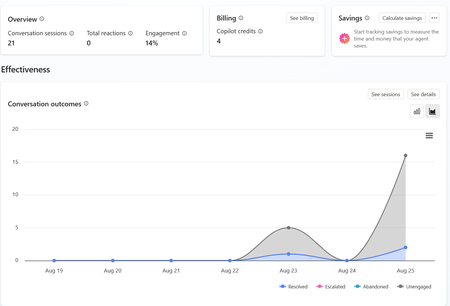
a { text-decoration: none; color: #464feb; } tr th, tr td { border: 1px solid #e6e6e6; } tr th { background-color: #f5f5f5; } Hi everyone, We are experiencing an issue with a Copilot Studio agent and would appreciate any guidance from the community. Scenario: The agent works correctly in the Copilot Studio test environment and responds as expected. However, after integrating the same agent into our web application, users receive the following error: "This agent is currently unavailable. It has reached its usage limit. Please try again later." Additional Information: In Copilot Studio Usage Monitoring, we can only see approximately 4 credits consumed. Based on the reported consumption, we would not expect a usage limit to have been reached. The issue occurs only when accessing the agent through the web application. The Copilot Studio test interface continues to work normally. Questions: Has anyone experienced a similar issue? Could this be related to licensing, capacity allocation, authentication, or channel configuration? Is there any difference in credit consumption or capacity enforcement between the Copilot Studio test environment and embedded web channels? Are there additional monitoring locations where we can verify the actual credit usage and capacity status? Any insights or recommendations would be greatly appreciated.309Views0likes1Comment