github copilot
34 TopicsAnnouncing GitHub Universe Cloud Skills Challenge!
Join the GitHub Universe Cloud Skills Challenge and start your exiting journey in AI! Whether you’re beginning or looking to change your career, this learning experience is designed to introduce you to some of the most requested GitHub tools for AI beginners, and to explore new opportunities. Join the GitHub Universe Cloud Skills Challenge and start your exciting journey in AI!40KViews13likes25CommentsVS Code Day Skills Challenge
Ready to level up your coding skills? Join our #VSCodeDayCSC! Learn about AI, Data Science and more with VS Code! This experience is designed to help you discover the coding-possibilities with this amazing editor. Are you up for the challenge? Join now!15KViews6likes24CommentsGitHub Copilot Fundamentals Learning Path - Your New AI programming friend!
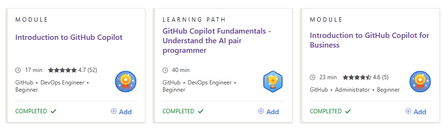
Ready to start coding with the power of AI? Meet GitHub Copilot, your new AI pair programmer that's about to revolutionize your development workflow. Explore our new GitHub Copilot Fundamentals Learning Path and discover how GitHub Copilot can help you code faster, smarter, and with fewer bugs (at least for me!). It's like having a super-smart friend who's always ready to help. Start your AI-powered coding journey today!16KViews4likes1CommentChoosing the Right Intelligence Layer for Your Application
Introduction One of the most common questions developers ask when planning AI-powered applications is: "Should I use the GitHub Copilot SDK or the Microsoft Agent Framework?" It's a natural question, both technologies let you add an intelligence layer to your apps, both come from Microsoft's ecosystem, and both deal with AI agents. But they solve fundamentally different problems, and understanding where each excels will save you weeks of architectural missteps. The short answer is this: the Copilot SDK puts Copilot inside your app, while the Agent Framework lets you build your app out of agents. They're complementary, not competing. In fact, the most interesting applications use both, the Agent Framework as the system architecture and the Copilot SDK as a powerful execution engine within it. This article breaks down each technology's purpose, architecture, and ideal use cases. We'll walk through concrete scenarios, examine a real-world project that combines both, and give you a decision framework for your own applications. Whether you're building developer tools, enterprise workflows, or data analysis pipelines, you'll leave with a clear understanding of which tool belongs where in your stack. The Core Distinction: Embedding Intelligence vs Building With Intelligence Before comparing features, it helps to understand the fundamental design philosophy behind each technology. They approach the concept of "adding AI to your application" from opposite directions. The GitHub Copilot SDK exposes the same agentic runtime that powers Copilot CLI as a programmable library. When you use it, you're embedding a production-tested agent, complete with planning, tool invocation, file editing, and command execution, directly into your application. You don't build the orchestration logic yourself. Instead, you delegate tasks to Copilot's agent loop and receive results. Think of it as hiring a highly capable contractor: you describe the job, and the contractor figures out the steps. The Microsoft Agent Framework is a framework for building, orchestrating, and hosting your own agents. You explicitly model agents, workflows, state, memory, hand-offs, and human-in-the-loop interactions. You control the orchestration, policies, deployment, and observability. Think of it as designing the company that employs those contractors: you define the roles, processes, escalation paths, and quality controls. This distinction has profound implications for what you build and how you build it. GitHub Copilot SDK: When Your App Wants Copilot-Style Intelligence The GitHub Copilot SDK is the right choice when you want to embed agentic behavior into an existing application without building your own planning or orchestration layer. It's optimized for developer workflows and task automation scenarios where you need an AI agent to do things, edit files, run commands, generate code, interact with tools, reliably and quickly. What You Get Out of the Box The SDK communicates with the Copilot CLI server via JSON-RPC, managing the CLI process lifecycle automatically. This means your application inherits capabilities that have been battle-tested across millions of Copilot CLI users: Planning and execution: The agent analyzes tasks, breaks them into steps, and executes them autonomously Built-in tool support: File system operations, Git operations, web requests, and shell command execution work out of the box MCP (Model Context Protocol) integration: Connect to any MCP server to extend the agent's capabilities with custom data sources and tools Multi-language support: Available as SDKs for Python, TypeScript/Node.js, Go, and .NET Custom tool definitions: Define your own tools and constrain which tools the agent can access BYOK (Bring Your Own Key): Use your own API keys from OpenAI, Azure AI Foundry, or Anthropic instead of GitHub authentication Architecture The SDK's architecture is deliberately simple. Your application communicates with the Copilot CLI running in server mode: Your Application ↓ SDK Client ↓ JSON-RPC Copilot CLI (server mode) The SDK manages the CLI process lifecycle automatically. You can also connect to an external CLI server if you need more control over the deployment. This simplicity is intentional, it keeps the integration surface small so you can focus on your application logic rather than agent infrastructure. Ideal Use Cases for the Copilot SDK The Copilot SDK shines in scenarios where you need a competent agent to execute tasks on behalf of users. These include: AI-powered developer tools: IDEs, CLIs, internal developer portals, and code review tools that need to understand, generate, or modify code "Do the task for me" agents: Applications where users describe what they want—edit these files, run this analysis, generate a pull request and the agent handles execution Rapid prototyping with agentic behavior: When you need to ship an intelligent feature quickly without building a custom planning or orchestration system Internal tools that interact with codebases: Build tools that explore repositories, generate documentation, run migrations, or automate repetitive development tasks A practical example: imagine building an internal CLI that lets engineers say "set up a new microservice with our standard boilerplate, CI pipeline, and monitoring configuration." The Copilot SDK agent would plan the file creation, scaffold the code, configure the pipeline YAML, and even run initial tests, all without you writing orchestration logic. Microsoft Agent Framework: When Your App Is the Intelligence System The Microsoft Agent Framework is the right choice when you need to build a system of agents that collaborate, maintain state, follow business processes, and operate with enterprise-grade governance. It's designed for long-running, multi-agent workflows where you need fine-grained control over every aspect of orchestration. What You Get Out of the Box The Agent Framework provides a comprehensive foundation for building sophisticated agent systems in both Python and .NET: Graph-based workflows: Connect agents and deterministic functions using data flows with streaming, checkpointing, human-in-the-loop, and time-travel capabilities Multi-agent orchestration: Define how agents collaborate, hand off tasks, escalate decisions, and share state Durability and checkpoints: Workflows can pause, resume, and recover from failures, essential for business-critical processes Human-in-the-loop: Built-in support for approval gates, review steps, and human override points Observability: OpenTelemetry integration for distributed tracing, monitoring, and debugging across agent boundaries Multiple agent providers: Use Azure OpenAI, OpenAI, and other LLM providers as the intelligence behind your agents DevUI: An interactive developer UI for testing, debugging, and visualizing workflow execution Architecture The Agent Framework gives you explicit control over the agent topology. You define agents, connect them in workflows, and manage the flow of data between them: ┌─────────────┐ ┌──────────────┐ ┌──────────────┐ │ Agent A │────▶│ Agent B │────▶│ Agent C │ │ (Planner) │ │ (Executor) │ │ (Reviewer) │ └─────────────┘ └──────────────┘ └──────────────┘ Define Execute Validate strategy tasks output Each agent has its own instructions, tools, memory, and state. The framework manages communication between agents, handles failures, and provides visibility into what's happening at every step. This explicitness is what makes it suitable for enterprise applications where auditability and control are non-negotiable. Ideal Use Cases for the Agent Framework The Agent Framework excels in scenarios where you need a system of coordinated agents operating under business rules. These include: Multi-agent business workflows: Customer support pipelines, research workflows, operational processes, and data transformation pipelines where different agents handle different responsibilities Systems requiring durability: Workflows that run for hours or days, need checkpoints, can survive restarts, and maintain state across sessions Governance-heavy applications: Processes requiring approval gates, audit trails, role-based access, and compliance documentation Agent collaboration patterns: Applications where agents need to negotiate, escalate, debate, or refine outputs iteratively before producing a final result Enterprise data pipelines: Complex data processing workflows where AI agents analyze, transform, and validate data through multiple stages A practical example: an enterprise customer support system where a triage agent classifies incoming tickets, a research agent gathers relevant documentation and past solutions, a response agent drafts replies, and a quality agent reviews responses before they reach the customer, with a human escalation path when confidence is low. Side-by-Side Comparison To make the distinction concrete, here's how the two technologies compare across key dimensions that matter when choosing an intelligence layer for your application. Dimension GitHub Copilot SDK Microsoft Agent Framework Primary purpose Embed Copilot's agent runtime into your app Build and orchestrate your own agent systems Orchestration Handled by Copilot's agent loop, you delegate You define explicitly, agents, workflows, state, hand-offs Agent count Typically single agent per session Multi-agent systems with agent-to-agent communication State management Session-scoped, managed by the SDK Durable state with checkpointing, time-travel, persistence Human-in-the-loop Basic, user confirms actions Rich approval gates, review steps, escalation paths Observability Session logs and tool call traces Full OpenTelemetry, distributed tracing, DevUI Best for Developer tools, task automation, code-centric workflows Enterprise workflows, multi-agent systems, business processes Languages Python, TypeScript, Go, .NET Python, .NET Learning curve Low, install, configure, delegate tasks Moderate, design agents, workflows, state, and policies Maturity Technical Preview Preview with active development, 7k+ stars, 100+ contributors Real-World Example: Both Working Together The most compelling applications don't choose between these technologies, they combine them. A perfect demonstration of this complementary relationship is the Agentic House project by my colleague Anthony Shaw, which uses an Agent Framework workflow to orchestrate three agents, one of which is powered by the GitHub Copilot SDK. The Problem Agentic House lets users ask natural language questions about their Home Assistant smart home data. Questions like "what time of day is my phone normally fully charged?" or "is there a correlation between when the back door is open and the temperature in my office?" require exploring available data, writing analysis code, and producing visual results—a multi-step process that no single agent can handle well alone. The Architecture The project implements a three-agent pipeline using the Agent Framework for orchestration: ┌─────────────┐ ┌──────────────┐ ┌──────────────┐ │ Planner │────▶│ Coder │────▶│ Reviewer │ │ (GPT-4.1) │ │ (Copilot) │ │ (GPT-4.1) │ └─────────────┘ └──────────────┘ └──────────────┘ Plan Notebook Approve/ analysis generation Reject Planner Agent: Takes a natural language question and creates a structured analysis plan, which Home Assistant entities to query, what visualizations to create, what hypotheses to test. This agent uses GPT-4.1 through Azure AI Foundry or GitHub Models. Coder Agent: Uses the GitHub Copilot SDK to generate a complete Jupyter notebook that fetches data from the Home Assistant REST API via MCP, performs the analysis, and creates visualizations. The Copilot agent is constrained to only use specific tools, demonstrating how the SDK supports tool restriction. Reviewer Agent: Acts as a security gatekeeper, reviewing the generated notebook to ensure it only reads and displays data. It rejects notebooks that attempt to modify Home Assistant state, import dangerous modules, make external network requests, or contain obfuscated code. Why This Architecture Works This design demonstrates several principles about when to use which technology: Agent Framework provides the workflow: The sequential pipeline with planning, execution, and review is a classic Agent Framework pattern. Each agent has a clear role, and the framework manages the flow between them. Copilot SDK provides the coding execution: The Coder agent leverages Copilot's battle-tested ability to generate code, work with files, and use MCP tools. Building a custom code generation agent from scratch would take significantly longer and produce less reliable results. Tool constraints demonstrate responsible AI: The Copilot SDK agent is constrained to only specific tools, showing how you can embed powerful agentic behavior while maintaining security boundaries. Standalone agents handle planning and review: The Planner and Reviewer use simpler LLM-based agents, they don't need Copilot's code execution capabilities, just good reasoning. While the Home Assistant data is a fun demonstration, the pattern is designed for something much more significant: applying AI agents for complex research against private data sources. The same architecture could analyze internal databases, proprietary datasets, or sensitive business metrics. Decision Framework: Which Should You Use? When deciding between the Copilot SDK and the Agent Framework, or both, consider these questions about your application. Start with the Copilot SDK if: You need a single agent to execute tasks autonomously (code generation, file editing, command execution) Your application is developer-facing or code-centric You want to ship agentic features quickly without building orchestration infrastructure The tasks are session-scoped, they start and complete within a single interaction You want to leverage Copilot's existing tool ecosystem and MCP integration Start with the Agent Framework if: You need multiple agents collaborating with different roles and responsibilities Your workflows are long-running, require checkpoints, or need to survive restarts You need human-in-the-loop approvals, escalation paths, or governance controls Observability and auditability are requirements (regulated industries, enterprise compliance) You're building a platform where the agents themselves are the product Use both together if: You need a multi-agent workflow where at least one agent requires strong code execution capabilities You want Agent Framework's orchestration with Copilot's battle-tested agent runtime as one of the execution engines Your system involves planning, coding, and review stages that benefit from different agent architectures You're building research or analysis tools that combine AI reasoning with code generation Getting Started Both technologies are straightforward to install and start experimenting with. Here's how to get each running in minutes. GitHub Copilot SDK Quick Start Install the SDK for your preferred language: # Python pip install github-copilot-sdk # TypeScript / Node.js npm install @github/copilot-sdk # .NET dotnet add package GitHub.Copilot.SDK # Go go get github.com/github/copilot-sdk/go The SDK requires the Copilot CLI to be installed and authenticated. Follow the Copilot CLI installation guide to set that up. A GitHub Copilot subscription is required for standard usage, though BYOK mode allows you to use your own API keys without GitHub authentication. Microsoft Agent Framework Quick Start Install the framework: # Python pip install agent-framework --pre # .NET dotnet add package Microsoft.Agents.AI The Agent Framework supports multiple LLM providers including Azure OpenAI and OpenAI directly. Check the quick start tutorial for a complete walkthrough of building your first agent. Try the Combined Approach To see both technologies working together, clone the Agentic House project: git clone https://github.com/tonybaloney/agentic-house.git cd agentic-house uv sync You'll need a Home Assistant instance, the Copilot CLI authenticated, and either a GitHub token or Azure AI Foundry endpoint. The project's README walks through the full setup, and the architecture provides an excellent template for building your own multi-agent systems with embedded Copilot capabilities. Key Takeaways Copilot SDK = "Put Copilot inside my app": Embed a production-tested agentic runtime with planning, tool execution, file edits, and MCP support directly into your application Agent Framework = "Build my app out of agents": Design, orchestrate, and host multi-agent systems with explicit workflows, durable state, and enterprise governance They're complementary, not competing: The Copilot SDK can act as a powerful execution engine inside Agent Framework workflows, as demonstrated by the Agentic House project Choose based on your orchestration needs: If you need one agent executing tasks, start with the Copilot SDK. If you need coordinated agents with business logic, start with the Agent Framework The real power is in combination: The most sophisticated applications use Agent Framework for workflow orchestration and the Copilot SDK for high-leverage task execution within those workflows Conclusion and Next Steps The question isn't really "Copilot SDK or Agent Framework?" It's "where does each fit in my architecture?" Understanding this distinction unlocks a powerful design pattern: use the Agent Framework to model your business processes as agent workflows, and use the Copilot SDK wherever you need a highly capable agent that can plan, code, and execute autonomously. Start by identifying your application's needs. If you're building a developer tool that needs to understand and modify code, the Copilot SDK gets you there fast. If you're building an enterprise system where multiple AI agents need to collaborate under governance constraints, the Agent Framework provides the architecture. And if you need both, as most ambitious applications do, now you know how they fit together. The AI development ecosystem is moving rapidly. Both technologies are in active development with growing communities and expanding capabilities. The architectural patterns you learn today, embedding intelligent agents, orchestrating multi-agent workflows, combining execution engines with orchestration frameworks, will remain valuable regardless of how the specific tools evolve. Resources GitHub Copilot SDK Repository – SDKs for Python, TypeScript, Go, and .NET with documentation and examples Microsoft Agent Framework Repository – Framework source, samples, and workflow examples for Python and .NET Agentic House – Real-world example combining Agent Framework with Copilot SDK for smart home data analysis Agent Framework Documentation – Official Microsoft Learn documentation with tutorials and user guides Copilot CLI Installation Guide – Setup instructions for the CLI that powers the Copilot SDK Copilot SDK Getting Started Guide – Step-by-step tutorial for SDK integration Copilot SDK Cookbook – Practical recipes for common tasks across all supported languages1.7KViews3likes0CommentsCopilot Explains - Error troubleshooting in Jupyter Notebooks
Data scientists and AI engineers love to work with Jupyter Notebooks because they make so much easier to look at the result of each and every data exploration step or data modeling experiment and take decisions accordingly. However, Jupyter notebooks are not immune to errors and sometimes understanding error messages - in particular if you aren’t a native English speaker or you are a beginner - and troubleshooting code might be painful and time consuming.5.9KViews3likes1CommentFix Broken Migrations with AI Powered Debugging in VS Code Using GitHub Copilot
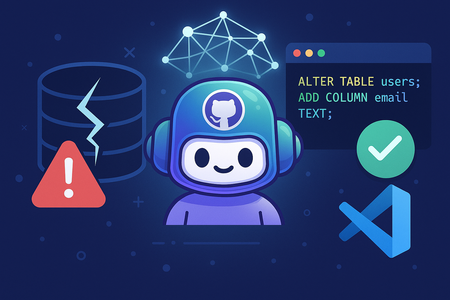
Data is at the heart of every application. But evolving your schema is risky business. One broken migration, and your dev or prod environment can go down. We've all experienced it: mismatched columns, orphaned constraints, missing fields, or that dreaded "table already exists" error. But what if debugging migrations didn’t have to be painful? What if you could simply describe the error or broken state, and AI could fix your migration in seconds? In this blog, you’ll learn how to: Use GitHub Copilot to describe and fix broken migrations with natural language Catch schema issues like incorrect foreign keys before they block your workflow Validate and deploy your database changes using GibsonAI CLI Broken migrations are nothing new. Whether you're working on a side project or part of a large team, it’s all too easy to introduce schema issues that can block deployments or corrupt local environments. Traditionally, fixing them means scanning SQL files, reading error logs, and manually tracking down what went wrong. But what if you could skip all that? What if you could simply describe the issue in plain English and AI would fix it for you? That’s exactly what GitHub Copilot let you do, right from within VS Code. What You Need: Visual Studio Code Installed Account in GitHub Sign up with GitHub Copilot GibsonAI CLI installed and logged in Let’s Break (and Fix) a Migration: Here’s a common mistake. Say you create two tables: users and posts. CREATE TABLE users ( id UUID PRIMARY KEY, name TEXT, email TEXT UNIQUE ); CREATE TABLE posts ( id UUID PRIMARY KEY, title TEXT, user_id UUID REFERENCES user(id) ); The problem? The posts table refers to a table called user, but you named it users. This one-word mistake breaks the migration. If you've worked with relational databases, you’ve probably run into this exact thing. Just Ask a GitHub Copilot: Instead of troubleshooting manually, open Copilot Chat and ask: “My migration fails because posts.user_id references a missing user table. Can you fix the foreign key?” Copilot understands what you're asking. It reads the context and suggests the fix: CREATE TABLE posts ( id UUID PRIMARY KEY, title TEXT, user_id UUID REFERENCES users(id) ); It even explains what changed, so you learn along the way. Wait — how does Copilot know what I mean? GitHub Copilot is smart enough to understand your code, your errors, and even what you’re asking in plain English. It doesn’t directly connect to GibsonAI. You’ll use the GibsonAI CLI for that, but Copilot helps you figure things out and fix your code faster. Validating with GibsonAI Once Copilot gives you the fixed migration, it’s time to test it. Run: gibson validate This checks your migration and schema consistency. When you're ready to apply it, just run: gibson deploy GibsonAI handles the rest so no broken chains, no surprises. Why This Works Manual debugging of migrations is frustrating and error prone. GibsonAI with GitHub Copilot: Eliminates guesswork in debugging You don’t need to Google every error Reduces time to fix production schema issues You stay in one tool: VS Code You learn while debugging Whether you're a student learning SQL or a developer on a fast moving team, this setup helps you recover faster and ship safer. Fixing migrations used to be all trial and error, digging through files and hoping nothing broke. It was time-consuming and stressful. Now with GitHub Copilot and GibsonAI, fixing issues is fast and simple. Copilot helps you write and correct migrations. GibsonAI lets you validate and deploy with confidence. So next time your migration fails, don’t panic. Just describe the issue to GitHub Copilot, run a quick check with GibsonAI, and get back to building. Ready to try it yourself? Sign up atgibsonai.com Want to Go Further? If you’re ready to explore more powerful workflows with GibsonAI, here are two great next steps: GibsonAI MCP Server – Enable Copilot Agent Mode to integrate schema intelligence directly into your dev environment. Automatic PR Creation for Schema Changes – The in-depth guide on how to automate pull requests for database updates using GibsonAI. Want to Know More About GitHub Copilot? Explore these resources to get the most out of Copilot: Get Started with GitHub Copilot Introduction to prompt engineering with GitHub Copilot GitHub Copilot Agent Mode GitHub Copilot Customization Use GitHub Copilot Agent Mode to create a Copilot Chat application in 5 minutes Deploy Your First App Using GitHub Copilot for Azure: A Beginner’s Guide That's it, folks! But the best part? You can become part of a thriving community of learners and builders by joining the Microsoft Student Ambassadors Community. Connect with like minded individuals, explore hands-on projects, and stay updated with the latest in cloud and AI. 💬 Join the community on Discord here and explore more benefits on the Microsoft Learn Student Hub.453Views2likes2CommentsDeploy Your First App Using GitHub Copilot for Azure: A Beginner’s Guide
Deploying an app for the first time can feel overwhelming. You may find yourself switching between tutorials, scanning documentation, and wondering if you missed a step. But what if you could do it all in one place? Now you can! With GitHub Copilot for Azure, you can receive real time deployment guidance without leaving the Visual Studio Code. While it won’t fully automate deployments, it serves as a step-by-step AI powered assistant, helping you navigate the process with clear, actionable instructions. No more endless tab switching or searching for the right tutorial—simply type, deploy, and learn, all within your IDE i.e. Visual Studio Code. If you are a student, you have access to exclusive opportunities! Whether you are exploring new technologies or experimenting with them, platforms like GitHub Education and the Microsoft Learn Student Hub provide free Azure credits, structured learning paths, and certification opportunities. These resources can help you gain hands-on experience with GitHub Copilot for Azure and streamline your journey toward deploying applications efficiently. Prerequisites: Before we begin, ensure you have the following: Account in GitHub. Sign up with GitHub Copilot. Account in Azure (Claim free credits using Azure for Students) Visual Studio Code installed. Step 1: Installation How to install GitHub Copilot for Azure? Open VS Code, in the leftmost panel, click on Extensions, type – ‘GitHub Copilot for Azure’, and install the first result which is by Microsoft. After this installation, you will be prompted to install – GitHub Copilot, Azure Tools, and other required installations. Click on allow and install all required extensions from the same method, as used above. Step 2: Enable How to enable GitHub Copilot in GitHub? Open GitHub click on top rightmost Profile pic, a left panel will open. Click on Your Copilot. Upon opening, enable it for IDE, as shown in the below Figure. Step 3: Walkthrough Open VSCode, and click on the GitHub Copilot icon from topmost right side. This will open the GitHub Copilot Chat. From here, you can customize the model type and Send commands. Type azure to work with Azure related tasks. Below figure will help to locate the things smoothly: Step 4: Generate Boilerplate Code with GitHub Copilot Let’s start by creating a simple HTML website that we will deploy to Azure Static Web Apps Service. Prompt for GitHub Copilot: Create a simple "Hello, World!" code with HTML. Copilot will generate a basic structure like this: Then, click on "Edit with Copilot." It will create an index.html file and add the code to it. Then, click on "Accept" and modify the content and style if needed before moving forward. Step 5: Deploy Your App Using Copilot Prompts Instead of searching for documentation, let’s use Copilot to generate deployment instructions directly within Visual Studio Code. Trigger Deployment Prompts Using azure To get deployment related suggestions, use azure in GitHub Copilot’s chat. In the chat text box at the bottom of the pane, type the following prompt after azure, then select Send (paper airplane icon) or press Enter on your keyboard: Prompt: azure How do I deploy a static website? Copilot will provide two options: deploying via Azure Blob Storage or Azure Static Web App Service. We will proceed with Azure Static Web Apps, so we will ask Copilot to guide us through deploying our app using this service. We will use the following prompt: azure I would like to deploy a site using Azure Static Web Apps. Please provide a step-by-step guide. Copilot will then return steps like: You will receive a set of instructions to deploy your website. To make it simpler, you can ask Copilot for a more detailed guide. To get a detailed guide, we will use the following prompt: azure Can you provide a more detailed guide and elaborate on GitHub Actions, including the steps to take for GitHub Actions? Copilot will then return steps like: See? That’s how you can experiment, ask questions, and get step-by-step guidance. Remember, the better the prompt, the better the results will be. Step 6: Learn as You Deploy One of the best features of Copilot is that you can ask follow-up questions if anything is unclear—all within Visual Studio Code, without switching tabs. Examples of Useful Prompts: What Azure services should I use with my app? What is GitHub Actions, and how does it work? What are common issues when deploying to Azure, and how can I fix them? Copilot provides contextual responses, guiding you through troubleshooting and best practices. You can learn more about this here. Conclusion: With GitHub Copilot for Azure, deploying applications is now more intuitive than ever. Instead of memorizing complex commands, you can use AI powered prompts to generate deployment steps in real time and even debug the errors within Visual Studio Code. 🚀 Next Steps: Experience with different prompts and explore how Copilot assists you. Try deploying more advanced applications, like Node.js or Python apps. GitHub Copilot isn’t just an AI assistant, it’s a learning tool. The more you engage with it, the more confident you’ll become in deploying and managing applications on Azure! Learn more about GitHub Copilot for Azure: Understand what GitHub Copilot for Azure Preview is and how it works. See example prompts for learning more about Azure and understanding your Azure account, subscription, and resources. See example prompts for designing and developing applications for Azure. See example prompts for deploying your application to Azure. See example prompts for optimizing your applications in Azure. See example prompts for troubleshooting your Azure resources. That's it, folks! But the best part? You can become part of a thriving community of learners and builders by joining the Microsoft Learn Student Ambassadors Community. Connect with like-minded individuals, explore hands-on projects, and stay updated with the latest in cloud and AI. 💬 Join the community on Discord here.1.4KViews2likes1Comment