foundry
5 TopicsEvaluating Agentic AI in Microsoft Foundry: Beyond Final-Answer Quality
As AI systems evolve from single-turn assistants into tool-using agents, evaluation has to evolve with them. For a traditional LLM application, teams often focus on whether the final response is relevant, coherent, or grounded. For an agent, that is only part of the problem. An agent may produce a plausible answer while still selecting the wrong tool, sending incorrect tool parameters, ignoring tool output, violating user constraints, making unnecessary calls, or failing to complete the task. This is why Microsoft Foundry separates agent evaluation into multiple layers and supports both system-level and process-level evaluation. Microsoft describes agent evaluators as a way to systematically assess quality, safety, and performance across agent workflows—not only the final response. https://learn.microsoft.com/en-us/azure/foundry/observability/how-to/evaluate-agent Start with the evaluation target Foundry allows evaluations against different targets: Agent — run the selected agent against test inputs and evaluate newly generated behavior Model — evaluate a model directly Dataset — score outputs that already exist in a database This distinction matters because the evaluation workflow changes depending on the target. When the target is an Agent, Foundry generates a fresh response for each input and evaluates that result. When the target is a Dataset, Foundry evaluates the responses already present in the dataset. https://learn.microsoft.com/en-us/azure/foundry/how-to/evaluate-generative-ai-app For agentic systems, I find it useful to evaluate in two scopes: Individual turns for detailed debugging of tool use and response behavior. Full conversations for multi-turn task completion, conversational coherence, and user satisfaction. Microsoft currently recommends starting with full conversations and simulated data for controlled testing, then using real conversations in production. System evaluation: did the agent actually accomplish the task? The first layer is the end-to-end outcome. Important evaluators include: Task Completion Did the agent actually complete the user’s task? For example: “Find black running shoes under $120 in size 9 in Dallas.” An agent may correctly search for products but stop before checking inventory. The response may look reasonable, but the task is still incomplete. Task Adherence Did the agent follow its instructions, policies, and explicit user constraints? If the customer says the budget is $120 and the agent recommends a $129 product without clearly identifying the budget violation, adherence should suffer. Intent Resolution Did the agent correctly understand and address what the user wanted? A tool call can be technically valid but semantically wrong. Searching generic sneakers when the user explicitly requested running shoes is a good example. Customer Satisfaction This looks beyond technical correctness and asks whether the overall interaction is likely to satisfy the user. These metrics answer a simple but important question: Did the system actually solve the user’s problem? Microsoft groups these kinds of measurements under system evaluation for agent workflows. Process evaluation: did the agent take the right path? This is where agent evaluation becomes much more interesting. Foundry includes dedicated process evaluators for tool-using agents. Tool Selection This checks whether the agent chose the appropriate tool. Suppose an agent has: search_products check_inventory get_promotions web search If the user asks: “Is DailyRun X available in size 9 in Dallas?” The right enterprise action is to use the inventory tool. If the agent uses web search instead, the answer may still sound plausible, but the process is wrong. Tool Input Accuracy This checks whether the tool was called with the correct inputs. For example: check_inventory( product_id="DEMO-SHOE-002", size="9", location="Dallas-TX" ) The agent may choose the right tool but pass the wrong size or location. That means Tool Selection can pass while Tool Input Accuracy fails. Tool Call Success This evaluates whether the invocation itself succeeded. For example: the API returned successfully there was no timeout there was no execution failure But a successful tool call does not mean it was the correct call. An API may return HTTP 200 for the wrong SKU or wrong location. So: Tool Call Success measures execution reliability, not semantic correctness. Tool Output Utilization This checks whether the agent correctly used what the tool returned. Imagine the inventory tool returns: { "available": false } but the agent replies: “Yes, size 9 is available.” The tool worked. The input may even have been correct. The failure is in how the agent used the result. Tool Call Accuracy This gives a broader signal about whether tool invocation behavior was correct overall. Together, these evaluators answer: Did the agent execute the right workflow, not just produce a convincing answer? Response quality still matters Even when the process is correct, the final response can still be poor. Foundry supports quality evaluators such as: Relevance Groundedness Completeness Coherence Fluency Groundedness Groundedness asks whether claims are supported by the available context or evidence. For enterprise applications, this is especially important because answers should be based on authoritative sources rather than unsupported model memory. Completeness Did the agent answer all important parts of the request? If the user asks: “Is this available and is there a member discount?” an answer that checks inventory but ignores the promotion question is incomplete. Coherence and Fluency These evaluate communication quality. Microsoft defines coherence around logical and orderly presentation of ideas, while fluency focuses on readability, grammar, vocabulary, and clarity. https://learn.microsoft.com/en-us/azure/foundry/concepts/evaluation-evaluators/general-purpose-evaluators Built-in evaluators are not enough for every enterprise agent A retail agent, finance agent, claims agent, or operations agent will always have business-specific requirements that generic evaluators cannot fully capture. Microsoft’s current guidance recommends using a rubric evaluator as a primary measure when teams need to express application-specific criteria such as policy enforcement, tool-use accuracy, or communication standards. Built-in evaluators can then be layered on top for broader coverage. A retail-agent rubric might include: never claim availability without inventory verification never invent discounts never silently violate a stated budget prefer enterprise catalog tools over public search avoid duplicate or unnecessary tool calls clearly identify compromises when no exact match exists This is where evaluation starts to look much more like business acceptance testing. https://learn.microsoft.com/en-us/azure/foundry/concepts/evaluation-evaluators/rubric-evaluators The dataset becomes a regression suite Foundry evaluation datasets are reusable test collections. They are useful when comparing: Prompt V1 vs V2 one model vs another tool-definition changes orchestration changes release candidate vs production version When Foundry evaluates an agent against a dataset, it generates a new response for each input and scores it. When the target is the live agent, Foundry ignores existing responses in the dataset. This changes prompt engineering from: “This prompt looks better.” to: “This version performs better on the same regression suite.” That is a much more defensible engineering practice. Golden datasets, synthetic data, and production traces all serve different purposes A mature evaluation strategy uses multiple data sources. Golden datasets: Best for critical known scenarios and deterministic regression testing. Synthetic data: Useful for expanding coverage and generating edge cases before enough production traffic exists. Full-conversation simulation: Useful for testing multi-turn user journeys and end-to-end task behavior. Production traces: Useful for evaluating what real users actually experienced. Foundry supports evaluation directly from Application Insights traces and can evaluate deployed interactions without replaying the original request. https://learn.microsoft.com/en-us/azure/foundry/observability/how-to/cloud-evaluation-deployed-interactions Production evaluation should operate on traces Production failures are often different from development failures. Real users introduce: unexpected phrasing missing information contradictory constraints unusual tool sequences edge cases that synthetic test data may not cover Foundry can evaluate traces already captured in Application Insights. The trace-evaluation workflow supports selecting traces by trace ID or by agent filter, and also supports intelligent sampling to select a representative subset rather than evaluating every interaction. That creates a strong operational loop: Run → Trace → Evaluate → Identify failures → Add to regression suite → Fix → Re-evaluate Microsoft Foundry’s evaluation stack becomes especially useful as teams can evaluate not only what an agent said, but also how it behaved operationally, which tools it used, whether it completed the task, and how that behavior changes over time.60Views1like1CommentBuilding an Event-Driven AI HelpDesk on Azure (with Zero API Keys)
Building AI agents is one thing, but deploying them securely at enterprise scale is another challenge. If you’re still relying on hardcoded API keys to connect your AI services, it’s time to move on. Join a live, in-depth demo of HelpDesk Copilot—an open-source, event-driven AI service desk built entirely on Azure with zero API keys. This session will cover the foundry-ticketing architecture, showing how to orchestrate autonomous AI agents using cloud-native patterns, combining Microsoft Foundry Agents’ conversational intelligence with Dapr’s event-routing, all running on Azure Container Apps. You’ll also learn about the “Zero API Key” security model using Managed Identities and Azure RBAC, and pick up best practices for serverless, scale-to-zero cloud deployments. Perfect for Cloud Architects, AI/DevOps Engineers, and Backend Developers aiming to build secure, scalable, event-driven AI apps on the Microsoft stack.101Views0likes0CommentsThe Next Generation of Agents with Azure and Microsoft Foundry
Every company has a help desk, and every help desk answers the same twenty questions over and over: my VPN keeps dropping, I lost my MFA device, I need access to the Finance share. Sound familiar? That is exactly what makes it the perfect proving ground for an AI agent — not another chat demo that just talks, but a system that answers from real documentation, knows when it is not allowed to answer, and hands off to humans through a real channel. So that is what we are building today: HelpDesk Copilot, a Contoso IT service desk where a Microsoft Foundry agent triages employee questions, answers them grounded on an IT knowledge base with citations, and — when policy demands a human — creates a ticket that flows asynchronously through Dapr and Azure Service Bus into Table Storage and an Adaptive Card in a Microsoft Teams channel. The whole thing runs on Azure Container Apps, is provisioned entirely with Terraform, and — my favorite part — contains zero API keys. Every service-to-service call, from pulling container images to invoking the Foundry agent, uses Microsoft Entra ID and managed identities. The Foundry account has local key authentication disabled outright. Here is what we will cover: The architecture: three ACA apps, one Foundry Prompt Agent, and an event-driven ticket pipeline Why I chose one agent instead of a multi-agent orchestra — and why that was the honest choice Grounded, streaming answers with Foundry File Search and citations The escalation path: Dapr pub/sub, a Service Bus topic, deterministic ticket IDs, and idempotency The identity model: five managed identities, zero connection strings Terraform notes: the Foundry provider landscape is not what you expect Observability with OpenTelemetry and Foundry's cloud evaluation API Grab a coffee — let's build! The Architecture Three container apps live inside one ACA environment, and each one has a deliberately different network posture: Frontend — React 18 + Vite served by nginx, with external ingress. This is the only public URL: the chat UI and a live ticket panel. API — FastAPI with a Dapr sidecar, internal ingress only. It runs the agent conversation loop, streams Server-Sent Events, executes tools, and publishes ticket events. Ticket worker — FastAPI with a Dapr sidecar and no ingress at all. It exists only to consume Service Bus messages via Dapr, and KEDA wakes it from zero replicas based on subscription backlog. The frontend's nginx proxies browser calls to the API over the ACA environment's internal DNS — the API is never exposed to the internet. Around the environment sit Microsoft Foundry (a Prompt Agent plus a File Search vector store), a Service Bus topic, Table Storage as the ticket read model, Key Vault holding exactly one secret, Azure Container Registry, and Application Insights on a Log Analytics workspace. One Agent, Not an Orchestra My original design called for an orchestrator agent routing to specialist agents. Reality intervened: the Connected Agents pattern I planned to use is deprecated, and the workflow orchestration alternatives are still in preview. I could have demoware'd my way around that — instead, I redesigned around one Foundry Prompt Agent with three capabilities: File Search over the Contoso IT knowledge base, for grounded answers with citations A local create_ticket function tool, for escalation A local get_ticket_status function tool, for lookup Its instructions enforce the policy: search first, cite your source, and only create a ticket when no procedure covers the problem — or when the procedure explicitly requires human intervention (Finance-share access, a lost device, all MFA methods gone). Here is the takeaway I want you to keep: a single well-instructed agent with sharp tools beats a fragile multi-agent mesh for this problem size. Multi-agent is a topology, not a virtue. When the platform's orchestration story stabilizes, this design has an obvious seam to split along — until then, one agent is simpler to reason about, cheaper to run, and easier to evaluate. Similar honesty applies to retrieval: with ten markdown documents, Azure AI Search would be architectural cosplay. Foundry's built-in File Search vector store is the right-sized tool. When the corpus grows into thousands of documents needing hybrid or semantic ranking, that is the upgrade path. The Knowledge Path: Streaming Grounded Answers An employee asks: "My VPN keeps dropping every hour." The flow: The frontend POSTs to /chat with the message and an optional conversation_id The API creates (or continues) a Foundry conversation and requests a streamed response The agent runs File Search over the IT docs and gets relevant chunks back Text deltas and file citation annotations stream back through the API as Server-Sent Events The employee watches the answer type itself out, with the source document cited beneath it Citations are not decoration. In an IT support context, "the answer came from the official VPN procedure" is the difference between a trustworthy assistant and a liability. The frontend de-duplicates cited filenames per answer and shows them inline. The heart of the API is the tool-call loop. When the agent requests a local function, the API executes it and feeds the result back into the same Foundry conversation, so the agent composes the final employee-facing message. The agent stays the author of the conversation; the API stays the executor of side effects. Here is the loop, from agent_service.py: while True: stream = openai.responses.create( input=pending_input, conversation=conversation_id, stream=True, extra_body={"agent_reference": agent_reference}, ) function_outputs = [] for chunk in stream: if chunk.type == "response.output_text.delta": yield {"event": "delta", "data": {"text": chunk.delta}} elif chunk.type == "response.output_item.done": item = chunk.item if item.type == "function_call": yield {"event": "tool_call", "data": {"name": item.name}} output = self._execute_tool(item.name, item.arguments, conversation_id) function_outputs.append({ "type": "function_call_output", "call_id": item.call_id, "output": json.dumps(output), }) if function_outputs: pending_input = function_outputs continue # submit tool outputs and let the agent finish its answer break The Escalation Path: Events, Not Awaits Now the interesting request: "I need Finance-share access for an audit." The knowledge base says restricted Finance access always requires a ticket. The agent emits create_ticket, and this is where the architecture earns its keep: The API validates the tool input and computes a deterministic ticket ID It publishes a ticket.created event via its Dapr sidecar to the Service Bus topic ticket-events — and immediately streams the confirmation with the ticket ID back to the employee Dapr delivers the event to the worker through the ticket-worker subscription The worker upserts the ticket into Table Storage, reads the optional Teams webhook URL from Key Vault, and posts the payload to a Power Automate HTTP flow The IT team gets an Adaptive Card in their Teams channel. A human is now in the loop — a real one. Chat acknowledgement never waits for persistence or Teams delivery. Three deliberate consequences follow. Idempotency end-to-end. The ticket ID is derived, not generated: def compute_ticket_id(conversation_id: str, subject: str) -> str: """Deterministic ticket ID from (conversation, subject) so a repeated create_ticket tool call for the same issue in the same conversation collapses to the same ID instead of creating a duplicate. """ key = f"{conversation_id}:{subject.strip().lower()}" return hashlib.sha256(key.encode("utf-8")).hexdigest()[:16] If the model retries the tool call, or Service Bus redelivers the event (the subscription allows up to 10 deliveries), the worker upserts the same row instead of minting duplicate tickets. Idempotency is designed in at the ID level, not bolted on with dedup logic afterwards. Eventual consistency, explained honestly. The ticket row may not exist for a few seconds while KEDA wakes the worker. Both the agent's status tool and the ticket endpoints treat "not visible yet" as a normal state and say so, and the UI polls every five seconds. Distributed systems do not hide their nature here — they narrate it. A topic, not a queue. Today there is one subscription, so operationally it behaves like a work queue. But "a ticket was created" is an event, and tomorrow an ITSM connector, an audit log, or an analytics pipeline can each get their own subscription without the API changing a single line. Publishers describe facts; subscribers decide what facts mean. This is the payload that travels unchanged from tool call, through Dapr and Service Bus, into the worker, Table Storage, and the Teams flow: { "type": "ticket.created", "ticket_id": "9a549ad5d5f723d4", "conversation_id": "conversation-id", "subject": "Request for access to finance shared drive", "description": "I need access to the finance shared drive for an audit.", "category": "shared-drive-access", "urgency": "high", "requester_email": "email address removed for privacy reasons", "status": "New", "created_at": "2026-07-17T16:30:28.396538+00:00", "updated_at": "2026-07-17T16:30:28.396538+00:00" } And the failure mode is designed too: if the Teams webhook is unset or down, the worker logs a warning and keeps the persisted ticket. Persistence happens first and returns success or retry to Dapr based only on the table write — so a Teams outage cannot cause repeated ticket writes. Zero Keys: The Identity Model This is the part I am proudest of. Every hop authenticates with Entra ID via DefaultAzureCredential — in ACA, AZURE_CLIENT_ID selects each app's user-assigned managed identity; locally, the same code rides on az login. API identity — AcrPull, Foundry agent access, Storage Table Data Reader, Key Vault Secrets User, Service Bus Sender. It invokes the agent, reads tickets, publishes events. Worker identity — AcrPull, Storage Table Data Contributor, Key Vault Secrets User, Service Bus Receiver. The sole writer of tickets. Frontend identity — AcrPull. It pulls its image, nothing more. Shared Dapr identity — Service Bus Data Owner, scoped to authenticating the Dapr component and the KEDA scaler. Notice the reader/writer split: the API physically cannot modify a ticket, and the worker is the only writer. Least privilege is not a slide bullet here; it is enforced by RBAC per identity. The single unavoidable secret — the Power Automate webhook URL, which is bearer-style by nature — lives in Key Vault, and nowhere else. Terraform Notes: The Provider Landscape Is Not What You Expect Terraform is the source of truth for all Azure resources, split into four modules: platform, foundry, observability, and aca. Two lessons here were worth the price of admission. The obvious-looking resources are the wrong ones.When I started, I assumed I would needazapi for the Foundry pieces. The real surprise was different: azurerm 4.x does ship azurerm_ai_foundry and azurerm_ai_foundry_project — but those provision the classic, hub-based Foundry model, not the GA project-based Foundry Agent Service. The current model is provisioned directly on a Cognitive Services account, fully covered by azurerm, no azapi required: resource "azurerm_cognitive_account" "this" { name = "${var.prefix}-${var.environment}-foundry-${var.random_suffix}" resource_group_name = var.resource_group_name location = var.location kind = "AIServices" sku_name = "S0" # Required for the account to work as a Foundry resource # (agents, projects) rather than plain Cognitive Services. custom_subdomain_name = "${var.prefix}-${var.environment}-foundry-${var.random_suffix}" project_management_enabled = true # Enforces "no API keys anywhere" at the account level: only # Entra ID auth is accepted, key-based auth is rejected outright. local_auth_enabled = false identity { type = "SystemAssigned" } } There was one genuine gotcha, though: the built-in Foundry Agent Consumer role grants enough to call the Responses API against an existing thread, but conversations.create() — which the API calls on every new chat — needs the agents/write data action too. I confirmed that live, with a 403 to show for it. The broader Foundry User role would work, but it also grants key-listing and the whole Cognitive Services surface. The fix is a small custom role definition granting exactly the three data actions the chat runtime exercises: interact, agents read, agents write. Least privilege, again. 2. Terraform provisions infrastructure — it does not configure agents. The vector store, document upload, and agent version are deliberately not Terraform resources. A seed_knowledge.py bootstrap runs after terraform apply, authenticated as a principal Terraform granted the Foundry Project Manager role. Agent instructions and knowledge content change on an application cadence, not an infrastructure cadence — mixing the two lifecycles is how you end up re-uploading your knowledge base because you resized a container app. Dapr's entity management is disabled for the same reason: Terraform explicitly owns the topic and subscription. Observability and Evaluation The API initializes Azure Monitor OpenTelemetry, and every Foundry invocation gets a custom agent.invoke span carrying the agent name, conversation ID, selected tools, and input/output token counts when the response exposes them. Platform logs and metrics from all three apps flow to the same Log Analytics workspace. Ask "what did that conversation cost and which tool did it pick?" and App Insights answers. There is also an evaluation script that pushes ten fixed questions through Foundry's cloud evaluation API, scoring intent resolution, coherence, and task adherence. File-search questions evaluate end-to-end; locally executed function tools need a response-capture approach — a limitation worth knowing before you promise your boss automated agent QA. If this section feels short, good — agent observability and governance in production deserves its own post, and it is getting one. Consider this the trailer. What This Deliberately Is Not Honesty section. HelpDesk Copilot is production-shaped, not production-finished: No browser authentication yet. Conversation IDs partition the ticket panel but are not an authorization boundary. A real rollout adds Entra ID sign-in and server-side authorization before exposing ticket data. Tickets stay New. The human handoff is the real Teams notification, not a simulated ITSM lifecycle. Wiring status updates back from an ITSM tool is exactly what the topic's future subscriptions are for. Global ticket lookup scans partitions. Fine at demo volume; a high-volume system adds an index. I would rather ship a clear boundary than a hidden one. Try It The full source — Terraform modules, all three services, the knowledge base, seed and evaluation scripts — is on GitHub: passadis/foundry-ticketing Quickstart: terraform apply, run seed_knowledge.py, build and push the three images, and ask the public URL why your VPN keeps dropping. With scale-to-zero on all three apps and a small model deployment, idle cost is close to nothing — the architecture only spends money when someone needs help. Conclusion The AI part of this solution is maybe twenty percent of the code. The rest is the unglamorous engineering that makes an agent deployable: identity, ingress boundaries, idempotent events, honest eventual consistency, IaC lifecycle boundaries, and telemetry. That ratio is the real lesson — and it is exactly why Azure Container Apps plus Microsoft Foundry is such a productive pairing: the platform absorbs the undifferentiated heavy lifting so the interesting decisions remain yours. Next up in this series: taking the agent.invoke spans further — tracing, token economics, drift, and governance for agents in production with Foundry's control plane and Azure Monitor. Until then — happy building! 🚀559Views1like0CommentsAzure Live Voice API and Avatar Creation
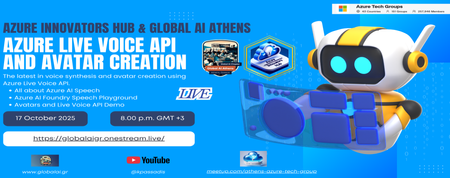
In this live event we’re diving into the cutting edge of voice synthesis and avatar tech with Azure’s latest innovations. What’s on the agenda: Deep dive into Azure AI Speech Hands-on with the Azure AI Foundry Speech Playground Live demo: Avatar creation using Azure Live Voice API Whether you're building conversational agents, experimenting with digital personas, or just curious about the future of voice and identity in tech—this session is for you. No registration required Spread the word : https://globalaigr.onestream.live/ #azure #techgroup #live #event #aispeech183Views0likes0CommentsAzure AI Foundry Agents - Azure AI and APIM integration
Azure Innovators Hub & Global AI Athens Community presents: Azure AI Foundry Agents All you need to know about building agents with Azure AI and APIM integration! 🛠️ Live Event Highlights Join us for an immersive, hands-on experience where we’ll explore: Creating and managing powerful Agents using Azure AI Foundry Handling threads, messages, and orchestrating Agent behaviors Implementing robust Agentic solutions with real-world scenarios Leveraging ready-to-use Templates to accelerate development Integrating APIM for seamless and secure API connectivity ✨ Whether you're a developer, AI enthusiast, or solution architect, you'll leave with practical skills and an end-to-end Multi-Agent Solution built during the session. 🎯 Perfect for tech professionals, innovators, newcomers and community members looking to deepen their Azure AI expertise and connect with fellow thinkers in Athens. Join Live Event407Views0likes3Comments