faq
21 TopicsMGDC for SharePoint FAQ: How to Run a PoC without Pulling Your Entire Tenant
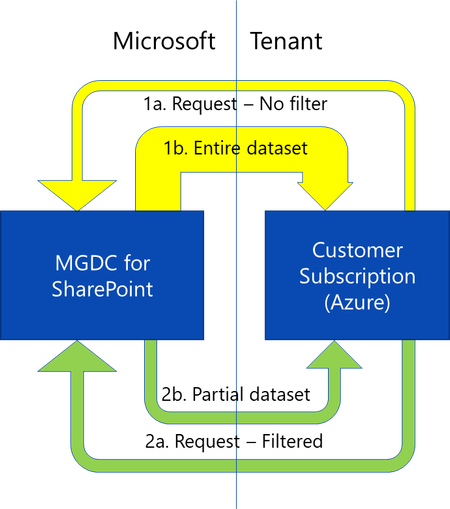
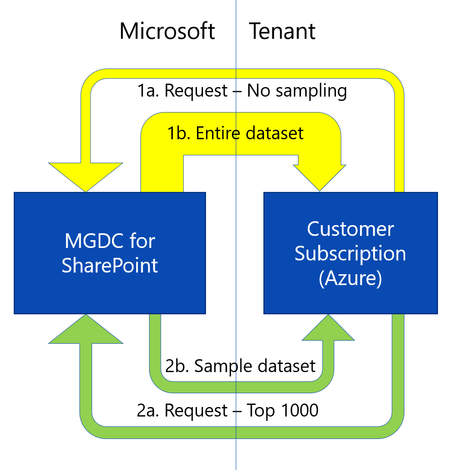
Overview When getting started with SharePoint data in Microsoft Graph Data Connect (MGDC) for SharePoint, many teams want to validate scenarios - such as reporting or analytics before committing to a full production deployment. A common first instinct is to pull a complete dataset from a production tenant. While this delivers the most comprehensive view of SharePoint usage, it also: Requires broad administrative authorization Consumes the most Azure compute and storage resources Increases MGDC extraction and processing costs Adds complexity to early experimentation Fortunately, MGDC for SharePoint provides multiple ways to run low‑cost experiments or proof‑of‑concept (POC) deployments using partial or scoped datasets. This guide presents these options using a uniform comparison model, helping you choose the right approach based on: Cost Representativeness of production behavior Implementation effort Dataset completeness Supported datasets Option 1: Use a Dev or Test Tenant Description Use an existing development or test tenant (or create a new trial tenant) to enable MGDC and run initial experiments. Pros Smaller datasets reduce MGDC and Azure costs Easier to obtain administrative permissions Lower operational impact Cons May not reflect production‑scale usage patterns Some SharePoint features or integrations may be missing Requires simulated user activity to generate meaningful data Trial tenants are time‑limited Learn More Microsoft 365 Trial Options Azure Trial Options Option 2: Start with the SharePoint Sites Dataset Description The Sites dataset is typically the smallest MGDC dataset for SharePoint and provides tenant‑wide metadata for all site collections. Pros Lower cost compared to Files or Permissions datasets Provides organization‑wide coverage Minimal MGDC configuration beyond standard onboarding Small dataset can be handled directly by a variety of analysis tools Cons Does not include permission or file details Limited insight compared to full datasets Learn More How can I estimate my Azure bill? Updated! Gather a detailed dataset on SharePoint Sites Option 3: Sample a Limited Number of Rows Description Some MGDC SharePoint datasets support returning only a subset of rows in query results. This is supported across the top 5 SharePoint datasets in MGDC (Sites, Permissions, Groups, Files and File Actions). Pros Minimal and predictable extraction cost Enables rapid schema inspection Provides total dataset row count in request metadata Cons Rows are not returned in a predictable order Sample is not randomized. It is not reproducible and could be biased Results should not be used to draw tenant‑level conclusions Learn More How can I sample or estimate the number of objects in a dataset? Option 4: Filter by SiteId Description Because SharePoint data is partitioned by site collection, MGDC filtering allows you to extract data from a single site or a small group of representative sites. This supports Sites, Permissions, Groups, Files and File Actions datasets. Pros Enables realistic workload simulation Reduces total extraction volume Simplifies downstream reporting Cons May introduce sampling bias Not suitable for tenant‑wide reporting Learn More How can I filter rows on a dataset? Option 5: Filter by TemplateId Description Instead of selecting individual sites, filter by site template to isolate specific workloads. For example, you could filter for OneDrives or SharePoint Embedded. Pros Consistent dataset scope Useful for workload‑specific analysis Cons Limited dataset support (supported only for Sites, Files and File Actions) May not reflect cross‑workload usage patterns Learn More How can I filter rows on a dataset? Option 6: Use Delta State Datasets Description Delta datasets allow you to retrieve only changes since your last data transfer for supported SharePoint State datasets. Pros Enables recurring analytics with lower extraction costs Supports daily or weekly trend analysis Reduces data movement after initial ingestion Cons Requires an initial full dataset pull Adds complexity to downstream merge processing Learn More How can I use Delta State Datasets? How do I process Deltas? Summary MGDC for SharePoint provides multiple approaches to extract targeted subsets of tenant data, allowing teams to: Run proof‑of‑concept deployments Validate analytics pipelines Test governance or migration scenarios Estimate ongoing MGDC and Azure costs By selecting the right combination of dataset scope, filtering strategy, sampling method or delta tracking, you can balance cost, representativeness, and implementation effort before scaling to a full production deployment. For additional guidance on MGDC for SharePoint, visit SharePoint Data in MGDC.Windows office hours at Microsoft Ignite
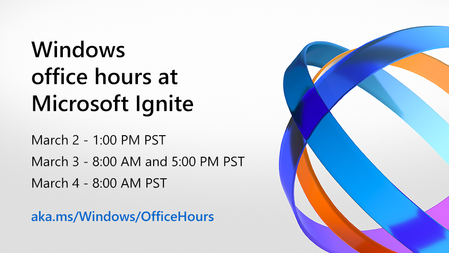
We're holding 4 special editions of Windows office hours on Tech Community! Select Start a New Discussion anytime throughout the event and our experts will answer when they are "in the office." Join us to get answers about the latest capabilities we unwrapped this week, troubleshooting guidance to unblock your rollouts, and tips to help you more easily manage Windows 10 updates and your Windows device estate. Select any and all of the desired times below and join us! March 2 – 1:00-2:00 p.m. Pacific Time March 3 – 8:00-9:00 a.m. Pacific Time March 3 – 5:00-6:00 p.m. Pacific Time March 4 – 8:00-9:00 a.m. Pacific Time2.3KViews1like0Comments