explorer
4 Topics
Windows 10 ISO mounting bugs
Short description: current windows 10 ltsc freezes when trying to mount an iso file, especially a windows installation image. Setup: Windows 10 IoT Enterprise LTSC 2021 x64 en-US. Clean installed from ' en-us_windows_10_iot_enterprise_ltsc_2021_x64_dvd_257ad90f.iso'. All updates have been fully done, including latest cumulative updates(KB5126657), servicing stack updates, .NET framework updates(4.8.1), and any other hardware-dependent driver updates. When I try to open and mount a windows installation image (iso), the explorer freezes, and is unresponsive. ISO files that are not Windows installation images open fine, and even when explorer is frozen, other parts of Windows work totally fine(like browsers). This behavior hasn't been seen before the 2026-10 cumulative updates. Maybe the KB5126657 has something to do with it? PC hardware: i9-10900KF, DDR4 32GB RAM, 1TB NVMe SSD, Z490 MB. I've been using this PC with the exact same OS for years, and this is the first time experiencing such issue. Tried troubleshooting with claude code and codex, but failed (mainly due to session halting by cybersecurity flags)35Views0likes1Comment
Thumbnails in Explorer.exe Using Up Significant Memory
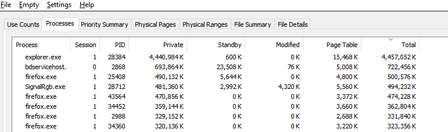
It seems that there is an issue with explorer with storing thumbnail cache for folders containing 6k to 8k resolution videos. For context, I keep virtual reality videos in one folder and every single time I open this folder and browse through all other files and sub folders, the memory usage for explorer spikes up. I need help on how to fix this issue. Any workarounds such as storing thumbnail cache on the drive instead of the RAM would help. I'm using Windows 10 22H273Views0likes1CommentExplorer Can't Find Existing .mdb File That Datamgr.exe (VB) Can Find
I've created .mdb files by executing Visual Basic programs. I can use the Datamgr program that comes with VB 3.0 to open these databases to view and update the records. Explorer does not show these files, nor does Dir command in CMD prompt. I have Show Hidden Files earmarked in Explorer. I have cleaned the iconcache by running Disk Cleanup. Several other things have been tried based on web research. Nothing seems to work. Clues anyone? I'd upload a copy of an .mdb, but lol, I can't do this because it can't be found!Solved647Views0likes1Comment
File Explorer should be able to open multiple files of the same type at once
This is a feature that I wish I had almost every day, and the main reason why I end up using my MacBook Pro. I often need to open 30+ PDF files at once, multiple Photoshop, Illustrator, InDesign files, even word documents or images at once. As soon as you have more than one file selected in File Explorer, all the 'Open' or 'Open With' options disappear. If this isn't the right forum to make this suggestion, where can I post it? It seems like a fairly obvious feature for a file explorer to have.1.9KViews1like1Comment