digital transformation
5 Topics
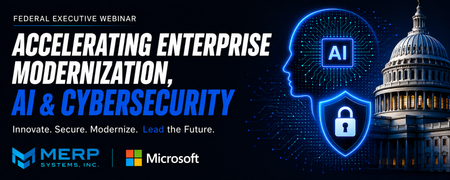
August 20 Federal Event: Accelerating Enterprise Modernization, AI & Cybersecurity
Overview Federal agencies are under increasing pressure to modernize mission systems, strengthen cybersecurity, and responsibly adopt artificial intelligence. Executive Order 14409, record federal technology investments, and Microsoft's OneGov initiative have created a unique opportunity to accelerate secure digital transformation. What Attendees Will Learn How agencies are translating AI strategy into operational outcomes. Microsoft's latest AI, cybersecurity, and modernization capabilities. How Microsoft OneGov is accelerating secure AI adoption across federal agencies. Real-world modernization strategies and success stories from CDC and USGS. Practical approaches to modernizing legacy systems while improving mission outcomes. Plus: Every attendee receives a complimentary 30-minute FY27 AI Readiness Consultation with a MERP Solutions Architect. Why Attend Join MERP Systems and Microsoft to discover the latest AI and cybersecurity innovations and hear directly from CDC and USGS as they share real-world enterprise modernization strategies and success stories. Attendees will leave with actionable insights, proven approaches, and a better understanding of how to accelerate secure AI adoption across their organizations. Event Link- https://events.teams.microsoft.com/event/b58ebc1e-e927-4e66-b73c-f25d7f43be7f@c33861f9-4a57-4bc4-bc88-d6e0c7b92c37?source=copyLinkOneEventsShareDialogWhy Connected Healthcare Systems Matter More Than Ever
Hello everyone, Across many healthcare organisations, digital transformation is well underway. New applications are being introduced, cloud adoption is increasing, and AI is becoming part of everyday conversations. However, one challenge continues to appear across many projects: disconnected operational workflows. It's common to find patient communication, scheduling, referrals, reporting and operational processes spread across multiple systems. While each application may perform its role effectively, the lack of integration often results in duplicated information, limited visibility and increased administrative effort. From the projects we've been involved in, we've found that successful digital transformation isn't only about implementing new technology. It's about creating connected systems that allow information to move securely and efficiently between teams. I'd be interested in hearing how others are approaching this challenge. Some discussion points: - What are the biggest barriers to connected healthcare systems today? - How are you improving interoperability across existing platforms? - Has Microsoft Cloud for Healthcare or Dynamics 365 helped simplify operational workflows? - Which integrations have delivered the greatest value in your organisation? We've also shared our perspective on https://www.ultralinkit.co.uk/dynamics-365-healthcare/ here: Looking forward to hearing different experiences and perspectives from the community.238Views0likes0Comments
Organization Assets libraries - enable tagging and filtering
Hello SharePoint people! In April, MS announced a new feature in SPO - Organization Assets libraries. It's a fantastic way to provide digital assets to all users across the organisation but as it's pretty new and needs some improvements, and tagging and filtering would definitely be a useful one. If you agree, please could you vote for my https://sharepoint.uservoice.com/forums/329214-sites-and-collaboration/suggestions/38507506-additional-columns-in-organization-assets-librarie so that Microsoft can (hopefully) look into implementing it. Let me know what you think about the idea and if you've used Organization Assets yet (and if so, what are your thoughts about it). AA960Views0likes0CommentsMDM vs. MAM
All the talk and effort to be a digital business puts mobility squarely at the center of your security plan. As your technology roadmap evolves, your enterprise mobility management (EMM) approach will likewise need to flex to guard your company’s data against ever-increasing cybersecurity hacks. Digital transformation can help you increase team productivity and employee experiences, especially as “bring your own device” (BYOD) policies have taken firm hold. Perhaps you’ve even got Internet of Things (IoT) and Artificial Intelligence (AI) on your radar for the not-too-distant future to capture new efficiencies and improve decision making. What’s the best way to secure BYOD and IoT? This technology evolution requires an integrated EMM plan that addresses the complexities of securing hardware from cross-platform ecosystems and the applications they access, many delivered as a service in the cloud. Well-designed policies are not fully focused on managing devices, rather on enabling safe access to data and systems from a wide variety of devices. So, what is MDM and MAM anyway? Mobile device management (MDM) and mobile application management (MAM) are often intertwined yet play distinct roles. Here’s a quick summary of their characteristics and purpose: MDM: addresses lack of control over corporate and personal devices, and lost device security Ensures device compliance through user and device registration, configuration and passcode management Secures devices on the network so you can monitor, report, track and update devices – and even locate, lock and wipe devices, if lost or stolen MAM: addresses lack of compliance with data and privacy requirements, and lost data retrieval User identity policy, single sign-on and conditional access tailored by role and device (with Intune or Active Directory on premises or in the cloud) Monitors and pushes app updates, including mobile document management for online or cloud-provisioned apps like SharePoint and OneDrive Is one better than the other? MDM and MAM are not exclusive of each other, and for most scenarios, together they can help you confidently implement and enforce a security plan that grants flexibility and convenience with accountability and control. Tech Community MVP Ammar Hasayen shared his story on the BYOD conundrum, noting that leadership resisted registering personal devices: “The solution we proposed is to get licenses for Intune, and adopt the Mobile Application Management (MAM) approach. This would simplify our management solution, protect corporate information on mobile devices, and respect any privacy concerns for employees.” What challenges or complexity are you facing to secure myriad devices, documents and critical data without disrupting business operations?30KViews3likes1Comment