digital selling
2 Topics
Copilot for Sales not prompting to add opportunity from email in outlook
Hi, We have Microsoft Copilot for Sales connected to Salesforce CRM. When an email is received from a sender who does not exist in Salesforce, Copilot correctly prompts us to create a new contact. After the contact is created and associated with an account, I can manually create or edit opportunity records without issue. I have verified the Salesforce configuration, permissions, and access assigned to the CopilotForSalesIntegrationProfile used by the Sales Agent. I have also confirmed that all required opportunity fields are configured in the Copilot for Sales forms. The issue is that Copilot is not prompting users to create an opportunity based on incoming emails. My understanding is that Copilot for Sales should be able to identify opportunity-related intent in an email and prompt for opportunity creation, with relevant information from the email prepopulated into the opportunity record. Has anyone experienced this behavior and found a resolution? Any guidance or recommendations would be appreciated. Thank you.
Microsoft Dynamics Prompts, ability to customize?
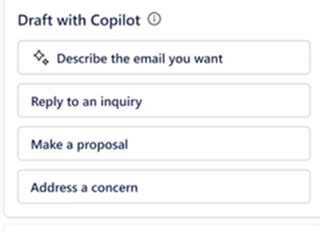
Exploring into the prompt options within Outlook and Dynamics CRM. The default options used to show in the Draft Email/Outlook area in the pic below. Now they do not show at all, is Microsoft working on this or is this a bug? Also, are you able to customize the text to change the wording better suited to the teams at a company? The CRM default options look like this: