developer
56 TopicsAccess is a Hybrid Cloud Superstar, part 1
This is the first of a regular series of posts, written by George Young, an Access professional developer and a consultant specializing in .NET applications, on how Microsoft Access can survive, indeed thrive, in the brave new cloud and mobile world.9.6KViews13likes13CommentsA Personal Note to the Access Community
Today is my last day at Microsoft. After many wonderful years, I have accepted Microsoft's Voluntary Retirement Program (VRP) and am beginning a new chapter. It feels a little surreal to write those words. For much of my career, I've had the privilege of working with products, communities, and people I deeply care about. In recent years, that has included serving as Program Manager for Microsoft Access, one of the most passionate, knowledgeable, and dedicated communities in technology. Before I go, there is one message I want to leave you with: Access is alive, well, and continuing to evolve. One of the most common questions I hear is, "Is Access going away?" The answer remains the same as it has always been: No. Access continues to ship with Microsoft 365 and Office, continues to receive engineering investment, continues to receive bug fixes, security updates, accessibility improvements, and yes, new features. In fact, we've released multiple new capabilities recently, including improvements such as enhanced zooming support, larger form and report design capabilities, and new developer-focused functionality, with additional features already in various stages of development and rollout. Over the last few years, I've had the opportunity to work alongside an incredibly talented engineering team that genuinely cares about Access and the customers who depend on it every day. I've seen firsthand the discussions, the prioritization meetings, the customer feedback reviews, the accessibility work, the bug triage sessions, and the long hours spent making sure Access continues to serve businesses, governments, schools, non-profits, and developers around the world. Access remains an important part of Microsoft's productivity ecosystem, and the team remains committed to keeping it relevant, reliable, and useful for years to come. I know many of you closely follow the public roadmap and occasionally worry when it's quiet. What doesn't always make it into public announcements is the steady stream of work happening behind the scenes: security investments, compliance work, accessibility improvements, bug fixes, customer-requested enhancements, and the engineering work required to keep a 30-plus-year-old product healthy in a rapidly changing technology landscape. As for what comes next, I don't yet know who the next Access PM will be or when that transition will occur. What I do know is that Access deserves thoughtful stewardship, active engagement with the community, and a clear understanding of why this product continues to matter. I am hopeful that whoever steps into that role will bring fresh ideas, curiosity, and a commitment to listening to the customers, MVPs, partners, and developers who make this community so special. To our MVPs: thank you for your advocacy, your feedback, and your willingness to tell us what we're doing right and what we're doing wrong. Many of the features we've delivered started as customer requests, conference conversations, forum discussions, and MVP feedback. Your voices matter, and they have made the product better. To the Access developers around the world: thank you for continuing to build solutions that solve real problems. Every time someone says Access is only a relic of the past, I inevitably hear from another organization running a mission-critical application, supporting a small business, managing a research project, tracking inventory, or helping people get work done. The creativity and ingenuity of this community never cease to amaze me. And finally, thank you for letting me be part of your journey. It's been an honor to help tell the story of Access, share new features, write documentation, engage with the community, and occasionally fight to get your favorite feature request prioritized. While I'm retiring from Microsoft, I'll always be rooting for Access and the people who use it. The future of Access belongs to all of you, and I believe that future is bright. Thank you for your support, your passion, and your trust. See you around, Linda Cannon Former Program Manager, Microsoft Access1.5KViews11likes5CommentsIE 11 Retirement: What Does This Mean for Microsoft Access Apps?
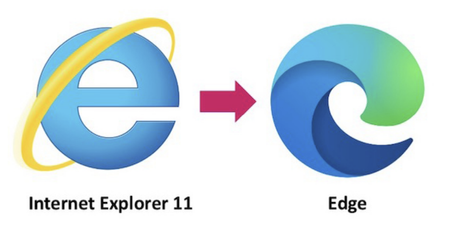
Many people in the Access Community have expressed concern about IE 11's pending retirement in June 2022, this post tries to clear the air on the questions people might have. Feel free to share it in your community circles.16KViews8likes9CommentsAccess fixes released in versions 2507 and 2508
Version 2507 (Build 19029.20136) Bug Name Issue Fixed Alert, “The Microsoft Access database engine cannot find the input table or query ‘MSysSQLComments’.” when importing queries from an old database which has never been used with the Monaco SQL editor Importing queries from older databases now works correctly Queries do not save when they contain Unicode characters This happened only with the new Monaco SQL editor and should now work correctly Error "The Object isn't open" when running Find Duplicates and Crosstab query wizards This happened only with the new Monaco SQL editor and should now work correctly Crash when pressing F1 in Monaco SQL Editor F1 will now launch context sensitive help when used with the Monaco SQL editor Error “Object is not connected to server” when referencing OLE automation object in VBA code This could happen when referencing the OLE object stored in an Unbound Object Frame, such as a PowerPoint slide or Word Document Crash when opening a query directly into SQL view This happened only with the new Monaco SQL editor. All queries should now be able to open successfully directly in SQL view Images sometimes do not display correctly on buttons/image controls All buttons and image controls should now correctly display images Announce deprecation of Salesforce connector We added a callout to let people know about the imminent deprecation of the Salesforce connector Version 2508 (Build 19127.20154) Bug Name Issue Fixed Control wizards do not launch when adding new controls to subform in design view The control wizards will now work when adding a control to a subform Access terminates unexpectedly when pressing F6 key in Design View F6 should now navigate correctly with forms in design view Unable to select large number (BigInt) field within "Find Unmatched Query Wizard" You can now select Large Number fields in the Find Unmatched Query Wizard Some wizards giving an error in 32-bit builds on launch “There was an error loading an ActiveX control on one of your forms or reports.” All wizards should now launch correctly Invalid output when exporting to HTML Some fields (e.g., number and date/time) were being incorrectly encoded Please continue to let us know if this is helpful and share any feedback you have.1.1KViews7likes3Comments