developer strategy
8 TopicsWhy Microsoft Should Retire OpenGL in Windows 12 and Embrace Vulkan + DirectX
Introduction: The Time Has Come OpenGL has served the Windows ecosystem for decades. But in 2025, its limitations are no longer just theoretical — they’re visible, disruptive, and increasingly incompatible with modern hardware. From graphical glitches to broken screen sharing, OpenGL is showing its age. It’s time for Microsoft to move forward. The Problem with OpenGL Today Minecraft Java Edition: Frequent glitches when sharing the screen via Discord, OBS, or Game Bar. • Euro Truck Simulator 2 (ETS2): Visual artifacts, unstable performance, and driver conflicts on newer GPUs. • Modern graphics drivers (NVIDIA, AMD, Intel): Prioritize Vulkan and DirectX; OpenGL receives minimal optimization. • Academic tools: Still rely on OpenGL, but Microsoft isn’t responsible for their inertia — evolution must lead. Why Vulkan + DirectX Are the Future Feature Vulkan DirectX 12 Performance: ✅ High ✅ High Multithreading: ✅ Excellent ✅ Excellent Compatibility: ✅ Cross-platform ✅ Windows/Xbox Stability: ✅ No glitches ✅ Optimized Future readiness: ✅ AI-ready ✅ Ray tracing, DLSS What Microsoft Can Do Deprecate OpenGL as a native API in Windows 12. Bundle Vulkan SDK directly into the OS. Offer OpenGL as an optional sandboxed runtime for legacy apps. Publish migration guides and developer tools for Vulkan adoption. Conclusion This isn’t just a technical proposal — it’s a call to action. Microsoft has the opportunity to cleanse its graphics stack, embrace modern APIs, and support developers who want to build without glitches or legacy constraints. Support this vision in the Feedback Hub. Share it. Shape the future. feedback link: https://aka.ms/AAydnad https://aka.ms/AAydfsz900Views0likes1CommentWindows 12 ARM/UX Vision – A New Era for New Era for Portable Devices
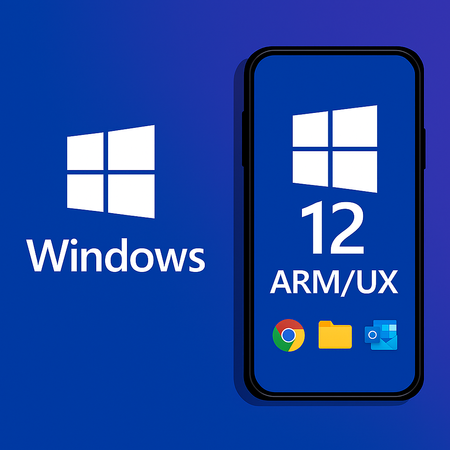
Windows 12 ARM/UX is not meant to be another copy of iOS or Android. It is a bold return of Windows to ARM/UX devices, built on the same unified core as desktop Windows, optimized for ARM, and designed to be fast, clean, and secure. 🔹 Core Principles 1. Unified Kernel • Same Windows core as desktop, optimized for ARM (Qualcomm, MediaTek, Exynos). • Easier development and consistent performance across devices. 2. No Translation Layers • No EXE emulation in sandbox. • Sandbox reserved only for AI tasks running locally or in the cloud. 3. Android Compatibility • Efficient support for Android apps. • iOS compatibility excluded to keep the system lean. 4. Pure and Modular System • No unnecessary pre‑installed apps. • Copilot and system apps downloaded only when the user needs them. • System size capped at ~15 GB. 5. Lumia‑Level Imaging • High‑quality photos and videos, with advanced codecs and stabilization. • AI photo editing runs locally in sandbox, never sent to the cloud. 6. DirectX Optimized for ARM • DirectX as the graphics foundation, tuned for ARM GPUs. • Balanced CPU/GPU load to prevent overheating and preserve performance. 7. Security First • Enhanced Windows Defender with phishing protection for social networks. • Windows Hello+ with ultrasonic fingerprint and retina unlock. 8. Smart Power Management • When the screen is off, only essential tasks run (~0.1% CPU for notifications). • Camera and microphone disabled by default for privacy. • User can allow exceptions if needed. 9. Payments • Support for Google Pay. • Option for a new Microsoft Pay that combines Microsoft and Google accounts. 10. Productivity Incentive • Free access to Microsoft Office apps for one year as a launch bonus. 🔹 Why This Matters • Not another clone – Windows 12 ARM/UX would stand apart with its own identity. • Developer‑friendly – unified kernel, modular services, and clear APIs. • User‑first – privacy, performance, and productivity at the core. • Future‑ready – AI, cloud, and ARM optimization built in from day one. 📝 Call to Action This is a vision for a fast, clean, and modern Windows on Portable Devices If you believe Windows deserves a true comeback in Portable Devices, let’s discuss it here and shape the future together.500Views0likes1CommentProject Diamond Windows 12 Vision
Project Diamond is a proposal for what Windows 12 should become: a fast, clean, and modern operating system that finally unleashes the full potential of today’s hardware. The goal is to bring back the speed of Windows 8, the practicality of Windows 7, and add modern features—without the bloat that slowed down Windows 10 and 11. Core Pillars of Project Diamond 1. Speed like Windows 8 • True instant boot in ~2 seconds, without relying on BIOS/UEFI Fast Boot tricks. • Only essential services load at startup—no unnecessary background tasks. • Hardware performance (SSD, NVMe, modern CPUs) fully utilized. Clean UX/UI • A consistent environment—no more mixing old Control Panels with new Settings. • A Start menu that blends the practicality of Windows 7/8.1 with modern features (search, pinned apps, AI suggestions). • Minimal animations—snappy response first, eye candy second. • Tablet mode as an option, not a forced default. AI—integrated but safe • Copilot and other AI features run in a sandboxed environment, isolated from the OS core. • Prevents viruses or manipulation from spreading through AI processes. • AI acts as a helpful assistant, not a system bottleneck. Graphics and DirectX • Optimized DirectX API with less overhead and better GPU utilization. • Reduced UI animations to free resources for apps and games. • Flexibility for developers to leverage DirectX 12 or Vulkan where appropriate. Stability and Security • System apps sandboxed—one crash should never bring down the OS. • Virtualization-Based Security (VBS) enabled by default, but optimized to avoid performance loss. • Modular updates—fix or update parts of the OS without requiring a full reboot. Summary Project Diamond envisions Windows 12 as the system Windows 8 was meant to be: • Fast ⚡ • Clean 🧼 • Modern 🌐 • Stable 🛡️ A true rebirth of Windows speed and clarity—this time without the mistakes of the past. If you like this vision and want to support it, you can upvote it here: https://aka.ms/AAycfv4 https://aka.ms/AAycfva300Views0likes3CommentsKikero’s Windows 12 Proposal Series – Modular Runtime, Vulkan API, Developer Strategy
I'm an Insider Tester and System Strategist. I've published a series of suggestions for upgrading to Windows 12 on the Feedback Hub. I'm sharing them here for the wider community. Part 1: Modernizing the Core and Application Ecosystem & Developer Strategy Continuation https://aka.ms/AAya0if https://aka.ms/AAy9l7o Part 2: Optional Graphics API Layer – DirectX/Vulkan Switch & Extended Implementation https://aka.ms/AAya0ih https://aka.ms/AAy9l7p https://aka.ms/AAya0ik Challenge: If you like the suggestions, support them by voting in the Feedback Hub. Your feedback can influence the future of the system.200Views1like2CommentsWindows 12 Bootloader – Why I Propose a Change
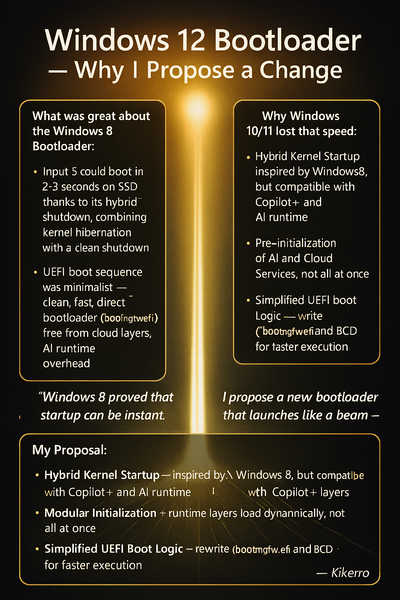
What Was Great About the Windows 8 Bootloader: Startup Speed: Windows 8 could boot in 2–3 seconds on SSD thanks to its hybrid shutdown mode (Fast Startup), which combined kernel hibernation with a clean shutdown. Minimalist UEFI Boot Sequence: The bootloader () was clean, fast, and direct — no cloud layers, no AI runtime, no Defender overhead. Lean Service Initialization: Only essential components were loaded during startup. Everything else was deferred until after the system was ready. Why Windows 10/11 Lost That Speed: • More Complex Bootloader – due to Secure Boot, TPM, BitLocker, and Copilot+ layers. • Pre-initialization of AI and Cloud Services – the system boots as a “bundle,” not a “beam.” • Heavy Runtime Layers – Defender, telemetry, sync services all activate immediately. My Proposal: Hybrid Kernel Startup – inspired by Windows 8, but compatible with Copilot+ and AI runtime. • Modular Initialization – runtime layers load dynamically, not all at once. • Simplified UEFI Boot Logic – rewrite of and BCD for faster execution. • Developer Mode Toggle – optional switch to disable non-essential layers during testing. • Deferred Protection Activation – security shields initialize post-kernel, allowing faster boot sequencing. Final Message to the Community: Windows 8 proved that startup can be instant. Windows 12 has the power to activate that again. I propose a new bootloader that launches like a beam — not a bundle. Speed, modularity, protection. — Kikerro199Views0likes1CommentKikero – Proposal for Windows 11/26H1: Fixed 4GB System RAM Limit for Maximum Performance
I'm an Insider Tester and System Strategist. I've published a series of proposals for optimizing Windows 11/26H1 — including RAM limits, AI runtime, graphics API control, and CPU-aware scheduling. Sharing them here to empower the wider community. Part 1 https://aka.ms/AAy9t2k Part 2 https://aka.ms/AAya0pp Part 3 https://aka.ms/AAy9lf5 Challange: Let’s build a Windows that works for creators, gamers, and developers — not just background services. Your voice matters. Let’s make it heard.199Views0likes2CommentsKikero – Proposal for Windows 11/26H1: Fixed 4GB System RAM Limit for Maximum Performance
I'm an Insider Tester and System Strategist. I've published a series of proposals for optimizing Windows 11/26H1 — including RAM limits, AI runtime, graphics API control, and CPU-aware scheduling. Sharing them here to empower the wider community. Part 1 https://aka.ms/AAy9t2k Part 2 https://aka.ms/AAya0pp Part 3 https://aka.ms/AAy9lf5 Challange: Let’s build a Windows that works for creators, gamers, and developers — not just background services. Your voice matters. Let’s make it heard.100Views0likes0CommentsKikero’s Windows 12 Proposal Series – Modular Runtime, Vulkan API, Developer Strategy
I'm an Insider Tester and System Strategist. I've published a series of suggestions for upgrading to Windows 12 on the Feedback Hub. I'm sharing them here for the wider community. Part 1: Modernizing the Core and Application Ecosystem & Developer Strategy Continuation https://aka.ms/AAya0if https://aka.ms/AAy9l7o Part 2: Optional Graphics API Layer – DirectX/Vulkan Switch & Extended Implementation https://aka.ms/AAya0ih https://aka.ms/AAy9l7p https://aka.ms/AAya0ik Challenge: If you like the suggestions, support them by voting in the Feedback Hub. Your feedback can influence the future of the system.100Views0likes0Comments