deployment
23 TopicsWho actually blocks AI in healthcare (and why)
AI pilots usually fail not because the technology is flawed, but because organizations underestimate the stakeholder, governance, liability, and clinical-workflow readiness work required to move from proof of concept to scaled deployment.461Views2likes0CommentsLimiting Microsoft 365 Copilot data exposure risk with Zero Trust apps and data controls
Learn how to reduce Microsoft 365 Copilot data exposure risks by governing what Copilot can reach after a user is authenticated. This post maps key Layer 2 risks to Zero Trust apps and data controls, including oversharing reduction, sensitivity labeling, DLP, connector governance, audit visibility, and privileged access management.1.2KViews2likes0CommentsReady to accelerate your Zero Trust journey? Discover what’s next
For admins | 1-minute read Zero Trust isn’t just a security buzzword—it’s the new baseline for protecting your organization in a world where threats are always evolving. But what does it really take to move from strategy to action? Find out by reading our recent blog, Accelerate your Zero Trust journey: Using the Microsoft Zero Trust workshop for impact on the M365 Accelerator site. In it, we break down some of the real-world challenges IT admins face and show how this hands-on workshop can help you build a clear roadmap forward. For example, learn how you can use the workshop to: Assess and improve your security posture by evaluating your organization’s current security maturity across six critical Zero Trust pillars (Identity, Devices, Data, Network, Infrastructure, Security Operations), identify gaps, and prioritize actions for improvement. Drive cross-team alignment and executive buy-in by bringing together stakeholders from security, infrastructure, networking, and compliance for communication, consensus building, and creating a data-driven roadmap that resonates with leadership. Turn security strategy into actionable results with practical steps for leveraging the Zero Trust Workshop to transform security from a reactive task into a proactive, strategic advantage for your organization. Next steps Ready to move beyond theory and see how Microsoft’s approach can help you secure identities, apps, and data? Then Accelerate your Zero Trust journey is your next must-read. Get the full story and workshop details here.466Views2likes0Comments
Simplify your Windows 365 Enterprise deployment with the updated Windows 365 deployment checklist
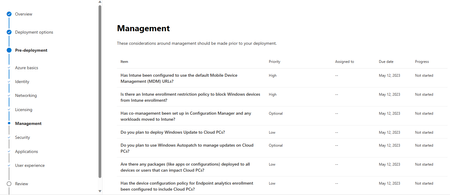
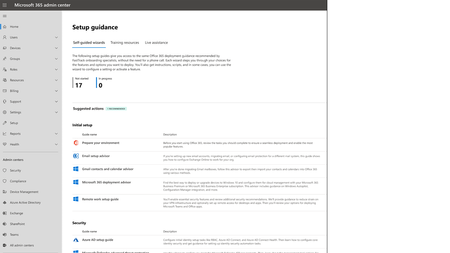
We’re excited to announce that we’ve just released an updated Windows 365 deployment checklist in the Microsoft 365 admin center (MAC). What is Windows 365? Windows 365 is a cloud-based Desktop as a service (DaaS) solution that automatically creates a new type of Windows virtual machine for your customer, known as a Cloud PC. A Cloud PC is a highly available, optimized, and scalable virtual machine that provides customers with a rich Windows desktop experience. Cloud PCs are hosted in the Windows 365 service and is accessible from anywhere, on any device (Learn more about Windows 365). Windows 365 deployment is made to be simple (to see an end-to-end deployment overview, visit Overview of Windows 365 deployment). However, we understand that our customers have unique and complex environments. What is the Windows 365 deployment checklist? To help you integrate Windows 365 with your existing enterprise environment, we've compiled learnings and best practices from the Microsoft 365 FastTrack Team, which has worked with hundreds of enterprise customers. We're excited to offer these in an updated Windows 365 deployment checklist experience as part of the Advanced Deployment Guides in the Microsoft 365 Admin Center. This checklist will guide you as you plan, deploy, and scale Windows 365 in your environment. The Windows 365 deployment checklist guides admins through the considerations around Azure basics, identity, networking, licensing, management, security, applications, and end user experiences that are applicable to their deployment configuration. Admins can assign tasks for each area to the responsible stakeholders and define a target date of completion. Admins can also see a summary view with an overall status to track progress against their timelines. How can I access the Windows 365 deployment checklist? To access the Windows Enterprise 365 checklist, visit this link or directly at https://go.microsoft.com/fwlink/?linkid=2251210. Additional Resources: Product Info: Windows 365 Enterprise on Microsoft.com Microsoft Learn: What is Windows 365 Enterprise? Microsoft Learn: Requirements for Windows 365 Access all Microsoft 365 Advanced Deployment Guides4.5KViews2likes0Comments