delta lake
53 Topics
Could not find stored procedure 'OPTIMIZE' in Synapse
Hi Fellow Azure people! I'm trying to use the OPTIMIZE procedure on a delta table in Synapse but I'm getting a "Could not find stored procedure 'OPTIMIZE'" error. Delta's docs do mention that this feature is only available in Delta Lake 1.2.0 and above, I've double checked and we are running Delta 1.2 Below is an example of what I'm doing: OPTIMIZE '/path/to/delta/table' -- Optimizes the path-based Delta Lake table Does anyone know what this could be happening? I did notice that there was no reference to OPTIMIZE in the Synapse docs but it did exist in the Databricks docs. Perhaps the procedure hasn't been implemented in Synapse yet?1KViews0likes2Comments
Secure Medallion Architecture Pattern on Azure Databricks (Part II)
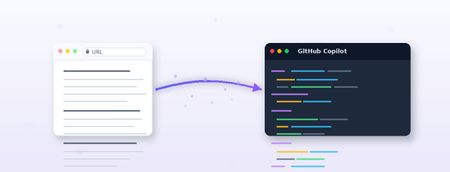
Disclaimer: The views in this article are my own and do not represent Microsoft or Databricks. This article is part of a series focused on deploying a secure Medallion Architecture. The series follows a top-down approach , beginning with a high-level architectural perspective and gradually drilling down into implementation details using repeatable, code. In this part we will discuss the implementation of the pattern using GitHub Copilot If you have missed, please read first the first part of this blog series. It can be found at: Secure Medallion Architecture Pattern on Azure Databricks (Part I). I waited a while before publishing this article. Partly due to other priorities, but also because I wanted to experiment with deploying infrastructure and data pipelines using agents. At that point, I was looking to leverage agents with a spec-driven approach, and through using GitHub Copilot, I learned what skills are and how I can use them to achieve my scope. In this blog I'll share what I learned using GitHub Copilot for spec-driven development. I'll use the content from my previous article, Secure Medallion Architecture Pattern on Azure Databricks (Part I) , as a technical specification to extract implementation details and generate two outputs: Terraform code for infrastructure, platform configuration, and deployment Databricks Declarative Automation Bundles for jobs, pipelines, and other deployment-ready workload resources I've tried not to overfit the prompts within the skills I've developed, so they remain portable to other technical articles, not just the one mentioned in this blog. Separate the platform from the workload When I started the design, I decided to modularise the automation scripts by separating the platform from the actual data platform workloads. I assigned networking, storage, identities, secret scopes, and workspace configuration to Terraform, while Databricks notebook runs, job clusters, pipelines, and environment-specific deployments were developed within Databricks Declarative Automation Bundles (formerly known as Databricks Asset Bundles). That may sound obvious, but it's exactly where generated code often goes wrong. Without explicit instructions, AI tools tend to blur these boundaries and produce one oversized block of configuration. That's why my Copilot skill needs to enforce a clear contract by: Infer the architecture from the article Identify what is explicit and what is assumed Emit Terraform only for infrastructure concerns Emit bundle files only for workload concerns Leave placeholders for anything the article does not specify That last point is critical. A blog post or low-level technical specification is not a source of truth for account IDs, hostnames, catalog names, secret values, or subnet IDs. Good automation should never fabricate those values. Instead, I decided to produce a starter implementation with TODO markers wherever environment-specific values are required. Skills are a great way to get more consistent, repeatable output across runs, so I decided to use them for this project. I could have used one of the tools listed in the table below, but I chose to go my own way, into developing a Spec-Driven Development (SDD) framework which I hope it will carryon improve with time. Tool Creator Type Link Description GitHub Spec Kit GitHub Open source github/spec-kit Turns feature ideas into specs, plans, and task lists before any code is written. Works with multiple AI coding agents. Specification first, code as generated output. BMAD Method BMad Code LLC Open source bmad-code-org/BMAD-METHOD An AI-driven agile framework with specialised agents covering the full lifecycle from ideation to deployment. Scale-adaptive — adjusts planning depth from a bug fix to an enterprise system. OpenSpec Fission AI Open source Fission-AI/OpenSpec Lightweight spec layer that sits above your existing AI tools. Each change gets a proposal, specs, design, and task list. No rigid phase gates, no IDE lock-in. What are skills, and why are they a good fit? Skills are essentially reusable prompt modules that aim to force LLMs to produce repeatable answers. Within a skill, I define the behavior and then attach supporting resources or scripts so Copilot can perform the task consistently. That means a skill can do more than just "write some code." A skill can define a repeatable workflow like this: Fetch the blog URL Extract headings, paragraphs, and code snippets Normalize the article into a lightweight implementation spec Decide what belongs in Terraform Decide what belongs in the Databricks bundle Generate files in a predictable project structure Produce a TODO.md file for unresolved values This approach turns Copilot from a generic assistant into a specialized code-conversion tool. However, there are some constraints I had to be mindful of when developing skills: Context window limits. The model has limited space to read instructions, process input, and generate output. Long prompts can cause files to be cut off or steps to be skipped. Non-determinism. Output may vary between runs, even with strict instructions. I always lint, validate, and review the diff before committing. Boundary leakage. Models may invent plausible but incorrect values. The TODO.md pattern must be enforced as a rule, not a suggestion. Model and tool drift. Copilot's model and tool surface change over time. I use example inputs and outputs as repeatable sanity checks. Maintainability. A skill is code-as-prompt and will age with the platforms it targets. I keep skills narrowly scoped so they stay easy to update. I'll explain the TODO.md file in more detail later in this post. The GitHub repo The repository can be found at the link MarcoScagliola/CopilotBlogToCode Below you will find a function I have added that, when invoked, deletes all the files produced by the skills, so you can test the repo from a clean state. python .github/skills/blog-to-databricks-iac/scripts/reset_generated.py --force; If you want to tried it out, please clone and try it on your copy. In GitHub Copilot, I usually keep: Model as Auto Foer the configure tools I keep just the built-in tools selected. Below you can find the prompt that I use to run the skills and have the blog analysed. Use the blog-to-databricks-iac skill on this article: https://techcommunity.microsoft.com/blog/analyticsonazure/secure-medallion-architecture-pattern-on-azure-databricks-part-i/4459268 Inputs: workload: blg environment: dev azure_region: uksouth github_environment: To make this more repeatable and less manual, I've added a prompt file at run-blogToDatabricksIac-selected-tools.prompt.md, which can be run directly from VS Code by opening the file and clicking the run button at the top. Feel free to experiment with it and let me know what you think. Further instructions on how to use the repo are available READ_FIRST.md. Following you will find the exact repository setup I used for this workflow, starting with my initial configuration and ending with the final directory structure and files. 1. Create a new GitHub repository and clone it locally I started by creating a new repository on GitHub, then cloned it to my local machine so I could add the Copilot skill, Terraform scaffolding, and Databricks bundle files in a centralized location. git clone https://github.com/YOUR-ORG/blog-to-databricks-iac.git cd blog-to-databricks-iac This approach keeps the workflow organised from the start: the repository exists on GitHub first, and the local clone becomes the working directory for all subsequent setup steps. 2. Create the GitHub skill folder structure (first iteration) GitHub Copilot skills are file-based and centered on a SKILL.md file inside a skill folder. GitHub's current pattern places these under .github/skills/ . I used the script below to create the folder hierarchy for my initial integration. mkdir -p .github/skills/blog-to-databricks-iac/scripts mkdir -p .github/skills/blog-to-databricks-iac/templates mkdir -p infra/terraform mkdir -p databricks-bundle/resources mkdir -p databricks-bundle/src This script generates the structure depicted below. 3. Add the main skill definition Next, I created the SKILL.md file at .github/skills/blog-to-databricks-iac/ . The orchestrator decides what happens and in what order, while each specialist decides what its own file should contain (as an example the Terraform specialist owns the Terraform, the bundle specialist owns the bundle, and so on). In practice, SKILL.md turns Copilot from a general assistant into a domain-specific generator for this repo. GitHub documents this SKILL.md-based structure as the foundation of agent skills. My first iteration of .github/skills/blog-to-databricks-iac/SKILL.md> was very simple and can be found here. 4. Add a script to fetch and normalize the blog article Next, I created a Python script that the main orchestrator SKILL.md invokes to read the blog article. This script is stored at .github/skills/blog-to-databricks-iac/scripts/ and named fetch_blog.py . Within SKILL.md , the script is invoked as shown below. ### 1. Fetch article ```bash python .github/skills/blog-to-databricks-iac/scripts/fetch_blog.py "<url>" ``` If fetch fails, stop and return the fetch error output. Do not retry; surface the error to the user and wait for guidance.</url> The script validates the URL, fetches the HTML with a 30-second timeout, and uses a spoofed Mozilla User-Agent to avoid being blocked by CDNs (Content Delivery Networks). It reads through the HTML one tag at a time, flagging when it enters relevant sections like paragraphs, headings, or code blocks, and buffering text until the tag closes. Before storing anything, it cleans the text by decoding HTML objects, collapsing whitespace, and trimming edges. As it parses, the script also scans for cloud platform keywords: AWS, S3, Azure, ADLS, GCP, Google Cloud. The first match wins; if none are found, it returns unknown. This is a quick heuristic, not authoritative. Finally, it outputs clean JSON with the extracted data: title, headings, paragraphs, code blocks, and cloud hint, capped at reasonable sizes to keep the output manageable. If anything goes wrong, such as a network error, timeout, bad HTML, or empty content, the script exits cleanly with a structured error message, making it easy to integrate into larger workflows without surprises. The Python scrip can be found here. 5. The output and output contract Now I needed to think about the output I wanted GitHub Copilot to deliver through the skills. To reiterate, I needed the following: File Name Description README.md This is the operator-facing runbook that turns the generated artifacts into a working deployment. It contains no unresolved placeholders and no embedded credentials. The header summarizes the architecture and links back to the source blog. A prerequisites section lists required Azure access, Entra permissions, GitHub Environment setup, and local CLI versions. It includes tables of always-required GitHub secrets and variables, plus conditional ones based on deployment mode. Step-by-step numbered sections walk through bootstrapping the deployment principal and populating the GitHub Environment. Workflow blocks describe each Terraform validation, infrastructure deployment, and DAB deployment step, including file paths, triggers, and outputs. A commands section lists the exact Terraform and Databricks bundle sequences to run. Finally, assumption notes point the operator to TODO.md and SPEC.md for context. TODO.md The operator's checklist of remaining tasks. It uses a strict five-section format (Heading, What this is, Why deferred, Source, Resolution, Done looks like) with no commands or code, only concepts and decisions. Each section captures a different layer of post-deployment work, pre-deployment tasks like RBAC roles and GitHub secrets, deployment-time inputs like region and environment, post-infrastructure setup like Key Vault secrets and external locations, post-DAB work like Unity Catalog grants and job schedules, and architectural choices the orchestrator couldn't make (network posture, schemas, partitioning). Every entry comes from something the article left unstated, plus the universal post-deploy work for any Databricks deployment. The operator works through TODO.md sequentially, resolving each item before the system is production-ready. SPEC.md The structured, source-faithful read of the blog article, organized by checklist. Every item is marked as a stated value, inferred from code or diagrams, or "not stated in article." It includes architecture details, Azure services configuration, Databricks setup, data model, security and identity requirements, and observations. SPEC.md is the single source of truth that Terraform and DAB generators read from, TODO.md is populated from every "not stated" entry, and README.md references it for assumptions. This ensures the deployment is built on documented decisions, not hidden assumptions. Together, these files create a clear boundary: SPEC.md answers what the blog says, TODO.md captures what's missing or must be decided, README.md tells you exactly how to deploy. This split is enforced by validation rules that fail if any content duplicates across the three files. To make these files as repeatable as possible, I needed two things: Two templates, one for README.md and one for TODO.md , that the orchestrator fills in from SPEC.md at generation time. A broader delivery contract, output-contract.md , which lists the five files the orchestrator must produce. README.md and TODO.md are two of those five, and the templates are how they get produced. The output-contract.md file defines a strict, ordered format that the agent must follow when transforming a blog article about Databricks-on-Azure architecture into a runnable repository. The first commit was deliberately minimal, as you can see from the file available here. No leaf-skill routing, no repo-context.md, no GitHub Actions workflows, no validation rules, no entry-field templates for TODO.md . That commit's single job was to lock down the shape of the output: what gets produced and in what order. Every commit since has refined how to produce that shape without changing what gets produced. Putting the contract in the very first commit gave every later change a fixed reference point. Every leaf skill, generator script, and validation rule I've added since has fit into one of its five sections. The pipeline has changed; the deliverables haven't. The structure of the GitHub repo at commit 17ab443 can be see in the pictorial below. 6. The README.md and TODO.md templates After iteratively working on the orchestrator, a clear pattern emerged, the code-generation paths were kind of stable, but the documentation outputs weren't. Every run produced README.md and TODO.md from scratch in free-form Markdown. Across runs, the same content kept drifting. Section ordering changed between runs and the explanation of GitHub Environments was rewritten with subtle wording differences. RBAC roles appeared sometimes as lists, sometimes in prose, sometimes split across sections. Universal post-deploy actions (create the secret scope, populate the vault, set up Unity Catalog grants) were re-derived every time, occasionally with steps missing. The root cause was that the orchestrator was treating durable, universal content as if it were per-run content. So I've decided to add two templates: README.md.template and TODO.md.template. Templates separate universal content (RBAC, TODO sections, GitHub setup) in the template from per-workload content (catalog names, credentials) substituted from SPEC.md. This delivers consistency across runs. The README and TODO are structurally identical, so readers can navigate them intuitively. Universal content is correct by construction; I write it once, review carefully, and every run inherits that quality. Validation also becomes more precise, and the agent's job shrinks from open-ended writing to mechanical substitution, which is easier to validate and maintain. Templates introduce clear vocabulary: {placeholder} is filled by the orchestrator at generation time, by the deployer at run time. Finally, templates enforce traceability: every "not stated in article" entry in SPEC.md automatically becomes a TODO entry via the from SPEC.md slot, making this an automatically-enforced rule. I'm invoking the templates in the orchestrator as shown below. The Git commit with this code can be found at this link. ### 3.1 Generate README from template Load the template: `.github/skills/blog-to-databricks-iac/templates/README.md.template` ### 3.2 Generate TODO from template Load the template: `.github/skills/blog-to-databricks-iac/templates/TODO.md.template` 7. The output of the fetch_blog.py file and the interaction with the orchestrator When the orchestrator invokes fetch_blog.py , the script produces a JSON output and passes it back to the orchestrator. The orchestrator then reads the JSON document into its working context and maps each field onto an analysis checklist. The title and meta description establish the article identity and scope. Headings with their levels reveal the structure, helping the agent locate sections about architecture, security, data flow, and naming. Paragraphs provide evidence for stated values like regions, resource types, and RBAC models. Code blocks become the source of inferred values. As an example, a Terraform snippet might reveal SKU choices or naming patterns not mentioned in the text. These inferred values get tagged "inferred from code snippet" when recorded. The cloud hint acts as a sanity check that the article actually describes an Azure architecture. For every checklist item, the agent records either an extracted value or the literal string "not stated in article". This becomes SPEC.md , the single source of truth for everything downstream. SPEC.md drives every subsequent step. Steps 3 through 7 (the Terraform module, workflows, and Databricks bundle generators) read architectural decisions from it. Step 8 then produces TODO.md by converting every "not stated in article" entry into a TODO item the operator must resolve before deployment. What I find worth pointing out is how little the output contract has actually moved since that very first commit. The implementation underneath has changed completely. Leaf skills emerged, generator scripts came in, validation rules got added, a soft-delete state machine showed up to handle Key Vault recovery. None of those existed at the start. But what the orchestrator delivers, the list of files it puts on disk, has stayed exactly the same. We have a much larger SKILL.md today that still mirrors the initial five-item output list. The contract itself has changed by exactly one line: the addition of "Design of the architecture" to section 5. SPEC.md : the structured, source-faithful read of the article, organised by the analysis checklist ( link ) TODO.md : the operator's checklist of everything the article didn't specify, plus the universal post-deploy actions ( link ) Terraform code under infra/terraform/ : the platform layer with networking, storage, identities, Key Vault, workspace ( link ) Databricks Asset Bundle under databricks-bundle/ : the workload layer with jobs, entry points, environment configuration ( link ) README.md : the operator runbook, with the architecture design diagram embedded ( link ) If the JSON contains an error, the orchestrator stops immediately. Per the skill rule "If fetch fails, stop and return the fetch error output. Do not retry," the error surfaces to the user rather than propagating downstream. So the script's output is the raw evidence pack: title, structure, prose, code, cloud hint. The agent uses it to fill the architecture spec, which parameterises every generated artifact. At this point the fetch_blog.py output is sent to Step 2 of the orchestrator, as shown in the code snippet below. ### 2. Analyse article Analyse the fetched article against the structured checklist in `.github/skills/blog-to-databricks-iac/references/blog-analysis-checklist.md`. The analysis covers the article text, diagrams, screenshots, and code snippets. And, much later in the orchestrator, Step 8 closes the loop by turning everything that's been recorded into the two operator-facing documents: ### 8. Generate README and TODO from templates Use the templates in `.github/skills/blog-to-databricks-iac/templates/`: - `README.md.template` -> `README.md` - `TODO.md.template` -> `TODO.md` 8. How this actually came together What I've described so far is how the orchestrator works currently. The reality of building it was much cumbersome , but also fun. I got from the first version to the current one by iterating. Rerun the orchestrator, find the defect, identify the rule that would have caught it, add the rule to the skill that owns the artifact, rerun. The reason I'm calling this out now, before walking through the rest of the pipeline, is that everything from this point on is a story about a specific lesson learned that way. The leaf skills exist because a single SKILL.md got too dense. The restricted-tenant guardrails exist because the deployment failed against a tenant that couldn't read Microsoft Graph. The validation harness exists because prose rules weren't catching the regressions that mattered. The soft-delete state machine exists because the same vault name kept colliding with a previous deploy. None of these rules were present from day-one. So in the next sections I'll walk through how the pipeline actually matured: how the single skill split into a graph, what the inner regenerate-fix loop felt like in practice, the day the project pivoted to support restricted tenants, the bugs that became rules, and the Key Vault soft-delete state machine that closed the project out. 9. From a single skill to a skill graph When I started, everything lived inside a single SKILL.md . It was simpler that way, and to be honest, at that point I didn't yet know which rules would actually matter. But as I kept rerunning the orchestrator on the article, a pattern emerged. Each rerun produced something that broke in a slightly different way, and the fix always belonged to a very specific concern: Terraform authoring, bundle structure, workflow generation, or the orchestration logic itself. Stuffing the rules for all of them into one file was making the orchestrator unreadable and, worse, was silently dropping rules when the context window got tight. So I split it. The orchestrator stayed at the top, kept routing the work and validating the result, and each concern got promoted to its own leaf skill. The Databricks bundle skill itself ended up needing one more split a few days later, it had got too dense, so I broke it into two leaves: databricks-yml-authoring ( link ) Python-entrypoints ( link ) The diagram below shows the shape the repo has today. The orchestrator now does almost no authoring. It owns the sequence of steps, the contract, and the validation gates, while everything else is delegated. This was the single biggest readability win. I wish I'd done it earlier. The REPO_CONTEXT.md is one extra node in that diagram that I want to call out But I'll come back to later in section 12. 10. The inner loop: rerun, fail, fix the skill If I had to describe the middle of this project in one sentence, it would be: every commit was a regeneration. I'd run the orchestrator end-to-end against the article, inspect the generated Terraform, the bundle, the workflows. I'd find a defect, identify the rule that would have prevented it, add that rule to the skill that owns the artifact, then rerun. As shown in the image below. This loop is what I think people miss when they treat AI-generated infrastructure code as a one-shot. The first run is never the deliverable. The deliverable is the skill that produces good runs. The generated files are disposable and can always be reproduced. The skill is what carries the knowledge forward. I had to actively resist the temptation to fix bugs in the generated code directly. Patching infra/terraform/main.tf by hand fixes today's run but not tomorrow's, because the rule that would prevent the bug doesn't exist anywhere. So I made it a discipline: never edit the output, always edit the skill, then regenerate. 11. Restricted-tenant compatibility The bug was simple to describe and brutal to fix: the deployment principal in the target tenant couldn't read Microsoft Graph. Any Terraform data source that resolved an Entra name to an object ID at plan time (e.g., azuread_user , azuread_group , azuread_service_principal ) blew up at terraform plan. My first instinct was to think "I just give the principal Graph permissions". But in a lot of real environments this is not possible. The principal that runs your IaC is governed by a security team, the team has a policy, and the policy says no Graph reads. The pivot was getting the skill to produce Terraform that never reads Graph. Object IDs are inputs, not lookups. They come in as trusted secrets, the workflow exports them as TF_VAR_* , and Terraform consumes them as variables. No data " azuread_* " block is allowed in the generated code, ever. I thought this was a simple fix. It wasn't. It cascaded into about six other things: App Registration vs Service Principal object IDs. The workflow was being given the wrong one. Role assignments need the Enterprise Application (Service Principal) object ID, not the App Registration object ID. The two are different objects in Entra with different IDs. I encoded the distinction in the skill as *_SP_OBJECT_ID (the Service Principal) versus *_CLIENT_ID (the App Registration's application ID). Naming carries the meaning now, so the wrong value is hard to pass. Single-principal mapping. In some tenants you only have one principal and it has to play both deployment and runtime roles. The skill grew a layer_sp_mode = existing input so the generator stops trying to create a new Service Principal and reuses the deployment one instead. Key Vault access policies, gone. Access policies were Graph-touching, and not all tenants support them anyway. The skill switched fully to RBAC role assignments (Key Vault Secrets User, and so on). A few cascading bugs followed, but this was the right call. It took some time to harden the Terraform skill against everything the restricted tenant was throwing back. Each iterations had the same shape, each orchestrator runs, hits a fresh provider error, I add the rule, run again, hit the next one. The commit subjects from that run are basically a transcript of the conversation I was having with the platform. 12. The bugs that became rules There are three bugs that I believe are worth telling the story of, because they each illustrate a slightly different lesson. The HCL trim() arity bug. The generator emitted trim(var.something) in a validation block. HCL's trim() takes two arguments, not one. The function I actually wanted was trimspace() . This is the kind of bug that any human would catch in a code review in two seconds, and which the model produced confidently because the shape of the call looked right. I added the rule to the Terraform skill ("for whitespace trimming use trimspace, never trim") and the bug never came back. Lesson: even for trivial syntactic mistakes, the fix belongs in the skill. The variable shadowing bug. The deploy workflow had a job-level env: block that set TF_VAR_key_vault_recover_soft_deleted to a static value. A detection step earlier in the workflow was supposed to compute the right value at runtime and write it via $GITHUB_ENV . The problem is that GitHub Actions resolves job-level environment variables before $GITHUB_ENV writes take effect, so the static value always won and the dynamic one was silently ignored. The fix was to never set the recovery flag at job level. It must be written in the detection step, on every code path, including the trivial "no recovery needed" path. Lesson: state must be explicit, not inherited. If a flag has three possible meanings, three code paths must each write it. The hardcoded -platform suffix. The workflow had a shell-side suffix that someone (let's be honest, the model) had invented to make the resource group name "look right". When recovery logic started running and the workflow looked for the canonical resource group, it looked for -platform instead of whatever the Terraform locals.tf actually emitted. The result was that the recovery handler was happily reaching past the real resource group and into a different one. I made it a rule in the orchestrator: workflow-invented suffixes are not permitted. Naming is owned by Terraform's locals.tf . There are seventeen more defects in the catalogue, and the pattern is the same in every case. The bug surfaces, the rule gets written, the rule lives in the skill that owns the affected artifact. There is no implementation-learnings.md in the repo. There used to be, but I've deleted it because a tracked log of past bugs, sitting next to a skill that's already supposed to encode the lessons from those bugs, is a duplication waiting to drift. I believe that if the rule is in the skill, the log is redundant. If the rule isn't in the skill, the log is an evidence that I haven't finished the work. Either way, the right place for bug history is git log. 13. Splitting "the skill" from "this repo's defaults" I then wanted the orchestrator to be portable, but every run kept needing the same handful of decisions. Which Azure region by default? Which environment names? Which catalog naming convention? These weren't part of the article. They weren't part of the Terraform skill either. They were specific to this repository's opinion about how things should be deployed. If I baked them into the orchestrator, the orchestrator stopped being portable. If I left them out, every run produced unhelpful "not stated in article" entries for the same five universal decisions. The answer was a new file called REPO_CONTEXT.md stored in the repo root. It's read by the orchestrator before generation and it carries the defaults that are owned by the repo, not by the skill. The split looks like this in practice: SKILL.md answers the question "how do I turn an article into a runnable repo?" It is portable. REPO_CONTEXT.md answers the question "what does this repo default to when the article doesn't say?" It is local. Cloning the orchestrator into another GitHub project is now a clean operation. You take the skill, you write your own REPO_CONTEXT.md , and the same generator produces output appropriate to your environment. 14. The Validations Most of the rules I'd written into the skills were prose. "Don't invent suffixes." "Object IDs are inputs, not lookups." "Every required Terraform variable must have a matching TF_VAR_* in the workflow." The model is good at following prose rules most of the time. So a few of the most regression-prone rules became executable. The most important one is scripts/validate_workflow_parity.sh . Every variable declared in infra/terraform/variables.tf must appear as a TF_VAR_* export in the deploy workflow. The script greps both files, diffs the sets, and exits non-zero if they don't match. It is run at the end of generation. If it fails, the run failed, even if everything else looks fine. This caught real bugs. The most embarrassing was a variable I'd added to variables.tf and forgot to wire through the workflow. Terraform plan would prompt interactively for it on a non-interactive runner, and the run would hang. The rule of thumb I've ended up with is: prose rules are the default, but if a rule has been violated more than twice, it gets promoted to an executable check. There's a short list of those checks now, and it's the load-bearing one. 15. Key Vault soft-delete state machine Key Vaults in Azure have soft delete on by default. When you delete a vault, it sticks around for ninety days in a "soft-deleted" state. If you try to create a vault with the same name in the same subscription during that window, the deploy fails. The right behaviour is to recover the soft-deleted vault, not create a new one. The first version of my recovery handler covered exactly one case: if the vault is soft-deleted, recover it. This worked the first time I ran it. The second time, the recovered vault came back into the previous resource group, not the new one I had just created. Terraform then tried to create a new vault in the correct resource group and failed because the name was already taken globally. The handler had no concept of "the recovered vault is in the wrong resource group." So I added that case. The third time, the previous resource group itself was gone, and the handler was looking for it to verify the move. So I added that case too. By the end, the state machine had three distinct cases and two preconditions, as shown in the diagram below. The reason I keep coming back to this state machine is that it captures something that I think is generally true about agent-generated infrastructure code. The happy path is easy and meaningless, while the value is in the failure modes. The first version that worked on a clean tenant was about ten lines of bash. The version that works on a tenant that has been deployed-into and partially-torn-down five times is six times longer, and every additional line of it corresponds to a real environmental condition that I had to learn the hard way. 16. What I've learned so far I'm not going to pretend the full list of principles below was clear to me on day one. Every single one of these was learned by getting it wrong first. Looking back at the history, though, they are the ones that survived contact with reality. The contract precedes the implementation. output-contract.md was committed before any generator existed. Locking the shape of the deliverable first meant every later change had a fixed reference point. Generators, not stencils. Workflows are produced by Python scripts that take parameters and emit YAML. When restricted-tenant logic and the soft-delete state machine arrived, they needed conditional structure that a static template can't express. Every bug becomes a rule. Patching the generated code is a tax on tomorrow's run. While patching the skill is an investment. Each concern has a clear owner. The orchestrator routes, the leaves author, and the repo context holds the local defaults. Restricted-tenant compatibility is non-negotiable. No Microsoft Graph reads from generated Terraform. Object IDs are trusted inputs. Single-principal mapping is supported. Naming is owned by Terraform. No suffixes invented in shell. The validation harness enforces this. State must be explicit, not inherited. Every workflow run writes its own flags. No reliance on env defaults from a previous step or a previous run. Validation is executable when a rule has been violated more than twice. Prose rules are the default. Promotion to a script is earned. Operator docs describe concepts, not commands. Command syntax ages out, while conceptual descriptions don't. The TODO template enforces this rule. Add strong testing at the end of the process, once all the files are generated. Each run may produce slightly different output and introduce bugs, even if the previous run was successful. End-to-end runs against dirty tenants are the truth. The acceptance test isn't a clean-room deploy. It's a deploy into a tenant that has soft-deleted vaults, lingering RGs, and existing role assignments. Until that works, the project isn't done. From time to time, skills need to be reviewed and consolidated. The summary above of the journey is the one I find most useful to share when people ask whether this approach actually goes anywhere. From an empty repo to a generator that produces a deployable, restricted-tenant-compatible infrastructure-as-code repository from a blog URL, with executable validation and a recovery state machine that survives a previously-deployed environment. The first commit was an empty workspace. The last commit was the one where the same orchestrator, run against the same blog, against a tenant carrying state from five previous runs, deployed cleanly with no manual intervention. That is what I what I was aiming to achieve when I started! Thanks for reading.673Views0likes0CommentsResilient by Design: Azure Databricks Disaster Recovery Strategy
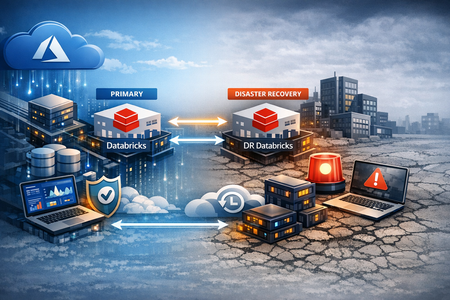
Introduction: From Recovery Plans to Resilience Strategy As organizations increasingly rely on Azure Databricks for mission-critical analytics and data engineering workloads, the need for robust disaster recovery (DR) strategies becomes paramount. These platforms are no longer just analytics engines, they power real-time decisions, AI models, and core business operations. Yet many organizations still approach Disaster Recovery (DR) as a reactive safeguard rather than a strategic capability. Resilience today is not about “if something fails,” but about ensuring continuity, trust, and performance under any condition. A modern DR strategy must therefore evolve beyond backup configurations and failover scripts. It must align with business priorities, regulatory requirements, risk tolerance, and operational maturity to become a core pillar of the enterprise data platform. In this context, organizations are increasingly adopting architecture patterns that enable cross-region resilience for the Azure Databricks Lakehouse. This pattern includes synchronizing Unity Catalog objects—catalogs, schemas, tables, views, function, models, and volumes—across regions, combined with scalable data movement mechanisms and secure data access approaches such as Delta Sharing and high-performance transfer tools. To help organizations operationalize this approach today, we have defined a structured strategy for synchronizing Unity Catalog objects and associated data across regions, enabling a resilient-by-design Azure Databricks architecture. This post focuses on that approach, outlining the key architectural patterns, strategic considerations, and practical implementation steps required to design and enable cross-region resilience. In October 2025, Databricks announced a Managed Disaster Recovery solution, developed in collaboration with Capital One, which includes managed replication, customer-specified failover, and read-only secondary capabilities. The approach outlined in this post serves as a complementary, customer-managed pattern, providing a practical and production-ready path for organizations to achieve robust disaster recovery and business continuity while Databricks continues to expand its native DR capabilities. Why Disaster Recovery for Azure Databricks is Different Traditional Disaster Recovery approaches do not fully apply to modern Lakehouse platforms. In Azure Databricks, resilience must account for: Tight coupling between data, compute, and metadata (Unity Catalog) Distributed pipelines (batch, streaming, ML) Decentralized workspace ownership and rapid platform growth This makes disaster recovery not just an infrastructure concern, but a data platform design challenge. Figure 1. Main Disaster Recovery Considerations Understanding the Fundamentals: RTO, RPO, and DR Trade-offs Before defining a disaster recovery strategy, it is essential to understand the core concepts that drive design decisions. Recovery Time Objective (RTO) defines how quickly a system must be restored after a disruption; while Recovery Point Objective (RPO) defines how much data loss is acceptable. These two metrics directly influence the architecture, cost, and complexity of any DR solution. As illustrated in Figure 1, there is a clear trade-off between cost and recovery performance: Active-active (hot) architectures, minimize downtime and data loss but come at a higher cost. Warm standby provides a balance between cost and recovery time. Cold DR is cost-efficient but results in longer recovery times and higher data loss risk. Understanding these trade-offs is critical to aligning DR strategy with business expectations. Understanding the Fundamentals: RTO, RPO, and DR Trade-offs Before defining a disaster recovery strategy, it is essential to understand the core concepts that drive design decisions. Recovery Time Objective (RTO) defines how quickly a system must be restored after a disruption; while Recovery Point Objective (RPO) defines how much data loss is acceptable. These two metrics directly influence the architecture, cost, and complexity of any DR solution. As illustrated in Figure 1, there is a clear trade-off between cost and recovery performance: Active-active (hot) architectures, minimize downtime and data loss but come at a higher cost. Warm standby provides a balance between cost and recovery time. Cold DR is cost-efficient but results in longer recovery times and higher data loss risk. Understanding these trade-offs is critical to aligning DR strategy with business expectations. Designing for Resilience: A Phased Disaster Recovery Approach Disaster recovery has evolved beyond a one-time setup into a structured, lifecycle-driven capability. Leading organizations design resilience intentionally, implement it systematically, and continuously validate it to ensure ongoing effectiveness. The framework outlined below provides a practical and strategic approach to operationalizing disaster recovery in Azure Databricks environments, bridging the gap between architectural intent and true operational readiness. Figure 2. Different Phases of Azure Databricks Disaster Recovery Phase 1: Discovery & Assessment A resilient disaster recovery strategy starts with clarity—yet in many Azure Databricks environments, that clarity is often missing. As platforms evolve, clusters multiply, jobs are duplicated, and data assets grow, making it increasingly difficult to answer a simple question: what do we actually have, and how critical is it? The Discovery phase addresses this by establishing a single, authoritative view of the platform. By consolidating all assets, dependencies, and usage patterns into a structured baseline, organizations can move from fragmented visibility to informed decision-making. This approach aligns closely with the concepts outlined in “From Chaos to Clarity: Your Databricks Workspace on a Single Pane of Glass”, where establishing a comprehensive inventory becomes the foundation for governance, optimization, and ultimately resilience. This foundation enables teams to identify what matters most, define appropriate RTO and RPO targets, and understand the dependencies that will ultimately shape their disaster recovery strategy. Outcome A clear, data-driven baseline of the environment—enabling confident workload prioritization and effective disaster recovery design. Phase 2: Strategy & Design Once visibility is established, the next step is making deliberate design choices—balancing resilience, cost, and complexity. At this stage, organizations define how their platform should behave under failure. This typically starts with selecting a multi-site deployment pattern, in which two primary approaches are commonly adopted: Active–Active, where both regions are fully operational and serve live workloads Active–Passive (Warm Standby), where a secondary region is pre-provisioned and activated only during failover Active–active architectures provide near-zero downtime and minimal data loss but come with increased cost and architectural complexity. Active–passive patterns offer a more cost-efficient alternative, with slightly higher recovery times depending on how failover is orchestrated. Beyond selecting the deployment pattern, a key architectural decision is how data is replicated across the Medallion architecture (Bronze, Silver, Gold). Our approach introduces a set of practical scenarios that allow organizations to tailor resilience based on both workload criticality and recovery requirements. A common starting point is aligning the DR strategy to workload tiers, such as: Tier 1 (Mission-critical): Active–Active with full replication Tier 2 (Business-critical) : Active–Passive with partial replication Building on this, organizations can further refine their approach by defining how data is replicated across the Medallion layers: Full replication (Bronze, Silver, Gold) , i.e. fastest recovery at highest cost; Bronze-only replication, lower cost, with re-computation required during recovery; Gold-only replication, optimized for consumption-focused use cases. This combination of workload tiering and Medallion replication strategies enables a flexible, fit-for-purpose approach to disaster recovery, which balances performance, cost, and operational complexity. Below we demonstrate, as an example, two representative patterns: (a) Active–Active architecture, where data pipelines operate in continuous trigger mode across regions, enabling near real-time synchronization; and (b) Active–Passive architecture, where all layers are replicated using a clone-based approach and activated on demand during failover. These scenarios highlight how organizations can balance recovery performance and cost by adjusting both the deployment model and the depth of data replication. 3. Active - Active Scenario - Continuous Trigger Mode Within the active–passive model, multiple variations can be applied, ranging from full replication of all medallion layers to more selective approaches (such as replicating only Bronze or Gold layers). This flexibility allows organizations to further balance recovery performance, cost, and operational complexity. 4. Active - Passive Scenario - Clone All Layers Mode Phase 3: Disaster Recovery Implementation & Enablement With the strategy defined, the focus shifts to translating design into a repeatable and operational solution. At this stage, resilience is no longer conceptual, it is embedded into the platform through automation, data replication, and standardized deployment patterns. From Strategy to Architecture At a high level, the DR architecture spans both the primary and secondary Azure regions, ensuring that all critical components can be either replicated or recreated: Control plane synchronization: Users, groups, and workspace assets are replicated using SCIM, Terraform, and CI/CD pipelines. Workspace and metadata portability: Jobs, notebooks, and configurations are defined as code and deployed consistently across regions. Data layer replication: Managed data, external data, and streaming checkpoints are synchronized using deep clone operations. This layered approach ensures that the platform can be reconstructed end-to-end, not just partially recovered. Unity Catalog-Driven Replication A critical aspect of the implementation is the replication of Unity Catalog metadata and associated data assets. This includes: Synchronizing catalogs, schemas, tables, views, functions, and volumes Using Delta Sharing to expose datasets across regions Leveraging deep clone and storage replication to ensure data availability Recreating external and managed locations in the target region By combining metadata synchronization with data replication, the target environment becomes a fully functional mirror of the source. 5. Unity Catalog Focused DR Mechanisms Operationalizing with a DR Pipeline To make this repeatable, the architecture is supported by a DR pipeline that orchestrates the process end-to-end: Synchronize schemas and Unity Catalog structures Perform deep clone of Delta tables Recreate views and dependent objects Provision volumes and copy associated data Ensure consistency across storage layers (e.g., ADLS via AzCopy) This pipeline can operate either continuously or on demand, depending on the selected DR pattern. 6. Azure Databricks DR Replication Workflow Outcome A fully implemented disaster recovery solution where data, metadata, and platform components are consistently synchronized, enabling rapid and reliable activation of workloads in a secondary region. Phase 4: DR Drill: Validation, Operations & Continuous Improvement A disaster recovery strategy is only valuable if it works when needed. This phase focuses on validating, operating, and continuously improving the DR solution to ensure it meets business expectations. Failover & Failback in Practice In a real failure scenario, the transition to the secondary region must be simple, predictable, and fast. A typical failover process includes: Detecting primary region unavailability Executing a final synchronization (if possible) Redirecting connections to the DR workspace Resuming operations without requiring code changes Equally important is failback, once the primary region is restored: Re-synchronizing data from DR to primary Switching pipelines and configurations back Gradually restoring normal operations Because infrastructure and metadata are standardized, this process becomes operational rather than reactive. Operating DR as a Continuous Capability Beyond failover, DR must be actively managed as part of daily operations: Monitoring & Alerting: Track job failures, performance bottlenecks, and system health Governance & Change Management: Maintain consistency between environments using IaC and version-controlled pipelines Continuous Optimization: Adjust replication strategies, scaling, and performance as workloads evolve This ensures the DR solution remains aligned with both technical and business changes over time. Ensuring Performance, Integrity, and Security A production-ready DR solution must also guarantee: Performance & Scalability: Optimize compute, autoscaling, and data transfer to handle recovery scenarios efficiently Data Integrity & Consistency: Validate schema synchronization, monitor replication jobs, and ensure parity between regions Security & Compliance: Enforce consistent access controls, secure credentials, and enable audit logging across environments Outcome A validated and continuously evolving DR capability—where recovery processes are tested, monitored, and improved over time, providing confidence to both technical teams and business stakeholders. Key Takeaways and Closing Thoughts Resilience in modern data platforms is no longer defined by how quickly systems can recover, but by how effectively they are designed to withstand disruption in the first place. Azure Databricks, as a core engine for data, analytics, and AI, requires a disaster recovery approach that extends beyond infrastructure—one that treats data, metadata, pipelines, and governance as a unified system. By combining a structured discovery phase, a strategy aligned to workload criticality, and automated, repeatable implementation patterns, organizations can move from reactive recovery to resilience by design. This not only reduces risk, but also ensures that critical data workloads remain available, trusted, and performant when it matters most. The approach outlined in this post provides a practical and flexible way to enable cross-region resilience today, while also complementing the managed disaster recovery capabilities expected to be introduced by Databricks. As we anticipate the availability of these native features, this approach offers a production-ready foundation that can extend and integrate with future platform capabilities. In a world where disruption is inevitable, the objective is no longer simply to recover—but to maintain continuity of data, decisions, and business operations with confidence. Special thank you to Vasilis Zisiadis, Dimitris Kotanis who contributed their expertise to create this material and bring it to life. Thank You Antony Bitar, Collin Brian and Jason Pereira for their support in reviewing the content.966Views0likes1CommentA Technical Implementation Guide for Multi-Store Retail Environments
Understanding the Problem Space When organizations first approach multi-source data ingestion, they typically start with explicit configuration. Each database connection is defined individually, each table mapping is specified, and each destination partition is created manually. This works reasonably well for five or ten sources. It becomes painful at twenty. It becomes nearly unmanageable at fifty or more. The operational cost manifests in several ways. Every new store requires a ticket to the data engineering team. Someone must configure the connection, verify the schema compatibility, set up the ingestion pipeline, create the destination structures, and validate the data flow. In a fast-growing retail operation, this creates a bottleneck that delays time-to-insight for new locations. Beyond the immediate operational burden, there is also the risk of configuration drift. When each source is configured individually, small inconsistencies creep in over time. One store might have slightly different table names. Another might be ingesting an extra column that was added during a schema migration. These inconsistencies compound, making the overall system harder to maintain and debug. The solution presented here eliminates most of this manual work by implementing two complementary patterns: automatic source detection through regex-based CDC configuration, and dynamic partition creation through Delta Lake's native capabilities. Architecture Overview The proposed architecture places Debezium as the CDC engine, reading from PostgreSQL databases and publishing change events to Azure Event Hubs. Fabric EventStream consumes these events and writes them to a Delta Lake table in the Lakehouse. The key insight is that neither Debezium nor Delta Lake requires explicit enumeration of every data source. Both can operate on patterns rather than explicit lists. At the source layer, Debezium connects to PostgreSQL and monitors the write-ahead log for changes. Rather than configuring a separate connector for each store database, a single connector is configured with a regex pattern that matches all store databases. When a new database is created that matches this pattern, Debezium automatically begins capturing its changes without any configuration update. At the destination layer, Delta Lake tables are defined with partition columns but without explicit partition values. When a record arrives with a previously unseen partition value, Delta Lake automatically creates the necessary directory structure and begins writing data to the new partition. No DDL statement is required, no manual intervention is needed. The combination of these two behaviors creates an end-to-end pipeline where adding a new store database is as simple as creating the database itself. Everything downstream happens automatically. Implementation Details Configuring Debezium for Automatic Source Detection The critical configuration element in Debezium is the database include list parameter. Rather than specifying each database explicitly, this parameter accepts a regular expression that defines which databases should be monitored. For a retail environment where store databases follow a naming convention such as store_001, store_002, and so forth, the configuration would specify a pattern like store_.* as the include list. This pattern matches any database whose name begins with store_ followed by any characters. When the DBA creates store_058, Debezium detects this new database during its periodic metadata refresh and automatically begins capturing changes from it. The connector configuration should also specify which tables within each database to monitor. In most retail scenarios, the schema is standardized across all stores, so this can be a fixed list such as public.transactions, public.inventory, and public.products. If schema variations exist between stores, additional filtering logic may be required, but this is generally a sign that the source systems need standardization rather than accommodation of inconsistency. The topic routing configuration is equally important. All CDC events should be routed to a single Event Hubs topic, with the store identifier included in the message payload. This allows a single EventStream to process all store data while preserving the ability to identify which store each record originated from. The source metadata that Debezium includes with each change event contains the database name, which serves as the natural store identifier. Initial snapshot behavior must be considered carefully. When Debezium detects a new database, it will perform an initial snapshot to capture the current state before beginning to track incremental changes. For a store with substantial historical data, this snapshot may take anywhere from a few minutes to several hours. During this period, the connector is occupied with the snapshot and may exhibit increased latency for change events from other databases. Scheduling new store database creation during off-peak hours helps mitigate this impact. Configuring Delta Lake for Dynamic Partitioning Delta Lake supports dynamic partition creation as a default behavior. When a table is created with partition columns specified, any INSERT operation that includes a previously unseen partition value will automatically create the corresponding partition directory. The table definition should include the store identifier as the primary partition column. A secondary partition on date is typically advisable for managing data lifecycle and optimizing query performance. The combination of store_id and event_date provides a natural organization that supports both store-specific queries and time-range queries efficiently. The table should be created with automatic optimization enabled. The autoOptimize.optimizeWrite property causes Delta Lake to automatically coalesce small files during write operations, reducing the small file problem that frequently plagues streaming ingestion workloads. The autoOptimize.autoCompact property enables background compaction of files that have accumulated between optimization runs. When EventStream writes a record with store_id equal to store_058 and this value has never been seen before, Delta Lake creates the partition directory structure automatically. The first write creates the directory, and subsequent writes append to files within that directory. From the perspective of downstream queries, the new store's data is immediately available without any schema changes or administrative intervention. EventStream Processing Logic The EventStream configuration bridges the gap between Event Hubs and the Lakehouse. It must parse the Debezium change event format, extract the relevant fields including the store identifier, and route the data to the appropriate Delta table. The transformation logic should extract the store identifier from the source metadata section of the Debezium payload. This is typically found at a path like source.db within the JSON structure. The operation type indicating whether the change is an insert, update, or delete should be preserved for downstream CDC merge processing. A derived column for the event date should be computed from the event timestamp. This serves as the secondary partition key and enables time-based data management. The date extraction should use the source system timestamp rather than the ingestion timestamp to ensure that data is partitioned based on when the business event occurred rather than when it was processed. The destination configuration specifies the Delta table and the partition columns. EventStream handles the actual write operations, and Delta Lake handles the partition management automatically based on the values present in each record. Best Practices for Production Deployment Naming Convention Enforcement The automatic detection pattern is only as reliable as the naming convention it depends on. Before implementing this architecture, establish and enforce a strict naming convention for store databases. Document the convention, communicate it to all teams that provision databases, and implement validation checks in the database provisioning process. The naming convention should be simple and unambiguous. A pattern like store_NNN where NNN is a zero-padded three-digit number provides clear structure and allows for up to 999 stores without format changes. Avoid conventions that might conflict with other databases or that include characters with special meaning in regex patterns. Schema Standardization Automatic source detection assumes that all detected sources share a compatible schema. If store_058 has different table structures than store_001, the downstream processing will fail or produce incorrect results. Schema standardization must be enforced at the source system level before relying on automatic detection. Implement schema validation as part of the store database provisioning process. When a new store database is created, it should be created from a template that guarantees schema compatibility. If schema migrations are necessary, they should be applied uniformly across all store databases before being reflected in the CDC configuration. Partition Key Selection The choice of partition keys has significant implications for both storage efficiency and query performance. The store identifier is the natural first-level partition because it provides the strongest cardinality and aligns with common query patterns such as analyzing a specific store's performance. Date as a secondary partition enables efficient time-range queries and simplifies data lifecycle management. Retention policies can be implemented by dropping old date partitions rather than scanning and deleting individual records. However, the combination of store and date partitions can produce a large number of partition directories. With 100 stores and 365 days of retained data, the table would have 36,500 partitions. While Delta Lake handles this reasonably well, query planning overhead increases with partition count. Consider using month rather than date as the secondary partition if the total partition count becomes problematic. This reduces the partition count by a factor of roughly 30 while still enabling reasonably efficient time-based queries and lifecycle management. Monitoring and Alerting Automatic detection reduces operational burden but does not eliminate the need for monitoring. Implement alerting for several key scenarios. First, monitor for new store detection. While the system handles new stores automatically, operations teams should be notified when a new store begins ingesting data. This serves as a sanity check that the detection is working and provides visibility into the growth of the system. Second, monitor for schema compatibility failures. If a new database is detected but its schema does not match expectations, the CDC process may fail or produce malformed data. Alerting on processing errors helps catch these issues quickly. Third, monitor for snapshot completion. When a new store database triggers an initial snapshot, track the snapshot progress and completion. Extended snapshot times may indicate unusually large source tables or performance issues that warrant investigation. Fourth, monitor partition growth. While dynamic partitioning is convenient, runaway partition creation can indicate a problem such as incorrect store identifiers being generated. Alert if the number of distinct store partitions grows faster than expected based on the known rate of new store openings. Initial Snapshot Planning The initial snapshot that occurs when a new database is detected can be resource-intensive for both the source database and the CDC infrastructure. Plan for this by establishing a new store onboarding window during off-peak hours when the impact of snapshot processing is minimized. Consider implementing a two-phase onboarding process for stores with large historical datasets. In the first phase, configure the database but exclude it from the Debezium include pattern. Perform a bulk historical load using batch processing, which can be throttled and scheduled more flexibly than the streaming snapshot. In the second phase, add the database to the include pattern to begin capturing incremental changes. This approach reduces the load on the streaming infrastructure while still achieving complete data capture. Capacity Planning Dynamic detection and partitioning enable easy scaling in terms of configuration, but the underlying infrastructure must still be sized appropriately. Event Hubs throughput units must accommodate the aggregate event volume from all stores. Fabric capacity units must handle the combined processing load of EventStream and Delta Lake operations. Develop a capacity model that estimates resource requirements per store. Multiply by the current store count plus a growth buffer to determine infrastructure sizing. Review and adjust this model as actual usage patterns become clear. Risk Assessment and Mitigation Uncontrolled Source Proliferation The convenience of automatic detection carries a risk of unintended sources being captured. If the naming convention is not strictly enforced, or if the regex pattern is too broad, databases that should not be ingested may be detected and processed. Mitigation involves implementing strict naming convention governance and using precise regex patterns. The pattern should be as specific as possible while still accommodating legitimate variations. Consider implementing a whitelist in addition to the pattern match, where new databases matching the pattern are flagged for approval before ingestion begins. This adds a manual step but provides a safety checkpoint. Schema Drift Between Sources Over time, individual store databases may drift from the standard schema due to local modifications, failed migrations, or version inconsistencies. When the CDC process encounters unexpected schema elements, it may fail or produce incorrect data. Mitigation requires implementing schema validation at both the source and destination. At the source, periodic schema audits should compare each store database against the canonical schema and flag deviations. At the destination, schema evolution policies in Delta Lake should be configured to reject incompatible changes rather than silently accepting them. The merge schema option should be used cautiously and only when schema evolution is intentional. Partition Explosion Dynamic partition creation can lead to an excessive number of partitions if the partition key has unexpectedly high cardinality or if erroneous data introduces spurious partition values. A misconfigured pipeline might create thousands of partitions, degrading query performance and complicating data management. Mitigation involves implementing partition count monitoring with alerts at defined thresholds. Additionally, validate partition key values before writing to Delta Lake. If a store identifier does not match the expected format, reject the record or route it to an error table for investigation rather than creating an erroneous partition. CDC Lag During Snapshot When a new database triggers an initial snapshot, the Debezium connector dedicates resources to reading the full table contents. During this period, change events from other databases may experience increased latency. In severe cases, the replication slot lag may grow to problematic levels. Mitigation involves scheduling new database provisioning during low-activity periods, sizing the CDC infrastructure with headroom for snapshot operations, and monitoring replication slot lag with alerts at defined thresholds. For very large initial loads, consider the two-phase onboarding approach described earlier. Event Hubs Partition Affinity Event Hubs uses partitions to parallelize message processing. If all messages are routed to a single partition, throughput is limited to what that partition can handle. If messages are distributed across partitions without regard to ordering requirements, related events may be processed out of order. Mitigation involves configuring the Debezium producer to use the store identifier as the partition key. This ensures that all events for a given store are routed to the same Event Hubs partition, preserving ordering within each store while distributing load across partitions for different stores. The number of Event Hubs partitions should be set high enough to accommodate the expected number of stores with room for growth. Unlike some properties, partition count cannot be increased after the Event Hub is created. Orphaned Replication Slots If a store database is decommissioned but the replication slot is not cleaned up, PostgreSQL continues to retain write-ahead log segments for the orphaned slot. Over time, this can fill the disk and cause database outages. Mitigation requires implementing a decommissioning procedure that includes replication slot cleanup. Monitor for inactive replication slots and alert when a slot has not been read from in an extended period. Consider implementing automatic slot cleanup for slots that have been inactive beyond a defined threshold, though this should be done cautiously to avoid accidentally removing slots that are temporarily inactive due to maintenance. Operational Procedures Adding a New Store The procedure for adding a new store is intentionally minimal. The DBA creates the store database following the established naming convention. The database should be created from the standard template to ensure schema compatibility. Within minutes of database creation, Debezium detects the new database and begins the initial snapshot. Operations teams receive a notification of the new store detection. The snapshot progresses, with completion typically occurring within 30 minutes for a standard store data volume. Once the snapshot completes, incremental CDC begins. The first records arriving at the Lakehouse trigger automatic partition creation. From this point forward, the new store's data is fully integrated into the analytics platform with no additional intervention required. Removing a Store Store removal requires more deliberate action than store addition. First, stop ingesting new data by either renaming the database to no longer match the include pattern or by dropping the database entirely. Second, drop the replication slot associated with the store to prevent WAL retention issues. Third, decide whether to retain or purge historical data in the Lakehouse. If historical data should be retained, no action is needed at the Lakehouse level. The partition remains but simply receives no new data. If historical data should be purged, drop the partition using Delta Lake's partition drop capability. This removes the data files and the partition metadata in a single atomic operation. Handling Schema Changes Schema changes require coordination across all store databases and the downstream processing logic. Minor additive changes such as new nullable columns can often be handled through Delta Lake's schema evolution capabilities. The merge schema option allows new columns to be added automatically when encountered. Breaking changes such as column renames, type changes, or column removals require a more deliberate migration process. First, update the downstream processing logic to handle both the old and new schemas. Deploy this change and verify it works with existing data. Then, apply the schema change to source databases in a rolling fashion. Finally, once all sources have been migrated, remove support for the old schema from the processing logic. Disaster Recovery The architecture provides several recovery options depending on the failure scenario. If Event Hubs experiences an outage, Debezium buffers changes locally and resumes publishing when connectivity is restored. The replication slot ensures no changes are lost during the outage, though extended outages may cause WAL accumulation on the source database. If Fabric experiences an outage, events accumulate in Event Hubs up to the retention period. Once Fabric recovers, EventStream resumes processing from its last checkpoint, catching up on accumulated events. The Delta Lake table remains consistent due to its transactional nature. If a source database is lost, recovery depends on backup strategy. The Lakehouse contains a copy of all ingested data, which can serve as a read-only recovery source. Full database recovery requires restoring from PostgreSQL backups. Dynamic partitioning and automatic source detection transform multi-store data ingestion from an operational burden into a largely self-managing system. The combination of Debezium's pattern-based database detection with Delta Lake's dynamic partition creation eliminates most manual configuration work while maintaining the flexibility to accommodate growth. The implementation requires careful attention to naming conventions, schema standardization, and monitoring. The risks are real but manageable with appropriate governance and operational procedures. For organizations operating at scale with dozens or hundreds of similar data sources, this architecture provides a sustainable path to unified analytics without proportional growth in operational overhead. The key principle underlying this approach is that systems should adapt to data rather than requiring data to conform to rigid system configurations. By designing for automatic detection and dynamic accommodation, the data platform becomes a utility that business operations can leverage without constant engineering involvement. This shift from explicit configuration to pattern-based adaptation is essential for organizations seeking to derive value from data at scale.668Views1like0CommentsFrom Bronze to Gold: Data Quality Strategies for ETL in Microsoft Fabric
Introduction Data fuels analytics, machine learning, and AI but only if it’s trustworthy. Most organizations struggle with inconsistent schemas, nulls, data drift, or unexpected upstream changes that silently break dashboards, models, and business logic. Microsoft Fabric provides a unified analytics platform with OneLake, pipelines, notebooks, and governance capabilities. When combined with Great Expectations, an open-source data quality framework, Fabric becomes a powerful environment for enforcing data quality at scale. In this article, we explore how to implement enterprise-ready, parameterized data validation inside Fabric notebooks using Great Expectations including row-count drift detection, schema checks, primary-key uniqueness, and time-series batch validation. A quick reminder: ETL (Extract, Transform, Load) is the process of pulling raw data from source systems, applying business logic and quality validations, and delivering clean, curated datasets for analytics and AI. While ETL spans the full Medallion architecture, this guide focuses specifically on data quality checks in the Bronze layer using the NYC Taxi sample dataset. 🔗 Full implementation is available in my GitHub repository: sallydabbahmsft/Data-Quality-Checks-in-Microsoft-Fabric: Data Quality Checks in Microsoft Fabric Why Data Quality Matters More Than Ever? AI and analytics initiatives fail not because of model quality but because the underlying data is inaccurate, incomplete, or inconsistent. Organizations adopting Microsoft Fabric often ask: How can we validate data as it lands in Bronze? How do we detect schema changes before they break downstream pipelines? How do we prevent silent failures, anomalies, and drift? How do we standardize data quality checks across multiple tables and pipelines? Great Expectations provides a unified, testable, automation-friendly way to answer these questions. Great Expectations in Fabric Great Expectations (GX) is an open-source library for: ✔ Declarative data quality rules ("expectations") ✔ Automated validation during ETL ✔ Rich documentation and reporting ✔ Batch-based validation for time-series or large datasets ✔ Integration with Python, Spark, SQL, and cloud data platforms Fabric notebooks now support Great Expectations natively (via PySpark), enabling engineering teams to: Build reusable DQ suites Parameterize expectations by pipeline Validate full datasets or daily partitions Integrate validation into Fabric pipelines and alerting Data Quality Across the Medallion Architecture This solution follows the Medallion Architecture, with validation at every layer. This pipeline follows a Medallion Architecture, moving data through the Bronze, Silver, and Gold layers while enforcing data quality checks at every stage. 📘 P.S. Fabric also supports this via built-in Medallion task flows: Task flows overview - Microsoft Fabric | Microsoft Learn 🥉Bronze Layer: Ingestion & Validation Ingest raw source data into Bronze without transformations. Run foundational DQ checks to ensure structural integrity. Bronze DQ answers: ➡ Did the data arrive correctly? 🥈Silver Layer: Transformation & Validation Clean, standardize, and enrich Bronze data. Validate business rules, schema consistency, reference values, and more. Silver DQ answers: ➡ Is the data accurate and logically correct? 🥇 Gold Layer: Enrichment & Consumption Produce curated, analytics-ready datasets. Validate metrics, aggregates, and business KPIs. Gold DQ answers: ➡ Can executives trust the numbers? Recommended Data Quality Validations: Bronze Layer (Raw Ingestion) Ingestion Volume & Row Drift – Validate total row count and detect unexpected volume drops or spikes. Schema & Data Type Compliance – Ensure the table structure and column data types match the expected schema. Null / Empty Column Checks – Identify missing or empty values in required fields. Primary Key Uniqueness – Detect duplicate records based on the defined composite or natural key. Silver Layer (Cleaned & Standardized Data) Reference & Domain Value Validation – Confirm that values match valid categories, lookups, or reference datasets. Business Rule Enforcement – Validate logic constraints (e.g., StartDate <= EndDate, percentages within range). Anomaly / Outlier Detection – Identify unusual patterns or values that deviate from historical behavior. Post-Standardization Deduplication – Ensure standardized and enriched records no longer contain duplicates. Gold Layer (Curated, Business-Ready Data) Metric & Aggregation Consistency – Validate totals, ratios, rollups, and other aggregated metrics. KPI Threshold Monitoring – Trigger alerts when KPIs exceed defined thresholds. Data / Feature Drift Detection (for ML) – Monitor changes in distributions across time. Cross-System Consistency Checks – Compare business metrics across internal systems to ensure alignment. Implementing Data Quality with Great Expectations in Fabric Step 1 - Read data from Lakehouse (parametrized): lakehouse_name = "Bronze" table_name = "NYC Taxi - Green" query = f"SELECT * FROM {lakehouse_name}.`{table_name}`" df = spark.sql(query) Step 2 - Create and Register a Suite: context = gx.get_context() suite = context.suites.add( gx.ExpectationSuite(name="nyc_bronze_suite") ) Step 3 - Add Bronze Layer Expectations (Reusable Function): import great_expectations as gx def add_bronze_expectations( suite: gx.ExpectationSuite, primary_key_columns: list[str], required_columns: list[str], expected_schema: list[str], expected_row_count: int | None = None, max_row_drift_pct: float = 0.2, ) -> gx.ExpectationSuite: # 1. Ingestion Count & Row Drift if expected_row_count is not None: min_rows = int(expected_row_count * (1 - max_row_drift_pct)) max_rows = int(expected_row_count * (1 + max_row_drift_pct)) row_count_expectation = gx.expectations.ExpectTableRowCountToBeBetween( min_value=min_rows, max_value=max_rows, ) suite.add_expectation(expectation=row_count_expectation) # 2. Schema Compliance schema_expectation = gx.expectations.ExpectTableColumnsToMatchSet( column_set=expected_schema, exact_match=True, ) suite.add_expectation(expectation=schema_expectation) # 3. Required columns: NOT NULL for col in required_columns: not_null_expectation = gx.expectations.ExpectColumnValuesToNotBeNull( column=col ) suite.add_expectation(expectation=not_null_expectation) # 4. Primary key uniqueness (if provided) if primary_key_columns: unique_pk_expectation = gx.expectations.ExpectCompoundColumnsToBeUnique( column_list=primary_key_columns ) suite.add_expectation(expectation=unique_pk_expectation) return suite Step 4 - Attach Data Asset & Batch Definition: data_source = context.data_sources.add_spark(name="bronze_datasource") data_asset = data_source.add_dataframe_asset(name="nyc_bronze_data") batch_definition = data_asset.add_batch_definition_whole_dataframe("full_bronze_batch") Step 5 - Run Validation: validation_definition = gx.ValidationDefinition( data=batch_definition, suite=suite, name="Bronze_DQ_Validation" ) results = validation_definition.run( batch_parameters={"dataframe": df} ) print(results) 7. Optional: Time-Series Batch Validation (Daily Slices) Fabric does not yet support add_batch_definition_timeseries, so your notebook implements custom logic to validate each day independently: dates_df = df.select(F.to_date("lpepPickupDatetime").alias("dt")).distinct() for d in dates: df_day = df.filter(F.to_date("lpepPickupDatetime") == d) results = validation_definition.run(batch_parameters={"dataframe": df_day}) This enables: Daily anomaly detection Partition-level completeness checks Early schema drift detection Automating DQ with Fabric Pipelines Fabric pipelines can orchestrate your data quality workflow: Trigger notebook after ingestion Pass parameters (table, layer, suite name) Persist DQ results to Lakehouse or Log Analytics Configure alerts in Fabric Monitor Production workflow Run the notebook Check validation results If failures exist: Raise an incident Fail the pipeline Notify the on-call engineer This creates a closed loop of ingestion → validation → monitoring → alerting. An example of DQ pipeline: Results: How Enterprises Benefit By standardizing data quality rules across all domains, organizations ensure consistent expectations and uniform validation practices , improved observability makes data quality issues visible and actionable, enabling teams to detect and resolve failures early. This, in turn, enhances overall reliability, ensuring downstream transformations and Power BI reports operate on clean, trustworthy data. Ultimately, stronger data quality directly contributes to AI readiness high-quality, well-validated data produces significantly better analytics and machine learning outcomes. Conclusion Great Expectations + Microsoft Fabric creates a scalable, modular, enterprise-ready approach for ensuring data quality across the entire medallion architecture. Whether you're validating raw ingested data, transformed datasets, or business-ready tables, the approach demonstrated here enables consistency, observability, and automation across all pipelines. With Fabric’s unified compute, orchestration, and monitoring, teams can now integrate DQ as a first-class citizen not an afterthought. Links: Implement medallion lakehouse architecture in Fabric - Microsoft Fabric | Microsoft Learn GX Expectations Gallery • Great Expectations3.7KViews0likes1CommentSecure Delta Sharing Between Databricks Workspaces Using NCC and Private Endpoints
This guide walks you through the steps to share Delta tables between two Databricks workspaces (NorthCentral and SouthCentral) and configure Network Connectivity Configuration (NCC) for a Serverless Warehouse. These steps ensure secure data sharing and connectivity for your workloads. Part 1: Delta Sharing Between Workspaces Access Delta Shares From your NorthCentral Workspace, go to Catalog. Hover over Delta Shares Received. When the icon appears, click it. → This will redirect you to the Delta Sharing page. Create a New Recipient On the Delta Sharing page, click Shared by me. Click New Recipient. Fill in the details: Recipient Name: (Enter your recipient name) Recipient Type: Select Databricks Sharing Identifier: azure:southcentralus:3035j6je88e8-91-434a-9aca-e6da87c1e882 To get the sharing identifier using a notebook or Databricks SQL query: (SQL) SELECT CURRENT_METASTORE(); Click Create. Share Data Click "Share Data". Enter a Share Name. Select the data assets you want to share. Note: Please disable History for the selected data assets, as the current data snapshot. Disabling the History option on the Delta Share will simplify the share and prevent unnecessary access to historical versions. Additionally, review whether you can further simplify your share by partitioning the data where appropriate. Add the recipient's name you created earlier. Click Share Data. Add Recipient From the newly created share, click Add Recipient. Select your South-Central Workspace Metastore ID. South-CentralWorkspace In your South-Central Workspace, navigate to the Delta Sharing page. Under Shared with me tab, locate your newly created share and click on it. Add the share to a catalog in Unity Catalog. Part 2: Enable NCC for Serverless Warehouse 6. Add Network Connectivity Configuration (NCC) Go to the Databricks Account Console: https://accounts.azuredatabricks.net/ Navigate to Cloud resources, click Add Network Connectivity Configuration. Fill in the required fields and create a new NCC for SouthCentral. 7. Associate NCC with Workspace In the Account Console, go to Workspaces. Select your SouthCentral workspace, click Update Workspace. From the Network Connectivity Configuration dropdown, select the NCC you just created. 8. Add Private Endpoint Rule In Cloud resources, select your NCC, select Private Endpoint Rules and click Add Private Endpoint Rule. Provide: Resource ID: Enter your Storage Account Resource ID in NorthCentral. Note: This can be found in your storage account (NorthCentral). Click on “JSON View” top right. Azure Subresource type: dfs & blob. 9. Approve Pending Connection Go to your NorthCentral Storage Account, Networking, Private Endpoints. You will see a Pending connection from Databricks. Approve the connection and you will see the Connection status in your Account Console as ESTABLISHED. You will now see your share listed under “Delta Shares Received” Note: If you cannot view your share, run the following SQL command: GRANT USE_PROVIDER ON METASTORE TO `username@xxxx.com`.1.5KViews1like0CommentsDefining the Raw Data Vault with Artificial Intelligence
This Article is Authored By Michael Olschimke, co-founder and CEO at Scalefree International GmbH. The Technical Review is done by Ian Clarke, Naveed Hussain – GBBs (Cloud Scale Analytics) for EMEA at Microsoft The Data Vault concept is used across the industry to build robust and agile data solutions. Traditionally, the definition (and subsequent modelling) of the Raw Data Vault, which captures the unmodified raw data, is done manually. This work demands significant human intervention and expertise. However, with the advent of artificial intelligence (AI), we are witnessing a paradigm shift in how we approach this foundational task. This article explores the transformative potential of leveraging AI to define the Raw Data Vault, demonstrating how intelligent automation can enhance efficiency, accuracy, and scalability, ultimately unlocking new levels of insight and agility for organizations. Note that this article describes a solution to AI-generated Raw Data Vault models. However, the solution is not limited to Data Vault, but allows the definition of any data-driven, schema-on-read model to integrate independent data sets in an enterprise environment. We discuss this towards the end of this article. Metadata-Driven Data Warehouse Automation In the early days of Data Vault, all engineering was done manually: an engineer would analyse the data sources and their datasets, come up with a Raw Data Vault model in an E/R tool or Microsoft Visio, and then develop both the DDL code (CREATE TABLE) and the ELT / ETL code (INSERT INTO statements). However, Data Vault follows many patterns. Hubs look very similar (the difference lies in the business keys) and are loaded similarly. We discussed these patterns in previous articles of this series, for example, when covering the Data Vault model and implementation. In most projects where Data Vault entities are created and loaded manually, a data engineer eventually develops the idea of creating a metadata-driven Data Vault generator due to these existing patterns. The effort to build a generator is too considerable, and most projects are better off using an off-the-shelf solution such as Vaultspeed. These tools come with a metadata repository and a user interface for setting up the metadata and code templates required to generate the Raw Data Vault (and often subsequent layers). We have discussed Vaultspeed in previous articles of this series. By applying the code templates to the metadata defined by the user, the actual code for the physical model is generated for a data platform, such as Microsoft Fabric. The code templates define the appearance of hubs, links, and satellites, as well as how they are loaded. The metadata defines which hubs, links, and satellites should exist to capture the incoming data set consistently. Manual development often introduces mistakes and errors that result in deviations in code quality. By generating the data platform code, deviations from the defined templates are not possible (without manual intervention), thus raising the overall quality. But the major driver for most project teams is to increase productivity. Instead of manually developing code, they generate the code. Metadata-driven generation of the Raw Data Vault is standard practice in today's projects. Today’s project tasks have therefore changed: while engineers still need to analyse the source data sets and develop a Raw Data Vault model, they no longer create the code (DDL/ELT). Instead, they set up the metadata that represents the Raw Data Vault model in the tool of their choice. Each data warehouse automation tool comes with its specific features, limitations, and metadata formats. The data engineer/modeler must understand how to transfer the Raw Data Vault model into the data warehouse automation tool by correctly setting up the metadata. This is also true for Vaultspeed; the data modeler can set up the metadata either through the user interface or via the SDK. This is the most labour-intensive task concerning the Raw Data Vault layer. It also requires experts who not only know Data Vault modelling but also know (or can analyse) the source systems' data and understand the selected data warehouse automation solution. Additionally, Data Vault is not equal to Data Vault in many cases, as it allows for a very flexible interpretation of how to model a Data Vault, which also leads to quality issues. But what if the organization has no access to such experts? What if budgets are limited, time is of the essence, or there are no available experts in sufficient numbers in the field? As Data Vault experts, we can debate the value of Data Vault as much as we want, but if there are no experts capable of modeling it, the debate will remain inconclusive. And what if this problem is only getting worse? In the past, a few dozen source tables might have been sufficient to be processed by the data platform. Today, several hundred source tables could be considered a medium-sized data platform. Tomorrow, there will be thousands of source tables. The reason? There is not only an exponential growth in the volume of data to be produced and processed, but it also comes with an exponential growth in the complexity of data shape. The source of this exponential growth in data shape comes from more complex source databases, APIs that produce and deliver semi-structured JSON data, and, ultimately, more complex business processes and an increasing amount of generated and available data that needs to be analysed for meaningful business results. Generating the Data Vault using Artificial Intelligence Increasingly, this data is generated using artificial intelligence (AI) and still requires integration, transformation, and analysis. The issue is that the number of data engineers, data modelers, and data scientists is not growing exponentially. Universities around the world only produce a limited number of these roles, and some of us would like to retire one day. Based on our experience, the increase in these roles is linear at best. Even if you argue for exponential growth in these roles, it is evident that there is no debate about a growing gap between the increasing data volume and the people who should analyse it. This gap cannot be closed by humans in the future. Even in a world where all kids want to become and eventually work in a data role. Sorry for all the pilots, police officers, nurses, doctors, etc., there is no way for you to retire without the whole economy imploding. Therefore, the only way to close the gap is through the use of artificial intelligence. It is not about reducing the data roles. It's about making them efficient so that they can deal with the growing data shape (and not just the volume). For a long time, it was common sense in the industry that, if an artificial intelligence could generate or define the Raw Data Vault, it would be an assisting technology. The AI would make recommendations, for example, such as which hubs or links to model and which business keys to use. The human data modeler would make the final decision, with input from the AI. But what if the AI made the final decision? What would it look like? What if one could attach data sources to the AI platform and the AI would analyze the source datasets, come up with a Raw Data Vault model, and load that model into Vaultspeed or another data warehouse automation tool, know the source system’s data, know Data Vault modelling, and understand the selected data warehouse automation? These questions were posed by Michael Olschimke, a Data Vault and AI expert, when initially considering the challenge. He researched the distribution of neural networks on massively parallel processing (MPP) clusters to classify unstructured data at Santa Clara University in Silicon Valley. This prior AI research, combined with the knowledge he accumulated in the Data Vault, enabled him to build a solution that later became known as Flow.BI. Flow.BI as a Generative AI to Define the Raw Data Vault The solution is simple, at least from the outside: attach a few data sources, let the AI do the rest. Flow.BI supports several data sources already, including Microsoft SQL Server and derivatives, such as Synapse and Fabric, as long as a JDBC driver is available, Flow.BI should eventually be able to analyze the data source. And the AI doesn’t care if the data originates from a CRM system, such as Microsoft Dynamics, or an e-commerce platform; it's just data. There are no provisions in the code to deal with specific datasets, at least for now. The goal of Flow.BI is to produce a valid, that is, consistent and integrated, enterprise data model. Typically, this follows a Data Vault design, but it's not limited to that (we’ll discuss this later in the article). This is achieved by following a strict data-driven approach that imitates the human data modeler. Flow.BI needs data to make decisions, just like its human counterpart. Source entities with no data will be ignored. It only requires some metadata, such as the available entities and their columns. Datatypes are nice-to-have; primary keys and foreign keys would improve the target model, just like entity and column descriptions. But they are not required to define a valid Raw Data Vault model. Humans write this text, and as such, we like to influence the result of the modelling exercise. Flow.BI is appreciating this by offering many options for the human data modeler to influence the engine. Some of them will be discussed in this article, but there are many more already available and more to come. Flow.BI’s user interface is kept as lean and straightforward as possible: the solution is designed so that the AI should take the lead and model the whole Raw Data Vault. The UI’s purpose is to interact with human data modelers, allowing them to influence the results. That’s what many screens are related to - and the configuration of the security system. A client can have multiple instances, which result in independent Data Vault models. This is particularly useful when dealing with independent data platforms, such as those used by HR, the compliance department, or specific business use cases, or when creating the raw data foundation for data products within a data mesh. In this case, a Flow.BI instance equals a data product. But don’t underestimate the complexity of Flow.BI: The frontend is used to manage a large number of compute clusters that implement scalable agents to work on defining the Raw Data Vault. The platform is implementing full separation of data and processing, not only by client but also by instance. Mapping Raw Data to Organizational Ontology The very first step in the process is to identify the concepts in the attached datasets. For this purpose, there is a concept classifier that analyses the data and recognizes datasets and their classified concepts that it has seen in the past. A common requirement of clients is that they would like to leverage their organizational requirements in this process. While Flow.BI doesn’t know a client’s ontology; it is possible to override (and in some cases, complete) the concept classifications and refer to concepts from the organizational ontology. By doing so, Flow.BI will integrate the source system’s raw data into the organization's ontology. It will not create a logical Data Vault, which is where the Data Vault model reflects the desired business, but instead model the raw data as the business uses it, and therefore follow the data-driven Data Vault modeling principles that Michael Olschimke has taught to thousands of students over the years at Scalefree. Flow.BI also allows the definition of a multi-tenant Data Vault model, where source systems either provide multi-tenant data or are assigned to a specific tenant. In both cases, the integrated enterprise data model will be extended to allow queries across multiple tenants or within a single tenant, depending on the information consumer’s needs. Ensuring Security and Privacy Flow.BI was designed with security and privacy in mind. From a design perspective, this has two aspects: Security and privacy in the service itself, to protect client solutions and related assets Security and privacy are integral to the defined model, allowing for the effective utilization of Data Vault’s capabilities in addressing security and privacy requirements, such as satellite splits. While Flow.BI is using a shared architecture; all data and metadata storage and processing are separated by client and instance. However, this is often not sufficient for clients as they hesitate to share their highly sensitive data with a third party. For this reason, Flow.BI allows two critical features: Local data storage: instead of storing client data on Flow.BI infrastructure, the client provides an Azure Data Lake Storage to be used for storing the data. Local data processing: A Docker container can be deployed into the client’s infrastructure to access the client's data sources, extract the data, and process it. When using both options, only metadata, such as entity and column names, constraints, and descriptions, are shared with Flow.BI. No data is transferred from the client’s infrastructure to Flow.BI. The metadata is secured on Flow.BI’s premises as if it were actual data: row-level security separates the metadata by instance, and roles and permissions are defined per client who can access the metadata and what they can do with it. But security and privacy are not limited to the service itself. The defined model also utilizes the security and privacy features of Data Vault. For example, it enables the classification of source columns based on security and privacy. The user can set up security and privacy classes and apply them to the influence screen for both. By doing so, the column classifications are used when defining the Raw Data Vault and can later be used to implement a satellite split in the physical model (if necessary). An upcoming release will include an AI model for classifying columns based on privacy, utilizing data and metadata to automate this task. Tackling Multilingual Challenges A common challenge for clients is navigating multilingual data environments. Many data sources use English entity and column names, but there are systems using metadata in a different language. Also, the assumption that the data platform should use English metadata is not always correct. Especially in government clients, the use of the official language is mandatory. Both options, translating the source metadata to English (the default within Flow.BI) and translating the defined target model into any target language, are supported by Flow.BI’s translations tab on the influence screen: The tab utilizes an AI translator to fully automatically translate the incoming table names, column names, and concept names. However, the user can step in and override the translation to improve it to their needs. All strings of the source metadata and the defined model are passed through the translation module. It is also possible to reuse existing translations for a growing list of popular data sources. This feature enables readable names for satellites and their attributes (as well as hubs and links), resulting in a significantly improved user experience for the defined Raw Data Vault. Generating the Physical Model You should have noticed by now that we consistently discuss the defined Raw Data Vault model. Flow.BI is not generating the physical model, that is, the CREATE TABLE and INSERT INTO statements for the Raw Data Vault. Instead, it “just” defines the hubs, links, and satellites required for capturing all incoming data from the attached data sources, including business key selection, satellite splits, and special entity types, such as non-historized links and their satellites, multi-active satellites, hierarchical links, effectivity satellites, and reference tables. Video on Generating Physical Models This logical model (not to be confused with “logical Data Vault modelling”) is then provided to our growing number of ISV partner solutions that will consume our defined model, set up the required metadata in their tool, and generate the physical model. As a result, Flow.BI acts as a team member that analyses your organizational data sources and their data, knows how to model the Raw Data Vault, and how to set up metadata in the tool of your choice. The metadata is provided by Flow.BI can be used to model the landing zone/staging area (either on a data lake or a relational database such as Microsoft Fabric) and the Raw Data Vault in a data-driven Data Vault architecture, which is the recommended practice. With this in mind, Flow.BI is not a competition to Vaultspeed or your other existing data warehouse automation solution, but a valid extension that integrates with your existing tool stack. This makes it much easier to justify the introduction of Flow.BI to the project. Going Beyond Data Vault Flow.BI is not limited to the definition of Data Vault models. While it has been designed with the Data Vault concepts in mind, a customizable expert system is used to define the Data Vault model. Although the expert system is not yet publicly available, it has already been implemented and is in use for every model generation. This expert system enables the implementation of alternative data models, provided they adhere to data-driven, schema-on-read principles. Data Vault is such an example, but many others are possible, as well: Customized Data Vault models Inmon-style enterprise models in third-normal form (3NF, if no business logic is required Kimball-style analytical models with facts and dimensions, again without business logic Semi-structured JSON and XML document collections Key-value stores “One Big Table (OBT)” models “Many Big Related Table (MBRT)” models Okay, we’ve just invented the MBRT model as we're writing the article, but you get the idea: many large, fully denormalized tables with foreign–key relationships between each other. If you've developed your data-driven model, please get in touch with us. About the Authors Michael Olschimke is co-founder and CEO of Flow.BI, a generative AI that defines integrated enterprise data models, such as (but not limited to) Data Vault. Michael has trained thousands of industry data warehousing professionals, taught academic classes, and published regularly on topics around data platforms, data engineering, and Data Vault. He has over two decades of experience in information technology, with a specialization in business intelligence topics, artificial intelligence and data platforms. <<< Back to Blog Series Title Page890Views0likes0CommentsSecure Medallion Architecture Pattern on Azure Databricks (Part I)
This article presents a security-first pattern for Azure Databricks: a Medallion Architecture where Bronze, Silver and Gold each run as their Lakeflow Job and cluster, orchestrated by a parent job. Run-as identities are Microsoft Entra service principals; storage access is governed via Unity Catalog External Locations backed by the Access Connector’s managed identity. Least-privilege is enforced with cluster policies and UC grants. Prefer managed tables to unlock Predictive Optimisation, Automatic liquid clustering and Automatic statistics. Secrets live in Azure Key Vault and are read at runtime. Monitor reliability and cost with system tables and Jobs UI. Part II covers more low-level concepts and CI/CD.2.3KViews13likes0Comments