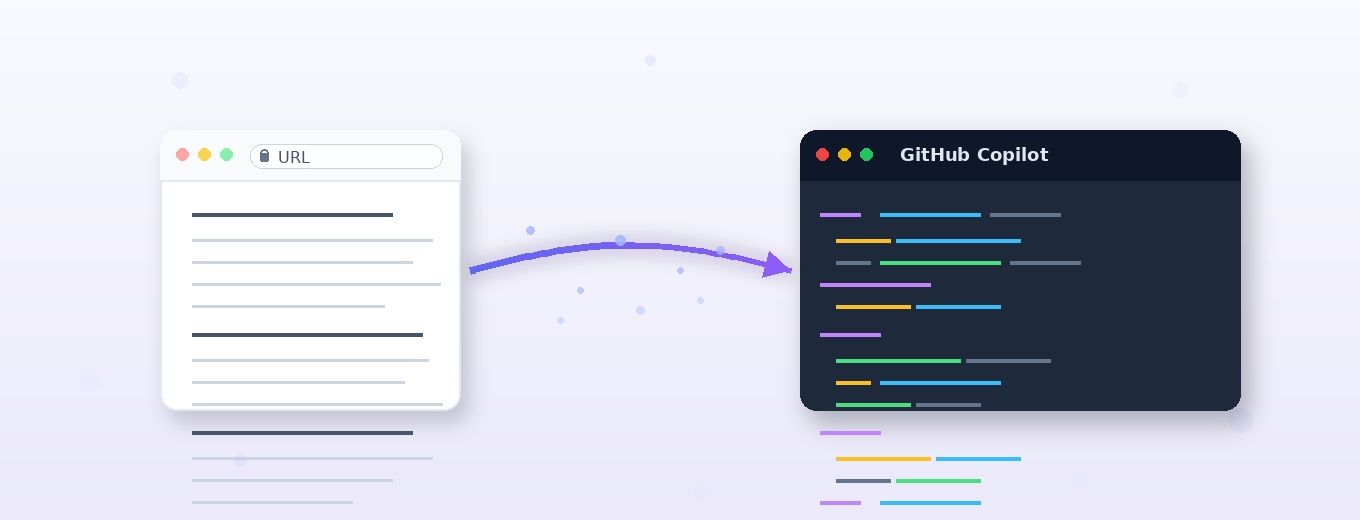
In this article I demonstrate how I used GitHub Copilot skills to turn a technical blog post into a fully deployable Azure Databricks infrastructure, using Terraform, Databricks Declarative Automation Bundles, and GitHub Actions workflows. Not as a one-shot generation, but as a repeatable, validated, restricted-tenant-compatible pipeline.
Disclaimer: The views in this article are my own and do not represent Microsoft or Databricks.
This article is part of a series focused on deploying a secure Medallion Architecture. The series follows a top-down approach , beginning with a high-level architectural perspective and gradually drilling down into implementation details using repeatable, code.
In this part we will discuss the implementation of the pattern using GitHub Copilot
If you have missed, please read first the first part of this blog series. It can be found at: Secure Medallion Architecture Pattern on Azure Databricks (Part I).
I waited a while before publishing this article. Partly due to other priorities, but also because I wanted to experiment with deploying infrastructure and data pipelines using agents. At that point, I was looking to leverage agents with a spec-driven approach, and through using GitHub Copilot, I learned what skills are and how I can use them to achieve my scope.
In this blog I'll share what I learned using GitHub Copilot for spec-driven development.
I'll use the content from my previous article, Secure Medallion Architecture Pattern on Azure Databricks (Part I) , as a technical specification to extract implementation details and generate two outputs:
- Terraform code for infrastructure, platform configuration, and deployment
- Databricks Declarative Automation Bundles for jobs, pipelines, and other deployment-ready workload resources
I've tried not to overfit the prompts within the skills I've developed, so they remain portable to other technical articles, not just the one mentioned in this blog.
Separate the platform from the workload
When I started the design, I decided to modularise the automation scripts by separating the platform from the actual data platform workloads. I assigned networking, storage, identities, secret scopes, and workspace configuration to Terraform, while Databricks notebook runs, job clusters, pipelines, and environment-specific deployments were developed within Databricks Declarative Automation Bundles (formerly known as Databricks Asset Bundles).
That may sound obvious, but it's exactly where generated code often goes wrong. Without explicit instructions, AI tools tend to blur these boundaries and produce one oversized block of configuration. That's why my Copilot skill needs to enforce a clear contract by:
- Infer the architecture from the article
- Identify what is explicit and what is assumed
- Emit Terraform only for infrastructure concerns
- Emit bundle files only for workload concerns
- Leave placeholders for anything the article does not specify
That last point is critical. A blog post or low-level technical specification is not a source of truth for account IDs, hostnames, catalog names, secret values, or subnet IDs. Good automation should never fabricate those values. Instead, I decided to produce a starter implementation with TODO markers wherever environment-specific values are required.
Skills are a great way to get more consistent, repeatable output across runs, so I decided to use them for this project. I could have used one of the tools listed in the table below, but I chose to go my own way, into developing a Spec-Driven Development (SDD) framework which I hope it will carryon improve with time.
| Tool | Creator | Type | Link | Description |
|---|---|---|---|---|
| GitHub Spec Kit | GitHub | Open source | github/spec-kit | Turns feature ideas into specs, plans, and task lists before any code is written. Works with multiple AI coding agents. Specification first, code as generated output. |
| BMAD Method | BMad Code LLC | Open source | bmad-code-org/BMAD-METHOD | An AI-driven agile framework with specialised agents covering the full lifecycle from ideation to deployment. Scale-adaptive — adjusts planning depth from a bug fix to an enterprise system. |
| OpenSpec | Fission AI | Open source | Fission-AI/OpenSpec | Lightweight spec layer that sits above your existing AI tools. Each change gets a proposal, specs, design, and task list. No rigid phase gates, no IDE lock-in. |
What are skills, and why are they a good fit?
Skills are essentially reusable prompt modules that aim to force LLMs to produce repeatable answers. Within a skill, I define the behavior and then attach supporting resources or scripts so Copilot can perform the task consistently. That means a skill can do more than just "write some code."
A skill can define a repeatable workflow like this:
- Fetch the blog URL
- Extract headings, paragraphs, and code snippets
- Normalize the article into a lightweight implementation spec
- Decide what belongs in Terraform
- Decide what belongs in the Databricks bundle
- Generate files in a predictable project structure
- Produce a
TODO.mdfile for unresolved values
This approach turns Copilot from a generic assistant into a specialized code-conversion tool.
However, there are some constraints I had to be mindful of when developing skills:
- Context window limits. The model has limited space to read instructions, process input, and generate output. Long prompts can cause files to be cut off or steps to be skipped.
- Non-determinism. Output may vary between runs, even with strict instructions. I always lint, validate, and review the diff before committing.
- Boundary leakage. Models may invent plausible but incorrect values. The
TODO.mdpattern must be enforced as a rule, not a suggestion. - Model and tool drift. Copilot's model and tool surface change over time. I use example inputs and outputs as repeatable sanity checks.
- Maintainability. A skill is code-as-prompt and will age with the platforms it targets. I keep skills narrowly scoped so they stay easy to update.
I'll explain the TODO.md file in more detail later in this post.
The GitHub repo
The repository can be found at the link MarcoScagliola/CopilotBlogToCode
Below you will find a function I have added that, when invoked, deletes all the files produced by the skills, so you can test the repo from a clean state.
python .github/skills/blog-to-databricks-iac/scripts/reset_generated.py --force;If you want to tried it out, please clone and try it on your copy. In GitHub Copilot, I usually keep:
- Model as Auto
- Foer the configure tools I keep just the built-in tools selected.
Below you can find the prompt that I use to run the skills and have the blog analysed.
Use the blog-to-databricks-iac skill on this article:
https://techcommunity.microsoft.com/blog/analyticsonazure/secure-medallion-architecture-pattern-on-azure-databricks-part-i/4459268Inputs:
- workload: blg
- environment: dev
- azure_region: uksouth
- github_environment:
To make this more repeatable and less manual, I've added a prompt file at run-blogToDatabricksIac-selected-tools.prompt.md, which can be run directly from VS Code by opening the file and clicking the run button at the top. Feel free to experiment with it and let me know what you think.
Further instructions on how to use the repo are available READ_FIRST.md.
Following you will find the exact repository setup I used for this workflow, starting with my initial configuration and ending with the final directory structure and files.
1. Create a new GitHub repository and clone it locally
I started by creating a new repository on GitHub, then cloned it to my local machine so I could add the Copilot skill, Terraform scaffolding, and Databricks bundle files in a centralized location.
git clone https://github.com/YOUR-ORG/blog-to-databricks-iac.git cd blog-to-databricks-iacThis approach keeps the workflow organised from the start: the repository exists on GitHub first, and the local clone becomes the working directory for all subsequent setup steps.
2. Create the GitHub skill folder structure (first iteration)
GitHub Copilot skills are file-based and centered on a SKILL.md file inside a skill folder. GitHub's current pattern places these under .github/skills/.
I used the script below to create the folder hierarchy for my initial integration.
mkdir -p .github/skills/blog-to-databricks-iac/scripts mkdir -p .github/skills/blog-to-databricks-iac/templates mkdir -p infra/terraform mkdir -p databricks-bundle/resources mkdir -p databricks-bundle/srcThis script generates the structure depicted below.
3. Add the main skill definition
Next, I created the SKILL.md file at .github/skills/blog-to-databricks-iac/. The orchestrator decides what happens and in what order, while each specialist decides what its own file should contain (as an example the Terraform specialist owns the Terraform, the bundle specialist owns the bundle, and so on).
In practice, SKILL.md turns Copilot from a general assistant into a domain-specific generator for this repo. GitHub documents this SKILL.md-based structure as the foundation of agent skills. My first iteration of .github/skills/blog-to-databricks-iac/SKILL.md> was very simple and can be found here.
4. Add a script to fetch and normalize the blog article
Next, I created a Python script that the main orchestrator SKILL.md invokes to read the blog article. This script is stored at .github/skills/blog-to-databricks-iac/scripts/ and named fetch_blog.py. Within SKILL.md, the script is invoked as shown below.
### 1. Fetch article ```bash python .github/skills/blog-to-databricks-iac/scripts/fetch_blog.py "<url>" ``` If fetch fails, stop and return the fetch error output. Do not retry; surface the error to the user and wait for guidance.</url>
The script validates the URL, fetches the HTML with a 30-second timeout, and uses a spoofed Mozilla User-Agent to avoid being blocked by CDNs (Content Delivery Networks). It reads through the HTML one tag at a time, flagging when it enters relevant sections like paragraphs, headings, or code blocks, and buffering text until the tag closes. Before storing anything, it cleans the text by decoding HTML objects, collapsing whitespace, and trimming edges.
As it parses, the script also scans for cloud platform keywords: AWS, S3, Azure, ADLS, GCP, Google Cloud. The first match wins; if none are found, it returns unknown. This is a quick heuristic, not authoritative.
Finally, it outputs clean JSON with the extracted data: title, headings, paragraphs, code blocks, and cloud hint, capped at reasonable sizes to keep the output manageable. If anything goes wrong, such as a network error, timeout, bad HTML, or empty content, the script exits cleanly with a structured error message, making it easy to integrate into larger workflows without surprises.
The Python scrip can be found here.
5. The output and output contract
Now I needed to think about the output I wanted GitHub Copilot to deliver through the skills. To reiterate, I needed the following:
| File Name | Description |
|
README.md |
This is the operator-facing runbook that turns the generated artifacts into a working deployment. It contains no unresolved placeholders and no embedded credentials. The header summarizes the architecture and links back to the source blog. A prerequisites section lists required Azure access, Entra permissions, GitHub Environment setup, and local CLI versions. It includes tables of always-required GitHub secrets and variables, plus conditional ones based on deployment mode. Step-by-step numbered sections walk through bootstrapping the deployment principal and populating the GitHub Environment. Workflow blocks describe each Terraform validation, infrastructure deployment, and DAB deployment step, including file paths, triggers, and outputs. A commands section lists the exact Terraform and Databricks bundle sequences to run. Finally, assumption notes point the operator to |
| TODO.md | The operator's checklist of remaining tasks. It uses a strict five-section format (Heading, What this is, Why deferred, Source, Resolution, Done looks like) with no commands or code, only concepts and decisions. Each section captures a different layer of post-deployment work, pre-deployment tasks like RBAC roles and GitHub secrets, deployment-time inputs like region and environment, post-infrastructure setup like Key Vault secrets and external locations, post-DAB work like Unity Catalog grants and job schedules, and architectural choices the orchestrator couldn't make (network posture, schemas, partitioning). Every entry comes from something the article left unstated, plus the universal post-deploy work for any Databricks deployment. The operator works through TODO.md sequentially, resolving each item before the system is production-ready. |
| SPEC.md |
The structured, source-faithful read of the blog article, organized by checklist. Every item is marked as a stated value, inferred from code or diagrams, or "not stated in article." It includes architecture details, Azure services configuration, Databricks setup, data model, security and identity requirements, and observations. |
Together, these files create a clear boundary:
SPEC.mdanswers what the blog says,TODO.mdcaptures what's missing or must be decided,README.mdtells you exactly how to deploy.
This split is enforced by validation rules that fail if any content duplicates across the three files.
To make these files as repeatable as possible, I needed two things:
- Two templates, one for
README.mdand one forTODO.md, that the orchestrator fills in fromSPEC.mdat generation time. - A broader delivery
contract, output-contract.md, which lists the five files the orchestrator must produce.README.mdandTODO.mdare two of those five, and the templates are how they get produced.
The output-contract.md file defines a strict, ordered format that the agent must follow when transforming a blog article about Databricks-on-Azure architecture into a runnable repository.
The first commit was deliberately minimal, as you can see from the file available here. No leaf-skill routing, no repo-context.md, no GitHub Actions workflows, no validation rules, no entry-field templates for TODO.md. That commit's single job was to lock down the shape of the output: what gets produced and in what order. Every commit since has refined how to produce that shape without changing what gets produced.
Putting the contract in the very first commit gave every later change a fixed reference point. Every leaf skill, generator script, and validation rule I've added since has fit into one of its five sections. The pipeline has changed; the deliverables haven't.
The structure of the GitHub repo at commit 17ab443 can be see in the pictorial below.
6. The README.md and TODO.md templates
After iteratively working on the orchestrator, a clear pattern emerged, the code-generation paths were kind of stable, but the documentation outputs weren't. Every run produced README.md and TODO.md from scratch in free-form Markdown. Across runs, the same content kept drifting.
Section ordering changed between runs and the explanation of GitHub Environments was rewritten with subtle wording differences. RBAC roles appeared sometimes as lists, sometimes in prose, sometimes split across sections. Universal post-deploy actions (create the secret scope, populate the vault, set up Unity Catalog grants) were re-derived every time, occasionally with steps missing. The root cause was that the orchestrator was treating durable, universal content as if it were per-run content.
So I've decided to add two templates: README.md.template and TODO.md.template. Templates separate universal content (RBAC, TODO sections, GitHub setup) in the template from per-workload content (catalog names, credentials) substituted from SPEC.md. This delivers consistency across runs. The README and TODO are structurally identical, so readers can navigate them intuitively. Universal content is correct by construction; I write it once, review carefully, and every run inherits that quality.
Validation also becomes more precise, and the agent's job shrinks from open-ended writing to mechanical substitution, which is easier to validate and maintain. Templates introduce clear vocabulary: {placeholder} is filled by the orchestrator at generation time, by the deployer at run time. Finally, templates enforce traceability: every "not stated in article" entry in SPEC.md automatically becomes a TODO entry via the from SPEC.md slot, making this an automatically-enforced rule.
I'm invoking the templates in the orchestrator as shown below. The Git commit with this code can be found at this link.
### 3.1 Generate README from template Load the template: `.github/skills/blog-to-databricks-iac/templates/README.md.template` ### 3.2 Generate TODO from template Load the template: `.github/skills/blog-to-databricks-iac/templates/TODO.md.template`
7. The output of the fetch_blog.py file and the interaction with the orchestrator
When the orchestrator invokes fetch_blog.py, the script produces a JSON output and passes it back to the orchestrator. The orchestrator then reads the JSON document into its working context and maps each field onto an analysis checklist. The title and meta description establish the article identity and scope. Headings with their levels reveal the structure, helping the agent locate sections about architecture, security, data flow, and naming. Paragraphs provide evidence for stated values like regions, resource types, and RBAC models. Code blocks become the source of inferred values. As an example, a Terraform snippet might reveal SKU choices or naming patterns not mentioned in the text.
These inferred values get tagged "inferred from code snippet" when recorded. The cloud hint acts as a sanity check that the article actually describes an Azure architecture.
For every checklist item, the agent records either an extracted value or the literal string "not stated in article". This becomes SPEC.md, the single source of truth for everything downstream. SPEC.md drives every subsequent step. Steps 3 through 7 (the Terraform module, workflows, and Databricks bundle generators) read architectural decisions from it. Step 8 then produces TODO.md by converting every "not stated in article" entry into a TODO item the operator must resolve before deployment.
What I find worth pointing out is how little the output contract has actually moved since that very first commit. The implementation underneath has changed completely. Leaf skills emerged, generator scripts came in, validation rules got added, a soft-delete state machine showed up to handle Key Vault recovery. None of those existed at the start. But what the orchestrator delivers, the list of files it puts on disk, has stayed exactly the same.
We have a much larger SKILL.md today that still mirrors the initial five-item output list. The contract itself has changed by exactly one line: the addition of "Design of the architecture" to section 5.
SPEC.md: the structured, source-faithful read of the article, organised by the analysis checklist ( link )TODO.md: the operator's checklist of everything the article didn't specify, plus the universal post-deploy actions ( link )- Terraform code under
infra/terraform/: the platform layer with networking, storage, identities, Key Vault, workspace ( link ) - Databricks Asset Bundle under
databricks-bundle/: the workload layer with jobs, entry points, environment configuration ( link ) README.md: the operator runbook, with the architecture design diagram embedded ( link )
If the JSON contains an error, the orchestrator stops immediately. Per the skill rule "If fetch fails, stop and return the fetch error output. Do not retry," the error surfaces to the user rather than propagating downstream.
So the script's output is the raw evidence pack: title, structure, prose, code, cloud hint. The agent uses it to fill the architecture spec, which parameterises every generated artifact.
At this point the fetch_blog.py output is sent to Step 2 of the orchestrator, as shown in the code snippet below.
### 2. Analyse article Analyse the fetched article against the structured checklist in `.github/skills/blog-to-databricks-iac/references/blog-analysis-checklist.md`. The analysis covers the article text, diagrams, screenshots, and code snippets.
And, much later in the orchestrator, Step 8 closes the loop by turning everything that's been recorded into the two operator-facing documents:
### 8. Generate README and TODO from templates Use the templates in `.github/skills/blog-to-databricks-iac/templates/`: - `README.md.template` -> `README.md` - `TODO.md.template` -> `TODO.md`
8. How this actually came together
What I've described so far is how the orchestrator works currently. The reality of building it was much cumbersome , but also fun.
I got from the first version to the current one by iterating. Rerun the orchestrator, find the defect, identify the rule that would have caught it, add the rule to the skill that owns the artifact, rerun.
The reason I'm calling this out now, before walking through the rest of the pipeline, is that everything from this point on is a story about a specific lesson learned that way. The leaf skills exist because a single SKILL.md got too dense. The restricted-tenant guardrails exist because the deployment failed against a tenant that couldn't read Microsoft Graph. The validation harness exists because prose rules weren't catching the regressions that mattered. The soft-delete state machine exists because the same vault name kept colliding with a previous deploy. None of these rules were present from day-one.
So in the next sections I'll walk through how the pipeline actually matured: how the single skill split into a graph, what the inner regenerate-fix loop felt like in practice, the day the project pivoted to support restricted tenants, the bugs that became rules, and the Key Vault soft-delete state machine that closed the project out.
9. From a single skill to a skill graph
When I started, everything lived inside a single SKILL.md. It was simpler that way, and to be honest, at that point I didn't yet know which rules would actually matter. But as I kept rerunning the orchestrator on the article, a pattern emerged. Each rerun produced something that broke in a slightly different way, and the fix always belonged to a very specific concern: Terraform authoring, bundle structure, workflow generation, or the orchestration logic itself. Stuffing the rules for all of them into one file was making the orchestrator unreadable and, worse, was silently dropping rules when the context window got tight.
So I split it. The orchestrator stayed at the top, kept routing the work and validating the result, and each concern got promoted to its own leaf skill. The Databricks bundle skill itself ended up needing one more split a few days later, it had got too dense, so I broke it into two leaves:
The diagram below shows the shape the repo has today.
The orchestrator now does almost no authoring. It owns the sequence of steps, the contract, and the validation gates, while everything else is delegated. This was the single biggest readability win. I wish I'd done it earlier.
The REPO_CONTEXT.md is one extra node in that diagram that I want to call out But I'll come back to later in section 12.
10. The inner loop: rerun, fail, fix the skill
If I had to describe the middle of this project in one sentence, it would be: every commit was a regeneration. I'd run the orchestrator end-to-end against the article, inspect the generated Terraform, the bundle, the workflows. I'd find a defect, identify the rule that would have prevented it, add that rule to the skill that owns the artifact, then rerun. As shown in the image below.
This loop is what I think people miss when they treat AI-generated infrastructure code as a one-shot. The first run is never the deliverable. The deliverable is the skill that produces good runs. The generated files are disposable and can always be reproduced. The skill is what carries the knowledge forward.
I had to actively resist the temptation to fix bugs in the generated code directly. Patching infra/terraform/main.tf by hand fixes today's run but not tomorrow's, because the rule that would prevent the bug doesn't exist anywhere. So I made it a discipline: never edit the output, always edit the skill, then regenerate.
11. Restricted-tenant compatibility
The bug was simple to describe and brutal to fix: the deployment principal in the target tenant couldn't read Microsoft Graph. Any Terraform data source that resolved an Entra name to an object ID at plan time (e.g., azuread_user, azuread_group, azuread_service_principal) blew up at terraform plan.
My first instinct was to think "I just give the principal Graph permissions". But in a lot of real environments this is not possible. The principal that runs your IaC is governed by a security team, the team has a policy, and the policy says no Graph reads.
The pivot was getting the skill to produce Terraform that never reads Graph. Object IDs are inputs, not lookups. They come in as trusted secrets, the workflow exports them as TF_VAR_*, and Terraform consumes them as variables. No data "azuread_*" block is allowed in the generated code, ever.
I thought this was a simple fix. It wasn't. It cascaded into about six other things:
- App Registration vs Service Principal object IDs. The workflow was being given the wrong one. Role assignments need the Enterprise Application (Service Principal) object ID, not the App Registration object ID. The two are different objects in Entra with different IDs. I encoded the distinction in the skill as
*_SP_OBJECT_ID(the Service Principal) versus*_CLIENT_ID(the App Registration's application ID). Naming carries the meaning now, so the wrong value is hard to pass. - Single-principal mapping. In some tenants you only have one principal and it has to play both deployment and runtime roles. The skill grew a layer_sp_mode = existing input so the generator stops trying to create a new Service Principal and reuses the deployment one instead.
- Key Vault access policies, gone. Access policies were Graph-touching, and not all tenants support them anyway. The skill switched fully to RBAC role assignments (Key Vault Secrets User, and so on). A few cascading bugs followed, but this was the right call.
It took some time to harden the Terraform skill against everything the restricted tenant was throwing back. Each iterations had the same shape, each orchestrator runs, hits a fresh provider error, I add the rule, run again, hit the next one. The commit subjects from that run are basically a transcript of the conversation I was having with the platform.
12. The bugs that became rules
There are three bugs that I believe are worth telling the story of, because they each illustrate a slightly different lesson.
The HCL trim() arity bug. The generator emitted trim(var.something) in a validation block. HCL's trim() takes two arguments, not one. The function I actually wanted was trimspace(). This is the kind of bug that any human would catch in a code review in two seconds, and which the model produced confidently because the shape of the call looked right. I added the rule to the Terraform skill ("for whitespace trimming use trimspace, never trim") and the bug never came back.
Lesson: even for trivial syntactic mistakes, the fix belongs in the skill.
The variable shadowing bug. The deploy workflow had a job-level env: block that set TF_VAR_key_vault_recover_soft_deleted to a static value. A detection step earlier in the workflow was supposed to compute the right value at runtime and write it via $GITHUB_ENV. The problem is that GitHub Actions resolves job-level environment variables before $GITHUB_ENV writes take effect, so the static value always won and the dynamic one was silently ignored.
The fix was to never set the recovery flag at job level. It must be written in the detection step, on every code path, including the trivial "no recovery needed" path.
Lesson: state must be explicit, not inherited. If a flag has three possible meanings, three code paths must each write it.
The hardcoded -platform suffix. The workflow had a shell-side suffix that someone (let's be honest, the model) had invented to make the resource group name "look right". When recovery logic started running and the workflow looked for the canonical resource group, it looked for -platform instead of whatever the Terraform locals.tf actually emitted. The result was that the recovery handler was happily reaching past the real resource group and into a different one. I made it a rule in the orchestrator: workflow-invented suffixes are not permitted. Naming is owned by Terraform's locals.tf.
There are seventeen more defects in the catalogue, and the pattern is the same in every case. The bug surfaces, the rule gets written, the rule lives in the skill that owns the affected artifact.
There is no implementation-learnings.md in the repo. There used to be, but I've deleted it because a tracked log of past bugs, sitting next to a skill that's already supposed to encode the lessons from those bugs, is a duplication waiting to drift. I believe that if the rule is in the skill, the log is redundant. If the rule isn't in the skill, the log is an evidence that I haven't finished the work. Either way, the right place for bug history is git log.
13. Splitting "the skill" from "this repo's defaults"
I then wanted the orchestrator to be portable, but every run kept needing the same handful of decisions. Which Azure region by default? Which environment names? Which catalog naming convention? These weren't part of the article. They weren't part of the Terraform skill either. They were specific to this repository's opinion about how things should be deployed.
If I baked them into the orchestrator, the orchestrator stopped being portable. If I left them out, every run produced unhelpful "not stated in article" entries for the same five universal decisions.
The answer was a new file called REPO_CONTEXT.md stored in the repo root. It's read by the orchestrator before generation and it carries the defaults that are owned by the repo, not by the skill. The split looks like this in practice:
SKILL.mdanswers the question "how do I turn an article into a runnable repo?" It is portable.REPO_CONTEXT.mdanswers the question "what does this repo default to when the article doesn't say?" It is local.
Cloning the orchestrator into another GitHub project is now a clean operation. You take the skill, you write your own REPO_CONTEXT.md, and the same generator produces output appropriate to your environment.
14. The Validations
Most of the rules I'd written into the skills were prose. "Don't invent suffixes." "Object IDs are inputs, not lookups." "Every required Terraform variable must have a matching TF_VAR_* in the workflow." The model is good at following prose rules most of the time.
So a few of the most regression-prone rules became executable. The most important one is scripts/validate_workflow_parity.sh. Every variable declared in infra/terraform/variables.tf must appear as a TF_VAR_* export in the deploy workflow. The script greps both files, diffs the sets, and exits non-zero if they don't match. It is run at the end of generation. If it fails, the run failed, even if everything else looks fine.
This caught real bugs. The most embarrassing was a variable I'd added to variables.tf and forgot to wire through the workflow. Terraform plan would prompt interactively for it on a non-interactive runner, and the run would hang.
The rule of thumb I've ended up with is: prose rules are the default, but if a rule has been violated more than twice, it gets promoted to an executable check. There's a short list of those checks now, and it's the load-bearing one.
15. Key Vault soft-delete state machine
Key Vaults in Azure have soft delete on by default. When you delete a vault, it sticks around for ninety days in a "soft-deleted" state. If you try to create a vault with the same name in the same subscription during that window, the deploy fails. The right behaviour is to recover the soft-deleted vault, not create a new one.
The first version of my recovery handler covered exactly one case: if the vault is soft-deleted, recover it. This worked the first time I ran it.
The second time, the recovered vault came back into the previous resource group, not the new one I had just created. Terraform then tried to create a new vault in the correct resource group and failed because the name was already taken globally. The handler had no concept of "the recovered vault is in the wrong resource group." So I added that case.
The third time, the previous resource group itself was gone, and the handler was looking for it to verify the move. So I added that case too.
By the end, the state machine had three distinct cases and two preconditions, as shown in the diagram below.
The reason I keep coming back to this state machine is that it captures something that I think is generally true about agent-generated infrastructure code. The happy path is easy and meaningless, while the value is in the failure modes. The first version that worked on a clean tenant was about ten lines of bash. The version that works on a tenant that has been deployed-into and partially-torn-down five times is six times longer, and every additional line of it corresponds to a real environmental condition that I had to learn the hard way.
16. What I've learned so far
I'm not going to pretend the full list of principles below was clear to me on day one. Every single one of these was learned by getting it wrong first. Looking back at the history, though, they are the ones that survived contact with reality.
- The contract precedes the implementation.
output-contract.mdwas committed before any generator existed. Locking the shape of the deliverable first meant every later change had a fixed reference point. - Generators, not stencils. Workflows are produced by Python scripts that take parameters and emit YAML. When restricted-tenant logic and the soft-delete state machine arrived, they needed conditional structure that a static template can't express.
- Every bug becomes a rule. Patching the generated code is a tax on tomorrow's run. While patching the skill is an investment.
- Each concern has a clear owner. The orchestrator routes, the leaves author, and the repo context holds the local defaults.
- Restricted-tenant compatibility is non-negotiable. No Microsoft Graph reads from generated Terraform. Object IDs are trusted inputs. Single-principal mapping is supported.
- Naming is owned by Terraform. No suffixes invented in shell. The validation harness enforces this.
- State must be explicit, not inherited. Every workflow run writes its own flags. No reliance on env defaults from a previous step or a previous run.
- Validation is executable when a rule has been violated more than twice. Prose rules are the default. Promotion to a script is earned.
- Operator docs describe concepts, not commands. Command syntax ages out, while conceptual descriptions don't. The
TODOtemplate enforces this rule. - Add strong testing at the end of the process, once all the files are generated. Each run may produce slightly different output and introduce bugs, even if the previous run was successful.
- End-to-end runs against dirty tenants are the truth. The acceptance test isn't a clean-room deploy. It's a deploy into a tenant that has soft-deleted vaults, lingering RGs, and existing role assignments. Until that works, the project isn't done.
- From time to time, skills need to be reviewed and consolidated.
The summary above of the journey is the one I find most useful to share when people ask whether this approach actually goes anywhere. From an empty repo to a generator that produces a deployable, restricted-tenant-compatible infrastructure-as-code repository from a blog URL, with executable validation and a recovery state machine that survives a previously-deployed environment.
The first commit was an empty workspace. The last commit was the one where the same orchestrator, run against the same blog, against a tenant carrying state from five previous runs, deployed cleanly with no manual intervention.
That is what I what I was aiming to achieve when I started!
Thanks for reading.

 Microsoft