defender
7 Topics
Windows Defender Cannot Be Activated After Uninstalling Comodo Anti Virus– Help Needed (Windows 10)
Hello Community, I’m experiencing a problem with my Windows 10 laptop and hope to get some guidance. Official support is no longer available for my system, so I’m turning to the community for help. Problem Comodo Anti Virus /Internet Security / Internet Security Essentials had been installed on my laptop for a long time. While Comodo was active, I could not load certain websites properly, and games like League of Legends would not run. For this reason, I recently uninstalled Comodo. After the uninstallation, the previously blocked websites and games work again. Current issue: My Windows Defender Antivirus cannot be activated. In Windows Security, it shows: “Virus & threat protection: Action required” “The threat service has stopped. Start it now” Clicking “Start now” only shows a loading indicator and then an “An unexpected error has occurred” message. I have administrator rights, but Defender still cannot be activated. Steps I’ve Tried 1. Registry checks Path: HKEY_LOCAL_MACHINE\SOFTWARE\Policies\Microsoft\Windows Defender Checked entries like DisableAntiSpyware and DisableRealtimeMonitoring Modifications often failed → access denied 2. PowerShell commands Set-MpPreference -DisableRealtimeMonitoring $false → errors: “Parameter not found” or “Access denied” Other commands like Set-ItemProperty or Set-Content → errors: “UnauthorizedAccessException” or “InvalidArgument” 3. CMD / SC commands sc config WinDefend start=auto Error: “SC Open Service Error 5 – Access denied” 4. Service check Get-Service WinDefend | Select-Object Status, StartType → Status: Running, StartType: Automatic Despite the service running, Defender cannot be enabled in Windows Security 5. System restore point created (For Comodo Revomal Tool) Drive C: protection enabled Backup created as a precaution Insights / Analysis (Speculations) After uninstalling Comodo, websites and games work again → this suggests that Comodo previously installed network filters or drivers that blocked them. It is possible that remnants of Comodo (drivers, services, registry entries) are preventing Windows Defender from starting. Firewall, App & Browser protection, and Exploit protection are active → partial protection, but Defender is not functional. I am not certain if there are other causes, but based on my experience, it seems strongly related to leftover Comodo components. Has anyone experienced similar issues where Defender remains blocked after uninstalling Comodo? Are there safe methods to fully reactivate Defender without risking system stability? Should I use the official Comodo Removal Tool to remove all remnants? Are there alternative steps to try before using a removal tool? I would greatly appreciate any guidance, tips, or steps I can try to get Windows Defender working again. Thank you in advance!784Views0likes5CommentsMicrosoft Defender fails to update from File Share
Hello! I've tried to configure my Windows system to use Defender Updates through File Share. On my domain controller I've set two GPOs to make it possible. Define file shares for downloading security intelligence updates -> \\fileserver\DefenderUpdates Define the order of sources for downloading security intelligence updates -> FileShares When running the command Get-MpPreference I can see that the GPOs were successful with the following output: SignatureDefinitionUpdateFileSharesSources : \\fileserver\DefenderUpdates SignatureDisableUpdateOnStartupWithoutEngine : False SignatureFallbackOrder : FileShares The file structure on the file share looks like the following: \---DefenderUpdates \---x64 mpam-fe.exe Then I tried to run the command Update-MpSignature and I get the following error message: Update-MpSignature: Virtus and spyware definitions update was complated with errors. At line:1 char:1 + Update-MpSignature + + CategoryInfo : NotSpecified: <MSFT_MpSignature:ROOT\Microsoft\...SFT_MpSignature> [Update-Signature], CimException + FullyQualifiedErrorId : HRESULT 0x8024402c,Update-MpSignature This has worked previously but I don't know what has changed. Does any one have a clue? Best regards, dedicated-worker.1.4KViews0likes1Comment
How To Purchase Defender for Server Plan 1 and 2?
Hello According to the following link https://learn.microsoft.com/en-us/azure/defender-for-cloud/plan-defender-for-servers-select-plan, "Defender for Servers" Plan 1 & 2 is available for purchase. The July price list for NCE only lists "Defender for Business Server" and not "Defender for Servers". Therefore, how is "Defender for Server Plan 2" provisioned? Thank you in advance. LCSolved5KViews0likes2CommentsProhibit standard users from adding exclusions to Windows Defender (Windows Security)
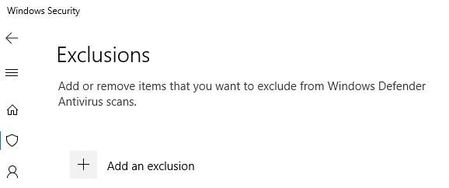
Hello there, How can I prohibit standard users from adding exclusions in Windows Defender? I would like to only control the Defender-exclusions from a central point and the standard users should not be able to add exclusions themselves. I've searched through GPO's and settings in Intune but can't seem to find the correct setting. Does anyone know if this is possible? If it is, where is the setting then? Windows 10 Enterprise, 1903 and 2004. Devices are Hybrid Azure AD JoinedSolved2.1KViews0likes2CommentsWhy is MsMpEng.exe still scanning excluded directories
THe MsMpEng.exe process is very active in our environment. Checking with Process Monitor filtered on MsMpEng.exe i can see it is very busy scanning my ISO directory, but i have excluded that directory in real-time scanning in Defender long ago. Why is it still scanning that directory, and i see many others i excluded it is also scanning? Will Azure Intune rules overwrite local configurations? if so wouldn't it gray them out? I am able to set exclusions.3.4KViews1like1Comment
feature request: Windows Defender Antivirus - add "scan running processes"
feature request: Windows Defender Antivirus - add "scan running processes" scan for dead/multiple or dangerous processes or clean memory... most virus scanners only check files on drive, not running processes within memory.. and maybe add a rule to block a dangerous process.. André2.5KViews0likes1CommentWindows Defender AV remote management
Hi, We are running an environment with remote users mostly with Windows 8.1 devices, but in a near future will rollout Windows 10. We have a EMS license, so are allowed to use Intune. At this moment we run Bitdefender AV on all laptops. But we are looking at Window Defender AV, cause it is already part of Windows 10. I setup an Intune policy to set some setting for Defender, that runs fine. But how do I manage Defender remote? For example, from the Bitdefender portal I`m able to force a product or signature update. Is this possible for Defender from a portal (Intune)? Thanks3.9KViews0likes3Comments