database
63 TopicsScaling Write Throughput in Azure Database for MySQL Using Application-Level Sharding
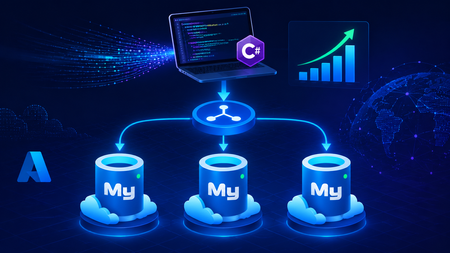
This blog post walks through scaling write throughput in Azure Database for MySQL using application level sharding. It starts with the why behind sharding and then builds a complete C# implementation that spreads writes across three Azure Database for MySQL Flexible Servers. Why Shard in the First Place? This post focuses specifically on scaling write throughput. A well-tuned single primary node can take you remarkably far, and techniques such as indexing strategies, write batching, redo log optimization, and vertical compute scaling each deliver real, lasting value. For many workloads, these optimizations are all you will ever need. That said, as write volume continues to grow, a single primary eventually approaches its practical capacity, and at that point the most durable way to keep scaling is to distribute the write workload across multiple primary instances. This architecture is what we call sharding. When you reach this inflection point, there are two primary patterns for managing multiple write nodes: Proxy or Middleware Layer Sharding: A sharding aware proxy sits between the application and a pool of Azure Database for MySQL instances, routing queries based on a shard key. While this abstracts the underlying topology from the application layer, it introduces an additional, complex component to operate, secure, scale, and patch. Application Layer Sharding: The application itself resolves the destination shard key and determines which of the N Azure Database for MySQL instances should receive a write before ever opening a database connection. Each backend target remains a completely standard, independent Azure Database for MySQL instance. This post explores the second approach. The core appeal of application layer sharding is architectural simplicity: it introduces zero infrastructure overhead and eliminates an extra network hop. Every shard behaves exactly like a standalone instance, meaning your existing backup, restore, monitoring pipelines, and the Azure portal function seamlessly without modification. The explicit tradeoff is that you forgo cross shard joins and distributed transactions in exchange for absolute predictability and control over data access patterns. The Plan We will build a small order management service that distributes its data across three Azure Database for MySQL instances that already exist. The application, written in C# on .NET 8, owns the partitioning logic. The premise: the three servers are already provisioned, the firewalls are configured, the network paths are established, and each server has its own administrative credentials. We are not provisioning infrastructure in this post. we are writing the application code that consumes it. mysql-shard-0.mysql.database.azure.com user: shard0_admin pwd: <secret-0> mysql-shard-1.mysql.database.azure.com user: shard1_admin pwd: <secret-1> mysql-shard-2.mysql.database.azure.com user: shard2_admin pwd: <secret-2> Each server hosts an identical appdb database with the same schema: CREATE TABLE users ( user_id BIGINT NOT NULL PRIMARY KEY, email VARCHAR(255) NOT NULL, created_at DATETIME NOT NULL DEFAULT CURRENT_TIMESTAMP, UNIQUE KEY uq_email (email) ); CREATE TABLE orders ( order_id BIGINT NOT NULL PRIMARY KEY, user_id BIGINT NOT NULL, amount_cents INT NOT NULL, created_at DATETIME NOT NULL DEFAULT CURRENT_TIMESTAMP, KEY ix_user (user_id) ); Two design decisions in this schema warrant explanation: No AUTO_INCREMENT for user_id or order_id. Two shards would otherwise generate the same value 42 independently. Instead, we assign identifiers in the application, using a scheme such as Snowflake, ULID, or UUIDv7. orders carries user_id, and we route by it. This is the single most important rule of sharding: choose a shard key that keeps related data colocated, so that the common queries remain on a single shard. A note on UNIQUE KEY uq_email. A unique index enforces uniqueness only within a single physical shard. Because we route by user_id, two users with different IDs and the same email may land on different shards, and both inserts will succeed. If you require globally unique emails, two options exist: (a) maintain a separate email → user_id lookup table on a single "directory" server and write to it first within an idempotent flow, or (b) shard the users table by a hash of email instead. We retain user_id routing throughout this post because it is the correct choice for orders, and we treat per shard email uniqueness as a best effort guard rather than a hard global invariant. How the Partitioning Works The naive approach to sharding is shard = hash(key) % N. This works until you need to add a fourth server, at which point roughly 75% of your data must move. In any system of meaningful size, that is prohibitively expensive. The established solution is virtual buckets. You hash the key into a large, fixed bucket space (here, 1024), then map buckets to physical shards. When you add capacity, you relocate only buckets; you never rehash the entire dataset. In production, the bucket_to_shard_map typically resides in a system such as Azure App Configuration or etcd, so that you can rebalance without redeploying. For this post, we keep it as an in-memory array seeded at startup, which is straightforward to replace later. The Project ShardingDemo/ ├── ShardingDemo.csproj ├── appsettings.json ├── Models.cs ├── ShardRouter.cs ├── UserRepository.cs └── Program.cs ShardingDemo.csproj <Project Sdk="Microsoft.NET.Sdk"> <PropertyGroup> <OutputType>Exe</OutputType> <TargetFramework>net8.0</TargetFramework> <Nullable>enable</Nullable> <ImplicitUsings>enable</ImplicitUsings> </PropertyGroup> <ItemGroup> <PackageReference Include="MySqlConnector" Version="2.6.0" /> <PackageReference Include="Microsoft.Extensions.Hosting" Version="8.0.0" /> <PackageReference Include="Microsoft.Extensions.Configuration.Binder" Version="8.0.0" /> </ItemGroup> <ItemGroup> <Content Include="appsettings.json" CopyToOutputDirectory="PreserveNewest" /> </ItemGroup> </Project> appsettings.json Shards is an ordered list, and a shard's position in the array is its logical ID. { "Shards": [ { "Host": "mysql-shard-0.mysql.database.azure.com", "Database": "appdb", "User": "shard0_admin", "Password": "REPLACE_ME_0" }, { "Host": "mysql-shard-1.mysql.database.azure.com", "Database": "appdb", "User": "shard1_admin", "Password": "REPLACE_ME_1" }, { "Host": "mysql-shard-2.mysql.database.azure.com", "Database": "appdb", "User": "shard2_admin", "Password": "REPLACE_ME_2" } ] } Models.cs namespace ShardingDemo; public sealed record User(long UserId, string Email, DateTime CreatedAt); public sealed record Order(long OrderId, long UserId, int AmountCents, DateTime CreatedAt); public sealed class ShardConfig { public required string Host { get; init; } public required string Database { get; init; } public required string User { get; init; } public required string Password { get; init; } } ShardRouter.cs using System.Security.Cryptography; using System.Text; using MySqlConnector; namespace ShardingDemo; public sealed class Shard : IAsyncDisposable { public int Id { get; } public MySqlDataSource DataSource { get; } public Shard(int id, ShardConfig cfg) { Id = id; var csb = new MySqlConnectionStringBuilder { Server = cfg.Host, Port = 3306, Database = cfg.Database, UserID = cfg.User, Password = cfg.Password, SslMode = MySqlSslMode.Required, Pooling = true, MinimumPoolSize = 2, MaximumPoolSize = 100, ConnectionTimeout = 10, DefaultCommandTimeout = 30, }; DataSource = new MySqlDataSourceBuilder(csb.ConnectionString).Build(); } public ValueTask DisposeAsync() => DataSource.DisposeAsync(); } public sealed class ShardRouter : IAsyncDisposable { private const int VirtualBuckets = 1024; private readonly IReadOnlyList<Shard> _shards; private readonly int[] _bucketToShardId; public ShardRouter(IEnumerable<ShardConfig> configs) { _shards = configs.Select((c, i) => new Shard(i, c)).ToList(); // Even distribution. Replace with a map loaded from your control plane for live rebalancing. _bucketToShardId = new int[VirtualBuckets]; for (int i = 0; i < VirtualBuckets; i++) _bucketToShardId[i] = i % _shards.Count; } public IReadOnlyList<Shard> AllShards => _shards; private static int BucketFor(long shardKey) { byte[] hash = MD5.HashData(Encoding.ASCII.GetBytes(shardKey.ToString())); // Use the first byte pair as an unsigned value, then map it into the bucket space. int value = (hash[0] << 8) | hash[1]; return value % VirtualBuckets; } public Shard ShardForKey(long shardKey) { int bucket = BucketFor(shardKey); return _shards[_bucketToShardId[bucket]]; } public async ValueTask DisposeAsync() { foreach (var s in _shards) await s.DisposeAsync(); } } UserRepository.cs Observe that every per user method calls ShardForKey(userId), even when inserting an order. This is the colocation rule at work. An order and its owning user always reside on the same shard, so queries for a single user only ever reach one shard. Only the cross-shard aggregate (TotalRevenueCentsAsync) must fan out. using MySqlConnector; namespace ShardingDemo; public sealed class UserRepository { private readonly ShardRouter _router; public UserRepository(ShardRouter router) { _router = router; } public async Task CreateUserAsync(long userId, string email, CancellationToken ct = default) { var shard = _router.ShardForKey(userId); await using var conn = await shard.DataSource.OpenConnectionAsync(ct); await using var cmd = conn.CreateCommand(); cmd.CommandText = "INSERT INTO users (user_id, email) VALUES (@id, Email)"; cmd.Parameters.AddWithValue("@id", userId); cmd.Parameters.AddWithValue("@email", email); await cmd.ExecuteNonQueryAsync(ct); } public async Task<User?> GetUserAsync(long userId, CancellationToken ct = default) { var shard = _router.ShardForKey(userId); await using var conn = await shard.DataSource.OpenConnectionAsync(ct); await using var cmd = conn.CreateCommand(); cmd.CommandText = "SELECT user_id, email, created_at FROM users WHERE user_id = ID"; cmd.Parameters.AddWithValue("@id", userId); await using var reader = await cmd.ExecuteReaderAsync(ct); if (!await reader.ReadAsync(ct)) return null; return new User(reader.GetInt64(0), reader.GetString(1), reader.GetDateTime(2)); } public async Task AddOrderAsync(long orderId, long userId, int amountCents, CancellationToken ct = default) { // Routed by user_id, so orders colocate with their owning user. var shard = _router.ShardForKey(userId); await using var conn = await shard.DataSource.OpenConnectionAsync(ct); await using var cmd = conn.CreateCommand(); cmd.CommandText = """ INSERT INTO orders (order_id, user_id, amount_cents) VALUES (@oid, @uid, amt) """; cmd.Parameters.AddWithValue("@oid", orderId); cmd.Parameters.AddWithValue("@uid", userId); cmd.Parameters.AddWithValue("@amt", amountCents); await cmd.ExecuteNonQueryAsync(ct); } public async Task<IReadOnlyList<Order>> GetOrdersForUserAsync(long userId, CancellationToken ct = default) { var shard = _router.ShardForKey(userId); await using var conn = await shard.DataSource.OpenConnectionAsync(ct); await using var cmd = conn.CreateCommand(); cmd.CommandText = """ SELECT order_id, user_id, amount_cents, created_at FROM orders WHERE user_id = @uid """; cmd.Parameters.AddWithValue("@uid", userId); var list = new List<Order>(); await using var reader = await cmd.ExecuteReaderAsync(ct); while (await reader.ReadAsync(ct)) { list.Add(new Order( reader.GetInt64(0), reader.GetInt64(1), reader.GetInt32(2), reader.GetDateTime(3))); } return list; } /// <summary>Cross shard fanout.</summary> public async Task<long> TotalRevenueCentsAsync(CancellationToken ct = default) { var tasks = _router.AllShards.Select(async shard => { await using var conn = await shard.DataSource.OpenConnectionAsync(ct); await using var cmd = conn.CreateCommand(); cmd.CommandText = "SELECT COALESCE(SUM(amount_cents), 0) FROM orders"; var result = await cmd.ExecuteScalarAsync(ct); return Convert.ToInt64(result); }); var perShard = await Task.WhenAll(tasks); return perShard.Sum(); } } Program.cs using Microsoft.Extensions.Configuration; using Microsoft.Extensions.DependencyInjection; using Microsoft.Extensions.Hosting; using ShardingDemo; var builder = Host.CreateApplicationBuilder(args); // Bind Shards:[] from appsettings.json (override with user-secrets / env vars / Key Vault) var shardConfigs = builder.Configuration .GetSection("Shards") .Get<List<ShardConfig>>() ?? throw new InvalidOperationException("No 'Shards' section configured."); if (shardConfigs.Count == 0) throw new InvalidOperationException("At least one shard must be configured."); builder.Services.AddSingleton(_ => new ShardRouter(shardConfigs)); builder.Services.AddSingleton<UserRepository>(); using var host = builder.Build(); var repo = host.Services.GetRequiredService<UserRepository>(); var router = host.Services.GetRequiredService<ShardRouter>(); (long Id, string Email)[] users = { (1001, "ada@example.com"), (2002, "linus@example.com"), (3003, "grace@example.com"), (4004, "alan@example.com"), }; foreach (var (id, email) in users) { await repo.CreateUserAsync(id, email); Console.WriteLine($"user {id} -> shard {router.ShardForKey(id).Id}"); } await repo.AddOrderAsync(orderId: 9001, userId: 1001, amountCents: 4999); await repo.AddOrderAsync(orderId: 9002, userId: 1001, amountCents: 1299); await repo.AddOrderAsync(orderId: 9003, userId: 2002, amountCents: 8800); Console.WriteLine($"\nAda: {await repo.GetUserAsync(1001)}"); Console.WriteLine($"Ada's orders: {(await repo.GetOrdersForUserAsync(1001)).Count}"); Console.WriteLine($"\nTotal revenue across 3 shards: " + $"${await repo.TotalRevenueCentsAsync() / 100m:F2}"); await router.DisposeAsync(); Tracing One Request End to End Consider GetOrdersForUserAsync(1001): ShardForKey(1001) → MD5("1001") → first two bytes as a number → % 1024 → a bucket in the range 0..1023. bucket % 3 → a physical shard → for example mysql-shard-2.mysql.database.azure.com. The MySqlDataSource provides a pooled, TLS encrypted connection authenticated as shard2_admin. The query runs against shard 2's local ix_user index, with no fan out and at single server speed. Every call with userId = 1001, whether GetUser, AddOrder, or GetOrdersForUser, lands on the same shard. That is why orders JOIN users ON orders.user_id = users.user_id WHERE user_id = 1001 executes within a single shard, with no cross-shard traffic. Conclusion The essential point is this. Once a single primary can no longer absorb your write load, sharding becomes a durable answer, and implementing it at the application layer keeps every part of the system explicit and comprehensible. When write volume or dataset size outgrows a single primary, application layer sharding provides several benefits. N independent Azure Database for MySQL instances, each absorbing 1/N of the write traffic. Queries by user that remain on a single shard and behave like an ordinary, modestly sized database. A bucket map approach that allows you to add a fourth, fifth, or Nth shard later by relocating slices of data rather than rehashing the entire dataset. A failure of one shard that affects 1/N of your users rather than all of them. These benefits come at a genuine cost. You must generate identifiers in the application, global uniqueness requires a secondary lookup table, and aggregate queries fan out across shards. A cross shard write, one that must atomically update data on two different shards, can no longer rely on a single database transaction. Instead it needs an orchestrated sequence of local transactions, where each step carries a compensating action that undoes its effect if a later step fails. None of these are insurmountable. They are simply responsibilities you now assume. Sharding is a deliberate step to take only once a single primary has genuinely exhausted its write headroom. When you reach that point, the implementation in this post is a representative blueprint. Stay Connected We welcome your feedback and invite you to share your experiences or suggestions at AskAzureDBforMySQL@service.microsoft.com Thank you for choosing Azure Database for MySQL!311Views2likes0CommentsTutorial: Building AI Agents That Talk to Your Azure Database for MySQL
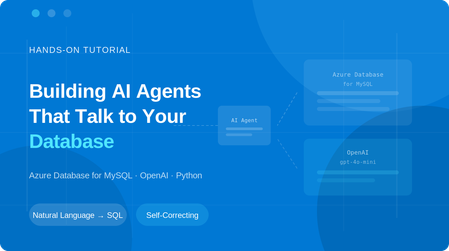
What if you could ask your database a question in plain English and get the answer instantly, without writing a single line of SQL? In this tutorial, you'll build a Python-based AI agent that connects to Azure Database for MySQL server and uses OpenAI's function calling to translate natural language questions into SQL queries, execute them, and return human-readable answers. The agent can explore your schema, answer business questions, and even self-correct when it writes invalid SQL. What you'll build: An Azure Database for MySQL server with sample data A Python AI agent with three tools: list_tables, describe_table, and run_sql_query In the context of AI agents, tools are functions the agent can call to interact with external systems like querying a database, fetching a file, or calling an API. Here, our agent has three tools that let it explore and query your MySQL database. An interactive chat interface where you ask questions and the agent auto-generates and runs SQL Prerequisites Before you begin, make sure you have: An Azure account — Sign up for free (includes 12 months of free MySQL hosting) An OpenAI API key — Get one here (you'll need a few dollars of credit) Python 3.10+ — Download here (check "Add to PATH" during install) A code editor — VS Code recommended Optional: You can download the complete project from this GitHub repository, or follow the step‑by‑step instructions below to build it from scratch. Step 1 — Create the Azure Database for MySQL server Go to the Azure Portal Search for "Azure Database for MySQL server" and click + Create Configure the following settings: Setting Value Resource group rg-mysql-ai-agent (create new) Server name mysql-ai-agent (or any unique name) Region Your nearest region MySQL version 8.4 Workload type Dev/Test (Burstable B1ms — free for 12 months) Admin username mysqladmin Password A strong password — save it! 4. ✅ Check "Add firewall rule for current IP address" ⚠️ Important: If you skip the firewall settings, you won't be able to connect from Cloud Shell or your local machine. 5. Click Review + create → Create and wait 3–5 minutes Once deployment finishes, navigate to your server and note the hostname from the Connection details: mysql-ai-agent.mysql.database.azure.com Step 2 — Load Sample Data Open Azure Cloud Shell by clicking the >_ icon in the portal's top toolbar. Select Bash if prompted. Connect to your MySQL server. You can copy the exact connection command from the "Connect from browser or locally" section on your server's overview page in the Azure portal: mysql -h mysql-ai-agent.mysql.database.azure.com -u mysqladmin -p Enter your password when prompted (the cursor won't move — just type and press Enter). Now paste the following SQL to create a sample sales database: CREATE DATABASE demo_sales; USE demo_sales; CREATE TABLE customers ( id INT AUTO_INCREMENT PRIMARY KEY, name VARCHAR(100), email VARCHAR(100), city VARCHAR(50), signup_date DATE ); CREATE TABLE orders ( id INT AUTO_INCREMENT PRIMARY KEY, customer_id INT, product VARCHAR(100), amount DECIMAL(10,2), order_date DATE, FOREIGN KEY (customer_id) REFERENCES customers(id) ); INSERT INTO customers (name, email, city, signup_date) VALUES ('Sara Ahmed', 'sara@example.com', 'Cairo', '2024-06-15'), ('John Smith', 'john@example.com', 'London', '2024-08-22'), ('Priya Patel', 'priya@example.com', 'Mumbai', '2025-01-10'); INSERT INTO orders (customer_id, product, amount, order_date) VALUES (1, 'Azure Certification Voucher', 150.00, '2025-03-01'), (2, 'MySQL Workbench Pro License', 99.00, '2025-03-10'), (1, 'Power BI Dashboard Template', 45.00, '2025-04-05'), (3, 'Data Analysis Course', 200.00, '2025-05-20'); Verify the data: SELECT * FROM customers; SELECT * FROM orders; Type exit to leave MySQL. Step 3 — Set Up the Python Project Open a terminal on your local machine and create the project: mkdir mysql-ai-agent cd mysql-ai-agent python -m venv venv Activate the virtual environment: Windows (PowerShell): venv\Scripts\Activate.ps1 macOS/Linux: source venv/bin/activate Install the required packages: pip install openai mysql-connector-python python-dotenv Step 4 — Configure Environment Variables Create a file named .env in your project folder: OPENAI_API_KEY=sk-proj-xxxxxxxxxxxxxxxxxxxxxxxx MYSQL_HOST=mysql-ai-agent.mysql.database.azure.com MYSQL_USER=mysqladmin MYSQL_PASSWORD=YourPasswordHere MYSQL_DATABASE=demo_sales 🔒 Security: Never commit this file to Git. Add .env to your .gitignore Step 5 — Build the Agent Open VS Code, create a new file called mysql_agent.py in your mysql-ai-agent folder, and paste the following code. Let's walk through each section. 5.1 — Imports and Database Connection import os import json import mysql.connector from openai import OpenAI from dotenv import load_dotenv load_dotenv() def get_db_connection(): return mysql.connector.connect( host=os.getenv("MYSQL_HOST"), user=os.getenv("MYSQL_USER"), password=os.getenv("MYSQL_PASSWORD"), database=os.getenv("MYSQL_DATABASE"), ssl_disabled=False ) This loads your secrets from .env and creates a reusable MySQL connection function with SSL encryption. 5.2 — Define the Three Tools These are the functions the AI agent can call: def list_tables(): conn = get_db_connection() cursor = conn.cursor() cursor.execute("SHOW TABLES") tables = [row[0] for row in cursor.fetchall()] cursor.close() conn.close() return json.dumps({"tables": tables}) def describe_table(table_name): conn = get_db_connection() cursor = conn.cursor() cursor.execute(f"DESCRIBE `{table_name}`") columns = [] for row in cursor.fetchall(): columns.append({ "field": row[0], "type": row[1], "null": row[2], "key": row[3] }) cursor.close() conn.close() return json.dumps({"table": table_name, "columns": columns}) def run_sql_query(query): if not query.strip().upper().startswith("SELECT"): return json.dumps({"error": "Only SELECT queries are allowed."}) conn = get_db_connection() cursor = conn.cursor() try: cursor.execute(query) columns = [desc[0] for desc in cursor.description] rows = cursor.fetchall() results = [] for row in rows: results.append(dict(zip(columns, row))) return json.dumps({"columns": columns, "rows": results}, default=str) except mysql.connector.Error as e: return json.dumps({"error": str(e)}) finally: cursor.close() conn.close() A few things to note: run_sql_query only allows SELECT statements — this is a safety guardrail that prevents the AI from modifying data The try/except block is critical — if the AI generates invalid SQL (e.g., a bad GROUP BY), the error message is returned to OpenAI, and the model automatically corrects its query and retries. Without this, the script would crash. 5.3 — Register Tools with OpenAI This tells OpenAI what tools the agent has access to: tools = [ { "type": "function", "function": { "name": "list_tables", "description": "List all tables in the connected MySQL database.", "parameters": {"type": "object", "properties": {}, "required": []} } }, { "type": "function", "function": { "name": "describe_table", "description": "Get the schema (columns and types) of a specific table.", "parameters": { "type": "object", "properties": { "table_name": {"type": "string", "description": "Name of the table to describe"} }, "required": ["table_name"] } } }, { "type": "function", "function": { "name": "run_sql_query", "description": "Execute a read-only SQL SELECT query and return results.", "parameters": { "type": "object", "properties": { "query": {"type": "string", "description": "The SQL SELECT query to execute"} }, "required": ["query"] } } } ] def call_tool(name, args): if name == "list_tables": return list_tables() elif name == "describe_table": return describe_table(args["table_name"]) elif name == "run_sql_query": return run_sql_query(args["query"]) else: return json.dumps({"error": f"Unknown tool: {name}"}) 5.4 — The Agent Loop This is the core logic. It sends the user's message to OpenAI, processes any tool calls, and loops until the model produces a final text response: def chat(user_message, conversation_history): client = OpenAI() conversation_history.append({"role": "user", "content": user_message}) print(f"\n{'='*60}") print(f"🧑 You: {user_message}") print(f"{'='*60}") while True: response = client.chat.completions.create( model="gpt-4o-mini", messages=conversation_history, tools=tools, tool_choice="auto" ) assistant_message = response.choices[0].message if assistant_message.tool_calls: conversation_history.append(assistant_message) for tool_call in assistant_message.tool_calls: fn_name = tool_call.function.name fn_args = json.loads(tool_call.function.arguments) print(f" 🔧 Calling tool: {fn_name}({json.dumps(fn_args)})") result = call_tool(fn_name, fn_args) print(f" ✅ Tool returned: {result[:200]}...") conversation_history.append({ "role": "tool", "tool_call_id": tool_call.id, "content": result }) else: final_answer = assistant_message.content conversation_history.append({"role": "assistant", "content": final_answer}) print(f"\n🤖 Agent:\n{final_answer}") return conversation_history The while True loop is what makes self-correction possible. When a tool returns an error, the model sees it in the conversation and generates a corrected tool call in the next iteration. 5.5 — Main Entry Point if __name__ == "__main__": print("\n" + "=" * 60) print(" 🤖 MySQL AI Agent") print(" Powered by OpenAI + Azure Database for MySQL") print(" Type 'quit' to exit") print("=" * 60) system_message = { "role": "system", "content": ( "You are a helpful data analyst agent connected to an Azure Database for MySQL. " "You have 3 tools: list_tables, describe_table, and run_sql_query. " "ALWAYS start by listing tables and describing their schema before writing queries. " "Only generate SELECT statements. Never write INSERT, UPDATE, DELETE, or DROP. " "Present query results in clean, readable tables. " "If the user asks a question, figure out the right SQL to answer it." ) } conversation_history = [system_message] while True: user_input = input("\n🧑 You: ").strip() if user_input.lower() in ("quit", "exit", "q"): print("\n👋 Goodbye!") break if not user_input: continue conversation_history = chat(user_input, conversation_history) Your final project folder should look like this: Step 6 — Run and Test the Agent python mysql_agent.py Test: Prompt: Which product generated the most revenue and who bought it? How Self-Correction Works One of the most powerful aspects of this agent is its ability to recover from SQL errors automatically. Azure Database for MySQL has sql_mode=only_full_group_by enabled by default, which rejects queries where non-aggregated columns aren't in the GROUP BY clause. When the AI generates an invalid query, here's what happens: The run_sql_query function catches the MySQL error It returns the error message as the tool result OpenAI sees the error in the conversation context The model generates a corrected query automatically The agent retries — and succeeds Without the try/except error handling, the entire script would crash. This is a key design pattern for production AI agents. Security Best Practices When building AI agents that interact with databases, security is critical: Read-only enforcement — The run_sql_query function rejects anything that isn't a SELECT statement SSL encryption — All connections use ssl_disabled=False, ensuring data in transit is encrypted Environment variables — Credentials are stored in .env, never hardcoded Principle of least privilege — For production, create a dedicated MySQL user with SELECT-only permissions: CREATE USER 'ai_agent'@'%' IDENTIFIED BY 'AgentPass123!'; GRANT SELECT ON demo_sales.* TO 'ai_agent'@'%'; FLUSH PRIVILEGES; Network isolation — For production workloads, consider using Azure Private Link instead of public access. Conclusion In this tutorial, you built a Python AI agent that connects to Azure Database for MySQL and answers natural language questions by auto-generating SQL - complete with self-correction and security guardrails. Clone the GitHub repo, spin up your own server, and start experimenting! If you'd like to connect to Azure Database for MySQL using the Model Context Protocol (MCP), see Unlocking AI-Driven Data Access: Azure Database for MySQL Support via the Azure MCP Server. If you have any feedback or questions about the information provided above, please leave a comment below. Thank you!767Views0likes0CommentsFebruary 2026 Recap: Azure Database for MySQL
We're excited to share a summary of the Azure Database for MySQL updates from the last couple of months. Extended Support Timeline Update Based on customer feedback requesting additional time to complete major version upgrades, we have extended the grace period before extended support billing begins for Azure Database for MySQL: MySQL 5.7: Extended support billing start date moved from April 1, 2026 to August 1, 2026. MySQL 8.0: Extended support billing start date moved from June 1, 2026 to January 1, 2027. This update provides customers additional time to plan, validate, and complete upgrades while maintaining service continuity and security. We continue to recommend upgrading to a supported MySQL version as early as possible to avoid extended support charges and benefit from the latest improvements. Learn more about performing a major version upgrade in Azure Database for MySQL. When upgrading using a read replica, you can optionally use the Rename Server feature to promote the replica and avoid application connection‑string updates after the upgrade completes. Please note that the Rename Server feature is currently in Private Preview. Private Preview - Fabric Mirroring for Azure Database for MySQL This capability enables real‑time replication of MySQL data into Microsoft Fabric with a zero‑ETL experience, allowing data to land directly in OneLake in analytics‑ready formats. Customers can seamlessly analyse mirrored data using Microsoft Fabric experiences, while isolating analytical workloads from their operational MySQL databases. Stay Connected We welcome your feedback and invite you to share your experiences or suggestions at AskAzureDBforMySQL@service.microsoft.com Stay up to date by visiting What's new in Azure Database for MySQL, and follow us on YouTube | LinkedIn | X for ongoing updates. Thank you for choosing Azure Database for MySQL!616Views0likes0Comments
Guide to Upgrade Azure Database for MySQL from 8.0 to 8.4
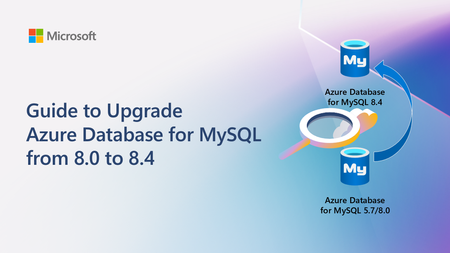
A practical, end‑to‑end guide for safely upgrading Azure Database for MySQL to 8.4 LTS, covering prerequisites, breaking changes, upgrade paths, downtime considerations, and rollback strategies based on real‑world experience.4.4KViews2likes0CommentsUnlocking AI-Driven Data Access: Azure Database for MySQL Support via the Azure MCP Server
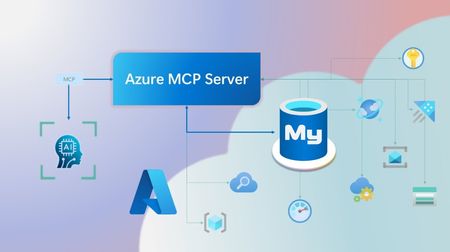
Step into a new era of data-driven intelligence with the fusion of Azure MCP Server and Azure Database for MySQL, where your MySQL data is no longer just stored, but instantly conversational, intelligent and action-ready. By harnessing the open-standard Model Context Protocol (MCP), your AI agents can now query, analyze and automate in natural language, accessing tables, surfacing insights and acting on your MySQL-driven business logic as easily as chatting with a colleague. It’s like giving your data a voice and your applications a brain, all within Azure’s trusted cloud platform. We are excited to announce that we have added support for Azure Database for MySQL in Azure MCP Server. The Azure MCP Server leverages the Model Context Protocol (MCP) to allow AI agents to seamlessly interact with various Azure services to perform context-aware operations such as querying databases and managing cloud resources. Building on this foundation, the Azure MCP Server now offers a set of tools that AI agents and apps can invoke to interact with Azure Database for MySQL - enabling them to list and query databases, retrieve schema details of tables, and access server configurations and parameters. These capabilities are delivered through the same standardized interface used for other Azure services, making it easier to the adopt the MCP standard for leveraging AI to work with your business data and operations across the Azure ecosystem. Before we delve into these new tools and explore how to get started with them, let’s take a moment to refresh our understanding of MCP and the Azure MCP Server - what they are, how they work, and why they matter. MCP architecture and key components The Model Context Protocol (MCP) is an emerging open protocol designed to integrate AI models with external data sources and services in a scalable, standardized, and secure manner. MCP dictates a client-server architecture with four key components: MCP Host, MCP Client, MCP Server and external data sources, services and APIs that provide the data context required to enhance AI models. To explain briefly, an MCP Host (AI apps and agents) includes an MCP client component that connects to one or more MCP Servers. These servers are lightweight programs that securely interface with external data sources, services and APIs and exposes them to MCP clients in the form of standardized capabilities called tools, resources and prompts. Learn more: MCP Documentation What is Azure MCP Server? Azure offers a multitude of cloud services that help developers build robust applications and AI solutions to address business needs. The Azure MCP Server aims to expose these powerful services for agentic usage, allowing AI systems to perform operations that are context-aware of your Azure resources and your business data within them, while ensuring adherence to the Model Context Protocol. It supports a wide range of Azure services and tools including Azure AI Search, Azure Cosmos DB, Azure Storage, Azure Monitor, Azure CLI and Developer CLI extensions. This means that you can empower AI agents, apps and tools to: Explore your Azure resources, such as listing and retrieving details on your Azure subscriptions, resource groups, services, databases, and tables. Search, query and analyze your data and logs. Execute CLI and Azure Developer CLI commands directly, and more! Learn more: Azure MCP Server GitHub Repository Introducing new Azure MCP Server tools to interact with Azure Database for MySQL The Azure MCP Server now includes the following tools that allow AI agents to interact with Azure Database for MySQL and your valuable business data residing in these servers, in accordance with the MCP standard: Tool Description Example Prompts azmcp_mysql_server_list List all MySQL servers in a subscription & resource group "List MySQL servers in resource group 'prod-rg'." "Show MySQL servers in region 'eastus'." azmcp_mysql_server_config_get Retrieve the configuration of a MySQL server "What is the backup retention period for server 'my-mysql-server'?" "Show storage allocation for server 'my-mysql-server'." azmcp_mysql_server_param_get Retrieve a specific parameter of a MySQL server "Is slow_query_log enabled on server my-mysql-server?" "Get innodb_buffer_pool_size for server my-mysql-server." azmcp_mysql_server_param_set Set a specific parameter of a MySQL server to a specific value "Set max_connections to 500 on server my-mysql-server." "Set wait_timeout to 300 on server my-mysql-server." azmcp_mysql_table_list List all tables in a MySQL database "List tables starting with 'tmp_' in database 'appdb'." "How many tables are in database 'analytics'?" azmcp_mysql_table_schema_get Get the schema of a specific table in a MySQL database "Show indexes for table 'transactions' in database 'billing'." "What is the primary key for table 'users' in database 'auth'?" azmcp_mysql_database_query Executes a SELECT query on a MySQL Database. The query must start with SELECT and cannot contain any destructive SQL operations for security reasons. “How many orders were placed in the last 30 days in the salesdb.orders table?” “Show the number of new users signed up in the last week in appdb.users grouped by day.” These interactions are secured using Microsoft Entra authentication, which enables seamless, identity-based access to Azure Database for MySQL - eliminating the need for password storage and enhancing overall security. How are these new tools in the Azure MCP Server different from the standalone MCP Server for Azure Database for MySQL? We have integrated the key capabilities of the Azure Database for MySQL MCP server into the Azure MCP Server, making it easier to connect your agentic apps not only to Azure Database for MySQL but also to other Azure services through one unified and secure interface! How to get started Installing and running the Azure MCP Server is quick and easy! Use GitHub Copilot in Visual Studio Code to gain meaningful insights from your business data in Azure Database for MySQL. Pre-requisites Install Visual Studio Code. Install GitHub Copilot and GitHub Copilot Chat extensions. An Azure Database for MySQL with Microsoft Entra authentication enabled. Ensure that the MCP Server is installed on a system with network connectivity and credentials to connect to Azure Database for MySQL. Installation and Testing Please use this guide for installation: Azure MCP Server Installation Guide Try the following prompts with your Azure Database for MySQL: Azure Database for MySQL tools for Azure MCP Server Try it out and share your feedback! Start using Azure MCP Server with the MySQL tools today and let our cloud services become your AI agent’s most powerful ally. We’re counting on your feedback - every comment, suggestion, or bug-report helps us build better tools together. Stay tuned: more features and capabilities are on the horizon! Feel free to comment below or write to us with your feedback and queries at AskAzureDBforMySQL@service.microsoft.com.556Views3likes0CommentsIgnite 2025: Advancing Azure Database for MySQL with Powerful New Capabilities
At Ignite 2025, we’re introducing a wave of powerful new capabilities for Azure Database for MySQL, designed to help organizations modernize, scale, and innovate faster than ever before. From enhanced high availability and seamless serverless integrations to AI-powered insights and greater flexibility for developers, these advancements reflect our commitment to delivering a resilient, intelligent data platform. Join us as we unveil what’s next for MySQL on Azure - and discover how industry leaders are already building the future with confidence. Enhanced Failover Performance with Dedicated SLB for High-Availability Servers We’re excited to announce the General Availability of Dedicated Standard Load Balancer (SLB) for HA-enabled servers in Azure Database for MySQL. This enhancement introduces a dedicated SLB to High Availability configurations for servers created with public access or private link. By managing the MySQL data traffic path, SLB eliminates the need for DNS updates during failover, significantly reducing failover time. Previously, failover relied on DNS changes, which caused delays due to DNS TTL (30 seconds) and client-side DNS caching. What’s new with GA: The FQDN consistently resolves to the SLB IP address before and after failover. Load-balancing rules automatically route traffic to the active node. Removes DNS cache dependency, delivering faster failovers. Note: This feature is not supported for servers using private access with VNet integration. Learn more Build serverless, event-driven apps at scale – now GA with Trigger Bindings for Azure Functions We’re excited to announce the General Availability of Azure Database for MySQL Trigger bindings for Azure Functions, completing the full suite of Input, Output, and Trigger capabilities. This feature lets you build real-time, event-driven applications by automatically invoking Azure Functions when MySQL table rows are created or updated - eliminating custom polling and boilerplate code. With native support across multiple languages, developers can now deliver responsive, serverless solutions that scale effortlessly and accelerate innovation. Learn more Enable AI agents to query Azure Database for MySQL using Azure MCP Server We’re excited to announce that Azure MCP Server now supports Azure Database for MySQL, enabling AI agents to query and manage MySQL data using natural language through the open Model Context Protocol (MCP). Instead of writing SQL, you can simply ask questions like “Show the number of new users signed up in the last week in appdb.users grouped by day.”, all secured with Microsoft Entra authentication for enterprise-grade security. This integration delivers a unified, secure interface for building intelligent, context-aware workflows across Azure services - accelerating insights and automation. Learn more Greater networking flexibility with Custom Port Support Custom port support for Azure Database for MySQL is now generally available, giving organizations the flexibility to configure a custom port (between 25001 and 26000) during new server creation. This enhancement streamlines integration with legacy applications, supports strict network security policies, and helps avoid port conflicts in complex environments. Supported across all network configurations - including public access, private access, and Private Link - custom port provisioning ensures every new MySQL server can be tailored to your needs. The managed experience remains seamless, with all administrative capabilities and integrations working as before. Learn more Streamline migrations and compatibility with Lower Case Table Names support Azure Database for MySQL now supports configuring lower_case_table_names server parameter during initial server creation for MySQL 8.0 and above, ensuring seamless alignment with your organization’s naming conventions. This setting is automatically inherited for restores and replicas, and cannot be modified. Key Benefits: Simplifies migrations by aligning naming conventions and reducing complexity. Enhances compatibility with legacy systems that depend on case-insensitive table names. Minimizes support dependency, enabling faster and smoother onboarding. Learn more Unlock New Capabilities with Private Preview Features at Ignite 2025 We’re excited to announce that you can now explore two powerful capabilities in early access - Reader Endpoint for seamless read scaling and Server Rename for greater flexibility in server management. Scale reads effortlessly with Reader Endpoint (Private Preview) We’re excited to announce that the Reader Endpoint feature for Azure Database for MySQL is now ready for private preview. Reader Endpoint provides a dedicated read-only endpoint for read replicas, enabling automatic connection-based load balancing of read-only traffic across multiple replicas. This simplifies application architecture by offering a single endpoint for read operations, improving scalability and fault tolerance. Azure Database for MySQL supports up to 10 read replicas per primary server. By routing read-only traffic through the reader endpoint, application teams can efficiently manage connections and optimize performance without handling individual replica endpoints. Reader endpoints continuously monitor the health of replicas and automatically exclude any replica that exceeds the configured replication lag threshold or becomes unavailable. To enroll in the preview, please submit your details using this form. Limitations During Private Preview: Only performance-based routing is supported in this preview. Certain settings such as routing method and the option to attach new replicas to the reader endpoint can only be configured at creation time. Only one reader endpoint can be created per replica group. Including the primary server as a fallback for read traffic when no replicas are available is not supported in this preview. Get flexibility in server management with Server Rename (Private Preview) We’re excited to announce the Private Preview of Server Rename for Azure Database for MySQL. This feature lets you update the name of an existing MySQL server without recreating it, migrating data, or disrupting applications - making it easier to adopt clear, consistent naming. It provides a near zero-downtime path to a new hostname of the server. To enroll in the preview, please submit your details using this form. Limitations During Private Preview: Primary server with read replicas: Renaming a primary server that has read replicas keeps replication healthy. However, the SHOW SLAVE STATUS output on the replicas will still display the old primary server's name. This is a display inconsistency only and does not affect replication. Renaming is currently unsupported for servers using Customer Managed Key (CMK) encryption or Microsoft Entra Authentication (Entra Id). Real-World Success: Azure Database for MySQL Powers Resilient Applications at Scale Factorial Factorial, a leading HR software provider, uses Azure Database for MySQL alongside Azure Kubernetes Service to deliver secure, scalable HR solutions for thousands of businesses worldwide. By leveraging Azure Database for MySQL’s reliability and seamless integration with cloud-native technologies, Factorial ensures high availability and rapid innovation for its customers. Learn more YES (Youth Employment Service) South Africa’s largest youth employment initiative, YES, operates at national scale by leveraging Azure Database for MySQL to deliver a resilient, centralized platform for real-time job matching, learning management, and career services - connecting thousands of young people and employers, and helping nearly 45 percent of participants secure permanent roles within six months. Learn more Nasdaq At Ignite 2025, Nasdaq will showcase how it uses Azure Database for MySQL - alongside Azure Database for PostgreSQL and other Azure products - to power a secure, resilient architecture that safeguards confidential data while unlocking new agentic AI capabilities. Learn more These examples demonstrate that Azure Database for MySQL is trusted by industry leaders to build resilient, scalable applications - empowering organizations to innovate and grow with confidence. We Value Your Feedback Azure Database for MySQL is built for scale, resilience, and performance - ready to support your most demanding workloads. With every update, we’re focused on simplifying development, migration, and management so you can build with confidence. Explore the latest features and enhancements to see how Azure Database for MySQL meets your data needs today and in the future. We welcome your feedback and invite you to share your experiences or suggestions at AskAzureDBforMySQL@service.microsoft.com Stay up to date by visiting What's new in Azure Database for MySQL, and follow us on YouTube | LinkedIn | X for ongoing updates. Thank you for choosing Azure Database for MySQL!735Views2likes0CommentsBuilding brighter futures: How YES tackles youth unemployment with Azure Database for MySQL
YES leverages Azure Database for MySQL to power South Africa’s largest youth employment initiative, delivering scalable, reliable systems that connect thousands of young people to jobs and learning opportunities.279Views0likes0CommentsCustom Port Support in Azure Database for MySQL – Flexible Server is Now Generally Available
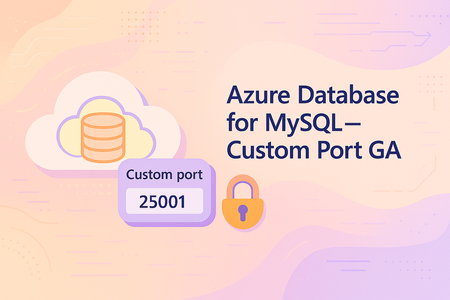
We are excited to announce that custom port support for Azure Database for MySQL – Flexible Server is now generally available (GA). This long-requested feature gives you greater flexibility to align MySQL server deployments with your network and security requirements. By default, MySQL uses TCP port 3306; with this GA release, you can configure a custom port (between 25001 and 26000) when creating a new Azure Database for MySQL flexible server. This enables easier integration with legacy applications, helps comply with strict network security policies, and avoids port conflicts in complex environments. What’s new in GA (vs. Public Preview): In the Public Preview (July 2025), custom ports were only supported for VNet-injected (private access) servers, with no support for public access or Private Link connectivity. Now, with GA, you can create custom-port servers in any network configuration – including both publicly accessible servers and those using Private Link (private endpoint) connectivity. In short, all new MySQL flexible servers can be created with a custom port, whether they are configured for public network access or deployed into a private virtual network. Feature Highlights Custom Port Range: Choose a port between 25001 and 26000 during server provisioning. (Only one custom port is supported per server.) This is in addition to the default MySQL port 3306, which remains available for use if needed. Supported Scenarios: Custom ports are fully supported for new server creation, point-in-time restore (including cross-port restores), read replica setup, and High Availability (HA) deployments. You can perform a restore or set up a replica even if the source and target servers use different ports, and you can enable HA on a server configured with a non-default port. Networking Flexibility: Supported on both public access and private access configurations. You can create servers with a custom port in public access mode (accessible via the internet with firewall rules) or in private access mode (injected into a VNet). Azure Private Link is also supported – meaning you can connect via a private endpoint to a MySQL server running on a custom port. This enhancement broadens the feature’s applicability beyond the preview’s limited scope, allowing usage in all network scenarios. Managed Experience: The custom port feature is built into the managed service experience. Aside from specifying a different port number for client connections, there is no change in how you manage or operate the MySQL flexible server – all administrative capabilities and integrations (backup, monitoring, etc.) work as they do with the default port. Current Limitations Be aware of a couple of limitations at GA: Port Immutable After Creation: You cannot change the server’s port after the server is created. If you need to use a different port, you will have to create a new server with that port. As a workaround, you can use Point-in-Time Restore (PITR) to quickly clone your database into a new server with the desired port (since cross-port restores are supported), rather than performing a full manual migration. Geo-Replication/Geo-Restore: Cross-region operations like geo-restore and geo-replication are not yet supported for servers using a custom port. In other words, you cannot perform a geo-restore of a backup from a custom-port server, and you cannot create cross-region read replicas on custom port servers at this time. These capabilities are on the roadmap but remain unsupported in the current release. Why Custom Ports? Many enterprise developers and DBAs have asked for custom port support to accommodate specialized network scenarios. For example, some organizations enforce strict firewall rules or use non-standard ports for databases to meet internal security compliance requirements. Others may have legacy applications or multi-database setups that require MySQL to run on a port other than 3306 to avoid conflicts. The custom port feature addresses these needs by allowing you to select a non-default port during server creation, while Azure continues to handle all the usual PaaS management tasks. In short, you get the flexibility of a custom network configuration without losing the benefits of a fully managed database service. Getting Started Using a custom port is straightforward. At GA, the Azure portal’s create experience is the way to set a custom port (support in CLI/PowerShell/ARM will come later). In the portal, when you create a new Azure Database for MySQL – Flexible Server, you’ll find an option to specify the “Database port.” Provide any value between 25001 and 26000 as the port number for your server. Once the server is deployed, client applications should connect using the <servername>.mysql.database.azure.com hostname and the port you chose, instead of the default 3306. All other connection settings (such as SSL enforcement and credentials) remain the same. Make sure to configure network access rules to allow traffic on your chosen port. For public access servers, this means updating the firewall rules or network security groups to permit the custom port. For private access or Private Link setups, ensure that your networking (NSGs, on-premises firewall rules, etc.) permits traffic on the custom port to reach the database. Learn More Custom port support is now GA and ready for production use, so we encourage you to try it out if your environment can benefit from it. For more details on Azure Database for MySQL – Flexible Server connectivity and custom ports, refer to the official documentation: Networking Overview - Azure Database for MySQL | Microsoft Learn We look forward to seeing how you use this new capability to tailor your MySQL deployments. With custom port support now generally available, Azure Database for MySQL – Flexible Server offers even more flexibility to meet your organizational policies and integration needs, all while delivering a fully managed experience. Happy deploying!401Views0likes0CommentsSeptember 2025 Recap: Azure Database for MySQL
Join us live on our YouTube channel on October 15, 2025 for an exclusive webinar where we’ll dive deeper into the latest Azure Database for MySQL updates and answer your questions! Watch it live here. Support for In-Place Major Version Upgrade from 8.0 to 8.4 We previously announced that Azure Database for MySQL version 8.4 is now generally available. We’re now happy to share that in-place major version upgrade is supported for MySQL servers from 8.0 to 8.4. If you’re currently on MySQL 5.7, you’ll first need to perform an in-place upgrade from 5.7 to 8.0, and then upgrade from 8.0 to 8.4. Learn more. Near-Zero-Downtime Maintenance - General Availability You can now take advantage of near-zero-downtime maintenance for Azure Database for MySQL with high availability (HA) enabled. This capability is now generally available and is supported by our new HA architecture based on a dedicated Azure Standard Load Balancer design. Thanks to the dedicated Standard Load Balancer design, maintenance is now faster and no longer impacted by client-side DNS caching, which previously caused brief connection drops in some scenarios. This enhancement ensures that your mission-critical workloads remain continuously available, even during infrastructure updates, helping you meet strict uptime requirements and maintain operational continuity. Learn more. We would love your feedback We look forward to your feedback as you explore these enhancements and continue building with Azure Database for MySQL. If you have any suggestions or queries about our service, please let us know by emailing us at AskAzureDBforMySQL@service.microsoft.com. To learn more about what's new with Flexible Server, see What's new in Azure Database for MySQL - Flexible Server. Stay tuned for more updates and announcements by following us on social media: YouTube | LinkedIn | X. Thanks for being part of our community!315Views0likes0CommentsAugust 2025 Recap: Azure Database for MySQL
We're excited to share a summary of the Azure Database for MySQL updates for the month of August 2025. Join us live on our YouTube channel on September 11, 2025 for an exclusive webinar where we’ll dive deeper into these updates and answer your questions! Watch it live here. Azure Database for MySQL 8.4 - General Availability We’re excited to announce that Azure Database for MySQL now supports MySQL 8.4 in General Availability (GA). This means you can create new MySQL 8.4 servers on Azure fully supported for production workloads. MySQL 8.4 is a long-term supported release from the MySQL community, bringing the latest features and improvements while emphasizing stability. With Azure’s managed service, you get these new capabilities backed by Azure’s enterprise-grade reliability and support. In short, MySQL 8.4 GA opens the door for you to upgrade your databases and future-proof your MySQL environment on Azure. Learn more. Cross subscription and cross resource-group placement in restore/replica provisioning workflow You can now restore a server or create a read replica in a different subscription and resource group in Azure Database for MySQL – Flexible Server. This enhancement offers greater flexibility for cross-environment restores, resource organization, and subscription-level separation, helping meet governance and operational requirements. Learn more. Ability to delete on-demand backup You can now delete on-demand backups in Azure Database for MySQL – Flexible Server, giving you greater control over backup management and storage costs. This feature allows you to remove on-demand backups that are no longer needed, helping maintain a cleaner backup inventory and optimize resource usage. Learn more. Unlocking Regional Insights with the Location Based Capabilities REST API Managing MySQL Flexible Server deployments across Azure regions often means choosing the right Azure region for your MySQL deployment is critical. The new Location-Based Capability Set – List API helps you: Retrieve real-time, region-specific capabilities. Compare SKUs, storage options, backup retention, and HA configurations. Integrate insights into automation pipelines for smarter deployments. This API empowers architects and developers to make informed decisions, reduce misconfigurations, and accelerate deployment cycles. Learn more. Stay Connected We look forward to your feedback as you explore these enhancements and continue building with Azure Database for MySQL. If you have any suggestions or queries about our service, please let us know by emailing us at AskAzureDBforMySQL@service.microsoft.com. You can also submit product ideas and feedback at Azure Database for MySQL Community forum. To learn more about what's new with Flexible Server, see What's new in Azure Database for MySQL - Flexible Server. Stay tuned for more updates and announcements by following us on social media: YouTube | LinkedIn | X. Take care, and thanks for being part of our community!395Views0likes0Comments