database
97 TopicsScaling Write Throughput in Azure Database for MySQL Using Application-Level Sharding
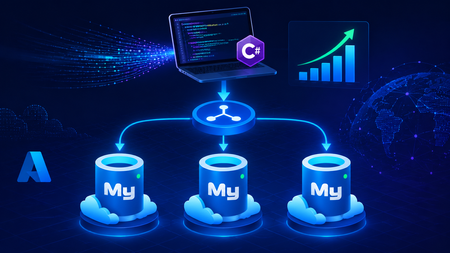
This blog post walks through scaling write throughput in Azure Database for MySQL using application level sharding. It starts with the why behind sharding and then builds a complete C# implementation that spreads writes across three Azure Database for MySQL Flexible Servers. Why Shard in the First Place? This post focuses specifically on scaling write throughput. A well-tuned single primary node can take you remarkably far, and techniques such as indexing strategies, write batching, redo log optimization, and vertical compute scaling each deliver real, lasting value. For many workloads, these optimizations are all you will ever need. That said, as write volume continues to grow, a single primary eventually approaches its practical capacity, and at that point the most durable way to keep scaling is to distribute the write workload across multiple primary instances. This architecture is what we call sharding. When you reach this inflection point, there are two primary patterns for managing multiple write nodes: Proxy or Middleware Layer Sharding: A sharding aware proxy sits between the application and a pool of Azure Database for MySQL instances, routing queries based on a shard key. While this abstracts the underlying topology from the application layer, it introduces an additional, complex component to operate, secure, scale, and patch. Application Layer Sharding: The application itself resolves the destination shard key and determines which of the N Azure Database for MySQL instances should receive a write before ever opening a database connection. Each backend target remains a completely standard, independent Azure Database for MySQL instance. This post explores the second approach. The core appeal of application layer sharding is architectural simplicity: it introduces zero infrastructure overhead and eliminates an extra network hop. Every shard behaves exactly like a standalone instance, meaning your existing backup, restore, monitoring pipelines, and the Azure portal function seamlessly without modification. The explicit tradeoff is that you forgo cross shard joins and distributed transactions in exchange for absolute predictability and control over data access patterns. The Plan We will build a small order management service that distributes its data across three Azure Database for MySQL instances that already exist. The application, written in C# on .NET 8, owns the partitioning logic. The premise: the three servers are already provisioned, the firewalls are configured, the network paths are established, and each server has its own administrative credentials. We are not provisioning infrastructure in this post. we are writing the application code that consumes it. mysql-shard-0.mysql.database.azure.com user: shard0_admin pwd: <secret-0> mysql-shard-1.mysql.database.azure.com user: shard1_admin pwd: <secret-1> mysql-shard-2.mysql.database.azure.com user: shard2_admin pwd: <secret-2> Each server hosts an identical appdb database with the same schema: CREATE TABLE users ( user_id BIGINT NOT NULL PRIMARY KEY, email VARCHAR(255) NOT NULL, created_at DATETIME NOT NULL DEFAULT CURRENT_TIMESTAMP, UNIQUE KEY uq_email (email) ); CREATE TABLE orders ( order_id BIGINT NOT NULL PRIMARY KEY, user_id BIGINT NOT NULL, amount_cents INT NOT NULL, created_at DATETIME NOT NULL DEFAULT CURRENT_TIMESTAMP, KEY ix_user (user_id) ); Two design decisions in this schema warrant explanation: No AUTO_INCREMENT for user_id or order_id. Two shards would otherwise generate the same value 42 independently. Instead, we assign identifiers in the application, using a scheme such as Snowflake, ULID, or UUIDv7. orders carries user_id, and we route by it. This is the single most important rule of sharding: choose a shard key that keeps related data colocated, so that the common queries remain on a single shard. A note on UNIQUE KEY uq_email. A unique index enforces uniqueness only within a single physical shard. Because we route by user_id, two users with different IDs and the same email may land on different shards, and both inserts will succeed. If you require globally unique emails, two options exist: (a) maintain a separate email → user_id lookup table on a single "directory" server and write to it first within an idempotent flow, or (b) shard the users table by a hash of email instead. We retain user_id routing throughout this post because it is the correct choice for orders, and we treat per shard email uniqueness as a best effort guard rather than a hard global invariant. How the Partitioning Works The naive approach to sharding is shard = hash(key) % N. This works until you need to add a fourth server, at which point roughly 75% of your data must move. In any system of meaningful size, that is prohibitively expensive. The established solution is virtual buckets. You hash the key into a large, fixed bucket space (here, 1024), then map buckets to physical shards. When you add capacity, you relocate only buckets; you never rehash the entire dataset. In production, the bucket_to_shard_map typically resides in a system such as Azure App Configuration or etcd, so that you can rebalance without redeploying. For this post, we keep it as an in-memory array seeded at startup, which is straightforward to replace later. The Project ShardingDemo/ ├── ShardingDemo.csproj ├── appsettings.json ├── Models.cs ├── ShardRouter.cs ├── UserRepository.cs └── Program.cs ShardingDemo.csproj <Project Sdk="Microsoft.NET.Sdk"> <PropertyGroup> <OutputType>Exe</OutputType> <TargetFramework>net8.0</TargetFramework> <Nullable>enable</Nullable> <ImplicitUsings>enable</ImplicitUsings> </PropertyGroup> <ItemGroup> <PackageReference Include="MySqlConnector" Version="2.6.0" /> <PackageReference Include="Microsoft.Extensions.Hosting" Version="8.0.0" /> <PackageReference Include="Microsoft.Extensions.Configuration.Binder" Version="8.0.0" /> </ItemGroup> <ItemGroup> <Content Include="appsettings.json" CopyToOutputDirectory="PreserveNewest" /> </ItemGroup> </Project> appsettings.json Shards is an ordered list, and a shard's position in the array is its logical ID. { "Shards": [ { "Host": "mysql-shard-0.mysql.database.azure.com", "Database": "appdb", "User": "shard0_admin", "Password": "REPLACE_ME_0" }, { "Host": "mysql-shard-1.mysql.database.azure.com", "Database": "appdb", "User": "shard1_admin", "Password": "REPLACE_ME_1" }, { "Host": "mysql-shard-2.mysql.database.azure.com", "Database": "appdb", "User": "shard2_admin", "Password": "REPLACE_ME_2" } ] } Models.cs namespace ShardingDemo; public sealed record User(long UserId, string Email, DateTime CreatedAt); public sealed record Order(long OrderId, long UserId, int AmountCents, DateTime CreatedAt); public sealed class ShardConfig { public required string Host { get; init; } public required string Database { get; init; } public required string User { get; init; } public required string Password { get; init; } } ShardRouter.cs using System.Security.Cryptography; using System.Text; using MySqlConnector; namespace ShardingDemo; public sealed class Shard : IAsyncDisposable { public int Id { get; } public MySqlDataSource DataSource { get; } public Shard(int id, ShardConfig cfg) { Id = id; var csb = new MySqlConnectionStringBuilder { Server = cfg.Host, Port = 3306, Database = cfg.Database, UserID = cfg.User, Password = cfg.Password, SslMode = MySqlSslMode.Required, Pooling = true, MinimumPoolSize = 2, MaximumPoolSize = 100, ConnectionTimeout = 10, DefaultCommandTimeout = 30, }; DataSource = new MySqlDataSourceBuilder(csb.ConnectionString).Build(); } public ValueTask DisposeAsync() => DataSource.DisposeAsync(); } public sealed class ShardRouter : IAsyncDisposable { private const int VirtualBuckets = 1024; private readonly IReadOnlyList<Shard> _shards; private readonly int[] _bucketToShardId; public ShardRouter(IEnumerable<ShardConfig> configs) { _shards = configs.Select((c, i) => new Shard(i, c)).ToList(); // Even distribution. Replace with a map loaded from your control plane for live rebalancing. _bucketToShardId = new int[VirtualBuckets]; for (int i = 0; i < VirtualBuckets; i++) _bucketToShardId[i] = i % _shards.Count; } public IReadOnlyList<Shard> AllShards => _shards; private static int BucketFor(long shardKey) { byte[] hash = MD5.HashData(Encoding.ASCII.GetBytes(shardKey.ToString())); // Use the first byte pair as an unsigned value, then map it into the bucket space. int value = (hash[0] << 8) | hash[1]; return value % VirtualBuckets; } public Shard ShardForKey(long shardKey) { int bucket = BucketFor(shardKey); return _shards[_bucketToShardId[bucket]]; } public async ValueTask DisposeAsync() { foreach (var s in _shards) await s.DisposeAsync(); } } UserRepository.cs Observe that every per user method calls ShardForKey(userId), even when inserting an order. This is the colocation rule at work. An order and its owning user always reside on the same shard, so queries for a single user only ever reach one shard. Only the cross-shard aggregate (TotalRevenueCentsAsync) must fan out. using MySqlConnector; namespace ShardingDemo; public sealed class UserRepository { private readonly ShardRouter _router; public UserRepository(ShardRouter router) { _router = router; } public async Task CreateUserAsync(long userId, string email, CancellationToken ct = default) { var shard = _router.ShardForKey(userId); await using var conn = await shard.DataSource.OpenConnectionAsync(ct); await using var cmd = conn.CreateCommand(); cmd.CommandText = "INSERT INTO users (user_id, email) VALUES (@id, Email)"; cmd.Parameters.AddWithValue("@id", userId); cmd.Parameters.AddWithValue("@email", email); await cmd.ExecuteNonQueryAsync(ct); } public async Task<User?> GetUserAsync(long userId, CancellationToken ct = default) { var shard = _router.ShardForKey(userId); await using var conn = await shard.DataSource.OpenConnectionAsync(ct); await using var cmd = conn.CreateCommand(); cmd.CommandText = "SELECT user_id, email, created_at FROM users WHERE user_id = ID"; cmd.Parameters.AddWithValue("@id", userId); await using var reader = await cmd.ExecuteReaderAsync(ct); if (!await reader.ReadAsync(ct)) return null; return new User(reader.GetInt64(0), reader.GetString(1), reader.GetDateTime(2)); } public async Task AddOrderAsync(long orderId, long userId, int amountCents, CancellationToken ct = default) { // Routed by user_id, so orders colocate with their owning user. var shard = _router.ShardForKey(userId); await using var conn = await shard.DataSource.OpenConnectionAsync(ct); await using var cmd = conn.CreateCommand(); cmd.CommandText = """ INSERT INTO orders (order_id, user_id, amount_cents) VALUES (@oid, @uid, amt) """; cmd.Parameters.AddWithValue("@oid", orderId); cmd.Parameters.AddWithValue("@uid", userId); cmd.Parameters.AddWithValue("@amt", amountCents); await cmd.ExecuteNonQueryAsync(ct); } public async Task<IReadOnlyList<Order>> GetOrdersForUserAsync(long userId, CancellationToken ct = default) { var shard = _router.ShardForKey(userId); await using var conn = await shard.DataSource.OpenConnectionAsync(ct); await using var cmd = conn.CreateCommand(); cmd.CommandText = """ SELECT order_id, user_id, amount_cents, created_at FROM orders WHERE user_id = @uid """; cmd.Parameters.AddWithValue("@uid", userId); var list = new List<Order>(); await using var reader = await cmd.ExecuteReaderAsync(ct); while (await reader.ReadAsync(ct)) { list.Add(new Order( reader.GetInt64(0), reader.GetInt64(1), reader.GetInt32(2), reader.GetDateTime(3))); } return list; } /// <summary>Cross shard fanout.</summary> public async Task<long> TotalRevenueCentsAsync(CancellationToken ct = default) { var tasks = _router.AllShards.Select(async shard => { await using var conn = await shard.DataSource.OpenConnectionAsync(ct); await using var cmd = conn.CreateCommand(); cmd.CommandText = "SELECT COALESCE(SUM(amount_cents), 0) FROM orders"; var result = await cmd.ExecuteScalarAsync(ct); return Convert.ToInt64(result); }); var perShard = await Task.WhenAll(tasks); return perShard.Sum(); } } Program.cs using Microsoft.Extensions.Configuration; using Microsoft.Extensions.DependencyInjection; using Microsoft.Extensions.Hosting; using ShardingDemo; var builder = Host.CreateApplicationBuilder(args); // Bind Shards:[] from appsettings.json (override with user-secrets / env vars / Key Vault) var shardConfigs = builder.Configuration .GetSection("Shards") .Get<List<ShardConfig>>() ?? throw new InvalidOperationException("No 'Shards' section configured."); if (shardConfigs.Count == 0) throw new InvalidOperationException("At least one shard must be configured."); builder.Services.AddSingleton(_ => new ShardRouter(shardConfigs)); builder.Services.AddSingleton<UserRepository>(); using var host = builder.Build(); var repo = host.Services.GetRequiredService<UserRepository>(); var router = host.Services.GetRequiredService<ShardRouter>(); (long Id, string Email)[] users = { (1001, "ada@example.com"), (2002, "linus@example.com"), (3003, "grace@example.com"), (4004, "alan@example.com"), }; foreach (var (id, email) in users) { await repo.CreateUserAsync(id, email); Console.WriteLine($"user {id} -> shard {router.ShardForKey(id).Id}"); } await repo.AddOrderAsync(orderId: 9001, userId: 1001, amountCents: 4999); await repo.AddOrderAsync(orderId: 9002, userId: 1001, amountCents: 1299); await repo.AddOrderAsync(orderId: 9003, userId: 2002, amountCents: 8800); Console.WriteLine($"\nAda: {await repo.GetUserAsync(1001)}"); Console.WriteLine($"Ada's orders: {(await repo.GetOrdersForUserAsync(1001)).Count}"); Console.WriteLine($"\nTotal revenue across 3 shards: " + $"${await repo.TotalRevenueCentsAsync() / 100m:F2}"); await router.DisposeAsync(); Tracing One Request End to End Consider GetOrdersForUserAsync(1001): ShardForKey(1001) → MD5("1001") → first two bytes as a number → % 1024 → a bucket in the range 0..1023. bucket % 3 → a physical shard → for example mysql-shard-2.mysql.database.azure.com. The MySqlDataSource provides a pooled, TLS encrypted connection authenticated as shard2_admin. The query runs against shard 2's local ix_user index, with no fan out and at single server speed. Every call with userId = 1001, whether GetUser, AddOrder, or GetOrdersForUser, lands on the same shard. That is why orders JOIN users ON orders.user_id = users.user_id WHERE user_id = 1001 executes within a single shard, with no cross-shard traffic. Conclusion The essential point is this. Once a single primary can no longer absorb your write load, sharding becomes a durable answer, and implementing it at the application layer keeps every part of the system explicit and comprehensible. When write volume or dataset size outgrows a single primary, application layer sharding provides several benefits. N independent Azure Database for MySQL instances, each absorbing 1/N of the write traffic. Queries by user that remain on a single shard and behave like an ordinary, modestly sized database. A bucket map approach that allows you to add a fourth, fifth, or Nth shard later by relocating slices of data rather than rehashing the entire dataset. A failure of one shard that affects 1/N of your users rather than all of them. These benefits come at a genuine cost. You must generate identifiers in the application, global uniqueness requires a secondary lookup table, and aggregate queries fan out across shards. A cross shard write, one that must atomically update data on two different shards, can no longer rely on a single database transaction. Instead it needs an orchestrated sequence of local transactions, where each step carries a compensating action that undoes its effect if a later step fails. None of these are insurmountable. They are simply responsibilities you now assume. Sharding is a deliberate step to take only once a single primary has genuinely exhausted its write headroom. When you reach that point, the implementation in this post is a representative blueprint. Stay Connected We welcome your feedback and invite you to share your experiences or suggestions at AskAzureDBforMySQL@service.microsoft.com Thank you for choosing Azure Database for MySQL!297Views2likes0CommentsFebruary 2026 Recap: Azure Database for MySQL
We're excited to share a summary of the Azure Database for MySQL updates from the last couple of months. Extended Support Timeline Update Based on customer feedback requesting additional time to complete major version upgrades, we have extended the grace period before extended support billing begins for Azure Database for MySQL: MySQL 5.7: Extended support billing start date moved from April 1, 2026 to August 1, 2026. MySQL 8.0: Extended support billing start date moved from June 1, 2026 to January 1, 2027. This update provides customers additional time to plan, validate, and complete upgrades while maintaining service continuity and security. We continue to recommend upgrading to a supported MySQL version as early as possible to avoid extended support charges and benefit from the latest improvements. Learn more about performing a major version upgrade in Azure Database for MySQL. When upgrading using a read replica, you can optionally use the Rename Server feature to promote the replica and avoid application connection‑string updates after the upgrade completes. Please note that the Rename Server feature is currently in Private Preview. Private Preview - Fabric Mirroring for Azure Database for MySQL This capability enables real‑time replication of MySQL data into Microsoft Fabric with a zero‑ETL experience, allowing data to land directly in OneLake in analytics‑ready formats. Customers can seamlessly analyse mirrored data using Microsoft Fabric experiences, while isolating analytical workloads from their operational MySQL databases. Stay Connected We welcome your feedback and invite you to share your experiences or suggestions at AskAzureDBforMySQL@service.microsoft.com Stay up to date by visiting What's new in Azure Database for MySQL, and follow us on YouTube | LinkedIn | X for ongoing updates. Thank you for choosing Azure Database for MySQL!597Views0likes0CommentsBuilding a Restaurant Management System with Azure Database for MySQL
In this hands-on tutorial, we'll build a Restaurant Management System using Azure Database for MySQL. This project is perfect for beginners looking to understand cloud databases while creating something practical.1.7KViews5likes5CommentsTutorial: Building AI Agents That Talk to Your Azure Database for MySQL
What if you could ask your database a question in plain English and get the answer instantly, without writing a single line of SQL? In this tutorial, you'll build a Python-based AI agent that connects to Azure Database for MySQL server and uses OpenAI's function calling to translate natural language questions into SQL queries, execute them, and return human-readable answers. The agent can explore your schema, answer business questions, and even self-correct when it writes invalid SQL. What you'll build: An Azure Database for MySQL server with sample data A Python AI agent with three tools: list_tables, describe_table, and run_sql_query In the context of AI agents, tools are functions the agent can call to interact with external systems like querying a database, fetching a file, or calling an API. Here, our agent has three tools that let it explore and query your MySQL database. An interactive chat interface where you ask questions and the agent auto-generates and runs SQL Prerequisites Before you begin, make sure you have: An Azure account — Sign up for free (includes 12 months of free MySQL hosting) An OpenAI API key — Get one here (you'll need a few dollars of credit) Python 3.10+ — Download here (check "Add to PATH" during install) A code editor — VS Code recommended Optional: You can download the complete project from this GitHub repository, or follow the step‑by‑step instructions below to build it from scratch. Step 1 — Create the Azure Database for MySQL server Go to the Azure Portal Search for "Azure Database for MySQL server" and click + Create Configure the following settings: Setting Value Resource group rg-mysql-ai-agent (create new) Server name mysql-ai-agent (or any unique name) Region Your nearest region MySQL version 8.4 Workload type Dev/Test (Burstable B1ms — free for 12 months) Admin username mysqladmin Password A strong password — save it! 4. ✅ Check "Add firewall rule for current IP address" ⚠️ Important: If you skip the firewall settings, you won't be able to connect from Cloud Shell or your local machine. 5. Click Review + create → Create and wait 3–5 minutes Once deployment finishes, navigate to your server and note the hostname from the Connection details: mysql-ai-agent.mysql.database.azure.com Step 2 — Load Sample Data Open Azure Cloud Shell by clicking the >_ icon in the portal's top toolbar. Select Bash if prompted. Connect to your MySQL server. You can copy the exact connection command from the "Connect from browser or locally" section on your server's overview page in the Azure portal: mysql -h mysql-ai-agent.mysql.database.azure.com -u mysqladmin -p Enter your password when prompted (the cursor won't move — just type and press Enter). Now paste the following SQL to create a sample sales database: CREATE DATABASE demo_sales; USE demo_sales; CREATE TABLE customers ( id INT AUTO_INCREMENT PRIMARY KEY, name VARCHAR(100), email VARCHAR(100), city VARCHAR(50), signup_date DATE ); CREATE TABLE orders ( id INT AUTO_INCREMENT PRIMARY KEY, customer_id INT, product VARCHAR(100), amount DECIMAL(10,2), order_date DATE, FOREIGN KEY (customer_id) REFERENCES customers(id) ); INSERT INTO customers (name, email, city, signup_date) VALUES ('Sara Ahmed', 'sara@example.com', 'Cairo', '2024-06-15'), ('John Smith', 'john@example.com', 'London', '2024-08-22'), ('Priya Patel', 'priya@example.com', 'Mumbai', '2025-01-10'); INSERT INTO orders (customer_id, product, amount, order_date) VALUES (1, 'Azure Certification Voucher', 150.00, '2025-03-01'), (2, 'MySQL Workbench Pro License', 99.00, '2025-03-10'), (1, 'Power BI Dashboard Template', 45.00, '2025-04-05'), (3, 'Data Analysis Course', 200.00, '2025-05-20'); Verify the data: SELECT * FROM customers; SELECT * FROM orders; Type exit to leave MySQL. Step 3 — Set Up the Python Project Open a terminal on your local machine and create the project: mkdir mysql-ai-agent cd mysql-ai-agent python -m venv venv Activate the virtual environment: Windows (PowerShell): venv\Scripts\Activate.ps1 macOS/Linux: source venv/bin/activate Install the required packages: pip install openai mysql-connector-python python-dotenv Step 4 — Configure Environment Variables Create a file named .env in your project folder: OPENAI_API_KEY=sk-proj-xxxxxxxxxxxxxxxxxxxxxxxx MYSQL_HOST=mysql-ai-agent.mysql.database.azure.com MYSQL_USER=mysqladmin MYSQL_PASSWORD=YourPasswordHere MYSQL_DATABASE=demo_sales 🔒 Security: Never commit this file to Git. Add .env to your .gitignore Step 5 — Build the Agent Open VS Code, create a new file called mysql_agent.py in your mysql-ai-agent folder, and paste the following code. Let's walk through each section. 5.1 — Imports and Database Connection import os import json import mysql.connector from openai import OpenAI from dotenv import load_dotenv load_dotenv() def get_db_connection(): return mysql.connector.connect( host=os.getenv("MYSQL_HOST"), user=os.getenv("MYSQL_USER"), password=os.getenv("MYSQL_PASSWORD"), database=os.getenv("MYSQL_DATABASE"), ssl_disabled=False ) This loads your secrets from .env and creates a reusable MySQL connection function with SSL encryption. 5.2 — Define the Three Tools These are the functions the AI agent can call: def list_tables(): conn = get_db_connection() cursor = conn.cursor() cursor.execute("SHOW TABLES") tables = [row[0] for row in cursor.fetchall()] cursor.close() conn.close() return json.dumps({"tables": tables}) def describe_table(table_name): conn = get_db_connection() cursor = conn.cursor() cursor.execute(f"DESCRIBE `{table_name}`") columns = [] for row in cursor.fetchall(): columns.append({ "field": row[0], "type": row[1], "null": row[2], "key": row[3] }) cursor.close() conn.close() return json.dumps({"table": table_name, "columns": columns}) def run_sql_query(query): if not query.strip().upper().startswith("SELECT"): return json.dumps({"error": "Only SELECT queries are allowed."}) conn = get_db_connection() cursor = conn.cursor() try: cursor.execute(query) columns = [desc[0] for desc in cursor.description] rows = cursor.fetchall() results = [] for row in rows: results.append(dict(zip(columns, row))) return json.dumps({"columns": columns, "rows": results}, default=str) except mysql.connector.Error as e: return json.dumps({"error": str(e)}) finally: cursor.close() conn.close() A few things to note: run_sql_query only allows SELECT statements — this is a safety guardrail that prevents the AI from modifying data The try/except block is critical — if the AI generates invalid SQL (e.g., a bad GROUP BY), the error message is returned to OpenAI, and the model automatically corrects its query and retries. Without this, the script would crash. 5.3 — Register Tools with OpenAI This tells OpenAI what tools the agent has access to: tools = [ { "type": "function", "function": { "name": "list_tables", "description": "List all tables in the connected MySQL database.", "parameters": {"type": "object", "properties": {}, "required": []} } }, { "type": "function", "function": { "name": "describe_table", "description": "Get the schema (columns and types) of a specific table.", "parameters": { "type": "object", "properties": { "table_name": {"type": "string", "description": "Name of the table to describe"} }, "required": ["table_name"] } } }, { "type": "function", "function": { "name": "run_sql_query", "description": "Execute a read-only SQL SELECT query and return results.", "parameters": { "type": "object", "properties": { "query": {"type": "string", "description": "The SQL SELECT query to execute"} }, "required": ["query"] } } } ] def call_tool(name, args): if name == "list_tables": return list_tables() elif name == "describe_table": return describe_table(args["table_name"]) elif name == "run_sql_query": return run_sql_query(args["query"]) else: return json.dumps({"error": f"Unknown tool: {name}"}) 5.4 — The Agent Loop This is the core logic. It sends the user's message to OpenAI, processes any tool calls, and loops until the model produces a final text response: def chat(user_message, conversation_history): client = OpenAI() conversation_history.append({"role": "user", "content": user_message}) print(f"\n{'='*60}") print(f"🧑 You: {user_message}") print(f"{'='*60}") while True: response = client.chat.completions.create( model="gpt-4o-mini", messages=conversation_history, tools=tools, tool_choice="auto" ) assistant_message = response.choices[0].message if assistant_message.tool_calls: conversation_history.append(assistant_message) for tool_call in assistant_message.tool_calls: fn_name = tool_call.function.name fn_args = json.loads(tool_call.function.arguments) print(f" 🔧 Calling tool: {fn_name}({json.dumps(fn_args)})") result = call_tool(fn_name, fn_args) print(f" ✅ Tool returned: {result[:200]}...") conversation_history.append({ "role": "tool", "tool_call_id": tool_call.id, "content": result }) else: final_answer = assistant_message.content conversation_history.append({"role": "assistant", "content": final_answer}) print(f"\n🤖 Agent:\n{final_answer}") return conversation_history The while True loop is what makes self-correction possible. When a tool returns an error, the model sees it in the conversation and generates a corrected tool call in the next iteration. 5.5 — Main Entry Point if __name__ == "__main__": print("\n" + "=" * 60) print(" 🤖 MySQL AI Agent") print(" Powered by OpenAI + Azure Database for MySQL") print(" Type 'quit' to exit") print("=" * 60) system_message = { "role": "system", "content": ( "You are a helpful data analyst agent connected to an Azure Database for MySQL. " "You have 3 tools: list_tables, describe_table, and run_sql_query. " "ALWAYS start by listing tables and describing their schema before writing queries. " "Only generate SELECT statements. Never write INSERT, UPDATE, DELETE, or DROP. " "Present query results in clean, readable tables. " "If the user asks a question, figure out the right SQL to answer it." ) } conversation_history = [system_message] while True: user_input = input("\n🧑 You: ").strip() if user_input.lower() in ("quit", "exit", "q"): print("\n👋 Goodbye!") break if not user_input: continue conversation_history = chat(user_input, conversation_history) Your final project folder should look like this: Step 6 — Run and Test the Agent python mysql_agent.py Test: Prompt: Which product generated the most revenue and who bought it? How Self-Correction Works One of the most powerful aspects of this agent is its ability to recover from SQL errors automatically. Azure Database for MySQL has sql_mode=only_full_group_by enabled by default, which rejects queries where non-aggregated columns aren't in the GROUP BY clause. When the AI generates an invalid query, here's what happens: The run_sql_query function catches the MySQL error It returns the error message as the tool result OpenAI sees the error in the conversation context The model generates a corrected query automatically The agent retries — and succeeds Without the try/except error handling, the entire script would crash. This is a key design pattern for production AI agents. Security Best Practices When building AI agents that interact with databases, security is critical: Read-only enforcement — The run_sql_query function rejects anything that isn't a SELECT statement SSL encryption — All connections use ssl_disabled=False, ensuring data in transit is encrypted Environment variables — Credentials are stored in .env, never hardcoded Principle of least privilege — For production, create a dedicated MySQL user with SELECT-only permissions: CREATE USER 'ai_agent'@'%' IDENTIFIED BY 'AgentPass123!'; GRANT SELECT ON demo_sales.* TO 'ai_agent'@'%'; FLUSH PRIVILEGES; Network isolation — For production workloads, consider using Azure Private Link instead of public access. Conclusion In this tutorial, you built a Python AI agent that connects to Azure Database for MySQL and answers natural language questions by auto-generating SQL - complete with self-correction and security guardrails. Clone the GitHub repo, spin up your own server, and start experimenting! If you'd like to connect to Azure Database for MySQL using the Model Context Protocol (MCP), see Unlocking AI-Driven Data Access: Azure Database for MySQL Support via the Azure MCP Server. If you have any feedback or questions about the information provided above, please leave a comment below. Thank you!731Views0likes0CommentsExport backups on-demand in Azure Database for MySQL - Flexible Server
We’re pleased to announce public preview of the On-demand backup and export feature for Azure Database for MySQL - Flexible Server, which you can use to export a physical backup of your flexible server to an Azure storage account (Azure blob storage) whenever the need.4.6KViews0likes0Comments
Guide to Upgrade Azure Database for MySQL from 8.0 to 8.4
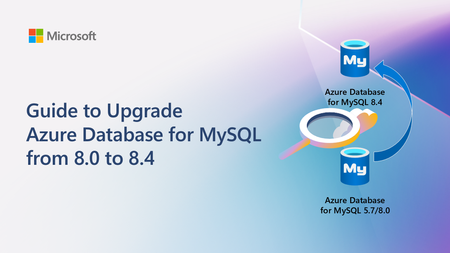
A practical, end‑to‑end guide for safely upgrading Azure Database for MySQL to 8.4 LTS, covering prerequisites, breaking changes, upgrade paths, downtime considerations, and rollback strategies based on real‑world experience.4.3KViews2likes0CommentsSupporting ChatGPT on PostgreSQL in Azure
Affan Dar, Vice President of Engineering, PostgreSQL at Microsoft Adam Prout, Partner Architect, PostgreSQL at Microsoft Panagiotis Antonopoulos, Distinguished Engineer, PostgreSQL at Microsoft The OpenAI engineering team recently published a blog post describing how they scaled their databases by 10x over the past year, to support 800 million monthly users. To do so, OpenAI relied on Azure Database for PostgreSQL to support important services like ChatGPT and the Developer API. Collaborating with a customer experiencing rapid user growth has been a remarkable journey. One key observation is that PostgreSQL works out of box for very large-scale points. As many in the public domain have noted, ChatGPT grew to 800M+ users before OpenAI started moving new and shardable workloads to Azure Cosmos DB. Nevertheless, supporting the growth of one of the largest Postgres deployments was a great learning experience for both of our teams. Our OpenAI friends did an incredible job at reacting fast and adjusting their systems to handle the growth. Similarly, the Postgres team at Azure worked to further tune the service to support the increasing OpenAI workload. The changes we made were not limited to OpenAI, hence all our Azure Database for PostgreSQL customers with demanding workloads have benefited. A few of the enhancements and the work that led to these are listed below. Changing the network congestion protocol to reduce replication lag Azure Database for PostgreSQL used the default CUBIC congestion control algorithm for replication traffic to replicas both within and outside the region. Leading up to one of the OpenAI launch events, we observed that several geo-distributed read replicas occasionally experienced replication lag. Replication from the primary server to the read replicas would typically operate without issues; however, at times, the replicas would unexpectedly begin falling behind the primary for reasons that were not immediately clear. This lag would not recover on its own and would grow to a point when, eventually, automation would restart the read replica. Once restarted, the read replica would once again catch up, only to repeat this cycle again within a day or less. After an extensive debugging effort, we traced the root cause to how the TCP congestion control algorithm handled a higher rate of packet drops. These drops were largely a result of high point-to-point traffic between the primary server and its replicas, compounded by the existing TCP window settings. Packet drops across regions are not unexpected; however, the default congestion control algorithm (CUBIC) treats packet loss as a sign of congestion and does an aggressive backoff. In comparison, the Bottleneck Bandwidth and Round-trip propagation time (BBR) congestion control algorithm is less sensitive to packet drops. Switching to BBR, adding SKU specific TCP window settings, and switching to fair queuing network discipline (which can control pacing of outgoing packets at hardware level) resolved this issue. We’ll also note that one of our seasoned PostgreSQL committers provided invaluable insights during this process, helping us pinpoint the issue more effectively. Scaling out with Read replicas PostgreSQL primaries, if configured properly, work amazingly well in supporting a large number of read replicas. In fact, as noted in the OpenAI engineering blog, a single primary has been able to power around 50+ replicas across multiple regions. However, going beyond this increases the chance of impacting the primary. For this reason, we added the cascading replica support to scale out reads even further. But this brings in a number of additional failure modes that need to be handled. The system must carefully orchestrate repairs around lagging and failing intermediary nodes, safely repointing replicas to new intermediary nodes while performing catch up or rewind in a mission critical setup. Furthermore, disaster recovery (DR) scenarios can require a fast rebuild of a replica and as data movement across regions is a costly and time-consuming operation, we developed the ability to create a geo replica from a snapshot of another replica in the same region. This feature avoids the traditional full data copy process, which may take hours or even days depending on the size of the data, by leveraging data for that cluster that already exists in that region. This feature will soon be available for all our customers as well. Scaling out Writes These improvements solved the read replica lag problems and read scale but did not help address the growing write scale for OpenAI. At some point, the balance tipped and it was obvious that the IOPs limits of a single PostgreSQL primary instance will not cut it anymore. As a result OpenAI decided to move new and shardable workloads to Azure Azure Cosmos DB, which is our default recommended NoSQL store for fully elastic workloads. However, some workloads, as noted in the OpenAI blog are much harder to shard. While OpenAI is using Azure Database for PostgreSQL flexible server, several of the write scaling requirements that came up have been baked into our new Azure HorizonDB offering, which entered private preview in November 2025. Some of the architectural innovations are described in the following sections. Azure HorizonDB scalability design To better support more demanding workloads, Azure HorizonDB introduces a new storage layer for Postgres that delivers significant performance and reliability enhancements: More efficient read scale out. Postgres read replicas no longer need to maintain their own copy of the data. They can read pages from the single copy maintained by the storage layer. Lower latency Write-Ahead Logging (WAL) writes and higher throughput page reads via two purpose-built storage services designed for WAL storage and Page storage. Durability and high availability responsibilities are shifted from the Postgres primary to the storage layer, allowing Postgres to dedicate more resources to executing transactions and queries. Postgres failovers are faster and more reliable. To understand how Azure HorizonDB delivers these capabilities, let’s look at its high‑level architecture as shown in Figure 1. It follows a log-centric storage model, where the PostgreSQL writeahead log (WAL) is the sole mechanism used to durably persist changes to storage. PostgreSQL compute nodes never write data pages to storage directly in Azure HorizonDB. Instead, pages and other on-disk structures are treated as derived state and are reconstructed and updated from WAL records by the data storage fleet. Azure HorizonDB storage uses two separate storage services for WAL and data pages. This separation allows each to be designed and optimized for the very different patterns of reads and writes PostgreSQL does against WAL files in contrast to data pages. The WAL server is optimized for very low latency writes to the tail of a sequential WAL stream and the Page server is designed for random reads and writes across potentially many terabytes of pages. These two separate services work together to enable Postgres to handle IO intensive OLTP workloads like OpenAI’s. The WAL server can durably write a transaction across 3 availability zones using a single network hop. The typical PostgreSQL replication setup with a hot standby (Figure 2) requires 4 hops to do the same work. Each hop is a component that can potentially fail or slow down and delay a commit. Azure HorizonDB page service can scale out page reads to many hundreds of thousands of IOPs for each Postgres instance. It does this by sharding the data in Postgres data files across a fleet of page servers. This spreads the reads across many high performance NVMe disks on each page server. 2 - WAL Writes in HorizonDB Another key design principle for Azure HorizonDB was to move durability and high availability related work off PostgreSQL compute allowing it to operate as a stateless compute engine for queries and transactions. This approach gives Postgres more CPU, disk and network to run your application’s business logic. Table 1 summarizes the different tasks that community PostgreSQL has to do, which Azure HorizonDB moves to its storage layer. Work like dirty page writing and checkpointing are no longer done by a Postgres primary. The work for sending WAL files to read replicas is also moved off the primary and into the storage layer – having many read replicas puts no load on the Postgres primary in Azure HorizonDB. Backups are handled by Azure Storage via snapshots, Postgres isn’t involved. Task Resource Savings Postgres Process Moved WAL sending to Postgres replicas Disk IO, Network IO Walsender WAL archiving to blob storage Disk IO, Network IO Archiver WAL filtering CPU, Network IO Shared Storage Specific (*) Dirty Page Writing Disk IO background writer Checkpointing Disk IO checkpointer PostgreSQL WAL recovery Disk IO, CPU startup recovering PostgreSQL read replica redo Disk IO, CPU startup recovering PostgreSQL read replica shared storage Disk IO background, checkpointer Backups Disk IO pg_dump, pg_basebackup, pg_backup_start, pg_backup_stop Full page writes Disk IO Backends doing WAL writing Hot standby feedback Vacuum accuracy walreceiver Table 1 - Summary of work that the Azure HorizonDB storage layer takes over from PostgreSQL The shared storage architecture of Azure HorizonDB is the fundamental building block for delivering exceptional read scalability and elasticity which are critical for many workloads. Users can spin up read replicas instantly without requiring any data copies. Page Servers are able to scale and serve requests from all replicas without any additional storage costs. Since WAL replication is entirely handled by the storage service, the primary’s performance is not impacted as the number of replicas changes. Each read replica can scale independently to serve different workloads, allowing for workload isolation. Finally, this architecture allows Azure HorizonDB to substantially improve the overall experience around high availability (HA). HA replicas can now be added without any data copying or storage costs. Since the data is shared between the replicas and continuously updated by Page Servers, secondary replicas only replay a portion of the WAL and can easily keep up with the primary, reducing failover times. The shared storage also guarantees that there is a single source of truth and the old primary never diverges after a failover. This prevents the need for expensive reconciliation, using pg_rewind, or other techniques and further improves availability. Azure HorizonDB was designed from the ground up with learnings from large scale customers, to meet the requirements of the most demanding workloads. The improved performance, scalability and availability of the Azure HorizonDB architecture make Azure a great destination for Postgres workloads.5.1KViews11likes0CommentsNew series of monthly Live Webinars on Azure Database for MySQL!
Today we are announcing a new series of monthly Live Webinars about Azure Database for MySQL! These sessions will showcase newly released features and capabilities, technical deep-dives, and demos. The product group will also be addressing your questions about the service in real-time!4.6KViews2likes0Comments