data privacy
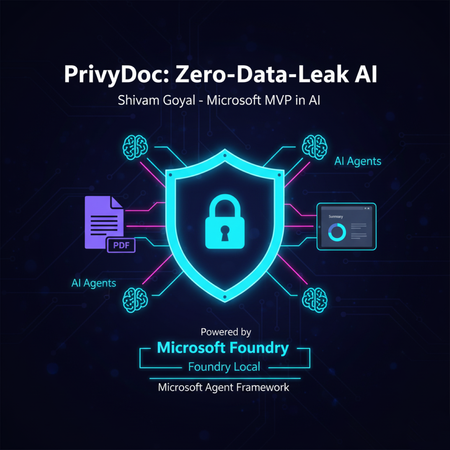
6 TopicsPrivyDoc: Building a Zero-Data-Leak AI with Foundry Local & Microsoft's Agent Framework
Tired of choosing between powerful AI insights and sacrificing your data's privacy? PrivyDoc offers a groundbreaking solution. In this article, Microsoft MVP in AI, Shivam Goyal, introduces his innovative project that brings robust AI document analysis directly to your local machine, ensuring zero data ever leaves your device. Discover how PrivyDoc leverages two cutting-edge Microsoft technologies: Foundry Local: The secret sauce for 100% on-device AI processing, allowing advanced models to run securely without cloud dependency. Microsoft Agent Framework: The intelligent orchestrator that builds a sophisticated multi-agent pipeline, handling everything from text extraction and entity recognition to summarization and sentiment analysis. Learn about PrivyDoc's intuitive web UI, its multi-format support, and crucial features that make it perfect for sensitive industries like legal, healthcare, and finance. Say goodbye to privacy concerns and hello to AI-powered document intelligence without compromise.606Views3likes0CommentsViva Insights Privacy Policies
How does Viva Insights anonymize data and ensure companies' data remains private? Supporting Documentation: Advanced insights privacy | Microsoft Learn Personal data (highest risk) - By default, Viva Insights does not include personal data. When it processes data, it obscures the email addresses from Microsoft 365 that would identify an individual. However, your organization can choose to also provide descriptive employee information for analysis. If that includes personal data (for example, employee names and identification numbers), that personal data can appear to analysts in advanced insights. De-identified data (higher risk) - Viva Insights automatically replaces email addresses with cryptographically obscured strings of numbers and letters when it processes Microsoft 365 data. These de-identified rows reduce the likelihood that an analyst can identify a specific person. However, the Insights Administrator can upload custom organizational data fields. These custom fields may contain new identifying information or provide enough descriptive context that an analyst may be able to infer identity. The Insights Administrator should weigh the risk and benefit of custom organizational data fields. Aggregated data (lower risk) - Viva Insights often provides averages for groups within your organization. When these groups include many people, it's difficult to derive information about any specific person’s activity from these averages. However, if a user can see results for very small groups or compare averages for overlapping groups, they may still be able to identify a specific person from aggregated data. Aggregated data can be further protected to reduce the possibility of an individual being identified. Organization insights provide leaders and managers with protected results by enforcing three strategies: minimum group sizes, differential privacy, and masked distributions. You can learn more about these techniques in Protecting sensitive data.