copilot in onedrive
31 TopicsOneDrive Just Got a Major Upgrade: New Copilot Capabilities, Simpler Sharing, and Smarter Photos
Files have always been at the heart of how we work. They're where we create, collaborate, and share ideas. And now, with Copilot and agents, they're taking on an even bigger role, providing the knowledge and context that AI needs to understand our work, connect ideas, and help us get things done. And beyond work, AI is also transforming how we experience our most important memories. Our photos and videos hold the moments that matter most to us. With AI, we're making it easier than ever to find those memories, relive them, and create something new to share with the people we love. Today at our event, OneDrive + Copilot: Your file system and photo solution for the AI era, we showed how we're bringing that vision to life, with experiences that make your files more useful, your everyday work simpler, and your personal memories easier to enjoy. We showed Copilot turning files into finished outcomes, a faster and simpler file system across web, desktop, and mobile, easier and more secure sharing and collaboration, and new ways to rediscover, create with, and share your favorite memories. Let's take a closer look at what's new in OneDrive. Turning files into outcomes with Copilot in OneDrive Copilot is embedded in the Microsoft 365 apps where you already work, like Word, Excel, and PowerPoint. Now, with the general availability of Copilot in OneDrive and SharePoint, we’re bringing AI directly to where your files and shared content live. Instead of piecing together information file by file, Copilot can help you understand your content, uncover insights, take action, and create something new. Here are just a few ways to put Copilot to work: NEW - Analyze across files: Select a number of spreadsheets, and ask Copilot to analyze the files, including generating charts and graphs and highlighting trends. NEW - Organize your projects: Point Copilot at a crowded folder of reports, research, notes, and plans, and it can sort everything into a structure that makes sense. NEW - Create from what you have: Turn current files and past work into something new, like an interactive HTML report, and keep refining it with follow-up prompts. NEW - Custom skills in Copilot: Capture a process you repeat as a personal skill, saved as a Markdown file, so Copilot runs it the same way every time. NEW - OneDrive Prompt Gallery: Get started with Copilot using ready-to-use prompts that help you explore what’s possible with your files. And that's just the beginning. Copilot in OneDrive goes well beyond these examples, helping you reason across your content, take action on your files, and get work done simply by describing what you want to accomplish. Copilot in Action on OneDrive HTML and Markdown, built for AI-created content HTML and Markdown are becoming essential formats for Copilot and agents. But creating these files is only the beginning. OneDrive makes it easy to open, edit, and collaborate with them, turning AI-generated content into something you can work with, share, and build on with your team. NEW - HTML comes alive in OneDrive: Just like in the Microsoft 365 Copilot experience, you can use Copilot directly in OneDrive to create interactive reports, dashboards, and bring experiences to life. Then edit them directly on the canvas or switch to source/html with a live preview right alongside. Present your HTML output in full screen for an immersive viewing experience. Collaborate with others through anchored comments and live presence, including comments placed directly within slides. NEW – Markdown, ready for teamwork: Turn Markdown files into collaborative work. Edit with a familiar rich-text experience while preserving the native .md file underneath. Then refine it together with anchored comments, live presence, real-time coauthoring, and autosave. Collaboration is seamless when you bring people and agents into the same document. Whether your HTML or Markdown file was created with Copilot or another tool, OneDrive gives you the same rich experience to open, edit, share, and collaborate on it. These files become a natural part of your everyday workflow, right alongside the rest of your content. Viewing, Editing, Collaborating with HTML and Markdown files in OneDrive Example using Copilot in OneDrive: So many of us spend hours, sometimes days, pulling together that monthly business report. Gathering spreadsheets, sorting through notes, finding last month's report, and trying to make sense of it all. Now imagine putting Copilot to work. Ask it to analyze your spreadsheets, uncover trends, and organize the files you need. Then have it bring everything together into a beautiful, interactive HTML report that you can refine and share with your team. And here's the best part: save the process as a personal skill, and next month's report is just a prompt away. Actions to try: Select several spreadsheets in OneDrive and ask Copilot to compare trends across them. Ask Copilot to organize a cluttered project folder. Select one or more spreadsheets, your notes stored in a Word document and ask Copilot to create an HTML dashboard/report summarizing all it. Share it and then edit it in real time with your team. Ask Copilot to save a workflow as a personal skill Watch the full demo deep dives of Copilot in OneDrive and HTML and Markdown in OneDrive. Stay in flow everywhere: The core file system, reimagined for AI Work doesn’t sit still. It moves between your personal files, team libraries, desktops, and mobile devices throughout the day. OneDrive helps you stay in the flow by making shared work easier to find, organize, and access wherever you are. With refreshed library navigation, modern views and filters, improved shortcuts, and expanded sync capabilities, we're making the core file system simpler and more seamless across web, desktop, and mobile. NEW - Libraries view: Get to the SharePoint libraries you use most, right from OneDrive. Move between recently visited libraries, Teams, and favorite sites, or open My sites to see every site you're a member or owner of, including ones you haven't visited recently. NEW - Search for libraries and lists: Find the right library or list without hunting through sites. NEW - Modern views and filters: Filter and navigate the same way everywhere, so finding content feels familiar. NEW - Add to OneDrive, with a dedicated folder: Shared folders or libraries that you add now land in a dedicated Shortcuts folder, so they're easy to find. NEW - Sync up to one million items on Windows and MacOS: Large libraries sync reliably on Windows and MacOS with as little as 8GB of RAM. NEW - Longer file paths: Handle long file paths smarter to reduce sync errors. Libraries in OneDrive Web Example using the Libraries view and Add to OneDrive: You're working across several project sites and a dozen document libraries. In your browser, from OneDrive, you open the Libraries view, access the library you need, filter it the same way you filter your own files, and add the folder you use every day to OneDrive, where it lands in your Shortcuts folder and syncs to your PC or Mac. Actions to try: Open Libraries from the left pane, then browse your recent, Teams, and favorite libraries. Use the filter control to quickly find the exact library you need. Add a shared folder or library to OneDrive using the Add shortcut to My files. Save it to My files or the new Shortcuts folder – your choice! Built for team flow: Share, collaborate, and stay in control Sharing and collaboration should be effortless, without compromising security or control. That's why we're making it easier than ever to share files and work together across Microsoft 365, while giving organizations the tools they need to protect and manage their data. Hero Links are here Sharing a file has often meant creating multiple links for different people with different permissions. Over time, that can leave you unsure of which link gives what level of access, forcing you to spend extra time ensuring permissions are set up right, and making access harder to manage. Hero Links, now rolling out, change that, giving you one link per file or folder by default. If you need to change access, you simply update permissions, and the same URL obeys the new permissions. No need for new links! It’s sharing made simple, while keeping you in full control. You can also use the browser link to share the file, with the same permissions applied. Hero Links in Action Coming Soon: Expiring hero link access With hero links rolling out, we know that managing the lifecycle of permissions on your files is also essential to your work. That’s why we’re developing new, expiring hero link controls. These controls let you automatically expire your organization’s hero links on a schedule that meets your needs. For instance, you can configure a policy that requires hero links shared to your entire organization to expire after 90 days. The file’s hero link will work just the way people expect, but when 90 days elapse, the link changes back to the secure default: Only People Added. Stronger admin controls As your content grows across OneDrive and SharePoint, admins need simpler ways to secure, govern, archive, and manage it all at scale. Our latest updates bring you more intelligence and control to content governance, file lifecycle management, and sync administration. Here’s what’s new: SharePoint Admin Agent: Use natural language to assess content across SharePoint and OneDrive, including site cataloging, and take guided action to keep content secure and AI-ready. Learn more in the SharePoint Admin Agent overview. File archive in SharePoint document libraries: Archive inactive files with a policy, and use what-if analysis to see the impact before you turn it on. NEW - OneDrive Sync management: Exclude specific folders from sync with a folder-level policy, and view accounts, configuration, policy, and status from the command line with the OneDrive Sync Command Line Interface (CLI). Available in private preview. Sign up here. SharePoint Admin Agent Actions to try: Share a file with a Hero Link, then change its permissions without resharing the link. Admins: ask the SharePoint Admin Agent, "Which sites are overshared and what are the risk levels for these sites?" Watch the full demo deep dive of OneDrive Sync CLI. More than a place to store photos: An intelligent home for your memories Our photos and videos capture the people, places, and moments that matter most to us, from life's biggest milestones to the little moments in between. OneDrive has always helped keep those memories safe and accessible, wherever you go. Now, we're taking the next step. With new experiences across Windows, web, and mobile, OneDrive is becoming a more intelligent and personal home for your photos. From AI-powered Moments that bring forgotten memories back to life, to natural-language search, AI-powered editing, and new ways to create and share, we're helping you do more with the memories you love. NEW - Microsoft Photos on Windows: Microsoft’s all-new desktop experience for your photos brings together images and videos from OneDrive, your PC, and iCloud Photos in one unified Gallery. Rediscover memories through Moments, explore with People, and use natural language to find the photos you’re looking for, all through a consistent experience across devices. NEW - Copilot in OneDrive photos: Quickly find moments by simply describing them in your own words, then ask Copilot to turn them into something new to enjoy and share. With a prompt like, “See the photos of my kids through the years and turn it into a slideshow”, Copilot will quickly bring years of photos together and create a share-able slideshow from the results. NEW - AI-curated and seasonal Moments: Automatically created collections, bringing your best moments back to you. NEW - Map view: Browse your photos on the go by their location. NEW - Edit with AI: Fix, refine, and reimagine your photos with easy-to-use AI-powered editing tools. From practical corrections like background cleanup to restyling your photos into something new, like crochet or graffiti art, these editing tools help you to easily enhance your photos. NEW - Create: Brings a dedicated creation experience to OneDrive, with new ways to use your photos to create personalized, shareable content like collages, holiday cards, and more. Creating with Copilot in OneDrive Mobile Example using the Create hub: Your wedding anniversary is coming up and you want to make something special for your partner. You find some photos you want to include in a card and edit one of them to remove that pesky object in the background. Then you create a collage of photos from your engagement and wedding day and add a “Happy Anniversary” message to it. Spruce it up with some flowers and color and share the image directly with your loved one. Simple tasks that would’ve taken hours of hunting and multiple app switches, all done from one place! Actions to try: Open the Windows Photos app to see your PC, OneDrive, and iCloud photos in one place. Search your photos by describing a memory. Fix your photos by auto enhancing the colors or removing an object in the background Explore your photos on the map in the OneDrive Android app. Use Copilot in photos to create a new collage of photos from last year’s holiday season in the OneDrive Android app. Create a new social media post using a preset template for Diwali in the OneDrive iOS app. Watch the full demo deep dive of Windows Photos app. The future of OneDrive: Building on what you saw today We've shared a lot of exciting innovations today, with some available now and others rolling out over the coming months. And we're just getting started. Looking ahead, we're building on these innovations across Copilot, the core file system, collaboration, and photos and video. Here are a few highlights from the OneDrive roadmap for the coming year. Copilot: Bringing agents into file collaboration As Copilot evolves from individual assistance to teamwork with agents, the files we work with remain central to how that collaboration happens. We're exploring ways to bring agents into familiar file collaboration experiences, making it possible to share a file with an agent, @mention it, and continue working together through comments, just as you would with a colleague. AutoPilots Working [for You] in OneDrive Core file system: A home for AI-created content As more content is created by Copilot and agents, OneDrive will make it easier to find, understand, and manage that work alongside your own. You'll be able to quickly identify files AI helped create, see which agents contributed to them, and understand what changed. OneDrive, a Natural Home for AI Created Work File collaboration: Simpler access, stronger security As people and agents collaborate across more files, managing access becomes increasingly complex. Knowing who can access what, understanding why permissions aren't working, and preventing oversharing are more important than ever. Future Copilot experiences will make it easier to diagnose and resolve access issues directly from the sharing experience. Copilot will help identify problems such as broken permission inheritance, recommend corrections, and let owners review and apply fixes. It will also proactively help to uncover oversharing risks, including Anyone links that expose content more broadly than intended. That way your teams can collaborate with confidence while keeping their information protected. Copilot Diagnosing and Fixing Sharing Permissions Photos and video: Easier media workflows for teams So much of our work relies on photos and video, but finding the right media, keeping it organized, and managing feedback and approvals can be difficult. We're building new experiences that make it easier for you to find photos and videos by describing their contents, without needing to know filenames or folder locations. Teams will be able to review, comment, and edit together in context, with approvals that stay with the asset, so everyone knows what's ready to use. Future Support for Commercial Media Everything we shared today reflects our vision for the next chapter of OneDrive. The file system is one of computing's most enduring concepts, and in the AI era, it's more important than ever. As people and agents create and collaborate in new ways, they need a durable home for their work and knowledge. That's why we're evolving OneDrive to operate at agent scale, support the formats AI uses naturally, and make the knowledge in your files easier to find, manage, and put to work. At the same time, we're bringing that same spirit of innovation to your personal photos and videos, helping you rediscover the moments that matter, relive your favorite memories, and create new ways to share them. That's the future we're building: OneDrive, your file system and photo solution for the AI era. Resources & next steps To help you get started and dive deeper: Watch the full event, AMA, and demos on YouTube: https://aka.ms/OneDriveEvent/Playlist OneDrive adoption resources Feature deep dives: OneDrive CLI | Photos App | Copilot in OneDrive | HTML / Markdown OneDrive Customer Office Hours Sync Up podcast Windows Blog SharePoint Admin Agent overview Ready to take action? Bookmark the OneDrive blog at https://aka.ms/OneDriveBlog for the latest tips and feature updates.8.7KViews0likes1CommentSave the Date: Join us October 20 for the OneDrive + Copilot Digital Event
Files and photos are at the center of how we work, create, and collaborate. As AI and Copilot transform the way we use content, OneDrive is evolving for this era - helping people get more from their files with Copilot, delivering a faster and more dependable core file experience, making collaboration effortless, and creating new ways to discover, enjoy, and share photos and videos. So, join us on October 20 for the 4th Annual OneDrive + Copilot Digital Event, a free online experience showcasing the latest innovations across OneDrive and Copilot. ✨ Hear directly from Jeff Teper, Executive Vice President of Microsoft Apps and Agents, Adam Harmetz, Corporate Vice President of Product, OneDrive and SharePoint, and Arwa Tyebkhan, Head of Product, OneDrive, alongside product leaders, engineers, and experts from across the OneDrive team as they share the latest innovations, demonstrating how AI is transforming the way people work with files and content. 💡 You'll see real product demos, hearing from the people building the product, and get a closer look at the experiences that will help you get the most out of OneDrive and Microsoft 365. 🗣️ Following the broadcast, you are invited to join our live Q&A with members of the OneDrive team and get answers directly from the experts behind the product. Event Details Event: OneDrive + Copilot - Your file system and photo solution for the AI Era Date: October 20, 2026, 9:00 AM PST Cost: Free Format: Digital event followed by a live Q&A Register here: https://aka.ms/OneDriveEvent Join the AMA Live: https://aka.ms/OneDriveEventonMTC This event is open to everyone – whether you’re an IT professional, a knowledge worker, or a fan who uses OneDrive to relive your favorite memories! Register today and join us to see what's next for OneDrive in the Copilot and AI era. See you there!3.3KViews4likes1CommentNOW ON DEMAND | OneDrive Office Hours | November 2024 |
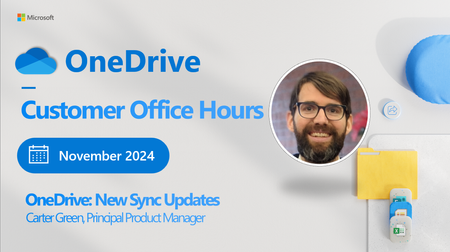
Are you ready to connect with OneDrive product makers this month? We’re gearing up for the next call. Join the OneDrive product team live each month on our monthly OneDrive Customer Office Hours to hear what's top of mind, get insights into roadmap updates, and dig into a special topic. Each call includes live Q&A where you'll have a chance to ask the OneDrive product team any question about OneDrive - The home of your files. 😎 Use this Teams link to register and join live: aka.ms/OneDriveOfficeHours. Each call is recorded and made available on demand shortly after. Our next call is Wednesday, November 20th, 2024, 8:00am - 9:00am PDT. This month's special topic: “New OneDrive Sync Updates" with Carter Green, Principal Product Manager on the Microsoft team. Our goal is to simplify the way you create and access the files you need, get the information you are looking for, and manage your tasks efficiently. We can't wait to share, listen, and engage - monthly! Anyone can join this one-hour webinar to ask us questions, share feedback, and learn more about the features we’re releasing soon and our roadmap. Note: Our monthly public calls are not an official support tool. To open support tickets, go to see Get support for Microsoft 365; distinct support for educators and education customers is available, too. Stay up to date on Microsoft OneDrive adoption on adoption.microsoft.com. Join our community to catch all news and insights from the OneDrive community blog. And follow us on Twitter: @OneDrive. Thank you for your interest in making your voice heard and taking your knowledge and depth of OneDrive to the next level. You can ask questions and provide feedback in the event Comments below and we will do our best to address what we can during the call. 😎 Register and join live: aka.ms/OneDriveOfficeHours. See you there, Rob Nunez (Product Marketing Manager – Microsoft)1.8KViews0likes0CommentsNOW ON DEMAND| OneDrive Office Hours | February 2025
Join the OneDrive product team live each month on our monthly OneDrive Customer Office Hours to hear what's top of mind, get insights into roadmap updates, and dig into a special topic. Each call includes live Q&A where you'll have a chance to ask the OneDrive product team any question about OneDrive - The home of your files. 😎 Use these links to: Register and join live: aka.ms/OneDriveOfficeHours. Save the calendar invite so you never miss a call-https://aka.ms/OfficeHoursCalendar Each call is recorded and made available on demand shortly after. Our next call is Wednesday, February 19th, 2025, 8:00am - 9:00am PDT. This month's special topic: "Ask Us Anything" with the OneDrive team. We are giving the full time open for your questions-and our product teams are eager to have some great conversations with you all! Our goal is to simplify the way you create and access the files you need, get the information you are looking for, and manage your tasks efficiently. We can't wait to share, listen, and engage - monthly! Anyone can join this one-hour webinar to ask us questions, share feedback, and learn more about the features we’re releasing soon and our roadmap. Note: Our monthly public calls are not an official support tool. To open support tickets, go to see Get support for Microsoft 365; distinct support for educators and education customers is available, too. Stay up to date on Microsoft OneDrive adoption on adoption.microsoft.com. Join our community to catch all news and insights from the OneDrive community blog. And follow us on Twitter: @OneDrive. Thank you for your interest in making your voice heard and taking your knowledge and depth of OneDrive to the next level. You can ask questions and provide feedback in the event Comments below and we will do our best to address what we can during the call. 😎 Register and join live: aka.ms/OneDriveOfficeHours.1.2KViews0likes0CommentsNOW ON DEMAND| OneDrive Office Hours | March 2025
Join the OneDrive product team live each month on our monthly OneDrive Customer Office Hours to hear what's top of mind, get insights into roadmap updates, and dig into a special topic. Each call includes live Q&A where you'll have a chance to ask the OneDrive product team any question about OneDrive - The home of your files. 😎 Use these links to: Register and join live: aka.ms/OneDriveOfficeHours. Save the calendar invite so you never miss a call-https://aka.ms/OfficeHoursCalendar Each call is recorded and made available on demand shortly after. Our next call is Wednesday, March 12th, 2025, 8:00am - 9:00am PDT. This month's special topic: "Unlicensed User Accounts" with the Trent Green. We have heard your feedback and are doing a follow up session tied to this topic. We will have our product teams on call ready to answer your questions. Our goal is to simplify the way you create and access the files you need, get the information you are looking for, and manage your tasks efficiently. We can't wait to share, listen, and engage - monthly! Anyone can join this one-hour webinar to ask us questions, share feedback, and learn more about the features we’re releasing soon and our roadmap. Note: Our monthly public calls are not an official support tool. To open support tickets, go to see Get support for Microsoft 365; distinct support for educators and education customers is available, too. Stay up to date on Microsoft OneDrive adoption on adoption.microsoft.com. Join our community to catch all news and insights from the OneDrive community blog. And follow us on Twitter: @OneDrive. Thank you for your interest in making your voice heard and taking your knowledge and depth of OneDrive to the next level. You can ask questions and provide feedback in the event Comments below and we will do our best to address what we can during the call. 😎 Register and join live: aka.ms/OneDriveOfficeHours.992Views0likes1CommentOneDrive Office Hours | April 2025
Join the OneDrive product team live each month on our monthly OneDrive Customer Office Hours to hear what's top of mind, get insights into roadmap updates, and dig into a special topic. Each call includes live Q&A where you'll have a chance to ask the OneDrive product team any question about OneDrive - The home of your files. New way to register and watch on-demand! We heard your feedback, and we now have a single destination for all of your Office Hours content. From registration, to watching our previous sessions, you can find it all on our new homepage: Go to : aka.ms/OneDriveOfficeHours to see upcoming session to register, and rewatch previous topics! Save the calendar invite so you never miss a call-https://aka.ms/OfficeHoursCalendar Each call is recorded and made available on demand shortly after. Get ready for our next call Our next call is Wednesday, April 16th, 2025, 8:00am - 9:00am PDT. This month's special topic: "Known Folder Move (KFM): Successful Sync Deployment" with the Kayla Ngan. We will have our product teams on call ready to answer your questions. Our goal is to simplify the way you create and access the files you need, get the information you are looking for, and manage your tasks efficiently. We can't wait to share, listen, and engage - monthly! Anyone can join this one-hour webinar to ask us questions, share feedback, and learn more about the features we’re releasing soon and our roadmap. Note: Our monthly public calls are not an official support tool. To open support tickets, go to see Get support for Microsoft 365; distinct support for educators and education customers is available, too. Stay up to date on Microsoft OneDrive adoption on adoption.microsoft.com. Join our community to catch all news and insights from the OneDrive community blog. And follow us on Twitter: @OneDrive. Thank you for your interest in making your voice heard and taking your knowledge and depth of OneDrive to the next level. You can ask questions and provide feedback in the event Comments below and we will do our best to address what we can during the call. 😎 Register and join live: aka.ms/OneDriveOfficeHours.859Views0likes0CommentsNOW ON DEMAND | OneDrive Office Hours | May 2025
Are you ready to connect with OneDrive product makers this month? We’re gearing up for the next call. Join the OneDrive product team live each month on our monthly OneDrive Customer Office Hours to hear what's top of mind, get insights into roadmap updates, and dig into a special topic. Each call includes live Q&A where you'll have a chance to ask the OneDrive product team any question about OneDrive - The home of your files. New way to register and watch on-demand! We heard your feedback, and we now have a single destination for all of your Office Hours content. From registration, to watching our previous sessions, you can find it all on our new homepage: Go to: aka.ms/OneDriveOfficeHours to see upcoming session to register, and rewatch previous topics! Save the calendar invite so you never miss a call-https://aka.ms/OfficeHoursCalendar Each call is recorded and made available on demand shortly after. Get ready for our next call Our next call is Wednesday, May 21st, 2025, 8:00am - 9:00am PDT. This month's special topic: "Microsoft 365 Conference Recap & News" with the OneDrive team. We will have our product teams on call ready to answer your questions. Our goal is to simplify the way you create and access the files you need, get the information you are looking for, and manage your tasks efficiently. We can't wait to share, listen, and engage - monthly! Anyone can join this one-hour webinar to ask us questions, share feedback, and learn more about the features we’re releasing soon and our roadmap. Note: Our monthly public calls are not an official support tool. To open support tickets, go to see Get support for Microsoft 365; distinct support for educators and education customers is available, too. Stay up to date on Microsoft OneDrive adoption on adoption.microsoft.com. Join our community to catch all news and insights from the OneDrive community blog. And follow us on Twitter: @OneDrive. Thank you for your interest in making your voice heard and taking your knowledge and depth of OneDrive to the next level. You can ask questions and provide feedback in the event Comments below and we will do our best to address what we can during the call. 😎 Register and join live: aka.ms/OneDriveOfficeHours.1.5KViews1like2CommentsNOW ON DEMAND| OneDrive Office Hours | June 2025
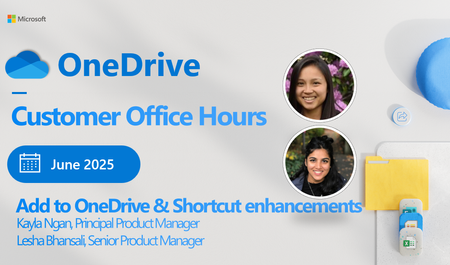
Join the OneDrive product team live each month on our monthly OneDrive Customer Office Hours to hear what's top of mind, get insights into roadmap updates, and dig into a special topic. Each call includes live Q&A where you'll have a chance to ask the OneDrive product team any question about OneDrive - The home of your files. New way to register and watch on-demand! We heard your feedback, and we now have a single destination for all of your Office Hours content. From registration, to watching our previous sessions, you can find it all on our new homepage: Go to: aka.ms/OneDriveOfficeHours to see upcoming session to register, and rewatch previous topics! Save the calendar invite so you never miss a call-https://aka.ms/OfficeHoursCalendar Each call is recorded and made available on demand shortly after. Get ready for our next call Our next call is Wednesday, June 18th, 2025, 8:00am - 9:00am PDT. This month's special topic: "Add to OneDrive & Shortcut Enhancements" with the Kayla Ngan and Lesha Bhansali. We will have our product teams on call ready to answer your questions. Our goal is to simplify the way you create and access the files you need, get the information you are looking for, and manage your tasks efficiently. We can't wait to share, listen, and engage - monthly! Anyone can join this one-hour webinar to ask us questions, share feedback, and learn more about the features we’re releasing soon and our roadmap. Note: Our monthly public calls are not an official support tool. To open support tickets, go to see Get support for Microsoft 365; distinct support for educators and education customers is available, too. Stay up to date on Microsoft OneDrive adoption on adoption.microsoft.com. Join our community to catch all news and insights from the OneDrive community blog. And follow us on Twitter: @OneDrive. Thank you for your interest in making your voice heard and taking your knowledge and depth of OneDrive to the next level. You can ask questions and provide feedback in the event Comments below and we will do our best to address what we can during the call. 😎 Register and join live: aka.ms/OneDriveOfficeHours.877Views0likes0Comments