compute
104 TopicsAzure Update Management Centre (Preview) - Security Intelligence Update for Microsoft Defender AV
Afternoon all, We are exploring using Update Management Centre and scheduling the update of our fleet of IaaS servers. Monthly patching is fairly easy to understand and deploy. Our dev machines are successfully patching. However, what is the implementation pattern for updating Defender AV signatures? In a WSUS deployment, this would likely be a separate job that runs hourly. However, UMC doesn't allow that level of frequency, nor does the maintenance Window accept anything less than 1 hour. Many thanks Paul589Views1like1Comment
Unable to load large delta table in azure ml studio
I am writing to report an issue that I am currently experiencing while trying to read a delta table from Azure ML. I have already created data assets to register the delta table, which is located at an ADLS location. However, when attempting to load the data, I have noticed that for large data sizes it is taking an exceedingly long time to load. I have confirmed that for small data sizes, the data is returned within few seconds, which leads me to believe that there may be an issue with the scalability of the data loading process. I would greatly appreciate it if you could investigate this issue and provide me with any recommendations or solutions to resolve this issue. I can provide additional details such as the size of the data, the steps I am taking to load the data, and any error messages if required. I'm following this document: https://learn.microsoft.com/en-us/python/api/mltable/mltable.mltable?view=azure-ml-py#mltable-mltable-from-delta-lake Using this command to read delta table using data asset URI from mltable import from_delta_lake mltable_ts = from_delta_lake(delta_table_uri=<DATA ASSET URI>, timestamp_as_of="2999-08-26T00:00:00Z", include_path_column=True)867Views0likes1CommentXXX virtual machines should enable Azure Disk Encryption or EncryptionAtHost.
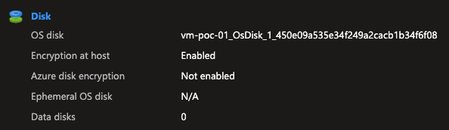
Hello everyone, I'm facing issues related to a policy: Linux virtual machines should enable Azure Disk Encryption or EncryptionAtHost. Windows virtual machines should enable Azure Disk Encryption or EncryptionAtHost. After enabling EncryptionAtHost, it appears as encrypted in the portal. However, the policy does not recognize that it is encrypted and shows it as non-compliant. The same happens when enabling Azure Disk Encryption (ADE): the policy still indicates that it is non-compliant. Has anyone else experienced this?1.3KViews0likes3Comments
Corrupted VT+ transaction files
We are a small accounting company using VT+ Transaction on a local drive synchronized with OneDrive for backup and file storage. A few days ago when we tried to open the application, we suddenly started receiving the following error messages: Run Time Error 0 and Run Time Error 440, and the program does not start. According to VT+ support the program files are corrupted and the data can only be restored up to the year 2022, as the more recent backups are also affected. Somehow the system is overriding our backups, which makes the latest ones unusable. Any advice what could cause that and how to resolve the issue. Thanks347Views0likes1Comment
Runtime installations on Azure Functions
We have a serverless requirement to run an ETL tool jobs from Azure Functions. The run time utility package for the ETL tool, would need to be installed on the azure functions, so it can run those utility tasks when invoked. Is there a standard way of installing a utility package every time the azure function is invoked? Note the azure function would be in python and python does not have an existing package to run informatica jobs.752Views0likes2Comments
Partial script not running while deployment
Hi All, I am deploying a windows VM in Azure using terraform and want to install some software while deployment so I thought about PS script extension. Things are working fine for me however ENV variables is not getting added though If I will run this script in the system after deployment then everything is right. Can anyone suggest me why only ENV variable is not getting set. you can read the script here, https://raw.githubusercontent.com/INGourav/Azure-Resources/master/azbastionsetup01.ps1 <# Script to install chocolatey on the windows system and install some apps that is needed for Azure Author : - Gourav Kumar Reach Me : - email address removed for privacy reasons Version : - 1.0.1 #> Set-ExecutionPolicy Bypass -Scope Process -Force; New-Item -Path 'C:\Temp\terraform_1.2.4_windows_amd64' -ItemType Directory # setting env vars $path = (Get-Item -Path Env:\Path).Value Start-Sleep -Seconds 5; $newpath = $path + 'C:\Temp\terraform_1.2.4_windows_amd64' Start-Sleep -Seconds 5; Set-Item -Path Env:\Path -Value $newpath # Installation of Terraform on the machine Invoke-WebRequest 'https://releases.hashicorp.com/terraform/1.2.4/terraform_1.2.4_windows_amd64.zip' -OutFile C:\temp\terraform_1.2.4_windows_amd64.zip -Verbose Start-Sleep -Seconds 5; Expand-Archive C:\temp\terraform_1.2.4_windows_amd64.zip C:\temp\terraform_1.2.4_windows_amd64 -Verbose -Force Start-Sleep -Seconds 5; [System.Net.ServicePointManager]::SecurityProtocol = [System.Net.ServicePointManager]::SecurityProtocol -bor 3072; Invoke-Expression ((New-Object System.Net.WebClient).DownloadString('https://community.chocolatey.org/install.ps1')) -Verbose Start-Sleep -Seconds 5; # Installation of apps (Pycharm, vscode, git, and drwaio) choco install pycharm -y --force; Start-Sleep -Seconds 5; choco install vscode -y --force; Start-Sleep -Seconds 5; choco install git -y --force; Start-Sleep -Seconds 5; choco install drawio -y --force; Start-Sleep -Seconds 5; The code that I am using to deploy resources is as follows, provider "azurerm" { features {} } data "azurerm_subnet" "vmsnet" { name = "vm_subnet" virtual_network_name = "az_test" resource_group_name = "poc" } resource "azurerm_resource_group" "vmrg" { name = "tfvmtestrg" location = "uk south" } resource "azurerm_network_interface" "az_vm_nic" { location = "uk south" name = "tfvmtestnic" resource_group_name = azurerm_resource_group.vmrg.name ip_configuration { name = "internal" private_ip_address_allocation = "Dynamic" subnet_id = data.azurerm_subnet.vmsnet.id } } resource "azurerm_windows_virtual_machine" "az_vm_win" { admin_password = "tfvmtestrgrtetghcgh" admin_username = "tfvmtestrg" location = "uk south" name = "tfvmtestvm" network_interface_ids = [azurerm_network_interface.az_vm_nic.id] resource_group_name = azurerm_resource_group.vmrg.name size = "Standard_D2s_v3" os_disk { caching = "ReadWrite" storage_account_type = "Standard_LRS" } source_image_reference { publisher = "MicrosoftWindowsServer" offer = "WindowsServer" sku = "2022-Datacenter" version = "latest" } } resource "azurerm_virtual_machine_extension" "vmext" { name = azurerm_windows_virtual_machine.az_vm_win.name virtual_machine_id = azurerm_windows_virtual_machine.az_vm_win.id publisher = "Microsoft.Compute" type = "CustomScriptExtension" type_handler_version = "1.10" ### THIS PART IS ALL NEEDED, INCLUDING THE WEIRD SETTINGS BIT. settings = <<SETTINGS { "commandToExecute": "powershell -ExecutionPolicy Unrestricted -File azbastionsetup01.ps1", "fileUris": ["https://raw.githubusercontent.com/INGourav/Azure-Resources/master/azbastionsetup01.ps1"] } SETTINGS }997Views1like1Comment
Azure Machine Learning compute cluster - avoid using docker?
Hello, I would like to use an Azure Machine Learning Compute Cluster as a compute target but do not want it to containerize my project. Is there a way to deactivate this "feature" ? The main reasons behind this request is that : I already set up a docker-compose file that is used to specify 3 containers for Apache Airflow and want to avoid a Docker-in-Docker situation. Especially that I already tried to do so but failed so far. I prefer not to use a Compute Instance as it is tied to an Azure account which is not ideal for automation purposes. Thanks in advance.1.1KViews0likes1CommentExperience with Automanage Machine Configuration
Hi, I am experimenting with Automanage Machine Configuration and find the overall experience and documentation very poor. I am wondering if there are others who have experience with automanage and can point me towards additional documentation. I have built an example implementation which I am using as my lab setup: https://github.com/JelleBroekhuijsen/azure-automanage-example What I am experiencing is that the compliance-state reporting seems to be very inconsistent. Sometimes these sample configurations reports everything being compliant while maybe 30 minutes later the same configuration is marked as incompliant (while the VM is observably in a compliant state). Additionally, there seems to be no option to get support or report issues with the GuestConfiguration-extension (for Windows) or the GuestConfiguration PowerShell module. For instance, in my experimenting with the module I found that calling the PackageManagement DSC resource from within a configuration leads to a conflict with the embedded PackageManagement module in the windows extension. I found a workaround for this, but I have no way to report this issue.879Views0likes1Comment
Azure Function to unzip blob to specific blob folder
If this is not the right group to post this, please let me know. I am not much of a developer but have a need to extract a ZIP file that resides in a Blob Container into the same container in a specific folder, I would like that folder to be named the same of the zip filename. I have found several Azure Function blobs that use the new file blob trigger but all of them simply extract all the files in a specific container. I cannot for the life of me figure out how to tell it to save it in a specific folder and how to get it to pull the name of the file to name that folder. Does anyone have a template or code they would be willing to share with me? The reason I need this is due to the fact that Power Automate's "extract to ***" connectors have a limit of 100 files in the zip. Of course my zip files have just over 100 files in them......2KViews0likes1CommentBase Azure VM instance that supports nested virtualization
Hi folks, I need to know what baseline Azure VMs are available that supports virtualization technology (nested virtualization) as customer wants to run Proxmox on it. Looking forward to some guidance please. Thanks, Pradeep855Views1like3Comments