cloud
183 TopicsWho Can Access What? Designing RBAC and Identity in Azure
Who should be allowed to access an Azure resource? Azure makes it easy to create resources. The harder question comes afterwards: who should be allowed to access them? A Function App may need to read secrets from Key Vault. A Logic App may need to call APIs through API Management. A developer may need to deploy to Dev but have no access to Production. A CI/CD pipeline may need to deploy infrastructure without becoming an Owner of the entire subscription. This is where Azure Role-Based Access Control (RBAC) and Managed Identity become critical. In this article, I look at how to design access around people, applications and deployment pipelines, while keeping permissions as narrow as practical. The article covers: Azure RBAC and access scopes Least-privilege access Managed Identities Developer vs Production access boundaries Application identities CI/CD deployment permissions RBAC vs API authentication Privileged access and PIM Common RBAC design mistakes One of the key principles is simple: Give an identity only the permissions it actually needs. For example, if a Function App only needs to read secrets from Key Vault, giving it Contributor access to the entire Resource Group solves the problem with a much broader permission than necessary. Good RBAC design is not about assigning more permissions. It is about understanding: Who needs access? Why do they need it? What exactly do they need to do? At what scope should access be granted? How can that access be managed securely over time? I would be interested to hear how others approach RBAC and identity design in enterprise Azure environments. Full article: https://www.linkedin.com/pulse/who-can-access-what-designing-rbac-identity-azure-chethan-raj-ud6gc/115Views0likes0CommentsHow Should You Structure Dev, UAT, Staging and Prod in Azure?
This is one of those decisions that can look simple at the beginning of a project and become increasingly important as the environment grows. Should each environment have its own Resource Group? Should Production have a separate Subscription? Where should shared services live? How should naming, tagging and CI/CD fit into the design? There isn't one universal answer. The right structure depends on factors such as security boundaries, ownership, lifecycle, deployment processes and operational requirements. In this article, I look at: Dev, UAT, Staging and Production environment boundaries Resource Groups vs Azure Subscriptions Production isolation Naming conventions Azure tagging CI/CD considerations Blue/Green deployment considerations Common environment architecture mistakes The main idea is that environment architecture should be designed around clear operational and security boundaries rather than simply creating more Resource Groups. I would be interested to hear how others structure Dev, UAT, Staging and Production in enterprise Azure environments. Full article: https://www.linkedin.com/pulse/how-should-you-structure-dev-uat-staging-prod-azure-chethan-raj-ktfac/90Views0likes0CommentsSet Up Plaud Note Pro with Microsoft Foundry
Prerequisites Riffado, up and running: follow the setup guide in the official Riffado repository to get it going with Docker Compose. A Microsoft Foundry (formerly Azure AI Foundry) resource, with the models you want deployed; in my case, whisper for transcription and o3-mini for summaries. A Plaud device, or any audio recordings you can import into Riffado. Once Riffado is up, head to the Settings page > Providers > Add Provider, and select Custom. This is where the Azure details will go. Why "OpenAI-compatible" isn’t one thing on Microsoft Foundry Azure AI Foundry exposes two different API surfaces on the same resource, and which one serves your model depends on the model: Surface Path shape Serves OpenAI-compatible? v1 route /openai/v1/… gpt-4o-transcribe, gpt-4o-mini-transcribe, chat models, embeddings Yes: Bearer auth, model in the body, no api-version needed Classic route /openai/deployments/{name}/… Whisper (and other legacy audio) No: deployment name lives in the URL, and ?api-version= is mandatory A generic OpenAI client (Riffado's included) can only speak the first dialect. It has nowhere to put a deployment name in the path and no way to append a query parameter. That single fact drives everything below. Part 1 - Transcription Whisper and the DeploymentNotFound mystery Symptom My very first transcription attempt in Riffado failed with 404 Resource not found. Off to a flying start. Configured provider: base URL https://<resource>.services.ai.azure.com, model whisper. Dead end #1: the missing path The first bug was mine: the base URL had no path. Riffado's OpenAI client appends /audio/transcriptions to whatever you give it, so requests were hitting https://<resource>…/audio/transcriptions, a path that doesn't exist on the resource at all. Fixing the base URL to end in /openai/v1 got us to a more interesting error: POST /openai/v1/audio/transcriptions · model=whisper {"error":{"code":"DeploymentNotFound","message":"The API deployment for this resource does not exist. If you created the deployment within the last 5 minutes, please wait a moment and try again."}} Dead end #2: catalog ≠ deployment Worth checking before anything else: selecting a model in the Foundry catalog is not deploying it. GET /openai/v1/models lists everything you could deploy; only Deployments → Deploy model creates an endpoint that answers. If you get DeploymentNotFound, first confirm a deployment actually exists (the listing below requires only the API key): enumerate real deployments (classic control-plane, key auth) curl -s -H "api-key: $KEY" \ "https://<resource>.openai.azure.com/openai/deployments?api-version=2023-03-15-preview" # → {"data":[{"id":"whisper","model":"whisper","status":"succeeded",…}]} The actual cause Here is the part that nearly drove me mad: the deployment existed and was succeeded, yet the v1 route still said DeploymentNotFound. Because Whisper deployments are not served on the v1 route at all. They only answer on the classic path. Verified side by side with the same tiny WAV file: Request Result POST /openai/v1/audio/transcriptions · model=whisper · Bearer 404 DeploymentNotFound POST /openai/deployments/whisper/audio/transcriptions?api-version=2024-06-01 · Bearer 200 {"text":"you"} Same classic path, without ?api-version= 404 Resource not found Three constraints, then: Whisper needs the classic path; the classic path needs api-version; Riffado can send neither. One piece of good news hiding in the table: the classic route accepts Authorization: Bearer, not just Azure's api-key header, so the shim doesn't have to touch auth at all. The fix: a Caddy shim Drop a stock caddy:2-alpine container into the Compose network. Riffado points at it as if it were OpenAI; the shim rewrites the path, injects api-version, and proxies to Azure. The Bearer header passes through untouched. azure-shim.Caddyfile { admin off auto_https off } :80 { @transcribe path /v1/audio/transcriptions /audio/transcriptions handle @transcribe { rewrite * /openai/deployments/whisper/audio/transcriptions?api-version=2024-06-01 reverse_proxy https://<resource>.services.ai.azure.com { header_up Host <resource>.services.ai.azure.com } } handle { respond "azure-shim ok" 200 } } docker-compose.yml (added service) azure-shim: image: caddy:2-alpine restart: unless-stopped volumes: - ./azure-shim.Caddyfile:/etc/caddy/Caddyfile:ro Riffado's provider settings become: Field Value Base URL http://azure-shim/v1 Model whisper (must equal the deployment name) API key the Azure resource key (forwarded as Bearer) Verified From inside the Riffado container: POST http://azure-shim/v1/audio/transcriptions → 200 {"text":"…"}. Transcription works end-to-end in the UI. Part 2 · Summaries & titles o3-mini and the empty answer Symptom The summary button showed "An unexpected error occurred." The container logs were more honest: riffado-app logs Error generating title: TypeError: undefined is not an object (evaluating 'C.choices[0]') Riffado calls chat/completions and reads choices[0] without checking whether the response was an error. So anything the API refuses becomes "an unexpected error." What was it refusing? Cause 1: reasoning models reject the classic knobs o3-mini belongs to Azure/OpenAI's o-series reasoning models, which hard-reject parameters every classic chat client sends. Riffado sends temperature: 0.7 and max_tokens: 50 for titles (0.5 / 2000 for summaries), and o3-mini answers: POST /openai/v1/chat/completions · model=o3-mini HTTP 400 {"error":{"message":"Unsupported parameter: 'max_tokens' is not supported with this model. Use 'max_completion_tokens' instead.", …}} # and with max_tokens fixed: HTTP 400 {"error":{"message":"Unsupported parameter: 'temperature' is not supported with this model.", …}} Cause 2: reasoning tokens starve the output Stripping the bad params gets you to 200, and then comes a subtler failure, my personal favourite of this whole saga. Reasoning models spend completion tokens on internal "thinking" before emitting a single visible character. Riffado's 50-token title budget is consumed entirely by reasoning, and the reply comes back syntactically valid and empty: max_completion_tokens reasoning_effort finish_reason content 50 not set length "" (all 50 spent reasoning) 2000 not set stop "Q3 Budget Planning Strategy Meeting" 2000 low stop same, less reasoning overhead The fix: a Node shim that rewrites the request body Caddy can rewrite paths but not JSON bodies, so this shim is ~60 lines of dependency-free Node on node:20-alpine. Per request it: converts max_tokens → max_completion_tokens, strips temperature / top_p / penalties, floors the token budget at 4000, sets reasoning_effort: "low", maps /v1/* → /openai/v1/*, and forwards to the Azure resource. o3-shim.js const http = require('http'); const https = require('https'); const UPSTREAM_HOST = '<resource>.services.ai.azure.com'; // Params o-series reasoning models reject on chat/completions. const STRIP = ['temperature','top_p','presence_penalty', 'frequency_penalty','logprobs','top_logprobs']; const server = http.createServer((req, res) => { const chunks = []; req.on('data', c => chunks.push(c)); req.on('end', () => { let body = Buffer.concat(chunks); // Riffado's base_url is http://o3-shim/v1 → map to Azure's /openai/v1 let path = req.url; if (path.startsWith('/v1/')) path = '/openai' + path; const ct = (req.headers['content-type'] || '').toLowerCase(); if (ct.includes('application/json') && body.length) { try { const j = JSON.parse(body.toString('utf8')); if (j && typeof j === 'object' && !Array.isArray(j)) { if ('max_tokens' in j) { if (!('max_completion_tokens' in j)) j.max_completion_tokens = j.max_tokens; delete j.max_tokens; } // Reasoning spends tokens before any visible output; small // budgets (Riffado sends 50 for titles) return empty strings. if (Array.isArray(j.messages)) { j.max_completion_tokens = Math.max(Number(j.max_completion_tokens) || 0, 4000); if (!('reasoning_effort' in j)) j.reasoning_effort = 'low'; } for (const k of STRIP) delete j[k]; body = Buffer.from(JSON.stringify(j)); } } catch (_) { /* not JSON - forward untouched */ } } const headers = { ...req.headers, host: UPSTREAM_HOST, 'content-length': Buffer.byteLength(body) }; const up = https.request( { host: UPSTREAM_HOST, port: 443, method: req.method, path, headers }, upRes => { res.writeHead(upRes.statusCode, upRes.headers); upRes.pipe(res); } ); up.on('error', e => { res.writeHead(502, {'content-type':'application/json'}); res.end(JSON.stringify({error:{message:'o3-shim upstream error: '+e.message}})); }); up.end(body); }); }); server.listen(80, () => console.log('o3-shim listening on :80')); docker-compose.yml (added service) o3-shim: image: node:20-alpine restart: unless-stopped working_dir: /app command: ["node", "/app/o3-shim.js"] volumes: - ./o3-shim.js:/app/o3-shim.js:ro Add a second provider in Riffado (base URL http://o3-shim/v1, model o3-mini, the resource's API key) and set it as the default enhancement provider (summaries/titles), keeping the Whisper one as default for transcription. Riffado's exact title request (temperature: 0.7, max_tokens: 50) through the shim → 200, finish_reason: stop, real title text. A full meeting-transcript summary returns structured key points and action items. The final shape Reading it left to right: Riffado never talks to Azure directly. Transcription requests pass through azure-shim, a stock Caddy container that rewrites each request onto Whisper's classic deployment path and injects the mandatory api-version parameter. Summary and title requests pass through o3-shim, a tiny Node server that rewrites the request body into the shape o3-mini accepts and floors the token budget so the model's internal reasoning cannot starve the actual answer. As far as Riffado is concerned, it is simply talking to two ordinary OpenAI providers. Both shims live on the Compose network only; nothing is exposed publicly. Riffado is unmodified. Verification checklist Each layer, testable in isolation. Run these before blaming the app: smoke tests # 1. Key + resource alive? (v1 models listing, Bearer auth) curl -s -H "Authorization: Bearer $KEY" \ https://<resource>.services.ai.azure.com/openai/v1/models | head -c 200 # 2. Whisper answers on the classic path? curl -s -H "Authorization: Bearer $KEY" -F file=@test.wav \ "https://<resource>.services.ai.azure.com/openai/deployments/whisper/audio/transcriptions?api-version=2024-06-01" # 3. Shim translates correctly? (from inside the compose network) docker exec riffado-app node -e "fetch('http://azure-shim/') .then(r=>r.text()).then(console.log)" # 4. o3-mini via shim, sending the params Riffado sends? # (temperature + max_tokens:50; the shim must absorb both) If you'd rather not run shims Both shims exist because of the specific models chosen. Pick models that live natively on the v1 route and Riffado connects directly, with base URL https://<resource>.services.ai.azure.com/openai/v1 and zero extra containers: Transcription: deploy gpt-4o-mini-transcribe (or gpt-4o-transcribe) instead of Whisper. Summaries: deploy a non-reasoning chat model such as gpt-4o-mini, which happily accepts temperature and max_tokens. The shim approach earns its keep when you're standardized on specific models (Whisper's transcription quality, o3-mini's reasoning), or when you want a control point to add logging, retries, or budget caps later. For reference, this is what the finished setup looks like on Riffado's side. Each shim is registered as a plain Custom provider. Here is the whisper provider pointing at azure-shim, with Use for transcription ticked: And once both are saved, they sit side by side in the providers list, whisper tagged for transcription and o3-mini tagged for enhancement: A quick look at the Foundry portal In the Microsoft Foundry portal, head over to Models > AI Services and you will find a pleasant surprise: fifteen AI service models already deployed and ready to use, covering the Azure Speech family (including Voice Live and Speech to Text), Azure Translator, Azure Language, and Content Understanding: You can of course deploy another model for this, but the pre-deployed ones are a handy cost-saving option. Click on the Azure Speech – Voice Live radio button and you will be shown the Base URL and API Key, which you can then paste into the provider settings on Riffado's Settings page. A quick note on cost: these services are not free. They are billed pay-as-you-go based on usage. Azure Speech transcription is charged per audio hour, and Voice Live pricing is tiered by the model you choose. The free tier does include a monthly allowance, though. Check the Azure Speech pricing page before committing. And if you would rather deploy a dedicated transcription model such as whisper, Foundry gives you the flexibility to do just that. Open the model page in the catalogue, click Deploy, and go with Default settings unless you need custom quotas or guardrails: Let's test the setup On your Plaud device, just tap to start recording. The little LED bars light up to show it is listening: Or skip the device entirely and upload an audio file straight into Riffado using the Upload Audio button. Either way, the recording lands on the Recordings page; hit Transcribe and let the spinner do its thing: As you can see below, whisper, the transcription model we deployed earlier, even managed to transcribe a recording in Malay without a hitch. My 3:32 test clip came back as 186 words of clean Malay, with the language correctly detected and tagged: I have also set o3-mini as the enhancement provider, and it enhanced the transcription with a proper summary, key points, and title as well! The Meeting Notes-style summary came straight out of o3-mini through the shim, with zero manual prompting. Wrapping up What started as a TikTok-fuelled impulse buy nearly killed off by subscription pricing ended up as a fully self-hosted pipeline: Plaud for recording, Riffado as the interface, and Microsoft Foundry serving whisper and o3-mini behind two tiny shims. The total extra infrastructure came to two containers and roughly sixty lines of code, and not a single monthly subscription in sight. If you try this setup and run into a failure mode I have not covered here, do share it in the comments. Half the fun is in the debugging.309Views0likes0CommentsBuilding Reliable AI Coding Workflows Using Modular AI Agent Optimization
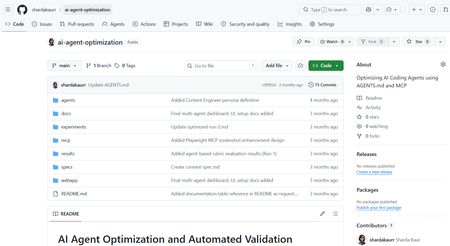
Artificial Intelligence is rapidly transforming the modern software development industry. AI-powered coding assistants such as GitHub Copilot, Claude Code, and other Large Language Model (LLM)-based systems are helping developers automate repetitive coding tasks, improve productivity, and accelerate software development processes. These tools can generate code, assist with debugging, provide recommendations, and support developers during implementation. However, despite their growing capabilities, many AI coding assistants still face challenges related to reliability, maintainability, project-specific conventions, and structured software engineering workflows. Most coding assistants perform well for generic programming tasks but often struggle when working with domain-specific development requirements, API integrations, project architectures, validation workflows, and coding standards. In real-world software engineering environments, developers require systems that not only generate code but also follow project conventions, maintain readability, support modular development, and improve long-term maintainability. The project “AI Agents Optimization” focuses on improving the reliability and effectiveness of AI coding agents by designing structured workflows, modular configurations, validation mechanisms, and optimized task execution strategies. The objective of the project is to investigate how AI agents can become dependable collaborators in practical software engineering tasks instead of functioning only as autocomplete systems. The project explores different approaches for organizing AI agent workflows using structured instruction handling, modular task division, context management, validation systems, and integration of external tools and documentation sources. Different agent configurations are analyzed and evaluated to understand how workflow optimization affects software development quality and performance. Why Existing AI Coding Workflows Often Fail Most AI coding assistants perform well for isolated coding tasks but struggle in real-world engineering environments where projects involve multiple files, coding standards, APIs, validation requirements, and contextual dependencies. For example, a generic prompt such as: “Build authentication middleware” may generate functional code, but the output often lacks: Project-specific architecture Error handling consistency Validation logic Security best practices Dependency awareness This project approaches the problem differently by introducing a structured workflow pipeline where AI agents operate in defined stages rather than generating outputs in a single step. The workflow separates planning, generation, validation, and refinement into independent modules. This improves maintainability, reduces inconsistent outputs, and supports iterative refinement similar to real software engineering workflows. Project Objectives The primary objective of this project is to optimize AI coding agents for real-world software engineering workflows. The project aims to improve how AI systems handle development tasks such as code generation, debugging, testing, validation, feature implementation, and workflow management. Another major objective is to design modular AI workflows where different stages of software development are managed systematically. The workflow focuses on task planning, instruction processing, validation, refinement, and output evaluation. This structured approach improves transparency, maintainability, and consistency in AI-generated outputs. The project also aims to evaluate how AI coding agents perform under different configurations and development scenarios. By testing multiple workflows and structured instruction methods, the project analyzes how optimization techniques improve development reliability and coding quality. Technologies and Tools Used The project utilizes multiple modern technologies and development tools for experimentation and workflow optimization. Technology / Tool Purpose Python Automation and scripting GitHub Copilot AI-assisted coding Claude / LLM APIs AI workflow experimentation Visual Studio Code Development environment Git & GitHub Version control and repository management Structured Prompting Workflow optimization MCP Concepts Tool and context integration These tools collectively support the implementation and testing of optimized AI coding workflows. Implementation Workflow The system was implemented using a modular AI workflow pipeline where each stage performs a dedicated engineering task. Step 1 — Task Parsing The user submits a development task or coding requirement. The Instruction Processing Module extracts: Objective Constraints Project context Expected output format Example structured prompt: Task: Create JWT authentication middleware Language: Node.js Constraints: - Use Express.js - Add token validation - Follow modular architecture - Include error handling Step 2 — Planning & Reasoning The Planning Module divides the task into subtasks such as: Route handling Token verification Error management Security validation This improves reasoning consistency before generation begins. Step 3 — Code Generation The Code Generation Module produces outputs using structured prompts and contextual references instead of generic instructions. Step 4 — Validation Generated outputs are validated using: Syntax checks Logical consistency checks Formatting standards Dependency validation Step 5 — Refinement If validation fails, the workflow loops back into refinement where issues are corrected before final delivery. System Workflow The workflow of the AI Agents Optimization system is based on modular task execution and structured development processes. The workflow begins with task planning and requirement analysis. The AI agent receives structured instructions along with coding constraints, project context, and validation requirements. The system processes the provided instructions and generates outputs according to defined workflows and development standards. Different configurations are tested to evaluate how instruction structures and modular task handling influence the quality of generated code The workflow also includes validation and refinement stages where generated outputs are analyzed for correctness, maintainability, and consistency. The project focuses not only on code generation but also on improving readability, workflow transparency, debugging support, and adherence to project conventions. Key Features of the Project Structured AI workflow design Modular task execution AI-assisted software development Workflow optimization strategies Validation and refinement mechanisms Integration of development tools and documentation Improved maintainability and readability Support for practical software engineering workflows Challenges Faced During Development One of the major challenges encountered during the project was maintaining consistency and reliability in AI-generated outputs. Different AI models often produce different responses depending on prompts, context, and task structure. Designing workflows that improve output stability and maintain coding standards required careful experimentation and optimization. Another challenge involved integrating structured workflows while ensuring flexibility in task execution. AI systems often require clear instructions and contextual information to produce accurate outputs. Balancing automation with maintainability and project-specific requirements was an important aspect of the project. Managing validation and refinement processes was also challenging because generated outputs needed to be evaluated not only for correctness but also for readability, maintainability, and software engineering best practices. Observations and Outcomes During experimentation, structured workflows produced more reliable and maintainable outputs compared to single-prompt generation approaches. Some important observations included: Reduced repetitive corrections during code refinement Improved consistency in generated outputs Better adherence to coding structure and formatting More stable workflow behavior for multi-step tasks Improved readability and maintainability of generated code The validation and refinement stages were particularly effective in reducing incomplete outputs and improving response quality. Although the project focuses primarily on workflow architecture and qualitative analysis rather than benchmark testing, the results demonstrate that modular AI pipelines can significantly improve practical software engineering workflows. Future Enhancements The project can be further enhanced by implementing advanced multi-agent collaboration systems where multiple AI agents work together on complex software development tasks. Future versions may also include real-time documentation integration, automated testing frameworks, cloud-based workflow management, and improved reasoning models. Additional enhancements may include IDE extensions, intelligent debugging systems, automated code review mechanisms, and adaptive workflow optimization based on project requirements. Conclusion The AI Agents Optimization project demonstrates how structured workflows and modular configurations can improve the effectiveness of AI-powered coding assistants in modern software engineering environments. By focusing on workflow optimization, validation mechanisms, modular task execution, and structured instruction handling, the project highlights the future potential of AI agents as reliable development collaborators capable of supporting real-world software engineering processes. The project represents an important step toward building dependable AI-assisted development systems that improve productivity, maintainability, and software quality while supporting modern engineering practices. How to Try This Workflow Define a structured development task Provide project constraints and context Break the task into subtasks Generate output using structured prompts Validate output quality Refine based on validation feedback940Views0likes0CommentsModel Mondays S2:E7 · AI-Assisted Azure Development
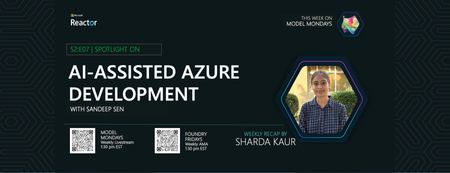
Welcome to Episode 7! This week, we explore how AI is transforming Azure development. We’ll break down two key tools—Azure MCP Server and GitHub Copilot for Azure—and see how they make working with Azure resources easier for everyone. We’ll also look at a real customer story from SightMachine, showing how AI streamlines manufacturing operations.492Views0likes0CommentsBuilding an Auditable Security Layer for Agentic AI
Most agent failures do not look like breaches. They look like a normal chat, a normal answer, and a normal tool call. Until the next morning, when a single question collapses the whole story: who authorized that action. You think you deployed an agent. In reality, you deployed an unbounded automation pipeline that happens to speak English. I’m Hazem Ali — Microsoft AI MVP, Distinguished AI & ML Architect, Founder & CEO at Skytells. For over 20 years, I’ve built secure, scalable enterprise AI across cloud and edge, with a focus on agent security and sovereign, governed AI architectures. My work on these systems is widely referenced by practitioners across multiple regions. Hazem Ali honored to receive an official speaker invitation under the patronage of H.H. Sheikh Dr. Sultan bin Muhammad Al Qasimi, Member of the UAE Supreme Council and Ruler of Sharjah, to speak at the Sharjah International Conference on Linguistic Intelligence (SICLI), organized by the American University of Sharjah (AUS) and the Emirates Scholar Center for Research and Studies. This piece is a collaboration with Hammad Atta a Practice Lead – AI Security & Cloud Strategy and Dr. Yasir Mehmood , Dr Muhammad Zeeshan Baig, Dr. Muhammad Aatif, Dr. MUHAMMAD AZIZ UL HAQ. We align on one core idea: agent security is not about making the model behave. It is about building enforceable boundaries around the model and proving every privileged step. This article is meant to sit next to my earlier Tech Community piece, Zero-Trust Agent Architecture: How To Actually Secure Your Agents, and go one level deeper into the mechanics you can implement on Azure today. Let me break it down. The Principle: The model is not your boundary Let me break it down in the way I’d explain it in a design review. A boundary is something that still holds when the component on the other side is adversarial, confused, or simply wrong. An LLM is none of those reliably. In an agent, the model is not just a generator. It becomes a planner and scheduler. It decides when to retrieve, which tool to call, how to shape arguments, and when to loop. That means your real attack surface is not “bad output.” It is the control-flow graph the model is allowed to traverse. So if your “security” lives inside the prompt, you are putting policy in the same token stream the attacker can influence. That is not a boundary. That is a suggestion. The only stable design is to treat the model like an untrusted proposer and the runtime like the verifier. Here is the chain I use. Each gate is external to the model and survives manipulation. Context Gate: Everything that enters the model is treated as executable influence, not “text.” Capability Gate: Tools are invoked as constrained capabilities, not free-form function calls. Evidence Gate: Every privileged step produces a verifiable artifact, not a story. Retrieval Control Plane: What the agent can see is governed by labels and identity, not prompt etiquette. Detection Layer: Drift and probing become alerts, not surprises. Now the rare part, the part most people miss: the boundary is not “block or allow.” The boundary is stateful. Once the runtime sees a suspicious signal, the entire session must transition into a degraded capability state, and every downstream gate must enforce that state. 1. Treat context as executable influence, and preserve provenance If you do RAG, your documents are not “supporting info.” They are an input channel. That makes the biggest prompt-injection risk not the user. It is your documents. Microsoft’s Prompt Shields covers user prompt attacks (scanned at the user input intervention point) and document attacks (scanned at the user input and tool response intervention points). When enabled, each request returns annotation results with detected and filtered values that your runtime can translate into a policy decision: block, degrade, or allow. Provenance Collapse. Most teams concatenate prompt + policy + retrieved chunks into one blob. The moment you do that, you lose the one thing you need for a defensible boundary: you can no longer reliably tell which tokens came from where. That is how “context” becomes “authority.” For indirect/document attacks, Microsoft guidance recommends delimiting context documents inside the prompt using """<documents> ... </documents>""" to improve indirect attack detection. That delimiter is not formatting. It is a provenance marker that improves indirect attack detection through Prompt Shields. Minimal, practical pattern: // Provenance-preserving prompt construction for indirect/document attack detection function buildPrompt(system: string, user: string, retrievedDocs: string[]): string { const docs = retrievedDocs.map((d) => `- ${d}`).join("\n"); return [ system, "", `User: ${user}`, "", `""" <documents>\n${docs}\n</documents> """`, ].join("\n"); } Then treat Prompt Shields output as a session security event, not a banner: type RiskState = "NORMAL" | "SUSPECT" | "BLOCK"; type FilterPolicy = "BLOCK_ON_FILTERED" | "DEGRADE_ON_FILTERED"; function computeRiskState( shields: { detected: boolean; filtered?: boolean }, labels: string[], policy: FilterPolicy = "DEGRADE_ON_FILTERED", ): RiskState { // detected => hard stop if (shields.detected) return "BLOCK"; // filtered is an annotation signal: block or degrade by policy if (shields.filtered) { return policy === "BLOCK_ON_FILTERED" ? "BLOCK" : "SUSPECT"; } // example: sensitivity-based degradation independent of shield hits const sensitive = labels.some((l) => ["Confidential", "HighlyConfidential", "Regulated"].includes(l), ); return sensitive ? "SUSPECT" : "NORMAL"; } When the signal is clear, you block and log. When it is suspicious, you do not warn. You downgrade authority. QSAF Alignment: Prompt Injection Protection (Domain 1): QSAF-PI-001 (static pattern blacklist), QSAF-PI-002 (dynamic LLM analysis), QSAF-PI-003 (semantic embedding comparison) All addressed by Prompt Shields and provenance marking. Context Manipulation (Domain 2): QSAF-RC-004 (context drift), QSAF-RC-007 (nested prompt injection) – mitigated by stateful risk calculation. 2. Tools are capabilities with constraints, not functions When the model proposes a tool call, your runtime should re-derive what is allowed from identity plus risk state, then enforce it at the gateway. type ToolRequest = { tool: string; args: unknown; }; type Capabilities = { allowWrite: boolean; allowedTools: Set<string>; }; function deriveCapabilities(risk: RiskState, roles: string[]): Capabilities { const baseAllowed = new Set(["search_kb", "get_profile", "summarize"]); const isAdmin = roles.includes("Admin"); if (risk === "SUSPECT") { return { allowWrite: false, allowedTools: baseAllowed }; } if (risk === "BLOCK") { return { allowWrite: false, allowedTools: new Set() }; } // NORMAL const tools = new Set([ ...baseAllowed, ...(isAdmin ? ["update_record", "issue_refund"] : []), ]); return { allowWrite: isAdmin, allowedTools: tools }; } function authorizeTool(req: ToolRequest, caps: Capabilities): void { if (!caps.allowedTools.has(req.tool)) throw new Error("ToolNotAllowed"); if (!caps.allowWrite && req.tool.startsWith("update_")) { throw new Error("WriteDenied"); } } The model can ask. It cannot grant itself permission. QSAF Alignment: Plugin Abuse Monitoring (Domain 3): QSAF-PL-001 (whitelist enforcement), QSAF-PL-003 (restrict sensitive plugins), QSAF-PL-006 (rate‑limiting) – implemented via capability derivation and gateway policies. Behavioral Anomaly Detection (Domain 5): QSAF-BA-006 (plugin execution pattern deviance) – detected by comparing actual calls against derived capabilities. The Integrity Gate: Hash-chain the authority, not the output Let me add the part that makes investigations clean. Most teams treat integrity like an audit log problem. That is not enough. Logs explain. Integrity proves. The hard truth is that agent authority is assembled out of pieces: the system instruction, the user prompt, retrieved chunks, risk annotations, and finally the tool intent. If you do not bind those pieces together cryptographically, an incident review becomes a story-telling session. This is why QSAF has an entire domain for payload integrity and signing, including prompt hash signing, nonce or replay protection, and a hash chain lineage that tracks how a session evolved. Here is how you can map that into the runtime verifies. You build a canonical “authority envelope” for every privileged hop, compute a digest, and then: link it to the previous hop (hash chain) include a nonce (replay control) sign the digest with Azure Key Vault (Key Vault signs digests, it does not hash your content for you) import crypto from "crypto"; type AuthorityEnvelope = { sessionId: string; turnId: number; policyVersion: string; // provenance-preserved components systemHash: string; userHash: string; documentsHash: string; // hash of structured retrieved chunks (not just rendered text) shields: { detected: boolean; filtered: boolean; }; riskState: "NORMAL" | "SUSPECT" | "BLOCK"; // proposed action (if any) tool?: { name: string; argsHash: string; }; // anti-replay + lineage nonce: string; prevDigest?: string; ts: string; }; function sha256(bytes: string): string { return crypto.createHash("sha256").update(bytes).digest("hex"); } // Canonicalization matters. JSON.stringify is OK if you control key order. // For cross-language, use RFC 8785 (JCS) canonical JSON. function canonicalJson(x: unknown): string { return JSON.stringify(x); } function buildEnvelope( input: Omit<AuthorityEnvelope, "nonce" | "ts">, ): AuthorityEnvelope { return { ...input, nonce: crypto.randomUUID(), ts: new Date().toISOString(), }; } function digestEnvelope(env: AuthorityEnvelope): string { return sha256(canonicalJson(env)); } Then you call Key Vault to sign that digest (REST sign), and optionally verify later (REST verify). The rare failure mode this blocks is subtle: authority splicing. Without a hash chain, it is possible for the runtime to correctly validate a tool call, but later be unable to prove which retrieved chunk, which Prompt Shields result, and which policy version were in force when that call was authorized. With the chain, every privileged hop becomes tamper-evident. This is the point: Prompt Shields tells you “this looks dangerous.” Document delimiters preserve provenance. The integrity gate makes the runtime able to say, later, with evidence: “This is exactly what I accepted as authority.” QSAF Alignment: Payload Integrity & Signing (Domain 6): QSAF-PY-001 (prompt hash signing), QSAF-PY-005 (nonce/replay control), QSAF-PY-006 (hash chain lineage) – directly implemented via the envelope and chaining. Tools must sit behind a wall that can say “no” Tool calls are where language becomes authority. If an agent can call APIs that mutate state, your security story is not about the response text. It is about whether the tool call is allowed under explicit policy. This is exactly where Azure API Management belongs: as the tool gateway that enforces authentication and authorization before any tool request reaches your backend. The validate-jwt policy is the canonical enforcement mechanism for validating JWTs at the gateway. The design goal is simple: The model can request a tool call. The gateway decides if it is permitted. A capability token approach keeps it clean: <!-- APIM inbound policy sketch --> <validate-jwt header-name="Authorization" failed-validation-httpcode="401"> <required-claims> <claim name="scp"> <value>tools.read</value> </claim> </required-claims> </validate-jwt> The claim name (scp, roles, or custom claims) depends on your token issuer; the point is enforcing authorization at the gateway, not inside model text. Now you can enforce “read-only mode” by issuing tokens that simply do not carry write scopes. The model can try to call a write tool. It still gets denied by policy. Evidence is not logs. Evidence is a signed chain. Logs help you debug. Evidence helps you prove. So you hash the session envelope and the tool intent, then sign the digest using Azure Key Vault Keys. Key Vault sign creates a signature from a digest, and verify verifies a signature against a digest. Key Vault does not hash your content for you. Hash locally, then sign the digest.), and Key Vault documentation is explicit that signing is sign-hash, not “sign arbitrary content.” You hash locally, then ask Key Vault to sign the hash. import crypto from "crypto"; const sha256 = (x: unknown): string => crypto.createHash("sha256").update(JSON.stringify(x)).digest("hex"); type IntentEnvelope = { sessionId: string; userId: string; promptHash: string; documentsHash: string; tool: string; argsHash: string; nonce: string; ts: string; policyVersion: string; }; function buildIntent( sessionId: string, userId: string, prompt: string, docs: unknown, tool: string, args: unknown, policyVersion: string, ): IntentEnvelope { return { sessionId, userId, promptHash: sha256(prompt), documentsHash: sha256(docs), tool, argsHash: sha256(args), nonce: crypto.randomUUID(), ts: new Date().toISOString(), policyVersion, }; } Once you do this, your system stops “explaining.” It starts proving. Govern what the agent can see, not only what it can say RAG without governance eventually becomes a data exposure feature. This is why I treat retrieval as a governed operation. Microsoft Purview sensitivity labels give you a practical way to classify content and build retrieval rules on top of that classification. Microsoft documents creating and configuring sensitivity labels in Purview. The pattern is simple: Label the corpus. Filter retrieval by label and identity policy. Log label distribution per completion. Alert when a low-privilege identity retrieves high-sensitivity labels. This is how you keep sovereignty real. Not in a slide deck. In the retrieval path. Operate it like a security system: posture and detection Inline gates reduce risk. They do not eliminate it. Systems drift. People add tools. Policies get loosened. Attacks evolve. Microsoft Defender for Cloud’s Defender CSPM plan includes AI security posture management for generative AI apps and AI agents (Preview), including discovery/inventory of AI agents deployed with Azure AI Foundry. Then you use Microsoft Sentinel to turn your telemetry into incidents, with scheduled analytics rules. Your detections should match the gates you built: Repeated Prompt Shields detections from the same identity or session. Tool-call spikes after a suspicious document signal. APIM denials for write endpoints from sessions in read-only mode. High-sensitivity label retrieval by identities that should never touch that tier. QSAF Alignment: Behavioral Anomaly Detection (Domain 5): QSAF-BA-001 (session entropy), QSAF-BA-004 (repeated intent mutation), QSAF-BA-007 (unified risk score) – detected via Sentinel rules. Cross‑Environment Defense (Domain 9): QSAF-CE-006 (coordinated alert response) – using Sentinel incidents and playbooks. Where the reference checklist fits, quietly Behind the scenes, we use a control checklist lens to ensure we cover prompt/context attacks, tool misuse, integrity, governance, and operational monitoring. The point is not to rename Microsoft features into framework terms. The point is to make the system enforceable and auditable using Azure-native gates. Closing Zero trust for agents is not a slogan. It is a build. Prompt Shields gives you a front gate for both user prompt attacks and document attacks, with clear annotations like detected and filtered. API Management gives you a tool boundary that can say “no” regardless of what the model tries, using validate-jwt. Signed intent gives you evidence, using Key Vault’s sign-hash semantics. Purview labels give you governed retrieval. Sentinel and Defender give you an operating model, not wishful thinking. If you want the conceptual spine and the architectural principles that frame this pipeline, start with my earlier Tech Community pieces, then come back here and implement the gates. Thanks for reading — Hazem Ali542Views1like0CommentsAzure Innovators Hub: Data & Intelligence MVP Live 2026
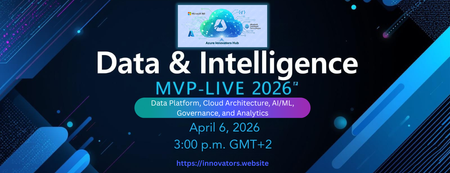
Where leading Data MVPs shape the future of Cloud, AI, and Intelligent Systems The Azure Innovators Hub presents a premier online gathering featuring five distinguished Microsoft MVPs from the Data Platform ecosystem, each offering expertise in Cloud Architecture, AI/ML, Governance, and Analytics. This summit examines how modern data engineering, responsible AI, and scalable cloud practices intersect to drive the next wave of intelligent solutions. Attendees can expect expert insights, proven patterns, and practical experience from professionals immersed in data at scale. No Registration required Azure Innovators Hub https://www.meetup.com/athens-azure-tech-group/778Views3likes1CommentIntegrating Microsoft Foundry with OpenClaw: Step by Step Model Configuration
Step 1: Deploying Models on Microsoft Foundry Let us kick things off in the Azure portal. To get our OpenClaw agent thinking like a genius, we need to deploy our models in Microsoft Foundry. For this guide, we are going to focus on deploying gpt-5.2-codex on Microsoft Foundry with OpenClaw. Navigate to your AI Hub, head over to the model catalog, choose the model you wish to use with OpenClaw and hit deploy. Once your deployment is successful, head to the endpoints section. Important: Grab your Endpoint URL and your API Keys right now and save them in a secure note. We will need these exact values to connect OpenClaw in a few minutes. Step 2: Installing and Initializing OpenClaw Next up, we need to get OpenClaw running on your machine. Open up your terminal and run the official installation script: curl -fsSL https://openclaw.ai/install.sh | bash The wizard will walk you through a few prompts. Here is exactly how to answer them to link up with our Azure setup: First Page (Model Selection): Choose "Skip for now". Second Page (Provider): Select azure-openai-responses. Model Selection: Select gpt-5.2-codex , For now only the models listed (hosted on Microsoft Foundry) in the picture below are available to be used with OpenClaw. Follow the rest of the standard prompts to finish the initial setup. Step 3: Editing the OpenClaw Configuration File Now for the fun part. We need to manually configure OpenClaw to talk to Microsoft Foundry. Open your configuration file located at ~/.openclaw/openclaw.json in your favorite text editor. Replace the contents of the models and agents sections with the following code block: { "models": { "providers": { "azure-openai-responses": { "baseUrl": "https://<YOUR_RESOURCE_NAME>.openai.azure.com/openai/v1", "apiKey": "<YOUR_AZURE_OPENAI_API_KEY>", "api": "openai-responses", "authHeader": false, "headers": { "api-key": "<YOUR_AZURE_OPENAI_API_KEY>" }, "models": [ { "id": "gpt-5.2-codex", "name": "GPT-5.2-Codex (Azure)", "reasoning": true, "input": ["text", "image"], "cost": { "input": 0, "output": 0, "cacheRead": 0, "cacheWrite": 0 }, "contextWindow": 400000, "maxTokens": 16384, "compat": { "supportsStore": false } }, { "id": "gpt-5.2", "name": "GPT-5.2 (Azure)", "reasoning": false, "input": ["text", "image"], "cost": { "input": 0, "output": 0, "cacheRead": 0, "cacheWrite": 0 }, "contextWindow": 272000, "maxTokens": 16384, "compat": { "supportsStore": false } } ] } } }, "agents": { "defaults": { "model": { "primary": "azure-openai-responses/gpt-5.2-codex" }, "models": { "azure-openai-responses/gpt-5.2-codex": {} }, "workspace": "/home/<USERNAME>/.openclaw/workspace", "compaction": { "mode": "safeguard" }, "maxConcurrent": 4, "subagents": { "maxConcurrent": 8 } } } } You will notice a few placeholders in that JSON. Here is exactly what you need to swap out: Placeholder Variable What It Is Where to Find It <YOUR_RESOURCE_NAME> The unique name of your Azure OpenAI resource. Found in your Azure Portal under the Azure OpenAI resource overview. <YOUR_AZURE_OPENAI_API_KEY> The secret key required to authenticate your requests. Found in Microsoft Foundry under your project endpoints or Azure Portal keys section. <USERNAME> Your local computer's user profile name. Open your terminal and type whoami to find this. Step 4: Restart the Gateway After saving the configuration file, you must restart the OpenClaw gateway for the new Foundry settings to take effect. Run this simple command: openclaw gateway restart Configuration Notes & Deep Dive If you are curious about why we configured the JSON that way, here is a quick breakdown of the technical details. Authentication Differences Azure OpenAI uses the api-key HTTP header for authentication. This is entirely different from the standard OpenAI Authorization: Bearer header. Our configuration file addresses this in two ways: Setting "authHeader": false completely disables the default Bearer header. Adding "headers": { "api-key": "<key>" } forces OpenClaw to send the API key via Azure's native header format. Important Note: Your API key must appear in both the apiKey field AND the headers.api-key field within the JSON for this to work correctly. The Base URL Azure OpenAI's v1-compatible endpoint follows this specific format: https://<your_resource_name>.openai.azure.com/openai/v1 The beautiful thing about this v1 endpoint is that it is largely compatible with the standard OpenAI API and does not require you to manually pass an api-version query parameter. Model Compatibility Settings "compat": { "supportsStore": false } disables the store parameter since Azure OpenAI does not currently support it. "reasoning": true enables the thinking mode for GPT-5.2-Codex. This supports low, medium, high, and xhigh levels. "reasoning": false is set for GPT-5.2 because it is a standard, non-reasoning model. Model Specifications & Cost Tracking If you want OpenClaw to accurately track your token usage costs, you can update the cost fields from 0 to the current Azure pricing. Here are the specs and costs for the models we just deployed: Model Specifications Model Context Window Max Output Tokens Image Input Reasoning gpt-5.2-codex 400,000 tokens 16,384 tokens Yes Yes gpt-5.2 272,000 tokens 16,384 tokens Yes No Current Cost (Adjust in JSON) Model Input (per 1M tokens) Output (per 1M tokens) Cached Input (per 1M tokens) gpt-5.2-codex $1.75 $14.00 $0.175 gpt-5.2 $2.00 $8.00 $0.50 Conclusion: And there you have it! You have successfully bridged the gap between the enterprise-grade infrastructure of Microsoft Foundry and the local autonomy of OpenClaw. By following these steps, you are not just running a chatbot; you are running a sophisticated agent capable of reasoning, coding, and executing tasks with the full power of GPT-5.2-codex behind it. The combination of Azure's reliability and OpenClaw's flexibility opens up a world of possibilities. Whether you are building an automated devops assistant, a research agent, or just exploring the bleeding edge of AI, you now have a robust foundation to build upon. Now it is time to let your agent loose on some real tasks. Go forth, experiment with different system prompts, and see what you can build. If you run into any interesting edge cases or come up with a unique configuration, let me know in the comments below. Happy coding!12KViews2likes2CommentsAzure AI Connect - March 2 to March 6 2026
The Future of AI is Connected. The Future is on Azure. Join us for a 5-day virtual event dedicated to mastering the Microsoft Azure AI platform. Azure AI Connect isn't just another virtual conference. It's a 5-day deep-dive immersion into the *connective tissue* of artificial intelligence on the cloud. We're bringing together developers, data scientists, and enterprise leaders to explore the full spectrum of Azure AI services—from Cognitive Services and Machine Learning to the latest breakthroughs in Generative AI. Explore the Ecosystem: Understand how services work *together* to create powerful, end-to-end solutions. Learn from Experts: Get direct insights from Microsoft MVPs, product teams, and industry pioneers. Gain Practical Skills: Move beyond theory with code-driven sessions, practical workshops, and live Q&As. Connect with Peers: Network with a global community in our virtual lounge. Event Details1.4KViews0likes1Comment