chatgpt
42 TopicsAI-900: Microsoft Azure AI Fundamentals Study Guide
This comprehensive study guide provides a thorough overview of the topics covered in the Microsoft Azure AI Fundamentals (AI-900) exam, including Artificial Intelligence workloads, fundamental principles of machine learning, computer vision and natural language processing workloads. Learn about the exam's intended audience, how to earn the certification, and the skills measured as of April 2022. Discover the important considerations for responsible AI, the capabilities of Azure Machine Learning Studio and more. Get ready to demonstrate your knowledge of AI and ML concepts and related Microsoft Azure services with this helpful study guide.41KViews11likes3CommentsHow to Build an AI-Powered Developer Newsletter with Power Platform and ChatGPT3
Build a developer newsletter with Power Platform and ChatGPT3 to help developers stay up to date with the latest trends in technology. This solution will do the heavy lifting by taking advantage of the power of ChatGPT3 and Power Platform. You can generate a newsletter by following the steps outlined in this guide such as signing up for the OpenAI API, creating an adaptive card, and building a solution in Power Automate. Once the solution is established, you can run it and adjust the trigger to get the desired results. Use ChatGPT3 to generate a newsletter from the text input from Teams, and use Power Automate to send an email to the desired recipients.18KViews5likes10Comments120 Days Study Plan to Become an AI-Focused Full-Stack Software Engineer
Hello there, my name is Oumaima, and I am an MLSA student ambassador from Morocco, studying at the University Of The People. Welcome to the first step in my exciting, unpredictable journey, one I’ve chosen to embark on with you! For the past three years, I’ve watched the AI industry evolve dramatically. Generative AI has shifted from a fascinating experiment to an integral part of our everyday lives, whether at school, work, or even in our personal routines. In fact, my ChatGPT app is now my go-to therapist, lawyer, and all-around advisor! As a software engineering student for over three years, I’ve seen the growth of generative AI up close. But this shift didn’t just inspire me; it made me realize that I don’t want to remain only a consumer of this technology. I want to contribute to it! Seeing AI’s ability to mimic human thought, draw connections from vast amounts of information, and deliver impressive results sparked something in me. It showed me that the best way to break into AI might just be to use AI itself as my guide. That’s when the idea came to ask ChatGPT O1-preview for a personalized study plan, crafted uniquely for me. It takes into account my available time, coding background, learning preferences, mental health, and energy. Here’s how my journey began with a simple prompt: I want to become an AI-focused full-stack software engineer and have 120 days to dedicate to this goal. Please create a detailed 120-day study plan tailored for me, dedicating 3-4 hours daily. The study plan should: - Cover all essential topics including programming foundations, data structures and algorithms (DS&A), mathematics for AI, machine learning fundamentals, deep learning, advanced AI topics, integrating AI into applications, web development basics for AI integration, advanced web development, full-stack project development, scripting, DevOps, and career development. - Include weekly breakdowns and daily tasks. - Provide recommended resources for each topic (e.g., online courses, tutorials, documentation). - Suggest hands-on projects or exercises to apply the concepts learned. - Incorporate tips for success, such as active engagement, seeking feedback, balancing depth and breadth, and maintaining well-being. - Emphasize developing all the skills that will make me an irreplaceable software developer, including scripting and DevOps skills. - Conclude with a summary and final advice. Please ensure the plan is structured, comprehensive, and practical for someone balancing work and study. Then it generated the following plan, that I tried to follow by using Microsoft Learn learning paths that offer in depth trainings on each topic I got: Days 1–25: Programming Foundations & Data Structures and Algorithms (DS&A) Microsoft Learn path suggestion: Python for beginners Days 26–50: Mathematics for AI & Machine Learning Fundamentals Microsoft Learn path suggestion: Introduction to machine learning Days 51–80: Deep Learning & Advanced AI Topics Microsoft Learn path suggestion: Train and evaluate deep learning models Days 81–100: Integrating AI into Applications Microsoft Learn path suggestion: Microsoft Azure AI Fundamentals: Generative AI Days 101–115: Advanced Web Development & Full-Stack Project Development Microsoft Learn path suggestion: Build an AI web app by using Python and Flask Days 116–120: Portfolio Projects and Industry Trends. Not going to lie, the roadmap turned out to be even more exciting than I’d expected! When I asked for it, I specified that it should guide me through developing problem-solving skills directly tied to full-stack development. I wanted a path that not only sharpens my abilities but also allows me to build interesting, hands-on applications where I can see the results of what I’m learning. And now, my friends, the journey has officially begun! I’ll be following the roadmap closely, documenting my weekly progress to learn AI, noting the challenges, and celebrating the accomplishments. The goal is to see if artificial intelligence can really help create a customized study plan that aligns with my personal goals, circumstances, and unique learning rhythm. So, stay tuned — this is only the beginning! See you in my first step with DSA!14KViews4likes4CommentsMastering Azure OpenAI Services: A Comprehensive Learning Path for Aspiring AI Engineers
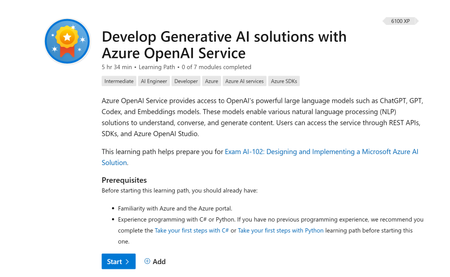
Are you a computer science student looking to delve into the world of Azure OpenAI Services? Look no further! In this Microsoft Learning Pathway, "Develop Generative AI solutions with Azure OpenAI Service," you'll embark on an exciting journey to harness the power of OpenAI's vast language models like ChatGPT, GPT, Codex, and Embeddings. These models are pivotal for creating innovative Natural Language Processing (NLP) solutions that can comprehend, converse, and generate content.9KViews4likes0CommentsAzure OpenAI Services in teaching and education
With the advent of Large language models(LLMs) like GPT-3, we see a transformation in education. In this article, I present my views on the future of education considering these developments. The views presented here are based on my teaching - but are a personal perspective. Today, there is a lot of excitement and speculation about GPT-3, and it is natural to ask how intelligent GPT-3 is and whether it approaches human-level intelligence. But in many ways, that's the wrong question to ask. Instead, exploring the idea of how we can build ChatGPT-like functionality using our own data is more interesting. When framed this way, we focus on the pragmatic and ignore the esoteric. If the industry adopts the 'co-pilot first approach.', educators must follow this trend to keep up with the new job roles. This will need a complete rethinking of many of the current ideas on education and the adoption of some new ideas that I proposed in this article. The conversation changes from: 'chatGPT is used for exam cheating or not' to: How can I empower my students to take up jobs of the future if the co-pilot first mode of work becomes a default?'16KViews4likes4CommentsIntegrating Microsoft Foundry with OpenClaw: Step by Step Model Configuration
Step 1: Deploying Models on Microsoft Foundry Let us kick things off in the Azure portal. To get our OpenClaw agent thinking like a genius, we need to deploy our models in Microsoft Foundry. For this guide, we are going to focus on deploying gpt-5.2-codex on Microsoft Foundry with OpenClaw. Navigate to your AI Hub, head over to the model catalog, choose the model you wish to use with OpenClaw and hit deploy. Once your deployment is successful, head to the endpoints section. Important: Grab your Endpoint URL and your API Keys right now and save them in a secure note. We will need these exact values to connect OpenClaw in a few minutes. Step 2: Installing and Initializing OpenClaw Next up, we need to get OpenClaw running on your machine. Open up your terminal and run the official installation script: curl -fsSL https://openclaw.ai/install.sh | bash The wizard will walk you through a few prompts. Here is exactly how to answer them to link up with our Azure setup: First Page (Model Selection): Choose "Skip for now". Second Page (Provider): Select azure-openai-responses. Model Selection: Select gpt-5.2-codex , For now only the models listed (hosted on Microsoft Foundry) in the picture below are available to be used with OpenClaw. Follow the rest of the standard prompts to finish the initial setup. Step 3: Editing the OpenClaw Configuration File Now for the fun part. We need to manually configure OpenClaw to talk to Microsoft Foundry. Open your configuration file located at ~/.openclaw/openclaw.json in your favorite text editor. Replace the contents of the models and agents sections with the following code block: { "models": { "providers": { "azure-openai-responses": { "baseUrl": "https://<YOUR_RESOURCE_NAME>.openai.azure.com/openai/v1", "apiKey": "<YOUR_AZURE_OPENAI_API_KEY>", "api": "openai-responses", "authHeader": false, "headers": { "api-key": "<YOUR_AZURE_OPENAI_API_KEY>" }, "models": [ { "id": "gpt-5.2-codex", "name": "GPT-5.2-Codex (Azure)", "reasoning": true, "input": ["text", "image"], "cost": { "input": 0, "output": 0, "cacheRead": 0, "cacheWrite": 0 }, "contextWindow": 400000, "maxTokens": 16384, "compat": { "supportsStore": false } }, { "id": "gpt-5.2", "name": "GPT-5.2 (Azure)", "reasoning": false, "input": ["text", "image"], "cost": { "input": 0, "output": 0, "cacheRead": 0, "cacheWrite": 0 }, "contextWindow": 272000, "maxTokens": 16384, "compat": { "supportsStore": false } } ] } } }, "agents": { "defaults": { "model": { "primary": "azure-openai-responses/gpt-5.2-codex" }, "models": { "azure-openai-responses/gpt-5.2-codex": {} }, "workspace": "/home/<USERNAME>/.openclaw/workspace", "compaction": { "mode": "safeguard" }, "maxConcurrent": 4, "subagents": { "maxConcurrent": 8 } } } } You will notice a few placeholders in that JSON. Here is exactly what you need to swap out: Placeholder Variable What It Is Where to Find It <YOUR_RESOURCE_NAME> The unique name of your Azure OpenAI resource. Found in your Azure Portal under the Azure OpenAI resource overview. <YOUR_AZURE_OPENAI_API_KEY> The secret key required to authenticate your requests. Found in Microsoft Foundry under your project endpoints or Azure Portal keys section. <USERNAME> Your local computer's user profile name. Open your terminal and type whoami to find this. Step 4: Restart the Gateway After saving the configuration file, you must restart the OpenClaw gateway for the new Foundry settings to take effect. Run this simple command: openclaw gateway restart Configuration Notes & Deep Dive If you are curious about why we configured the JSON that way, here is a quick breakdown of the technical details. Authentication Differences Azure OpenAI uses the api-key HTTP header for authentication. This is entirely different from the standard OpenAI Authorization: Bearer header. Our configuration file addresses this in two ways: Setting "authHeader": false completely disables the default Bearer header. Adding "headers": { "api-key": "<key>" } forces OpenClaw to send the API key via Azure's native header format. Important Note: Your API key must appear in both the apiKey field AND the headers.api-key field within the JSON for this to work correctly. The Base URL Azure OpenAI's v1-compatible endpoint follows this specific format: https://<your_resource_name>.openai.azure.com/openai/v1 The beautiful thing about this v1 endpoint is that it is largely compatible with the standard OpenAI API and does not require you to manually pass an api-version query parameter. Model Compatibility Settings "compat": { "supportsStore": false } disables the store parameter since Azure OpenAI does not currently support it. "reasoning": true enables the thinking mode for GPT-5.2-Codex. This supports low, medium, high, and xhigh levels. "reasoning": false is set for GPT-5.2 because it is a standard, non-reasoning model. Model Specifications & Cost Tracking If you want OpenClaw to accurately track your token usage costs, you can update the cost fields from 0 to the current Azure pricing. Here are the specs and costs for the models we just deployed: Model Specifications Model Context Window Max Output Tokens Image Input Reasoning gpt-5.2-codex 400,000 tokens 16,384 tokens Yes Yes gpt-5.2 272,000 tokens 16,384 tokens Yes No Current Cost (Adjust in JSON) Model Input (per 1M tokens) Output (per 1M tokens) Cached Input (per 1M tokens) gpt-5.2-codex $1.75 $14.00 $0.175 gpt-5.2 $2.00 $8.00 $0.50 Conclusion: And there you have it! You have successfully bridged the gap between the enterprise-grade infrastructure of Microsoft Foundry and the local autonomy of OpenClaw. By following these steps, you are not just running a chatbot; you are running a sophisticated agent capable of reasoning, coding, and executing tasks with the full power of GPT-5.2-codex behind it. The combination of Azure's reliability and OpenClaw's flexibility opens up a world of possibilities. Whether you are building an automated devops assistant, a research agent, or just exploring the bleeding edge of AI, you now have a robust foundation to build upon. Now it is time to let your agent loose on some real tasks. Go forth, experiment with different system prompts, and see what you can build. If you run into any interesting edge cases or come up with a unique configuration, let me know in the comments below. Happy coding!12KViews2likes2Comments