canary
232 Topics
Crash when submitting web page input fields with soft keyboard Enter
### Summary Microsoft Edge Canary for Android crashes when submitting web page input fields using the Android soft keyboard Enter key. GitHub search is one stable reproduction case, but this is not GitHub-specific. I have also reproduced similar crashes on other websites with text input/search fields. ### Environment - App: Microsoft Edge Canary for Android - Package: `com.microsoft.emmx.canary` - Version: `152.0.4142.0` - Version code: `414200023` - Device: vivo V2417A - Android SDK: 36 - ABI: arm64-v8a ### Reproduction case 1. Open Microsoft Edge Canary on Android. 2. Navigate to `https://github.com/`. 3. Tap the GitHub search box. 4. Type any text. 5. Press Enter on the Android soft keyboard. ### Expected behavior The input/search action should be submitted normally. ### Actual behavior Edge Canary crashes immediately after pressing Enter. ### Scope This does not appear to be specific to GitHub. The same type of crash can also be triggered on other websites when submitting text input/search fields using the Android soft keyboard Enter key. GitHub is used here as a minimal stable repro because it is easy to test. ### Crash information Exception: ```text java.lang.IndexOutOfBoundsException: Index 24 out of bounds for length 0 ``` Relevant stack trace: ```text java.util.ArrayList.get(ArrayList.java:434) android.view.ViewGroup.getAndVerifyPreorderedView(ViewGroup.java:3873) android.view.ViewGroup.gatherTransparentRegion(ViewGroup.java:7438) android.view.ViewRootImpl.performTraversals(ViewRootImpl.java:5207) android.view.Choreographer.doFrame(...) ``` ### Notes - Reproduced directly on the Android phone. - Trigger appears related to submitting web page input/search fields via the Android soft keyboard Enter key.69Views0likes3Comments
Edge Security breaks SQLite WASM loading
Edge with "Enhance your security on the web" toggled on, either Balanced or Strict breaks loading of the Sqlite WASM package. Believe this may have started with 144, but also appears to be in Dev/Canary 145. It looks as if it is somehow corrupting the WASM binary, although I am not an expert on this. You can confirm this by toggling the setting on and visiting projects using this library, eg. https://sqlime.org/215Views1like1CommentMica issues again (title bar + context menus)
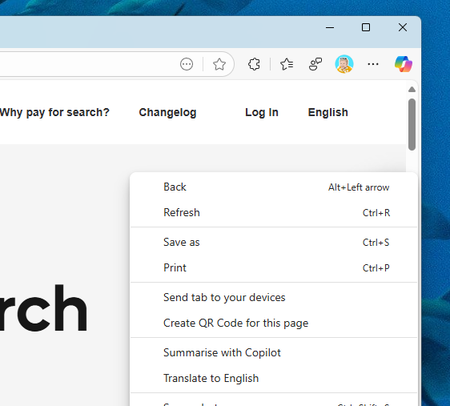
Weird bug again - in both Stable/Dev the title bar mica effects are not working, but the dropdown & context menu (three dot settings) is. In Canary, the title bar mica effect *is* working, but the dropdown/context menu is not (solid white). I reported via feedback as well. Canary: Dev/Stable:603Views2likes6CommentsEdge Dev/Canary enterprise extension sync broken?
I noticed on my test system that setting up a new profile in Dev/Canary sync doesn't work correctly - specifically, extensions do not install properly. In my stable channel build everything is working, however when it attempts to sync to Dev/Canary only the "forced" extension I have enabled via policy shows/works, where as the others are not in the extension list, but are present in the AppData user data folder. I've attempted to reset sync and have everything get pulled down again, but the issue persists. I've tried clearing out the profile and re-installing Dev/Canary to see if having it force re-sync would help, but it does not. TLDR - syncing extensions to dev/canary with enterprise sync breaks any extension that is not 'forced' to install via policySolved284Views0likes2CommentsTheme automatically changes to match Bing NTP image
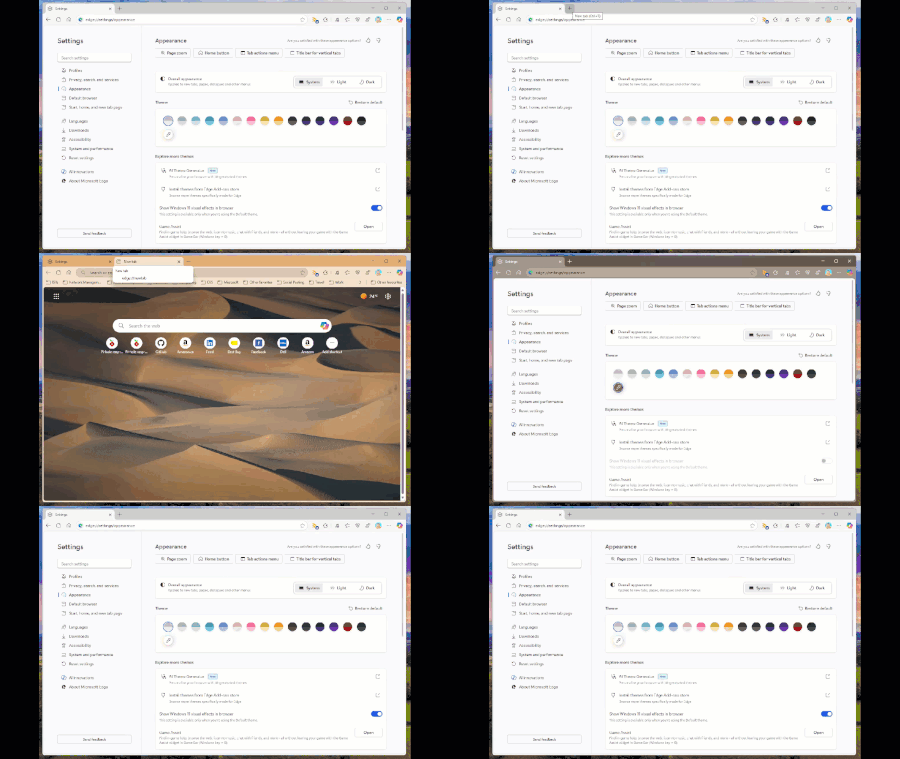
Starting with the latest Edge Dev build today (139.0.3394.0) if you have your new tab page set to display the Bing wallpaper, the theme will automatically change to select a colour based on the picture without your consent. And if you attempt to reset the theme or change to another one, opening a new tab will just force it to change again. See my video below:Solved427Views8likes4Comments