azure
7856 Topics
Microsoft Finland - Software Developing Companies monthly community series.
Tervetuloa jälleen mukaan Microsoftin webinaarisarjaan teknologiayrityksille! Microsoft Finlandin järjestämä Software Development monthly Community series on webinaarisarja, joka tarjoaa ohjelmistotaloille ajankohtaista tietoa, konkreettisia esimerkkejä ja strategisia näkemyksiä siitä, miten yhteistyö Microsoftin kanssa voi vauhdittaa kasvua ja avata uusia liiketoimintamahdollisuuksia. Sarja on suunnattu kaikenkokoisille ja eri kehitysvaiheissa oleville teknologiayrityksille - startupeista globaaleihin toimijoihin. Jokaisessa jaksossa pureudutaan käytännönläheisesti siihen, miten ohjelmistoyritykset voivat hyödyntää Microsoftin ekosysteemiä, teknologioita ja kumppanuusohjelmia omassa liiketoiminnassaan. Huom. Microsoft Software Developing Companies monthly community webinars -webinaarisarja järjestetään Cloud Champion -sivustolla, josta webinaarit ovat kätevästi saatavilla tallenteina pari tuntia live-lähetyksen jälkeen. Muistathan rekisteröityä Cloud Champion -alustalle ensimmäisellä kerralla, jonka jälkeen pääset aina sisältöön sekä tallenteisiin käsiksi. Pääset rekisteröitymään, "Register now"-kohdasta. Täytä tietosi ja valitse Distributor kohtaan - Other, mikäli et tiedä Microsoft-tukkurianne. Webinaarit: 27.3.2026 klo 09:00-09:30 - Agent Factory Microsoft Foundryllä – miten rakennat ja viet AI-agentteja tuotantoon AI‑agentit ovat nopeasti nousemassa enterprise‑ohjelmistojen keskeiseksi rakennuspalikaksi, mutta monilla organisaatioilla haasteena on agenttien vieminen tuotantoon asti. Todellinen kilpailuetu syntyy siitä, miten agentit rakennetaan hallitusti, integroidaan osaksi kokonaisarkkitehtuuria ja skaalataan luotettavasti. Tässä webinaarissa käymme läpi ja näytämme käytännön demolla, miten AI-agentti rakennetaan Microsoft Foundry:n Agent Service -palvelulla. Näytämme miten agentin rooli ja ohjeet määritellään, miten agentille liitetään tietolähteitä ja työkaluja sekä katsomme miten tämä asemoituu Microsoft Agent Factoryyn. Ilmoittautumislinkki: Microsoft Finland – Software Developing Companies monthly community series: Agent Factory Microsoft Foundryllä – miten rakennat ja viet AI-agentteja tuotantoon – Finland Cloud Champion Puhujat: Juha Karvonen, Sr Partner Tech Strategist Eetu Roponen, Sr Partner Development Manager, Microsoft 27.2.2026 klo 09:00-09:30 - M-Files polku menestykseen yhdessä Microsoftin kanssa Mitä globaalin kumppanuuden rakentaminen M-Files:in ja Microsoft:in välillä on vaatinut – ja mitä hyötyä siitä on syntynyt? Tässä webinaarissa kuulet insiderit suoraan M-Filesin Kimmo Järvensivulta, Stategic Alliances Director: miten kumppanuus Microsoft kanssa on rakennettu, mitä matkalla on opittu ja miten yhteistyö on vauhdittanut kasvua. M-Files on älykäs tiedonhallinta-alusta, joka auttaa organisaatioita hallitsemaan dokumentteja ja tietoa metatiedon avulla sijainnista riippumatta. Se tehostaa tiedon löytämistä, parantaa vaatimustenmukaisuutta ja tukee modernia työtä Microsoft-ekosysteemissä. Tule kuulemaan, mitä menestyksekäs kumppanuus todella vaatii, ja miten siitä tehdään strateginen kilpailuetu. Katso nauhoite: Microsoft Finland – Software Developing Companies Monthly Community Series – M-Files polku menestykseen yhdessä Microsoftin kanssa – Finland Cloud Champion Asiantuntijat: Kimmi Järvensivu, Strategic Alliances Director, M-Files Mikko Marttinen, Sr Partner Development Manager, Microsoft Eetu Roponen, Sr Partner Development Manager, Microsoft 30.1.2026 klo 09:00-09:30 - Model Context Protocol (MCP)—avoin standardi, joka mullistaa AI-integraatiot Webinaarissa käymme läpi, mikä on Model Context Protocol (MCP), miten se mahdollistaa turvalliset ja skaalautuvat yhteydet AI‑mallien ja ulkoisten järjestelmien välillä ilman räätälöityä koodia, mikä on Microsoftin lähestyminen MCP‑protokollan hyödyntämiseen sekä miten softayritykset voivat hyödyntää MCP‑standardin tarjoamia liiketoimintamahdollisuuksia. Webinaarissa käymme läpi: Mikä MCP on ja miksi se on tärkeä nykyaikaisissa AI‑prosesseissa Kuinka MCP vähentää integraatioiden monimutkaisuutta ja nopeuttaa kehitystä Käytännön esimerkkejä Webiinarin asiaosuus käydään läpi englanniksi. Katso nauhoite: 30.1.2026 klo 09:00-09:30 – Model Context Protocol (MCP)—avoin standardi, joka mullistaa AI-integraatiot – Finland Cloud Champion Asiantuntijat: Massimo Caterino, Kumppaniteknologiastrategisti, Microsoft Europe North Mikko Marttinen, Sr Partner Development Manager, Microsoft Eetu Roponen, Sr Partner Development Manager, Microsoft 12.12. klo 09:00-09:30 - Mitä Suomen Azure-regioona tarkoittaa ohjelmistotaloille? Microsoftin uusi datakeskusalue Suomeen tuo pilvipalvelut lähemmäksi suomalaisia ohjelmistotaloja – olipa kyseessä startup, scaleup tai globaali toimija. Webinaarissa pureudumme siihen, mitä mahdollisuuksia uusi Azure-regioona avaa datan sijainnin, suorituskyvyn, sääntelyn ja asiakasvaatimusten näkökulmasta. Keskustelemme muun muassa: Miten datan paikallinen sijainti tukee asiakasvaatimuksia ja sääntelyä? Mitä hyötyä ohjelmistotaloille on pienemmästä latenssista ja paremmasta suorituskyvystä? Miten Azure-regioona tukee yhteismyyntiä ja skaalautumista Suomessa? Miten valmistautua teknisesti ja kaupallisesti uuden regioonan avaamiseen? Puhujat: Fama Doumbouya, Sales Director, Cloud Infra and Security, Microsoft Mikko Marttinen, Sr Partner Development Manager, Microsoft Eetu Roponen, Sr Partner Development Manager, Microsoft Katso nauhoite: Microsoft Finland – Software Developing Companies Monthly Community Series – Mitä Suomen Azure-regioona tarkoittaa ohjelmistotaloille? – Finland Cloud Champion 28.11. klo 09:00-09:30 - Pilvipalvelut omilla ehdoilla – mitä Microsoftin Sovereign Cloud tarkoittaa ohjelmistotaloille? Yhä useampi ohjelmistotalo kohtaa vaatimuksia datan sijainnista, sääntelyn noudattamisesta ja operatiivisesta kontrollista – erityisesti julkisella sektorilla ja säädellyillä toimialoilla. Tässä webinaarissa pureudumme siihen, miten Microsoftin uusi Sovereign Cloud -tarjonta vastaa näihin tarpeisiin ja mitä mahdollisuuksia se avaa suomalaisille ohjelmistoyrityksille. Keskustelemme muun muassa: Miten Sovereign Public ja Private Cloud eroavat ja mitä ne mahdollistavat? Miten datan hallinta, salaus ja operatiivinen suvereniteetti toteutuvat eurooppalaisessa kontekstissa? Mitä tämä tarkoittaa ohjelmistoyrityksille, jotka rakentavat ratkaisuja julkiselle sektorille tai säädellyille toimialoille? Puhujat: Juha Karppinen, National Security Officer, Microsoft Mikko Marttinen, Sr Partner Development Manager, Microsoft Eetu Roponen, Sr Partner Development Manager, Microsoft Katso nauhoite: Microsoft Finland – Software Developing Companies Monthly Community Series – Pilvipalvelut omilla ehdoilla – mitä Microsoftin Sovereign Cloud tarkoittaa ohjelmistotaloille? – Finland Cloud Champion 31.10. klo 09:00-09:30 - Kasvua ja näkyvyyttä ohjelmistotaloille – hyödynnä ISV Success ja Azure Marketplace rewards -ohjelmia Tässä webinaarissa pureudumme ohjelmistotaloille suunnattuihin Microsoftin keskeisiin kiihdytinohjelmiin, jotka tukevat kasvua, skaalautuvuutta ja kansainvälistä näkyvyyttä. Käymme läpi, miten ISV Success -ohjelma tarjoaa teknistä ja kaupallista tukea ohjelmistoyrityksille eri kehitysvaiheissa, ja miten Azure Marketplace toimii tehokkaana myyntikanavana uusien asiakkaiden tavoittamiseen. Lisäksi esittelemme Marketplace Rewards -edut, jotka tukevat markkinointia, yhteismyyntiä ja asiakashankintaa Microsoftin ekosysteemissä. Webinaari tarjoaa: Konkreettisia esimerkkejä ohjelmien hyödyistä Käytännön vinkkejä ohjelmiin liittymiseen ja hyödyntämiseen Näkemyksiä siitä, miten ohjelmistotalot voivat linjata strategiansa Microsoftin tarjoamiin mahdollisuuksiin Puhujat: Mikko Marttinen, Sr Partner Development Manager, Microsoft Eetu Roponen, Sr Partner Development Manager, Microsoft Nauhoite: Microsoft Finland – Software Developing Companies Monthly Community Series – Kasvua ja näkyvyyttä ohjelmistotaloille – hyödynnä ISV Success ja Azure Marketplace rewards -ohjelmia – Finland Cloud Champion 3.10. klo 09:00-09:30 - Autonomiset ratkaisut ohjelmistotaloille – Azure AI Foundry ja agenttiteknologioiden uudet mahdollisuudet Agenttiteknologiat mullistavat tapaa, jolla ohjelmistotalot voivat rakentaa älykkäitä ja skaalautuvia ratkaisuja. Tässä webinaarissa tutustumme siihen, miten Azure AI Foundry tarjoaa kehittäjille ja tuoteomistajille työkalut autonomisten agenttien rakentamiseen – mahdollistaen monimutkaisten prosessien automatisoinnin ja uudenlaisen asiakasarvon tuottamisen. Kuulet mm. Miten agenttiteknologiat muuttavat ohjelmistokehitystä ja liiketoimintaa. Miten Azure AI Foundry tukee agenttien suunnittelua, kehitystä ja käyttöönottoa. Miten ohjelmistotalot voivat hyödyntää agentteja kilpailuetuna. Puhujat: Juha Karvonen, Sr Partner Tech Strategist Mikko Marttinen, Sr Partner Development Manager, Microsoft Eetu Roponen, Sr Partner Development Manager, Microsoft Katso nauhoite täältä: Microsoft Finland – Software Developing Companies Monthly Community Series – Autonomiset ratkaisut ohjelmistotaloille – Azure AI Foundry ja agenttiteknologioiden uudet mahdollisuudet – Finland Cloud Champion 5.9.2025 klo 09:00-09:30 - Teknologiayritysten ja Microsoftin prioriteetit syksylle 2025. Tervetuloa jälleen mukaan Microsoftin webinaarisarjaan teknologiayrityksille! Jatkamme sarjassa kuukausittain pureutumista siihen, miten yhteistyö Microsoftin kanssa voi vauhdittaa kasvua ja avata uusia mahdollisuuksia eri vaiheissa oleville ohjelmistotaloille – olipa yritys sitten start-up, scale-up tai globaalia toimintaa harjoittava. Jokaisessa jaksossa jaamme konkreettisia esimerkkejä, näkemyksiä ja strategioita, jotka tukevat teknologia-alan yritysten liiketoiminnan kehitystä ja innovaatioita. Elokuun lopun jaksossa keskitymme syksyn 2025 prioriteetteihin ja uusiin mahdollisuuksiin, jotka tukevat ohjelmistoyritysten oman toiminnan suunnittelua, kehittämistä ja kasvun vauhdittamista. Käymme läpi, mitkä ovat Microsoftin strategiset painopisteet tulevalle tilikaudelle – ja ennen kaikkea, miten ohjelmistotalot voivat hyödyntää niitä omassa liiketoiminnassaan. Tavoitteena on tarjota kuulijoille selkeä ymmärrys siitä, miten oma tuote, palvelu tai markkinastrategia voidaan linjata ekosysteemin kehityksen kanssa, ja miten Microsoft voi tukea tätä matkaa konkreettisin keinoin. Puhujat: Mikko Marttinen, Sr Partner Development Manager, Microsoft Eetu Roponen, Sr Partner Development Manager, Microsoft Katso nauhoitus täältä: Teknologiayritysten ja Microsoftin prioriteetit syksylle 2025. – Finland Cloud Champion399Views0likes0CommentsAnnouncing Neon Serverless Postgres as an Azure Native Integration (Preview)
Note: This service is now retired but you can browse similar database service in Azure. We are excited to announce that Neon Serverless Postgres is now available as an Azure Native Integration (in preview) within the Azure Cloud ecosystem. This integration enhances developer experience by combining the power and flexibility of Neon’s serverless Postgres database service with Azure's robust cloud infrastructure. We’re excited to bring Neon to all Azure developers, especially AI platforms. Neon Serverless Postgres scales automatically to match your workload and can branch instantly for an incredible developer experience. And for AI developers concerned about scale, cost efficiency, and data privacy, Neon enables them to easily adopt database-per-customer architectures, ensuring real-time provisioning and data isolation for their customers. - Nikita Shamgunov, CEO, Neon. What is Neon Serverless Postgres? Neon offers a serverless Postgres solution that leverages the principles of serverless computing to provide scalable and flexible database services. By abstracting away infrastructure complexities, Neon allows businesses to focus on application development rather than database administration. The key features of Neon’s Postgres service include: Instant Provisioning: Neon's architecture allows the creation of new databases in under a second, thanks to its custom-built storage engine. Efficient Scaling: Neon automatically scales resources based on load, ensuring optimal performance during traffic spikes without the need for overprovisioning. Integrated Developer Workflows: With features like database branching, Neon enables shorter software development lifecycles and cost-effective integration into CI/CD pipelines. What is Neon Serverless Postgres as an Azure Native Integration? The Azure Native integration of Neon Serverless Postgres enables users to create a Neon organization from Azure portal. Users can find the Neon Serverless Postgres offering on Azure portal and Azure Marketplace. This integration paves a way forward to effectively use Neon Postgres along with other Azure services. At Microsoft, we are committed to providing seamless and innovative solutions for our Azure developers. The introduction of Neon Postgres as an Azure Native Integration is a significant milestone in this journey. This integration not only simplifies the provisioning and management of Neon organizations directly from Azure but also enhances the overall developer experience. We are excited to see how this collaboration will empower developers to build intelligent and scalable applications on Azure with ease. - Shireesh Thota, CVP, Azure Databases. Benefits of the native integration: This Azure Native Integration brings many benefits to developers and businesses: Seamless Provisioning from Azure: Developers can create and manage Neon organizations directly within the Azure portal, without switching platforms. Single Sign-On (SSO): Users can access Neon via SSO using their Microsoft credentials, streamlining the login process and enhancing security. Enhanced Developer Experience: The integration allows developers to use Azure CLI and SDKs of their choice from .NET, Java, Python, Go, and JavaScript, to manage Neon organizations alongside other Azure resources, keeping development workflows consistent. Unified Billing: Neon usage can be included on existing Azure invoices, simplifying billing and financial management for businesses. By Purchasing Neon through Azure, customers can decrement their Microsoft Azure Consumption Commitment (MACC), if any with Microsoft. How to create a Neon organization from Azure You can find the details of how to create a Neon organization from Azure in the Microsoft docs. The section below summarizes the key steps which will aid you in resource creation. Step 1: Discover and Subscribe to Neon from Azure You can start your journey either from Azure portal or Azure Marketplace. Search for Neon Serverless Postgres in the search bar and select the offering. This will take you to the Marketplace landing page of Neon Serverless Postgres. Choose a plan out of the 3 available public plans. If you are new and exploring, you can start with a free plan. Click on Subscribe to move forward to the resource configuration stage. Step 2: Complete your Neon resource configuration on Azure You are now creating a Neon resource on Azure. The process is similar to creating other Azure resources and requires basic details like Azure subscription, resource group and resource details. The resource can be created in the East US 2, Germany West Central and West US 3 after public preview. Please check the region dropdown to view the available regions. The creation flow also simultaneously creates a Neon organization. For that, mention the name of your Neon organization. Once all details have been filled in, you can review the information by going to Review + Create. This will trigger the deployment process and result in resource creation. Congratulations! You just created a Neon organization from Azure. Let us now visit the Neon organization we just created. Step 3: Transition to Neon from Azure portal Go to the resource created and you will land onto the overview blade where you will find the resource details. We support single-sign-on from Azure portal to Neon. Click on the SSO link to transition to Neon portal, where you can continue with creating projects and databases, inviting users and much more. Step 4: Create Projects, Branches and Databases on Neon On the Neon portal, you will land on the project creation view. Proceed to create your first Neon project. When this project is created, a default branch and database is created as well. Visit the project dashboard to view project details. You can copy the connection URL of the newly created database and use it in your Azure application stack to connect to the database. Go ahead and create more projects in the Azure regions of your choice and explore interesting features like branches and AI based query generation. Now, you are ready to use Neon Serverless Postgres in your real-world applications. Real-World Applications Neon’s Serverless Postgres service is ideal for a variety of use cases, including: AI and Machine Learning: With the ability to generate vector embeddings and integrate with Azure AI services, Neon is well-suited for AI and machine learning applications. Neon’s Autoscaling ensures that even resource-intensive AI models operate seamlessly during periods of high demand without manual intervention. SaaS Applications: The scalability and flexibility of Neon’s Postgres service make it perfect for SaaS applications that need to handle varying levels of traffic. Its serverless architecture eliminates the need for infrastructure management, allowing developers to focus on building features while ensuring cost-effective scaling to meet demand. For more use-cases and success stories, visit Case Studies - Neon to understand how Neon, now on Azure, can create value in your organization. Ready to try out Neon Serverless Postgres as an Azure Native Integration? Check out the next steps and share your feedback with us. This is just the beginning of Neon Serverless Postgres on Azure and stay tuned as we make this integration seamless with more features. Next Steps Subscribe to Neon Serverless Postgres on Azure portal or Azure Marketplace Learn more about Neon Serverless Postgres at Microsoft docs Read the launch blogpost by Neon Discover more about Neon Submit feature suggestions and questions in the Neon discord community or contact feedback@neon.tech. Please mention that you are using Neon Serverless Postgres on Azure in your messages. Learn about Microsoft’s investment in Neon Thank you for reading this blog! Please follow for more updates on Neon Serverless Postgres as an Azure Native Integration.1.2KViews3likes0CommentsHow to Access a Shared OneDrive Folder in Azure Logic Apps
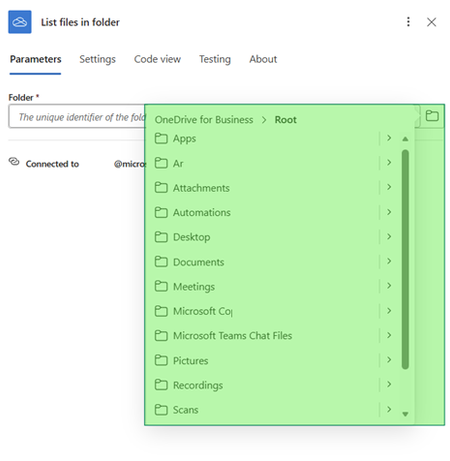
What is the problem? A common enterprise automation scenario involves copying files from a OneDrive folder shared by a colleague into another storage service such as SharePoint or Azure Blob Storage using Azure Logic Apps. However, when you configure the OneDrive for Business – “List files in folder” action in a Logic App, you quickly run into a limitation: The folder picker only shows: Root directory Subfolders of the authenticated user’s OneDrive Shared folders do not appear at all, even though you can access them in the OneDrive UI This makes it seem like Logic Apps cannot work with shared OneDrive folders—but that’s not entirely true. Why this happens The OneDrive for Business connector is user‑context scoped. It only enumerates folders that belong to the signed-in user’s drive and does not automatically surface folders that are shared with the user. Even though shared folders are visible under “Shared with me” in the OneDrive UI, they: Live in a different drive Have a different driveId Require explicit identification before Logic Apps can access them How to access a shared OneDrive folder There are two supported ways to access a shared OneDrive directory from Logic Apps. Option 1: Use Microsoft Graph APIs (Delegated permissions) You can invoke Microsoft Graph APIs directly using: HTTP with Microsoft Entra ID (preauthorized) Delegated permissions on behalf of the signed‑in user This requires: Admin consent or delegated consent workflows Additional Entra ID configuration 📘 Reference: HTTP with Microsoft Entra ID (preauthorized) - Connectors | Microsoft Learn While powerful, this approach adds setup complexity. Option 2: Use Graph Explorer to configure the OneDrive connector Instead of calling Graph from Logic Apps directly, you can: Use Graph Explorer to discover the shared folder metadata Manually configure the OneDrive action using that metadata Step-by-step: Using Graph Explorer to access a shared folder Scenario A colleague has shared a OneDrive folder named “Test” with me, and I need to process files inside it using a Logic App. Step 1: List shared folders using Microsoft Graph In Graph Explorer, run the following request: GET https://graph.microsoft.com/v1.0/users/{OneDrive shared folder owner username}/drive/root/children 📘Reference: List the contents of a folder - Microsoft Graph v1.0 | Microsoft Learn ✅This returns all root-level folders visible to the signed-in user, including folders shared with you. From the response, locate the shared folder. You only need two values: parentReference.driveId id (folder ID) Graph explorer snippet showing the request sent to the API to list the files & folders shared by a specific user on the root drive Step 2: Configure Logic App “List files in folder” action In your Logic App: Add OneDrive for Business → List files in folder Do not use the folder picker Manually enter the folder value using this format: {driveId}.{folderId} Once saved, the action successfully lists files from the shared OneDrive folder. Step 3: Build the rest of your workflow After the folder is resolved correctly: You can loop through files Copy them to SharePoint Upload them to Azure Blob Storage Apply filters, conditions, or transformations All standard OneDrive actions now work as expected. Troubleshooting: When Graph Explorer doesn’t help If you’re unable to find the driveId or folderId via Graph Explorer, there’s a reliable fallback. Use browser network tracing Open the shared folder in OneDrive (web) Open Browser Developer Tools → Network Look for requests like: & folderId In the response payload, extract: CurrentFolderUniqueId → folder ID drives/{driveId} from the CurrentFolderSpItemUrl This method is very effective when Graph results are incomplete or filtered.Azure Databricks & Fabric Disaster Recovery: The Better Together Story
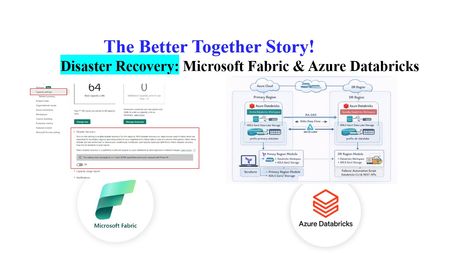
Author's: Amudha Palani amudhapalani, Oscar Alvarado oscaralvarado, Eric Kwashie ekwashie, Peter Lo PeterLo and Rafia Aqil Rafia_Aqil Disaster recovery (DR) is a critical component of any cloud-native data analytics platform, ensuring business continuity even during rare regional outages caused by natural disasters, infrastructure failures, or other disruptions. Identify Business Critical Workloads Before designing any disaster recovery strategy, organizations must first identify which workloads are truly business‑critical and require regional redundancy. Not all Databricks or Fabric processes need full DR protection; instead, customers should evaluate the operational impact of downtime, data freshness requirements, regulatory obligations, SLAs, and dependencies across upstream and downstream systems. By classifying workloads into tiers and aligning DR investments accordingly, customers ensure they protect what matters most without over‑engineering the platform. Azure Databricks Azure Databricks requires a customer‑driven approach to disaster recovery, where organizations are responsible for replicating workspaces, data, infrastructure components, and security configurations across regions. Full System Failover (Active-Passive) Strategy A comprehensive approach that replicates all dependent services to the secondary region. Implementation requirements include: Infrastructure Components: Replicate Azure services (ADLS, Key Vault, SQL databases) using Terraform Deploy network infrastructure (subnets) in the secondary region Establish data synchronization mechanisms Data Replication Strategy: Use Deep Clone for Delta tables rather than geo-redundant storage Implement periodic synchronization jobs using Delta's incremental replication Measure data transfer results using time travel syntax Workspace Asset Synchronization: Co-deploy cluster configurations, notebooks, jobs, and permissions using CI/CD Utilize Terraform and SCIM for identity and access management Keep job concurrencies at zero in the secondary region to prevent execution Fully Redundant (Active-Active) Strategy The most sophisticated approach where all transactions are processed in multiple regions simultaneously. While providing maximum resilience, this strategy: Requires complex data synchronization between regions Incurs highest operational costs due to duplicate processing Typically needed only for mission-critical workloads with zero-tolerance for downtime Can be implemented as partial active-active, processing most workload in primary with subset in secondary Enabling Disaster Recovery Create a secondary workspace in a paired region. Use CI/CD to keep Workspace Assets Synchronized continuously. Requirement Approach Tools Cluster Configurations Co-deploy to both regions as code Terraform Code (Notebooks, Libraries, SQL) Co-deploy with CI/CD pipelines Git, Azure DevOps, GitHub Actions Jobs Co-deploy with CI/CD, set concurrency to zero in secondary Databricks Asset Bundles, Terraform Permissions (Users, Groups, ACLs) Use IdP/SCIM and infrastructure as code Terraform, SCIM Secrets Co-deploy using secret management Terraform, Azure Key Vault Table Metadata Co-deploy with CI/CD workflows Git, Terraform Cloud Services (ADLS, Network) Co-deploy infrastructure Terraform Update your orchestrator (ADF, Fabric pipelines, etc.) to include a simple region toggle to reroute job execution. Replicate all dependent services (Key Vault, Storage accounts, SQL DB). Implement Delta “Deep Clone” synchronization jobs to keep datasets continuously aligned between regions. Introduce an application‑level “Sync Tool” that redirects: data ingestion compute execution Enable parallel processing in both regions for selected or all workloads. Use bi‑directional synchronization for Delta data to maintain consistency across regions. For performance and cost control, run most workloads in primary and only subset workloads in secondary to keep it warm. Implement Three-Pillar DR Design Primary Workspace: Your production Databricks environment running normal operations Secondary Workspace: A standby Databricks workspace in a different(paired) Azure region that remains ready to take over if the primary fails. This architecture ensures business continuity while optimizing costs by keeping the secondary workspace dormant until needed. The DR solution is built on three fundamental pillars that work together to provide comprehensive protection: 1. Infrastructure Provisioning (Terraform) The infrastructure layer creates and manages all Azure resources required for disaster recovery using Infrastructure as Code (Terraform). What It Creates: Secondary Resource Group: A dedicated resource group in your paired DR region (e.g., if primary is in East US, secondary might be in West US 2) Secondary Databricks Workspace: A standby Databricks workspace with the same SKU as your primary, ready to receive failover traffic DR Storage Account: An ADLS Gen2 storage account that serves as the backup destination for your critical data Monitoring Infrastructure: Azure Monitor Log Analytics workspace and alert action groups to track DR health Protection Locks: Management locks to prevent accidental deletion of critical DR resources Key Design Principle: The Terraform configuration references your existing primary workspace without modifying it. It only creates new resources in the secondary region, ensuring your production environment remains untouched during setup. 2. Data Synchronization (Delta Notebooks) The data synchronization layer ensures your critical data is continuously backed up to the secondary region. How It Works: The solution uses a Databricks notebook that runs in your primary workspace on a scheduled basis. This notebook: Connects to Backup Storage: Uses Unity Catalog with Azure Managed Identity for secure, credential-free authentication to the secondary storage account Identifies Critical Tables: Reads from a configuration list you define (sales data, customer data, inventory, financial transactions, etc.) Performs Deep Clone: Uses Delta Lake's native CLONE functionality to create exact copies of your tables in the backup storage Tracks Sync Status: Logs each synchronization operation, tracks row counts, and reports on data freshness Authentication Flow: The synchronization process leverages Unity Catalog's managed identity capabilities: An existing Access Connector for Unity Catalog is granted "Storage Blob Data Contributor" permissions on the backup storage. Storage credentials are created in Databricks that reference this Access Connector. The notebook uses these credentials transparently—no storage keys or secrets are required. What Gets Synced: You define which tables are critical to your business operations. The notebook creates backup copies including: Full table data and schema Table partitioning structure Delta transaction logs for point-in-time recovery 3. Failover Automation (Python Scripts) The failover automation layer orchestrates the switch from primary to secondary workspace when disaster strikes. Microsoft Fabric Microsoft Fabric provides built‑in disaster recovery capabilities designed to keep analytics and Power BI experiences available during regional outages. Fabric simplifies continuity for reporting workloads, while still requiring customer planning for deeper data and workload replication. Power BI Business Continuity Power BI, now integrated into Fabric, provides automatic disaster recovery as a default offering: No opt-in required: DR capabilities are automatically included. Azure storage geo-redundant replication: Ensures backup instances exist in other regions. Read-only access during disasters: Semantic models, reports, and dashboards remain accessible. Always supported: BCDR for Power BI remains active regardless of OneLake DR setting. Microsoft Fabric Fabric's cross-region DR uses a shared responsibility model between Microsoft and customers: Microsoft's Responsibilities: Ensure baseline infrastructure and platform services availability Maintain Azure regional pairings for geo-redundancy. Provide DR capabilities for Power BI as default. Customer Responsibilities: Enable disaster recovery settings for capacities Set up secondary capacity and workspaces in paired regions Replicate data and configurations Enabling Disaster Recovery Organizations can enable BCDR through the Admin portal under Capacity settings: Navigate to Admin portal → Capacity settings Select the appropriate Fabric Capacity Access Disaster Recovery configuration Enable the disaster recovery toggle Critical Timing Considerations: 30-day minimum activation period: Once enabled, the setting remains active for at least 30 days and cannot be reverted. 72-hour activation window: Initial enablement can take up to 72 hours to become fully effective. Azure Databricks & Microsoft Fabric DR Considerations Building a resilient analytics platform requires understanding how disaster recovery responsibilities differ between Azure Databricks and Microsoft Fabric. While both platforms operate within Azure’s regional architecture, their DR models, failover behaviors, and customer responsibilities are fundamentally different. Recovery Procedures Procedure Databricks Fabric Failover Stop workloads, update routing, resume in secondary region. Microsoft initiates failover; customers restore services in DR capacity. Restore to Primary Stop secondary workloads, replicate data/code back, test, resume production. Recreate workspaces and items in new capacity; restore Lakehouse and Warehouse data. Asset Syncing Use CI/CD and Terraform to sync clusters, jobs, notebooks, permissions. Use Git integration and pipelines to sync notebooks and pipelines; manually restore Lakehouses. Business Considerations Consideration Databricks Fabric Control Customers manage DR strategy, failover timing, and asset replication. Microsoft manages failover; customers restore services post-failover. Regional Dependencies Must ensure secondary region has sufficient capacity and services. DR only available in Azure regions with Fabric support and paired regions. Power BI Continuity Not applicable. Power BI offers built-in BCDR with read-only access to semantic models and reports. Activation Timeline Immediate upon configuration. DR setting takes up to 72 hours to activate; 30-day wait before changes allowed.847Views4likes0CommentsAzure Innovators Hub: Data & Intelligence MVP Live 2026
Where leading Data MVPs shape the future of Cloud, AI, and Intelligent Systems The Azure Innovators Hub presents a premier online gathering featuring five distinguished Microsoft MVPs from the Data Platform ecosystem, each offering expertise in Cloud Architecture, AI/ML, Governance, and Analytics. This summit examines how modern data engineering, responsible AI, and scalable cloud practices intersect to drive the next wave of intelligent solutions. Attendees can expect expert insights, proven patterns, and practical experience from professionals immersed in data at scale. No Registration required Azure Innovators Hub https://www.meetup.com/athens-azure-tech-group/13Views0likes0CommentsOn-demand webinar: Maximize the Cost Efficiency of AI Agents on Azure
AI agents are quickly becoming central to how organizations automate work, engage customers, and unlock new insights. But as adoption accelerates, so do questions about cost, ROI, and long-term sustainability. That’s exactly what the Maximize the Cost Efficiency of AI Agents on Azure webinar is designed to address. The webinar will provide practical guidance on building and scaling AI agents on Azure with financial discipline in mind. Rather than focusing only on technology, the session helps learners connect AI design decisions to real business outcomes—covering everything from identifying high-impact use cases and understanding cost drivers to forecasting ROI. Whether you’re just starting your AI journey or expanding AI agents across the enterprise, the session will equip you with strategies to make informed, cost-conscious decisions at every stage—from architecture and model selection to ongoing optimization and governance. Who should attend? If you are in one of these roles and are a decision maker or can influence decision makers in AI decisions or need to show ROI metrics on AI, this session is for you. Developer Administrator Solution Architect AI Engineer Business Analyst Business User Technology Manager Why attending the webinar? In the webinar, you’ll hear how to translate theory into real-world scenarios, walk through common cost pitfalls, and show how organizations are applying these principles in practice. Most importantly, the webinar helps you connect the dots faster, turning what you’ve learned into actionable insights you can apply immediately, ask questions live, and gain clarity on how to maximize ROI while scaling AI responsibly. If you care about building AI agents that are not only innovative but also efficient, governable, and financially sustainable, this training—and this webinar that complements it—are well worth your time. Missed it? Watch it on-demand Who will speak at the webinar? Your speakers will be: Carlotta Castelluccio: Carlotta is a Senior AI Advocate with the mission of helping every developer to succeed with AI, by building innovative solutions responsibly. To achieve this goal, she develops technical content, and she hosts skilling sessions, enabling her audience to take the most out of AI technologies and to have an impact on Microsoft AI products’ roadmap. Nitya Narasimhan: Nitya is a PhD and Polyglot with 25+ years of software research & development experience spanning mobile, web, cloud and AI. She is an innovator (12+ patents), a visual storyteller (@sketchtedocs), and an experienced community builder in the Greater New York area. As a senior AI Advocate on the Core AI Developer Relations team, she acts as "developer 0" for the Microsoft Foundry platform, providing product feedback and empowering AI developers to build trustworthy AI solutions with code samples, open-source curricula and content-initiatives like Model Mondays. Prior to joining Microsoft, she spent a decade in Motorola Labs working on ubiquitous & mobile computing research, founded Google Developer Groups in New York, and consulted for startups building real-time experiences for enterprise. Her current interests span Model understanding & customization, E2E Observability & Safety, and agentic AI workflows for maintainable software. Moderator Lee Stott is a Principal Cloud Advocate at Microsoft, working in the Core AI Developer Relations Team. He helps developers and organizations build responsibly with AI and cloud technologies through open-source projects, technical guidance, and global developer programs. Based in the UK, Lee brings deep hands-on experience across AI, Azure, and developer tooling. Useful resources Microsoft Learn Training Path: https://aka.ms/maximize-cost-efficiency-ai-agents-training Session Deck: https://aka.ms/maximize-cost-efficiency-ai-agents-deckManaged Instance on Azure App Service: What IT/Ops Teams Need to Know
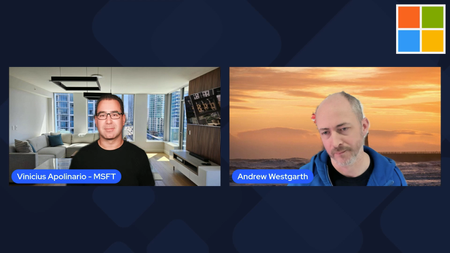
Azure App Service has long been one of the most reliable ways to run web apps on Azure, giving teams a fully managed platform with built‑in scaling, deployment integration, and enterprise‑grade security. But for organizations that need more control, expanded flexibility, or the ability to run apps that have additional dependencies, the new Managed Instance on Azure App Service (preview) brings a powerful new option. Vinicius Apolinario recently sat down with Andrew Westgarth, Product Manager for Azure App Service to talk through what Managed Instances are, why they matter, and how IT/Ops teams can take advantage of the new capabilities. What Managed Instances Bring to the Table Managed Instances (MI) deliver the App Service experience you know with added flexibility for additional scenarios. You get the same PaaS benefits—patching, scaling, deployment workflows—but with the control typically associated with IaaS. Some of the highlights we discussed: App Service and Managed Instance on Azure App Service — What are the main differences and what scenarios MI is focusing on. Consistent App Service experience — Same deployment model, same runtime options, same operational model. App service experience for different audiences — How IT/Ops teams can leverage MI and what does it mean for development teams. Features IT/Ops Teams Will Appreciate Beyond the core architecture, MI introduces capabilities that make day‑to‑day operations easier: Configuration (Install) Script — A new way to customize the underlying environment with scripts that run during provisioning. This is especially useful for installing dependencies, configuring app and OS settings, installing fonts, or preparing the environment for the workload. RDP Access for Troubleshooting — A long‑requested feature that gives operators a secure way to RDP into the instance for deep troubleshooting. Perfect for diagnosing issues that require OS‑level visibility. Learn more about Managed Instance on Azure App Service (preview): Documentation: https://aka.ms/AppService/ManagedInstance Hands On Lab: https://aka.ms/managedinstanceonappservicelab Blog: https://aka.ms/managedinstanceonappservice Ignite session: https://ignite.microsoft.com/en-US/sessions/BRK102164Views1like0CommentsAgentic AI in IT: Self-Healing Systems and Smart Incident Response (Microsoft Ecosystem Perspective)
Modern IT infrastructures are evolving rapidly. Organizations now run workloads across hybrid cloud environments, microservices architectures, Kubernetes clusters, and distributed applications. Managing this complexity with traditional monitoring tools is becoming increasingly difficult. https://dellenny.com/agentic-ai-in-it-self-healing-systems-and-smart-incident-response-microsoft-ecosystem-perspective/16Views0likes0Comments
Cloud Kerberos Trust with 1 AD and 6 M365 Tenants?
Hi, we would like to enable Cloud Kerberos Trust on hybrid joined devices ( via Entra connect sync) In our local AD wie have 6 OUs and users and devices from each OU have a seperate SCP to differnt M365 Tenants. I found this Article to configure the Cloud Kerberos Trust . Set-AzureADKerberosServer 1 2 The Set-AzureADKerberosServer PowerShell cmdlet is used to configure a Microsoft Entra (formerly Azure AD) Kerberos server object. This enables seamless Single Sign-On (SSO) for on-premises resources using modern authentication methods like FIDO2 security keys or Windows Hello for Business. Steps to Configure the Kerberos Server 1. Prerequisites Ensure your environment meets the following: Devices must run Windows 10 version 2004 or later. Domain Controllers must run Windows Server 2016 or later. Install the AzureADHybridAuthenticationManagement module: [Net.ServicePointManager]::SecurityProtocol = [Net.ServicePointManager]::SecurityProtocol -bor [Net.SecurityProtocolType]::Tls12 Install-Module -Name AzureADHybridAuthenticationManagement -AllowClobber 2. Create the Kerberos Server Object Run the following PowerShell commands to create and publish the Kerberos server object: Prompt for All Credentials: $domain = $env:USERDNSDOMAIN $cloudCred = Get-Credential -Message 'Enter Azure AD Hybrid Identity Administrator credentials' $domainCred = Get-Credential -Message 'Enter Domain Admin credentials' Set-AzureADKerberosServer -Domain $domain -CloudCredential $cloudCred -DomainCredential $domainCred As I understand the process, a object is created in local AD when running Set-AzureADKerberosServer What happens, if I run the command multiple times, for each OU/Tenant. Does this ovveride the object, or does it create a new objects?Solved72Views0likes2CommentsIntegrating Microsoft Foundry with OpenClaw: Step by Step Model Configuration
Step 1: Deploying Models on Microsoft Foundry Let us kick things off in the Azure portal. To get our OpenClaw agent thinking like a genius, we need to deploy our models in Microsoft Foundry. For this guide, we are going to focus on deploying gpt-5.2-codex on Microsoft Foundry with OpenClaw. Navigate to your AI Hub, head over to the model catalog, choose the model you wish to use with OpenClaw and hit deploy. Once your deployment is successful, head to the endpoints section. Important: Grab your Endpoint URL and your API Keys right now and save them in a secure note. We will need these exact values to connect OpenClaw in a few minutes. Step 2: Installing and Initializing OpenClaw Next up, we need to get OpenClaw running on your machine. Open up your terminal and run the official installation script: curl -fsSL https://openclaw.ai/install.sh | bash The wizard will walk you through a few prompts. Here is exactly how to answer them to link up with our Azure setup: First Page (Model Selection): Choose "Skip for now". Second Page (Provider): Select azure-openai-responses. Model Selection: Select gpt-5.2-codex , For now only the models listed (hosted on Microsoft Foundry) in the picture below are available to be used with OpenClaw. Follow the rest of the standard prompts to finish the initial setup. Step 3: Editing the OpenClaw Configuration File Now for the fun part. We need to manually configure OpenClaw to talk to Microsoft Foundry. Open your configuration file located at ~/.openclaw/openclaw.json in your favorite text editor. Replace the contents of the models and agents sections with the following code block: { "models": { "providers": { "azure-openai-responses": { "baseUrl": "https://<YOUR_RESOURCE_NAME>.openai.azure.com/openai/v1", "apiKey": "<YOUR_AZURE_OPENAI_API_KEY>", "api": "openai-responses", "authHeader": false, "headers": { "api-key": "<YOUR_AZURE_OPENAI_API_KEY>" }, "models": [ { "id": "gpt-5.2-codex", "name": "GPT-5.2-Codex (Azure)", "reasoning": true, "input": ["text", "image"], "cost": { "input": 0, "output": 0, "cacheRead": 0, "cacheWrite": 0 }, "contextWindow": 400000, "maxTokens": 16384, "compat": { "supportsStore": false } }, { "id": "gpt-5.2", "name": "GPT-5.2 (Azure)", "reasoning": false, "input": ["text", "image"], "cost": { "input": 0, "output": 0, "cacheRead": 0, "cacheWrite": 0 }, "contextWindow": 272000, "maxTokens": 16384, "compat": { "supportsStore": false } } ] } } }, "agents": { "defaults": { "model": { "primary": "azure-openai-responses/gpt-5.2-codex" }, "models": { "azure-openai-responses/gpt-5.2-codex": {} }, "workspace": "/home/<USERNAME>/.openclaw/workspace", "compaction": { "mode": "safeguard" }, "maxConcurrent": 4, "subagents": { "maxConcurrent": 8 } } } } You will notice a few placeholders in that JSON. Here is exactly what you need to swap out: Placeholder Variable What It Is Where to Find It <YOUR_RESOURCE_NAME> The unique name of your Azure OpenAI resource. Found in your Azure Portal under the Azure OpenAI resource overview. <YOUR_AZURE_OPENAI_API_KEY> The secret key required to authenticate your requests. Found in Microsoft Foundry under your project endpoints or Azure Portal keys section. <USERNAME> Your local computer's user profile name. Open your terminal and type whoami to find this. Step 4: Restart the Gateway After saving the configuration file, you must restart the OpenClaw gateway for the new Foundry settings to take effect. Run this simple command: openclaw gateway restart Configuration Notes & Deep Dive If you are curious about why we configured the JSON that way, here is a quick breakdown of the technical details. Authentication Differences Azure OpenAI uses the api-key HTTP header for authentication. This is entirely different from the standard OpenAI Authorization: Bearer header. Our configuration file addresses this in two ways: Setting "authHeader": false completely disables the default Bearer header. Adding "headers": { "api-key": "<key>" } forces OpenClaw to send the API key via Azure's native header format. Important Note: Your API key must appear in both the apiKey field AND the headers.api-key field within the JSON for this to work correctly. The Base URL Azure OpenAI's v1-compatible endpoint follows this specific format: https://<your_resource_name>.openai.azure.com/openai/v1 The beautiful thing about this v1 endpoint is that it is largely compatible with the standard OpenAI API and does not require you to manually pass an api-version query parameter. Model Compatibility Settings "compat": { "supportsStore": false } disables the store parameter since Azure OpenAI does not currently support it. "reasoning": true enables the thinking mode for GPT-5.2-Codex. This supports low, medium, high, and xhigh levels. "reasoning": false is set for GPT-5.2 because it is a standard, non-reasoning model. Model Specifications & Cost Tracking If you want OpenClaw to accurately track your token usage costs, you can update the cost fields from 0 to the current Azure pricing. Here are the specs and costs for the models we just deployed: Model Specifications Model Context Window Max Output Tokens Image Input Reasoning gpt-5.2-codex 400,000 tokens 16,384 tokens Yes Yes gpt-5.2 272,000 tokens 16,384 tokens Yes No Current Cost (Adjust in JSON) Model Input (per 1M tokens) Output (per 1M tokens) Cached Input (per 1M tokens) gpt-5.2-codex $1.75 $14.00 $0.175 gpt-5.2 $2.00 $8.00 $0.50 Conclusion: And there you have it! You have successfully bridged the gap between the enterprise-grade infrastructure of Microsoft Foundry and the local autonomy of OpenClaw. By following these steps, you are not just running a chatbot; you are running a sophisticated agent capable of reasoning, coding, and executing tasks with the full power of GPT-5.2-codex behind it. The combination of Azure's reliability and OpenClaw's flexibility opens up a world of possibilities. Whether you are building an automated devops assistant, a research agent, or just exploring the bleeding edge of AI, you now have a robust foundation to build upon. Now it is time to let your agent loose on some real tasks. Go forth, experiment with different system prompts, and see what you can build. If you run into any interesting edge cases or come up with a unique configuration, let me know in the comments below. Happy coding!3.5KViews1like2Comments