azure red hat openshift
29 TopicsDesigning for High Availability: The Operational Reference for Running a Geo-Replicated ACR
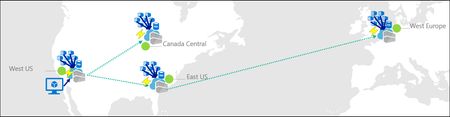
By Johnson Shi, Zoey (Zhuyu) Li, Huangli Wu Introduction Three of the most common questions we hear from enterprise teams running geo-replicated Azure Container Registries (ACR) are: "How do I control which region serves my traffic?" — When my AKS clusters are spread across regions, can I pin each one to its co-located replica, or am I stuck with however the global endpoint routes? "What happens during a regional incident — is failover automatic or do I have to act?" — If the registry in one region degrades, does the global endpoint reroute on its own, or do I need to manually disable the affected replica? "What happens after the region recovers — does traffic return on its own?" — Is there a cooldown, a quarantine, or any manual step before failback? We answer those head-on, then go deeper on the operational details that come up when you actually run a geo-replicated registry: authentication across endpoint switches, throttling under load concentration, eventual-consistency failure modes, home region outage scope, webhooks, and private endpoint interaction. We draw on the official geo-replication docs, the global endpoint health-aware failover blog, the regional endpoints engineering design implementation, the regional endpoints public preview and private preview announcements, and the ACR reference for various registry endpoints, . This post also draws notes from the ACR product team on roadmap items that aren't yet documented elsewhere. Key Takeaways Health-aware failover is automatic. When the registry in a region degrades, the global endpoint reroutes away from it on the order of minutes, evaluated per-registry. No customer action required. Failback is automatic too. Once health-aware failover marks a region healthy again, the global endpoint resumes routing to it. There is no cooldown period. Health-aware failover applies only to global endpoint operations. It does not apply to regional endpoints (you're talking to one replica, period) or to dedicated data endpoints (the redirect is per-region). Health-aware failover is not triggered by throttling. It responds to regional ACR service health and Azure infrastructure health, not HTTP 429 responses. Use regional endpoints to manage per-replica throttling. Regional endpoints (Step 2a) give you explicit per-region URLs for workloads that need affinity, capacity planning, push/pull consistency, troubleshooting, or client-side failover. Use myregistry.<region>.geo.azurecr.io . Regional endpoints are available on Premium SKU registries. For workloads that don't need pinning, do nothing (Step 2b). The global endpoint plus health-aware failover handles routing automatically. Re-authenticate when switching endpoints. Each global or regional endpoint is its own authenticated surface; re-auth via az acr login , SDK auth, or the Kubernetes ACR credential provider on endpoint change. Don't run a long-lived DNS cache for the global endpoint. ACR purges DNS server-side on disable and during failover; a long-lived client cache works against that. For production workloads, enable dedicated data endpoints for security and DNS predictability on layer downloads. ACR is working on bounded staleness consistency for cross-replica eventual-consistency failure modes; see the FAQ. Background What is ACR geo-replication? Geo-replication is a Premium SKU feature that turns a single ACR registry into a multi-region, multi-write service. Every geo-replica in every region is writable — you can push, pull, and delete from any of them — and content syncs asynchronously between replicas under an eventual consistency model. Per-push replication time scales with the size and number of images being pushed. Similarly, when creating a new geo-replica, the time to populate the new geo-replica scales with the total size of the registry. A geo-replicated registry exposes a global endpoint at myregistry.azurecr.io . Behind that endpoint, ACR uses an internal traffic manager to direct each request to the replica with the best network performance profile for the caller — usually the closest replica, but not always. When clients are equidistant from multiple replicas, or when the closest replica is experiencing Azure infrastructure degradation, requests may be routed elsewhere. A geo-replicated registry also exposes a regional endpoint at myregistry.<region>.geo.azurecr.io , which allows clients to pin API requests to a specific geo-replica in lieu of global endpoints, which has Azure-managed routing among geo-replicas. Zone redundancy is always enabled for geo-replicas in regions where Azure has multiple availability zones — in those regions, ACR automatically spreads replica data across multiple availability zones within each region to protect against zonal outages. Endpoints and data endpoints: what goes where A common point of confusion: when you push or pull, not every request goes to the same place. The registry endpoints (global endpoint and regional endpoints), as well as the data endpoint, do different jobs. Your choice of data endpoint configuration has real consequences for security and resilience. Two kinds of traffic flow during a typical pull: Registry API traffic — authentication, manifest reads/writes, tag resolution, referrers, repository operations, blob location lookups, listing, metadata. This is everything except the actual layer (blob) bytes. All these API requests go to the global endpoint ( myregistry.azurecr.io ) or, if you've pinned your clients to call these APIs to a specific geo-replica, a geo-replica's regional endpoint ( myregistry.<region>.geo.azurecr.io ). Behind the scenes, the global endpoint internally proxies these requests to a specific geo-replica. Layer (blob) downloads — when the client asks for a blob, the registry doesn't serve the bytes itself. It returns an HTTP 307 redirect to a regional data endpoint (separate endpoint from the global endpoint or regional endpoints), and the client follows the redirect to download the layer from that region. Where that 307 sends you depends on whether you've enabled the registry's dedicated data endpoints feature: Configuration Layer downloads redirect to Default (no dedicated data endpoints) *.blob.core.windows.net (the underlying Azure storage account) Dedicated data endpoints enabled myregistry.<region>.data.azurecr.io for the region you were routed to Private endpoints enabled myregistry.<region>.data.azurecr.io for the region you were routed to Regional by design. Dedicated data endpoints always land you on a specific geo-replica's data endpoint — there is no "global data endpoint." With the global endpoint as your registry endpoint, the 307 redirect picks the data endpoint for whichever region the global endpoint chose to serve you. With a regional endpoint pinned to a specific region, the 307 always redirects you to that same region's data endpoint — never cross-region. Why dedicated data endpoints matter. Dedicated data endpoints are a Premium SKU feature that exists primarily to address security and firewall scoping. By default, layer downloads redirect to *.blob.core.windows.net — a wildcard storage FQDN. Firewall rules to allow that wildcard either let all Azure storage accounts through or none of them, which raises data exfiltration concerns and isn't tightly scoped to your registry. Dedicated data endpoints replace the wildcard with a fully qualified domain in your registry's own domain — myregistry.<region>.data.azurecr.io — so firewall rules can be scoped tightly to your specific registry, in your specific regions. That same design choice can also make layer downloads more predictable during routing changes. With dedicated data endpoints, the data endpoint FQDN is known ahead of time and lives in the registry's domain — one predictable hostname per region, configured once. Without them, the layer download has to resolve a wildcard storage FQDN that points to whichever storage account the registry happens to have provisioned, which is a separate DNS resolution path with its own routing behavior and its own caching profile. Dedicated data endpoints simplify the DNS picture by aligning the data path with the registry path and keeping the entire pull experience inside one set of predictable, scoped FQDNs. For any geo-replicated registry where security and high availability matter, enable dedicated data endpoints. Note: Health-aware failover applies only to operations against the global endpoint, not to regional endpoints or dedicated data endpoints. Take note that health-aware failover only kicks in and directs traffic away from a geo-replica when an Azure region is experiencing significant infrastructure degradation. At this stage, it does not kick in to redirect traffic to another geo-replica if a client's data plane API requests are throttled. See the relevant section below for the full scope when health-aware auto failover kicks in or not. The three traffic control tools ACR geo-replication gives you three complementary tools for controlling where traffic lands. Each one solves a different class of problem, and customers most often run into trouble when they reach for the wrong one. We name them up front and use these names throughout the post: Tool Who controls it What it does Use cases Health-aware failover Platform (automatic) Reroutes the global endpoint away from a region whose registry can't reliably serve requests Regional incidents, automatic recovery Replica enable/disable for global routing Customer (manual) Excludes a specific replica from global endpoint routing without deleting it; data continues syncing DR rehearsals, planned maintenance, quarantining a replica without losing it Regional endpoints Customer (per request) Dedicated per-region URLs ( myregistry.<region>.geo.azurecr.io ) that bypass the internal traffic manager entirely Pinning AKS clusters to co-located replicas, push/pull consistency, capacity planning, troubleshooting, client-side failover Health-aware failover and replica enable/disable both act on the global endpoint. Regional endpoints are a separate URL surface that coexists with the global endpoint — enabling them does not disable the global endpoint myregistry.azurecr.io . You can use both simultaneously and choose per workload. The behavior in question When the registry in one region experiences a real degradation, there are three possible answers to "what happens?": (A) Nothing automatic. The customer must manually disable the affected region's endpoint to stop traffic from being routed there. (B) The system detects the regional front-door failure and reroutes within seconds. (C) A per-registry health evaluation detects the degradation and reroutes the global endpoint within minutes, with no customer action. After the region recovers, routing resumes automatically. The answer today is (C). Before health-aware failover, customers were stuck closer to (A) — the system could see whether the regional reverse proxy responded, but not whether the registry could actually serve real pull and push traffic end to end. Health-aware failover closes that gap. We walk through all three tools in the next section, in order: setting up geo-replication, using regional endpoints to pin specific workloads, keeping the global endpoint for everything else, the manual replica disable mechanism, re-enabling participation in global routing, and what to expect when health-aware failover triggers. Walkthrough The following steps assume an existing Premium SKU registry and the Azure CLI logged in. We use myregistry as the registry name, myrg as the resource group, and eastus as the home region. Substitute <your-registry> , <your-rg> , and <your-region> for your environment. Prerequisites A Premium SKU ACR registry (geo-replication requires Premium) Azure CLI ( az ) installed and logged in For regional endpoints (Step 2a): Azure CLI 2.86.0 or later. All regional endpoints commands ( --regional-endpoints , az acr show-endpoints , az acr login --endpoint ) are available natively in Azure CLI 2.86.0+. If you previously installed the acrregionalendpoint private preview CLI extension, uninstall it with az extension remove --name acrregionalendpoint to prevent conflicts with the built-in CLI commands. Step 1: Add a West US replica to a registry that lives in East US Geo-replication requires the Premium SKU. The create call below fails on Basic or Standard. # Confirm the registry is Premium az acr show --name myregistry --resource-group myrg \ --query sku.name --output tsv # Premium # Create a West US geo-replica az acr replication create --registry myregistry --location westus # Confirm both replicas are present az acr replication list --registry myregistry --output table NAME LOCATION PROVISIONING STATE STATUS REGION ENDPOINT ENABLED ------ ---------- -------------------- -------- ----------------------- eastus eastus Succeeded online True westus westus Succeeded online True Pushes and pulls continue working through the existing replica throughout initial sync. Because the registry is multi-region, multi-write, the existing replica keeps serving traffic while the new replica catches up in the background. Initial replica seeding time is a function of registry size — the total number and cumulative size of images already in the registry that need to be replicated to the new replica — not the size of any single image. Step 2a: Pin workloads to specific regions using regional endpoints Use regional endpoints when a workload needs explicit per-region control. The five common cases: Regional affinity — an AKS cluster in East US should pull from the East US replica, every time, without ever hopping to a more distant replica because of a network performance fluctuation. Predictable routing — workloads that need to know exactly which replica will serve them, for benchmarking, capacity planning, or in-region traffic SLAs. Push/pull consistency — pinning both ends of a publish-then-deploy flow to the same replica eliminates eventual-consistency races. Troubleshooting — reproducing an issue on a specific replica requires sending traffic to that specific replica. Client-side failover — customers with their own health checks and business rules want to implement failover on their own terms, on signals only they can see. Enable regional endpoints on the registry: az acr update -n myregistry -g myrg --regional-endpoints enabled When enabled, ACR automatically creates per-region login server URLs for every existing geo-replica. No per-region configuration is needed. Note: Regional endpoints can be enabled on any Premium SKU registry, even without geo-replication. A registry without geo-replication has a single geo-replica in the home region, which gets one regional endpoint URL. However, the feature is most useful when your registry has at least two geo-replicas, where you can pin different workloads to different replicas for routing control and capacity distribution. Push to a specific region using its regional endpoint: # Log in to the West US regional endpoint az acr login --name myregistry --endpoint westus # Tag and push using the regional endpoint URL docker tag myapp:v1 myregistry.westus.geo.azurecr.io/myapp:v1 docker push myregistry.westus.geo.azurecr.io/myapp:v1 Pin AKS deployments to their co-located replica by using regional endpoint URLs in the deployment manifest. The example below shows two clusters in different regions; each cluster references the regional endpoint for its own region's replica (assuming replicas exist in both eastus and westeurope ): # East US-based AKS cluster pulls from the East US replica apiVersion: apps/v1 kind: Deployment metadata: name: myapp-eastus spec: template: spec: containers: - name: myapp image: myregistry.eastus.geo.azurecr.io/myapp:v1 --- # West Europe-based AKS cluster pulls from the West Europe replica apiVersion: apps/v1 kind: Deployment metadata: name: myapp-westeurope spec: template: spec: containers: - name: myapp image: myregistry.westeurope.geo.azurecr.io/myapp:v1 This eliminates cross-region pulls when global routing would otherwise prefer a different replica for a given client, and it gives you a per-region traffic profile you can plan capacity against. Regional endpoint operational tips View all endpoints. Use az acr show-endpoints to see all endpoint URLs for your registry — global, regional (if enabled), and dedicated data endpoints (if enabled): az acr show-endpoints --name myregistry --resource-group myrg Import from a specific geo-replica. When importing images between registries, you can use a regional endpoint to import from a specific geo-replica of the source registry. This is useful when you want predictable network paths or need to import from a replica in a specific region: az acr import \ --name mydownstreamregistry \ --source myupstreamregistry.westeurope.geo.azurecr.io/myapp:v1 \ --image myapp:v1 Firewall rules for regional endpoints. If you use firewall rules, allow access to the following endpoints for each geo-replica that clients connect to: Endpoint Purpose myregistry.<region>.geo.azurecr.io Regional endpoint for registry operations myregistry.azurecr.io Global endpoint (if also used) myregistry.<region>.data.azurecr.io Layer downloads (if using private endpoints or dedicated data endpoints) *.blob.core.windows.net Layer downloads (if not using private endpoints or dedicated data endpoints) For the full list of endpoint types and FQDN patterns, see the ACR reference for various registry endpoints. DNS-based routing without changing manifests. If you don't want to maintain different deployment manifests per region, you can keep all manifests pointing to the global endpoint ( myregistry.azurecr.io ) and use software-defined networking or a regional traffic manager to resolve the global endpoint to the appropriate regional endpoint based on the originating region's traffic. This achieves the same co-location goals as regional endpoints — predictable routing and reduced latency — without embedding region-specific URLs in your deployment manifests. Step 2b: Keep using the global endpoint for everything else For workloads that don't need explicit pinning, do nothing. The global endpoint at myregistry.azurecr.io continues to work exactly as before, and the global endpoint plus health-aware failover gives you intelligent routing across replicas without configuration. ACR picks the best replica for each client based on network performance and reroutes during regional incidents. Regional endpoints coexist with the global endpoint — enabling them does not disable myregistry.azurecr.io . You can use both simultaneously and choose per workload, mixing pinned workloads (Step 2a) with workloads that ride the global endpoint (Step 2b) in the same registry. Step 3: Take a replica out of global endpoint routing Use this when you need to keep a replica alive but stop it from serving global-endpoint traffic — for DR rehearsals, planned maintenance, or troubleshooting an isolated replica. # Exclude the West US replica from global endpoint routing az acr replication update --registry myregistry --name westus \ --global-endpoint-routing false Confirm the change: az acr replication list --registry myregistry --output table NAME LOCATION PROVISIONING STATE STATUS REGION ENDPOINT ENABLED ------ ---------- -------------------- -------- ----------------------- eastus eastus Succeeded online True westus westus Succeeded online False Requests to myregistry.azurecr.io no longer route to West US. The replica still receives replicated content — and continues to replicate its own content out to other replicas — and storage quota and per-replica costs continue to accrue. If regional endpoints are enabled, the West US regional endpoint URL also continues to work; --global-endpoint-routing controls only the replica's participation in global endpoint routing. A note on naming. The CLI flag --global-endpoint-routing (on az acr replication update ) and the regional endpoints feature (enabled via az acr update --regional-endpoints enabled ) are two different things despite the similar names. --global-endpoint-routing controls whether a replica participates in global endpoint routing. The regional endpoints feature creates per-region URLs ( myregistry.<region>.geo.azurecr.io ) that bypass the global endpoint entirely. They are independent controls. In Azure CLI 2.86.0 and later, the old --region-endpoint-enabled flag has been renamed to --global-endpoint-routing . The old flag name is deprecated and will be removed in Azure CLI 2.87.0 (June 2026). If you have existing scripts or automation that use --region-endpoint-enabled , update them to use --global-endpoint-routing . CLI flags quick reference: Flag Scope Purpose --regional-endpoints Registry-level ( az acr create or az acr update ) Enables dedicated regional endpoint URLs ( myregistry.<region>.geo.azurecr.io ) for all geo-replicas. --global-endpoint-routing Per-geo-replica ( az acr replication create or az acr replication update ) Controls whether the global endpoint routes traffic to a specific geo-replica. Set to false to temporarily exclude a geo-replica from global routing. --data-endpoint-enabled Registry-level ( az acr create or az acr update ) Enables dedicated data endpoints ( myregistry.<region>.data.azurecr.io ) for layer blob downloads. Auto-enabled when at least one private endpoint is configured. This bidirectional sync during disable is intentional. When you re-enable the replica, every image pushed to the registry while the replica was disabled — from any region — is already present, so the replica can serve traffic immediately with no catch-up window. If we stopped syncing on disable, re-enabling would leave the replica with stale data and force a long catch-up before it could safely serve pulls. Step 4: Re-enable the replica to participate in global endpoint routing Re-enable the replica: az acr replication update --registry myregistry --name westus \ --global-endpoint-routing true NAME LOCATION PROVISIONING STATE STATUS REGION ENDPOINT ENABLED ------ ---------- -------------------- -------- ----------------------- eastus eastus Succeeded online True westus westus Succeeded online True There is no cooldown. The global endpoint resumes routing requests to the West US replica as soon as the change takes effect on ACR's side. Because data continued syncing while the replica was disabled (Step 3), the replica is immediately ready to serve pulls — no catch-up window. Note on DNS during disable/enable. When you take a replica out of global routing, ACR purges its own DNS records for that replica from the global endpoint on a fast path — there is no waiting on a published TTL on ACR's side. If clients run their own DNS cache for the global endpoint, however, those clients will keep resolving to the disabled replica until the client cache expires. We can't control client-side caches. The recommendation: do not run a long-lived DNS cache for the global endpoint. A short-lived DNS pin for the duration of a single push (covered in the DNS and Client-Side Considerations section) is fine and even helpful — but a long-lived DNS cache will make --global-endpoint-routing false look broken from the client's perspective. Step 5: What to expect when health-aware failover triggers Health-aware failover is automatic. ACR evaluates registry health on a per-registry basis, and when a registry in a region can't reliably serve requests, the global endpoint reroutes that registry's traffic to a healthy replica. There is no customer-invocable trigger — that's the point. End-to-end timing is on the order of minutes — fast enough to catch real regional degradation, slow enough to ride out transient errors that resolve on their own. DNS TTL may add additional propagation delay before all clients switch to the new region. Scope of health-aware failover. Health-aware failover applies only to operations against the global endpoint — the registry API calls (auth, get manifest, get tag, get referrers, get blob location). It evaluates health when those API calls come in; it does not trigger mid-operation. Two important consequences: Regional endpoints are not in scope. When you talk to a regional endpoint like myregistry.westus.geo.azurecr.io , you're talking to that one replica. There is no automatic reroute. If you've pinned a workload to a regional endpoint and that region degrades, you implement client-side failover by switching the workload to a different regional endpoint. Dedicated data endpoints are not in scope. Once a registry endpoint has redirected you to a dedicated data endpoint, you stay on that region's data endpoint for the duration of the layer download. There is no automatic reroute of an in-flight blob download. The region targeted by the redirect is decided up front by whichever registry endpoint served the blob-location call: the global endpoint chooses based on its per-registry health evaluation, and a regional endpoint always targets its own region. The signals you can use to confirm a failover is in progress: # Check replication status az acr replication list --registry myregistry --output table You can also check Resource Health for the registry in the Azure portal — navigate to your registry and select Resource health under the Help section to see platform-side degradation signals. You'll typically see: Increased pull latency as traffic shifts to a more distant replica Resource Health flagging known issues in the affected region Replication status indicating which replicas are online After the region recovers, the per-registry health evaluation marks it healthy again and the global endpoint resumes routing — automatic, no cooldown, no customer action. Note that health is evaluated per registry, not per region: if a degradation affects only a subset of registries in a region, only those registries are rerouted, and other registries in the same region continue to be served locally with no unnecessary latency penalty. Not triggered by throttling. Health-aware failover is DNS-based and responds to regional ACR service health and Azure infrastructure health. It does not reroute traffic based on HTTP 429 (throttling) responses. If a geo-replica is throttling your requests but the region's infrastructure is healthy, the global endpoint continues routing you to that geo-replica. To manage throttling, use regional endpoints to spread workloads across multiple geo-replicas for better capacity distribution. Note on long-running pushes during a failover. A multi-layer push that spans a failover boundary can land layers and the manifest on different replicas — exactly the failure mode that DNS bouncing produces during a single push. ACR is actively tightening health-aware failover behavior to minimize cross-replica scatter during these scenarios, and the recommendation today remains: pin pushes to a single replica via a regional endpoint when push/pull consistency matters. Common Questions Q1. Performance impact during initial replica creation on a live registry Because ACR is multi-region, multi-write, the existing replica continues serving pull and push traffic throughout the period when a new replica is being seeded. Replication is asynchronous and content propagates in the background; the time to populate a new geo-replica scales with the size of the registry — the cumulative number and total size of images already in the registry — not with any single image. The docs do not publish a quantified degradation percentage or a throttling window for this period, and they do not promise zero performance impact — the safe operating assumption for a live production registry is that existing replicas continue serving traffic normally, with the new replica catching up in the background. Q2. Restricted/updating state during initial sync There is no "restricted" state for the registry during normal replica creation. Writes, control-plane operations, and pushes/pulls against existing replicas continue normally. The only time configuration changes are unavailable is during a home region outage — see the relevant FAQ item later on for the full data-plane-versus-control-plane breakdown. Q3. Cooldown periods and non-straightforward failback scenarios There is no cooldown before failback, manual or automatic. Re-enabling a replica's participation in global endpoint routing takes effect immediately on ACR's side. Health-aware failover returns traffic to a region as soon as its per-registry health evaluation passes again. The failback case that is not seamless: if a recently pushed image has not yet replicated to the failover region, a pull from that region may not find the image until replication catches up. This is a function of eventual consistency, not failback timing — and it's part of a broader class of issues we cover in Q4. Q4. Common pull and push failure modes during the eventual-consistency window DNS bouncing during a single push is one well-known problem, but it isn't the only one. The eventual-consistency window between geo-replicas surfaces in several recurring failure modes worth knowing about: Push-then-immediate-pull-cross-region. Pushing myapp:v1 to one region and immediately pulling it from a different region can fail with manifest unknown until replication catches up. This shows up most painfully in CI/CD pipelines where one CI runner pushes an image and thousands of pods across other regions all try to pull from their local geo-replicas at the same time. Today, customers work around this with indeterminate sleeps before scheduling expensive compute, or with retry logic, or by waiting on a replication-complete signal — none of which is a clean planning story. Tag overwrite races. Pushing myapp:v1 , then re-pushing myapp:v1 shortly after with a fix (same tag, different digest), can leave different replicas resolving the same tag to different digests during the eventual-consistency window. Delete propagation. Deleting a tag or repository in one region takes some time to propagate to other replicas. Pulls from regions where the delete hasn't yet propagated can return the supposedly-deleted content. Mid-push failover scatter. A multi-layer push that spans a health-aware failover boundary or a DNS bouncing event can land layers on one replica and the manifest on another, surfacing as manifest validation errors or blob unknown on subsequent pulls. What ACR is doing about this. We're working on bounded staleness consistency for pushed images across all geo-replicas worldwide, which addresses these four failure modes directly. This will be covered in an upcoming blog post. If you're hitting eventual-consistency brittleness today and want to talk through your scenario, reach out to us on the Azure Container Registry GitHub repository — we want the customer signal to land in the design. Mitigations available today: Pin pushes to a single replica via a regional endpoint. Every sub-request in the push — login, blob uploads, manifest upload — goes to the same replica, eliminating the DNS bouncing and mid-push scatter classes entirely. Use a short-lived client-side DNS cache like dnsmasq scoped to the duration of a single push, only when you're not using regional endpoints. Do not run a long-lived DNS cache for the global endpoint — it interferes with --global-endpoint-routing false and with health-aware failover routing. Build retry logic into pulls that immediately follow a cross-region push. Either retry with backoff or check replication status with ACR webhooks before pulling. ACR can detect and notify you when an image or tag is available for pull in a geo-replica (say geo-replica B), after it has been pushed to another geo-replica (geo-replica A) and background replication has succeeded to geo-replica B. Design publish steps to be idempotent so retries triggered by mid-push failover are safe. Q5. Auth behavior across endpoint switches For safety, treat each global endpoint and each regional endpoint as its own authenticated surface. All registry APIs except the actual blob downloads (auth, manifests, tag resolution, referrers) flow through whichever endpoint you've chosen. If you switch from the global endpoint to a regional endpoint, or from one regional endpoint to another, re-authenticate. That means az acr login , fresh SDK auth, or — for AKS — letting the Kubernetes ACR credential provider handle re-auth, which it does automatically when the endpoint changes. Q6. Throttling under failover and pinning Throttling limits on registry API operations are per-replica, not per-registry. This has two operational implications: During health-aware failover, traffic that was spread across replicas can shift heavily onto whichever replicas remain in the global endpoint's routing pool. Capacity plan to spread traffic across two or three healthy replicas during a failover scenario rather than concentrating onto one — the global endpoint's routing already does this for you when multiple healthy replicas exist, but registries with only two regions configured can hit per-replica limits more easily during a failover. To mitigate, use regional endpoints to spread workloads across multiple geo-replicas and plan per-replica capacity. When pinning via regional endpoints (Step 2a), you concentrate traffic on whichever replica you've pinned to. If you've pinned all your AKS clusters to a single regional endpoint, you may hit that replica's per-region throttling limits at peak. Mitigations: pin different workloads to different regional endpoints across multiple regions for better topology mapping and capacity distribution, or use the global endpoint (Step 2b) for workloads where you don't need explicit pinning so ACR's routing can spread load. We're also working on improving the throttling metrics surfaced during health-aware failover events. Note: Health-aware failover does not reroute traffic based on HTTP 429 (throttling). If you're experiencing throttling but the region's infrastructure is healthy, the global endpoint continues routing you there. Use regional endpoints to explicitly spread load across replicas for capacity planning. Q7. Home region outage scope Geo-replication provides high availability for the data plane. During a home region outage, the control plane is unavailable, which means you can't create or delete replicas, modify network rules, or change replication settings until the home region recovers. ACR Tasks are also bound to the home region and don't run while it's unavailable. The data plane keeps working: Global endpoint continues routing pulls and pushes to healthy replicas. Regional endpoints continue working — you talk directly to specific replicas, and your client-side logic decides which region to use. Authentication, manifests, blob downloads, webhooks continue functioning through any healthy replica. The home region of a registry is fixed at creation and cannot be changed afterward. Microsoft's registry relocation guidance describes a redeployment procedure — creating a new registry in a different region — not an in-place change to an existing registry's home region. Note: If your registry uses a customer-managed key, review the key vault failover and redundancy guidance for maximum resilience. Key vault availability directly affects the registry's ability to encrypt and decrypt data. Q8. Webhooks during failover Webhooks fire from the replica that received the push. Because ACR also replicates content to other geo-replicas, webhooks fire from each geo-replica as the image syncs to it — so a single push results in webhook events from the receiving replica plus an event from each replica as replication completes. During a failover where pushes are routed to a different region, webhooks from those pushes fire from the new region; once the original region recovers and replication catches up, webhook events fire from there too. Webhook consumers should be designed to handle multiple events per pushed image and deduplicate as needed. Q9. Private endpoints with regional endpoints and dedicated data endpoints When a private endpoint is created against a registry, the private endpoint covers all of the registry's endpoint surfaces — the global endpoint, every regional endpoint (if regional endpoints are enabled), and every regional dedicated data endpoint. A single private endpoint in one VNet can reach the global endpoint (which routes you to a suitable replica), any regional endpoint in the same or a different region, and any region's dedicated data endpoint for blob downloads. The trade-off is private IP allocation: each endpoint surface consumes IPs in the VNet. With many replicas plus regional endpoints plus dedicated data endpoints all enabled, private endpoint creation can fail if the VNet runs out of available private IPs. IP address consumption per feature: Configuration IPs consumed per VNet Initial private endpoint (global endpoint + home region dedicated data endpoint) 2 Each geo-replication region added +1 (regional dedicated data endpoint) Regional endpoints enabled +1 per geo-replica Example: A registry with 3 geo-replicas and regional endpoints enabled consumes 7 private IPs per VNet: 1 (global) + 3 (data) + 3 (regional). Without regional endpoints, the same registry requires 4 private IPs: 1 (global) + 3 (data). Subnet sizing: Use at minimum a /27 (32 addresses) subnet for PE subnets on geo-replicated registries, and /24 where possible. To check how many private IPs are already consumed on a subnet: az network vnet subnet show \ --name <subnet-name> \ --vnet-name <vnet-name> \ --resource-group <resource-group> \ --query "{addressPrefix:addressPrefix, usedIPs:length(ipConfigurations || \`[]\`)}" \ --output table See the ACR private endpoints documentation for the full IP-allocation math and sizing guidance. Q10. Geo-replica creation stuck for private endpoint-enabled registries When creating a geo-replica for a registry that has private endpoints configured, the replica provisioning can get stuck in a Creating state if the identity performing the operation doesn't have sufficient permissions to create private endpoint networking resources. Solution: Manually delete the geo-replica that got stuck in the provisioning state. Ensure the identity has the permission Microsoft.Network/privateEndpoints/privateLinkServiceProxies/write before creating the geo-replica again. Also verify that every PE subnet connected to the registry has free IP capacity — if any PE subnet across any connected VNet does not have enough free IPs, the replication provisioning fails and rolls back. The replica appears briefly in a Creating state and then is removed. The resulting error does not identify which subnet or VNet is exhausted. Q11. Metrics, logs, and alerts for the three phases We map each phase to the signals available in the Monitoring Guidance section below. The headline: Resource Health (in the Azure portal) and az acr replication list give you the platform-side signals; Azure Monitor platform metrics are collected automatically, and resource logs require Diagnostic Settings to be enabled on the customer side. Behavior summary Scenario Automatic? Customer Action Required Notes Registry in a region degrades Yes None Health-aware failover; per-registry; minutes-scale; global endpoint operations only Region recovers after a degradation event Yes None No cooldown Pin AKS clusters to co-located replicas No Use regional endpoint URLs in deployment manifests (Step 2a) Coexists with global endpoint No pinning needed for most workloads Yes None — keep using myregistry.azurecr.io (Step 2b) Global endpoint plus health-aware failover Push/pull from the same replica (consistency) No Use a regional endpoint for both push and pull Eliminates DNS bouncing and mid-push scatter Capacity planning per region No Spread workloads across multiple regional endpoints Per-replica throttling; avoid concentrating on one replica DR rehearsal: take a replica out of global routing No az acr replication update --global-endpoint-routing false Data continues syncing both directions; costs continue accruing Re-enable replica participation in global routing No az acr replication update --global-endpoint-routing true No cooldown; replica is immediately ready Switch a workload between endpoints No Re-auth ( az acr login , SDK auth, or Kubernetes ACR credential provider) Each endpoint is its own authenticated surface Initial replica seeding on a live registry N/A None Existing replica continues serving traffic; seeding time scales with registry size Long-running push during a failover No Retry; design publishes to be idempotent Pin via regional endpoint to avoid mid-push scatter; ACR is tightening this behavior Pull of a recently pushed image from a different region No Wait for replication, retry with backoff, or check replication status Eventual consistency; bounded staleness consistency in development Home region outage Data plane: yes; control plane: no Use global or regional endpoints for data plane operations Control plane (replica config, network rules) requires home region DNS and Client-Side Considerations DNS bouncing during a single push is the most common geo-replication push problem in customer threads, and it warrants a section of its own. The failure mode. A docker push is a sequence of HTTP requests: blob uploads for each layer, then a manifest upload that references those layers by digest. If the Linux DNS resolver on the client doesn't cache myregistry.azurecr.io consistently for the duration of the push, individual sub-requests can resolve to different replicas. Because replication is eventually consistent, the manifest can land on a replica that doesn't yet have the layers it references, and the manifest validation fails. The two mitigations: Regional endpoints pin the push to a single replica end-to-end. Every sub-request — login, blob uploads, manifest upload — goes to the same replica. This is the cleanest fix and the one we recommend for any pipeline where push/pull consistency matters. A short-lived client-side DNS cache like dnsmasq scoped to the duration of a single push. For Linux VMs in Azure, follow the DNS name resolution options guidance. The pin should last the push and no longer. For other clients performing pushes, you can customize your stack's DNS resolver to have a similar short-lived DNS cache to pin the global endpoint's resolved DNS for only the duration of an image push operation. A note on long-lived DNS caching for the global endpoint. Don't run a long-lived DNS cache for myregistry.azurecr.io . ACR purges its own DNS records on the server side when a replica is taken out of global routing (Step 3) and during health-aware failover; a long-lived client-side cache will keep clients pointed at the old region after our purge, which makes both the manual disable mechanism and health-aware failover look broken from the client's perspective. Retry behavior: In-flight pushes during a failover may fail. Design publish steps to be idempotent so retries are safe. Pipelines that push in one region and immediately pull from a different region should retry with backoff or check replication status — eventual consistency means the pull may race ahead of replication. ACR is working on bounded staleness consistency that addresses this directly by enabling proxying (on ACR infrastructure) an image pull request from one geo-replica (if it does not have the image) to another geo-replica that has the image; see the relevant FAQ item. Note: Specific retry counts, back-off intervals, and push timeout values are application-layer decisions. The platform behavior is documented; the retry policy belongs to your client. Monitoring Guidance We map the three phases to the signals available from each source. Where a signal requires customer-side configuration, we flag it. Phase A: Initial replication (after creating a new replica) az acr replication list and az acr replication show — confirm the new replica reaches provisioningState: Succeeded and status: online , and view per-replica status. Azure Monitor platform metrics — push count, pull count, and other registry metrics are collected automatically and visible in the Azure portal under Metrics. No customer configuration is needed to view platform metrics. To export metrics or enable resource logs (detailed operation logs), configure Diagnostic Settings on the registry. Phase B: Failover (planned via replica disable, or automatic via health-aware failover) Per-replica regionEndpointEnabled state via az acr replication list — confirms whether a manual disable took effect, i.e. which replicas are currently eligible for global endpoint routing. Note: this flag reflects the manual configuration for configuring a geo-replica's global endpoint routing eligibility; it does not indicate whether health-aware failover has actively rerouted traffic away from a replica. Resource Health for the registry (in the Azure portal under Help > Resource health) — surfaces platform-side degradation signals during incidents. ACR does not yet expose a definitive "this region is currently serving your traffic" signal; Resource Health and client-side latency changes are the best available indicators. Pull latency from clients — increased latency from a more distant replica is the client-observable signal that traffic has rerouted. Azure Monitor platform metrics — visible per-region in the Azure portal Metrics blade. To export metrics or query them programmatically, enable Diagnostic Settings. Phase C: Failback (replica returns to global routing) az acr replication list — confirms regionEndpointEnabled: True (manual) or online status across all replicas (automatic). Pull latency normalizing as clients reach the recovered replica again. Resource Health clearing for the registry (visible in the Azure portal). Note: The health-aware failover blog calls out ongoing work to surface richer signals — including notifications for when routing changes and which region is currently serving your traffic. The signals listed above are what's available today. Pricing Considerations Storage billing vs. storage quota: Storage is billed per geo-replica — a 1 GiB image replicated to 5 geo-replicas is charged as 5 GiB of storage (1 GiB × 5 geo-replicas). However, storage quota (the tier's maximum storage limit) counts the image only once — the same 1 GiB image counts as 1 GiB toward your tier's maximum, not 5 GiB. Data transfer: Geo-replication can reduce costs by enabling in-region image pushes and pulls, which avoids cross-region data transfer charges during these push or pull operations. However, cross-region data transfer charges still apply when ACR replicates pushed content to other geo-replicas as part of eventual consistency. Disabled replicas still cost: When you take a replica out of global routing with --global-endpoint-routing false , storage and per-replica costs continue accruing because data continues syncing bidirectionally. For more information, see ACR pricing. Cleanup Run these commands to undo the walkthrough setup. Order matters: disable regional endpoints before deleting replicas, since regional endpoint URLs depend on which replicas exist. # Disable regional endpoints if you enabled them in Step 2a az acr update -n myregistry -g myrg --regional-endpoints disabled # Re-enable any replicas you disabled in Step 3 (no-op if already enabled) az acr replication update --registry myregistry --name westus \ --global-endpoint-routing true # Delete the West US replica created in Step 1 az acr replication delete --registry myregistry --name westus # Confirm only the home region replica remains az acr replication list --registry myregistry --output table Note: Replica deletion is a control-plane operation that requires the home region to be available. During a home region outage, replica configuration cannot be modified. Summary Table Question Answer When should I use regional endpoints vs the global endpoint? Use regional endpoints (Step 2a) for workloads that need affinity, predictable routing, push/pull consistency, troubleshooting, or client-side failover. Use the global endpoint (Step 2b) for everything else and let health-aware failover handle routing. What should I enable for secure, resilient layer downloads? Enable dedicated data endpoints. They scope firewall rules tightly to your registry and replace wildcard storage DNS with predictable per-region FQDNs. How do I avoid DNS-bouncing manifest validation failures on push? Pin pushes to a single replica via a regional endpoint. A short-lived client-side dnsmasq for the push duration is also fine if you're not using regional endpoints. Should I run a long-lived DNS cache for the global endpoint? No. ACR purges DNS server-side on disable and during failover; client-side caching works against that. Do I need to re-auth when switching endpoints? Yes. Each global or regional endpoint is its own authenticated surface. az acr login , SDK auth, or the Kubernetes ACR credential provider handles the re-auth. What happens during a home region outage? Data plane keeps working through any replica via the global endpoint or regional endpoints. Control plane operations (replica configuration, network rules) are unavailable until the home region recovers. The home region is fixed at registry creation. What's ACR doing about eventual-consistency pain? Bounded staleness consistency for cross-replica pushed images is in development and will be covered in an upcoming blog post. Reach out via GitHub if you want to share your scenario. For the full automation matrix — what's automatic, what requires customer action, and what to expect for each scenario — see the behavior summary above. If you have further questions about ACR geo-replication routing, pinning, capacity planning, eventual consistency, or failover behavior, reach out to us on the Azure Container Registry GitHub repository or file feedback through the Azure portal.315Views0likes0CommentsBuilding the agentic future together at JDConf 2026
JDConf 2026 is just weeks away, and I’m excited to welcome Java developers, architects, and engineering leaders from around the world for two days of learning and connection. Now in its sixth year, JDConf has become a place where the Java community compares notes on their real-world production experience: patterns, tooling, and hard-earned lessons you can take back to your team, while we keep moving the Java systems that run businesses and services forward in the AI era. This year’s program lines up with a shift many of us are seeing first-hand: delivery is getting more intelligent, more automated, and more tightly coupled to the systems and data we already own. Agentic approaches are moving from demos to backlog items, and that raises practical questions: what’s the right architecture, where do you draw trust boundaries, how do you keep secrets safe, and how do you ship without trading reliability for novelty? JDConf is for and by the people who build and manage the mission-critical apps powering organizations worldwide. Across three regional livestreams, you’ll hear from open source and enterprise practitioners who are making the same tradeoffs you are—velocity vs. safety, modernization vs. continuity, experimentation vs. operational excellence. Expect sessions that go beyond “what” and get into “how”: design choices, integration patterns, migration steps, and the guardrails that make AI features safe to run in production. You’ll find several practical themes for shipping Java in the AI era: connecting agents to enterprise systems with clear governance; frameworks and runtimes adapting to AI-native workloads; and how testing and delivery pipelines evolve as automation gets more capable. To make this more concrete, a sampling of sessions would include topics like Secrets of Agentic Memory Management (patterns for short- and long-term memory and safe retrieval), Modernizing a Java App with GitHub Copilot (end-to-end upgrade and migration with AI-powered technologies), and Docker Sandboxes for AI Agents (guardrails for running agent workflows without risking your filesystem or secrets). The goal is to help you adopt what’s new while hardening your long lived codebases. JDConf is built for community learning—free to attend, accessible worldwide, and designed for an interactive live experience in three time zones. You’ll not only get 23 practitioner-led sessions with production-ready guidance but also free on-demand access after the event to re-watch with your whole team. Pro tip: join live and get more value by discussing practical implications and ideas with your peers in the chat. This is where the “how” details and tradeoffs become clearer. JDConf 2026 Keynote Building the Agentic Future Together Rod Johnson, Embabel | Bruno Borges, Microsoft | Ayan Gupta, Microsoft The JDConf 2026 keynote features Rod Johnson, creator of the Spring Framework and founder of Embabel, joined by Bruno Borges and Ayan Gupta to explore where the Java ecosystem is headed in the agentic era. Expect a practitioner-level discussion on how frameworks like Spring continue to evolve, how MCP is changing the way agents interact with enterprise systems, and what Java developers should be paying attention to right now. Register. Attend. Earn. Register for JDConf 2026 to earn Microsoft Rewards points, which you can use for gift cards, sweepstakes entries, and more. Earn 1,000 points simply by signing up. When you register for any regional JDConf 2026 event with your Microsoft account, you'll automatically receive these points. Get 5,000 additional points for attending live (limited to the first 300 attendees per stream). On the day of your regional event, check in through the Reactor page or your email confirmation link to qualify. Disclaimer: Points are added to your Microsoft account within 60 days after the event. Must register with a Microsoft account email. Up to 10,000 developers eligible. Points will be applied upon registration and attendance and will not be counted multiple times for registering or attending at different events. Terms | Privacy JDConf 2026 Regional Live Streams Americas – April 8, 8:30 AM – 12:30 PM PDT (UTC -7) Bruno Borges hosts the Americas stream, discussing practical agentic Java topics like memory management, multi-agent system design, LLM integration, modernization with AI, and dependency security. Experts from Redis, IBM, Hammerspace, HeroDevs, AI Collective, Tekskills, and Microsoft share their insights. Register for Americas → Asia-Pacific – April 9, 10:00 AM – 2:00 PM SGT (UTC +8) Brian Benz and Ayan Gupta co-host the APAC stream, highlighting Java frameworks and practices for agentic delivery. Topics include Spring AI, multi-agent orchestration, spec-driven development, scalable DevOps, and legacy modernization, with speakers from Broadcom, Alibaba, CERN, MHP (A Porsche Company), and Microsoft. Register for Asia-Pacific → Europe, Middle East and Africa – April 9, 9:00 AM – 12:30 PM GMT (UTC +0) The EMEA stream, hosted by Sandra Ahlgrimm, will address the implementation of agentic Java in production environments. Topics include self-improving systems utilizing Spring AI, Docker sandboxes for agent workflow management, Retrieval-Augmented Generation (RAG) pipelines, modernization initiatives from a national tax authority, and AI-driven CI/CD enhancements. Presentations will feature experts from Broadcom, Docker, Elastic, Azul Systems, IBM, Team Rockstars IT, and Microsoft. Register for EMEA → Make It Interactive: Join Live Come prepared with an actual challenge you’re facing, whether you’re modernizing a legacy application, connecting agents to internal APIs, or refining CI/CD processes. Test your strategies by participating in live chats and Q&As with presenters and fellow professionals. If you’re attending with your team, schedule a debrief after the live stream to discuss how to quickly use key takeaways and insights in your pilots and projects. Learning Resources Java and AI for Beginners Video Series: Practical, episode-based walkthroughs on MCP, GenAI integration, and building AI-powered apps from scratch. Modernize Java Apps Guide: Step-by-step guide using GitHub Copilot agent mode for legacy Java project upgrades, automated fixes, and cloud-ready migrations. AI Agents for Java Webinar: Embedding AI Agent capabilities into Java applications using Microsoft Foundry, from project setup to production deployment. Java Practitioner’s Guide: Learning plan for deploying, managing, and optimizing Java applications on Azure using modern cloud-native approaches. Register Now JDConf 2026 is a free global event for Java teams. Join live to ask questions, connect, and gain practical patterns. All 23 sessions will be available on-demand. Register now to earn Microsoft Rewards points for attending. Register at JDConf.com266Views0likes0CommentsMicrosoft Azure at KubeCon Europe 2026 | Amsterdam, NL - March 23-26
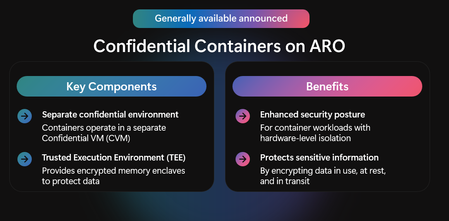
Microsoft Azure is coming back to Amsterdam for KubeCon + CloudNativeCon Europe 2026 in two short weeks, from March 23-26! As a Diamond Sponsor, we have a full week of sessions, hands-on activities, and ways to connect with the engineers behind AKS and our open-source projects. Here's what's on the schedule: Azure Day with Kubernetes: 23 March 2026 Before the main conference begins, join us at Hotel Casa Amsterdam for a free, full-day technical event built around AKS (registration required for entry - capacity is limited!). Whether you're early in your Kubernetes journey, running clusters at scale, or building AI apps, the day is designed to give you practical guidance from Microsoft product and engineering teams. Morning sessions cover what's new in AKS, including how teams are building and running AI apps on Kubernetes. In the afternoon, pick your track: Hands-on AKS Labs: Instructor-led labs to put the morning's concepts into practice. Expert Roundtables: Small-group conversations with AKS engineers on topics like security, autoscaling, AI workloads, and performance. Bring your hard questions. Evening: Drinks on us. Capacity is limited, so secure your spot before it closes: aka.ms/AKSDayEU KubeCon + CloudNativeCon: 24-26 March 2026 There will be lots going on at the main conference! Here's what to add to your calendar: Keynote (24 March): Jorge Palma takes the stage to tackle a question the industry is actively wrestling with: can AI agents reliably operate and troubleshoot Kubernetes at scale, and should they? Customer Keynote (24 March): Wayve's Mukund Muralikrishnan shares how they handle GPU scheduling across multi-tenant inference workloads using Kueue, providing a practical look at what production AI infrastructure actually requires. Demo Theatre (25 March): Anson Qian and Jorge Palma walk through a Kubernetes-native approach to cross-cloud AI inference, covering elastic autoscaling with Karpenter and GPU capacity scheduling across clouds. Sessions: Microsoft engineers are presenting across all three days on topics ranging from multi-cluster networking, supply chain security, observability, Istio in production, and more. Full list below. Find our team in the Project Pavilion at kiosks for Inspektor Gadget, Headlamp, Drasi, Radius, Notary Project, Flatcar, ORAS, Ratify, and Istio. Brendan Burns, Kubernetes co-founder and Microsoft CVP & Technical Fellow, will also share his thoughts on the latest developments and key Microsoft announcements related to open-source, cloud native, and AI application development in his KubeCon Europe blog on March 24. Come find us at Microsoft Azure booth #200 all three days. We'll be running short demos and sessions on AKS, running Kubernetes at scale, AI workloads, and cloud-native topics throughout the show, plus fun activations and opportunities to unlock special swag. Read on below for full details on our KubeCon sessions and booth theater presentations: Sponsored Keynote Date: Tues 24 March 2026 Start Time: 10:18 AM CET Room: Hall 12 Title: Scaling Platform Ops with AI Agents: Troubleshooting to Remediation Speakers: Jorge Palma, Natan Yellin (Robusta) As AI agents increasingly write our code, can they also operate and troubleshoot our infrastructure? More importantly, should they? This keynote explores the practical reality of deploying AI agents to maintain Kubernetes clusters at scale. We'll demonstrate HolmesGPT, an open-source CNCF sandbox project that connects LLMs to operational and observability data to diagnose production issues. You'll see how agents reduce MTTR by correlating logs, metrics, and cluster state far faster than manual investigation. Then we'll tackle the harder problem: moving from diagnosis to remediation. We'll show how agents with remediation policies can detect and fix issues autonomously, within strict RBAC boundaries, approval workflows, and audit trails. We'll be honest about challenges: LLM non-determinism, building trust, and why guardrails are non-negotiable. This isn't about replacing SREs; it's about multiplying their effectiveness so they can focus on creative problem-solving and system design. Customer Keynote Date: Tues 24 March 2026 Start Time: 9:37 AM CET Room: Hall 12 Title: Rules of the road for shared GPUs: AI inference scheduling at Wayve Speaker: Mukund Muralikrishnan, Wayve Technologies As AI inference workloads grow in both scale and diversity, predictable access to GPUs becomes as important as raw throughput, especially in large, multi-tenant Kubernetes clusters. At Wayve, Kubernetes underpins a wide range of inference workloads, from latency-sensitive evaluation and validation to large-scale synthetic data generation supporting the development of an end-to-end self-driving system. These workloads run side by side, have very different priorities, and all compete for the same GPU capacity. In this keynote, we will share how we manage scheduling and resources for multi-tenant AI inference on Kubernetes. We will explain why default Kubernetes scheduling falls short, and how we use Kueue, a Kubernetes-native queueing and admission control solution, to operate shared GPU clusters reliably at scale. This approach gives teams predictable GPU allocations, improves cluster utilisation, and reduces operational noise. We will close by briefly showing how frameworks like Ray fit into this model as Wayve scales its AI Driver platform. KubeCon Theatre Demo Date: Wed 25 March 2026 Start Time: 13:15 CET Room: Hall 1-5 | Solutions Showcase | Demo Theater Title: Building cross-cloud AI inference on Kubernetes with OSS Speaker: Anson Qian, Jorge Palma Operating AI inference under bursty, latency-sensitive workloads is hard enough on a single cluster. It gets harder when GPU capacity is fragmented across regions and cloud providers. This demo walks through a Kubernetes-native pattern for cross-cloud AI inference, using an incident triage and root cause analysis workflow as the example. The stack is built on open-source capabilities for lifecycle management, inference, autoscaling, and cross-cloud capacity scheduling. We will specifically highlight Karpenter for elastic autoscaling and a GPU flex nodes project for scheduling capacity across multiple cloud providers into a single cluster. Models, inference endpoints, and GPU resources are treated as first-class Kubernetes objects, enabling elastic scaling, stable routing under traffic spikes, and cross-provider failover without a separate AI control plane. KubeCon Europe 2025 Sessions with Microsoft Speakers Speaker Title Jorge Palma Microsoft keynote: Scaling Platform Ops with AI Agents: Troubleshooting to Remediation Anson Qian, Jorge Palma Microsoft demo: Building cross-cloud AI inference on Kubernetes with OSS Will Tsai Leveling up with Radius: Custom Resources and Headlamp Integration for Real-World Workloads Simone Rodigari Demystifying the Kubernetes Network Stack (From Pod to Pod) Joaquin Rodriguez Privacy as Infrastructure: Declarative Data Protection for AI on Kubernetes Cijo Thomas ⚡Lightning Talk: “Metrics That Lie”: Understanding OpenTelemetry’s Cardinality Capping and Its Implications Gaurika Poplai ⚡Lightning Talk: Compliance as Code Meets Developer Portals: Kyverno + Backstage in Action Mereta Degutyte & Anubhab Majumdar Network Flow Aggregation: Pay for the Logs You Care About! Niranjan Shankar Expl(AI)n Like I’m 5: An Introduction To AI-Native Networking Danilo Chiarlone Running Wasmtime in Hardware-Isolated Microenvironments Jack Francis Cluster Autoscaler Evolution Jackie Maertens Cloud Native Theater | Istio Day: Running State of the Art Inference with Istio and LLM-D Jackie Maertens & Mitch Connors Bob and Alice Revisited: Understanding Encryption in Kubernetes Mitch Connors Istio in Production: Expected Value, Results, and Effort at GitHub Scale Mitch Connors Evolution or Revolution: Istio as the Network Platform for Cloud Native René Dudfield Ping SRE? I Am the SRE! Awesome Fun I Had Drawing a Zine for Troubleshooting Kubernetes Deployments René Dudfield & Santhosh Nagaraj Does Your Project Want a UI in Kubernetes-SIGs/headlamp? Bridget Kromhout How Will Customized Kubernetes Distributions Work for You? a Discussion on Options and Use Cases Kenneth Kilty AI-Powered Cloud Native Modernization: From Real Challenges to Concrete Solutions Mike Morris Building the Next Generation of Multi-Cluster with Gateway API Toddy Mladenov, Flora Taagen & Dallas Delaney Beyond Image Pull-Time: Ensuring Runtime Integrity With Image Layer Signing Microsoft Booth Theatre Sessions Tues 24 March (11:00 - 18:00) Zero-Migration AI with Drasi: Bridge Your Existing Infrastructure to Modern Workflows Bringing real-time Kubernetes observability to AI agents via Model Context Protocol Secure Kubernetes Across the Stack: Supply Chain to Runtime Cut the Noise, Cut the Bill: Cost‑Smart Network Observability for Kubernetes AKS everywhere: one Kubernetes experience from Cloud to Edge Teaching AI to Build Better AKS Clusters with Terraform AKS-Flex: autoscale GPU nodes from Azure and neocloud like Nebius using karpenter Block Game with Block Storage: Running Minecraft on Kubernetes with local NVMe When One Cluster Fails: Keeping Kubernetes Services Online with Cilium ClusterMesh You Spent How Much? Controlling Your AI Spend with Istio + agentgateway Azure Front Door Edge Actions: Hardware-protected CDN functions in Azure Secure Your Sensitive Workloads with Confidential Containers on Azure Red Hat OpenShift AKS Automatic Anyscale on Azure Wed 25 March Kubernetes Answers without AI (And That's Okay) Accelerating Cloud‑Native and AI Workloads with Azure Linux on AKS Codeless OpenTelemetry: Auto‑Instrumenting Kubernetes Apps in Minutes Life After ingress-nginx: Modern Kubernetes Ingress on AKS Modern Apps, Faster: Modernization with AKS + GitHub Copilot App Mod Get started developing on AKS Encrypt Everything, Complicate Nothing: Rethinking Kubernetes Workload Network Security From Repo to Running on AKS with GitHub Copilot Simplify Multi‑Cluster App Traffic with Azure Kubernetes Application Network Open Source with Chainguard and Microsoft: Better Together on AKS Accelerating Cloud-Native Delivery for Developers: API-Driven Platforms with Radius Operate Kubernetes at Scale with Azure Kubernetes Fleet Manager Thurs 26 March Oooh Wee! An AKS GUI! – Deploy, Secure & Collaborate in Minutes (No CLI Required) Sovereign Kubernetes: Run AKS Where the Cloud Can’t Go Thousand Pods, One SAN: Burst-Scaling Stateful Apps with Azure Container Storage + Elastic SAN There will also be a wide variety of demos running at our booth throughout the show – be sure to swing by to chat with the team. We look forward to seeing you at KubeCon Europe 2026 in Amsterdam Psst! Local or coming in to Amsterdam early? You can also catch the Microsoft team at: Cloud Native Rejekts on 21 March Maintainer Summit on 22 March1.4KViews0likes0CommentsBuilding AI apps and agents for the new frontier
Every new wave of applications brings with it the promise of reshaping how we work, build and create. From digitization to web, from cloud to mobile, these shifts have made us all more connected, more engaged and more powerful. The incoming wave of agentic applications, estimated to number 1.3 billion over the next 2 years[1] is no different. But the expectations of these new services are unprecedented, in part for how they will uniquely operate with both intelligence and agency, how they will act on our behalf, integrated as a member of our teams and as a part of our everyday lives. The businesses already achieving the greatest impact from agents are what we call Frontier Organizations. This week at Microsoft Ignite we’re showcasing what the best frontier organizations are delivering, for their employees, for their customers and for their markets. And we’re introducing an incredible slate of innovative services and tools that will help every organization achieve this same frontier transformation. What excites me most is how frontier organizations are applying AI to achieve their greatest level of creativity and problem solving. Beyond incremental increases in efficiency or cost savings, frontier firms use AI to accelerate the pace of innovation, shortening the gap from prototype to production, and continuously refining services to drive market fit. Frontier organizations aren’t just moving faster, they are using AI and agents to operate in novel ways, redefining traditional business processes, evolving traditional roles and using agent fleets to augment and expand their workforce. To do this they build with intent, build for impact and ground services in deep, continuously evolving, context of you, your organization and your market that makes every service, every interaction, hyper personalized, relevant and engaging. Today we’re announcing new capabilities that help you build what was previously impossible. To launch and scale fleets of agents in an open system across models, tools, and knowledge. And to run and operate agents with the confidence that every service is secure, governed and trusted. The question is, how do you get there? How do you build the AI apps and agents fueling the future? Read further for just a few highlights of how Microsoft can help you become frontier: Build with agentic DevOps Perhaps the greatest area of agentic innovation today is in service of developers. Microsoft’s strategy for agentic DevOps is redefining the developer experience to be AI-native, extending the power of AI to every stage of the software lifecycle and integrating AI services into the tools embraced by millions of developers. At Ignite, we’re helping every developer build faster, build with greater quality and security and deliver increasingly innovative apps that will shape their businesses. Across our developer services, AI agents now operate like an active member of your development and operations teams – collaborating, automating, and accelerating every phase of the software development lifecycle. From planning and coding to deployment and production, agents are reshaping how we build. And developers can now orchestrate fleets of agents, assigning tasks to agents to execute code reviews, testing, defect resolution, and even modernization of legacy Java and .NET applications. We continue to take this strategy forward with a new generation of AI-powered tools, with GitHub Agent HQ making coding agents like Codex, Claude Code, and Jules available soon directly in GitHub and Visual Studio Code, to Custom Agents to encode domain expertise, and “bring your own models” to empower teams to adapt and innovate. It’s these advancements that make GitHub Copilot, the world’s the most popular AI pair programmer, serving over 26 million users and helping organizations like Pantone, Ahold Delhaize USA, and Commerzbank streamline processes and save time. Within Microsoft’s own developer teams, we’re seeing transformative results with agentic DevOps. GitHub Copilot coding agent is now a top contributor—not only to GitHub’s core application but also to our major open-source projects like the Microsoft Agent Framework and Aspire. Copilot is reducing task completion time from hours to minutes and eliminating up to two weeks of manual development effort for complex work. Across Microsoft, 90% of pull requests are now covered by GitHub Copilot code review, increasing the pace of PR completion. Our AI-powered assistant for Microsoft’s engineering ecosystem is deeply integrated into VS Code, Teams, and other tools, giving engineers and product managers real-time, context-aware answers where they work—saving 2.2k developer days in September alone. For app modernization, GitHub Copilot has reduced modernization project timelines by as much as 88%. In production environments, Azure SRE agent has handled over 7K incidents and collected diagnostics on over 18K incidents, saving over 10,000 hours for on-call engineers. These results underscore how agentic workflows are redefining speed, scale, and reliability across the software lifecycle at Microsoft. Launch at speed and scale with a full-stack AI app and agent platform We’re making it easier to build, run, and scale AI agents that deliver real business outcomes. To accelerate the path to production for advanced AI applications and agents is delivering a complete, and flexible foundation that helps every organization move with speed and intelligence without compromising security, governance or operations. Microsoft Foundry helps organizations move from experimentation to execution at scale, providing the organization-wide observability and control that production AI requires. More than 80,000 customers, including 80% of the Fortune 500, use Microsoft Foundry to build, optimize, and govern AI apps and agents today. Foundry supports open frameworks like the Microsoft Agent Framework for orchestration, standard protocols like Model Context Protocol (MCP) for tool calling, and expansive integrations that enable context-aware, action-oriented agents. Companies like Nasdaq, Softbank, Sierra AI, and Blue Yonder are shipping innovative solutions with speed and precision. New at Ignite this year: Foundry Models With more than 11,000 models like OpenAI’s GPT-5, Anthropic’s Claude, and Microsoft’s Phi at their fingertips, developers, Foundry delivers the broadest model selection on any cloud. Developers have the power to benchmark, compare, and dynamically route models to optimize performance for every task. Model router is now generally available in Microsoft Foundry and in public preview in Foundry Agent Service. Foundry IQ, Delivering the deep context needed to make every agent grounded, productive, and reliable. Foundry IQ, now available in public preview, reimagines retrieval-augmented generation (RAG) as a dynamic reasoning process rather than a one-time lookup. Powered by Azure AI Search, it centralizes RAG workflows into a single grounding API, simplifying orchestration and improving response quality while respecting user permissions and data classifications. Foundry Agent Service now offers Hosted Agents, multi-agent workflows, built-in memory, and the ability to deploy agents directly to Microsoft 365 and Agent 365 in public preview. Foundry Tools, empowers developers to create agents with secure, real-time access to business systems, business logic, and multimodal capabilities. Developers can quickly enrich agents with real-time business context, multimodal capabilities, and custom business logic through secure, governed integration with 1,400+ systems and APIs. Foundry Control Plane, now in public preview, centralizes identity, policy, observability, and security signals and capabilities for AI developers in one portal. Build on an AI-Ready foundation for all applications Managed Instance on Azure App Service lets organizations migrate existing .NET web applications to the cloud without the cost or effort of rewriting code, allowing them to migrate directly into a fully managed platform-as-a-service (PaaS) environment. With Managed Instance, organizations can keep operating applications with critical dependencies on local Windows services, third-party vendor libraries, and custom runtimes without requiring any code changes. The result is faster modernizations with lower overhead, and access to cloud-native scalability, built-in security and Azure’s AI capabilities. MCP Governance with Azure API Management now delivers a unified control plane for APIs and MCP servers, enabling enterprises to extend their existing API investments directly into the agentic ecosystem with trusted governance, secure access, and full observability. Agent Loop and native AI integrations in Azure Logic Apps enable customers to move beyond rigid workflows to intelligent, adaptive automation that saves time and reduces complexity. These capabilities make it easier to build AI-powered, context-aware applications using low-code tools, accelerating innovation without heavy development effort. Azure Functions now supports hosting production-ready, reliable AI agents with stateful sessions, durable tool calls, and deterministic multi-agent orchestrations through the durable extension for Microsoft Agent Framework. Developers gain automatic session management, built-in HTTP endpoints, and elastic scaling from zero to thousands of instances — all with pay-per-use pricing and automated infrastructure. Azure Container Apps agents and security supercharges agentic workloads with automated deployment of multi-container agents, on-demand dynamic execution environments, and built-in security for runtime protection, and data confidentiality. Run and operate agents with confidence New at Ignite, we’re also expanding the use of agents to keep every application secure, managed and operating without compromise. Expanded agentic capabilities protect applications from code to cloud and continuously monitor and remediate production issues, while minimizing the efforts on developers, operators and security teams. Microsoft Defender for Cloud and GitHub Advanced Security: With the rise of multi-agent systems, the security threat surface continues to expand. Increased alert volumes, unprioritized threat signals, unresolved threats and a growing backlog of vulnerabilities is increasing risk for businesses while security teams and developers often operate in disconnected tools, making collaboration and remediation even more challenging. The new Defender for Cloud and GitHub Advanced Security integration closes this gap, connecting runtime context to code for faster alert prioritization and AI-powered remediation. Runtime context prioritizes security risks with insights that allow teams to focus on what matters most and fix issues faster with AI-powered remediation. When Defender for Cloud finds a threat exposed in production, it can now link to the exact code in GitHub. Developers receive AI suggested fixes directly inside GitHub, while security teams track progress in Defender for Cloud in real time. This gives both sides a faster, more connected way to identify issues, drive remediation, and keep AI systems secure throughout the app lifecycle. Azure SRE Agent is an always-on, AI-powered partner for cloud reliability, enabling production environments to become self-healing, proactively resolve issues, and optimize performance. Seamlessly integrated with Azure Monitor, GitHub Copilot, and incident management tools, Azure SRE Agent reduces operational toil. The latest update introduces no-code automation, empowering teams to tailor processes to their unique environments with minimal engineering overhead. Event-driven triggers enable proactive checks and faster incident response, helping minimize downtime. Expanded observability across Azure and third-party sources is designed to help teams troubleshoot production issues more efficiently, while orchestration capabilities support integration with MCP-compatible tools for comprehensive process automation. Finally, its adaptive memory system is designed to learn from interactions, helping improve incident handling and reduce operational toil, so organizations can achieve greater reliability and cost efficiency. The future is yours to build We are living in an extraordinary time, and across Microsoft we’re focused on helping every organization shape their future with AI. Today’s announcements are a big step forward on this journey. Whether you’re a startup fostering the next great concept or a global enterprise shaping your future, we can help you deliver on this vision. The frontier is open. Let’s build beyond expectations and build the future! Check out all the learning at Microsoft Ignite on-demand and read more about the announcements making it happen at: Recommended sessions BRK113: Connected, managed, and complete BRK103: Modernize your apps in days, not months, with GitHub Copilot BRK110: Build AI Apps fast with GitHub and Microsoft Foundry in action BRK100: Best practices to modernize your apps and databases at scale BRK114: AI Agent architectures, pitfalls and real-world business impact BRK115: Inside Microsoft's AI transformation across the software lifecycle Announcements aka.ms/AgentFactory aka.ms/AppModernizationBlog aka.ms/SecureCodetoCloudBlog aka.ms/AppPlatformBlog [1] IDC Info Snapshot, sponsored by Microsoft, 1.3 Billion AI Agents by 2028, #US53361825 and May 2025.9.4KViews2likes0Comments