azure postgresql flexible server
7 TopicsOn-Demand Backups in Azure Database for PostgreSQL – Flexible Server Now Generally Available
We’re excited to announce the General Availability of On-Demand Backups in Azure Database for PostgreSQL – Flexible Server! In today’s dynamic data management landscape, ensuring the protection and recoverability of your databases is essential. Azure Database for PostgreSQL – Flexible Server streamlines this responsibility through comprehensive backup management, including automated, scheduled storage volume snapshots encompassing the entire database instance and all associated transaction logs. With the introduction of On-demand backups you now have the flexibility to initiate backups at any time, supplementing the existing scheduled backups. This capability is particularly valuable in scenarios involving high-risk operations, such as system upgrades or schema modifications, or when performing periodic data refreshes that do not align with the standard backup schedule. Benefits Instant Backup Creation: Trigger a full backup of your server on demand—no more waiting for the automated backup schedule. Cost Optimization: While Azure manages automated backups that cannot be deleted until the retention window is met, on-demand backups provide greater control over storage costs. Delete these backups once their purpose is served to avoid unnecessary storage expense. Enhanced Control & Safety: Take backups before schema changes, major deployments, or periodic refresh activities to meet your business requirements. Seamless Integration: Accessible via Azure Portal, Azure CLI, ARM templates, and REST APIs. Azure Database for PostgreSQL Flexible Server provides a comprehensive, user-friendly backup solution, giving you the confidence to manage your data effectively and securely. Let us explore how on-demand backups can elevate your database management strategy and provide peace of mind during high-stakes operations. Automated Backups vs On-Demand Backups Feature Automated Backups On-Demand Backups Creation Scheduled by Azure Manually initiated by the user Retention Based on the backup policy Based on the backup policy Deletion Managed by Azure User-controlled Use Cases Regular data protection High-risk operations, ad-hoc needs How to take On-Demand Backups using the portal. In the Azure portal, choose your Azure Database for PostgreSQL flexible server. Click Settings from the left panel and choose Backup and Restore. Click Backup and provide your backup name. Click Backup. A notification is shown that an On-demand backup trigger has been initiated. For more information: How to perform On-demand backups using Portal How to take On-Demand Backups using CLI. You can run the following command to perform an on-demand backup of a server. az postgres flexible-server backup create --resource-group <resource_group> --name <server> --backup-name <backup> Example: For more information: How to perform On-demand backups using CLI How to list all on-demand backups using CLI You can list currently available on-demand backups of a server via the az postgres flexible-server backup list command. az postgres flexible-server backup list --resource-group <resource_group> --name <server> --query "[?backupType=='Customer On-Demand']" --output table For more information: How to list all backups using Portal What's Next Once you have taken an on-demand backup based on your business needs, you can retain it until your high-risk operation is complete or use it to refresh your reporting or non-production environments. You can delete the backups to optimize storage costs when the backup is no longer needed. To restore or delete on-demand backups, you can use the Azure portal, CLI, or API for seamless management. Limitations & Considerations: SKU Support: On-demand backups are available for General Purpose and Memory-Optimized SKUs. Burstable SKUs are not supported. Storage Tier Compatibility: Currently, only the SSDv1 storage tier is supported. Support for SSDv2 is on our roadmap and will be introduced in a future update. You can take up to 7 on-demand backups per flexible server. This limit is intentional to help manage backup costs, as on-demand backups are meant for occasional use. The managed service already provides support for up to 35 backups in total, excluding on-demand backups. Take Control of Your Database Protection Today! The ability to create on-demand backups is critical for managing and safeguarding your data. Whether you're preparing for high-risk operations or refreshing non-production environments, this feature puts flexibility and control in your hands. Get started now: Create your first on-demand backup using the Azure Portal or CLI. Optimize your storage costs by deleting backups when no longer needed. Restore with ease to keep your database resilient and ready for any challenge. Protect your data effectively and ensure your database is always prepared for the unexpected. Learn more about Azure Database for PostgreSQL Flexible Server and explore the possibilities with on-demand backups today! You can always find the latest features added to Flexible server in this release notes page. We are eager to hear all the great scenarios this new feature helps you optimize, and look forward to receiving your feedback at https://aka.ms/PGfeedback.677Views1like0CommentsUnderstanding Hash Join Memory Usage and OOM Risks in PostgreSQL
Background: Why Memory Usage May Exceed work_mem work_mem is commonly assumed to be a hard upper bound on per‑query memory usage. However, for Hash Join operations, memory consumption depends not only on this parameter but also on: ✅ Data cardinality ✅ Hash table internal bucket distribution ✅ Join column characteristics ✅ Number of batches created ✅ Parallel workers involved Under low‑cardinality conditions, a Hash Join may place an extremely large number of rows into very few buckets—sometimes a single bucket. This causes unexpectedly large memory allocations that exceed the nominal work_mem limit. Background: What work_mem really means for Hash Joins work_mem controls the amount of memory available per operation (e.g., a sort or a hash) per node (and per parallel worker) before spilling to disk. Hash operations can additionally use hash_mem_multiplier×work_mem for their hash tables. [postgresql.org], [postgresqlco.nf] The Hash Join algorithm builds a hash table for the “build/inner” side and probes it with the “outer” side. The table is split into buckets; if it doesn’t fit in memory, PostgreSQL partitions work into batches (spilling to temporary files). Skewed distributions (e.g., very few distinct join keys) pack many rows into the same bucket(s), exploding memory usage even when work_mem is small. [postgrespro.com], [interdb.jp] In EXPLAIN (ANALYZE) you’ll see Buckets:, Batches:, and Memory Usage: on the Hash node; Batches > 1 indicates spilling/partitioning. [postgresql.org], [thoughtbot.com] The default for hash_mem_multiplier is version‑dependent (introduced in PG13; 1.0 in early versions, later 2.0). Tune with care; it scales the memory that hash operations may consume relative to work_mem. [pgpedia.info] A safe, reproducible demo (containerized community PostgreSQL) The goal is to show that data distribution alone can drive order(s) of magnitude difference in hash table memory, using conservative settings. In order to simulate the behavior we´ll use pg_hint_plan extension to guide the execution plans and create some data distribution that may not have a good application logic, just to force and show the behavior. Start PostgreSQL 16 container docker run --name=postgresql16.8 -p 5414:5432 -e POSTGRES_PASSWORD=<password> -d postgres:16.8 docker exec -it postgresql16.8 /bin/bash -c "apt-get update -y;apt-get install procps -y;apt-get install postgresql-16-pg-hint-plan -y;apt-get install vim -y;apt-get install htop -y" docker exec -it postgresql16.8 /bin/bash vi /var/lib/postgresql/data/postgresql.conf -- Adding pg_hint_plan to shared_preload_libraries psql -h localhost -U postgres create extension pg_hint_plan; docker stop postgresql16.8 docker start postgresql16.8 To connect to our docker container we use: psql -h localhost -p 5414 -U postgres Connect and apply conservative session-level settings We’ll discourage other join methods so the planner prefers Hash Join—without needing any extension. set hash_mem_multiplier=1; set max_parallel_workers=0; set max_parallel_workers_per_gather=0; set enable_parallel_hash=off; set enable_material=off; set enable_sort=off; set pg_hint_plan.debug_print=verbose; set client_min_messages=notice; set pg_hint_plan.enable_hint_table=on; Create tables and load data We´ll create two tables for the join, table_1, with a single row, table_h initially with 10mill rows drop table table_s; create table table_s (column_a text); insert into table_s values ('30020'); vacuum full table_s; drop table table_h; create table table_h(column_a text,column_b text); INSERT INTO table_h(column_a,column_b) SELECT i::text, i::text FROM generate_series(1, 10000000) AS t(i); vacuum full table_h; Run Hash Join (high cardinality) We´ll run the join using column_a in both tables, that was created previously having high cardinality in table_h explain (analyze,buffers,costs,verbose) SELECT /*+ HashJoin(s h) Leading((s h)) */ COUNT(*) FROM table_s s JOIN table_h h ON s.column_a= h.column_a; You should see a Hash node with small Memory Usage (a few MB) and Batches: 256 or similar due to our tiny work_mem, but no ballooning. Exact numbers vary by hardware/version/stats. (EXPLAIN fields and interpretation are documented here.) [postgresql.org] QUERY PLAN -------------------------------------------------------------------------------------------------------------------------------------------------- Aggregate (cost=280930.01..280930.02 rows=1 width=8) (actual time=1902.965..1902.968 rows=1 loops=1) Output: count(*) Buffers: shared read=54055, temp read=135 written=34041 -> Hash Join (cost=279054.00..280805.01 rows=50000 width=0) (actual time=1900.539..1902.949 rows=1 loops=1) Hash Cond: (s.column_a = h.column_a) Buffers: shared read=54055, temp read=135 written=34041 -> Seq Scan on public.table_s s (cost=0.00..1.01 rows=1 width=32) (actual time=0.021..0.022 rows=1 loops=1) Output: s.column_a Buffers: shared read=1 -> Hash (cost=154054.00..154054.00 rows=10000000 width=32) (actual time=1896.895..1896.896 rows=10000000 loops=1) Output: h.column_a Buckets: 65536 Batches: 256 Memory Usage: 2031kB Buffers: shared read=54054, temp written=33785 -> Seq Scan on public.table_h h (cost=0.00..154054.00 rows=10000000 width=32) (actual time=2.538..638.830 rows=10000000 loops=1) Output: h.column_a Buffers: shared read=54054 Query Identifier: 334721522907995613 Planning: Buffers: shared hit=10 Planning Time: 0.302 ms JIT: Functions: 11 Options: Inlining false, Optimization false, Expressions true, Deforming true Timing: Generation 0.441 ms, Inlining 0.000 ms, Optimization 0.236 ms, Emission 2.339 ms, Total 3.017 ms Execution Time: 1903.472 ms (25 rows) Findings (1) When we have the data totally distributed with high cardinality it takes only 2031kB of memory usage (work_mem), shared hit/read=54055 Force low cardinality / skew and re‑run We´ll update table_h to have column_a all values to '30020', so, having only 1 distinct value for all the rows in the table update table_h set column_a='30020', column_b='30020'; vacuum full table_h; Checking execution plan: QUERY PLAN ------------------------------------------------------------------------------------------------------------------------------------------------- Aggregate (cost=279056.04..279056.05 rows=1 width=8) (actual time=3568.936..3568.938 rows=1 loops=1) Output: count(*) Buffers: shared read=54056, temp read=63480 written=63480 -> Hash Join (cost=279055.00..279056.03 rows=1 width=0) (actual time=2650.696..3228.610 rows=10000000 loops=1) Hash Cond: (s.column_a = h.column_a) Buffers: shared read=54056, temp read=63480 written=63480 -> Seq Scan on public.table_s s (cost=0.00..1.01 rows=1 width=32) (actual time=0.007..0.008 rows=1 loops=1) Output: s.column_a Buffers: shared read=1 -> Hash (cost=154055.00..154055.00 rows=10000000 width=7) (actual time=1563.987..1563.989 rows=10000000 loops=1) Output: h.column_a Buckets: 131072 (originally 131072) Batches: 512 (originally 256) Memory Usage: 371094kB Buffers: shared read=54055, temp written=31738 -> Seq Scan on public.table_h h (cost=0.00..154055.00 rows=10000000 width=7) (actual time=2.458..606.422 rows=10000000 loops=1) Output: h.column_a Buffers: shared read=54055 Query Identifier: 334721522907995613 Planning: Buffers: shared hit=6 read=1 dirtied=1 Planning Time: 0.237 ms JIT: Functions: 11 Options: Inlining false, Optimization false, Expressions true, Deforming true Timing: Generation 0.330 ms, Inlining 0.000 ms, Optimization 0.203 ms, Emission 2.311 ms, Total 2.844 ms Execution Time: 3584.439 ms (25 rows) Now, the Hash node typically reports hundreds of MB of Memory Usage, with more/larger temp spills (higher Batches, more temp_blks_*). What changed? Only the distribution (cardinality). (Why buckets/batches behave this way is covered in the algorithm references.) [postgrespro.com], [interdb.jp] Findings (2) When we have the data distributed with LOW cardinality it takes 371094kB of memory usage (work_mem), shared hit/read=54056 So, same amount of data being handled by the query in terms of shared memory, but totally different work_mem usage pattern due to the low cardinality and the join method (Hash Join) that put most of those rows in a single bucket and that is not limited by default, so, it can cause OOM errors at any time. Scale up rows to observe linear growth We´ll add same rows in table_h repeat times so we can play with more data (low cardinality) insert into table_h select * from table_h; vacuum full table_h; You’ll see Memory Usage and temp I/O scale with rowcount under skew. (Beware: this can become I/O and RAM heavy—do this incrementally.) [thoughtbot.com] NumRows table_h Shared read/hit Dirtied Written Temp read/written Memory Usage (work_mem) 10M 54056 0 63480+63480 371094kB 20M 108110 0 126956+126956 742188kB 80M 432434 (1,64GB) 0 0 253908+253908 2968750kB (2,8GB) Observability: what you will (and won’t) see EXPLAIN is your friend EXPLAIN (ANALYZE, BUFFERS) exposes Memory Usage, Buckets:, Batches: in the Hash node and temp block I/O. Batches > 1 is a near‑certain sign of spilling. [postgresql.org], [thoughtbot.com] Query Store / pg_stat_statements limitations Azure Database for PostgreSQL – Flexible Server Query Store aggregates runtime and (optionally) wait stats over time windows and stores them in azure_sys, with views under query_store.*. It’s fantastic to find which queries chew CPU/I/O or wait, but it doesn’t report per‑query transient memory usage (e.g., “how many MB did that hash table peak at?”) you can estimate reviewing the temporary blocks. [learn.microsoft.com] Under the hood, what you do get—whether via Query Store or vanilla PostgreSQL pg_stat_statements—are cumulative counters like shared_blks_read, shared_blks_hit, temp_blks_read, temp_blks_written, timings, etc. Those help confirm buffer/temp activity, yet no direct hash table memory metric exists. Combine them with EXPLAIN and server metrics to triangulate. [postgresql.org] Tip (Azure Flexible Server) Enable Query Store in Server parameters via pg_qs.query_capture_mode and (optionally) wait sampling via pgms_wait_sampling.query_capture_mode, then use query_store.qs_view to correlate temp block usage and execution times across intervals. [learn.microsoft.com] Typical OOM symptom in logs In extreme skew with concurrent executions, you may encounter: ERROR: out of memory DETAIL: Failed on request of size 32800 in memory context "HashBatchContext". This is a classic signature of hash join memory pressure. [postgresql.org], [thisistheway.wiki] What to do about it (mitigations & best practices) Don’t force Hash Join unless required If you used planner hints (e.g., pg_hint_plan) or GUCs (Grand Unified Configuration) to force Hash Join, remove them and let the planner re‑evaluate. (If you must hint, be aware pg_hint_plan is a third‑party extension and not available in all environments.) [pg-hint-pl...thedocs.io], [pg-hint-pl...thedocs.io] Fix skew / cardinality at the source Re‑model data to avoid low‑NDV (Number of Distinct Values in a column) joins (e.g., pre‑aggregate, filter earlier, or exclude degenerate keys). Ensure statistics are current so the planner estimates are realistic. (Skew awareness is limited; poor estimates → risky sizing.) [postgresql.org] Pick a safer join strategy when appropriate If distribution is highly skewed, Merge Join (with supporting indexes/sort order) or Nested Loop (for selective probes) might be more memory‑predictable. Let the planner choose, or enable alternatives by undoing GUCs that disabled them. [postgresql.org] Bound memory consciously Keep work_mem modest for mixed/OLTP workloads; remember it’s per operation, per node, per worker. Adjust hash_mem_multiplier judiciously (introduced in PG13; default now commonly 2.0) if you understand the spill trade‑offs. [postgresqlco.nf], [pgpedia.info] Observe spills and tune iteratively Use EXPLAIN (ANALYZE, BUFFERS) to see Batches (spills) and Memory Usage; use Query Store/pg_stat_statements to find which queries generate the most temp I/O. Raise work_mem for a session only when justified. [postgresql.org], [postgresql.org] Parallelism awareness Each worker can perform its own memory‑using operations; parallel hash join has distinct behavior. If you aren’t sure, temporarily disable parallelism to simplify analysis, then re‑enable once you understand the footprint. [postgresql.org] Validating on Azure Database for PostgreSQL – Flexible Server The behavior is not Azure‑specific, but you can reproduce the same sequence on Flexible Server (e.g., General Purpose). A few notes: Confirm/adjust work_mem, hash_mem_multiplier, enable_* planner toggles as session settings. (Azure exposes standard PostgreSQL parameters.) [learn.microsoft.com] Use Query Store to confirm stable shared/temporary block patterns across executions, then use EXPLAIN (ANALYZE, BUFFERS) per query to spot hash table memory footprints. [learn.microsoft.com], [postgresql.org] Changing some default parameters We´ll repeat previous steps in Azure Database for PostgreSQL Flexible server: set hash_mem_multiplier=1; set max_parallel_workers=0; set max_parallel_workers_per_gather=0; set enable_parallel_hash=off; set enable_material=off; set enable_sort=off; set pg_hint_plan.debug_print=verbose; set client_min_messages=notice; set pg_hint_plan.enable_hint_table=on; Creating and populating tables drop table table_s; create table table_s (column_a text); insert into table_s values ('30020'); vacuum full table_s; drop table table_h; create table table_h(column_a text,column_b text); INSERT INTO table_h(column_a,column_b) SELECT i::text, i::text FROM generate_series(1, 10000000) AS t(i); vacuum full table_h; vacuum full table_s; Query & Execution plan explain (analyze,buffers,costs,verbose) SELECT /*+ HashJoin(s h) Leading((s h)) */ COUNT(*) FROM table_s s JOIN table_h h ON s.column_a= h.column_a; QUERY PLAN ------------------------------------------------------------------------------------------------------------------------------------------------- Aggregate (cost=279052.88..279052.89 rows=1 width=8) (actual time=3171.186..3171.191 rows=1 loops=1) Output: count(*) Buffers: shared hit=33 read=54023, temp read=135 written=34042 I/O Timings: shared read=184.869, temp read=0.278 write=333.970 -> Hash Join (cost=279051.84..279052.88 rows=1 width=0) (actual time=3147.288..3171.182 rows=1 loops=1) Hash Cond: (s.column_a = h.column_a) Buffers: shared hit=33 read=54023, temp read=135 written=34042 I/O Timings: shared read=184.869, temp read=0.278 write=333.970 -> Seq Scan on public.table_s s (cost=0.00..1.01 rows=1 width=32) (actual time=0.315..0.316 rows=1 loops=1) Output: s.column_a Buffers: shared read=1 I/O Timings: shared read=0.018 -> Hash (cost=154053.04..154053.04 rows=9999904 width=7) (actual time=3109.278..3109.279 rows=10000000 loops=1) Output: h.column_a Buckets: 131072 Batches: 256 Memory Usage: 2551kB Buffers: shared hit=32 read=54022, temp written=33786 I/O Timings: shared read=184.851, temp write=332.059 -> Seq Scan on public.table_h h (cost=0.00..154053.04 rows=9999904 width=7) (actual time=0.019..1258.472 rows=10000000 loops=1) Output: h.column_a Buffers: shared hit=32 read=54022 I/O Timings: shared read=184.851 Query Identifier: 5636209387670245929 Planning: Buffers: shared hit=37 Planning Time: 0.575 ms Execution Time: 3171.375 ms (26 rows) Findings (3) In Azure Database for PostgreSQL Flexible server, when we have the data totally distributed with high cardinality it takes only 2551kB of memory usage (work_mem), shared hit/read=54056 Skew it to LOW cardinality As we did previously, we change column_a to having only one different value in all rows in table_h update table_h set column_a='30020', column_b='30020'; vacuum full table_h; In this case we force the join method with pg_hint_plan: explain (analyze,buffers,costs,verbose) SELECT /*+ HashJoin(s h) Leading((s h)) */ COUNT(*) FROM table_s s JOIN table_h h ON s.column_a= h.column_a; QUERY PLAN ------------------------------------------------------------------------------------------------------------------------------------------------- Aggregate (cost=279056.04..279056.05 rows=1 width=8) (actual time=4397.556..4397.560 rows=1 loops=1) Output: count(*) Buffers: shared hit=2 read=54055, temp read=63480 written=63480 I/O Timings: shared read=89.396, temp read=90.377 write=300.290 -> Hash Join (cost=279055.00..279056.03 rows=1 width=0) (actual time=3271.145..3987.154 rows=10000000 loops=1) Hash Cond: (s.column_a = h.column_a) Buffers: shared hit=2 read=54055, temp read=63480 written=63480 I/O Timings: shared read=89.396, temp read=90.377 write=300.290 -> Seq Scan on public.table_s s (cost=0.00..1.01 rows=1 width=32) (actual time=0.006..0.008 rows=1 loops=1) Output: s.column_a Buffers: shared hit=1 -> Hash (cost=154055.00..154055.00 rows=10000000 width=7) (actual time=1958.729..1958.731 rows=10000000 loops=1) Output: h.column_a Buckets: 262144 (originally 262144) Batches: 256 (originally 128) Memory Usage: 371094kB Buffers: shared read=54055, temp written=31738 I/O Timings: shared read=89.396, temp write=149.076 -> Seq Scan on public.table_h h (cost=0.00..154055.00 rows=10000000 width=7) (actual time=0.159..789.449 rows=10000000 loops=1) Output: h.column_a Buffers: shared read=54055 I/O Timings: shared read=89.396 Query Identifier: 8893575855188549861 Planning: Buffers: shared hit=5 Planning Time: 0.157 ms Execution Time: 4414.268 ms (25 rows) NumRows table_h Shared read/hit Dirtied Written Temp read/written Memory Usage (work_mem) 10M 54056 0 63480+63480 371094kB 20M 108110 0 126956+126956 742188kB 80M 432434 0 0 253908+253908 2968750kB We observe the same numbers compared with our docker installation. See the extension docs for installation/usage and the hint table for cases where you want to force a specific join method. [pg-hint-pl...thedocs.io], [pg-hint-pl...thedocs.io] FAQ Q: I set work_mem = 4MB. Why did my Hash Join report ~371MB Memory Usage? A: Hash joins can use up to hash_mem_multiplier × work_mem per hash table, and skew can cause large per‑bucket chains. Multiple nodes/workers multiply usage. work_mem is not a global hard cap. [postgresqlco.nf], [pgpedia.info] Q: How do I know if a Hash Join spilled to disk? A: In EXPLAIN (ANALYZE), Hash node shows Batches: N. N > 1 indicates partitioning and temp I/O; you’ll also see temp_blks_read/written in buffers and Temp I/O timings. [postgresql.org], [thoughtbot.com] Q: Can Query Store tell me per‑query memory consumption? A: Not directly. It gives time‑sliced runtime and wait stats (plus temp/shared block counters via underlying stats), but no “peak MB used by this hash table” metric. Use EXPLAIN and server metrics. [learn.microsoft.com], [postgresql.org] Q: I hit “Failed on request … in HashBatchContext.” What’s that? A: That’s an OOM raised by the executor while allocating memory. Reduce skew, avoid forced hash joins, or review per‑query memory and concurrency. [postgresql.org] Further reading Server parameters & memory (official docs): guidance on work_mem, shared_buffers, parallelism. [postgresql.org] Hash joins under the hood: deep dives into buckets, batches, and memory footprints. [postgrespro.com], [pgcon.org] hash_mem_multiplier: history and defaults by version. [pgpedia.info] EXPLAIN primer: how to read Hash node details, Batches, Memory Usage. [postgresql.org], [thoughtbot.com] Query Store (Azure Flexible): enable, query, and interpret. [learn.microsoft.com] Ready‑to‑use mitigation checklist (DBA quick wins) Remove joins hints/GUC overrides that force Hash Join; re‑plan. [pg-hint-pl...thedocs.io] Refresh stats; confirm realistic rowcount/NDV estimates. [postgresql.org] Consider alternate join strategies (Merge/Index‑Nested‑Loop) when skew is high. [postgresql.org] Keep work_mem conservative for OLTP; consider session‑scoped bumps only for specific analytic queries. [postgresql.org] Tune hash_mem_multiplier carefully only after understanding spill patterns. [postgresqlco.nf] Use EXPLAIN (ANALYZE, BUFFERS) to verify Batches and Memory Usage. [postgresql.org] Use Query Store/pg_stat_statements to find heavy temp/shared I/O offenders over time.
Azure PostgreSQL Lesson Learned#9: How to Stay Informed About Planned Maintenance and Alerts
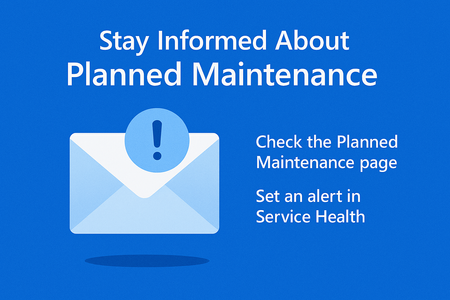
Customers often miss planned maintenance notifications for Azure Database for PostgreSQL Flexible Server because emails go only to subscription owners. This post explains why that happens and how to stay informed by using Azure Service Health alerts, checking the Planned Maintenance page, and configuring proactive notifications. Following these best practices ensures operational readiness and prevents unexpected downtime.300Views0likes0CommentsAzure PostgreSQL Lesson Learned#7: Database Missing After Planned Maintenance
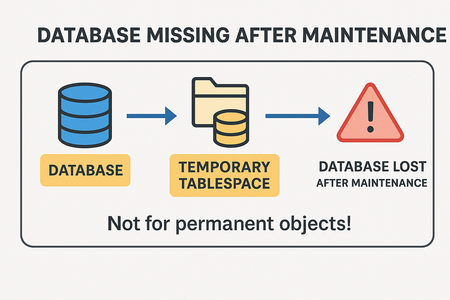
Co‑authored with HaiderZ-MSFT Overview If you’re running Azure Database for PostgreSQL Flexible Server, you might encounter a scenario where your database disappears after planned maintenance. This blog explains: Root cause of the issue Troubleshooting steps Best practices to prevent data loss Symptoms After a maintenance window, customers reported connection failures with errors like: connection failed: connection to server at 'IP', port 5432 failed: FATAL: database 'databaseName' does not exist DETAIL: The database subdirectory 'pg_tblspc/.../PG_...' is missing. Even after a successful restore, the database remains inaccessible! Root Cause The missing database files were located in a temporary tablespace. On Azure Database for PostgreSQL Flexible Server: A default temporary tablespace is created for internal operations (e.g., sorting). It is not backed up during maintenance, restarts, or HA failovers. If permanent objects or entire databases are created in this temporary tablespace, they will be lost after: Planned maintenance windows Server restarts High availability failovers Important: Temporary tablespaces are designed for transient data only. Storing persistent objects here is unsafe. [Limits in...soft Learn | External], [Overview o...soft Learn | External] Operational Checks To confirm if a database uses a temporary tablespace: select datname, dattablespace from pg_database where datname = '<dbname>'; Compare dattablespace OID with pg_tablespace: select oid, spcname, spcowner from pg_tablespace If OID matches temptblspace, the database resides in a temporary tablespace. Mitigation Unfortunately, data cannot be recovered because temporary tablespaces are excluded from backups during maintenance activities or server restarts. Recommended actions: Do not create permanent objects or databases in temporary tablespaces. Always use the default tablespace inherited from the template database. Prevention & Best Practices Avoid using temptblspace for persistent data. Validate tablespace before creating databases:SQL Follow official guidelines: Limits in Azure Database for PostgreSQL Flexible Server Business Continuity in Azure Database for PostgreSQL Why This Matters Creating databases in temporary tablespaces leads to: Permanent data loss after maintenance. Failed connections and restore attempts. Operational disruption and downtime. Key Takeaways Issue: Databases created in temporary tablespace are lost after maintenance, restarts, or HA failovers. Fix: Use default tablespace for all permanent objects. Best Practice: Never store persistent data in temporary tablespace.256Views1like2CommentsAzure PostgreSQL Lesson Learned#5: Why SKU Changes from Non-Confidential to Confidential Fail
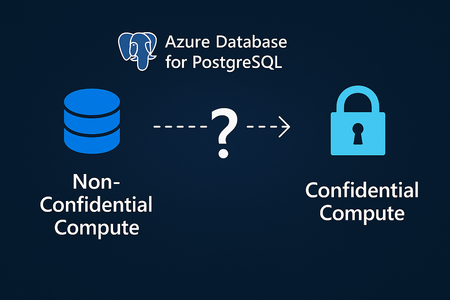
Co-authored with HaiderZ-MSFT Issue Summary The customer attempted to change the server configuration from Standard_D4ds_v5 (non-Confidential Compute) to Standard_DC4ads_v5 (Confidential Compute) in the West Europe region. The goal was to enhance the performance and security profile of the server. However, the SKU change could not be completed due to a mismatch in security profiles between the current and target SKUs. Root Cause The issue occurred because SKU changes from non-Confidential to Confidential Compute types are not supported in Azure Database for PostgreSQL Flexible Server. Each compute type uses different underlying hardware and isolation technologies. As documented in Azure Confidential Computing for PostgreSQL Flexible Server, operations such as Point-in-Time Restore (PITR) from non-Confidential Compute SKUs to Confidential ones aren’t allowed. Similarly, direct SKU transitions between these compute types are not supported due to this security model difference. Mitigation To resolve the issue, the customer was advised to migrate the data to a new server created with the desired compute SKU (Standard_DC4ads_v5). This ensures compatibility while achieving the intended performance and security goals. Steps: Create a new PostgreSQL Flexible Server with the desired SKU (Confidential Compute). Use native PostgreSQL tools to migrate data: pg_dump -h <source_server> -U <user> -Fc -f backup.dump pg_restore -h <target_server> -U <user> -d <database> -c backup.dump 3. Validate connectivity and performance on the new server. 4. Decommission the old server once migration is confirmed successful. Prevention & Best Practices To avoid similar issues in the future: Review documentation before performing SKU changes or scaling operations: Azure Confidential Computing for PostgreSQL Flexible Server Confirm compute type compatibility when planning scale or migration operations. Plan migrations proactively if you anticipate needing a different compute security profile. Use tools such as pg_dump / pg_restore or Azure Database Migration Service. Check regional availability for Confidential Compute SKUs before deployment. Why these matters Understanding the distinction between Confidential and non-Confidential Compute is essential to maintain healthy business progress. By reviewing compute compatibility and following the documented best practices, customers can ensure smooth scaling, enhanced security, and predictable database performance.236Views0likes0CommentsAzure PostgreSQL Lesson Learned#12: Private Endpoint Approval Fails for Cross Subscription
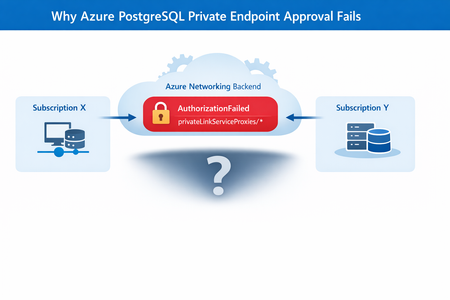
Co‑authored with HaiderZ-MSFT Symptoms Customers experience issues when attempting to approve a Private Endpoint for Azure PostgreSQL Flexible Server, particularly in cross‑subscription or cross‑tenant setups: Private Endpoint remains stuck in Pending state Portal approval action fails silently or reverts Selecting the Private Endpoint displays a “No Access” message Activity logs show repeated retries followed by failure Common Error Message AuthorizationFailed: The client '<object-id>' does not have authorization to perform action 'Microsoft.Network/privateEndpoints/privateLinkServiceProxies/write' over scope '<private-endpoint-resource-id>' or the scope is invalid. Root Cause Although the approval action is initiated from the PostgreSQL Flexible Server (service provider resource), Azure performs additional network‑level operations during approval. Specifically, Azure must update a Private Link Service Proxy on the Private Endpoint resource, which exists in the consumer subscription. When the Private Endpoint resides in a different subscription or tenant, the approval process fails if: Required Resource Providers are not registered, or The approving identity lacks network‑level permissions on the Private Endpoint scope In this case, the root cause was missing Resource Provider registration, resulting in an AuthorizationFailed error during proxy updates. Required Resource Providers Microsoft.Network Microsoft.DBforPostgreSQL If either provider is missing on either subscription, the approval process will fail regardless of RBAC configuration. Mitigation Steps Step 1: Register Resource Providers (Mandatory) Register the following providers on both subscriptions: Microsoft.Network Microsoft.DBforPostgreSQL This step alone resolves most cross‑subscription approval failures. Azure resource providers and types - Azure Resource Manager | Microsoft Learn Step 2: Validate Network Permissions Ensure the approving identity can perform: Microsoft.Network/privateEndpoints/privateLinkServiceProxies/write Grant Network Contributor if needed. Step 3: Refresh Credentials and Retry If changes were made recently: Sign out and sign in again Retry the Private Endpoint approval Post‑Resolution Outcome After correcting provider registration and permissions: Private Endpoint approval succeeds immediately Connection state transitions from Pending → Approved No further authorization or retry errors PostgreSQL connectivity works as expected Prevention & Best Practices Pre‑register required Resource Providers in landing zones Validate cross‑subscription readiness before creating Private Endpoints Document service‑specific approval requirements (PostgreSQL differs from Key Vault) Automate provider registration via policy or IaC where possible Include provider validation in enterprise onboarding checklists Why This Matters Missing provider registration can lead to: Failed Private Endpoint approvals Confusing authorization errors Extended troubleshooting cycles Production delays during go‑live A simple subscription readiness check prevents downstream networking failures that are difficult to diagnose from portal errors alone. Key Takeaways Issue: Azure PostgreSQL private endpoint approval fails across subscriptions Root Cause: Missing Resource Provider registration Fix: Register Microsoft.Network and Microsoft.DBforPostgreSQL on both subscriptions Result: Approval succeeds without backend authorization failures References Manage Azure Private Endpoints – Azure Private Link Approve Private Endpoint Connections – Azure Database for PostgreSQL Private Endpoint Overview – Azure Private Link216Views0likes0Comments