azure devops
7 TopicsThe History of Microsoft Azure
Learn about the history of Microsoft Azure a leading giant in the cloud service industry which offers rich services on platform as a service (PaaS), software as a service (Saas) and infrastructure as a service (IaaS). This will take us back to the moments on how this powerful and sophisticated service began, revealing the resilience and vision of the Microsoft company as a brand, the present stages and how to partake of the cake Microsoft has provided for businesses and developers.77KViews5likes3CommentsAzure DevOps for Beginners: How to Set Up Your Account, Organization, and Repository
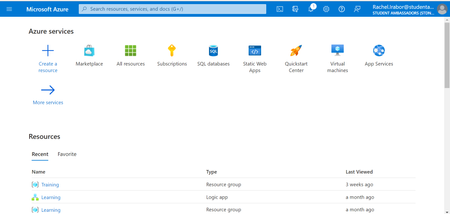
Microsoft Learn Student Ambassador and developer in Power Platform and Dynamics 365 Customer Engagement, Rachel Irabor, shares how to create a new organization and repository in Azure DevOps. This step-by-step guide will walk you through the process of setting up an Azure DevOps account and creating a new organization, project, and repository. Follow this guide and start building your own projects in Azure DevOps.15KViews4likes2CommentsCI/CD for AI Agents on Microsoft Foundry
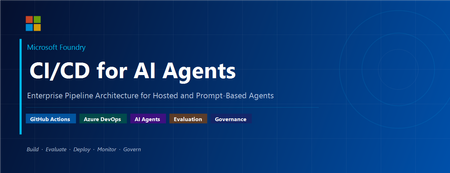
Introduction Building an AI agent is the straightforward part. Shipping it reliably to production with version control, evaluation-driven quality gates, multi-environment promotion, and enterprise governance is where most teams run into friction. Microsoft Foundry changes this. It is Microsoft's AI app and agent factory: a fully managed platform for building, deploying, and governing AI agents at scale. It provides a first-class agent runtime with built-in lifecycle management, making it possible to apply the same CI/CD rigour you already use for application software to AI agents — regardless of whether you are building containerised hosted agents or declarative prompt-based agents. This post walks through a complete, production-ready reference architecture for doing exactly that. You will find the GitHub Actions workflow, the Azure DevOps pipeline YAML, and the architecture diagram linked throughout. Reference implementation repository: foundry-agents-lifecycle and CI/CD for AI Agents on Microsoft Foundry Why Agent CI/CD Is Different Traditional software pipelines gate releases on test pass/fail. Agent pipelines require an additional, critical layer: evaluation-driven quality gates. Before any agent version can be promoted to the next environment, it must pass three categories of evaluation: Quality — answer correctness, task completion rate, hallucination rate Safety — grounded responses, policy compliance, tool usage validation Performance — token usage per query, p95 response latency A second key difference is the deployment unit. You are not deploying a binary or a container tag in isolation. You are deploying an agent version — an immutable artefact that bundles the model selection, system instructions, tool definitions, and configuration together. This is what enables deterministic promotion and full auditability across environments. "Agents follow a standard CI/CD pattern, but with a critical shift: promotion happens at the agent version level, and release gates are driven by evaluation outcomes, not just test results." Reference Architecture Figure 1: End-to-end CI/CD reference architecture for hosted and prompt-based agents on Microsoft Foundry. The architecture has five logical layers, flowing from developer commit to production monitoring: Layer 1 — Developer Layer The developer layer is a standard source-controlled repository in GitHub or Azure DevOps. It contains: Agent code written in Python or .NET agent.yaml or prompt definition files for prompt-based agents Tool configurations: MCP servers, REST API connectors, or other integrations Infrastructure as Code: Bicep or ARM templates for provisioning the Foundry project and dependencies Layer 2 — CI Pipeline (Build · Validate · Evaluate) Every push or pull request triggers the CI pipeline. It performs five steps: Docker build — for hosted agents, build and tag the container image Static checks — lint with ruff , security scan with bandit , agent YAML schema validation Unit and tool tests — pytest suites covering agent logic and tool integrations Evaluation gate — run evaluation datasets; fail the pipeline if thresholds are breached Image push — push the validated container to Azure Container Registry (ACR) Prompt-based agents skip the Docker build step. Instead, the YAML definition and prompt bundle are validated against schema and evaluated against golden datasets. Layer 3 — CD Pipeline (Multi-stage Promotion) A single agent version is promoted through three Foundry project environments: Stage Environment Activities Gate Stage 1 Dev Foundry Project Deploy vNext version, smoke tests, developer evals Eval quality thresholds Stage 2 Test / QA Foundry Project Scenario tests, HITL validation, safety evaluation Eval gates + human approval Stage 3 Production Foundry Project Promote version, enable endpoint, post-deploy smoke test Required reviewer approval Rollback is straightforward: switch the active version pointer back to the previous agent version. No re-deployment is needed. Layer 4 — Microsoft Foundry Agent Service The Foundry Agent Service runtime provides: Hosted agent runtime — managed container execution supporting Agent Framework, LangGraph, Semantic Kernel, or custom code Prompt-based agent runtime — declarative agent definitions, no container required Built-in lifecycle operations — version, start, stop, rollback Entra Agent Identity — each deployed version receives a dedicated Microsoft Entra managed identity RBAC and policy enforcement — Azure role-based access controls per project Observability — distributed traces, structured logs, and evaluation signals Layer 5 — Monitoring, Governance, and Control Plane Foundry control plane: agent registry, environment configuration, version history OpenTelemetry forwarded to Azure Monitor and Application Insights Continuous evaluation pipelines for ongoing quality, grounding, and safety monitoring Azure Policy and RBAC enforcement at the platform level Environment Topology There are two topology options. We recommend Option A for all production workloads: Option Structure Best for Trade-off A — Recommended Dev Project → Test Project → Prod Project (separate Foundry projects) Enterprise workloads Full isolation, clean RBAC boundaries, easier governance B — Lightweight Single Foundry project with agent version tags (dev/test/prod) Small teams, prototyping Simpler setup, but weaker environment separation Separate projects mean separate RBAC policies, separate connection strings, and separate evaluation signals. A developer service principal has access only to the Dev project; the CI/CD identity has restricted access to promote to Test and Production. Evaluation Gates — The Core Difference Evaluation gates transform a standard software pipeline into an AI-safe deployment pipeline. They run at two points: pre-merge (CI) and pre-promotion (CD). Defining the Gates Category Metric CI threshold Prod threshold Quality Hallucination rate < 5% < 3% Quality Task completion rate > 90% > 95% Safety Grounded response rate > 95% > 98% Safety Policy violations 0 0 Performance p95 latency < 4 000 ms < 3 000 ms Cost Token usage per query Track only Alert on > 20% regression Gate Enforcement (Python) import json import sys def check_gates(results_path: str) -> None: with open(results_path) as f: results = json.load(f) failures = [] if results["hallucination_rate"] > 0.05: failures.append(f"Hallucination rate {results['hallucination_rate']:.1%} exceeds 5% threshold") if results["task_completion_rate"] < 0.90: failures.append(f"Task completion {results['task_completion_rate']:.1%} below 90% threshold") if results["latency_p95_ms"] > 4000: failures.append(f"p95 latency {results['latency_p95_ms']}ms exceeds 4000ms threshold") if results.get("policy_violations", 0) > 0: failures.append(f"Policy violations detected: {results['policy_violations']}") if failures: for f in failures: print(f"GATE FAILED: {f}", file=sys.stderr) sys.exit(1) print("All evaluation gates passed — proceeding to deployment") if __name__ == "__main__": check_gates(sys.argv[1]) Hosted vs Prompt-Based Agents — Pipeline Differences Capability Hosted Agents Prompt-Based Agents Deployment unit Container image + agent definition YAML / prompt configuration bundle Build step required Yes — Docker build + ACR push No — YAML validation only Supported frameworks Agent Framework, LangGraph, Semantic Kernel, custom Foundry declarative runtime Promotion artefact Versioned agent with container image reference Versioned prompt/config bundle CI focus Code quality, tool tests, evaluation Prompt schema validation, evaluation Rollback mechanism Switch active agent version Switch active agent version Runtime management Foundry manages container lifecycle Foundry manages declarative runtime CI Pipeline Walkthrough The following steps are representative of the full GitHub Actions workflow available in github-actions-pipeline.yml alongside this post. Hosted Agent CI # 1. Static checks ruff check . bandit -r src/ -ll python scripts/validate_agent_config.py --config agent.yaml # 2. Tests pytest tests/unit/ -v --tb=short pytest tests/tools/ -v --tb=short # 3. Evaluation gate python scripts/run_evaluations.py \ --dataset eval/datasets/golden_set.jsonl \ --output eval/results/results.json python scripts/check_eval_gates.py \ --results eval/results/results.json \ --max-hallucination 0.05 \ --min-task-completion 0.90 \ --max-latency-p95 4000 # 4. Push container image az acr build \ --registry myregistry.azurecr.io \ --image "myagent:$SHA" \ --file Dockerfile . Prompt-Based Agent CI # Validate YAML / prompt definitions python scripts/validate_agent_config.py --config agent.yaml # Evaluation against golden dataset python scripts/run_evaluations.py \ --dataset eval/datasets/golden_set.jsonl \ --output eval/results/results.json python scripts/check_eval_gates.py \ --results eval/results/results.json CD Pipeline Walkthrough Stage 1 — Dev Deployment python scripts/deploy_agent.py \ --env dev \ --image "myregistry.azurecr.io/myagent:$SHA" \ --foundry-endpoint $FOUNDRY_ENDPOINT_DEV \ --agent-config agent.yaml # Returns the new agent version ID, stored for promotion AGENT_VERSION=$(python scripts/get_active_version.py --env dev) Stage 2 — Promote to Test (after approval gate) python scripts/promote_agent.py \ --from-env dev \ --to-env test \ --agent-version $AGENT_VERSION \ --foundry-endpoint $FOUNDRY_ENDPOINT_TEST # Run scenario tests and safety evaluation python scripts/run_evaluations.py \ --dataset eval/datasets/scenario_set.jsonl \ --output eval/results/test-results.json python scripts/check_eval_gates.py \ --results eval/results/test-results.json \ --max-hallucination 0.03 \ --min-task-completion 0.95 Stage 3 — Promote to Production (after required reviewer approval) python scripts/promote_agent.py \ --from-env test \ --to-env prod \ --agent-version $AGENT_VERSION \ --foundry-endpoint $FOUNDRY_ENDPOINT_PROD # Enable the production endpoint python scripts/enable_agent_endpoint.py \ --agent-version $AGENT_VERSION \ --foundry-endpoint $FOUNDRY_ENDPOINT_PROD Rollback # Switch the active version to the previous known-good version python scripts/promote_agent.py \ --from-env prod \ --to-env prod \ --agent-version $PREVIOUS_AGENT_VERSION \ --foundry-endpoint $FOUNDRY_ENDPOINT_PROD # OR delete the failing version python scripts/delete_agent_version.py \ --agent-version $AGENT_VERSION \ --foundry-endpoint $FOUNDRY_ENDPOINT_PROD Deployment Using the Azure AI Projects SDK The azure-ai-projects SDK provides programmatic control over the full agent lifecycle. This is the recommended approach for CI/CD scripts where you need deterministic, scriptable deployment. from azure.identity import DefaultAzureCredential from azure.ai.projects import AIProjectClient # Connect to the Foundry project client = AIProjectClient( endpoint=FOUNDRY_PROJECT_ENDPOINT, credential=DefaultAzureCredential() ) # List existing agents (useful for idempotent deploy scripts) for agent in client.agents.list(): print(f"Agent: {agent.name} version: {agent.id}") # Create a new agent version (hosted agent) agent = client.agents.create_agent( model="gpt-4o", name="my-enterprise-agent", instructions="You are a helpful assistant ...", tools=[...], # tool definitions metadata={"version": GIT_SHA, "environment": "dev"} ) print(f"Created agent version: {agent.id}") For hosted agents, the SDK call also references the container image pushed to ACR. Refer to the Deploy a hosted agent — Microsoft Foundry documentation for the full SDK flow including container image registration and version polling. Reference Implementation Stack Concern Technology Source control and pipelines GitHub Actions or Azure DevOps Pipelines Infrastructure and agent deployment Azure Developer CLI ( azd up ) Programmatic agent lifecycle azure-ai-projects Python SDK Agent evaluation azure-ai-evaluation Python SDK Agent runtime Microsoft Foundry Agent Service Container registry Azure Container Registry (hosted agents only) Observability OpenTelemetry, Azure Monitor, Application Insights Identity and access Microsoft Entra (Agent ID, OIDC workload identity federation) Governance Azure Policy, RBAC, Foundry control plane Governance and Responsible AI Shipping AI agents at enterprise scale requires governance beyond what a traditional CI/CD pipeline provides. Microsoft Foundry addresses this at the platform level: RBAC per environment — each Foundry project has independent access controls. Developers deploy to Dev; only CI/CD service principals (with audited OIDC tokens) can promote to Test and Production. Agent registry and audit trail — the Foundry control plane records which agent version is active in each environment, who deployed it, and when. This satisfies enterprise audit requirements without additional tooling. Content safety and policy enforcement — Azure Policy governs model access, data handling, and content safety rules at the infrastructure level, not just at the application code level. Policy violations block deployment automatically. Entra Agent Identity — each deployed agent version receives a dedicated, short-lived managed identity. Agents authenticate to downstream services using least-privilege credentials scoped to that specific deployment. Continuous evaluation in production — evaluation pipelines run on sampled production traffic, alerting when quality, safety, or cost metrics drift from their baseline. A key trade-off to be transparent about: evaluation datasets must be maintained and updated as the agent's tasks evolve. Stale datasets produce misleading pass/fail signals. Treat your golden evaluation set as a first-class engineering artefact alongside the agent code itself. Pipeline Files Two pipeline files accompany this reference architecture. Both implement the same four-stage pipeline (CI Build, CI Evaluate, CD Dev, CD Test, CD Production) with environment-appropriate approval gates. github-actions-pipeline.yml — GitHub Actions workflow. Uses GitHub Environments for approval gates and OIDC Workload Identity Federation for passwordless Azure authentication. No stored Azure credentials required. azure-devops-pipeline.yml — Azure DevOps multi-stage YAML pipeline. Uses ADO Environments with required approvers and variable groups per environment. Both pipelines share these security practices: OIDC / Workload Identity Federation — no long-lived Azure credentials stored in pipeline secrets Per-environment variable groups, each with scoped connection strings and endpoints Evaluation quality gates enforced before every promotion step Mandatory human approval before production deployment Summary The full pipeline in one view: Developer commit | CI Pipeline ├── Docker build (hosted agents) / YAML validation (prompt agents) ├── Static checks + unit tests + tool tests └── Evaluation gate ← quality · safety · performance | Agent Version created ← immutable, versioned artefact | CD Pipeline ├── Deploy to Dev → smoke tests + eval gate ├── Promote to Test → scenario tests + HITL + approval gate └── Promote to Prod → enable endpoint + monitoring | Microsoft Foundry Agent Service └── Versioned runtime · Entra identity · RBAC · Observability | Control Plane └── Agent registry · Governance · Continuous evaluation Microsoft Foundry provides the platform primitives — versioned agent deployments, multi-environment Foundry projects, built-in lifecycle management, and an enterprise observability stack — needed to operate AI agents with the same confidence as any production software system. The key takeaway: treat the agent version as your deployment artefact, and evaluation outcomes as your release gate. The rest follows familiar CI/CD patterns you already know and trust. Next Steps Clone the CI/CD Repo at leestott/foundry-cicd Clone the reference demo: foundry-agents-lifecycle on GitHub Set up your environment: Set up your environment for Foundry Agent Service Deploy your first hosted agent: Quickstart: Deploy your first hosted agent Understand hosted agent concepts: Foundry Hosted Agents concepts Automate deployments in CI/CD: Automate deployment of Microsoft Foundry agents Manage agent versions: Manage hosted agents — Microsoft Foundry Deploy via SDK: Deploy a hosted agent — Microsoft Foundry SDK and endpoint reference: Microsoft Foundry SDK and Endpoints reference Azure AI Projects SDK: azure-ai-projects Python SDK Azure Developer CLI: Azure Developer CLI (azd) overview Microsoft Foundry documentation hub: Microsoft Foundry on Microsoft Learn13KViews8likes0CommentsBoosting Code Security with GHAS Code Scanning in Azure DevOps & GitHub
Code scanning, a pipeline-based tool available in GitHub Advanced Security, is designed to detect code vulnerabilities and bugs within the source code of ADO (Azure DevOps) repositories. Utilizing CodeQL as a static analysis tool, it performs query analysis and variant analysis. When vulnerabilities are found, it generates security alerts. CodeQL CodeQL is a powerful static analysis tool used for showing vulnerabilities and bugs in source code. It enables developers to write custom queries that analyze codebases, searching for specific patterns and potential security issues. By converting code into a database format, CodeQL allows for sophisticated, database-like queries to detect flaws. CodeQL in Action 1. Preparing the Code Create a CodeQL Database: Extract and structure the code into a database for analysis. 2. Running CodeQL Queries Execute Queries: Run predefined or custom queries against the database to find potential issues. 3. Interpreting the Query Results Review Findings: Analyze the results to find, prioritize, and address vulnerabilities and code quality issues. Reference: - About the CodeQL CLI - GitHub Docs Sample Code Scanning Azure DevOps Pipeline Once the GitHub Advanced security is configured for the ADO Repo we can then create and run a dedicated Code scanning pipeline to detect vulnerability & generate query results & alerts. Below is a generic sample Code scanning pipeline Prerequisites: - GitHub Token (GitHub token): Required Pipeline Variable for authenticated operations with GitHub. CodeQL Results File Path (codeql_results_file): Predefined in the pipeline YAML variable to specify where the analysis results are stored. SARIF SAST Scans Tab extension: Need to install it from Azure DevOps Marketplace to view query results # Author: Debjyoti # This pipeline uses default CodeQL queries for code scanning trigger: none pool: vmImage: 'windows-latest' variables: codeql_results_file: '$(Build.ArtifactStagingDirectory)/results.sarif' steps: - task: AdvancedSecurity-Codeql-Init@1 displayName: 'Initialize CodeQL' inputs: languages: 'python' loglevel: '2' env: GITHUB_TOKEN: $(githubtoken) - task: AdvancedSecurity-Codeql-Autobuild@1 displayName: 'AutoBuild' - task: AdvancedSecurity-Codeql-Analyze@1 displayName: 'Perform CodeQL Analysis' inputs: outputFile: '$(codeql_results_file)' - task: PublishBuildArtifacts@1 displayName: 'Publish CodeQL Results' inputs: pathToPublish: '$(codeql_results_file)' artifactName: 'CodeQLResults' For further insights and detailed guides, please refer to the following articles: https://learn.microsoft.com/azure/devops/repos/security/configure-github-advanced-security-features?view=azure-devops&tabs=yaml https://learn.microsoft.com/azure/devops/repos/security/github-advanced-security-code-scanning?view=azure-devops Default setup of Code Scanning in GitHub Repository Requirements for Using Default Setup GitHub Actions: Must be enabled. Recommendations Enable default setup if there is any chance of including at least one CodeQL-supported language in the future. Default setup will not run or use GitHub Actions minutes if no CodeQL-supported languages are present. If CodeQL-supported languages are added, default setup will automatically begin scanning and using minutes. Customizing Default Setup Start with default setup. Evaluate code scanning performance. Customize if needed to better meet security needs. Configuring Default Setup for a Repository Automatic Analysis: All CodeQL-supported languages will be analyzed. Successful Analysis: Languages analyzed successfully will be retained. Unsuccessful Analysis: Languages not analyzed successfully will be deselected. Failure Handling: If all analyses fail, default setup stays enabled but inactive until a supported language is added, or setup is manually reconfigured. Steps to Enable Default Setup Navigate to Repository: Go to the main page of the repository. Access Settings: Click on "Settings" under the repository name. If "Settings" is not visible, select the dropdown menu and click "Settings". Security Settings: In the "Security" section of the sidebar, click "Code security and analysis". 4. Setup Code Scanning: In the "Code scanning" section, select "Set up" and click "Default". Review Configuration: A dialog will summarize the automatically created code scanning configuration. Optionally, select a query suite in the "Query suites" section. Extended query suite runs additional, lower severity and precision queries. Enable CodeQL: Review settings and click "Enable CodeQL" to trigger a workflow. View Configuration: After enablement, view the configuration by selecting the relevant choice. CodeQL Analysis Run: Once CodeQL is set up, it will run on the repository to check for vulnerabilities in the supported language code. You can view more information by clicking on the "View last scan" option. View Security Alerts: It will run its default built-in queries on the repository code for the supported language (in this case, Python) and will generate alerts for any detected vulnerabilities. Reference Link for more insights - https://docs.github.com/en/code-security/code-scanning/enabling-code-scanning/configuring-default-setup-for-code-scanning https://docs.github.com/en/code-security/code-scanning/managing-your-code-scanning-configuration/python-built-in-queries Benefits of Running Code QL for Developers Responsibilities and Burdens Initial Setup and Learning Curve: Requires time to set up and learn how to use effectively. Maintenance of Queries: Custom queries may need updates as the codebase evolves. False Positives: May generate false positives that need to be reviewed and addressed. Integration Effort: Integrating Code QL into existing CI/CD pipelines can require significant effort.9.2KViews0likes0CommentsCopa: An Image Vulnerability Patching Tool
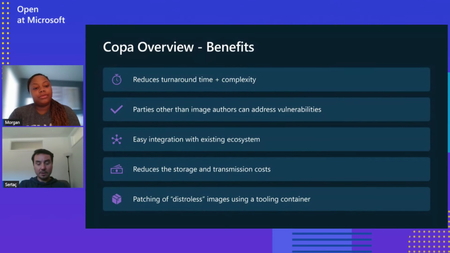
Securing container images is paramount, especially with the widespread adoption of containerization technologies like Docker and Kubernetes. Microsoft has recognized the need for robust image security solutions and has introduced Copa, an open-source tool designed to keep container images secure and address vulnerabilities swiftly. Learn about Copa in this blog.5.7KViews0likes1CommentVulnerability Assessment on Azure Container Registry with Microsoft Defender and Docker Hub
Azure Container Registry: Microsoft Defender for Containers and Docker Scout. Rather than comparing these tools, I want to highlight how they complement each other to enhance container security on ACR. Containers revolutionize the way applications are deployed, providing a consistent and efficient way to package code and dependencies. However, with this convenience comes the critical need for robust security measures. In this post, we'll explore why container security is essential, focusing on preventing malicious code, avoiding vulnerabilities, and managing configuration and deployment risks.4.2KViews3likes2CommentsRevolutionizing Road Safety: Power Platform AI-Powered Vehicle Identification & Verification System
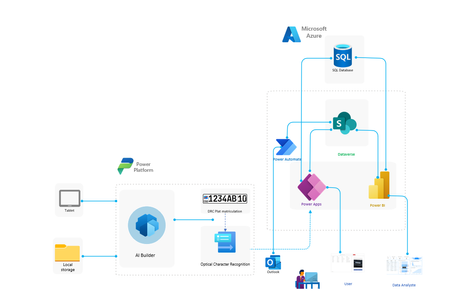
Explore our groundbreaking project leveraging AI Builder and Microsoft technologies for vehicle and driver identification. Enhance road safety, prevent theft, and streamline verification processes with our innovative system. Join us in exploring the potential of AI in traffic management.2.8KViews4likes1Comment