azure devops
38 TopicsCI/CD for AI Agents on Microsoft Foundry
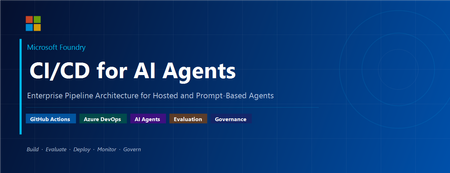
Introduction Building an AI agent is the straightforward part. Shipping it reliably to production with version control, evaluation-driven quality gates, multi-environment promotion, and enterprise governance is where most teams run into friction. Microsoft Foundry changes this. It is Microsoft's AI app and agent factory: a fully managed platform for building, deploying, and governing AI agents at scale. It provides a first-class agent runtime with built-in lifecycle management, making it possible to apply the same CI/CD rigour you already use for application software to AI agents — regardless of whether you are building containerised hosted agents or declarative prompt-based agents. This post walks through a complete, production-ready reference architecture for doing exactly that. You will find the GitHub Actions workflow, the Azure DevOps pipeline YAML, and the architecture diagram linked throughout. Reference implementation repository: foundry-agents-lifecycle and CI/CD for AI Agents on Microsoft Foundry Why Agent CI/CD Is Different Traditional software pipelines gate releases on test pass/fail. Agent pipelines require an additional, critical layer: evaluation-driven quality gates. Before any agent version can be promoted to the next environment, it must pass three categories of evaluation: Quality — answer correctness, task completion rate, hallucination rate Safety — grounded responses, policy compliance, tool usage validation Performance — token usage per query, p95 response latency A second key difference is the deployment unit. You are not deploying a binary or a container tag in isolation. You are deploying an agent version — an immutable artefact that bundles the model selection, system instructions, tool definitions, and configuration together. This is what enables deterministic promotion and full auditability across environments. "Agents follow a standard CI/CD pattern, but with a critical shift: promotion happens at the agent version level, and release gates are driven by evaluation outcomes, not just test results." Reference Architecture Figure 1: End-to-end CI/CD reference architecture for hosted and prompt-based agents on Microsoft Foundry. The architecture has five logical layers, flowing from developer commit to production monitoring: Layer 1 — Developer Layer The developer layer is a standard source-controlled repository in GitHub or Azure DevOps. It contains: Agent code written in Python or .NET agent.yaml or prompt definition files for prompt-based agents Tool configurations: MCP servers, REST API connectors, or other integrations Infrastructure as Code: Bicep or ARM templates for provisioning the Foundry project and dependencies Layer 2 — CI Pipeline (Build · Validate · Evaluate) Every push or pull request triggers the CI pipeline. It performs five steps: Docker build — for hosted agents, build and tag the container image Static checks — lint with ruff , security scan with bandit , agent YAML schema validation Unit and tool tests — pytest suites covering agent logic and tool integrations Evaluation gate — run evaluation datasets; fail the pipeline if thresholds are breached Image push — push the validated container to Azure Container Registry (ACR) Prompt-based agents skip the Docker build step. Instead, the YAML definition and prompt bundle are validated against schema and evaluated against golden datasets. Layer 3 — CD Pipeline (Multi-stage Promotion) A single agent version is promoted through three Foundry project environments: Stage Environment Activities Gate Stage 1 Dev Foundry Project Deploy vNext version, smoke tests, developer evals Eval quality thresholds Stage 2 Test / QA Foundry Project Scenario tests, HITL validation, safety evaluation Eval gates + human approval Stage 3 Production Foundry Project Promote version, enable endpoint, post-deploy smoke test Required reviewer approval Rollback is straightforward: switch the active version pointer back to the previous agent version. No re-deployment is needed. Layer 4 — Microsoft Foundry Agent Service The Foundry Agent Service runtime provides: Hosted agent runtime — managed container execution supporting Agent Framework, LangGraph, Semantic Kernel, or custom code Prompt-based agent runtime — declarative agent definitions, no container required Built-in lifecycle operations — version, start, stop, rollback Entra Agent Identity — each deployed version receives a dedicated Microsoft Entra managed identity RBAC and policy enforcement — Azure role-based access controls per project Observability — distributed traces, structured logs, and evaluation signals Layer 5 — Monitoring, Governance, and Control Plane Foundry control plane: agent registry, environment configuration, version history OpenTelemetry forwarded to Azure Monitor and Application Insights Continuous evaluation pipelines for ongoing quality, grounding, and safety monitoring Azure Policy and RBAC enforcement at the platform level Environment Topology There are two topology options. We recommend Option A for all production workloads: Option Structure Best for Trade-off A — Recommended Dev Project → Test Project → Prod Project (separate Foundry projects) Enterprise workloads Full isolation, clean RBAC boundaries, easier governance B — Lightweight Single Foundry project with agent version tags (dev/test/prod) Small teams, prototyping Simpler setup, but weaker environment separation Separate projects mean separate RBAC policies, separate connection strings, and separate evaluation signals. A developer service principal has access only to the Dev project; the CI/CD identity has restricted access to promote to Test and Production. Evaluation Gates — The Core Difference Evaluation gates transform a standard software pipeline into an AI-safe deployment pipeline. They run at two points: pre-merge (CI) and pre-promotion (CD). Defining the Gates Category Metric CI threshold Prod threshold Quality Hallucination rate < 5% < 3% Quality Task completion rate > 90% > 95% Safety Grounded response rate > 95% > 98% Safety Policy violations 0 0 Performance p95 latency < 4 000 ms < 3 000 ms Cost Token usage per query Track only Alert on > 20% regression Gate Enforcement (Python) import json import sys def check_gates(results_path: str) -> None: with open(results_path) as f: results = json.load(f) failures = [] if results["hallucination_rate"] > 0.05: failures.append(f"Hallucination rate {results['hallucination_rate']:.1%} exceeds 5% threshold") if results["task_completion_rate"] < 0.90: failures.append(f"Task completion {results['task_completion_rate']:.1%} below 90% threshold") if results["latency_p95_ms"] > 4000: failures.append(f"p95 latency {results['latency_p95_ms']}ms exceeds 4000ms threshold") if results.get("policy_violations", 0) > 0: failures.append(f"Policy violations detected: {results['policy_violations']}") if failures: for f in failures: print(f"GATE FAILED: {f}", file=sys.stderr) sys.exit(1) print("All evaluation gates passed — proceeding to deployment") if __name__ == "__main__": check_gates(sys.argv[1]) Hosted vs Prompt-Based Agents — Pipeline Differences Capability Hosted Agents Prompt-Based Agents Deployment unit Container image + agent definition YAML / prompt configuration bundle Build step required Yes — Docker build + ACR push No — YAML validation only Supported frameworks Agent Framework, LangGraph, Semantic Kernel, custom Foundry declarative runtime Promotion artefact Versioned agent with container image reference Versioned prompt/config bundle CI focus Code quality, tool tests, evaluation Prompt schema validation, evaluation Rollback mechanism Switch active agent version Switch active agent version Runtime management Foundry manages container lifecycle Foundry manages declarative runtime CI Pipeline Walkthrough The following steps are representative of the full GitHub Actions workflow available in github-actions-pipeline.yml alongside this post. Hosted Agent CI # 1. Static checks ruff check . bandit -r src/ -ll python scripts/validate_agent_config.py --config agent.yaml # 2. Tests pytest tests/unit/ -v --tb=short pytest tests/tools/ -v --tb=short # 3. Evaluation gate python scripts/run_evaluations.py \ --dataset eval/datasets/golden_set.jsonl \ --output eval/results/results.json python scripts/check_eval_gates.py \ --results eval/results/results.json \ --max-hallucination 0.05 \ --min-task-completion 0.90 \ --max-latency-p95 4000 # 4. Push container image az acr build \ --registry myregistry.azurecr.io \ --image "myagent:$SHA" \ --file Dockerfile . Prompt-Based Agent CI # Validate YAML / prompt definitions python scripts/validate_agent_config.py --config agent.yaml # Evaluation against golden dataset python scripts/run_evaluations.py \ --dataset eval/datasets/golden_set.jsonl \ --output eval/results/results.json python scripts/check_eval_gates.py \ --results eval/results/results.json CD Pipeline Walkthrough Stage 1 — Dev Deployment python scripts/deploy_agent.py \ --env dev \ --image "myregistry.azurecr.io/myagent:$SHA" \ --foundry-endpoint $FOUNDRY_ENDPOINT_DEV \ --agent-config agent.yaml # Returns the new agent version ID, stored for promotion AGENT_VERSION=$(python scripts/get_active_version.py --env dev) Stage 2 — Promote to Test (after approval gate) python scripts/promote_agent.py \ --from-env dev \ --to-env test \ --agent-version $AGENT_VERSION \ --foundry-endpoint $FOUNDRY_ENDPOINT_TEST # Run scenario tests and safety evaluation python scripts/run_evaluations.py \ --dataset eval/datasets/scenario_set.jsonl \ --output eval/results/test-results.json python scripts/check_eval_gates.py \ --results eval/results/test-results.json \ --max-hallucination 0.03 \ --min-task-completion 0.95 Stage 3 — Promote to Production (after required reviewer approval) python scripts/promote_agent.py \ --from-env test \ --to-env prod \ --agent-version $AGENT_VERSION \ --foundry-endpoint $FOUNDRY_ENDPOINT_PROD # Enable the production endpoint python scripts/enable_agent_endpoint.py \ --agent-version $AGENT_VERSION \ --foundry-endpoint $FOUNDRY_ENDPOINT_PROD Rollback # Switch the active version to the previous known-good version python scripts/promote_agent.py \ --from-env prod \ --to-env prod \ --agent-version $PREVIOUS_AGENT_VERSION \ --foundry-endpoint $FOUNDRY_ENDPOINT_PROD # OR delete the failing version python scripts/delete_agent_version.py \ --agent-version $AGENT_VERSION \ --foundry-endpoint $FOUNDRY_ENDPOINT_PROD Deployment Using the Azure AI Projects SDK The azure-ai-projects SDK provides programmatic control over the full agent lifecycle. This is the recommended approach for CI/CD scripts where you need deterministic, scriptable deployment. from azure.identity import DefaultAzureCredential from azure.ai.projects import AIProjectClient # Connect to the Foundry project client = AIProjectClient( endpoint=FOUNDRY_PROJECT_ENDPOINT, credential=DefaultAzureCredential() ) # List existing agents (useful for idempotent deploy scripts) for agent in client.agents.list(): print(f"Agent: {agent.name} version: {agent.id}") # Create a new agent version (hosted agent) agent = client.agents.create_agent( model="gpt-4o", name="my-enterprise-agent", instructions="You are a helpful assistant ...", tools=[...], # tool definitions metadata={"version": GIT_SHA, "environment": "dev"} ) print(f"Created agent version: {agent.id}") For hosted agents, the SDK call also references the container image pushed to ACR. Refer to the Deploy a hosted agent — Microsoft Foundry documentation for the full SDK flow including container image registration and version polling. Reference Implementation Stack Concern Technology Source control and pipelines GitHub Actions or Azure DevOps Pipelines Infrastructure and agent deployment Azure Developer CLI ( azd up ) Programmatic agent lifecycle azure-ai-projects Python SDK Agent evaluation azure-ai-evaluation Python SDK Agent runtime Microsoft Foundry Agent Service Container registry Azure Container Registry (hosted agents only) Observability OpenTelemetry, Azure Monitor, Application Insights Identity and access Microsoft Entra (Agent ID, OIDC workload identity federation) Governance Azure Policy, RBAC, Foundry control plane Governance and Responsible AI Shipping AI agents at enterprise scale requires governance beyond what a traditional CI/CD pipeline provides. Microsoft Foundry addresses this at the platform level: RBAC per environment — each Foundry project has independent access controls. Developers deploy to Dev; only CI/CD service principals (with audited OIDC tokens) can promote to Test and Production. Agent registry and audit trail — the Foundry control plane records which agent version is active in each environment, who deployed it, and when. This satisfies enterprise audit requirements without additional tooling. Content safety and policy enforcement — Azure Policy governs model access, data handling, and content safety rules at the infrastructure level, not just at the application code level. Policy violations block deployment automatically. Entra Agent Identity — each deployed agent version receives a dedicated, short-lived managed identity. Agents authenticate to downstream services using least-privilege credentials scoped to that specific deployment. Continuous evaluation in production — evaluation pipelines run on sampled production traffic, alerting when quality, safety, or cost metrics drift from their baseline. A key trade-off to be transparent about: evaluation datasets must be maintained and updated as the agent's tasks evolve. Stale datasets produce misleading pass/fail signals. Treat your golden evaluation set as a first-class engineering artefact alongside the agent code itself. Pipeline Files Two pipeline files accompany this reference architecture. Both implement the same four-stage pipeline (CI Build, CI Evaluate, CD Dev, CD Test, CD Production) with environment-appropriate approval gates. github-actions-pipeline.yml — GitHub Actions workflow. Uses GitHub Environments for approval gates and OIDC Workload Identity Federation for passwordless Azure authentication. No stored Azure credentials required. azure-devops-pipeline.yml — Azure DevOps multi-stage YAML pipeline. Uses ADO Environments with required approvers and variable groups per environment. Both pipelines share these security practices: OIDC / Workload Identity Federation — no long-lived Azure credentials stored in pipeline secrets Per-environment variable groups, each with scoped connection strings and endpoints Evaluation quality gates enforced before every promotion step Mandatory human approval before production deployment Summary The full pipeline in one view: Developer commit | CI Pipeline ├── Docker build (hosted agents) / YAML validation (prompt agents) ├── Static checks + unit tests + tool tests └── Evaluation gate ← quality · safety · performance | Agent Version created ← immutable, versioned artefact | CD Pipeline ├── Deploy to Dev → smoke tests + eval gate ├── Promote to Test → scenario tests + HITL + approval gate └── Promote to Prod → enable endpoint + monitoring | Microsoft Foundry Agent Service └── Versioned runtime · Entra identity · RBAC · Observability | Control Plane └── Agent registry · Governance · Continuous evaluation Microsoft Foundry provides the platform primitives — versioned agent deployments, multi-environment Foundry projects, built-in lifecycle management, and an enterprise observability stack — needed to operate AI agents with the same confidence as any production software system. The key takeaway: treat the agent version as your deployment artefact, and evaluation outcomes as your release gate. The rest follows familiar CI/CD patterns you already know and trust. Next Steps Clone the CI/CD Repo at leestott/foundry-cicd Clone the reference demo: foundry-agents-lifecycle on GitHub Set up your environment: Set up your environment for Foundry Agent Service Deploy your first hosted agent: Quickstart: Deploy your first hosted agent Understand hosted agent concepts: Foundry Hosted Agents concepts Automate deployments in CI/CD: Automate deployment of Microsoft Foundry agents Manage agent versions: Manage hosted agents — Microsoft Foundry Deploy via SDK: Deploy a hosted agent — Microsoft Foundry SDK and endpoint reference: Microsoft Foundry SDK and Endpoints reference Azure AI Projects SDK: azure-ai-projects Python SDK Azure Developer CLI: Azure Developer CLI (azd) overview Microsoft Foundry documentation hub: Microsoft Foundry on Microsoft Learn15KViews8likes0CommentsAzure OpenAI GPT model to review Pull Requests for Azure DevOps
In recent months, the use of Generative Pre-trained Transformer (GPT) models for natural language processing (NLP) has gained significant traction. GPT models, which are based on the Transformer architecture, can generate text from arbitrary sources of input data and can be trained to identify errors and detect anomalies in text. As such, GPT models are increasingly being used for a variety of applications, ranging from natural language understanding to text summarization and question-answering. In the software development world, developers use pull requests to submit proposed changes to a codebase. However, reviews by other developers can sometimes take a long time and not accurate, and in some cases, these reviews can introduce new bugs and issues. In order to reduce this risk, During my research I found the integration of GPT models is possible and we can add Azure OpenAI service as pull request reviewers for Azure Pipelines service. The GPT models are trained on developer codebases and are able to detect potential coding issues such as typos, syntax errors, style inconsistencies and code smells. In addition, they can also assess code structure and suggest improvements to the overall code quality. Once the GPT models have been trained, they can be integrated into the Azure Pipelines service so that they can automatically review pull requests and provide feedback. This helps to reduce the time taken for code reviews, as well as reduce the likelihood of introducing bugs and issues.48KViews4likes13CommentsCopa: An Image Vulnerability Patching Tool
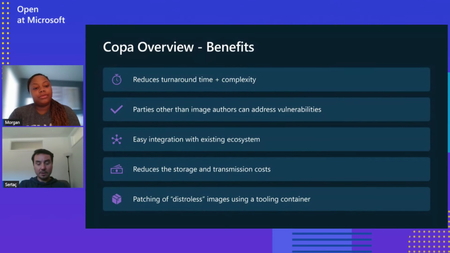
Securing container images is paramount, especially with the widespread adoption of containerization technologies like Docker and Kubernetes. Microsoft has recognized the need for robust image security solutions and has introduced Copa, an open-source tool designed to keep container images secure and address vulnerabilities swiftly. Learn about Copa in this blog.5.8KViews0likes1CommentTechnical Walkthrough: Deploying a SQL DB like it's Terraform
Introduction This post will be a union of multiple topics. It is part of the SQL CI/CD series and as such will build upon Deploying .dacpacs to Multiple Environments via ADO Pipelines | Microsoft Community Hub and Managed SQL Deployments Like Terraform | Microsoft Community Hub while also crossing over with the YAML Pipeline series This is an advanced topic in regard to both Azure DevOps YAML and SQL CI/CD. If both of these concepts are newer to you, please refer to the links above as this is not designed to be a beginner's approach in either one of these domains. Assumptions To get the most out of this and follow along we are going to assume that you are 1.) On board with templating your Azure DevOps YAML Pipelines. By doing this we will see the benefit of quickly onboarding new pipelines, standardizing our deployment steps, and increasing our security. We also are going to assume you are on board with Managed SQL Deployments Like Terraform | Microsoft Community Hub for deploying your SQL Projects. By adopting this we can increase our data security, confidence in source control, and speed our time to deployment. For this post we will continue to leverage the example cicd-adventureWorks repository for the source of our SQL Project and where the pipeline definition will live. Road mapping the Templates Just like my other YAML posts let's outline the pieces required in this stage and we will then break down each job Build Stage Build .dacpac job run `dotnet build` and pass in appropriate arguments execute a Deploy Report from the dacpac produced by the build and the target environment copy the Deploy Report to the build output directory publish the pipeline artifact Deploy Stage Deploy .dacpac job run Deploy Report from dacpac artifact (optional) deploy dacpac, including pre/postscripts Build Stage For the purposes of this stage, we should think of building our .dacpac similar to a terraform or single page application build. What I am referring to is we will produce an artifact per environment, and this will be generated from the same codebase. Additionally, we will run a 'plan' which will be the proposed result of deploying our dacpac file. Build Job We will have one instance of the build job for each environment. Each instance will produce a different artifact as they will be passing different build configurations which in turn will result in a different .dacpac per environment. If you are familiar with YAML templating, then feel free to jump to the finish job template. One of the key differences with this job structure, as opposed to the one outlined in Deploying .dacpacs to Multiple Environments via ADO Pipelines is the need for a Deploy Report. This is the key to unlocking the CI/CD approach which aligns with Terraform. This Deploy Report detects our changes on build, similar to running a terraform plan. Creating a Deploy Report is achieved by setting the DeployAction attribute in the SQLAzureDacpacDeployment@1 action to 'DeployReport' Now there is one minor "bug" in the Microsoft SQLAzureDacpacDeployment task, which I have raised with the ADO task. It appears the output path for the Deploy Report as well as the Drift Report are hardcoded to the same location. To get around this I had to find out where the Deploy Report was being published and, for our purposes, have a task to copy the Deploy Report to the same location as the .dacpac and then publish them both as a single folder. Here is the code for the for a single environment to build the associated .dacpac and produce the Deploy Repo stages: - stage: adventureworksentra_build variables: - name: solutionPath value: $(Build.SourcesDirectory)// jobs: - job: build_publish_sql_sqlmoveme_dev_dev steps: - task: UseDotNet@2 displayName: Use .NET SDK vlatest inputs: packageType: 'sdk' version: '' includePreviewVersions: true - task: NuGetAuthenticate@1 displayName: 'NuGet Authenticate' - task: DotNetCoreCLI@2 displayName: dotnet build inputs: command: build projects: $(Build.SourcesDirectory)/src/sqlmoveme/*.sqlproj arguments: --configuration dev /p:NetCoreBuild=true /p:DacVersion=1.0.1 - task: SqlAzureDacpacDeployment@1 displayName: DeployReport sqlmoveme on sql-adventureworksentra-dev-cus.database.windows.net inputs: DeploymentAction: DeployReport azureSubscription: AzureDevServiceConnection AuthenticationType: servicePrincipal ServerName: sql-adventureworksentra-dev-cus.database.windows.net DatabaseName: sqlmoveme deployType: DacpacTask DacpacFile: $(Agent.BuildDirectory)\s/src/sqlmoveme/bin/dev/sqlmoveme.dacpac AdditionalArguments: '' DeleteFirewallRule: True - task: CopyFiles@2 inputs: SourceFolder: GeneratedOutputFiles Contents: '**' TargetFolder: $(Build.SourcesDirectory)/src/sqlmoveme/bin/dev/cus - task: PublishPipelineArtifact@1 displayName: 'Publish Pipeline Artifact sqlmoveme_dev_dev ' inputs: targetPath: $(Build.SourcesDirectory)/src/sqlmoveme/bin/dev artifact: sqlmoveme_dev_dev properties: '' The end result will be similar to: (I have two environments in the screenshot below) One can see I have configured this to run a Deploy Report across each regional instance, thus the `cus` folder, of a SQL DB I do this is to identify and catch any potential schema and data issues. The Deploy Reports are the keys to tie this to the thought of deploying and managing SQL Databases like Terraform. These reports will execute when a pull request is created as part of the Build and again at Deployment to ensure changes from PR to deployment that may have occurred. For the purposes of this blog here is a deployment report indicating a schema change: This is an important artifact for organizations whose auditing policy requires documentation around deployments. This information is also available in the ADO job logs: This experience should feel similar to Terraform CI/CD...THAT'S A GOOD THING! It means we are working on developing and refining practices and principals across our tech stacks when it comes to SDLC. If this feels new to you then please read Terraform, CI/CD, Azure DevOps, and YAML Templates - John Folberth Deploy Stage We will have a deploy stage for each environment and within that stage will be a job for each region and/or database we are deploying our dacpac to. This job can be a template because, in theory, our deploying process across environments is identical. We will run a deployment report and deploy the .dacpac which was built for the specific environment and will include any and all associated pre/post scripts. Again this process has already been walked through in Deploying .dacpacs to Multiple Environments via ADO Pipelines | Microsoft Community Hub Deploy Job The deploy job will take what we built in the deployment process in Deploying .dacpacs to Multiple Environments via ADO Pipelines | Microsoft Community Hub and we will add a perquisite job to create a second Deployment Report. This process is to ensure we are aware of any changes in the deployed SQL Database that may have occurred after the original dacpac and Deployment Report were created at the time of the Pull Request. By doing this we now have a tight log identifying any changes that were being made right before we deployed the code. Next, we need to make a few changes to override the default arguments of the .dacpac publish command in order to automatically deploy changes that may result in data loss. Here is a complete list of all the available properties SqlPackage Publish - SQL Server | Microsoft Learn. The ones we are most interested in are DropObjectsNotInSource and BlockOnPossibleDataLoss. DropObjectsNotInSource is defined as: Specifies whether objects that do not exist in the database snapshot (.dacpac) file will be dropped from the target database when you publish to a database. This value takes precedence over DropExtendedProperties. This is important as it will drop and delete objects that are not defined in our source code. As I've written about previously this will drop all those instances of "Shadow Data" or copies of tables we were storing. This value, by default, is set to false as a safeguard from a destructive data action. Our intention though is to ensure our deployed database objects match our definitions in source control, as such we want to enable this. BlockOnPossibleDataLoss is defined as: Specifies that the operation will be terminated during the schema validation step if the resulting schema changes could incur a loss of data, including due to data precision reduction or a data type change that requires a cast operation. The default (True) value causes the operation to terminate regardless if the target database contains data. An execution with a False value for BlockOnPossibleDataLoss can still fail during deployment plan execution if data is present on the target that cannot be converted to the new column type. This is another safeguard that has been put in place to ensure data isn't lost in the situation of type conversion or schema changes such as dropping a column. We want this set to `true` so that our deployment will actually deploy in an automated fashion. If this is set to `false` and we are wanting to update schemas/columns then we would be creating an anti-pattern of a manual deployment to accommodate. When possible, we want to automate our deployments and in this specific case we have already taken the steps of mitigating unintentional data loss through our implementation of a Deploy Report. Again, we should have confidence in our deployment and if we have this then we should be able to automate it. Here is that same deployment process, including now the Deploy Report steps: - stage: adventureworksentra_dev_cus_dacpac_deploy jobs: - deployment: adventureworksentra_app_dev_cus environment: name: dev dependsOn: [] strategy: runOnce: deploy: steps: - task: SqlAzureDacpacDeployment@1 displayName: DeployReport sqlmoveme on sql-adventureworksentra-dev-cus.database.windows.net inputs: DeploymentAction: DeployReport azureSubscription: AzureDevServiceConnection AuthenticationType: servicePrincipal ServerName: sql-adventureworksentra-dev-cus.database.windows.net DatabaseName: sqlmoveme deployType: DacpacTask DacpacFile: $(Agent.BuildDirectory)\sqlmoveme_dev_dev\**\*.dacpac AdditionalArguments: '' DeleteFirewallRule: False - task: CopyFiles@2 inputs: SourceFolder: GeneratedOutputFiles Contents: '**' TargetFolder: postDeploy/sql-adventureworksentra-dev-cus.database.windows.net/sqlmoveme - task: SqlAzureDacpacDeployment@1 displayName: Publish sqlmoveme on sql-adventureworksentra-dev-cus.database.windows.net inputs: DeploymentAction: Publish azureSubscription: AzureDevServiceConnection AuthenticationType: servicePrincipal ServerName: sql-adventureworksentra-dev-cus.database.windows.net DatabaseName: sqlmoveme deployType: DacpacTask DacpacFile: $(Agent.BuildDirectory)\sqlmoveme_dev_dev\**\*.dacpac AdditionalArguments: /p:DropObjectsNotInSource=true /p:BlockOnPossibleDataLoss=false DeleteFirewallRule: True Putting it Together Let's put together all these pieces. This example will show an expanded pipeline that has the following stages and jobs Build a stage Build Dev job Build Tst job Deploy Dev stage Deploy Dev Job Deploy tst stage Deploy tst Job And here is the code: resources: repositories: - repository: templates type: github name: JFolberth/TheYAMLPipelineOne endpoint: JFolberth trigger: branches: include: - none pool: vmImage: 'windows-latest' parameters: - name: projectNamesConfigurations type: object default: - projectName: 'sqlmoveme' environmentName: 'dev' regionAbrvs: - 'cus' projectExtension: '.sqlproj' buildArguments: '/p:NetCoreBuild=true /p:DacVersion=1.0.1' sqlServerName: 'adventureworksentra' sqlDatabaseName: 'moveme' resourceGroupName: adventureworksentra ipDetectionMethod: 'AutoDetect' deployType: 'DacpacTask' authenticationType: 'servicePrincipal' buildConfiguration: 'dev' dacpacAdditionalArguments: '/p:DropObjectsNotInSource=true /p:BlockOnPossibleDataLoss=false' - projectName: 'sqlmoveme' environmentName: 'tst' regionAbrvs: - 'cus' projectExtension: '.sqlproj' buildArguments: '/p:NetCoreBuild=true /p:DacVersion=1.0' sqlServerName: 'adventureworksentra' sqlDatabaseName: 'moveme' resourceGroupName: adventureworksentra ipDetectionMethod: 'AutoDetect' deployType: 'DacpacTask' authenticationType: 'servicePrincipal' buildConfiguration: 'tst' dacpacAdditionalArguments: '/p:DropObjectsNotInSource=true /p:BlockOnPossibleDataLoss=false' - name: serviceName type: string default: 'adventureworksentra' stages: - stage: adventureworksentra_build variables: - name: solutionPath value: $(Build.SourcesDirectory)// jobs: - job: build_publish_sql_sqlmoveme_dev_dev steps: - task: UseDotNet@2 displayName: Use .NET SDK vlatest inputs: packageType: 'sdk' version: '' includePreviewVersions: true - task: NuGetAuthenticate@1 displayName: 'NuGet Authenticate' - task: DotNetCoreCLI@2 displayName: dotnet build inputs: command: build projects: $(Build.SourcesDirectory)/src/sqlmoveme/*.sqlproj arguments: --configuration dev /p:NetCoreBuild=true /p:DacVersion=1.0.1 - task: SqlAzureDacpacDeployment@1 displayName: DeployReport sqlmoveme on sql-adventureworksentra-dev-cus.database.windows.net inputs: DeploymentAction: DeployReport azureSubscription: AzureDevServiceConnection AuthenticationType: servicePrincipal ServerName: sql-adventureworksentra-dev-cus.database.windows.net DatabaseName: sqlmoveme deployType: DacpacTask DacpacFile: $(Agent.BuildDirectory)\s/src/sqlmoveme/bin/dev/sqlmoveme.dacpac AdditionalArguments: '' DeleteFirewallRule: True - task: CopyFiles@2 inputs: SourceFolder: GeneratedOutputFiles Contents: '**' TargetFolder: $(Build.SourcesDirectory)/src/sqlmoveme/bin/dev/cus - task: PublishPipelineArtifact@1 displayName: 'Publish Pipeline Artifact sqlmoveme_dev_dev ' inputs: targetPath: $(Build.SourcesDirectory)/src/sqlmoveme/bin/dev artifact: sqlmoveme_dev_dev properties: '' - job: build_publish_sql_sqlmoveme_tst_tst steps: - task: UseDotNet@2 displayName: Use .NET SDK vlatest inputs: packageType: 'sdk' version: '' includePreviewVersions: true - task: NuGetAuthenticate@1 displayName: 'NuGet Authenticate' - task: DotNetCoreCLI@2 displayName: dotnet build inputs: command: build projects: $(Build.SourcesDirectory)/src/sqlmoveme/*.sqlproj arguments: --configuration tst /p:NetCoreBuild=true /p:DacVersion=1.0 - task: SqlAzureDacpacDeployment@1 displayName: DeployReport sqlmoveme on sql-adventureworksentra-tst-cus.database.windows.net inputs: DeploymentAction: DeployReport azureSubscription: AzureTstServiceConnection AuthenticationType: servicePrincipal ServerName: sql-adventureworksentra-tst-cus.database.windows.net DatabaseName: sqlmoveme deployType: DacpacTask DacpacFile: $(Agent.BuildDirectory)\s/src/sqlmoveme/bin/tst/sqlmoveme.dacpac AdditionalArguments: '' DeleteFirewallRule: True - task: CopyFiles@2 inputs: SourceFolder: GeneratedOutputFiles Contents: '**' TargetFolder: $(Build.SourcesDirectory)/src/sqlmoveme/bin/tst/cus - task: PublishPipelineArtifact@1 displayName: 'Publish Pipeline Artifact sqlmoveme_tst_tst ' inputs: targetPath: $(Build.SourcesDirectory)/src/sqlmoveme/bin/tst artifact: sqlmoveme_tst_tst properties: '' - stage: adventureworksentra_dev_cus_dacpac_deploy jobs: - deployment: adventureworksentra_app_dev_cus environment: name: dev dependsOn: [] strategy: runOnce: deploy: steps: - task: SqlAzureDacpacDeployment@1 displayName: DeployReport sqlmoveme on sql-adventureworksentra-dev-cus.database.windows.net inputs: DeploymentAction: DeployReport azureSubscription: AzureDevServiceConnection AuthenticationType: servicePrincipal ServerName: sql-adventureworksentra-dev-cus.database.windows.net DatabaseName: sqlmoveme deployType: DacpacTask DacpacFile: $(Agent.BuildDirectory)\sqlmoveme_dev_dev\**\*.dacpac AdditionalArguments: '' DeleteFirewallRule: False - task: CopyFiles@2 inputs: SourceFolder: GeneratedOutputFiles Contents: '**' TargetFolder: postDeploy/sql-adventureworksentra-dev-cus.database.windows.net/sqlmoveme - task: SqlAzureDacpacDeployment@1 displayName: Publish sqlmoveme on sql-adventureworksentra-dev-cus.database.windows.net inputs: DeploymentAction: Publish azureSubscription: AzureDevServiceConnection AuthenticationType: servicePrincipal ServerName: sql-adventureworksentra-dev-cus.database.windows.net DatabaseName: sqlmoveme deployType: DacpacTask DacpacFile: $(Agent.BuildDirectory)\sqlmoveme_dev_dev\**\*.dacpac AdditionalArguments: /p:DropObjectsNotInSource=true /p:BlockOnPossibleDataLoss=false DeleteFirewallRule: True - stage: adventureworksentra_tst_cus_dacpac_deploy jobs: - deployment: adventureworksentra_app_tst_cus environment: name: tst dependsOn: [] strategy: runOnce: deploy: steps: - task: SqlAzureDacpacDeployment@1 displayName: DeployReport sqlmoveme on sql-adventureworksentra-tst-cus.database.windows.net inputs: DeploymentAction: DeployReport azureSubscription: AzureTstServiceConnection AuthenticationType: servicePrincipal ServerName: sql-adventureworksentra-tst-cus.database.windows.net DatabaseName: sqlmoveme deployType: DacpacTask DacpacFile: $(Agent.BuildDirectory)\sqlmoveme_tst_tst\**\*.dacpac AdditionalArguments: '' DeleteFirewallRule: False - task: CopyFiles@2 inputs: SourceFolder: GeneratedOutputFiles Contents: '**' TargetFolder: postDeploy/sql-adventureworksentra-tst-cus.database.windows.net/sqlmoveme - task: SqlAzureDacpacDeployment@1 displayName: Publish sqlmoveme on sql-adventureworksentra-tst-cus.database.windows.net inputs: DeploymentAction: Publish azureSubscription: AzureTstServiceConnection AuthenticationType: servicePrincipal ServerName: sql-adventureworksentra-tst-cus.database.windows.net DatabaseName: sqlmoveme deployType: DacpacTask DacpacFile: $(Agent.BuildDirectory)\sqlmoveme_tst_tst\**\*.dacpac AdditionalArguments: /p:DropObjectsNotInSource=true /p:BlockOnPossibleDataLoss=false DeleteFirewallRule: True In ADO it will look like: We can see the important Deploy Report being created and can confirm that there are Deploy Reports for each environment/region combination: Conclusion With the inclusion of deploy reports we now have the ability to create Azure SQL Deployments that adhere to modern DevOps approaches. We can ensure our environments will be in sync with how we have defined them in source control. By doing this we achieve a higher level of security, confidence in our code, and reduction in shadow data. To learn more on these approaches with SQL Deployments be sure to check out my other blog articles on the topic "SQL Database Series" in "Healthcare and Life Sciences Blog" | Microsoft Community Hub and be sure to follow me on LinkedInGetting secrets from Key Vault in YAML pipeline
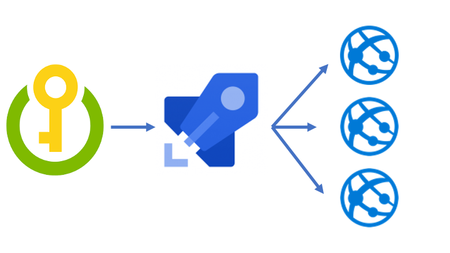
If you have ever created an Azure App Service or Azure Function App that uses app settings, then you have dealt with the problem of how you are going to get those settings secure and updated correctly in each environment. You need a secure location to store this information and then be able to access it during your deployment process. Azure Key Vault and using the Azure Key Vault task inside a deployment pipeline in Azure DevOps can solve this problem for you. If you prefer video, then have a look at this as it will walk you through the steps of getting this setup.
Utilizing Azure Key vault with Private link in DevOps
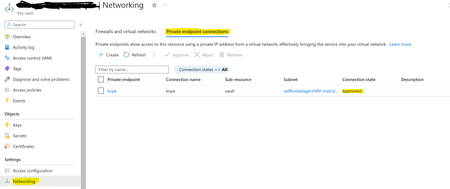
Azure Key Vault is a cloud service that provides secure storage and access to secrets such as API keys, passwords, certificates, or cryptographic keys. To enhance security and disable public access, Azure Key Vault can be integrated with Private Endpoint powered by Azure Private Link. This private endpoint uses a private IP address from your VNet and brings the service into your VNet, effectively eliminating exposure from the public Internet by traversing traffic between your virtual network and the service over the Microsoft backbone network.Part 6: Introducing Deployment Stacks to Azure Data Factory
Dive into Part 6 as we explore the integration of Azure Deployment Stacks into Azure DevOps Pipelines. Discover how to remove unused resources from your Azure Data Factory as part of your CI/CD Process!. Stay tuned for a deep dive into deployment stacks and their impact on Data Factory efficiency.2.6KViews2likes3CommentsThe History of Microsoft Azure
Learn about the history of Microsoft Azure a leading giant in the cloud service industry which offers rich services on platform as a service (PaaS), software as a service (Saas) and infrastructure as a service (IaaS). This will take us back to the moments on how this powerful and sophisticated service began, revealing the resilience and vision of the Microsoft company as a brand, the present stages and how to partake of the cake Microsoft has provided for businesses and developers.77KViews5likes3CommentsSetup Azure DevOps Self Hosted Agent On-Premise & Troubleshooting Guidelines - Part 2
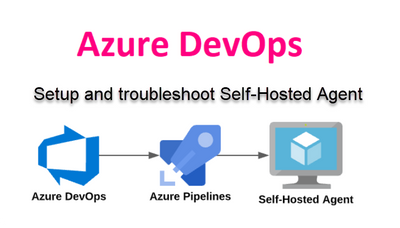
Azure Pipelines provides a powerful and flexible platform for continuous integration and deployment. While Microsoft offers hosted agents for executing pipeline tasks, there are scenarios where a self-hosted agent becomes necessary. In this blog post, we will walk you through the process of creating a self-hosted agent for Azure Pipelines, empowering you with the ability to run your pipelines on your own infrastructure. Benefits of self-hosted agents in Azure DevOps: Increased flexibility: Self-hosted agents allow you to run builds, tests, and deployments on platforms that are not supported by Azure Pipelines. Additionally, you can customize the environments to suit your specific needs and take advantage of the latest hardware capabilities. Greater control over the environment: Self-hosted agents give you full control over the environment, allowing you to access and install anything you need for your builds and tests. Seamless integration: With self-hosted agents, you can easily integrate your existing DevOps tools, such as source control, build systems, and test frameworks, into Azure Pipelines for a seamless DevOps experience. Cost savings: Self-hosted agents can help you save money on build-related costs, as you can use existing hardware to run your builds. You can also save costs by managing your own agents and using lower-cost cloud providers. Common Challenges: Setup: Setting up and configuring a self-hosted agent can be a time-consuming and complex process, as you have to install all necessary dependencies and configure the environment to suit your needs. Maintenance: With self-hosted agents, you are responsible for all maintenance activities, such as patching, updates, and security. Security: As you are managing your own environment, you need to ensure that all access is secure and comply with the required security standards. Scalability: Self-hosted agents can be difficult to scale, as you have to manually configure and manage additional agents as your needs grow.