awareness & training
26 TopicsStrengthening Email Ecosystem: Outlook’s New Requirements for High‐Volume Senders
April 29th Update - Changes have been made to the action take on messages that do not meet requirements, please see details below. Introduction In an era where email remains one of the most widely used tools for personal and business communications, Outlook is stepping up its commitment to protect inboxes and preserve trust in the digital ecosystem. Today, we’re announcing new requirements and best practices designed to strengthen email authentication for domains sending more than 5,000 emails per day. These new requirements will enforce stricter standards by including mandatory SPF, DKIM, DMARC settings. Outlook is pushing the broader industry toward best practices and safeguarding the millions of individuals and small businesses that rely on us every day. These measures will help reduce spoofing, phishing, and spam activity, empowering legitimate senders with stronger brand protection and better deliverability. Outlook has always prioritized user safety and reliability; we’re proud to further invest in this solution that will keep our customers safe and reinforce the best practices across the industry. We believe that by raising the bar for large senders, we can inspire lasting change that benefits everyone. What's Changing? For domains sending over 5,000 emails per day, Outlook will soon require compliance with SPF, DKIM, DMARC. Non‐compliant messages will first be routed to Junk. If issues remain unresolved, they may eventually be rejected. Senders will soon start requiring compliance with the following requirements: SPF (Sender Policy Framework) Must Pass for the sending domain. Your domain's DNS record should accurately list authorized IP addresses/hosts. DKIM (DomainKeys Identified Mail) Must Pass to validate email integrity and authenticity. DMARC (Domain-based Message Authentication, Reporting, and Conformance) At least p=none and align with either SPF or DKIM (preferably both). Learn more about email authentication here. Additional Email Hygiene Recommendations Large senders should also adopt these practices to maintain quality and trust: Compliant P2 (Primary) Sender Addresses: Ensure the “From” or “Reply‐To” address is valid, reflects the true sending domain, and can receive replies. Functional Unsubscribe Links: Provide an easy, clearly visible way for recipients to opt out of further messages, particularly for marketing or bulk mail. List Hygiene & Bounce Management: Remove invalid addresses regularly to reduce spam complaints, bounces, and wasted messages. Transparent Mailing Practices: Use accurate subject lines, avoid deceptive headers, and ensure your recipients have consented to receive your messages. Outlook reserves the right to take negative action, including filtering or blocking—against non‐compliant senders, especially for critical breaches of authentication or hygiene. Enforcement Timeline Starting today, we encourage all senders and particularly those that send at high volume to review and update their SPF, DKIM, and DMARC records, in preparation for when the enforcement begins, starting in May. After careful consideration and to ensure the protection of users and remove any confusion on why a message was in the junk folder for both the recipient and sender, we have made a decision to reject messages that don't pass the required authentication requirements detailed above. The rejected messages will be designated as "550; 5.7.515 Access denied, sending domain [SendingDomain] does not meet the required authentication level." This change will state taking effect on May 5th as originally stated. After May 5th, 2025, Outlook will begin routing messages from high volume non‐compliant domains to the Junk folder, giving senders an opportunity to address any outstanding issues. NOTE: that in the future (date to be announced), non-compliant messages will be rejected to further protect users. Next Steps Prepare Now: Audit your DNS records (SPF, DKIM, DMARC) and verify you meet all the requirements. To view the authentication header, visit this. To learn how to read authentication headers, click here. Stay Informed: We’ll provide updates on official rollout schedules, and dates for when rejection actions will begin through a blog post. Join Our Mission: Embracing better authentication and hygiene not only benefits your deliverability but also helps protect the entire email ecosystem. For additional resources or support, visit sender support. Thank you for partnering with us to make email a more secure, transparent, and trusted channel for everyone. Frequently Asked Questions (FAQ) Why is Outlook requiring these changes specifically for high‐volume senders? Large senders have a broader impact on inbox safety. By focusing on senders of 5,000+ messages a day, we significantly reduce the likelihood of spam and spoofing campaigns reaching our user base. How do SPF, DKIM, and DMARC help me as a sender? These authentication protocols verify your emails for recipients. Compliant senders often see improved deliverability, fewer bounce‐backs, and stronger brand credibility. Do I still need to do this if I send fewer than 5,000 emails/day? While enforcement first targets large senders, all senders benefit from these best practices. Strong authentication protects your reputation. What exactly is a “functional” unsubscribe link? It’s a link placed in your email that allows recipients to quickly opt out of future mail. It should be easy to find and reliable when clicked. Will these changes stop all spam? No system eliminates spam entirely, but these measures make it much harder for malicious actors to succeed and give legitimate senders higher trust. What does “alignment” mean for DMARC? Alignment ensures the “From” domain matches (or sub domain) the domain used by SPF and/or DKIM. This prevents bad actors from exploiting your domain name. My SPF record has multiple include statements—could that cause issues? If you exceed 10 DNS lookups, your SPF check might fail. Tools exist to “flatten” your record or reduce the number of includes. Why does Outlook recommend ARC for forwarding/mailing lists? Forwarding can break DMARC alignment. ARC preserves the original authentication checks, preventing legitimate forwarded mail from being wrongfully flagged. How often should I clean my mailing lists? Aim to remove inactive or invalid addresses regularly—monthly or quarterly. This lowers bounce rates, cuts costs, and reduces spam complaints. If I use a 3rd‐party email vendor, do I still need SPF, DKIM, DMARC records in my domain DNS? Yes. Even if you outsource sending, authentication is tied to your domain. Coordinate with your provider to ensure correct DNS settings. How does Outlook handle DMARC aggregate (rua) and forensic (ruf) reports? We send RUA to the addresses specified in your DMARC record. You can analyze these to see who is sending on behalf of your domain, spot domain abuse, and confirm alignment. We don’t have plans to send RUF. Can separate mail systems have unique DKIM selectors? Yes. Managing multiple selectors (e.g., selector1, selector2) helps maintain clarity and isolate reputation concerns across various business units or campaigns. Learn more about how to configure DKIM here. Does publishing a strict DMARC policy (p=reject) offer better security? Absolutely, once your legitimate sources are aligned, p=reject is the most effective at thwarting domain spoofing. We advise moving gradually (none → quarantine → reject) to avoid unintended mail loss. If someone regularly reports my emails as spam despite authentication, what can I do? Authentication ensures emails are from you, but user perception still matters. Review your content, frequency, and opt‐out process to ensure recipients remain engaged and not overwhelmed. Will adding to safe senders list bypass the new enforcement? No. Safe Sender list won’t be honored.216KViews9likes101CommentsProtection Against Email Bombs with Microsoft Defender for Office 365
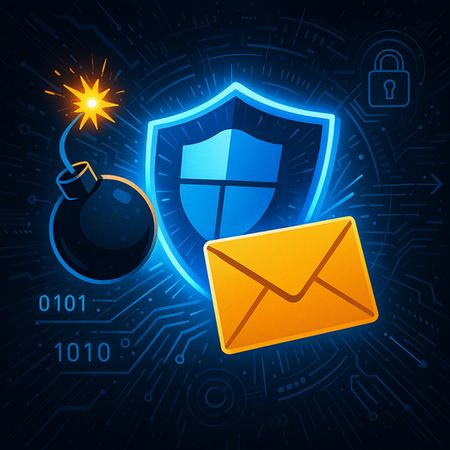
In today's digital age, email remains a critical communication tool for businesses and individuals. However, with the increasing sophistication of cyberattacks, email security has become more important than ever. One such threat that has been growing is the email bombing, a form of net abuse that sends large volumes of email to an address to overflow the mailbox, overwhelm the server, or distract attention from important email messages indicating a security breach. Email bomb - Wikipedia Understanding Email Bombing Email bombing, typically involves subscribing victims to a large number of legitimate newsletter and subscription services. Each subscription service sends email notifications, which in aggregate create a large stream of emails into the victim’s inbox, making email triage for legitimate emails very difficult. This form of attack is essentially a denial-of-service (DDOS) on the victim's email triaging attention budget. Hybrid Attacks More recently, email subscription bombs have been coupled with simultaneous lures on Microsoft Teams, Zoom, or via phone calls. Attackers impersonate IT support and offer to help solve the email problem caused by the spike of unwanted emails, ultimately compromising the victim's system or installing malware on their system. This type of attack is brilliant because it creates a sense of urgency and legitimacy, making victims more likely to accept remote assistance and inadvertently allow malware planting or data theft. Read about the use of mail bombs where threat actors misused Quick Assist in social engineering attacks leading to ransomware | Microsoft Security Blog. Incidence and Purpose of Email Bombing Email bombing attacks have been around for many years but can have significant impacts on targeted individuals, such as enterprise executives, HR or finance representatives. These attacks are often used as precursors to more serious security incidents, including malware planting, ransomware, and data exfiltration. They can also mute important security alerts, making it easier for attackers to carry out fraudulent activities without detection. New Detection technology for Mail Bombing attacks To address these types of attacks Microsoft Defender has now released a comprehensive solution involving a durable block to limit the influx of emails, the majority of which are often spam. By intelligently tracking message volumes across different sources and time intervals, this new detection leverages historical patterns of the sender and signals related to spam content. It prevents mail bombs from being dropped into the user’s inbox and the messages are rather sent to the Junk folder (of Outlook). Note: Safe sender lists in Outlook continue to be honored, so emails from trustworthy sources are not unexpectedly moved to the Junk folder (in order to prevent false positives). Since the initial rollout that started in early May, we’ve seen a tremendous impact in blocking mail bombing attacks out of our customers’ inboxes: How to leverage new “Mail bombing” detection technology in SOC experiences 1. Investigation and hunting: SOC analysts can now view the new Detection technology as Mail bombing within the following surfaces: Threat Explorer, Email entity page and Advanced Hunting empowering them to investigate, filter and hunt for threats related to mail bombing. 2. Custom detection rule: To analyze the frequency and volume of attacks from mail bombing vector, or to have automated alerts configured to notify SOC user whenever there is a mail bombing attack, SOC analysts can utilize the custom detection rules in Advanced hunting by writing a KQL query using data in DetectionMethods column of EmailEvents table. Here’s a sample query to get you started: EmailEvents | where Timestamp > ago(1d) | where DetectionMethods contains "Mail bombing" | project Timestamp, NetworkMessageId, SenderFromAddress, Subject, ReportId The SOC experiences are rolled out worldwide to all customers. Conclusion Email bombs represent an incidental threat in the world of cybersecurity. With the new detection technology for Mail Bombing, Microsoft Defender for Office 365 protects users from these attacks and empowers Security Operations Center Analysts to ensure to gain visibility into such attacks and take quick actions to keep organizations safe! Note: The Mail bombing protection is available by default in Exchange Online Protection and Microsoft Defender for Office 365 plans. This blog post is associated with Message Center post MC1096885. Also read Part 2 of our blog series to learn more about protection against multi-modal attacks involving mail bombing and correlation of Microsoft Teams activity in Defender. Watch this video to learn more: Microsoft Defender for Office 365 | Mail Bombing and Mixed-Mode Attack Protection Learn: Detection technology details table What's on the Email entity page Filterable properties in the All email view in Threat ExplorerIntroducing the Microsoft Defender for Office 365 ICES vendor ecosystem
In today's digital landscape, the need for comprehensive security measures is more critical than ever, as email continues to be a primary vector for cyberattacks such as phishing and malware. To address this, Microsoft Defender for Office 365 leverages the extensive scale of Microsoft's threat intelligence, which processes trillions of signals daily. By integrating Large Language Models (LLMs) and advanced Natural Language Processing, Defender for Office 365 empowers organizations with AI-driven threat detection, behavioral analytics, and automated responses thus proactively identifying and neutralizing risks before they reach end users. This collaborative defense approach reinforces the principle that security is a team sport, requiring shared intelligence and coordinated action across the ecosystem. We recognize in today’s dynamic cyber threat landscape, defense-in-depth strategy has become a vital approach not only for Microsoft customers but also across the broader Secure Email Gateway (SEG) market. Organizations are increasingly adopting layered security solutions to comply with regulatory requirements, enhanced detection, and ensure robust protection. To address this, we’re announcing the Microsoft Defender for Office 365 ICES Vendor Ecosystem — a unified framework that enables seamless integration with trusted third-party vendors. This ecosystem is designed to eliminate integration friction and deliver: Broader detection coverage through vendor diversity Transparency across Microsoft Defender for Office 365 and partner detections Streamlined SOC workflows through consistent policy enforcement and shared investigation tools Stronger compliance alignment with layered security mandates This partner ecosystem is about creating a cohesive defense fabric that enhances SOC efficiency with Microsoft Defender for Office 365 as the foundation. The ecosystem also provides flexibility, scalability, and preparedness for the complexities of contemporary enterprise security. With this in mind, we are pleased to announce that our trusted ICES security vendors, Darktrace and KnowBe4, have become the first launch partners within our ecosystem. They offer customers a seamless and collaborative defense framework where each solution enhances the strengths of the others. We welcome additional partners soon as we continue to expand this integrated ecosystem. “Our integration with Microsoft gives security teams the tools they need to act faster and more precisely to detect and respond to threats,” said Jill Popelka, CEO of Darktrace. “Together, we’re strengthening defenses where it matters most to our customers —at the inbox.” “I’m incredibly excited at the opportunity afforded by this partnership with Microsoft and the deeper integrations it enables. Leveraging this integration allows us to use our vast quorum of data around email security and human risk in a way that provides the most comprehensive layered security approach available to the market. A complementary defense strategy is mandatory and this integration with Microsoft M365 furthers that vision by combining our capabilities to create comprehensive defense strategies that address the full spectrum of modern cyber threats.” noted Greg Kras, Chief Product Officer @ KnowBe4 Unified Quarantine The core strength of this new ecosystem is the seamless integration between Defender for Office 365 and its ICES partners, through the Unified Quarantine feature. Managing quarantined messages from multiple solutions can often be complex and inefficient. Unified Quarantine streamlines the process by consolidating quarantined items identified by both Defender for Office 365 and third-party (3P) solutions into a single, unified interface, enhancing customer ease and visibility. Administrators can efficiently review, release, or remediate messages through this unified interface, irrespective of the provider that identified the threat. This approach not only optimizes time management but also guarantees uniform policy enforcement and facilitates transparency on detections, resulting in improved operational efficiency and a more coherent user experience. As part of the Unified Quarantine, security admins can also see which provider quarantined the message. Transparency and Insight Across Solutions In environments with multiple email security solutions, transparency is crucial to understanding each vendor's detections. Microsoft Defender for Office 365 offers a unified dashboard that clearly distinguishes between threats stopped by Defender and those identified by third-party solutions, ensuring transparent and fair attribution of protection value. This dashboard provides security teams with a comprehensive view of how each solution contributes to protection, helping to identify overlapping coverage and areas of unique value. This clarity supports more informed decision-making around threat trends, policy optimization, and vendor strategy fostering stronger collaboration between internal teams and external partners. Deeper SOC Investigation Capabilities: Threat Explorer, Advanced Hunting, and Email Entity Page Modern defenders need tools for rapid investigation, root cause analysis, and tactical response. The Defender for Office 365 ecosystem unifies investigative workflows across partner solutions. Within Threat Explorer, security analysts can seamlessly pivot between messages actioned by Microsoft Defender for Office 365 and those flagged by integrated partners. The side-by-side display of verdicts and actions enables quick correlation and pattern recognition. Advanced Hunting brings even greater depth, allowing analysts to craft queries that span both Microsoft Defender for Office 365S and 3P data sources. This holistic view accelerates threat hunting and helps organizations surface novel attack techniques or gaps in coverage. EmailEvents | where Timestamp > ago(7d) //List emails caught by a Third-party solution | where DetectionMethods contains "Thirdparty" | project NetworkMessageId, RecipientEmailAddress, ThreatTypes, DetectionMethods, AdditionalFields, LatestDeliveryLocation On the Email Entity Page, every message surfaces a complete action history, including which product took action and what verdict was assigned. This granular visibility demystifies complex incidents and builds confidence in the layered defense model. Summary As the threat landscape continues to evolve, so must our defenses. While organizations embrace defense-in-depth, fragmented integrations may lead to unintended consequences such as diminished detection capabilities, overlapping controls, and SOC inefficiencies. With the Defender for Office 365 ICES vendor ecosystem, Microsoft is setting a new standard for collaborative, integrated security platforms. By combining proven protection, seamless partnerships, and unified visibility, organizations can embrace defense-in-depth without complexity or compromise. Whether combating phishing, malware, or the next generation of email-borne threats, customers benefit from a defense-in-depth strategy built for agility and efficiency. With hands-off enablement, unified experiences, and unmatched transparency, the Defender for Office 365 ecosystem empowers every organization to stay one step ahead—today and tomorrow. Learn More To learn more about the Microsoft Defender for Office 365 ICES Vendor Ecosystem, please visit https://learn.microsoft.com/defender-office-365/mdo-ices-vendor-ecosystem.
Attack Simulation Training: Using machine learning to drive more effective simulations
Attack Simulation Training (AST) is an advanced tool that helps security teams improve their performance. It allows teams to run intelligent simulations and consume actionable insights, which can then be used to remediate risks and change behavior. With the addition of intelligent features like predicted compromise rate, and payload recommendations, we look to improve the payload efficacy, and increase the overall quality of simulations within an organization.