authenticatorapp
2 Topics
Help! Locked out due to Authenticator App Issues
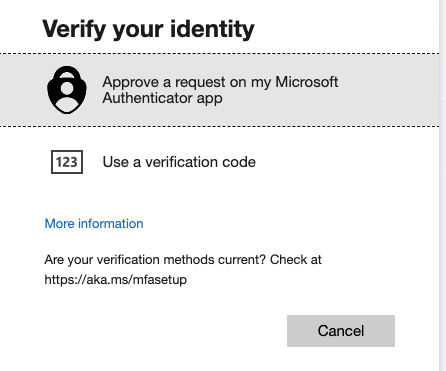
I'm really hoping someone can help - In transferring over my authenticator app to a new phone something went wrong and now the only way to 2-step authenticate is through the app - which I can't access. When i select additional verification methods this is what I get: When I reset my password however, it can verify this with my phone number. But still, I get stuck at the 2nd authentication step above... On my phone authenticator app this is what I can see. i dont get any alerts with codes: and yet again, to set these methods up, I need to confirm on my app. Sometimes i am asked to scan a QR code, but not sure where i can find this as i cant sign in... I am going in circles and so frustrated. I've called the help line and asked the chat suport with no help and so really hoping someone can help me as I'm locked out of my work account, which is my small business. it is an office 365 small business account I purchased through Microsoft. Really would value any advice or solutions! 🙏162Views0likes2Comments
How can an invited Teams guest regain the QR code for Microsoft Authenticator?
I was invited to an organization as a Teams guest. In the first login, I was required to scan a QR code to add an guest account in the Microsoft Authenticator app. This account wasn't like my own ones because it had "#EXT#" in the account to show that I was an outsider of their organization. When I login Teams guest account, I needed to click a pop-up 2-digit number in the Microsoft Authenticator app to get authenticated. This was fine for sometime. But then I accidentally removed the account from my Microsoft Authenticator app. So how can I regain that QR code - or how can I add that account in my Microsoft Authenticator app again? Should the admin of that organization remove and invite me again? Is there an article/instruction/doc about this situation? Thank you!Solved17KViews1like6Comments