audit
67 Topics
Building Secure, Enterprise Ready AI Agents with Purview SDK and Agent Framework
At Microsoft Ignite, we announced the public preview of Purview integration with the Agent Framework SDK—making it easier to build AI agents that are secure, compliant, and enterprise‑ready from day one. AI agents are quickly moving from demos to production. They reason over enterprise data, collaborate with other agents, and take real actions. As that happens, one thing becomes non‑negotiable: Governance has to be built in. That’s where Purview SDK comes in. Agentic AI Changes the Security Model Traditional apps expose risks at the UI or API layer. AI agents are different. Agents can: Process sensitive enterprise data in prompts and responses Collaborate with other agents across workflows Act autonomously on behalf of users Without built‑in controls, even a well‑designed agent can create compliance gaps. Purview SDK brings Microsoft’s enterprise data security and compliance directly into the agent runtime, so governance travels with the agent—not after it. What You Get with Purview SDK + Agent Framework This integration delivers a few key things developers and enterprises care about most: Inline Data Protection Evaluate prompts and responses against Data Loss Prevention (DLP) policies in real time. Content can be allowed or blocked automatically. Built‑In Governance Send AI interactions to Purview for audit, eDiscovery, communication compliance, and lifecycle management—without custom plumbing. Enterprise‑Ready by Design Ship agents that meet enterprise security expectations from the start, not as a follow‑up project. All of this is done natively through Agent Framework middleware, so governance feels like part of the platform—not an add‑on. How Enforcement Works (Quickly) When an agent runs: Prompts and responses flow through the Agent Framework pipeline Purview SDK evaluates content against configured policies A decision is returned: allow, redact, or block Governance signals are logged for audit and compliance This same model works for: User‑to‑agent interactions Agent‑to‑agent communication Multi‑agent workflows Try It: Add Purview SDK in Minutes Here’s a minimal Python example using Agent Framework: That’s it! From that point on: Prompts and responses are evaluated against Purview policies setup within the enterprise tenant Sensitive data can be automatically blocked Interactions are logged for governance and audit Designed for Real Agent Systems Most production AI apps aren’t single‑agent systems. Purview SDK supports: Agent‑level enforcement for fine‑grained control Workflow‑level enforcement across orchestration steps Agent‑to‑agent governance to protect data as agents collaborate This makes it a natural fit for enterprise‑scale, multi‑agent architectures. Get Started Today You can start experimenting right away: Try the Purview SDK with Agent Framework Follow the Microsoft Learn docs to configure Purview SDK with Agent Framework. Explore the GitHub samples See examples of policy‑enforced agents in Python and .NET. Secure AI, Without Slowing It Down AI agents are quickly becoming production systems—not experiments. By integrating Purview SDK directly into the Agent Framework, Microsoft is making governance a default capability, not a deployment blocker. Build intelligent agents. Protect sensitive data. Scale with confidence.Secure and govern AI apps and agents with Microsoft Purview
The Microsoft Purview family is here to help you secure and govern data across third party IaaS and Saas, multi-platform data environment, while helping you meet compliance requirements you may be subject to. Purview brings simplicity with a comprehensive set of solutions built on a platform of shared capabilities, that helps keep your most important asset, data, safe. With the introduction of AI technology, Purview also expanded its data coverage to include discovering, protecting, and governing the interactions of AI apps and agents, such as Microsoft Copilots like Microsoft 365 Copilot and Security Copilot, Enterprise built AI apps like Chat GPT enterprise, and other consumer AI apps like DeepSeek, accessed through the browser. To help you view, investigate interactions with all those AI apps, and to create and manage policies to secure and govern them in one centralized place, we have launched Purview Data Security Posture Management (DSPM) for AI. You can learn more about DSPM for AI here with short video walkthroughs: Learn how Microsoft Purview Data Security Posture Management (DSPM) for AI provides data security and compliance protections for Copilots and other generative AI apps | Microsoft Learn Purview capabilities for AI apps and agents To understand our current set of capabilities within Purview to discover, protect, and govern various AI apps and agents, please refer to our Learn doc here: Microsoft Purview data security and compliance protections for Microsoft 365 Copilot and other generative AI apps | Microsoft Learn Here is a quick reference guide for the capabilities available today: Note that currently, DLP for Copilot and adhering to sensitivity label are currently designed to protect content in Microsoft 365. Thus, Security Copilot and Copilot in Fabric, along with Copilot studio custom agents that do not use Microsoft 365 as a content source, do not have these features available. Please see list of AI sites supported by Microsoft Purview DSPM for AI here Conclusion Microsoft Purview can help you discover, protect, and govern the prompts and responses from AI applications in Microsoft Copilot experiences, Enterprise AI apps, and other AI apps through its data security and data compliance solutions, while allowing you to view, investigate, and manage interactions in one centralized place in DSPM for AI. Follow up reading Check out the deployment guides for DSPM for AI How to deploy DSPM for AI - https://aka.ms/DSPMforAI/deploy How to use DSPM for AI data risk assessment to address oversharing - https://aka.ms/dspmforai/oversharing Address oversharing concerns with Microsoft 365 blueprint - aka.ms/Copilot/Oversharing Explore the Purview SDK Microsoft Purview SDK Public Preview | Microsoft Community Hub (blog) Microsoft Purview documentation - purview-sdk | Microsoft Learn Build secure and compliant AI applications with Microsoft Purview (video) References for DSPM for AI Microsoft Purview data security and compliance protections for Microsoft 365 Copilot and other generative AI apps | Microsoft Learn Considerations for deploying Microsoft Purview AI Hub and data security and compliance protections for Microsoft 365 Copilot and Microsoft Copilot | Microsoft Learn Block Users From Sharing Sensitive Information to Unmanaged AI Apps Via Edge on Managed Devices (preview) | Microsoft Learn as part of Scenario 7 of Create and deploy a data loss prevention policy | Microsoft Learn Commonly used properties in Copilot audit logs - Audit logs for Copilot and AI activities | Microsoft Learn Supported AI sites by Microsoft Purview for data security and compliance protections | Microsoft Learn Where Copilot usage data is stored and how you can audit it - Microsoft 365 Copilot data protection and auditing architecture | Microsoft Learn Downloadable whitepaper: Data Security for AI Adoption | Microsoft Explore the roadmap for DSPM for AI Public roadmap for DSPM for AI - Microsoft 365 Roadmap | Microsoft 365PMPurHow to deploy Microsoft Purview DSPM for AI to secure your AI apps
Microsoft Purview Data Security Posture Management (DSPM for AI) is designed to enhance data security for the following AI applications: Microsoft Copilot experiences, including Microsoft 365 Copilot. Enterprise AI apps, including ChatGPT enterprise integration. Other AI apps, including all other AI applications like ChatGPT consumer, Microsoft Copilot, DeepSeek, and Google Gemini, accessed through the browser. In this blog, we will dive into the different policies and reporting we have to discover, protect and govern these three types of AI applications. Prerequisites Please refer to the prerequisites for DSPM for AI in the Microsoft Learn Docs. Login to the Purview portal To begin, start by logging into Microsoft 365 Purview portal with your admin credentials: In the Microsoft Purview portal, go to the Home page. Find DSPM for AI under solutions. 1. Securing Microsoft 365 Copilot Be sure to check out our blog on How to use the DSPM for AI data assessment report to help you address oversharing concerns when you deploy Microsoft 365 Copilot. Discover potential data security risks in Microsoft 365 Copilot interactions In the Overview tab of DSPM for AI, start with the tasks in “Get Started” and Activate Purview Audit if you have not yet activated it in your tenant to get insights into user interactions with Microsoft Copilot experiences In the Recommendations tab, review the recommendations that are under “Not Started”. Create the following data discovery policy to discover sensitive information in AI interactions by clicking into it. Detect risky interactions in AI apps - This public preview Purview Insider Risk Management policy helps calculate user risk by detecting risky prompts and responses in Microsoft 365 Copilot experiences. Click here to learn more about Risky AI usage policy. With the policies to discover sensitive information in Microsoft Copilot experiences in place, head back to the Reports tab of DSPM for AI to discover any AI interactions that may be risky, with the option to filter to Microsoft Copilot Experiences, and review the following for Microsoft Copilot experiences: Total interactions over time (Microsoft Copilot) Sensitive interactions per AI app Top unethical AI interactions Top sensitivity labels references in Microsoft 365 Copilot Insider Risk severity Insider risk severity per AI app Potential risky AI usage Protect sensitive data in Microsoft 365 Copilot interactions From the Reports tab, click on “View details” for each of the report graphs to view detailed activities in the Activity Explorer. Using available filters, filter the results to view activities from Microsoft Copilot experiences based on different Activity type, AI app category and App type, Scope, which support administrative units for DSPM for AI, and more. Then drill down to each activity to view details including the capability to view prompts and response with the right permissions. To protect the sensitive data in interactions for Microsoft 365 Copilot, review the Not Started policies in the Recommendations tab and create these policies: Information Protection Policy for Sensitivity Labels - This option creates default sensitivity labels and sensitivity label policies. If you've already configured sensitivity labels and their policies, this configuration is skipped. Protect sensitive data referenced in Microsoft 365 Copilot - This guides you through the process of creating a Purview Data Loss Prevention (DLP) policy to restrict the processing of content with specific sensitivity labels in Copilot interactions. Click here to learn more about Data Loss Prevention for Microsoft 365 Copilot. Protect sensitive data referenced in Copilot responses - Sensitivity labels help protect files by controlling user access to data. Microsoft 365 Copilot honors sensitivity labels on files and only shows users files they already have access to in prompts and responses. Use Data assessments to identify potential oversharing risks, including unlabeled files. Stay tuned for an upcoming blog post on using DSPM for AI data assessments! Use Copilot to improve your data security posture - Data Security Posture Management combines deep insights with Security Copilot capabilities to help you identify and address security risks in your org. Once you have created policies from the Recommendations tab, you can go to the Policies tab to review and manage all the policies you have created across your organization to discover and safeguard AI activity in one centralized place, as well as edit the policies or investigate alerts associated with those policies in solution. Note that additional policies not from the Recommendations tab will also appear in the Policies tab when DSPM for AI identifies them as policies to Secure and govern all AI apps. Govern the prompts and responses in Microsoft 365 Copilot interactions Understand and comply with AI regulations by selecting “Guided assistance to AI regulations” in the Recommendations tab and walking through the “Actions to take”. From the Recommendations tab, create a Control unethical behavior in AI Purview Communications Compliance policy to detect sensitive information in prompts and responses and address potentially unethical behavior in Microsoft Copilot experiences and ChatGPT for Enterprise. This policy covers all users and groups in your organization. To retain and/or delete Microsoft 365 Copilot prompts and responses, setup a Data Lifecycle policy by navigating to Microsoft Purview Data Lifecycle Management and find Retention Policies under the Policies header. You can also preserve, collect, analyze, review, and export Microsoft 365 Copilot interactions by creating an eDiscovery case. 2. Securing Enterprise AI apps Please refer to this amazing blog on Unlocking the Power of Microsoft Purview for ChatGPT Enterprise | Microsoft Community Hub for detailed information on how to integrate with ChatGPT for enterprise, the Purview solutions it currently supports through Purview Communication Compliance, Insider Risk Management, eDiscovery, and Data Lifecycle Management. Learn more about the feature also through our public documentation. 3. Securing other AI Microsoft Purview DSPM for AI currently supports the following list of AI sites. Be sure to also check out our blog on the new Microsoft Purview data security controls for the browser & network to secure other AI apps. Discover potential data security risks in prompts sent to other AI apps In the Overview tab of DSPM for AI, go through these three steps in “Get Started” to discover potential data security risk in other AI interactions: Install Microsoft Purview browser extension For Windows users: The Purview extension is not necessary for the enforcement of data loss prevention on the Edge browser but required for Chrome to detect sensitive info pasted or uploaded to AI sites. The extension is also required to detect browsing to other AI sites through an Insider Risk Management policy for both Edge and Chrome browser. Therefore, Purview browser extension is required for both Edge and Chrome in Windows. For MacOS users: The Purview extension is not necessary for the enforcement of data loss prevention on macOS devices, and currently, browsing to other AI sites through Purview Insider Risk Management is not supported on MacOS, therefore, no Purview browser extension is required for MacOS. Extend your insights for data discovery – this one-click collection policy will setup three separate Purview detection policies for other AI apps: Detect sensitive info shared in AI prompts in Edge – a Purview collection policy that detects prompts sent to ChatGPT consumer, Micrsoft Copilot, DeepSeek, and Google Gemini in Microsoft Edge and discovers sensitive information shared in prompt contents. This policy covers all users and groups in your organization in audit mode only. Detect when users visit AI sites – a Purview Insider Risk Management policy that detects when users use a browser to visit AI sites. Detect sensitive info pasted or uploaded to AI sites – a Purview Endpoint Data loss prevention (eDLP) policy that discovers sensitive content pasted or uploaded in Microsoft Edge, Chrome, and Firefox to AI sites. This policy covers all users and groups in your org in audit mode only. With the policies to discover sensitive information in other AI apps in place, head back to the Reports tab of DSPM for AI to discover any AI interactions that may be risky, with the option to filter by Other AI Apps, and review the following for other AI apps: Total interactions over time (other AI apps) Total visits (other AI apps) Sensitive interactions per AI app Insider Risk severity Insider risk severity per AI app Protect sensitive info shared with other AI apps From the Reports tab, click on “View details” for each of the report graphs to view detailed activities in the Activity Explorer. Using available filters, filter the results to view activities based on different Activity type, AI app category and App type, Scope, which support administrative units for DSPM for AI, and more. To protect the sensitive data in interactions for other AI apps, review the Not Started policies in the Recommendations tab and create these policies: Fortify your data security – This will create three policies to manage your data security risks with other AI apps: 1) Block elevated risk users from pasting or uploading sensitive info on AI sites – this will create a Microsoft Purview endpoint data loss prevention (eDLP) policy that uses adaptive protection to give a warn-with-override to elevated risk users attempting to paste or upload sensitive information to other AI apps in Edge, Chrome, and Firefox. This policy covers all users and groups in your org in test mode. Learn more about adaptive protection in Data loss prevention. 2) Block elevated risk users from submitting prompts to AI apps in Microsoft Edge – this will create a Microsoft Purview browser data loss prevention (DLP) policy, and using adaptive protection, this policy will block elevated, moderate, and minor risk users attempting to put information in other AI apps using Microsoft Edge. This integration is built-in to Microsoft Edge. Learn more about adaptive protection in Data loss prevention. 3) Block sensitive info from being sent to AI apps in Microsoft Edge - this will create a Microsoft Purview browser data loss prevention (DLP) policy to detect inline for a selection of common sensitive information types and blocks prompts being sent to AI apps while using Microsoft Edge. This integration is built-in to Microsoft Edge. Once you have created policies from the Recommendations tab, you can go to the Policies tab to review and manage all the policies you have created across your organization to discover and safeguard AI activity in one centralized place, as well as edit the policies or investigate alerts associated with those policies in solution. Note that additional policies not from the Recommendations tab will also appear in the Policies tab when DSPM for AI identifies them as policies to Secure and govern all AI apps. Conclusion Microsoft Purview DSPM for AI can help you discover, protect, and govern the interactions from AI applications in Microsoft Copilot experiences, Enterprise AI apps, and other AI apps. We recommend you review the Reports in DSPM for AI routinely to discover any new interactions that may be of concern, and to create policies to secure and govern those interactions as necessary. We also recommend you utilize the Activity Explorer in DSPM for AI to review different Activity explorer events while users interacting with AI, including the capability to view prompts and response with the right permissions. We will continue to update this blog with new features that become available in DSPM for AI, so be sure to bookmark this page! Follow-up Reading Check out this blog on the details of each recommended policies in DSPM for AI: Microsoft Purview – Data Security Posture Management (DSPM) for AI | Microsoft Community Hub Address oversharing concerns with Microsoft 365 blueprint - aka.ms/Copilot/Oversharing Microsoft Purview data security and compliance protections for Microsoft 365 Copilot and other generative AI apps | Microsoft Learn Considerations for deploying Microsoft Purview AI Hub and data security and compliance protections for Microsoft 365 Copilot and Microsoft Copilot | Microsoft Learn Commonly used properties in Copilot audit logs - Audit logs for Copilot and AI activities | Microsoft Learn Supported AI sites by Microsoft Purview for data security and compliance protections | Microsoft Learn Where Copilot usage data is stored and how you can audit it - Microsoft 365 Copilot data protection and auditing architecture | Microsoft Learn Downloadable whitepaper: Data Security for AI Adoption | Microsoft Public roadmap for DSPM for AI - Microsoft 365 Roadmap | Microsoft 365Microsoft Purview enables developers with strong data security across AI apps and agents
Today, developers are at the center of a new wave of innovation—building AI applications and agents that are deeply connected to enterprise data. But with this opportunity comes a new and complex set of security challenges. AI systems operate across cloud platforms, third-party services, and even local and on-premises development environments, interacting dynamically with sensitive data such as customer records, financial information, and intellectual property. Traditional security approaches weren’t designed for this level of scale, autonomy, or fluid data movement—leaving developers to navigate fragmented tools, unclear policies, and the risk of unintentionally exposing sensitive information. At the same time, expectations are rising. Organizations need to ensure that AI applications and agents are compliant, auditable, and secure by default on an enterprise-level—not retrofitted after deployment. But for developers, adding security often means additional complexity, custom integrations, and slower time to market. This tension between speed and control has become one of the biggest barriers to moving AI from experimentation into production. Microsoft Purview is designed to help with this challenge by embedding data security and compliance controls across the development cycle. Purview provides a consistent way to govern how data is accessed, used, and shared—without requiring developers to become security experts. The result is a simpler path to building AI systems that are secure, compliant, and enterprise-ready by design. Extending data security and compliance to local agents and claws Local and endpoint agents, built in platforms such as GitHub Copilot CLI and OpenClaw, introduce a new class of data security challenges as they operate outside traditional control planes and directly on user machines. Unlike cloud systems, these agents can access local files, credentials, terminals, and enterprise apps simultaneously—often moving data across tools and environments. This expands data risks, from sensitive data being unintentionally stored, copied, or shared, to API keys and tokens being exposed, and autonomous workflows triggering data movement without explicit user intent. At the same time, many existing security controls were designed for browser or cloud-based activity, leaving a growing blind spot at the endpoint where agents are increasingly running. The result is a widening gap between how developers build agents to operate locally in the users machines, and how organizations can detect, govern, and protect the data those agents interact with. Microsoft Security and Windows are integrating management and security capabilities directly into the local agents’ development workflow, enabling security as an architectural guarantee rather than an implementation choice. At Build, we are thrilled to be extending Purview visibility and protection capabilities to local agents developed on GitHub Copilot CLI, Claude Code, OpenAI Codex, and OpenClaw - in Public Preview. Unlike traditional cloud applications, these agents operate closer to the data and often create new risks for data exposure. Purview addresses this challenge across all types of agent interactions with a clear, simplified set of scenarios: ▪ Observability: Visibility on Purview Data Security Posture Management (DSPM) across agent inventory, as well as into how local agents interact with sensitive data—across prompts, responses, and actions. ▪ Runtime data protection: Purview Data Loss Prevention (DLP) controls enforced directly into the agent execution flow, inspecting prompts and tool calls in real time to prevent sensitive data exfiltration. ▪ Agentic risk detection: Risky or anomalous agent behaviors detected through Insider Risk Management (IRM) signals, helping teams detect unsafe interactions early. ▪ Audit: Comprehensive, end-to-end logging of all local agent interactions—capturing prompts, responses, data access, and actions for data context. For example, a developer is using a local coding agent to generate code and accidentally includes sensitive credentials in a prompt. AI observability in DSPM surfaces the interaction and shows what data the agent accessed. DLP detects the sensitive data in real time and blocks it from being sent or processed (or sensitive files from being accessed and exfiltrated). At the same time, agentic risk detection flags the session as high risk based on the behavior pattern. All of this activity is captured in audit logs, enabling the security team to investigate and take action quickly. Developers and security teams gain visibility into agent activity and data interactions, while policies prevent sensitive data leakage. This ensures consistent security outcomes across both cloud and endpoint environments, without disrupting developer workflows. Strengthening visibility and controls for Foundry agents Foundry gives developers a central place to build and manage AI agents, but it also creates a need for data security context directly in that workflow—especially as prompts, model interactions, and downstream actions increasingly involve sensitive enterprise data. At Build, we are excited to announce the expansion of the Foundry integration with Purview. This includes Purview DLP runtime controls for prompt processing in Foundry, in Public Preview. As agents and applications built on Foundry increasingly interact with sensitive data, Purview ensures those interactions are governed by trusted controls, identifying Sensitive Information Types (SITs) in real time to detect and protect confidential data embedded in prompts. For example, if a user includes customer PII or financial data in a prompt, Purview can automatically identify the sensitive content and block that prompt from being processed by the model. This ensures that all Foundry apps and agents, regardless of how they’re built or deployed, inherit consistent data protection – allowing organizations to reduce risk of inadvertent data exposure, centralize compliance enforcement across AI workloads, and confidently scale AI adoption knowing sensitive data is protected by design. We’re also building up on the Purview coverage for Foundry shared at the last Microsoft Ignite by announcing Purview insights embedded directly into the Foundry Control Plane, in General Availability, bringing rich data security context to the plane where developers already work. Purview surfaces crucial signals—such as SITs detected in the agentic interactions, % of agentic interactions involving sensitive data, and spread of high-risk users — so Foundry admins can know how AI apps and agents are built in their environment. This shift enables developers to make faster, better decisions in the moment, reducing rework and closing security gaps early on. For customers, the value is clear: stronger security by design and at enterprise scale, accelerated development cycles, and reduced risk of data leaks or compliance issues—without slowing down innovation. Innovating for developers everywhere, at the pace of AI growth Microsoft is also expanding Purview’s reach across the broader developer ecosystem. New integrations help organizations apply consistent oversight to AI tools and platforms developers already use, without adding separate compliance workflows. GitHub Copilot is a critical productivity layer for developers, accelerating how code is written and shipped—making it equally important that developer interactions with GitHub Copilot are governed and secured with the same rigor as enterprise data. Microsoft Purview now extends data governance and compliance capabilities to GitHub Copilot interactions, in Public Preview, enabling GitHub Enterprise customers with Entra SSO to stream audit logs directly into Purview. This brings centralized visibility for AI activity, allowing security and compliance teams to analyze GitHub Copilot agent session activity alongside other AI workloads. With this native integration into GitHub workflows, Purview audits Copilot activity across repositories, pull requests, and developer sessions—ensuring AI-generated code aligns with enterprise data policies, compliance requirements, and secure development standards. By integrating Purview into existing workflows, organizations can govern GitHub AI usage without building parallel pipelines—reducing complexity while ensuring consistent compliance coverage across their entire data estate. Today’s AI agents aren’t built in just one ecosystem—they span custom apps, third-party platforms, and open-source frameworks. Without consistent controls, this creates blind spots where sensitive data can be exposed outside enterprise guardrails. That’s why extending Purview protection beyond Microsoft environments is critical: it ensures developers can apply the same data security, DLP policies, and compliance controls to any agent, anywhere—so innovation can scale without increasing risk. Developers already use Microsoft Purview APIs to embed data protection into enterprise workflows. Today, we’re introducing the Microsoft Purview SDK for .NET — a simple, drop-in toolkit that brings Purview capabilities directly into any application, in Public Preview. Instead of weeks spent wiring APIs, authentication, and error handling, developers can add content scanning, DLP checks, and sensitivity labeling in just a few lines of code. The SDK handles the heavy lifting — including auth, retries, caching, and telemetry — so teams can focus on building experiences. For AI apps and agents built outside of the Microsoft AI platforms, SDK adds built-in support and can evaluate prompts and responses in real time against DLP and content policies — helping prevent data exposure at runtime without custom logic. Designed for both real-time and asynchronous patterns, and for authenticated or anonymous flows, the SDK also feeds activity back into Purview to give security teams centralized visibility and control. The bottom line is- the Microsoft Purview SDK enables developers to build AI apps and agents that are secure and compliant by default — cutting integration time from weeks to days while ensuring data protection scales with AI. The SDK will be available in public preview within the next month. Together, these announcements represent a significant step forward in how developers build secure AI systems. Microsoft Purview is no longer just a data security and compliance solution—it is a first-class layer of the development process by protecting data across AI applications and agents, and enables a bridge between developers and security teams. As AI becomes more agentic, distributed, and deeply connected to enterprise data, the need for built-in security will only grow. With Purview, developers no longer must choose between speed and security—they can build both into every application from the start Getting connected with Microsoft Purview and learn more Learn more about Microsoft Purview on our website and Microsoft Learn. Explore Agent 365. Try Microsoft Purview data security. Learn more about Microsoft Purview SDK.Smart Auditing: Leveraging Azure AI Agents to Transform Financial Oversight
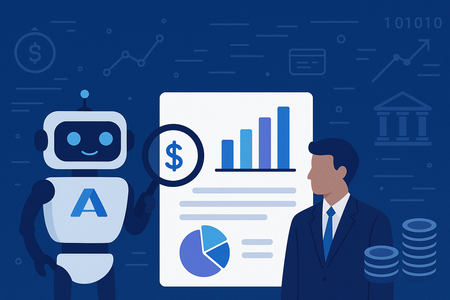
In today's data-driven business environment, audit teams often spend weeks poring over logs and databases to verify spending and billing information. This time-consuming process is ripe for automation. But is there a way to implement AI solutions without getting lost in complex technical frameworks? While tools like LangChain, Semantic Kernel, and AutoGen offer powerful AI agent capabilities, sometimes you need a straightforward solution that just works. So, what's the answer for teams seeking simplicity without sacrificing effectiveness? This tutorial will show you how to use Azure AI Agent Service to build an AI agent that can directly access your Postgres database to streamline audit workflows. No complex chains or graphs required, just a practical solution to get your audit process automated quickly. The Auditing Challenge: It's the month end, and your audit team is drowning in spreadsheets. As auditors reviewing financial data across multiple SaaS tenants, you're tasked with verifying billing accuracy by tracking usage metrics like API calls, storage consumption, and user sessions in Postgres databases. Each tenant generates thousands of transactions daily, and traditionally, this verification process consumes weeks of your team's valuable time. Typically, teams spend weeks: Manually extracting data from multiple database tables. Cross-referencing usage with invoices. Investigating anomalies through tedious log analysis. Compiling findings into comprehensive reports. With an AI-powered audit agent, you can automate these tasks and transform the process. Your AI assistant can: Pull relevant usage data directly from your database Identify billing anomalies like unexpected usage spikes Generate natural language explanations of findings Create audit reports that highlight key concerns For example, when reviewing a tenant's invoice, your audit agent can query the database for relevant usage patterns, summarize anomalies, and offer explanations: "Tenant_456 experienced a 145% increase in API usage on April 30th, which explains the billing increase. This spike falls outside normal usage patterns and warrants further investigation." Let’s build an AI agent that connects to your Postgres database and transforms your audit process from manual effort to automated intelligence. Prerequisites: Before we start building our audit agent, you'll need: An Azure subscription (Create one for free). The Azure AI Developer RBAC role assigned to your account. Python 3.11.x installed on your development machine. OR You can also use GitHub Codespaces, which will automatically install all dependencies for you. You’ll need to create a GitHub account first if you don’t already have one. Setting Up Your Database: For this tutorial, we'll use Neon Serverless Postgres as our database. It's a fully managed, cloud-native Postgres solution that's free to start, scales automatically, and works excellently for AI agents that need to query data on demand. Creating a Neon Database on Azure: Open the Neon Resource page on the Azure portal Fill out the form with the required fields and deploy your database After creation, navigate to the Neon Serverless Postgres Organization service Click on the Portal URL to access the Neon Console Click "New Project" Choose an Azure region Name your project (e.g., "Audit Agent Database") Click "Create Project" Once your project is successfully created, copy the Neon connection string from the Connection Details widget on the Neon Dashboard. It will look like this: postgresql://[user]:[password]@[neon_hostname]/[dbname]?sslmode=require Note: Keep this connection string saved; we'll need it shortly. Creating an AI Foundry Project on Azure: Next, we'll set up the AI infrastructure to power our audit agent: Create a new hub and project in the Azure AI Foundry portal by following the guide. Deploy a model like GPT-4o to use with your agent. Make note of your Project connection string and Model Deployment name. You can find your connection string in the overview section of your project in the Azure AI Foundry portal, under Project details > Project connection string. Once you have all three values on hand: Neon connection string, Project connection string, and Model Deployment Name, you are ready to set up the Python project to create an Agent. All the code and sample data are available in this GitHub repository. You can clone or download the project. Project Environment Setup: Create a .env file with your credentials: PROJECT_CONNECTION_STRING="<Your AI Foundry connection string> "AZURE_OPENAI_DEPLOYMENT_NAME="gpt4o" NEON_DB_CONNECTION_STRING="<Your Neon connection string>" Create and activate a virtual environment: python -m venv .venv source .venv/bin/activate # on macOS/Linux .venv\Scripts\activate # on Windows Install required Python libraries: pip install -r requirements.txt Example requirements.txt: Pandas python-dotenv sqlalchemy psycopg2-binary azure-ai-projects ==1.0.0b7 azure-identity Load Sample Billing Usage Data: We will use a mock dataset for tenant usage, including computed percent change in API calls and storage usage in GB: tenant_id date api_calls storage_gb tenant_456 2025-04-01 1000 25.0 tenant_456 2025-03-31 950 24.8 tenant_456 2025-03-30 2200 26.0 Run python load_usage_data.py Python script to create and populate the usage_data table in your Neon Serverless Postgres instance: # load_usage_data.py file import os from dotenv import load_dotenv from sqlalchemy import ( create_engine, MetaData, Table, Column, String, Date, Integer, Numeric, ) # Load environment variables from .env load_dotenv() # Load connection string from environment variable NEON_DB_URL = os.getenv("NEON_DB_CONNECTION_STRING") engine = create_engine(NEON_DB_URL) # Define metadata and table schema metadata = MetaData() usage_data = Table( "usage_data", metadata, Column("tenant_id", String, primary_key=True), Column("date", Date, primary_key=True), Column("api_calls", Integer), Column("storage_gb", Numeric), ) # Create table with engine.begin() as conn: metadata.create_all(conn) # Insert mock data conn.execute( usage_data.insert(), [ { "tenant_id": "tenant_456", "date": "2025-03-27", "api_calls": 870, "storage_gb": 23.9, }, { "tenant_id": "tenant_456", "date": "2025-03-28", "api_calls": 880, "storage_gb": 24.0, }, { "tenant_id": "tenant_456", "date": "2025-03-29", "api_calls": 900, "storage_gb": 24.5, }, { "tenant_id": "tenant_456", "date": "2025-03-30", "api_calls": 2200, "storage_gb": 26.0, }, { "tenant_id": "tenant_456", "date": "2025-03-31", "api_calls": 950, "storage_gb": 24.8, }, { "tenant_id": "tenant_456", "date": "2025-04-01", "api_calls": 1000, "storage_gb": 25.0, }, ], ) print("✅ usage_data table created and mock data inserted.") Create a Postgres Tool for the Agent: Next, we configure an AI agent tool to retrieve data from Postgres. The Python script billing_agent_tools.py contains: The function billing_anomaly_summary() that: Pulls usage data from Neon. Computes % change in api_calls. Flags anomalies with a threshold of > 1.5x change. Exports user_functions list for the Azure AI Agent to use. You do not need to run it separately. # billing_agent_tools.py file import os import json import pandas as pd from sqlalchemy import create_engine from dotenv import load_dotenv # Load environment variables load_dotenv() # Set up the database engine NEON_DB_URL = os.getenv("NEON_DB_CONNECTION_STRING") db_engine = create_engine(NEON_DB_URL) # Define the billing anomaly detection function def billing_anomaly_summary( tenant_id: str, start_date: str = "2025-03-27", end_date: str = "2025-04-01", limit: int = 10, ) -> str: """ Fetches recent usage data for a SaaS tenant and detects potential billing anomalies. :param tenant_id: The tenant ID to analyze. :type tenant_id: str :param start_date: Start date for the usage window. :type start_date: str :param end_date: End date for the usage window. :type end_date: str :param limit: Maximum number of records to return. :type limit: int :return: A JSON string with usage records and anomaly flags. :rtype: str """ query = """ SELECT date, api_calls, storage_gb FROM usage_data WHERE tenant_id = %s AND date BETWEEN %s AND %s ORDER BY date DESC LIMIT %s; """ df = pd.read_sql(query, db_engine, params=(tenant_id, start_date, end_date, limit)) if df.empty: return json.dumps( {"message": "No usage data found for this tenant in the specified range."} ) df.sort_values("date", inplace=True) df["pct_change_api"] = df["api_calls"].pct_change() df["anomaly"] = df["pct_change_api"].abs() > 1.5 return df.to_json(orient="records") # Register this in a list to be used by FunctionTool user_functions = [billing_anomaly_summary] Create and Configure the AI Agent: Now we'll set up the AI agent and integrate it with our Neon Postgres tool using the Azure AI Agent Service SDK. The Python script does the following: Creates the agent Instantiates an AI agent using the selected model (gpt-4o, for example), adds tool access, and sets instructions that tell the agent how to behave (e.g., “You are a helpful SaaS assistant…”). Creates a conversation thread A thread is started to hold a conversation between the user and the agent. Posts a user message Sends a question like “Why did my billing spike for tenant_456 this week?” to the agent. Processes the request The agent reads the message, determines that it should use the custom tool to retrieve usage data, and processes the query. Displays the response Prints the response from the agent with a natural language explanation based on the tool’s output. # billing_anomaly_agent.py import os from datetime import datetime from azure.ai.projects import AIProjectClient from azure.identity import DefaultAzureCredential from azure.ai.projects.models import FunctionTool, ToolSet from dotenv import load_dotenv from pprint import pprint from billing_agent_tools import user_functions # Custom tool function module # Load environment variables from .env file load_dotenv() # Create an Azure AI Project Client project_client = AIProjectClient.from_connection_string( credential=DefaultAzureCredential(), conn_str=os.environ["PROJECT_CONNECTION_STRING"], ) # Initialize toolset with our user-defined functions functions = FunctionTool(user_functions) toolset = ToolSet() toolset.add(functions) # Create the agent agent = project_client.agents.create_agent( model=os.environ["AZURE_OPENAI_DEPLOYMENT_NAME"], name=f"billing-anomaly-agent-{datetime.now().strftime('%Y%m%d%H%M')}", description="Billing Anomaly Detection Agent", instructions=f""" You are a helpful SaaS financial assistant that retrieves and explains billing anomalies using usage data. The current date is {datetime.now().strftime("%Y-%m-%d")}. """, toolset=toolset, ) print(f"Created agent, ID: {agent.id}") # Create a communication thread thread = project_client.agents.create_thread() print(f"Created thread, ID: {thread.id}") # Post a message to the agent thread message = project_client.agents.create_message( thread_id=thread.id, role="user", content="Why did my billing spike for tenant_456 this week?", ) print(f"Created message, ID: {message.id}") # Run the agent and process the query run = project_client.agents.create_and_process_run( thread_id=thread.id, agent_id=agent.id ) print(f"Run finished with status: {run.status}") if run.status == "failed": print(f"Run failed: {run.last_error}") # Fetch and display the messages messages = project_client.agents.list_messages(thread_id=thread.id) print("Messages:") pprint(messages["data"][0]["content"][0]["text"]["value"]) # Optional cleanup: # project_client.agents.delete_agent(agent.id) # print("Deleted agent") Run the agent: To run the agent, run the following command python billing_anomaly_agent.py Snippet of output from agent: Using the Azure AI Foundry Agent Playground: After running your agent using the Azure AI Agent SDK, it is saved within your Azure AI Foundry project. You can now experiment with it using the Agent Playground. To try it out: Go to the Agents section in your Azure AI Foundry workspace. Find your billing anomaly agent in the list and click to open it. Use the playground interface to test different financial or billing-related questions, such as: “Did tenant_456 exceed their API usage quota this month?” “Explain recent storage usage changes for tenant_456.” This is a great way to validate your agent's behavior without writing more code. Summary: You’ve now created a working AI agent that talks to your Postgres database, all using: A simple Python function Azure AI Agent Service A Neon Serverless Postgres backend This approach is beginner-friendly, lightweight, and practical for real-world use. Want to go further? You can: Add more tools to the agent Integrate with vector search (e.g., detect anomaly reasons from logs using embeddings) Resources: Introduction to Azure AI Agent Service Develop an AI agent with Azure AI Agent Service Getting Started with Azure AI Agent Service Neon on Azure Build AI Agents with Azure AI Agent Service and Neon Multi-Agent AI Solution with Neon, Langchain, AutoGen and Azure OpenAI Azure AI Foundry GitHub Discussions That's it, folks! But the best part? You can become part of a thriving community of learners and builders by joining the Microsoft Learn Student Ambassadors Community. Connect with like-minded individuals, explore hands-on projects, and stay updated with the latest in cloud and AI. 💬 Join the community on Discord here and explore more benefits on the Microsoft Learn Student Hub.1.2KViews5likes1CommentIncreased security visibility through new Standard Logs in Microsoft Purview Audit
In response to increasing frequency and evolution of cyberthreats, Microsoft is providing access to wider cloud security logs to its worldwide customers at no additional cost. Audit (Standard) customers can now access these additional logs, which have been identified as a result of close coordination with commercial and government customers, and with the Cybersecurity and Infrastructure Security Agency (CISA).Hacking Made Easy, Patching Made Optional: A Modern Cyber Tragedy
In today’s cyber threat landscape, the tools and techniques required to compromise enterprise environments are no longer confined to highly skilled adversaries or state-sponsored actors. While artificial intelligence is increasingly being used to enhance the sophistication of attacks, the majority of breaches still rely on simple, publicly accessible tools and well-established social engineering tactics. Another major issue is the persistent failure of enterprises to patch common vulnerabilities in a timely manner—despite the availability of fixes and public warnings. This negligence continues to be a key enabler of large-scale breaches, as demonstrated in several recent incidents. The Rise of AI-Enhanced Attacks Attackers are now leveraging AI to increase the credibility and effectiveness of their campaigns. One notable example is the use of deepfake technology—synthetic media generated using AI—to impersonate individuals in video or voice calls. North Korean threat actors, for instance, have been observed using deepfake videos and AI-generated personas to conduct fraudulent job interviews with HR departments at Western technology companies. These scams are designed to gain insider access to corporate systems or to exfiltrate sensitive intellectual property under the guise of legitimate employment. Social Engineering: Still the Most Effective Entry Point And yet, many recent breaches have begun with classic social engineering techniques. In the cases of Coinbase and Marks & Spencer, attackers impersonated employees through phishing or fraudulent communications. Once they had gathered sufficient personal information, they contacted support desks or mobile carriers, convincingly posing as the victims to request password resets or SIM swaps. This impersonation enabled attackers to bypass authentication controls and gain initial access to sensitive systems, which they then leveraged to escalate privileges and move laterally within the network. Threat groups such as Scattered Spider have demonstrated mastery of these techniques, often combining phishing with SIM swap attacks and MFA bypass to infiltrate telecom and cloud infrastructure. Similarly, Solt Thypoon (formerly DEV-0343), linked to North Korean operations, has used AI-generated personas and deepfake content to conduct fraudulent job interviews—gaining insider access under the guise of legitimate employment. These examples underscore the evolving sophistication of social engineering and the need for robust identity verification protocols. Built for Defense, Used for Breach Despite the emergence of AI-driven threats, many of the most successful attacks continue to rely on simple, freely available tools that require minimal technical expertise. These tools are widely used by security professionals for legitimate purposes such as penetration testing, red teaming, and vulnerability assessments. However, they are also routinely abused by attackers to compromise systems Case studies for tools like Nmap, Metasploit, Mimikatz, BloodHound, Cobalt Strike, etc. The dual-use nature of these tools underscores the importance of not only detecting their presence but also understanding the context in which they are being used. From CVE to Compromise While social engineering remains a common entry point, many breaches are ultimately enabled by known vulnerabilities that remain unpatched for extended periods. For example, the MOVEit Transfer vulnerability (CVE-2023-34362) was exploited by the Cl0p ransomware group to compromise hundreds of organizations, despite a patch being available. Similarly, the OpenMetadata vulnerability (CVE-2024-28255, CVE-2024-28847) allowed attackers to gain access to Kubernetes workloads and leverage them for cryptomining activity days after a fix had been issued. Advanced persistent threat groups such as APT29 (also known as Cozy Bear) have historically exploited unpatched systems to maintain long-term access and conduct stealthy operations. Their use of credential harvesting tools like Mimikatz and lateral movement frameworks such as Cobalt Strike highlights the critical importance of timely patch management—not just for ransomware defense, but also for countering nation-state actors. Recommendations To reduce the risk of enterprise breaches stemming from tool misuse, social engineering, and unpatched vulnerabilities, organizations should adopt the following practices: 1. Patch Promptly and Systematically Ensure that software updates and security patches are applied in a timely and consistent manner. This involves automating patch management processes to reduce human error and delay, while prioritizing vulnerabilities based on their exploitability and exposure. Microsoft Intune can be used to enforce update policies across devices, while Windows Autopatch simplifies the deployment of updates for Windows and Microsoft 365 applications. To identify and rank vulnerabilities, Microsoft Defender Vulnerability Management offers risk-based insights that help focus remediation efforts where they matter most. 2. Implement Multi-Factor Authentication (MFA) To mitigate credential-based attacks, MFA should be enforced across all user accounts. Conditional access policies should be configured to adapt authentication requirements based on contextual risk factors such as user behavior, device health, and location. Microsoft Entra Conditional Access allows for dynamic policy enforcement, while Microsoft Entra ID Protection identifies and responds to risky sign-ins. Organizations should also adopt phishing-resistant MFA methods, including FIDO2 security keys and certificate-based authentication, to further reduce exposure. 3. Identity Protection Access Reviews and Least Privilege Enforcement Conducting regular access reviews ensures that users retain only the permissions necessary for their roles. Applying least privilege principles and adopting Microsoft Zero Trust Architecture limits the potential for lateral movement in the event of a compromise. Microsoft Entra Access Reviews automates these processes, while Privileged Identity Management (PIM) provides just-in-time access and approval workflows for elevated roles. Just-in-Time Access and Risk-Based Controls Standing privileges should be minimized to reduce the attack surface. Risk-based conditional access policies can block high-risk sign-ins and enforce additional verification steps. Microsoft Entra ID Protection identifies risky behaviors and applies automated controls, while Conditional Access ensures access decisions are based on real-time risk assessments to block or challenge high-risk authentication attempts. Password Hygiene and Secure Authentication Promoting strong password practices and transitioning to passwordless authentication enhances security and user experience. Microsoft Authenticator supports multi-factor and passwordless sign-ins, while Windows Hello for Business enables biometric authentication using secure hardware-backed credentials. 4. Deploy SIEM and XDR for Detection and Response A robust detection and response capability is vital for identifying and mitigating threats across endpoints, identities, and cloud environments. Microsoft Sentinel serves as a cloud-native SIEM that aggregates and analyses security data, while Microsoft Defender XDR integrates signals from multiple sources to provide a unified view of threats and automate response actions. 5. Map and Harden Attack Paths Organizations should regularly assess their environments for attack paths such as privilege escalation and lateral movement. Tools like Microsoft Defender for Identity help uncover Lateral Movement Paths, while Microsoft Identity Threat Detection and Response (ITDR) integrates identity signals with threat intelligence to automate response. These capabilities are accessible via the Microsoft Defender portal, which includes an attack path analysis feature for prioritizing multicloud risks. 6. Stay Current with Threat Actor TTPs Monitor the evolving tactics, techniques, and procedures (TTPs) employed by sophisticated threat actors. Understanding these behaviours enables organizations to anticipate attacks and strengthen defenses proactively. Microsoft Defender Threat Intelligence provides detailed profiles of threat actors and maps their activities to the MITRE ATT&CK framework. Complementing this, Microsoft Sentinel allows security teams to hunt for these TTPs across enterprise telemetry and correlate signals to detect emerging threats. 7. Build Organizational Awareness Organizations should train staff to identify phishing, impersonation, and deepfake threats. Simulated attacks help improve response readiness and reduce human error. Use Attack Simulation Training, in Microsoft Defender for Office 365 to run realistic phishing scenarios and assess user vulnerability. Additionally, educate users about consent phishing, where attackers trick individuals into granting access to malicious apps. Conclusion The democratization of offensive security tooling, combined with the persistent failure to patch known vulnerabilities, has significantly lowered the barrier to entry for cyber attackers. Organizations must recognize that the tools used against them are often the same ones available to their own security teams. The key to resilience lies not in avoiding these tools, but in mastering them—using them to simulate attacks, identify weaknesses, and build a proactive defense. Cybersecurity is no longer a matter of if, but when. The question is: will you detect the attacker before they achieve their objective? Will you be able to stop them before reaching your most sensitive data? Additional read: Gartner Predicts 30% of Enterprises Will Consider Identity Verification and Authentication Solutions Unreliable in Isolation Due to AI-Generated Deepfakes by 2026 Cyber security breaches survey 2025 - GOV.UK Jasper Sleet: North Korean remote IT workers’ evolving tactics to infiltrate organizations | Microsoft Security Blog MOVEit Transfer vulnerability Solt Thypoon Scattered Spider SIM swaps Attackers exploiting new critical OpenMetadata vulnerabilities on Kubernetes clusters | Microsoft Security Blog Microsoft Defender Vulnerability Management - Microsoft Defender Vulnerability Management | Microsoft Learn Zero Trust Architecture | NIST tactics, techniques, and procedures (TTP) - Glossary | CSRC https://learn.microsoft.com/en-us/security/zero-trust/deploy/overviewRethinking Data Security and Governance in the Era of AI
The era of AI is reshaping industries, enabling unprecedented innovations, and presenting new opportunities for organizations worldwide. But as organizations accelerate AI adoption, many are focused on a growing concern: their current data security and governance practices are not effectively built for the fast-paced AI innovation and ever-evolving regulatory landscape. At Microsoft, we recognize the critical need for an integrated approach to address these risks. In our latest findings, Top 3 Challenges in Securing and Governing Data for the Era of AI, we uncovered critical gaps in how organizations manage data risk. The findings exemplify the current challenges: 91% of leaders are not prepared to manage risks posed by AI 1 and 85% feel unprepared to comply with AI regulations 2 . These gaps not only increase non-compliance but also put innovation at risk. Microsoft Purview has the tools to tackle these challenges head on, helping organizations move to an approach that protects data, meets compliance regulations, and enables trusted AI transformation. We invite you to take this opportunity to evaluate your current practices, platforms, and responsibilities, and to understand how to best secure and govern your organization for growing data risks in the era of AI. Platform fragmentation continues to weaken security outcomes Organizations often rely on fragmented tools across security, compliance, and data teams, leading to a lack of unified visibility and insufficient data hygiene. Our findings reveal the effects of fragmented platforms, leading to duplicated data, inconsistent classification, redundant alerts, and siloed investigations, which ultimately is causing data exposure incidents related to AI to be on the rise 3 . Microsoft Purview offers centralized visibility across your organization’s data estate. This allows teams to break down silos, streamline workflows, and mitigate data leakage and oversharing. With Microsoft Purview, capabilities like data health management and data security posture management are designed to enhance collaboration and deliver enriched insights across your organization to help further protect your data and mitigate risks faster. Microsoft Purview offers the following: Unified insights across your data estate, breaking down silos between security, compliance, and data teams. Microsoft Purview Data Security Posture Management (DSPM) for AI helps organizations gain unified visibility into GenAI usage across users, data, and apps to address the heightened risk of sensitive data exposure from AI. Built-in capabilities like classification, labeling, data loss prevention, and insider risk insights in one platform. In addition, newly launched solutions like Microsoft Purview Data Security Investigations accelerate investigations with AI-powered deep content analysis, which helps data security teams quickly identify and mitigate sensitive data and security risks within impacted data. Organizations like Kern County historically relied on many fragmented systems but adopted Microsoft Purview to unify their organization’s approach to data protection in preparation for increasing risks associated with deploying GenAI. “We have reduced risk exposure, [Microsoft] Purview helped us go from reaction to readiness. We are catching issues proactively instead of retroactively scrambling to contain them.” – Aaron Nance, Deputy Chief Information Security Officer, Kern County Evolving regulations require continuous compliance AI-driven innovation is creating a surge in regulations, resulting in over 200 daily updates across more than 900 regulatory agencies 4 , as highlighted in our research. Compliance has become increasingly difficult, with organizations struggling to avoid fines and comply with varying requirements across regions. To navigate these challenges effectively, security leaders’ responsibilities are expanding to include oversight across governance and compliance, including oversight of traditional data catalog and governance solutions led by the central data office. Leaders also cite the need for regulation and audit readiness. Microsoft Purview enables compliance and governance by: Streamlining compliance with Microsoft Purview Compliance Manager templates, step-by-step guidance, and insights for region and industry-specific regulations, including GDPR, HIPAA, and AI-specific regulation like the EU AI Act. Supporting legal matters such as forensic and internal investigations with audit trail records in Microsoft Purview eDiscovery and Audit. Activating and governing data for trustworthy analytics and AI with Microsoft Purview Unified Catalog, which enables visibility across your data estate and data confidence via data quality, data lineage, and curation capabilities for federated governance. Microsoft Purview’s suite of capabilities provides visibility and accountability, enabling security leaders to meet stringent compliance demands while advancing AI initiatives with confidence. Organizations need a unified approach to secure and govern data Organizations are calling for an integrated platform to address data security, governance, and compliance collectively. Our research shows that 95% of leaders agree that unifying teams and tools is a top priority 5 and 90% plan to adopt a unified solution to mitigate data related risks and maximize impact 6 . Integration isn't just about convenience, it’s about enabling innovation with trusted data protection. Microsoft Purview enables a shared responsibility model, allowing individual business units to own their data while giving central teams oversight and policy control. As organizations adopt a unified platform approach, our findings reveal the upside potential not only being reduced risk but also cost savings. With AI-powered copilots such as Security Copilot in Microsoft Purview, data protection tasks are simplified with natural-language guidance, especially for under resourced teams. Accelerating AI transformation with Microsoft Purview Microsoft Purview helps security, compliance, and governance teams navigate the complexities of AI innovation while implementing effective data protection and governance strategies. Microsoft partner EY highlights the results they are seeing: “We are seeing 25%–30% time savings when we build secure features using [Microsoft] Purview SDK. What was once fragmented is now centralized. With [Microsoft] Purview, everything comes together on one platform, giving a unified foundation to innovate and move forward with confidence.” – Prashant Garg, Partner of Data and AI, EY We invite you to explore how you can propel your organization toward a more secure future by reading the full research paper at https://aka.ms/SecureAndGovernPaper. Visit our website to learn more about Microsoft Purview. 1 Forbes, Only 9% Of Surveyed Companies Are Ready To Manage Risks Posed By AI, 2023 2 SAP LeanIX, AI Survey Results, 2024 3 Microsoft, Data Security Index Report, 2024 4 Forbes, Cost of Compliance, Thomson Reuters, 2021 5 Microsoft, Audience Research, 2024 6 Microsoft, Customer Requirements Research, 20248.1KViews3likes0Comments
How to use Log Analytics log data exported to Storage Accounts
In this blog post I explore some options for accessing logs that were archived in Azure storage account containers, either through export from Log Analytics and Sentinel or through a custom Logic App. This is to address exceptional cases where you need those archived data, for example for historical context during an investigation.7.1KViews3likes6Comments