aks
21 TopicsContainer Network Insights Agent (CNIA): Your AI Teammate for AKS Networking Incidents
Hello Folks! If you run AKS in production, you already know the script. A pod cannot reach an external service, every dashboard says the cluster is healthy, and somebody is SSHing into a node with five browser tabs open trying to piece the story together. This session from the Microsoft Azure Infra Summit 2026 tackles that exact pain. Shaifali Garg (PM for Azure Container Networking on AKS) sits down with Jonathan Wang, an AKS operator running 30 clusters across two regions on Cilium, and they walk through what a real networking incident feels like, then introduce the Container Network Insights Agent (CNIA) live in the cluster. Why IT Pros Should Care In Jonathan’s environment, about 40% of incidents end up being networking problems. The tools all exist (kubectl, dashboards, detectors, Hubble), but the time sink is figuring out which layer the problem lives in and what to check next. CNIA goes after that gap. Here is what you actually get back: A symptom-to-classification jump in seconds, so you skip the first 30 minutes of “is this DNS, policy, node, or app?” One chat window with one evidence table, one root cause, and one copy-paste fix command, instead of jumping across five tabs Senior SRE tribal knowledge baked into the workflow, so anyone on the team can run the same investigation a principal engineer would Read-only by design, so the agent never changes anything on your cluster. You stay the human in the loop Installs as an AKS extension (no Helm chart, no YAML to babysit), and Azure handles the lifecycle In short, CNIA is not trying to replace your SRE team. It hands them back 20 or 30 minutes on every networking ticket, which adds up fast across a fleet. What CNIA Is, A Technical Overview Think of CNIA as an AI teammate that lives inside your AKS cluster as a pod. You describe what is broken in plain English, the way you would ping a senior engineer on Slack, and behind the scenes the agent does four things in order. It classifies the kind of problem (DNS, egress, policy, node, app), it pulls live evidence from your cluster, it analyzes that evidence, and it hands you back a clean report with evidence, root cause, and a copy-paste exec command. Two architectural choices stand out. First, the agent uses your own Azure OpenAI resource (bring your own), so prompts and diagnostic content stay in your tenant and your region. Microsoft does not see your diagnostic data, and nothing gets persisted externally. Second, the answer is grounded in evidence pulled from your cluster, not from the internet. Your pods, your policies, your CoreDNS, your host-level NIC and kernel counters. If the evidence is inconclusive, CNIA says so rather than fabricating a root cause. That last bit is what earns trust with senior SREs. CNIA fits inside the broader Advanced Container Networking Services (ACNS) story on AKS. ACNS gives you metrics in Azure Managed Prometheus and Grafana, stored and on-demand network logs with Hubble, and FQDN-based filtering with Cilium. CNIA sits on top, automating the triage loop across those signals so you do not have to walk through the playbook by hand every time. How It Works, Under the Hood The install is an AKS extension. Roughly 5 to 7 minutes from “az aks extension” to “you have an SRE buddy in your cluster.” One small pod runs continuously. A second helper only spins up on the node during a deep packet-drop investigation, reads host-level network counters, and is cleaned up right after. Nothing left behind. Permissions are deliberately narrow: Read-only RBAC on the cluster. The agent looks, it never changes anything A workload identity tied to your Azure OpenAI resource. No shared credentials Outbound traffic is HTTPS to your OpenAI endpoint on port 443, and nothing else. If you want to log that further through an NSG or firewall, that is supported On the safety side, CNIA layers two protections against prompt injection. The agent is scope-restricted by design, so off-topic requests get rejected straight away. In one of Jonathan’s demos, Shefali asks the agent to “delete core-dns” and to “write a script to scrape LinkedIn profiles.” Both are refused on the spot. The second layer is the read-only RBAC at the cluster level. Even if someone tricked the prompt into emitting a destructive command, the cluster itself would refuse. The pod’s execution is scoped to specific diagnostic commands. It is not an open shell. Honest tradeoffs, because you will ask: It is one cluster at a time. Multi-cluster correlation is not in scope yet It does not auto-remediate. It tells you the fix, you verify and run it It is AKS only. EKS and GKE are not supported today Session state lives in the pod in memory. If the pod restarts, you start a fresh chat (past sessions are still available in history) Heavy packet-drop investigations have been validated up to around 7 concurrent users on smaller clusters. The team is actively scaling that up Real-World Value The session includes two demos that map directly to incidents you have probably lived through. Demo 1, egress that silently dies. Pods cannot reach google.com. CoreDNS resolves it fine, example.com works from the same pod, every dashboard says healthy. CNIA classifies it as an egress connectivity problem (not DNS) and surfaces the actual culprit: a Cilium network policy named “restrict external FQDN” with a toFQDN rule that only allows example.com. Everything else gets silently dropped at the egress gate. DNS was allowed, the TCP connection was not. The fix command (a kubectl patch to add google.com to the allow list) is right there in the report. End-to-end fix in under a minute. Demo 2, the target port typo. A service is down with connection refused. Pods running, service exists, endpoints populated, no network policies. The agent goes inside the pod, looks at the actual listening sockets, and proves the mismatch: target port 8080, but nginx listens on port 80. One-digit typo in YAML that no kubectl get would surface on its own. The ROI math is straightforward. If your team handles networking incidents weekly and each one costs 20 to 30 minutes of “where do I even start,” that capacity adds up across the org. And critically, the win is not just speed. When the one engineer who knows where to look goes on leave, the rest of the team is no longer stuck calling them at home. Getting Started Three steps. That is it. Read the public docs, get an overview, scan the use cases, and understand what CNIA does and does not cover Pick a cluster (dev or staging is a great place to start) and install the AKS extension. Give it 5 to 7 minutes Run a few real network tickets through it. Compare your time-to-answer before and after. Hit thumbs-up or thumbs-down in the chat so the product team sees real signal Pricing in preview: no license fee. You pay for the Azure OpenAI tokens it uses (your tenant, your resource), plus the tiny bit of cluster compute for the pod. If you already have Azure OpenAI in your tenant, just point CNIA at it. Resources Diagnose and resolve AKS network issues with Advanced Container Networking Services Advanced Container Networking Services overview Configure Azure CNI Powered by Cilium in AKS AKS cluster extensions Deploy and configure Microsoft Entra Workload ID on an AKS cluster What is Azure OpenAI Service? Keep Learning at the Summit Catch the full Microsoft Azure Infra Summit 2026 session playlist here: https://www.youtube.com/playlist?list=PLjt5SKzX1iI8con7FJDB56G6hHqxGm7ki Cheers! Pierre Roman438Views0likes0CommentsMultithreading, GIL e paralelismo no Python
Concorrência vs. paralelismo Os dois conceitos são parecidos, mas não são a mesma coisa: Concorrência: lidar com várias tarefas ao mesmo tempo, alternando entre elas. As tarefas progridem de forma intercalada, mas não necessariamente executam no mesmo instante. É ideal para trabalho I/O-bound (rede, disco, banco de dados), onde o programa passa a maior parte do tempo esperando. Paralelismo: executar várias tarefas literalmente ao mesmo tempo, em múltiplos núcleos de CPU. É o que acelera trabalho CPU-bound (cálculo pesado, compressão, hashing). Resumindo: todo paralelismo é concorrência, mas nem toda concorrência é paralelismo. Para concorrência de I/O sem threads, o Python oferece o asyncio , baseado em uma única thread com um event loop e a sintaxe async / await . Como ele não cria threads nem processos, é leve e eficiente para milhares de conexões simultâneas — mas não oferece paralelismo de CPU. Threads e o GIL: por que multithreading não paraleliza CPU O módulo threading permite criar threads reais do sistema operacional, mas o CPython usa o GIL (Global Interpreter Lock): uma trava global que garante que apenas uma thread execute bytecode Python por vez. Por que ele existe? O GIL simplifica o interpretador e torna o modelo de objetos (incluindo tipos como dict ) implicitamente seguro contra acesso concorrente, além de facilitar a integração com bibliotecas C. O preço é abrir mão de boa parte do paralelismo em máquinas multi-core. Na prática: Tarefas I/O-bound se beneficiam de threads, pois o GIL é liberado durante operações de I/O (e por extensões como hashlib / zlib em trechos pesados). Tarefas CPU-bound não escalam com threads: o GIL serializa a execução, e usar mais threads não deixa o programa mais rápido — às vezes até o deixa mais lento pelo overhead de troca de contexto. Desde o Python 3.13 existe um build experimental free-threaded (compilado com --disable-gil , descrito na PEP 703) que permite desligar o GIL. Porém isso exige um interpretador compilado especificamente para isso ( python3.14t ); as compilações padrão não permitem desabilitá-lo. O GIL não dispensa sincronização Mesmo com o GIL, ainda precisamos nos preocupar com sincronização. O GIL garante que uma instrução de bytecode não seja interrompida no meio, mas operações de alto nível (como contador += 1 ) envolvem várias instruções de bytecode e podem sofrer race conditions se uma thread for interrompida no meio delas. Por isso o módulo threading oferece primitivos de sincronização — todos usáveis com with para liberação automática: Lock / RLock — exclusão mútua. Semaphore — limita o número de acessos simultâneos. Condition / Event — coordenação entre threads. Multiprocessing: paralelismo real com processos A saída para aplicações CPU-bound é o módulo multiprocessing (ou o ProcessPoolExecutor do concurrent.futures ). Em vez de threads, ele cria processos separados, e cada processo tem seu próprio interpretador e seu próprio GIL, permitindo paralelismo real em múltiplos núcleos. O custo intrínseco é que criar um novo processo cria também um interpretador Python inteiro, o que é pesado em memória e no tempo de inicialização. Além disso, processos não compartilham memória: os dados precisam ser serializados (via pickle ) e trocados por mecanismos de comunicação entre processos como Queue e Pipe , ou por memória compartilhada. Isso torna a sincronização mais complexa e adiciona overhead de comunicação. Benchmark: medindo o impacto do GIL Para comprovar o conceito, um pequeno script calcula muitos hashes SHA-256 encadeados (uma tarefa puramente CPU-bound) e distribui esse trabalho de três formas, usando concurrent.futures : Sequencial — executa tudo em uma única thread, servindo de baseline. ThreadPoolExecutor — divide o trabalho entre várias threads. ProcessPoolExecutor — divide o trabalho entre vários processos. Cada abordagem é medida em tempo de execução e memória consumida. Rodando no Python 3.14.6 (16 núcleos), o resultado foi: Abordagem Tempo Speedup Memória ------------------------------------------------------------ Sequencial 0.79s 1.00x 0.0 MB ThreadPoolExecutor 0.80s 0.99x 0.2 MB ProcessPoolExecutor 0.31s 2.56x 148.6 MB Interpretando os números: As threads não aceleraram a tarefa (speedup ~1.0x, praticamente igual ao sequencial). O GIL serializou a execução do bytecode: mesmo com várias threads, apenas uma roda por vez, então não há ganho de paralelismo para trabalho de CPU. Os processos foram ~2.5x mais rápidos. Como cada processo tem seu próprio interpretador e seu próprio GIL, o trabalho realmente rodou em paralelo em vários núcleos. Esse paralelismo cobra um custo de memória: os 8 processos consumiram ~148 MB (~18,6 MB por interpretador novo), contra apenas ~0,2 MB das threads, que compartilham o mesmo processo. É o trade-off central entre threading e multiprocessing : velocidade real de CPU ao preço de duplicar o interpretador em memória. Conclusão: I/O-bound ou CPU-bound? O GIL é a razão pela qual multithreading no CPython não entrega paralelismo de CPU. A regra prática é: I/O-bound → use threading ou asyncio (o GIL é liberado durante a espera). CPU-bound → use multiprocessing , aceitando o custo de memória e de comunicação entre processos. No futuro, o build free-threaded (PEP 703) promete paralelismo real com threads e sem o custo de vários interpretadores — mas ainda depende de um interpretador compilado sem o GIL. Escolher a ferramenta certa depende, antes de tudo, de entender se o gargalo é de I/O ou de CPU.296Views1like0CommentsLock Down AKS End to End with Application Gateway for Containers and Managed Cilium L7
Hello Folks! If your AKS cluster looks like most production clusters I have walked through, one of two things is true. Either nobody writes any network policies and every pod can talk to every other pod, so one compromised container blows up the entire blast radius. Or somebody wrote a few coarse rules along the lines of “namespace A talks to namespace B over port 80”, which sounds secure right up until an attacker realizes that port 80 is exactly where they were planning to live anyway. Real attacks happen at Layer 7, dressed up like ordinary HTTP traffic, and L3 / L4 plumbing cannot tell the difference. That is the gap session MAIS09 from the Microsoft Azure Infrastructure Summit 2026 closes. Vyshnavi Namani and Darshil Shah from the Azure Networking product team walked through how two AKS-managed add-ons, Application Gateway for Containers (AGC) and Cilium L7 via Advanced Container Networking Services (ACNS), can lock down the entire path from the public internet to a single pod. No NGINX. No external WAF appliance. No third-party CNI to babysit. 📺 Watch the session: Why IT Pros Should Care Let me cut to the chase. If you operate AKS clusters today, this session matters because: You probably still have an ingress controller and an external WAF stitched together with annotations and prayers. AGC plus ACNS collapses that stack into first-party add-ons that AKS owns end to end. Both Application Gateway for Containers and Advanced Container Networking Services are generally available. This is not a preview demo, this is production. Security is finally readable. Every rule is a YAML object. Code review, audit, GitOps. No more “what does this NGINX config map even do anymore” archaeology. It actually works on a real attack pattern. The demo shows WAF killing a SQL-injection-style GET that Cilium would have happily forwarded, because the method (GET) was on the allow list. If you have ever had to explain to an auditor why a single compromised pod could pivot across your whole cluster, this is your exit ramp. The AKS Security Gap This Closes Most clusters are protected by a load balancer at the edge and basically nothing inside. The cluster door looks like a vault, but the hallways are wide open. Cilium calls this the lateral movement problem, and it is exactly how Kubernetes attacks unfold in the wild. Compromise a pod, then phone home, then pivot. What MAIS09 demonstrates is something different. AGC is the L7 front door (the metal detector at the lobby). ACNS Cilium L7 is the lock on every pod’s office door. Both speak HTTP. Both enforce identity. Both are managed by AKS itself. The legacy alternative, Application Gateway Ingress Controller (AGIC), bolted a full Application Gateway onto your cluster through a translator. Two services, two lifecycles, two finger-pointing teams when something broke. AGC is the successor, built from scratch for Kubernetes, speaking the Gateway API natively, enabled with a single AKS flag. AKS provisions the controller, wires the identity, delegates the subnet, and owns the upgrades. You own the policies. AGC + Managed Cilium, End to End Here is the mental model from the session. Picture four concentric layers of defense between the public internet and a pod. AGC front end. One Azure resource, one public DNS name, and (thanks to the Kubernetes Gateway API) multiple hostnames behind the same IP. The demo runs Contoso, Fabrikam, and Adventure Works on a single AGC public IP using three HTTPRoute objects. One infrastructure, three websites. Real cost savings, real ownership clarity (platform owns the Gateway, app teams own the HTTPRoutes). Azure WAF on AGC. This is the content inspector. It runs the OWASP Core Rule Set (DRS 2.1 in the demo) against every incoming request, looks for SQL injection, cross-site scripting, path traversal, and the rest of the OWASP Top 10, and returns a 403 before the packet ever touches your pod. Microsoft maintains the rule set, you bind it to AGC via a SecurityPolicy. ACNS Cilium L7 ingress on every pod. This is where identity-based policy lives. Rules key off pod labels, not IPs, because IPs change every time the cluster autoscaler does its job. The demo uses an allow-agc-l7-get-only CiliumNetworkPolicy that lets the AGC backend reach the tenant pods, but only with GET or GET /products. Anything else, POST, PUT, DELETE, gets a Cilium-synthesized 403 before NGINX ever sees the request. ACNS east-west and egress policy. Two more policies do the heavy lifting inside. client-may-call-contoso-get-only lets the client pod reach Contoso with GET, and only Contoso. A default-deny baseline blocks everything else (pod-to-pod and pod-to-internet) with a single carve-out for kube-dns on port 53. The magic is that the same Cilium engine handles north-south, east-west, and egress with one consistent identity model. eBPF in the Linux kernel does the enforcement on the same node as the pod, so the decision happens before the packet leaves the host. No sidecars, no iptables sprawl, no daemonset you need to upgrade by hand. Real-world Scenarios The demo walks through six tests and the results map directly onto things you are probably trying to solve right now: Multi-site hosting on one IP. Three hostnames, one AGC, three 200 OKs from three different backend pods. If you are paying for three load balancers today, you can stop. WAF blocks a malicious GET that ACNS would have let through. This is the punch line of why you need both layers. The method (GET) is on the Cilium allow list, but the payload is a SQLi pattern. WAF returns 403 at the edge. Defense in depth, working as advertised. Method enforcement at the pod door. GET returns 200, POST/PUT/DELETE return 403, GET /admin returns 403, GET /products returns 200. Cilium is doing actual HTTP inspection, not just dropping packets. East-west enforcement with readable verdicts. Client to Contoso GET is 200. Same client, same destination, POST is 403 (L7 deny, TCP completed). Client to Fabrikam is 000 (L4 drop, no TCP handshake). Reading the difference between 403 and 000 is now a debuggable signal, not a mystery. Default-deny egress kills phone-home. A pod tries to reach bing.com. DNS resolves (the carve-out works), TCP SYN goes nowhere, wget gives up with exit code 1. If that pod was compromised and trying to exfiltrate data, this is where the attack chain dies. Selective allow still works. Same pod, same tools, but a DNS lookup against kube-dns inside the cluster returns instantly. We did not unplug the network. We locked it down with a purpose. Honest tradeoffs to call out. The session does not pretend everything is free. AGC introduces a billed subnet association and a managed identity you do not manage in BYO mode. Cilium L7 needs the Cilium data plane (ACNS Container Network Security features are Cilium-only). The Envoy proxy that handles L7 inspection has a cost only when you actually enforce L7, which is a fair deal in my book. Getting Started If you want to try this on a cluster of your own, three flags do most of the work on az aks create: --network-dataplane cilium (turns on the eBPF data plane) --enable-acns (enables Advanced Container Networking Services, including Hubble observability and Cilium L7 policy) --enable-app-routing or the ALB add-on flag (provisions the AGC controller as an AKS-managed add-on) From there you write four YAML objects: a default-deny CiliumNetworkPolicy, an allow-DNS carve-out, an AGC ingress allow with method and path constraints, and your east-west allow rules. The session repo includes the full set so you can clone and follow along. One bonus worth knowing about. ACNS ships Hubble out of the box, with pre-built Azure Managed Grafana dashboards. Flow logs, service maps, policy hit counts. Even on pods that are not yet under L7 enforcement, you get observability for free. When something breaks at 2 a.m., you have an audit trail instead of a tcpdump. Resources Azure Application Gateway for Containers documentation Set up Layer 7 policies with Advanced Container Networking Services AKS security concepts Cluster security best practices for AKS Container Network Observability for AKS (Hubble, Prometheus, Grafana) Advanced Container Networking Services hands-on lab Use cases of Advanced Network Observability for AKS (Azure Networking Blog) Watch the Rest of the Summit If MAIS09 hit the spot, there are dozens more sessions in the same playlist covering AKS networking at scale, Azure Local, AVM, the new Deployment Agent, and a lot more. Grab a coffee and binge. Microsoft Azure Infrastructure Summit 2026 playlist Cheers! Pierre Roman532Views1like1CommentCopa: An Image Vulnerability Patching Tool
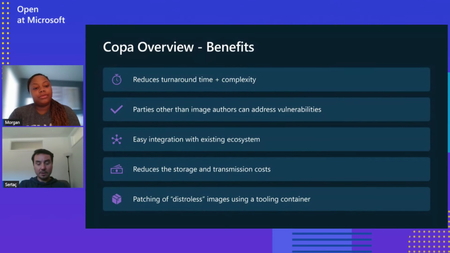
Securing container images is paramount, especially with the widespread adoption of containerization technologies like Docker and Kubernetes. Microsoft has recognized the need for robust image security solutions and has introduced Copa, an open-source tool designed to keep container images secure and address vulnerabilities swiftly. Learn about Copa in this blog.5.9KViews0likes1CommentEnable an Industrial Dataspace on Azure
What is an Industrial Dataspace? An industrial dataspace is an environment designed to enable the secure and efficient exchange of data between different organizations within an industrial ecosystem. Developed by the International Data Spaces Association, it focuses on key principles such as data sovereignty, interoperability, and collaboration. These principles are crucial in the context of Industry 4.0 where interconnected systems and data-driven decision-making optimize industrial processes and create resilient supply chains. A tutorial with step-by-step instructions on how to enable an industrial dataspace on Azure is available here. Use Case: Providing a Carbon Footprint for Produced Products One of the most popular use cases for industrial dataspaces is providing the Product Carbon Footprint (PCF), an increasingly important requirement in customers' buying decisions. The Greenhouse Gas Protocol is a common method for calculating the PCF, splitting the task into scope 1, scope 2, and scope 3 emissions. This example solution focuses on calculating scope 2 emissions from simulated production lines using energy consumption data to determine the carbon footprint for each product. Accessing the Reference Implementation The Product Carbon Footprint reference implementation can be accessed here and deployed to Azure with a single click. During the installation workflow, all the required components are deployed to Azure. This reference implementation supports data modelling with IEC standard Open Platform Communication Unified Architecture (OPC UA), aligned with the OPC Foundation Cloud Initiative. It also uses the IEC standard Asset Administration Shell (AAS) to provide product semantics, creating a Product Carbon Footprint AAS for simulated products and storing it in an AAS Repository. Finally, the implementation uses the IEC/ISO standard Eclipse Dataspace Components (EDC) to establish the trust relationship between the manufacturer and the customer, enabling the actual PCF data transfer via an OpenAPI-compatible REST interface. Conclusion Enabling an industrial dataspace on Azure can help manufacturers meet regulatory requirements, optimize industrial processes, and improve customer engagement by leveraging modern cloud technologies and standards to provide a secure and efficient data exchange environment, ultimately driving transparency and sustainability in the manufacturing industry.793Views1like0CommentsPartners accelerating industrial transformation with Azure IoT Operations
In the digital age, the essence of innovation lies not only in groundbreaking technology but also in the power of collaboration. At Microsoft, we have always recognized that our success is intertwined with the success of our partners. Our platform products, including the newly released Azure IoT Operations, are designed to be the foundation upon which our partners can build transformative solutions. These collaborations are more than just business arrangements; they are the bedrock of a thriving ecosystem that drives innovation, addresses customer needs, and propels industry standards forward. Partnerships enable us to extend our reach and impact far beyond what we could achieve alone. By combining our technological prowess with the domain expertise and creativity of our partners, we create a dynamic synergy that fosters groundbreaking advancements. This collaborative spirit is vital as we navigate the complexities of the Internet of Things (IoT) landscape, where diverse applications and specialized knowledge are paramount. Our partners bring unique perspectives and capabilities to the table, ensuring that Azure IoT Operations can cater to a broad spectrum of industries and use cases.3.7KViews4likes0CommentsFinOps para AKS (Serviços Kubernetes do Azure): Um Guia para Otimização de Custos
Este é o terceiro artigo da serie FinOps. Você pode acessar os artigos anteriores pelo links: (1) FinOps é SÓ o primeiro passo ... que venha DevSecFinOps (2) Democratizando FinOps com FOCUS No cenário em constante evolução da computação em nuvem, gerenciar custos de forma eficaz enquanto se mantém o desempenho ideal é um desafio que muitas organizações enfrentam. Os Serviços Kubernetes do Azure (AKS) oferecem uma plataforma poderosa para orquestração de contêineres, mas sem práticas adequadas de operações financeiras (FinOps), os custos podem rapidamente sair de controle. Aqui estão algumas recomendacoes para implementar FinOps no AKS para garantir crescimento sustentável e otimização de custos.665Views1like0CommentsDAPR, KEDA on ARO (Azure RedHat OpenShift): passo a passo
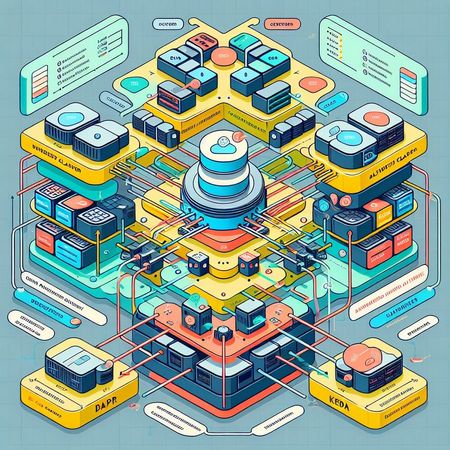
Veja também o artigo AKS: Configurando DAPR, KEDA no AKS Neste artigo, teremos foco nas configurações necessárias para rodar DAPR, KEDA on ARO (Azure RedHat OpenShift). Desta forma, aproveitei para montar este repositório no GitHub chamado "App-Plant-Tree" que cobre conceitos sobre Arquitetura Cloud-Native combinando as seguintes tecnologias: Go - Producer/Consumer App Distributed Application Runtime - DAPR Kubernetes Event Driven Autoscaling - KEDA Azure RedHat OpenShift (ARO) Azure Container Registry (ACR)1.1KViews1like0CommentsConfigurando DAPR, KEDA no AKS
A CNCF (Cloud Native Computing Foundation) define Aplicações Cloud-Native como software que consistem em vários serviços pequenos e interdependentes chamados microsserviços. Essas aplicações são projetadas para aproveitar ao máximo as inovações em computação em nuvem, como escalabilidade, segurança, flexibilidade e automação. Alguns dos projetos Cloud-Native mais conhecidos da CNCF são: Kubernetes, Prometheus, Envoy, Jaeger, Helm, DAPR, KEDA e etc. Neste artigo, falaremos sobre DAPR, KEDA e como esta combinação pode trazer eficiência e flexibilidade na construção de aplicações em Kubernetes.1.3KViews2likes0Comments