aks
94 TopicsCoreDNS in AKS: service discovery, upstream DNS, and failover
1. Where CoreDNS fits in AKS A pod can resolve another Kubernetes Service but fail to resolve a database name outside the cluster. CoreDNS can be running normally in both cases. That distinction matters because several problems can look like the same DNS outage: A cluster Service name fails. The namespace, Service record, or path from the pod to cluster DNS may be wrong. A name outside the cluster fails. CoreDNS may be reachable, but the upstream server or its network path may not be. A lookup eventually succeeds, but the application fails. The application may have stopped waiting before DNS returned an answer. CoreDNS is the default cluster DNS service in AKS. It runs as pods in kube-system, rather than as code inside your application or as a server hosted in the AKS control plane. It has two important jobs: Kubernetes service discovery: Answer names associated with Kubernetes resources, so workloads do not have to track changing addresses. Upstream forwarding: Send queries that require another DNS server to the configured upstream resolvers. Microsoft's AKS DNS concepts guide explains this architecture. The key operational lesson is simple: CoreDNS is part of the resolution path, but it is not the owner of every DNS answer. Who this is for: Platform engineers, application developers, and operations teams who want a practical understanding of CoreDNS in AKS. 2. How a pod gets a DNS answer For a typical pod using dnsPolicy: ClusterFirst, without a node-local DNS layer, the path looks like this: Application in a pod -> cluster DNS Service: kube-dns -> CoreDNS pod -> Kubernetes Service information: answer a cluster Service name -> upstream DNS server: forward a name handled outside the cluster -> DNS answer returns to the application The Service is still named kube-dns even when CoreDNS handles its traffic. That name does not mean the cluster is running the older kube-dns implementation. Kubernetes configures the pod's resolver settings, including its nameserver and search domains. For Linux containers, these are visible in /etc/resolv.conf. Cluster Service names Consider a regular ClusterIP Service named orders in the checkout namespace. With the cluster domain cluster.local, its full name is: orders.checkout.svc.cluster.local CoreDNS's kubernetes plugin uses Kubernetes resource information to answer that name with the Service's cluster IP. It does not need to ask a corporate or public DNS server for that Service record. The namespace matters. A pod in checkout may use the short name orders; a pod in another namespace normally needs orders.checkout or the full name. See Kubernetes DNS for Services and Pods for the naming rules. Names handled by another DNS server For a name outside its configured cluster zones, CoreDNS can use the forward plugin to contact another DNS server. That may be an Azure-provided resolver or a custom resolver, depending on the cluster's network and DNS configuration. Do not assume that every AKS cluster forwards to the same address or that two configured addresses always mean primary and backup. Inspect the effective CoreDNS configuration and the upstream resolver settings it references. Caching can also change the path. A valid cached answer may avoid an upstream query entirely. LocalDNS can change the first hop If AKS LocalDNS is enabled, the pod can contact a DNS proxy and cache on its node first. Cluster-domain queries are forwarded to CoreDNS, while other queries can go through CoreDNS or directly to an upstream, depending on the DNS policy and LocalDNS configuration. The diagram above is therefore a starting point, not a universal packet trace. Check whether LocalDNS is active before deciding which resolver to inspect. The AKS DNS concepts guide describes these alternate paths. 3. What AKS manages and what you can customize AKS manages the CoreDNS deployment and its main configuration. The Corefile, stored in the coredns ConfigMap, tells CoreDNS which plugins and forwarding rules to use. Three plugin responsibilities are useful to recognize: Plugin What it does kubernetes Answers DNS queries for configured Kubernetes zones using cluster resource information. forward Sends matching queries to upstream DNS servers. cache Reuses stored DNS responses when enabled and allowed by its configuration. An upstream failure affects queries that need that upstream. It does not automatically mean that normal Kubernetes Service records have become unavailable. For supported customization, AKS provides the coredns-custom ConfigMap. Microsoft documents custom entries with names ending in .server or .override, including domain-specific forwarding examples. Do not edit the managed main Corefile as a shortcut. A CoreDNS option being valid does not mean that every way of applying it is supported in AKS. For example, forwarding one private domain to designated resolvers is different from replacing the managed root forwarding behavior for the entire cluster. Follow the AKS CoreDNS customization guidance for the intended change. Also check the deployed image. The tests discussed here used CoreDNS 1.13.1. A setting shown in documentation for a newer CoreDNS release may not exist in that image. 4. How CoreDNS selects and checks upstream servers Once a query reaches the forward plugin, three separate decisions matter: which server to try, when to try another, and whether a server should be skipped on later queries. Selection policy chooses the starting server For CoreDNS 1.13.1: random chooses among eligible upstreams. It is the default when no policy is specified. round_robin rotates the initial choice. sequential tries upstreams in their configured order, preferring the first one not marked unhealthy. Here is an illustrative isolated-lab fragment, not a change to apply to AKS-managed CoreDNS. The addresses are placeholders: forward . <primary-dns-ip> <backup-dns-ip> { policy sequential failover SERVFAIL } policy sequential controls the order. failover SERVFAIL permits another upstream attempt when the response says the server could not complete the lookup. Those are different settings for different decisions. A missing reply and an error reply are different If packets are silently dropped, CoreDNS receives no answer and must wait for a timeout. If the server returns SERVFAIL, CoreDNS has received a DNS error response. By default, the forward plugin returns that SERVFAIL to the caller instead of trying another server. An explicit failover rule can change the handling of selected response codes. Protocol matters too. User Datagram Protocol (UDP) does not open a connection before sending the query. Transmission Control Protocol (TCP) does. In this release, the read timeout is two seconds. Opening a TCP connection has a separate timeout that starts at 30 seconds and can decrease toward one second based on recent connection times. There is no single timeout that describes every failure. These behaviors are documented in the CoreDNS 1.13.1 forward reference. Health checks change later selections The forward plugin starts upstream health checking after a network error. It does not continuously poll every untouched healthy upstream before any failure occurs. The documented default check interval is 0.5 seconds. That is not a promise that failover finishes in half a second: the triggering query may already be waiting for a timeout. max_fails controls how many failed health checks mark an upstream unhealthy. Its default is 2; the application-impact lab used 1 to make the change easier to observe. A DNS error response can still prove network reachability. Health checking therefore does not prove that an upstream can successfully resolve every name your application needs. Each CoreDNS process keeps its own upstream health state. Testing one replica does not establish the state of every replica, and restarting a resolver resets that state. The health-check guide and evidence distinguish source-backed behavior from measured, partial, and inconclusive cases. 5. What failure tests on AKS showed The run used Kubernetes v1.35.7 and image mcr.microsoft.com/oss/v2/kubernetes/coredns:v1.13.1-20. Tests ran against separate CoreDNS resolvers and controlled upstream servers in an isolated namespace. They did not inject faults into AKS-managed CoreDNS or validate every production DNS path, including LocalDNS. The test resolver used sequential selection and max_fails 1. Query times below are in milliseconds (ms). Test condition Recorded result First UDP query after silent primary packet loss Backup answer in 2,000 ms Independent one-second and two-second client timeouts Both clients received no response before timing out Five-second client timeout Backup answer in 2,000 ms Three later queries after the primary was marked unhealthy Backup answers, each displayed as 0 ms Primary returned SERVFAIL, with default handling SERVFAIL returned to the client Same error with failover SERVFAIL configured Successful answer from the backup First forced-TCP query with silent primary packet loss SERVFAIL, no address answer, after 30,000 ms Both test upstreams blocked No response before the five-second client timeout Five additional independent UDP failure cycles reached the backup in 2,000-2,004 ms on the first query. Their later queries took 0-4 ms. The result summary and raw query output retain the details. These are observations for one image and controlled failure conditions, not guaranteed AKS timings. A displayed 0 ms reflects the tool's timing precision, not zero latency. The practical lesson: an available CoreDNS pod, a reachable backup, and a successful application request are three different things. 6. Troubleshooting the right part of the DNS path Start by separating cluster Service resolution from upstream resolution. Then inspect the configuration before changing it. Prerequisites: PowerShell 7+, installed and authenticated kubectl, and permission to read CoreDNS Deployments, pods, Services, and ConfigMaps in the intended cluster. Check the context first and stop if it is not the correct cluster. The following commands are read-only. kubectl config current-context kubectl get deployment coredns -n kube-system ` -o jsonpath='{.spec.template.spec.containers[0].image}' kubectl get pods -n kube-system -l k8s-app=kube-dns kubectl get service kube-dns -n kube-system kubectl get configmap coredns -n kube-system -o yaml Use the findings to narrow the investigation: Only a cluster Service name fails: Check the Service name, namespace, and record type. Confirm that the Service exists and that the pod is using the expected cluster DNS path. Only names requiring an upstream fail: Check the matching forwarding rule, upstream reachability, and the upstream's ability to resolve that name. Only some pods fail: Compare their DNS policies, resolver settings, node-local DNS path, and network access. A successful query from another pod is useful, but not conclusive. The first query is slow and later queries are fast: Check upstream health state and caching. Do not assume the first result was an unrelated glitch. CoreDNS returns SERVFAIL: Identify whether it came from an upstream response or another failure. Do not assume it means packets were lost. Measure DNS latency with dig's Query time. The elapsed time of kubectl exec also includes Kubernetes API communication and process startup. Finally, look at the application. A reused connection may avoid DNS, a cached answer may hide an outage, and retries may increase load. A client can time out even if CoreDNS eventually finds an answer. The latest suite recorded 13 passing DNS and environment checks and five blocked application-specific cases. No representative application was supplied, so caching, connection reuse, retries, application telemetry, and service-level objective (SLO) impact were not established. A DNS test alone cannot prove the user's experience. 7. A repeatable way to validate CoreDNS behavior The CoreDNS repository folder organizes these questions into five detailed guides: Guide What to validate Selection policy Which upstream is tried first, and how the policy behaves during failure. Timeout behavior The difference between waiting for a reply, opening a connection, and the client's own timeout. Failover mechanism Network failures, DNS error responses, recovery, and all-upstream failure. Health checks How errors start checks and how health state affects later queries. Application and user impact Which DNS results are measured and which application effects still require a workload test. Each guide maps a question to named test cases, expected results, pass/fail criteria, and an Established evidence section. That section should tell you what happened, when it happened, and what the result does not prove. Prerequisites for fault testing: An authorized test cluster, PowerShell 7+, authenticated kubectl, permission to create and remove namespace-local test resources, and a network implementation that enforces the test NetworkPolicies. Review the selected guide's full setup and cleanup instructions before execution. Use an isolated test resolver. Do not change managed kube-system resources to reproduce an upstream failure. If another test namespace already exists and ownership is unclear, choose a unique namespace instead of deleting it. The published examples include the original lab context and paths beginning with 07-CoreDNS. A GitHub clone uses coredns. Adjust these values for your environment before running a suite. Cleanup is part of the test. In the current run, the unique test namespace was removed, all six base-lab Deployments remained Available, both managed CoreDNS replicas remained Available, and the managed Deployment resource version was unchanged. 8. Conclusion and next steps CoreDNS connects AKS workloads to both Kubernetes service discovery and the wider DNS environment. Understanding where a query is answered is the first step toward understanding why it failed. Start with the pod's DNS path. Inspect the CoreDNS version and configuration. Separate Service records from upstream queries. Then test selection, timeouts, health checks, and application behavior without changing managed cluster DNS. Understand the path before changing the policy. Validate the behavior before promising the outcome. Try it now Prerequisites: Git, PowerShell, network access to GitHub, and a working directory without an existing aks-stuff folder. No Azure permissions are needed to download the guides. These commands do not deploy resources or run failure tests. git clone https://github.com/jvargh/aks-stuff.git Set-Location .\aks-stuff Get-Content .\coredns\README.md Learn more CoreDNS guidance and test suites DNS concepts in AKS Supported CoreDNS customization in AKS Latest validation summary and recorded query output Connect and contribute Share a reproducible finding through the GitHub repository. Include the CoreDNS version, DNS path, test case, failure condition, client timeout, measured result, and cleanup outcome. Remove credentials, private addresses, and customer identifiers before sharing logs. Start here: github.com/jvargh/aks-stuff/tree/main/coredns
Central pki
Has anyone implemented a centralised PKI where the Root CA is stored in Azure Key Vault and workloads can automatically obtain the Root CA when they are deployed, as well as receive updated versions when the Root CA needs to be rotated or renewed? I’m looking to implement a centralised PKI for an Azure hub-and-spoke architecture, where workloads across the spokes can automatically obtain and trust the Root CA. The workloads could include VMs, AKS, containers, App Services and Azure Functions. I’m aware that Azure Machine Configuration can be used to deploy certificates to VMs, but this is specific to VMs. What is the recommended approach for distributing the Root CA to the other Azure workload types using a consistent and automated mechanism? Ideally, I’d like the solution to be fully automated, so that new workloads receive the current Root CA during deployment and existing workloads automatically receive updated versions whenever the Root CA is rotated or renewed. I will be deploying the root ca in a key vault via terraform a project for the root ca only to update whenever is needed and then each resources to be able to get the latest root ca. Has anyone implemented something similar, or could you provide guidance on the recommended architecture and distribution mechanism?139Views0likes1CommentContainer Network Insights Agent (CNIA): Your AI Teammate for AKS Networking Incidents
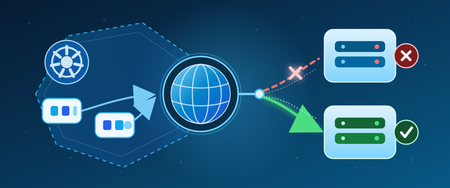
Hello Folks! If you run AKS in production, you already know the script. A pod cannot reach an external service, every dashboard says the cluster is healthy, and somebody is SSHing into a node with five browser tabs open trying to piece the story together. This session from the Microsoft Azure Infra Summit 2026 tackles that exact pain. Shaifali Garg (PM for Azure Container Networking on AKS) sits down with Jonathan Wang, an AKS operator running 30 clusters across two regions on Cilium, and they walk through what a real networking incident feels like, then introduce the Container Network Insights Agent (CNIA) live in the cluster. Why IT Pros Should Care In Jonathan’s environment, about 40% of incidents end up being networking problems. The tools all exist (kubectl, dashboards, detectors, Hubble), but the time sink is figuring out which layer the problem lives in and what to check next. CNIA goes after that gap. Here is what you actually get back: A symptom-to-classification jump in seconds, so you skip the first 30 minutes of “is this DNS, policy, node, or app?” One chat window with one evidence table, one root cause, and one copy-paste fix command, instead of jumping across five tabs Senior SRE tribal knowledge baked into the workflow, so anyone on the team can run the same investigation a principal engineer would Read-only by design, so the agent never changes anything on your cluster. You stay the human in the loop Installs as an AKS extension (no Helm chart, no YAML to babysit), and Azure handles the lifecycle In short, CNIA is not trying to replace your SRE team. It hands them back 20 or 30 minutes on every networking ticket, which adds up fast across a fleet. What CNIA Is, A Technical Overview Think of CNIA as an AI teammate that lives inside your AKS cluster as a pod. You describe what is broken in plain English, the way you would ping a senior engineer on Slack, and behind the scenes the agent does four things in order. It classifies the kind of problem (DNS, egress, policy, node, app), it pulls live evidence from your cluster, it analyzes that evidence, and it hands you back a clean report with evidence, root cause, and a copy-paste exec command. Two architectural choices stand out. First, the agent uses your own Azure OpenAI resource (bring your own), so prompts and diagnostic content stay in your tenant and your region. Microsoft does not see your diagnostic data, and nothing gets persisted externally. Second, the answer is grounded in evidence pulled from your cluster, not from the internet. Your pods, your policies, your CoreDNS, your host-level NIC and kernel counters. If the evidence is inconclusive, CNIA says so rather than fabricating a root cause. That last bit is what earns trust with senior SREs. CNIA fits inside the broader Advanced Container Networking Services (ACNS) story on AKS. ACNS gives you metrics in Azure Managed Prometheus and Grafana, stored and on-demand network logs with Hubble, and FQDN-based filtering with Cilium. CNIA sits on top, automating the triage loop across those signals so you do not have to walk through the playbook by hand every time. How It Works, Under the Hood The install is an AKS extension. Roughly 5 to 7 minutes from “az aks extension” to “you have an SRE buddy in your cluster.” One small pod runs continuously. A second helper only spins up on the node during a deep packet-drop investigation, reads host-level network counters, and is cleaned up right after. Nothing left behind. Permissions are deliberately narrow: Read-only RBAC on the cluster. The agent looks, it never changes anything A workload identity tied to your Azure OpenAI resource. No shared credentials Outbound traffic is HTTPS to your OpenAI endpoint on port 443, and nothing else. If you want to log that further through an NSG or firewall, that is supported On the safety side, CNIA layers two protections against prompt injection. The agent is scope-restricted by design, so off-topic requests get rejected straight away. In one of Jonathan’s demos, Shefali asks the agent to “delete core-dns” and to “write a script to scrape LinkedIn profiles.” Both are refused on the spot. The second layer is the read-only RBAC at the cluster level. Even if someone tricked the prompt into emitting a destructive command, the cluster itself would refuse. The pod’s execution is scoped to specific diagnostic commands. It is not an open shell. Honest tradeoffs, because you will ask: It is one cluster at a time. Multi-cluster correlation is not in scope yet It does not auto-remediate. It tells you the fix, you verify and run it It is AKS only. EKS and GKE are not supported today Session state lives in the pod in memory. If the pod restarts, you start a fresh chat (past sessions are still available in history) Heavy packet-drop investigations have been validated up to around 7 concurrent users on smaller clusters. The team is actively scaling that up Real-World Value The session includes two demos that map directly to incidents you have probably lived through. Demo 1, egress that silently dies. Pods cannot reach google.com. CoreDNS resolves it fine, example.com works from the same pod, every dashboard says healthy. CNIA classifies it as an egress connectivity problem (not DNS) and surfaces the actual culprit: a Cilium network policy named “restrict external FQDN” with a toFQDN rule that only allows example.com. Everything else gets silently dropped at the egress gate. DNS was allowed, the TCP connection was not. The fix command (a kubectl patch to add google.com to the allow list) is right there in the report. End-to-end fix in under a minute. Demo 2, the target port typo. A service is down with connection refused. Pods running, service exists, endpoints populated, no network policies. The agent goes inside the pod, looks at the actual listening sockets, and proves the mismatch: target port 8080, but nginx listens on port 80. One-digit typo in YAML that no kubectl get would surface on its own. The ROI math is straightforward. If your team handles networking incidents weekly and each one costs 20 to 30 minutes of “where do I even start,” that capacity adds up across the org. And critically, the win is not just speed. When the one engineer who knows where to look goes on leave, the rest of the team is no longer stuck calling them at home. Getting Started Three steps. That is it. Read the public docs, get an overview, scan the use cases, and understand what CNIA does and does not cover Pick a cluster (dev or staging is a great place to start) and install the AKS extension. Give it 5 to 7 minutes Run a few real network tickets through it. Compare your time-to-answer before and after. Hit thumbs-up or thumbs-down in the chat so the product team sees real signal Pricing in preview: no license fee. You pay for the Azure OpenAI tokens it uses (your tenant, your resource), plus the tiny bit of cluster compute for the pod. If you already have Azure OpenAI in your tenant, just point CNIA at it. Resources Diagnose and resolve AKS network issues with Advanced Container Networking Services Advanced Container Networking Services overview Configure Azure CNI Powered by Cilium in AKS AKS cluster extensions Deploy and configure Microsoft Entra Workload ID on an AKS cluster What is Azure OpenAI Service? Keep Learning at the Summit Catch the full Microsoft Azure Infra Summit 2026 session playlist here: https://www.youtube.com/playlist?list=PLjt5SKzX1iI8con7FJDB56G6hHqxGm7ki Cheers! Pierre Roman320Views0likes0CommentsMultithreading, GIL e paralelismo no Python
Concorrência vs. paralelismo Os dois conceitos são parecidos, mas não são a mesma coisa: Concorrência: lidar com várias tarefas ao mesmo tempo, alternando entre elas. As tarefas progridem de forma intercalada, mas não necessariamente executam no mesmo instante. É ideal para trabalho I/O-bound (rede, disco, banco de dados), onde o programa passa a maior parte do tempo esperando. Paralelismo: executar várias tarefas literalmente ao mesmo tempo, em múltiplos núcleos de CPU. É o que acelera trabalho CPU-bound (cálculo pesado, compressão, hashing). Resumindo: todo paralelismo é concorrência, mas nem toda concorrência é paralelismo. Para concorrência de I/O sem threads, o Python oferece o asyncio , baseado em uma única thread com um event loop e a sintaxe async / await . Como ele não cria threads nem processos, é leve e eficiente para milhares de conexões simultâneas — mas não oferece paralelismo de CPU. Threads e o GIL: por que multithreading não paraleliza CPU O módulo threading permite criar threads reais do sistema operacional, mas o CPython usa o GIL (Global Interpreter Lock): uma trava global que garante que apenas uma thread execute bytecode Python por vez. Por que ele existe? O GIL simplifica o interpretador e torna o modelo de objetos (incluindo tipos como dict ) implicitamente seguro contra acesso concorrente, além de facilitar a integração com bibliotecas C. O preço é abrir mão de boa parte do paralelismo em máquinas multi-core. Na prática: Tarefas I/O-bound se beneficiam de threads, pois o GIL é liberado durante operações de I/O (e por extensões como hashlib / zlib em trechos pesados). Tarefas CPU-bound não escalam com threads: o GIL serializa a execução, e usar mais threads não deixa o programa mais rápido — às vezes até o deixa mais lento pelo overhead de troca de contexto. Desde o Python 3.13 existe um build experimental free-threaded (compilado com --disable-gil , descrito na PEP 703) que permite desligar o GIL. Porém isso exige um interpretador compilado especificamente para isso ( python3.14t ); as compilações padrão não permitem desabilitá-lo. O GIL não dispensa sincronização Mesmo com o GIL, ainda precisamos nos preocupar com sincronização. O GIL garante que uma instrução de bytecode não seja interrompida no meio, mas operações de alto nível (como contador += 1 ) envolvem várias instruções de bytecode e podem sofrer race conditions se uma thread for interrompida no meio delas. Por isso o módulo threading oferece primitivos de sincronização — todos usáveis com with para liberação automática: Lock / RLock — exclusão mútua. Semaphore — limita o número de acessos simultâneos. Condition / Event — coordenação entre threads. Multiprocessing: paralelismo real com processos A saída para aplicações CPU-bound é o módulo multiprocessing (ou o ProcessPoolExecutor do concurrent.futures ). Em vez de threads, ele cria processos separados, e cada processo tem seu próprio interpretador e seu próprio GIL, permitindo paralelismo real em múltiplos núcleos. O custo intrínseco é que criar um novo processo cria também um interpretador Python inteiro, o que é pesado em memória e no tempo de inicialização. Além disso, processos não compartilham memória: os dados precisam ser serializados (via pickle ) e trocados por mecanismos de comunicação entre processos como Queue e Pipe , ou por memória compartilhada. Isso torna a sincronização mais complexa e adiciona overhead de comunicação. Benchmark: medindo o impacto do GIL Para comprovar o conceito, um pequeno script calcula muitos hashes SHA-256 encadeados (uma tarefa puramente CPU-bound) e distribui esse trabalho de três formas, usando concurrent.futures : Sequencial — executa tudo em uma única thread, servindo de baseline. ThreadPoolExecutor — divide o trabalho entre várias threads. ProcessPoolExecutor — divide o trabalho entre vários processos. Cada abordagem é medida em tempo de execução e memória consumida. Rodando no Python 3.14.6 (16 núcleos), o resultado foi: Abordagem Tempo Speedup Memória ------------------------------------------------------------ Sequencial 0.79s 1.00x 0.0 MB ThreadPoolExecutor 0.80s 0.99x 0.2 MB ProcessPoolExecutor 0.31s 2.56x 148.6 MB Interpretando os números: As threads não aceleraram a tarefa (speedup ~1.0x, praticamente igual ao sequencial). O GIL serializou a execução do bytecode: mesmo com várias threads, apenas uma roda por vez, então não há ganho de paralelismo para trabalho de CPU. Os processos foram ~2.5x mais rápidos. Como cada processo tem seu próprio interpretador e seu próprio GIL, o trabalho realmente rodou em paralelo em vários núcleos. Esse paralelismo cobra um custo de memória: os 8 processos consumiram ~148 MB (~18,6 MB por interpretador novo), contra apenas ~0,2 MB das threads, que compartilham o mesmo processo. É o trade-off central entre threading e multiprocessing : velocidade real de CPU ao preço de duplicar o interpretador em memória. Conclusão: I/O-bound ou CPU-bound? O GIL é a razão pela qual multithreading no CPython não entrega paralelismo de CPU. A regra prática é: I/O-bound → use threading ou asyncio (o GIL é liberado durante a espera). CPU-bound → use multiprocessing , aceitando o custo de memória e de comunicação entre processos. No futuro, o build free-threaded (PEP 703) promete paralelismo real com threads e sem o custo de vários interpretadores — mas ainda depende de um interpretador compilado sem o GIL. Escolher a ferramenta certa depende, antes de tudo, de entender se o gargalo é de I/O ou de CPU.234Views1like0CommentsLock Down AKS End to End with Application Gateway for Containers and Managed Cilium L7
Hello Folks! If your AKS cluster looks like most production clusters I have walked through, one of two things is true. Either nobody writes any network policies and every pod can talk to every other pod, so one compromised container blows up the entire blast radius. Or somebody wrote a few coarse rules along the lines of “namespace A talks to namespace B over port 80”, which sounds secure right up until an attacker realizes that port 80 is exactly where they were planning to live anyway. Real attacks happen at Layer 7, dressed up like ordinary HTTP traffic, and L3 / L4 plumbing cannot tell the difference. That is the gap session MAIS09 from the Microsoft Azure Infrastructure Summit 2026 closes. Vyshnavi Namani and Darshil Shah from the Azure Networking product team walked through how two AKS-managed add-ons, Application Gateway for Containers (AGC) and Cilium L7 via Advanced Container Networking Services (ACNS), can lock down the entire path from the public internet to a single pod. No NGINX. No external WAF appliance. No third-party CNI to babysit. 📺 Watch the session: Why IT Pros Should Care Let me cut to the chase. If you operate AKS clusters today, this session matters because: You probably still have an ingress controller and an external WAF stitched together with annotations and prayers. AGC plus ACNS collapses that stack into first-party add-ons that AKS owns end to end. Both Application Gateway for Containers and Advanced Container Networking Services are generally available. This is not a preview demo, this is production. Security is finally readable. Every rule is a YAML object. Code review, audit, GitOps. No more “what does this NGINX config map even do anymore” archaeology. It actually works on a real attack pattern. The demo shows WAF killing a SQL-injection-style GET that Cilium would have happily forwarded, because the method (GET) was on the allow list. If you have ever had to explain to an auditor why a single compromised pod could pivot across your whole cluster, this is your exit ramp. The AKS Security Gap This Closes Most clusters are protected by a load balancer at the edge and basically nothing inside. The cluster door looks like a vault, but the hallways are wide open. Cilium calls this the lateral movement problem, and it is exactly how Kubernetes attacks unfold in the wild. Compromise a pod, then phone home, then pivot. What MAIS09 demonstrates is something different. AGC is the L7 front door (the metal detector at the lobby). ACNS Cilium L7 is the lock on every pod’s office door. Both speak HTTP. Both enforce identity. Both are managed by AKS itself. The legacy alternative, Application Gateway Ingress Controller (AGIC), bolted a full Application Gateway onto your cluster through a translator. Two services, two lifecycles, two finger-pointing teams when something broke. AGC is the successor, built from scratch for Kubernetes, speaking the Gateway API natively, enabled with a single AKS flag. AKS provisions the controller, wires the identity, delegates the subnet, and owns the upgrades. You own the policies. AGC + Managed Cilium, End to End Here is the mental model from the session. Picture four concentric layers of defense between the public internet and a pod. AGC front end. One Azure resource, one public DNS name, and (thanks to the Kubernetes Gateway API) multiple hostnames behind the same IP. The demo runs Contoso, Fabrikam, and Adventure Works on a single AGC public IP using three HTTPRoute objects. One infrastructure, three websites. Real cost savings, real ownership clarity (platform owns the Gateway, app teams own the HTTPRoutes). Azure WAF on AGC. This is the content inspector. It runs the OWASP Core Rule Set (DRS 2.1 in the demo) against every incoming request, looks for SQL injection, cross-site scripting, path traversal, and the rest of the OWASP Top 10, and returns a 403 before the packet ever touches your pod. Microsoft maintains the rule set, you bind it to AGC via a SecurityPolicy. ACNS Cilium L7 ingress on every pod. This is where identity-based policy lives. Rules key off pod labels, not IPs, because IPs change every time the cluster autoscaler does its job. The demo uses an allow-agc-l7-get-only CiliumNetworkPolicy that lets the AGC backend reach the tenant pods, but only with GET or GET /products. Anything else, POST, PUT, DELETE, gets a Cilium-synthesized 403 before NGINX ever sees the request. ACNS east-west and egress policy. Two more policies do the heavy lifting inside. client-may-call-contoso-get-only lets the client pod reach Contoso with GET, and only Contoso. A default-deny baseline blocks everything else (pod-to-pod and pod-to-internet) with a single carve-out for kube-dns on port 53. The magic is that the same Cilium engine handles north-south, east-west, and egress with one consistent identity model. eBPF in the Linux kernel does the enforcement on the same node as the pod, so the decision happens before the packet leaves the host. No sidecars, no iptables sprawl, no daemonset you need to upgrade by hand. Real-world Scenarios The demo walks through six tests and the results map directly onto things you are probably trying to solve right now: Multi-site hosting on one IP. Three hostnames, one AGC, three 200 OKs from three different backend pods. If you are paying for three load balancers today, you can stop. WAF blocks a malicious GET that ACNS would have let through. This is the punch line of why you need both layers. The method (GET) is on the Cilium allow list, but the payload is a SQLi pattern. WAF returns 403 at the edge. Defense in depth, working as advertised. Method enforcement at the pod door. GET returns 200, POST/PUT/DELETE return 403, GET /admin returns 403, GET /products returns 200. Cilium is doing actual HTTP inspection, not just dropping packets. East-west enforcement with readable verdicts. Client to Contoso GET is 200. Same client, same destination, POST is 403 (L7 deny, TCP completed). Client to Fabrikam is 000 (L4 drop, no TCP handshake). Reading the difference between 403 and 000 is now a debuggable signal, not a mystery. Default-deny egress kills phone-home. A pod tries to reach bing.com. DNS resolves (the carve-out works), TCP SYN goes nowhere, wget gives up with exit code 1. If that pod was compromised and trying to exfiltrate data, this is where the attack chain dies. Selective allow still works. Same pod, same tools, but a DNS lookup against kube-dns inside the cluster returns instantly. We did not unplug the network. We locked it down with a purpose. Honest tradeoffs to call out. The session does not pretend everything is free. AGC introduces a billed subnet association and a managed identity you do not manage in BYO mode. Cilium L7 needs the Cilium data plane (ACNS Container Network Security features are Cilium-only). The Envoy proxy that handles L7 inspection has a cost only when you actually enforce L7, which is a fair deal in my book. Getting Started If you want to try this on a cluster of your own, three flags do most of the work on az aks create: --network-dataplane cilium (turns on the eBPF data plane) --enable-acns (enables Advanced Container Networking Services, including Hubble observability and Cilium L7 policy) --enable-app-routing or the ALB add-on flag (provisions the AGC controller as an AKS-managed add-on) From there you write four YAML objects: a default-deny CiliumNetworkPolicy, an allow-DNS carve-out, an AGC ingress allow with method and path constraints, and your east-west allow rules. The session repo includes the full set so you can clone and follow along. One bonus worth knowing about. ACNS ships Hubble out of the box, with pre-built Azure Managed Grafana dashboards. Flow logs, service maps, policy hit counts. Even on pods that are not yet under L7 enforcement, you get observability for free. When something breaks at 2 a.m., you have an audit trail instead of a tcpdump. Resources Azure Application Gateway for Containers documentation Set up Layer 7 policies with Advanced Container Networking Services AKS security concepts Cluster security best practices for AKS Container Network Observability for AKS (Hubble, Prometheus, Grafana) Advanced Container Networking Services hands-on lab Use cases of Advanced Network Observability for AKS (Azure Networking Blog) Watch the Rest of the Summit If MAIS09 hit the spot, there are dozens more sessions in the same playlist covering AKS networking at scale, Azure Local, AVM, the new Deployment Agent, and a lot more. Grab a coffee and binge. Microsoft Azure Infrastructure Summit 2026 playlist Cheers! Pierre Roman423Views1like1CommentGA: DCasv6 and ECasv6 confidential VMs based on 4th Generation AMD EPYC™ processors
Today, Azure has expanded its confidential computing offerings with the general availability of the DCasv6 and ECasv6 confidential VMs. Regional availability June 03 2026: Australia Central, Australia Central 2, Australia Southeast, Austria East, Belgium Central, Brazil South, Brazil Southeast, Central India, Central US, Chile Central, Denmark East, East Asia, East US, East US 2, France Central, India South Central, Indonesia Central, Israel Central, Japan East, Japan West, Korea South, Malaysia West, Mexico Central, New Zealand North, North Central US, North Europe, Poland Central, South Africa West, South Central US, South India, Southeast Asia, Spain Central, Sweden Central, Sweden South, Switzerland West, Taiwan North, UAE Central, UK West, West US 2 April 13 2026: West Europe Jan 30 2026: Canada Central, Canada East, Norway East, Norway West, Italy North, Germany North, France South, Australia East, West US, West US 3, Germany West Central Sep 16 2025: Korea Central, South Africa North, Switzerland North, UAE North, UK South, West Central US These VMs are powered by 4th generation AMD EPYC™ processors and feature advanced Secure Encrypted Virtualization-Secure Nested Paging (SEV-SNP) technology. These confidential VMs offer: Hardware-rooted attestation Memory encryption in multi-tenant environments Enhanced data confidentiality Protection against cloud operators, administrators, and insider threats You can get started today by creating confidential VMs in the Azure portal as explained here. Highlights: 4th generation AMD EPYC processors with SEV-SNP 25% performance improvement over previous generation Ability to rotate keys online AES-256 memory encryption enabled by default Up to 96 vCPUs and 672 GiB RAM for demanding workloads Streamlined Security Organizations in certain regulated industries and sovereign customers migrating to Microsoft Azure need strict security and compliance across all layers of the stack. With Azure Confidential VMs, organizations can ensure the integrity of the boot sequence and the OS kernel while helping administrators safeguard sensitive data against advanced and persistent threats. The DCasv6 and ECasv6 family of confidential VMs support online key rotation to give organizations the ability to dynamically adapt their defenses to rapidly evolving threats. Additionally, these new VMs include AES-256 memory encryption as a default feature. Customers have the option to use Virtualization-Based Security (VBS) in Windows, which is currently in preview to protect private keys from exfiltration via the Guest OS or applications. With VBS enabled, keys are isolated within a secure process, allowing key operations to be carried out without exposing them outside this environment. Faster Performance In addition to the newly announced security upgrades, the new DCasv6 and ECasv6 family of confidential VMs have demonstrated up to 25% improvement in various benchmarks compared to our previous generation of confidential VMs powered by AMD. Organizations that need to run complex workflows like combining multiple private data sets to perform joint analysis, medical research or Confidential AI services can use these new VMs to accelerate their sensitive workload faster than ever before. "While we began our journey with v5 confidential VMs, now we’re seeing noticeable performance improvements with the new v6 confidential VMs based on 4th Gen AMD EPYC “Genoa” processors. These latest confidential VMs are being rolled out across many Azure regions worldwide, including the UAE. So as v6 becomes available in more regions, we can deploy AMD based confidential computing wherever we need, with the same consistency and higher performance." — Mohammed Retmi, Vice President - Sovereign Public Cloud, at Core42, a G42 company. "KT is leveraging Azure confidential computing to secure sensitive and regulated data from its telco business in the cloud. With new V6 CVM offerings in Korea Central Region, KT extends its use to help Korean customers with enhanced security requirements, including regulated industries, benefit from the highest data protection as well as the fastest performance by the latest AMD SEV-SNP technology through its Secure Public Cloud built with Azure confidential computing." — Woojin Jung, EVP, KT Corporation Kubernetes support Deploy resilient, globally available applications on confidential VMs with our managed Kubernetes experience - Azure Kubernetes Service (AKS). AKS now supports the new DCasv6 and ECasv6 family of confidential VMs, enabling organizations to easily deploy, scale and manage confidential Kubernetes clusters on Azure, streamlining developer workflows and reducing manual tasks with integrated continuous integration and continuous delivery (CI/CD) pipelines. AKS brings integrated monitoring and logging to confidential VM node pools with in-depth performance and health insights, the clusters and containerized applications. Azure Linux 3.0 and Ubuntu 24.04 support are now in preview. AKS integration in this generation of confidential VMs also brings support for Azure Linux 3.0, that contains the most essential packages to be resource efficient and contains a secure, hardened Linux kernel specifically tuned for Azure cloud deployments. Ubuntu 24.04 clusters are also supported in addition to Azure Linux 3.0. Organizations wanting to ease the orchestration issues associated with deploying, scaling and managing hundreds of confidential VM node pools can now choose from either of these two for their node pools. General purpose & Memory-intensive workloads Featuring general purpose optimized memory-to-vCPU ratios and support for up to 96 vCPUs and 384 GiB RAM, the DCasv6-series delivers enterprise-grade performance. The DCasv6-series enables organizations to run sensitive workloads with hardware-based security guarantees, making them ideal for applications processing regulated or confidential data. For more memory demanding workloads that exceed even the capabilities of the DCasv6 series, the new ECasv6-series offer high memory-to-vCPU ratios with increased scalability up to 96 vCPUs and 672 GiB of RAM, nearly doubling the memory capacity of DCasv6. You can get started today by creating confidential VMs in the Azure portal as explained here. Additional Resources: Quickstart: Create confidential VM with Azure portal Quickstart: Create confidential VM with ARM template Azure confidential virtual machines FAQ
Simplifying gMSA for Windows Containers on AKS: Open-Source Tooling Now Available
We’re excited to announce that the Windows Containers AKS gMSA tooling is now publicly available on our GitHub repo (Microsoft/Windows-Containers-AKS-gMSA): Windows-Containers-AKS-gMSA. This open-source repository provides tooling to simplify configuring Group Managed Service Accounts (gMSA) for Windows containers running on Azure Kubernetes Service (AKS)—making it easier to containerize and run Active Directory–dependent applications in Kubernetes. Many enterprises rely on Windows applications that integrate with Active Directory (AD) for authentication and authorization. As these workloads move to AKS using Windows containers, it’s critical that they continue to securely support AD‑based authentication. This tooling helps organizations modernize to containers while maintaining trusted identity and authorization workflows built on Active Directory. Who this is for This tooling is intended for: Teams modernizing existing AD-dependent Windows applications Customers running Windows containers on AKS who require Kerberos or Integrated Windows Authentication Platform and infrastructure teams looking to standardize gMSA setup across environments Anyone evaluating whether gMSA is the right fit for their Windows container scenarios If you’re running workloads that depend on Active Directory and want to bring them to AKS with minimal refactoring, this repository can serve as a starting point for validating gMSA in your environment. Why gMSA on AKS matters Windows containers are a natural fit for modernizing existing IIS, .NET Framework, and other AD-integrated applications with minimal code changes. However, containers themselves can’t be domain joined, which historically made AD authentication challenging in containerized environments. With gMSA support on AKS, Windows containers can securely authenticate to Active Directory without requiring domain-joined nodes, instead relying on the AKS host to perform authentication on the application’s behalf. This enables: Secure AD authentication for Windows containers Easier cluster scaling and upgrades Reduced operational overhead compared to domain-joined node models with no changes to the AD infrastructure required While platform support exists, configuring gMSA on AKS still involves multiple moving parts—including AKS, Active Directory, Azure Key Vault, and credential specifications. This tooling is intended to help streamline that setup by reducing manual configuration across these components. What’s in the repository The Windows-Containers-AKS-gMSA repository provides a PowerShell module and supporting scripts designed to simplify the end-to-end setup of gMSA for Windows containers on AKS. Key highlights include: A PowerShell module to help configure an AKS cluster for gMSA usage Automation to reduce manual setup across Azure, AD, and AKS components Documentation and troubleshooting guidance for prerequisites and common pitfalls A trial/validation setup to help stand up a test environment for gMSA on AKS The goal is to lower the barrier to entry and make it easier for teams to experiment with—and ultimately adopt—gMSA for their Windows container workloads. Getting started To get started, visit the GitHub repository and review the README and documentation: https://github.com/microsoft/Windows-Containers-AKS-gMSA You’ll find: Environment and prerequisite requirements Instructions for importing and using the PowerShell module Guidance for validating your setup in a non-production environment For the official documentation, please visit Use gMSA on Azure Kubernetes service in Windows containers | Microsoft Learn. Open source and community feedback By making this repository public, we’re inviting the community to explore, experiment, and provide feedback. While this tooling is designed to simplify setup, it’s important to review the documentation carefully and validate configurations in test environments before production use. We welcome issues and feedback, suggestions for improvements, and any contributions that help improve reliability, clarity, or usability. What’s next This release is part of our continued effort to improve the experience of running Windows containers on AKS—particularly for customers modernizing existing Windows Server workloads that depend on Active Directory. We look forward to hearing how you’re using gMSA on AKS and where we can continue to improve the setup and deployment experience.287Views0likes0Comments
AKS on AzureLocal: KMSv1 -> KMSv2
Hey, quick question on AKS Arc — we're running moc-kms-plugin:0.2.172-official on an Arc-enabled AKS cluster on Azure Local and currently have KMSv1=true as a feature gate to keep encryption at rest working. KMSv1 is deprecated in 1.28+ and we want to migrate to KMSv2 before it gets removed. Since moc-kms-plugin is a Microsoft-managed component we can't just swap it out ourselves. A few questions: Does version 0.2.172 already support the KMSv2 gRPC API, or is that coming in a later release? Is there a supported migration path for AKS Arc specifically, or does this come automatically through a platform update? Any docs or internal guidance you can point us to? Thanks!243Views0likes1CommentSovereignty in Azure Belgium Central: A Three-Layer Technical Deep Dive
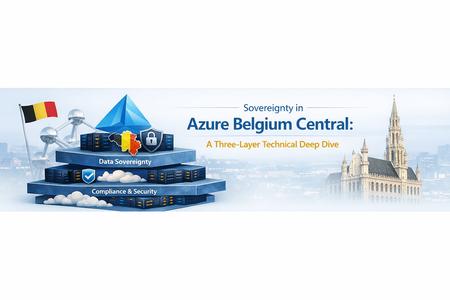
When Belgium Central went live in November 2025, it marked the launch of a new Azure region for Belgian organizations operating in the EU. For many scenarios, it enables customers to run workloads in-country and apply technical controls that can support sovereignty requirements. But "sovereignty" is one of those words that means different things to different people. So, let's break it down into something more tangible. In this post, we'll walk through sovereignty in Azure Belgium Central using three standardized technical layers. Think of them as concentric rings of protection around your data: Layer 1: Data Residency & Locality. Where your data physically lives and how it behaves during failure. Layer 2: Encryption at Rest & In Transit. How data is protected and who holds the keys. Layer 3: Confidential Computing. How data is protected while being processed in memory. Each layer builds on the previous one. Together, they form a comprehensive sovereignty posture. Let's find out what that looks like in practice. Layer 1: Data Residency & Locality This layer answers the most fundamental sovereignty question: where is my data, and does it stay there? In-Country Storage For regionally deployed Azure services, customer data at rest is stored in the selected Azure region. In Belgium Central, this means data at rest for supported services is stored in Belgium. Microsoft indicates the region’s datacenters are located in the Brussels area. When you deploy a resource with location = "belgiumcentral" in Terraform or location: 'belgiumcentral' in Bicep, you’re selecting that Azure region for the resource. This matters for organizations bound by Belgian or EU data residency requirements, and it matters for public sector customers who need assurance that sensitive data doesn't cross national borders without explicit action. Source: Microsoft Digital AmBEtion (microsoft.com/en-be) Three Availability Zones Belgium Central supports Availability Zones. Availability Zones are physically separate locations within an Azure region and are designed with independent power, cooling, and networking. This lets you deploy zone-redundant architectures (for example, spreading VMs, databases, and storage across zones) for high availability while keeping resources in the same Azure region. Availability Zones within a region are connected by high-bandwidth, low-latency networking designed to support zone-redundant services and architectures. Actual latency depends on workload placement and architecture and should be validated for your scenario. Source: The ABC of Azure Belgium Central (Microsoft Community Hub) Non-Paired Region: A Sovereignty Feature, Not a Limitation Azure Belgium Central is a non-paired region. For services that rely on region pairing for automatic geo-replication, behavior and options can differ from non-paired regions. Customers can configure cross-region disaster recovery explicitly and choose a target region based on their requirements. From a sovereignty perspective, some customers may prefer this model because cross-region replication and secondary data locations are customer-selected when configured. Replication and failover capabilities are service-specific, and customers should confirm the data residency and replication behavior for the services they use. Depending on the service and redundancy option, some geo-redundant features (for example, Geo-Redundant Storage (GRS) for Azure Storage) may not be available in non-paired regions. Many designs use Zone-Redundant Storage (ZRS) for in-region redundancy across Availability Zones. For cross-region replication, options such as object replication may be used where supported, with the destination region selected by the customer. Source: Azure region pairs and nonpaired regions (learn.microsoft.com) What This Means Architecturally When designing for Belgium Central, customers may consider: Intra-region redundancy via Availability Zones (for example, ZRS and zone-redundant deployments), where supported. Cross-region disaster recovery when explicitly configured, with a customer-chosen secondary region. Replication behavior that is service-dependent; customers should validate which services replicate within a region, across zones, or across regions, and what configuration is required. Layer 2: Encryption at Rest & In Transit Layer 1 keeps your data in Belgium. Layer 2 makes sure that even if someone gained physical access to the underlying infrastructure, they'd find nothing readable. Encryption at Rest: Platform-Managed by Default By default, all data stored at rest in Azure is encrypted to ensure security and compliance. Storage accounts, managed disks, databases: all use AES-256 encryption with Microsoft-managed keys out of the box. You don't have to configure anything to get this baseline protection. But for sovereignty scenarios, "Microsoft holds the keys" might not be enough. Data at rest is encrypted by default with platform managed keys but double encryption is possible with an extra layer of encryption with customer managed keys (CMK). Source: Double encryption in Azure (learn.microsoft.com) Customer-Managed Keys (CMK): You Hold the Keys Azure services in Belgium Central support Customer-Managed Keys (CMK) through Azure Key Vault. This shifts key ownership from Microsoft to you. You generate, rotate, and revoke keys on your own schedule. Azure services reference your key in Key Vault for encrypt/decrypt operations, but the key itself is under your control. This applies to a broad range of services: VM disk encryption, storage account encryption, Azure SQL Transparent Data Encryption, and more. But not all key storage is created equal. Azure offers three tiers of key management in Belgium Central, and the differences matter for sovereignty: Source: Azure encryption overview (learn.microsoft.com) Key Vault Standard: Software-Protected Keys The entry-level option. Keys are stored encrypted in software, protected by Microsoft's infrastructure, but not in dedicated HSM hardware. This is the entry-level option: software-protected keys stored in a vault, without dedicated HSM hardware. For many general-purpose workloads where regulatory demands don't mandate hardware key protection, Standard is cost-effective and fully functional for CMK scenarios. Key Vault Premium: HSM-Backed Keys (Multi-Tenant) Premium includes everything in Standard plus support for HSM-protected keys. When you create an HSM-backed key in a Premium vault, the key material lives inside Microsoft-managed Hardware Security Modules rather than in software. The HSM hardware is shared (multi-tenant, logically isolated per customer), but the key material is processed and stored within certified HSM devices. Microsoft documentation describes the compliance and validation posture of Key Vault and HSM-backed keys, including FIPS validation details that may vary by hardware generation, region, and service configuration. Customers should refer to the current product documentation and compliance listings for the specific SKU and region in scope. For many scenarios, Key Vault Premium provides HSM-backed key options in a multi-tenant service model and is priced differently than Key Vault Standard and Managed HSM. The right choice depends on regulatory requirements, operational model, and cost considerations. Managed HSM: Single-Tenant, Maximum Isolation For the highest level of key sovereignty, Azure Key Vault Managed HSM provides a single-tenant key management service backed by FIPS 140-3 Level 3 validated hardware. Unlike Key Vault Premium (where HSM-backed keys share a multi-tenant HSM infrastructure), a Managed HSM pool gives you a dedicated, cryptographically isolated HSM environment with your own security domain. Key facts about Managed HSM that matter for sovereignty: Compliance / validation: Managed HSM uses dedicated hardware security modules. Refer to current Microsoft documentation for FIPS validation level and applicability for your region and SKU. Regional deployment: Managed HSM is deployed to an Azure region. Customers should validate data residency and any service-specific data handling behavior for their workload and compliance needs. Security domain: Customers download and control the security domain (a cryptographic backup of HSM credentials), protected using customer-controlled keys. See product documentation for the shared responsibility model and operational details. Access control: Managed HSM provides role-based access controls for key operations. Customers should review the authorization model and administrative boundaries described in the documentation. Managed HSM has a different pricing and operational model than Key Vault (for example, pool-based billing and additional operational steps). It is typically considered when requirements call for dedicated HSM resources, security domain control, or specific compliance needs beyond a shared HSM service model. Choosing the Right Tier Managed HSM is typically considered when requirements call for dedicated HSM resources, security domain control, or administrative separation beyond a shared HSM service model. Key Vault Standard can be a fit for development/test or scenarios where software-protected keys meet your requirements. Key Vault and Managed HSM capabilities are available in Azure Belgium Central, but customers should verify current product, SKU, and service availability by region and validate service-specific data residency behavior for their workload. Source: Azure Key Vault Managed HSM overview (learn.microsoft.com), Managed HSM technical details (learn.microsoft.com), About keys (learn.microsoft.com) Encryption in Transit: MACsec + TLS On the wire, Azure provides two layers of transit encryption: IEEE 802.1AE MACsec. our documentation describes the use of MACsec on portions of the Azure backbone for in-network encryption on supported links. Availability and coverage can vary by scenario; customers should refer to current documentation for details. TLS. Azure services support TLS for client-to-service connections. Supported TLS versions and configuration requirements vary by service; customers should validate the specific service and endpoint configuration they use. Together, these mechanisms help protect data in transit at different layers, depending on the service and network path used. Layer 2 Summary Concern Mechanism Key Detail Data at rest (default) AES-256, platform-managed keys Automatic, no config needed CMK: software keys Key Vault Standard FIPS 140-2 L1, multi-tenant, lowest cost CMK: HSM-backed keys Key Vault Premium FIPS 140-3 L3 (new hardware), multi-tenant CMK: dedicated HSM Managed HSM FIPS 140-3 L3, single-tenant, security domain Data in transit (infra) MACsec (IEEE 802.1AE) Coverage varies by link/scenario; refer to current documentation Data in transit (client) TLS 1.2+ Supported versions vary by service and configuration Trusted Launch and protection of data at rest Trusted Launch is a security feature available for Azure Virtual Machines that helps protect against advanced threats such as rootkits and bootkits. It enables secure boot and virtual Trusted Platform Module (vTPM) on supported VM sizes, ensuring that only signed and verified operating system binaries are loaded during startup. This provides enhanced integrity for the boot process and helps organizations meet compliance requirements for workloads running in the cloud. By leveraging Trusted Launch, customers can monitor and attest to the health of their VMs at boot time, making it easier to detect and respond to potential tampering or compromise. The combination of secure boot and vTPM strengthens the security posture of Azure VMs, offering greater protection for sensitive workloads. Additionally, Trusted Launch strengthens data‑at‑rest protection by isolating encryption keys in a platform‑managed vTPM, binding key release to verified boot integrity, and preventing offline or unauthorized reuse of encrypted disks, even by privileged administrators. Source: Trusted Launch for Azure virtual machines Layer 3: Confidential Computing Layers 1 and 2 protect data where it lives and while it moves. Layer 3 closes the final gap: protecting data while it's being processed in memory. This is the domain of Azure Confidential Computing, and it's where things get genuinely interesting from a sovereignty perspective. Azure Confidential Computing is designed to help reduce certain operator-access risks by using hardware-backed isolation for data while it is being processed in memory. Confidential Virtual Machines Azure Confidential VMs use specialized hardware to create a Trusted Execution Environment (TEE) at the VM level. Two technology families are available: AMD SEV-SNP (DCasv6 / DCadsv6 / ECasv6 / ECadsv6 series) These VMs use AMD's Secure Encrypted Virtualization with Secure Nested Paging. The key properties: The VM's memory is encrypted with keys generated by the AMD processor. These keys are designed to remain within the CPU boundary. The platform is designed to help protect VM memory and state from access by the hypervisor and host management code. Supports Confidential OS disk encryption with either platform-managed keys (PMK) or customer-managed keys (CMK), binding encryption to the VM's virtual TPM on supported configurations. Each VM uses a virtual TPM (vTPM) for key sealing and integrity measurement. Intel TDX (DCesv6 / DCedsv6 series) These VMs use Intel Trust Domain Extensions, which provides full VM memory encryption and integrity protection: The entire VM runs inside a hardware-isolated Trust Domain (TD), designed to help protect data in memory from the hypervisor and host management code. Memory encryption and integrity are enforced by the Intel CPU using dedicated encryption keys per TD. Supports Confidential OS disk encryption (PMK/CMK) and vTPM integration on supported configurations. Additional performance characteristics and hardware details vary by VM size and generation; refer to the current VM size documentation for specifics. The AMD SEV-SNP VM families are currently available in Preview in Azure Belgium Central, with GA planned. The Intel SKU is not currently available in Azure Belgium Central. Source: About Azure confidential VMs (learn.microsoft.com), DC family VM sizes (learn.microsoft.com), Intel TDX confidential VMs GA announcement (techcommunity.microsoft.com) Azure Attestation: Trust, but Verify Confidential computing isn't just about encryption. It's about verifiable trust. Azure Attestation is a free service that validates the integrity of the hardware and firmware environment before your workload runs. Here's how platform attestation works for AMD SEV-SNP and Intel TDX Confidential VMs: When a confidential VM boots, the hardware generates an attestation report containing firmware and platform measurements (an SNP report for AMD, a TDX quote for Intel). Azure Attestation evaluates this report against expected values. Only if the platform passes attestation are decryption keys released from your Key Vault or Managed HSM. These keys unlock the vTPM state and the encrypted OS disk, and the VM starts. If the platform does not meet the attestation policy, key release can be blocked and the VM may not start, depending on configuration. In addition to platform attestation, customers can perform guest-initiated attestation from within the CVM to independently verify the VM's measured hardware and runtime state. This allows applications running inside a confidential VM to obtain an attestation token at runtime, which they can present to relying parties (like a key vault or external service) to prove they are executing in a genuine TEE. This can help reduce reliance on implicit trust by providing cryptographic evidence about the environment at boot and, where implemented, at runtime. Azure Attestation availability is region-dependent; customers should verify current availability in Belgium Central and select the appropriate provider configuration for their scenario. Source: Azure Attestation overview (learn.microsoft.com), Attestation types and scenarios (learn.microsoft.com) Confidential Computing on AKS For containerized workloads, Azure Kubernetes Service supports confidential computing through confidential node pools. You can add node pools backed by confidential VMs alongside regular node pools in the same cluster. You can add AKS node pools using supported confidential VM sizes. In this model, the worker node runs as a confidential VM, so the node’s memory is hardware-protected from the host and hypervisor. Containers scheduled onto that node can run without application refactoring, but the added protection is at the VM/node level. Exact region and SKU availability should be validated for the sizes you plan to deploy. AKS support for confidential VM sizes today includes AMD SEV-SNP with Intel TDX on the roadmap; customers should validate region and SKU availability for the exact AKS node pool sizes they intend to use. Azure Attestation can be integrated into confidential computing architectures on AKS to verify the trust state of nodes or workloads before secrets are released. This is typically implemented at the workload or confidential container level and is not enforced automatically for all AKS pods. Source: Confidential VM node pools on AKS (learn.microsoft.com), Use CVM in AKS (learn.microsoft.com) The Full Data Protection Chain When you combine all three layers, the protection chain when using confidential VMs in Belgium Central looks like this: [Confidential VM boots] → Hardware TEE encrypts VM memory (SEV-SNP or TDX, CPU-generated keys) → Azure Attestation validates platform report (SNP report or TDX quote) → Key Vault (Premium) or Managed HSM conditionally releases disk decryption keys → vTPM state unlocked → OS disk decrypted → VM starts → Data in memory: encrypted and isolated by hardware TEE (Layer 3 – Confidential Compute) → Data at rest: encrypted by CMK from Key Vault / Managed HSM (Layer 2 – Encryption) → Data in transit: protected using TLS (and MACsec on selected Azure backbone links) (Layer 2 – Encryption) → Data stored and processed in Belgium Central where supported and as configured (Layer 1 – Data Residency) These controls are designed to reduce operator-access risk through hardware-backed isolation, attestation, and customer-controlled key options. The exact protection level depends on the selected service, SKU, region, and configuration Bringing It All Together Here's the sovereignty stack for Azure Belgium Central in one view: Layer What It Protects Key Technologies Availability in Belgium Central 1: Data Residency Where data lives 3 AZs, non-paired region, ZRS GA. No cross-border replication by default. 2: Encryption Data at rest + in transit CMK, Key Vault (Std/Premium), Managed HSM, MACsec, TLS GA. All three Key Vault tiers available in-region. 3: Confidential Computing Data in use (memory) SEV-SNP / TDX VMs, Attestation, AKS Availability varies by SKU and region. Confirm confidential VM options (AMD/Intel), attestation, and AKS confidential node support for Belgium Central for the exact sizes you plan to use. Each layer is independently valuable, but the combination can help customers implement stronger technical controls for data residency, encryption, and in-use protection—subject to the specific services, SKUs, regions, and configurations selected. A Few Honest Caveats Because I want to keep this honest and useful: Check regional availability for specific SKUs. Availability can vary by region and can change over time. Before finalizing an architecture, confirm that the exact services and SKUs you plan to use are available in Azure Belgium Central (for example, specific confidential VM sizes, Azure Attestation, Managed HSM, and AKS node pool sizes) using the Azure products-by-region information. Sovereignty is not just technical. The layers above cover technical sovereignty, where data is, who encrypts it, and who can access it in memory. Legal sovereignty (jurisdiction, government access requests, contractual commitments) is a separate conversation. Managed HSM has different pricing and operational characteristics. Managed HSM uses pool-based billing and may require additional operational steps compared to Key Vault. Key Vault Premium supports HSM-backed keys in a multi-tenant model, which may be sufficient for many CMK scenarios. Select the option that meets your compliance and operational requirements. Confidential VM capabilities and integrations vary by VM size, generation, and feature. Some scenarios and integrations (for example, certain backup/DR options, live migration behaviors, accelerated networking, or resize paths) may be limited for specific confidential VM offerings. Validate the current limitations and supported features for the exact confidential VM series and region you plan to use, and plan DR based on the services and mechanisms supported for your scenario. These limitations are being actively worked on. Disclosure: Disaster recovery (DR) design and configuration remain a customer responsibility, including selecting a secondary region and implementing replication, failover, testing, and operational runbooks. Azure service availability and specific features can vary by region, SKU, and deployment model, and may change over time. Replication scope and behavior (in-zone, zone-redundant, regional, or cross-region) are service-specific and depend on the redundancy option selected; validate the data residency and replication details for each service in your architecture. References Microsoft Digital AmBEtion (microsoft.com/en-be) The ABC of Azure Belgium Central (Microsoft Community Hub) Azure region pairs and nonpaired regions (learn.microsoft.com) Azure encryption overview (learn.microsoft.com) Double encryption in Azure (learn.microsoft.com) Azure Key Vault Managed HSM overview (learn.microsoft.com) Managed HSM technical details (learn.microsoft.com) About keys (learn.microsoft.com) About Azure confidential VMs (learn.microsoft.com) DC family VM sizes (learn.microsoft.com) Confidential VM FAQ (learn.microsoft.com) Intel TDX confidential VMs GA announcement (techcommunity.microsoft.com) Confidential VM node pools on AKS (learn.microsoft.com) Use CVM in AKS (learn.microsoft.com) Azure Attestation overview (learn.microsoft.com) Attestation types and scenarios (learn.microsoft.com) Azure products by region (azure.microsoft.com) Trusted Launch for Azure virtual machines (learn.microsoft.com)998Views4likes0Comments