ai
1289 Topics
Publishing readiness for AI apps and agents in Microsoft Marketplace
Discover how to prepare AI apps and agents for publishing in Microsoft Marketplace. This Marketplace Community article explains why readiness starts before Partner Center, focusing on the operational, technical, and organizational foundations required to ensure solutions can be evaluated, purchased, and operated reliably. As AI systems manage identity, data, runtime behavior, and subscription lifecycles, gaps in readiness can create friction during certification and customer adoption. Clearly defined identity boundaries, consistent data handling practices, and predictable responses to subscription events help ensure solutions behave as expected across environments and tenants. Learn how to establish publishing readiness that supports smooth certification, reliable operations, and confident customer adoption at Marketplace scale. Read more: Publishing readiness for AI apps and agents on Microsoft MarketplaceDesign CI/CD pipelines for AI apps and agents in Microsoft Marketplace
Discover how to design CI/CD pipelines for AI apps and agents selling through Microsoft Marketplace. This Marketplace Community article explains why controlling how changes reach production is essential for maintaining predictable behavior, reliability, and customer trust. As AI systems evolve through updates to code, models, prompts, and agent logic, behavior can change in ways that impact cost, performance, and outcomes. Structured pipelines that isolate change, validate behavior, and enable safe promotion and rollback help ensure updates are introduced deliberately—without unexpected impact across environments or tenants. Learn how to design CI/CD strategies that support safe iteration, controlled releases, and consistent behavior as AI solutions scale in Marketplace environments. Read more: Design CI/CD for AI apps and agents selling through Microsoft MarketplaceDesign reliable environment strategies for AI apps and agents in Microsoft Marketplace
Discover how to design a reliable environment strategy for AI apps and agents selling through Microsoft Marketplace. This Marketplace Community article explains why structured Dev, Stage, and Production environments are essential for safe updates, predictable behavior, and long‑term customer trust. As AI systems evolve through prompt updates, model changes, and shifting data contexts, behavior can vary across environments. Clear environment separation, controlled promotion paths, and consistent configuration boundaries help prevent regressions, support validation, and ensure changes can be introduced safely without impacting production workloads. Learn how to design environment strategies that enable confident iteration, support Marketplace readiness, and help customers operate solutions predictably at scale. Read more: Designing a reliable environment strategy for Microsoft Marketplace AI apps and agentsEnforce AI entitlements using Marketplace commerce signals
Discover how to enforce entitlements in AI apps and agents using Microsoft Marketplace commerce signals. This Marketplace Community article explains why purchase and subscription data must be integrated at runtime to ensure customers only access what they’ve paid for. As AI apps and agents dynamically invoke tools, expose capabilities, and operate without constant user input, static enforcement approaches fall short. Translating Marketplace signals into deterministic runtime behavior—across SaaS, containers, virtual machines, and managed applications—ensures access is controlled, auditable, and aligned with subscription state. Learn how to design entitlement enforcement that remains consistent through plan changes, scaling workloads, and real‑time agent decisions. Read more: Integrate Marketplace commerce signals to enforce entitlements in AI apps
Driving AI‑Powered Healthcare: A Data & AI Webinar and Workshop Series
Across these sessions, you’ll learn how healthcare organizations are using Microsoft Fabric, advanced analytics, and AI to unify fragmented data, modernize analytics, and enable intelligent, scalable solutions, from enterprise reporting to AI‑powered use cases. Whether you’re just getting started or looking to accelerate adoption, these sessions offer practical guidance, real‑world examples, and hands‑on learning to help you build a strong data foundation for AI in healthcare. Date Topic Details Location Registration Link May 6 Webinar: Microsoft Fabric Foundations - A Simple Path to Modern Analytics and AI Discover how Microsoft Fabric consolidates fragmented analytics into a single integrated data platform, making it easier to deliver trusted insights and adopt AI without added complexity. Virtual Register May 13 Webinar: Reduce BI Sprawl, Cut Cost and Build an AI-Ready Analytics Foundation Learn how Power BI enables enterprise BI consolidation, consistent metrics, and secure, scalable analytics that support both operational reporting and emerging AI use cases. Virtual Register May 19-20 In Person Workshop: Driving AI‑Powered Healthcare: Advanced Analytics, AI, and Real‑World Impact Attend this two‑day, in‑person event to learn how healthcare organizations use Microsoft Fabric to unify data, accelerate AI adoption, and deliver measurable clinical and operational value. Day 1 focuses on strategy, architecture, and real‑world healthcare use cases, while Day 2 offers hands‑on workshops to apply those concepts through guided labs and agent‑powered solutions. Chicago Register May 27 Webinar: Unified Data Foundation for AI & Analytics - Leveraging OneLake and Microsoft Fabric This session shows how organizations can simplify fragmented data architectures by using Microsoft Fabric and OneLake as a single, governed foundation for analytics and AI. Virtual Register June 3-4 In Person Workshop: Driving AI‑Powered Healthcare: Advanced Analytics, AI, and Real‑World Impact Attend this two‑day, in‑person event to learn how healthcare organizations use Microsoft Fabric to unify data, accelerate AI adoption, and deliver measurable clinical and operational value. Day 1 focuses on strategy, architecture, and real‑world healthcare use cases, while Day 2 offers hands‑on workshops to apply those concepts through guided labs and agent‑powered solutions. New York Register June 10 Webinar: From Data to Decisions: How AI Data Agents in Microsoft Fabric Redefine Analytics Join us to learn how Fabric Data Agents enable users to interact with enterprise data through AI‑powered, governed agents that understand both data and business context. Virtual Register June 23-24 In Person Workshop: Driving AI‑Powered Healthcare: Advanced Analytics, AI, and Real‑World Impact Attend this two‑day, in‑person event to learn how healthcare organizations use Microsoft Fabric to unify data, accelerate AI adoption, and deliver measurable clinical and operational value. Day 1 focuses on strategy, architecture, and real‑world healthcare use cases, while Day 2 offers hands‑on workshops to apply those concepts through guided labs and agent‑powered solutions. Dallas Register
Discover how AI-powered agents on Microsoft Fabric are accelerating retail merchandising decisions
Retail organizations are under increasing pressure to move faster and make smarter, data-driven decisions at scale. In this latest Marketplace Partner Spotlight, Microsoft highlights how AI agents built on Microsoft Fabric are helping merchandising teams transform complex operational data into actionable insights—without leaving the security of their existing data environment. By leveraging Microsoft Fabric and OneLake as a unified data foundation, partners like Lucid Data Hub are enabling retailers to automate time-intensive reporting processes and shift toward continuous, insight-driven workflows. These business-ready AI agents can analyze large volumes of sales and operational data, surface meaningful trends, and deliver clear recommendations—empowering buyers and store leaders to act faster and with greater confidence. The impact is tangible: merchandising teams can reduce hours of manual analysis into minutes, uncover item-level performance insights, and identify opportunities across store clusters to optimize outcomes. If you’re exploring how AI agents, Microsoft Fabric, and the Microsoft Marketplace ecosystem can drive intelligent automation in retail, this article offers practical insights and real-world examples to help you get started. 👉 Read the full article AI agents on Microsoft Fabric for faster retail merchandising decisionsIntroducing PostgreSQL Hub for Azure Developers
PostgreSQL Hub for Azure Developers is live. A centralized destination with curated sample apps, tutorials, videos, structured learning pathways, and a community space to connect with Microsoft and ecosystem experts. Whether you're building your first Postgres app or scaling AI agents on Azure, this hub has you covered.SELECT * FROM build2026_sessions WHERE postgres = true;
Microsoft Build 2026 is around the corner, and this year it’s shaping up to be a big one for PostgreSQL experts and enthusiasts. If you’re a developer working with Postgres, or just love exploring new database technology, there's plenty to get excited about. Microsoft’s new cloud-first evolution of PostgreSQL, Azure HorizonDB, alongside sessions featuring Azure Database for PostgreSQL, will highlight how Postgres is powering the next wave of AI-driven applications. A new horizon in Postgres Build 2026 arrives at a time when the role of databases in modern apps is evolving rapidly. From enabling AI model integration to scaling seamlessly across the cloud, PostgreSQL developers today are dealing with more complex demands than ever. That’s why Azure HorizonDB – Microsoft’s new cloud-native PostgreSQL service – is generating so much buzz ahead of Build. What is Azure HorizonDB? In short, it’s a reimagined version of PostgreSQL designed for cloud-scale performance and AI-era workloads. Azure HorizonDB, introduces a distributed architecture that decouples compute and storage, delivering sub-millisecond latencies and three times the throughput of self-managed Postgres at massive scale. It aims to preserve Postgres’s beloved features and SQL ecosystem while adding next-generation capabilities: built-in vector indexing for high-speed AI/ML retrieval, the ability to run AI models and vector operations directly in the database, and multi-zone replication for resilience. For Postgres developers, this means less time stitching together external data stores or machine learning services – and more time building powerful apps on a unified platform that’s both familiar and built for the future. The bottom line: Microsoft Build 2026 is an ideal opportunity for developers to see Azure HorizonDB in action, learn best practices for modern PostgreSQL architectures, and understand how to leverage Postgres in new scenarios like generative AI and multi-agent applications. Read on for a rundown of sessions covering these topics, complete with what you’ll learn from each one. Top sessions for PostgreSQL databases on Azure Below are key sessions tailored for PostgreSQL users and those interested in Azure HorizonDB, with session types and highlights of what you’ll gain by attending. 🎤 Breakout: From Rows to Reasoning: Designing Databases for AI Apps and Agents (BRK223, 45 min, in-person and digital options) Discover how to architect databases that can power tomorrow’s intelligent applications. This technical breakout will show how AI-ready databases can move beyond plain transactions. You’ll see live demos of integrating transactional, analytical, and vector data in one unified platform, with Azure’s new database capabilities, including Azure HorizonDB. Learn how to simplify your stack by eliminating separate analytics engines or vector stores. The session will highlight patterns that reduce data movement and latency so your apps can efficiently reason over live data with minimal complexity. 🧪 Hands-on lab: Create Advanced Postgres-Powered Agentic Apps with Azure HorizonDB (LAB511, 75 min, in person and digital options) Roll up your sleeves and get hands-on building a real multi-agent AI application with Postgres. In this advanced lab, you’ll create a production-ready AI agent powered by Azure HorizonDB as an all-in-one data, search, and intelligence layer. Experiment with retrieval-augmented generation (RAG) by combining semantic vector search (DiskANN) with traditional SQL queries right inside the database. Implement hybrid search and agent workflows without resorting to external vector databases or glue code – thanks to HorizonDB’s built-in vector indexing and in-database AI model capabilities. This lab is perfect for developers who want to experience how HorizonDB can simplify your stack and boost performance for AI-driven apps. Multiple hands-on labs are offered to suite your schedule. 💻 Demo: Simplify App Dev with Cloud-Native PostgreSQL in Azure HorizonDB (DEM364, 25 min, in-person and digital options) See how to cut your development time and complexity with built-in AI and search features in Postgres. This fast-paced demo shows how Azure HorizonDB helps eliminate the need for separate search engines and AI services by pulling those capabilities straight into PostgreSQL. Expect to learn how you can run hybrid vector + keyword queries using SQL, integrate AI models directly from within the database, and apply full-text search (BM25) and semantic ranking to get smarter results. If you’re eager to deliver intelligent apps faster, with fewer moving parts, this session will show how HorizonDB simplifies your architecture without sacrificing performance. ⚡Lightning Talk: Cloud-Native PostgreSQL, Rebuilt for Scale: Azure HorizonDB (LTG413, 15 min, in-person only) Get a rapid-fire introduction to the architecture behind HorizonDB’s eye-popping performance. This short talk dives into how HorizonDB re-architects core PostgreSQL to deliver effortless scale out and blazing speed. Learn how decoupled compute and storage, predictive caching, and multi-region replication combine to achieve sub-millisecond query latencies and 3× higher throughput than standard Postgres. If you care about performance tuning and high-scale database design, don’t miss this quick primer on the tech under HorizonDB’s hood. 👥 Interactive Table Talk: Scaling PostgreSQL for AI Apps: Patterns and Tradeoffs (TT622, 45 min, in-person only) Bring your questions and ideas to this collaborative discussion. In this open round-table session with community and Microsoft experts, you’ll explore architecture patterns for scaling PostgreSQL to meet the demands of agent-based and AI-driven applications. Discuss real-world strategies for handling vector embeddings in Postgres, unifying relational and document data, integrating with AI models, and more. Compare the trade-offs between different scaling approaches – from monolithic to microservices, sharding strategies, and new technologies like HorizonDB – and learn where each design shines or struggles in production. Come ready to share your experiences and learn from others in the room. ▶️ On-Demand: Smarter PostgreSQL Migrations to Power Modern, Intelligent Apps (OD822, 30 min, digital only) Planning to migrate to Postgres or move your databases to Azure? Start here. This on-demand session focuses on new tools and proven strategies to migrate large-scale databases to Azure Database for PostgreSQL quickly and safely. You’ll see AI-assisted migration tools in action that minimize downtime and risk when moving terabytes of data. Just as importantly, you’ll learn how migrating to Azure unlocks advanced capabilities – from boosted performance and enhanced security to AI-ready features – helping you turn your newly migrated data into intelligent apps and services. On-demand session will be available to stream on the first day of Build. Meet the team: PostgreSQL expert meetups If you’re attending Build in person, stop by the Expert Meetup (EMU) area and head to the relational cloud databases booth. This is your chance to talk directly with the engineers and product teams behind PostgreSQL on Azure. Bring your questions about architecture decisions, scaling patterns, migrations, AI workloads, or anything else on your mind. Whether you want to sanity-check a design, dig deeper into something you saw in a session, or give direct feedback, the EMU space is designed for exactly that convo. How to get the most out of Build (and what to do next) With so much great content lined up, how do you decide where to start? It really depends on what you’re most excited about: Curious about AI and agentic apps: Start with From Rows to Reasoning, then go deeper with the Simplify App Dev with HorizonDB demo or get hands-on at the Azure HorizonDB labs to see how these ideas work in practice. Performance and scale are your focus: The short Lightning Talk on HorizonDB’s cloud-native architecture and the Table Talk on scaling Postgres will both provide unique insights and pro tips for running Postgres at massive scale. Planning a migration to PostgreSQL on Azure: Watch the Smarter PostgreSQL Migrations on-demand session to learn how to migrate large workloads with minimal downtime, and the benefits you can unlock after moving to Azure. Looking for real answers to your specific questions: Make time for the PostgreSQL Expert Meetup area to connect directly with the team. No matter which sessions you choose, Build 2026 promises to be an exciting event for the PostgreSQL developer community. Browse the session catalog, save the sessions that match your interests, and we’ll see you at Build.99Views1like0CommentsBuilding an On-Device Voice Assistant with Microsoft Foundry Local
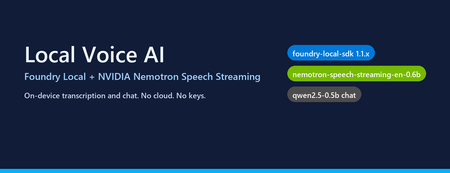
Why on-device voice still matters Most "voice AI" tutorials assume your audio leaves the machine. You ship a WAV to Whisper-API, your transcript to GPT-4, and a synthesized response back over the wire. That works — but it also means three round trips, three per-token bills, and three places your user's voice gets logged. The new wave of small, hardware-optimised models changes the trade-off. NVIDIA's Nemotron Speech Streaming En 0.6B is a 600M-parameter streaming ASR model published into the Microsoft Foundry Local catalog. Paired with a small chat model like qwen2.5-0.5b or phi-4-mini , you can run the entire capture → transcribe → reason → respond loop in-process on a developer laptop, with no API keys and no network egress. This post walks through how the fl-nemotron sample does it, the SDK pitfalls we hit on the way, and the design decisions that made the pipeline reliable. What we're building A browser-hosted assistant served by FastAPI at http://127.0.0.1:8000 . The page captures microphone audio, posts it to /api/transcribe , then streams the chat reply back over Server-Sent Events from /api/chat . All inference runs locally through two Foundry Local models loaded into the same process. The shape of the pipeline: Microphone (browser MediaRecorder) │ WebM/Opus blob ▼ Client-side WAV encoder (16 kHz, mono, PCM-16) │ multipart/form-data ▼ FastAPI /api/transcribe │ ▼ Nemotron Speech Streaming En 0.6B (Foundry Local audio client) │ transcript text ▼ Chat LLM e.g. qwen2.5-0.5b (Foundry Local chat client) │ streamed tokens ▼ FastAPI /api/chat → SSE → browser bubble The version that bit us: foundry-local-sdk >= 1.1.0 Before any code, the single most important fact about this project: The Nemotron Speech Streaming model only appears in the Foundry Local 1.1.x catalog. Older SDKs (0.5.x / 0.6.x) cannot resolve the alias nemotron-speech-streaming-en-0.6b and fail with model not found . The module name also changed in 1.1.0 — it is now foundry_local_sdk (with the underscore- sdk suffix), not foundry_local . The pip wheel for foundry-local-core is bundled, so there is no separate MSI / winget install to worry about. Pin it explicitly: pip install --upgrade "foundry-local-sdk>=1.1.0,<2" And verify before anything else: python -c "import importlib.metadata as m; print('sdk', m.version('foundry-local-sdk'))" # expect: sdk 1.1.0 Loading both models from one manager The 1.1.x SDK exposes a single FoundryLocalManager that owns the runtime. Each loaded model gives you back a per-model OpenAI-compatible client — get_chat_client() for text models and get_audio_client() for ASR. There is no need to bring your own openai Python package; the SDK ships its own thin client. The wrapper used in the repo ( src/foundry_client.py ) does this: from foundry_local_sdk import Configuration, FoundryLocalManager FoundryLocalManager.initialize(Configuration(app_name="fl-nemotron")) manager = FoundryLocalManager.instance chat_model = manager.load_model("qwen2.5-0.5b") stt_model = manager.load_model("nemotron-speech-streaming-en-0.6b") chat_client = chat_model.get_chat_client() audio_client = stt_model.get_audio_client() Both models are downloaded on first use into the Foundry Local cache and stay resident for the lifetime of the process. On a laptop with 16 GB RAM, the combined working set sits comfortably under 4 GB. The transcription surprise The first naive approach was the obvious one: with open(wav_path, "rb") as f: result = audio_client.transcribe(file=f, model="nemotron-speech-streaming-en-0.6b") That call fails on Nemotron. The bundled ONNX Runtime GenAI in foundry-local-core does not register the nemotron_speech multi-modal model type that the standard AudioClient.transcribe() path tries to instantiate. The error surfaces as a cryptic model-type registration failure deep inside the native runtime. The fix is to use the streaming session API instead — a different native entry point ( core_interop.start_audio_stream ) that the streaming model does support. The repo isolates this in src/_nemotron_live.py : def transcribe_wav_live(audio_client, wav_path, *, language="en"): with wave.open(str(wav_path), "rb") as w: sample_rate = w.getframerate() channels = w.getnchannels() sample_width = w.getsampwidth() pcm = w.readframes(w.getnframes()) session = audio_client.create_live_transcription_session() session.settings.sample_rate = sample_rate session.settings.channels = channels session.settings.bits_per_sample = sample_width * 8 session.settings.language = language session.start() # Feed PCM in ~100 ms chunks from a worker thread, then stop. bytes_per_sec = sample_rate * channels * sample_width chunk_bytes = max(bytes_per_sec // 10, 1024) def _pusher(): try: for offset in range(0, len(pcm), chunk_bytes): session.append(pcm[offset:offset + chunk_bytes]) finally: session.stop() threading.Thread(target=_pusher, daemon=True).start() parts = [] for resp in session.get_stream(): for cp in getattr(resp, "content", []) or []: text = getattr(cp, "text", "") or getattr(cp, "transcript", "") or "" if text: parts.append(text) return " ".join(p.strip() for p in parts if p.strip()).strip() Two things to notice: Push from a thread, read from the main coroutine. session.append() is a blocking write into the native stream and session.get_stream() is a blocking generator. Run one in a worker thread so the other can drain in parallel — otherwise you deadlock the session. Chunk to ~100 ms. Smaller chunks (e.g. 10 ms) spend more time crossing the FFI boundary than transcribing; larger chunks (e.g. 1 s) hold back partial results and hurt perceived latency. Always session.stop() . Without it the generator never terminates and the request hangs. The other transcription surprise: browsers don't send WAV Inside the browser, MediaRecorder defaults to audio/webm; codecs=opus . That's great for size but bad for our STT model, which expects a 16-bit mono PCM WAV at a known sample rate. Decoding WebM/Opus server-side would require ffmpeg as a runtime dependency — which is exactly the kind of friction this project exists to remove. The cleaner solution is to encode WAV on the client. AudioContext.decodeAudioData already understands WebM/Opus, so the page can decode the recording, resample to 16 kHz, mix to mono, and emit a PCM-16 WAV blob in 30 lines of JavaScript: // Inside src/static/index.html async function webmToWav(blob) { const ctx = new (window.AudioContext || window.webkitAudioContext)({ sampleRate: 16000 }); const buf = await ctx.decodeAudioData(await blob.arrayBuffer()); // Mix to mono const ch = buf.numberOfChannels; const mono = new Float32Array(buf.length); for (let c = 0; c < ch; c++) { const data = buf.getChannelData(c); for (let i = 0; i < data.length; i++) mono[i] += data[i] / ch; } return encodeWav(mono, 16000); } function encodeWav(samples, sampleRate) { const buffer = new ArrayBuffer(44 + samples.length * 2); const view = new DataView(buffer); // RIFF header writeStr(view, 0, "RIFF"); view.setUint32(4, 36 + samples.length * 2, true); writeStr(view, 8, "WAVE"); // fmt chunk writeStr(view, 12, "fmt "); view.setUint32(16, 16, true); // PCM chunk size view.setUint16(20, 1, true); // PCM format view.setUint16(22, 1, true); // mono view.setUint32(24, sampleRate, true); view.setUint32(28, sampleRate * 2, true); // byte rate view.setUint16(32, 2, true); // block align view.setUint16(34, 16, true); // bits per sample // data chunk writeStr(view, 36, "data"); view.setUint32(40, samples.length * 2, true); // PCM-16 samples let o = 44; for (let i = 0; i < samples.length; i++, o += 2) { const s = Math.max(-1, Math.min(1, samples[i])); view.setInt16(o, s < 0 ? s * 0x8000 : s * 0x7FFF, true); } return new Blob([view], { type: "audio/wav" }); } Now the server's /api/transcribe endpoint just writes the bytes to a temp file and hands them to transcribe_wav_live() — no audio decoding libraries on the Python side. Wiring it into FastAPI The server ( src/app.py ) is deliberately small. The notable detail is that the same process holds both Foundry Local model handles for its entire lifetime, so there is no warm-up cost per request: @app.post("/api/transcribe") async def transcribe(audio: UploadFile = File(...)): data = await audio.read() with tempfile.NamedTemporaryFile(suffix=".wav", delete=False) as f: f.write(data); path = f.name text = _ai_client.transcribe(path) return {"text": text} @app.post("/api/chat") async def chat(req: ChatRequest): if req.stream: return StreamingResponse( _sse(_ai_client.stream_completion(req.messages)), media_type="text/event-stream", ) return {"text": _ai_client.chat_completion(req.messages)} Streaming uses Server-Sent Events because they are trivially supported in both fetch() and the FastAPI runtime, and they don't require a WebSocket upgrade through any proxy a developer might have in front of localhost . What it looks like The repo includes screenshots of the running UI: a welcome screen with both models loaded, a streamed haiku reply, an inline code block with copy-to-clipboard, and the recording state for the microphone. Performance, honestly This is a small-model, CPU-friendly stack. On an Arm64 Surface running the x64 SDK under emulation: First model load (cold cache): tens of seconds — downloads ~600 MB for Nemotron and ~400 MB for qwen2.5-0.5b . Subsequent loads (warm cache): a few seconds per model. End-to-end transcription of a 5-second utterance: well under a second after warm-up. First chat token from qwen2.5-0.5b : typically 200–500 ms; full short reply within 1–2 s. On x64 silicon with a recent CPU the numbers improve substantially, and the SDK will pick the best execution provider it finds (CPU / DirectML / CUDA) for each model. Trade-offs to know about Model quality. qwen2.5-0.5b is a 500M-parameter model. It is fast and small enough to ship on a laptop, but it is not GPT-4. Swap in phi-4-mini or mistral-nemo-12b-instruct if you have the RAM and want better reasoning — the wrapper accepts any chat alias in the Foundry Local catalog. STT is English-only here. The current Nemotron streaming model in the catalog is ...-en-0.6b . Multilingual variants are likely to follow. Browser microphone needs a real browser. Headless / automated browsers (Playwright, Puppeteer) deny getUserMedia by default. Open the page in Edge / Chrome / Firefox to grant the permission and capture audio for real. No agent framework yet. This sample is deliberately a single-turn loop over a chat client — there is no tool calling, planning, or multi-agent orchestration. Adding the Microsoft Agent Framework on top would be a natural next step for richer behaviour. Responsible AI considerations Running locally removes the cloud-egress class of privacy concerns, but it does not remove responsibility: Disclose recording. The browser prompts for mic permission; your UI should make it obvious when capture is active. The sample shows a red ⏹ button and a "Recording…" banner for that reason. Don't log raw audio. The sample writes audio to a per-request NamedTemporaryFile and deletes it after transcription. Treat the WAV as sensitive data even when it never leaves the device. Small models hallucinate. A 0.5B chat model is great for snappy local replies, but unsuitable for high-stakes answers. Pair it with retrieval, ground it on your own data, or escalate to a larger model when accuracy matters. Try it Clone github.com/leestott/fl-nemotron. ./setup.ps1 (or ./setup.sh ) to create a virtualenv and install the pinned SDK. python scripts/prefetch.py nemotron-speech-streaming-en-0.6b qwen2.5-0.5b to download both models. .venv\Scripts\uvicorn.exe app:app --app-dir src --port 8000 Open http://127.0.0.1:8000 in a real browser and click the 🎤 button. Where to go next Foundry Local documentation — official docs for the runtime, catalog, and SDK. microsoft/Foundry-Local — upstream samples and issue tracker. NVIDIA Nemotron model family — background on the speech and language models being published into the catalog. leestott/fl-nemotron — the full source for this post. Key takeaways Pin foundry-local-sdk >= 1.1.0 . Earlier SDKs cannot see the Nemotron Speech Streaming model. Use the LiveAudioTranscriptionSession API for Nemotron, not AudioClient.transcribe() . Encode WAV in the browser. It eliminates a heavy server-side ffmpeg dependency for a few lines of JS. Push audio chunks on a worker thread and drain the response generator on the main one to avoid deadlocks. A small Foundry Local chat model plus Nemotron STT gives you a credible local voice loop in a single Python process — no cloud, no keys, no data egress.
Embed SharePoint Video on External Sites
Is it possible to embed a Stream on SharePoint video on an external/public site? The technique described in this article, of updating the embed code with a link you set to public, did not work for me: https://answers.microsoft.com/en-us/msoffice/forum/all/onedrive-embed-links-dont-allow-public-viewing/251ddb80-467e-44f7-b7a8-3182e19bf671 The embed code I got was very different from the one in the article.Solved