agents
3 TopicsAccelerate connectors development using AI agent in Microsoft Sentinel
Today, we’re excited to announce the public preview of a Sentinel connector builder agent, via VS code extension, that helps developers build Microsoft Sentinel codeless connectors faster with low-code and AI-assisted prompts. This new capability brings guided workflows directly into the tooling developers already use, helping accelerate time to value as the Sentinel ecosystem continues to grow. Learn more at Create custom connectors using Sentinel connector AI agent Why this matters As the Microsoft Sentinel ecosystem continues to expand, developers are increasingly tasked with delivering high‑quality, production‑ready connectors at a faster pace, often while working across different cloud platforms and development environments. Building these integrations involves coordinating schemas, configuration artifacts, Azure deployment concepts, and validation steps that provide flexibility and control, but can span multiple tools and workflows. As connector development scales across more partners and scenarios, there is a clear opportunity to better integrate these capabilities into the developer environments teams already rely on. The new Sentinel connector builder agent, using GitHub Copilot in the Sentinel VS code extension, brings more of the connector development lifecycle -- authoring, validation, testing, and deployment into a single, cohesive workflow. By consolidating these common steps, it helps developers move more easily from design to validation and deployment without disrupting established processes. Read the full announcement here: Accelerate connectors development using AI agent in Microsoft Sentinel Original Publication: Microsoft Security Community Blog, March 30th, 2026226Views0likes0Comments
Building Microsoft Sentinel Connectors in Minutes with the Sentinel Connector Builder Agent
Overview We previously announced the public preview of the Microsoft Sentinel connector builder agent via VS code extension, that helps developers build Microsoft Sentinel codeless connectors faster with low-code and AI-assisted prompts. This post walks through a hands-on lab using a mock Network Log API to demonstrate how the Sentinel connector builder agent simplifies building Codeless Connector Framework (CCF) pull connectors. Instead of manually creating ingestion infrastructure and configuration files, you’ll use a guided, conversational workflow in VS Code to generate connector artifacts, test them against a live API, and deploy them into Microsoft Sentinel. The lab focuses on the end-to-end experience ranging from API setup to validated connector deployment so you can see how quickly a working integration can be produced. For additional guidance beyond this lab, refer to our MS Learn documentation. The Lab Environment This lab is built around a mock Network Log API hosted as an Azure Function App. The purpose of the lab environment is to give us a live API that we can use to build, validate, and test the Sentinel CCF connector builder agent against end to end. The API exposes 50 synthetic network activity records that look and behave like a real product data source, including web traffic, DNS requests, blocked remote access attempts, malware command-and-control blocks, VPN activity, and other common network events. That makes it a useful stand-in for the type of telemetry many teams want to onboard into Microsoft Sentinel. The API is intentionally shaped like the kind of source a customer might expose for telemetry retrieval. It uses API key authentication through the X-API-Key header, returns paginated results through a nextLink model, and provides a predictable response structure that the builder agent can map into a pull connector configuration. The repo contains everything needed for the walkthrough. There is an ARM template to deploy the Function App, reference documentation for the API, and a sample connector package showing the generated polling config, table schema, DCR, and connector definition. The end goal of the lab is straightforward: use the builder agent to generate a CCF pull connector that ingests this API into the custom NetworkLogAPIGetNetworkLogs_CL table in Sentinel. Follow the full walkthrough here: Building Microsoft Sentinel Connectors in Minutes with the Sentinel Connector Builder Agent Original Publication: Microsoft Sentinel Blog, August 11th, 2026223Views0likes0CommentsBehind the Build with Gigamon: Enriching Microsoft Sentinel with Network-Derived Telemetry
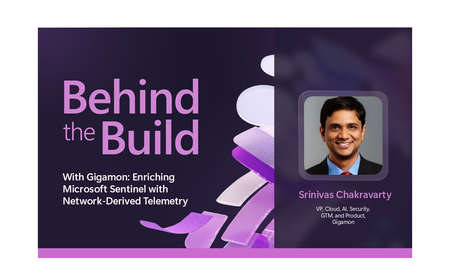
Behind the Build is an ongoing series spotlighting standout Microsoft partner collaborations. Each edition dives into the technical and strategic decisions that shape real-world integrations—highlighting engineering excellence, innovation, and the shared customer value created through partnership. Security teams today operate across an expanding set of signals, spanning identity, endpoint, cloud and application environments. Yet many organizations still lack sufficient visibility into how systems communicate across their infrastructure, creating gaps in detection, investigation, and response. In this edition of Behind the Build, I spoke with Srinivas Chakravarty, vice president, cloud ecosystems at Gigamon, about how Microsoft and Gigamon collaborated to bring network-derived telemetry into Microsoft Sentinel, helping customers enrich security investigations with deeper runtime context and AI-driven insights. The Evolution of Network Intelligence and Why It Matters For more than twenty years, Gigamon has helped organizations access and operationalize network traffic across complex environments. Today, the Gigamon Deep Observability Pipeline, helps enable organizations to extract actionable network-derived telemetry across hybrid infrastructure, encrypted traffic, containers, and modern application environments. That foundation makes the Gigamon Deep Observability Pipeline a strong complement to Microsoft Sentinel. Microsoft Sentinel brings together security telemetry from across the enterprise—including identity, endpoint, cloud, application, and network data sources—while Gigamon contributes enriched network-derived telemetry that provides additional runtime context into how systems, applications, and services communicate. Together, these signals can help organizations gain deeper insight for threat detection, investigation, and response. As Srinivas put it: “You have logs, you have metrics, you have traces, but network telemetry completes the picture.” Together, these data sources provide deeper context for threat detection, investigation, and AI-driven analysis. Read the full announcement here: Behind the Build with Gigamon: Enriching Microsoft Sentinel with Network-Derived Telemetry Original Publication: Microsoft Sentinel Blog, June 30th, 2026135Views0likes0Comments