advanced hunting
25 Topics
functionality of "Isolate machine using Windows Defender upon a Cloud App Security alert" template
Hello guys, I wanted to try out the integration of cloud app security in microsoft flow/power automate and wanted to test the "Isolate machine using Windows Defender upon a Cloud App Security alert" template. The template doesn't work because the ATP Advanced Hunting query step inside the flow always fails. So I tried the query that is used for that step in the Microsoft 365 Security Center and it doesn't work because the table "LogonEvents" doesn't exist anymore. So I wanted to ask if there are any alternatives to still make the template work. I tried it with DeviceLogonEvents and IdentityLogonEvents but they don't seem to support the same features. Best regards SalomoDefender AV - Active/Passive Mode - Advanced Hunting
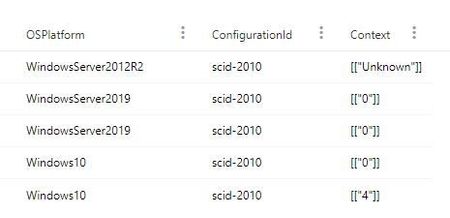
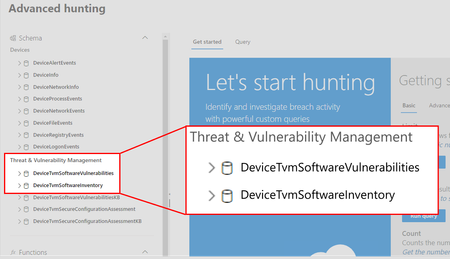
While researching how to verify if Defender AV is in active or passive mode I found an Advanced Hunting query that searches "DeviceTvmSecureConfigurationAssessment" and then filters "ConfigurationId" by "scid-2010" as the "Context" column contains the status of Defender AV. So far, I discovered that: "0" = Defender AV is active, "1" = Defender AV is passive, "4" = Defender AV is in "EDR Block Mode" I am not sure what "Unknown" in the "Context" column means though. Does it mean that Defender AV is not installed, or that it was manually disabled (via registry keys, GPO, ...) or that it running but not reporting?32KViews0likes8CommentsInterval of ReportID used
Hi. Regarding the ReportID for AdvancedHunting, the Docs states the following. """ Event identifier based on a repeating counter. To identify unique events, this column must be used in conjunction with the ComputerName and EventTime columns. """ When will the Report ID be repeated? I want to identify the event using the ReportID and Table listed in the DeviceAlertEvent. But multiple ReportIDs exist on the same device and cannot be identified. Maybe I need to narrow down the Timestamp. Is there a better way? Thanks,
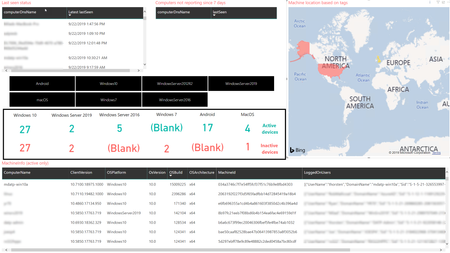
Create custom reports using Microsoft Defender ATP APIs and Power BI
Typical enterprise security operation teams often rely on dependable reporting visualisations to make critical security decisions. While Microsoft Defender ATP provides extensive visibility on the security posture of your organization through built-in dashboards, custom reporting can help you turn security data from multiple sources into insights to meet your analytical needs.How insights from system attestation and advanced hunting can improve enterprise security
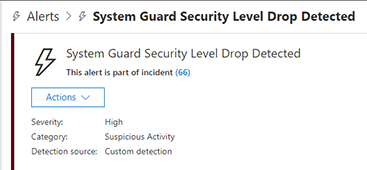
With System Guard runtime attestation and advanced hunting capabilities in Microsoft Defender ATP, defenders can identify and investigate firmware-level threats and other activities attempting to tamper with security technologies