accessibility
135 TopicsWhat is the best Dell laptop for digital marketing and video editing?
Hi everyone, I'm looking for recommendations for a Dell laptop that can handle both digital marketing work and video editing. My main requirements are: - Smooth performance with multiple browser tabs and marketing tools - Good CPU and enough RAM for multitasking - Dedicated graphics for video editing - Good display and color accuracy - Fast SSD storage - Good cooling and battery life - Reliable performance for long working sessions I'm considering different Dell models but would appreciate recommendations from people who have actually used them for similar workloads. Which Dell laptop would you recommend, and what model/specifications have worked well for you? thanks in advance!26Views0likes1CommentAzure
Hi Microsoft Tech Community, I have an idea around bringing Azure cloud operations into Microsoft Teams through a conversational assistant. The concept is to provide a single Teams interface for Azure Monitor alerts, Log Analytics, Application Insights, Azure Cost Management, Microsoft Defender for Cloud, Resource Graph and Service Health. The idea goes beyond sending Azure alerts to Teams. For example, after receiving an alert, an engineer could ask questions such as “Why did this happen?”, “Show related errors”, “Are any production resources unhealthy?” or “What caused the cost increase?”, and the assistant could retrieve the relevant Azure telemetry and provide a summarized response. I would like to share the complete architecture and technical approach with the Microsoft community. Could you please advise which Microsoft Tech Community, discussion space, or feedback/ideas portal would be the most appropriate place to publish this? Thank you.52Views0likes2CommentsRSS feeds are missing images
RSS feeds are missing images. E.g. article Your Certificate Renewed. Your Gateway Didn't Notice. | Microsoft Community Hub In the RSS feed, you have this: … <H1>What is actually happening</H1> … <img><EM>Figure 1. What validation expects to find, and what it finds when something sits in front.</EM></img> <H1>Why it takes so long to notice</H1> … There's no src attribute and the image does not render. This often makes the feed virtually useless.66Views1like0Comments
Getting redirecting when access Microsoft Bookings
Sign in Sorry, but we're having trouble signing you in. AADSTS50011: The redirect URI 'https://bookings.cloud.microsoft/mail/' specified in the request does not match the redirect URIs configured for the application '9199bf20-a13f-4107-85dc-02114787ef48'. Make sure the redirect URI sent in the request matches one added to your application in the Azure portal. Navigate to https://aka.ms/redirectUriMismatchError to learn more about how to fix this. Troubleshooting details If you contact your administrator, send this info to them. Copy info to clipboard Request Id: 1401b63f-694a-46ac-9ab1-5b5fefc9b400 Correlation Id: e070ab68-46e9-f0b5-15ca-7f41b63d51a289Views0likes0CommentsCareer Change
Hello I am after some advice if possible please? I am looking for a career change to get into I.T and wanted to ask the best way to get my foot in the door please? I have a family to support and wondered if anyone else went through the same thing and how they supported their family while learning. I have been looking and got a few ideas in mind but I want to make sure everything is covered before going ahead. I am very passionate about computer technology and would love to learn more about it and build a great career through it. All support is appreciated. Thanks299Views0likes4Comments
We couldnt find an Account with that Username
My son recently turned 15 and has lost access to his outlook account. Not sure if it is a coincidence or not. We can not use the recover option as it says the user can not be found, cant recreate it as it says its already in use. I used this https://account.live.com/username/recover and it sends the verification email but i cant gain access to the account is there any way to regain access to it . It was linked to a microsoft family safety group . Any help with this would be appreciated . Thank you248Views0likes1Comment
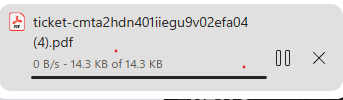
Downloads Stuck at 100%
Hi all, currently getting stuck with all downloads ending at 100% then sitting like this for 1-2 minutes before finalising and being able to open. Does anyone know the cause or how to rectify it, it's doing my head in having tiny PDFs refuse to open for ages.176Views0likes1CommentPlease remove Community Share Buttons at the left
Some time ago, Community Share Buttons started to appear on the left on the Tech Community Discussion Hubs. With normal zoom (100%), they overlap the text and are very annoying. Please get rid of these or give instructions on how to remove them. I found this article from 2018: Community Share Buttons | Microsoft Community Hub But I did not notice these buttons before, or they were not annoying. It seems they were meant to be on the right side, not the left side.484Views3likes9Comments