access management
448 TopicsEntra External ID email OTP send event requestType always set to "signIn" regardless of user action
Hi, In a recent workload, I'm assisting a client with implementation of Entra External ID for identity management and app authentication, which includes sending OTP codes with customized email templates. To accomplish this, a custom authentication extension has been created that authorizes the request and then communicates with an email service via an event-driven, loosely coupled architecture. While implementing and testing this feature together with the client, we noticed that it seems like the different modes or states in the user flows are not reflected in the requestType property in the request payload posted to the OnOtpSend auth extension configured. E.g., if a user tries to sign in but has forgotten their password and navigates to the password reset view and requests to send the OTP code to their email address to reset the password, the following payload is sent to the auth extension endpoint (the original payload below was logged with Application Insights, with identifiers below then redacted and formatted, otherwise intact): { "type": "microsoft.graph.authenticationEvent.emailOtpSend", "source": "/tenants/aaaaaaaa-bbbb-cccc-dddd-eeeeeeeeeeee/applications/11111111-2222-3333-4444-555555555555", "data": { "@odata.type": "microsoft.graph.onOtpSendCalloutData", "otpContext": { "identifier": "email address removed for privacy reasons", "oneTimeCode": "<REDACTED>" }, "tenantId": "aaaaaaaa-bbbb-cccc-dddd-eeeeeeeeeeee", "authenticationEventListenerId": "22222222-3333-4444-5555-666666666666", "customAuthenticationExtensionId": "33333333-4444-5555-6666-777777777777", "authenticationContext": { "correlationId": "44444444-5555-6666-7777-888888888888", "client": { "ip": "192.0.2.10", "locale": "en-gb", "market": "en-gb" }, "protocol": "UNDEFINED", "requestType": "signIn", "clientServicePrincipal": { "id": "55555555-6666-7777-8888-999999999999", "appId": "11111111-2222-3333-4444-555555555555", "appDisplayName": "Example Web App", "displayName": "Example Web App" }, "resourceServicePrincipal": { "id": "55555555-6666-7777-8888-999999999999", "appId": "11111111-2222-3333-4444-555555555555", "appDisplayName": "<client-app-name>-Web", "displayName": "<client-app-name>-Web" } } } } The above payload was captured using browser-based authentication (native auth is not used), with the below parameters passed (identifiers, tenant name etc. redacted, otherwise intact): https://example.ciamlogin.com/ aaaaaaaa-bbbb-cccc-dddd-eeeeeeeeeeee/oauth2/v2.0/authorize ?response_type=code &client_id=11111111-2222-3333-4444-555555555555 &redirect_uri=https%3A%2F%2Fexample.com%2Fsignin%2Fcallback%2F &scope=openid+profile+email &state=<REDACTED> &prompt=login &ui_locales=de-DE &mkt=de-DE &nonce=<REDACTED> &code_challenge=<REDACTED> &code_challenge_method=S256 Following having navigated to the authorize endpoint above, the issue can be reproduced by entering an email address or an existing user identity, then on the password entry view, press the “Forgot Password?” link under the password input field, and then press the button/element “Email code to <user-email>”. I have looked at using the requestType in the email OTP send event payload to determine which email template and email content are used as per client requirement, but noted that the requestType seemingly always contains the value "signIn" even if the OTP code was sent as part of a password reset operation. At first glance, it would seem like this property indicates which step in the UI the user is currently at, even though I’m not certain whether that is what the property is actually meant to represent or indicate or not. However, for the above scenario and requirement, some identifier or value indicating the action would be needed in order to tailor the email content. The alternatives to having a reliable context property in the payload to indicate user action would require more or less significant additional components and infrastructure, thus increasing the complexity of the solution. Based on its name and values, it would seem like the requestType property appears be a good candidate to carry a user action context identifier. A suitable alternative solution has been adopted currently, using a generalized OTP template, which works well, but the requirement that it would be preferable to tailor the content based on user context and intent, e.g., whether the request was triggered as part of a password reset action or for another authentication scenario, is still present, ideally via the event payload sent from Entra External ID to the auth extension. If there would be any further/follow-up questions on the above, e.g., to clarify the requirement, or further explain the reproduction steps and behaviour observed, or anything else, please tell, and I'll ensure to get back as soon as possible. Also, would someone have some input on potential other/additional ways to make the requestType include a context identifier, that would be much appreciated as well, thanks! Regards Kristoffer147Views0likes0CommentsAn Entra app credential is expiring. Which workload still uses it?
A credential rotation ticket often starts with three things: an application name, an expiry date and a deadline. That is enough to know something must happen, but not enough to rotate safely. Before touching the credential, I want to know whether that exact key is still requesting tokens, which resources it accesses and where those requests appear to come from. If Microsoft Entra sign-in logs are already connected to Log Analytics or Microsoft Sentinel, KQL can answer most of that without changing anything in the tenant. This is the workflow I use. What needs to be in the workspace The important diagnostic category is ServicePrincipalSignInLogs. In Log Analytics it becomes the AADServicePrincipalSignInLogs table. Normal SigninLogs are for interactive user sign-ins and are not the right data source for an app authenticating with its own secret or certificate. The diagnostic setting is configured under: Microsoft Entra ID > Monitoring & health > Diagnostic settings Make sure ServicePrincipalSignInLogs is being sent to the workspace you are querying. Microsoft documents the available log categories and their purpose here: https://learn.microsoft.com/en-us/entra/identity/monitoring-health/concept-diagnostic-settings-logs-options From the Entra recommendation or the affected application, copy the Application (client) ID. Do not confuse it with the application object ID or the service principal object ID. In the Kusto table: AppId is the Application (client) ID. ServicePrincipalId is the object ID of the service principal in the tenant. ServicePrincipalCredentialKeyId identifies the secret or certificate key used for the token request. ServicePrincipalCredentialThumbprint can help identify a certificate. ResourceDisplayName and ResourceServicePrincipalId identify the target resource. Those fields are part of the documented AADServicePrincipalSignInLogs schema: https://learn.microsoft.com/en-us/azure/azure-monitor/reference/tables/aadserviceprincipalsigninlogs Step 1: See every credential recently used by the application Replace TargetAppId with the Application (client) ID from Entra: let Lookback = 30d; let TargetAppId = "00000000-0000-0000-0000-000000000000"; AADServicePrincipalSignInLogs | where TimeGenerated >= ago(Lookback) | extend SignInTime = coalesce(CreatedDateTime, TimeGenerated) | where SignInTime >= ago(Lookback) | where AppId =~ TargetAppId | extend SignInSucceeded = tostring(ResultType) == "0" | summarize FirstSeen = min(SignInTime), LastSeen = max(SignInTime), Attempts = count(), SuccessfulSignIns = countif(SignInSucceeded), FailedSignIns = countif(SignInSucceeded == false), CredentialTypes = make_set(ClientCredentialType, 10), SourceIPs = make_set(IPAddress, 20), UserAgents = make_set(UserAgent, 10), TargetResources = make_set( strcat(ResourceDisplayName, " [", ResourceServicePrincipalId, "]"), 20 ) by AppId, ServicePrincipalId, ServicePrincipalName, ServicePrincipalCredentialKeyId, ServicePrincipalCredentialThumbprint, FederatedCredentialId | order by LastSeen desc This gives me a short usage map for the application. If the expiring credential's key ID appears in the result, that exact credential was used for at least one recorded token request during the selected lookback period. The target resources show what it requested a token for. Source IPs and user agents usually help narrow down the workload. They are clues, not host identification. A source IP might be a NAT gateway, proxy or shared outbound address, and user-agent strings are neither guaranteed nor trustworthy. I use them to narrow the search in deployment settings, automation jobs, Key Vault references and CI/CD configuration, not as final proof of where the workload runs. Rows with a populated FederatedCredentialId represent workload identity federation. They should not be mistaken for use of the expiring secret or certificate. Step 2: Inspect the exact credential Once the expiring key ID is known, this query shows the individual sign-in records for that key: let Lookback = 30d; let TargetAppId = "00000000-0000-0000-0000-000000000000"; let ExpiringCredentialKeyId = "11111111-1111-1111-1111-111111111111"; AADServicePrincipalSignInLogs | where TimeGenerated >= ago(Lookback) | extend SignInTime = coalesce(CreatedDateTime, TimeGenerated) | where SignInTime >= ago(Lookback) | where AppId =~ TargetAppId | where ServicePrincipalCredentialKeyId =~ ExpiringCredentialKeyId | extend Result = iff(tostring(ResultType) == "0", "Success", "Failure") | project SignInTime, Result, ResultType, ResultDescription, ServicePrincipalName, ServicePrincipalId, ClientCredentialType, ServicePrincipalCredentialKeyId, ServicePrincipalCredentialThumbprint, IPAddress, UserAgent, ResourceDisplayName, ResourceServicePrincipalId, CorrelationId | order by SignInTime desc A successful row is direct evidence that Entra accepted that credential for a token request at that time. Repeated failures can also be useful: they might show an incomplete rotation, an expired credential that is still configured somewhere, or a forgotten workload that keeps retrying. No rows do not mean "safe to delete." They only mean that no matching event exists in the data currently available to this workspace for the selected period. The workload might run monthly, the event might be outside retention, the diagnostic category might have been enabled recently, or the relevant logs might be routed elsewhere. The table also does not contain the application's business owner. I confirm ownership on the application or enterprise application in Entra, or enrich the result from an existing CMDB or Sentinel watchlist. I would not invent an owner from the last source IP or from whoever originally created the app. Step 3: Prove the replacement is actually in use After adding the replacement credential and updating the workload, I use the cutover time plus the old and new key IDs to verify the change: let CutoverTime = datetime(2026-08-26T12:00:00Z); let TargetAppId = "00000000-0000-0000-0000-000000000000"; let OldCredentialKeyId = "11111111-1111-1111-1111-111111111111"; let NewCredentialKeyId = "22222222-2222-2222-2222-222222222222"; AADServicePrincipalSignInLogs | where TimeGenerated >= CutoverTime | extend SignInTime = coalesce(CreatedDateTime, TimeGenerated) | where SignInTime >= CutoverTime | where AppId =~ TargetAppId | where ServicePrincipalCredentialKeyId in~ (OldCredentialKeyId, NewCredentialKeyId) | extend Credential = case( ServicePrincipalCredentialKeyId =~ OldCredentialKeyId, "old", ServicePrincipalCredentialKeyId =~ NewCredentialKeyId, "new", "other" ) | where Credential != "other" | summarize FirstSeen = min(SignInTime), LastSeen = max(SignInTime), Attempts = count(), SuccessfulSignIns = countif(tostring(ResultType) == "0"), FailedSignIns = countif(tostring(ResultType) != "0"), SourceIPs = make_set(IPAddress, 20), TargetResources = make_set(ResourceDisplayName, 20) by Credential, ServicePrincipalCredentialKeyId | order by LastSeen desc Before I remove the old credential, I want to see a successful token request with the new key ID after the cutover. I also run a real operation against the intended resource. A generic process health check is not enough if it never exercises the dependency that uses Entra authentication. Continued sign-ins with the old key after the cutover are a clear sign that another instance, deployment slot or workload still has the old value. An absence of old-key sign-ins becomes meaningful only after the expected workload schedule has been covered and the logs have arrived in the workspace. One final trap is token caching. Service principal sign-in logs show token requests, not every API call made with a token. Removing the old client credential prevents it from obtaining new tokens, but an access token already issued by Microsoft Entra normally remains valid until it expires. The rotation test must therefore force the workload to acquire a fresh token. Access token documentation: https://learn.microsoft.com/en-us/entra/identity-platform/access-tokens My rotation order is simple: Identify the exact old credential and the workload using it. Add the replacement while the old credential is still valid. Deploy the new credential to the workload's secret store. Force a fresh token request and execute a real operation. Confirm the new key ID in AADServicePrincipalSignInLogs. Watch for unexpected use of the old key for an appropriate period. Remove the old credential after the evidence and rollback window are sufficient for that workload. Microsoft Entra's preview recommendations for expiring application credentials and expiring service principal credentials are useful starting points. For me, the KQL correlation is the part that turns the warning into a controlled change instead of a blind rotation. Recommendation documentation: https://learn.microsoft.com/en-us/entra/identity/monitoring-health/recommendation-renew-expiring-application-credential https://learn.microsoft.com/en-us/entra/identity/monitoring-health/recommendation-renew-expiring-service-principal-credential How are you carrying application ownership into Sentinel? A maintained watchlist works, but it can easily become just another stale inventory.235Views0likes0CommentsUnexpected button behaviour when using the prompt=create parameter in Entra External ID user flows
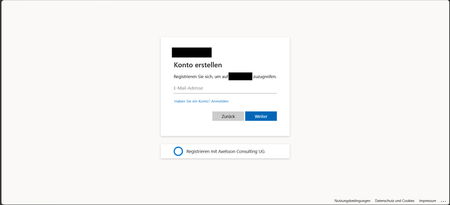
Hi, In a recent workload, I'm assisting a client to implement Entra External ID for streamlined authorization as well as single sign-on for associated registered external facing third-party applications for external customer users through their Entra External ID identity, as well as assisting the client with auth branding and other UI customizations, and preparing Entra ID federation custom OIDC providers and configuration for enabling SSO with organizational internal and remote work- and school accounts etc. The sign-up / create account experience is of importance to the client, as a rather substantial amount of users are expected to sign-up via self-service sign-up following having received an invite via another app. To ensure that the user lands on the create account view, in order to minimize the number of steps and actions the users need to take to get there, the prompt=create parameter is used to pre-select the sign-up/register experience in the user flows UI. Having stress-tested the user flows and experience recently, we noticed that in a specific scenario, some UI elements behave in a manner that could be described as unexpected, and even though a workaround has mitigated it to some extent, the behaviour of some elements could probably be improved a bit to ensure an even more consistent user experience in the built-in user flows. Specifically, if the user flow is invoked with the prompt parameter set, the user lands on the create account screen as expected, however, unless custom CSS modification is applied, the Back button that would typically be there, as if having arrived there from the initial sign-in screen where it’s also displayed. If pressing the Back button displayed on the Create account view when having navigated there with the prompt=create set in the /authorize request, pressing the button seemingly doesn’t have any impact or result in any action, one can click it, but nothing happens. I'd suspect it's perhaps a "remnant" from if the flow is invoked without any prompt parameter set, or with prompt=login set, but when prompt=create is set, there is no state/page history in the UI to navigate back to, as no previous page has been displayed or rendered yet and added to the history, and the Back button click thus doesn’t have any effect. In general, I think buttons that don't have any tangible action should not be displayed, also, if prompt=login is set, the Back button isn't shown then either on the very initial user flow view shown then, so it would seem the built-in user flows actually already follow such approach in fact, but not when the prompt=create has been set, thus causing some inconsistency in the UI that users could notice unless custom CSS styling is applied. The expected behaviour for our business case would be that if prompt=create is set, then, similar to the prompt=login, no Back button should be displayed, or, if shown, it should result in some navigation (perhaps something like javascript.go(-1), but that could/would be dependent on from where the user arrived, e.g., going back a step in the browser history won't work if the user clicked a link from an invite email ) and preferably not be non-actionable. Furthermore, on the topic of the Back button and its behaviour when the prompt=create parameter is set, there is another case at which we observed some unexpected button behaviour as well, that could probably benefit from some attention. At a specific second scenario, it seems that the Continue button is displayed without providing any action, and when clicking the Back button then, clicking it seemingly resets the "create account", state likely set by the prompt=create initially, and instead switches the flow back to the sign-in state, which can at least affect the display text of some subsequent buttons shown in later steps in the UI. The user arrives at a built-in Entra External ID user flow /authorize endpoint, with the prompt=create query parameter set The user triggers the OTP challenge by entering an email address to verify the email address The user receives the OTP code but enters it incorrectly, i.e., doesn't copy the full code length of eight digits, and instead enters/pastes six of the eight code digits. The UI then shows an error message that the code could not be used/validated, and the email address field is displayed again with the email address that was used for the verification attempt prefilled. If the user clicks the Continue button at this stage, nothing happens. If the user clicks the Back button instead (given that it’s not hidden), it shows the same view one more time, with the Back and Continue buttons at the bottom. However, if the user clicks the Continue button this time, it works and a new code is sent. On the next screen, where the newly sent code can be entered, instead of a button named "Continue", it will now instead show a button with the text "Sign-in" (it would seem like the create account state has gotten lost somewhere along the way at this point, perhaps when the back button in the step 5 above was pressed). If one omits the prompt=create parameter, or when using prompt=login, things seem to work fine, the above occurs when the prompt=create is set. The reason why is the prompt=create is used is due to a business requirement to try to minimize the steps, especially in conjunction with the registration/sign-up, as far a possible when signing up. We have opted for the built-in user flows, not the self-hosted native authentication UI pages, for this project, and then as I understand it, it is the prompt=create parameter that can/should be used to enable the user to land directly on the registration page without having to navigate there manually via the sign-up link, that is otherwise shown on the initial sign-in page. It would thus be great if the prompt=create parameter could have some attention (or perhaps if a dedicated sign-up user flow type could be added potentially, even though that would perhaps warrant some update to the user flow app linking as well, as my understanding is that one user flow can be linked to one app registration at a time currently) to avoid that some buttons become unresponsive when the parameter is used, or falls back to sign-in, to improve the built-in user flows further, as the prompt=create fulfils the business requirement well otherwise. If there would be any further/follow-up questions on the above, e.g., to clarify the requirement, or further explain the reproduction steps and behaviour observed, or anything else, please tell, and I'll ensure to get back as soon as possible. Also, would someone have some input on potential other/additional ways to pre-select the create account/sign-up experience, that would naturally be much appreciated as well, thanks! Regards Kristoffer293Views0likes0Comments
Can the built-in "No account? Create one" link redirect to a custom sign-up page?
I'm using Microsoft Entra External ID with a built-in sign-in/sign-up user flow. On the Microsoft-hosted sign-in page, the "No account? Create one" link always redirects users to the default Entra sign-up page. I already have a custom registration page and would like this built-in link to redirect to my custom URL instead. Is there any supported way to customize the destination of this link in a built-in user flow? If not, could someone confirm whether this behavior is fixed by design? Thanks!448Views0likes2Comments
Made a self-hosted Entra ID governance portal for app/identity sprawl (open source)
Our tenant ended up with hundreds of app registrations and enterprise apps, and the native portal makes you dig through a separate blade for every basic question. Who owns this app? Which secrets die next month? What hasn't been signed into in a year? Which ones have scary Graph permissions? There's no single view for any of it, and half the ownership info was missing anyway. Entra ID Governance, access reviews, PIM all exist, but they felt heavy (and licensed) for what I actually wanted, which was just a fast list I could scan for routine cleanup. So I built one. Lightweight portal that runs entirely in your own subscription: One grid for App Registrations, Enterprise Apps, Managed Identities and Privileged Users Risk flags per identity: expiring/expired creds, high-risk permissions, no owner, stale sign-in, no CA coverage Ownership tracking, review and owner-change workflow, CSV export Tenant health score and a consent posture dashboard Optional expiry email notifications (needs a SendGrid key) Reads Graph through a managed identity, so no app secrets for data access and nothing leaves your tenant Runs about $26-30/month (one B2 App Service plan). B1 is also supported, but it's noticeably slower. It's not a replacement for Entra ID Governance or PIM, more of a cheap everyday hygiene thing. Full disclosure, I used AI building this and writing this up. I designed the architecture and functionality, tested it and ran it against my own tenant. It's open source and deployable with Azure DevOps or an Azure CLI script. Data never leaves your own tenant. Repo (screenshots + setup): https://github.com/nicolaibaralmueller/entra-identity-governance-portal Would love feedback, especially what you'd want it to flag that it doesn't, or where the risk scoring feels off. Been building it on and off for a few months with a lot of iteration. Hopefully this could be useful for others as well.528Views0likes2Comments
Entra ID Governance vs Saviynt for SAP IGA Use Cases
Hi everyone, We are currently evaluating Microsoft Entra ID Governance as a potential replacement for Saviynt for SAP-focused IGA requirements across a mixed SAP landscape, including: SAP SuccessFactors SAP Concur SAP S/4HANA Private Cloud Other SAP SaaS and enterprise applications I wanted to get insights from anyone who has implemented or worked extensively with Entra Governance in SAP-centric environments, specifically around the following areas: 1. Birthright RBAC Provisioning Can Entra Governance provision a single composite/business role (similar to Saviynt Enterprise Roles) through HR-driven JML events? For example: HR event triggers provisioning User automatically receives bundled SAP access/business roles Role assignment follows birthright/access package logic How mature/scalable is this approach in Entra compared to Saviynt? 2. SoD (Segregation of Duties) Capabilities Saviynt supports preventative SoD checks directly during request submission, including SAP-specific SoD analysis. Questions: Does Entra Governance support preventative SoD evaluation at request time? Can conflicts be surfaced before approval/provisioning? Is there native SAP SoD support or dependency on external tooling (for example SAP GRC/IAG)? Additionally, Saviynt supports granular SAP authorization object analysis down to field-level min/max values within SAP Private Cloud environments. Does Entra provide similar depth for SAP authorization analysis? 3. SAP Integrations / Connectors While Entra provides OOTB Enterprise Applications and provisioning connectors for SAP applications: What differences or limitations have you observed compared to Saviynt’s SAP connectors? How well does Entra handle SAP role imports, entitlement hierarchy, and provisioning workflows? Any known gaps for SAP Private Cloud integrations? Would appreciate any implementation experiences, architecture guidance, lessons learned, or recommendations from teams who have evaluated or deployed Entra Governance in SAP-heavy environments. Thanks in advance.841Views1like5Comments"Access package assignment manager" role with "Restricted access to Microsoft Entra admin center"
Hi, How can I allow a user with the "Access package assignment manager" role assigned only to a single catalog to manage access package assignments when "Restricted access to Microsoft Entra admin center" is set to Yes? I do not see any option to manage assignments through the MyAccess portal, so it seems this must be done through the Entra Admin Center. However, the user cannot access the Entra Admin Center because they do not have any Entra administrative roles. I do not have an Entra ID Governance license, so the option to use on-behalf-of access package assignment requests is not available. How can this scenario be solved? Thanks.542Views0likes4CommentsAdvice required for temp / agency staff
Hi All I hope you are well. Anyway, I'm hoping someone can point me in the right direction. We have Android devices in Entra Shared Device Mode (Multi App) which any of our employees with a valid UPN can logon to. All good there. What we need is a solution for temporary or agency staff. This would be staff that could be called on at very short notice and may not stay around for long. For security and audit reasons, we'd rather not create "userless" accounts. Is there anything in Entra / Entra Shared Device Mode that can achieve this? Info greatly appreciated. SK382Views0likes1Comment
Introducing the Entra Helpdesk Portal: A Zero-Trust, Dockerized ITSM Interface for Tier 1 Support
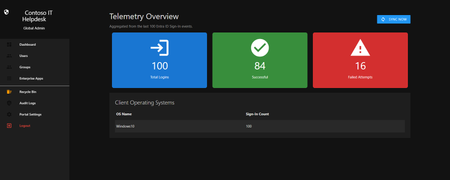
Hello everyone, If you manage identity in Microsoft Entra ID at an enterprise scale, you know the struggle: delegating day-to-day operational tasks (like password resets, session revocations, and MFA management) to Tier 1 and Tier 2 support staff is inherently risky. The native Azure/Entra portal is incredibly powerful, but it’s complex and lacks mandatory ITSM enforcement. Giving a helpdesk technician the "Helpdesk Administrator" role grants them access to a portal where a single misclick can cause a major headache. To solve this, I’ve developed the Entra Helpdesk Portal (Community Edition)—an open-source, containerized application designed to act as an isolated "airlock" between your support team and your Entra ID tenant. Why This Adds Value to Your Tenant Instead of having technicians log into the Azure portal, they log into this clean, Material Design web interface. It leverages a backend Service Principal (using MSAL and the Graph API) to execute commands on their behalf. Strict Zero Trust: Logging in via Microsoft SSO isn’t enough. The app intercepts the token and checks the user’s UPN against a hardcoded ALLOWED_ADMINS whitelist in your Docker environment file. Mandatory ITSM Ticketing: You cannot enforce ticketing in the native Azure Portal. In this app, every write action prompts a modal requiring a valid ticket number (e.g., INC-123456). Local Audit Logging: All actions, along with the actor, timestamp, and ticket number, are written to an immutable local SQLite database (audit.db) inside the container volume. Performance: Heavy Graph API reads are cached in-memory with a Time-To-Live (TTL) and smart invalidation. Searching for users or loading Enterprise Apps takes milliseconds. What Can It Do? Identity Lifecycle: Create users, auto-generate secure 16-character passwords, revoke sign-in sessions, reset passwords, and delete specific MFA methods to force re-registration. Diagnostics: View a user's last 5 sign-in logs, translating Microsoft error codes into plain English. Group Management: Add/remove members to Security and M365 groups. App/SPN Management: Lazy-load raw requiredResourceAccess Graph API payloads to audit app permissions, and instantly rotate client secrets. Universal Restore: Paste the Object ID of any soft-deleted item into the Recycle Bin tab to instantly resurrect it. How Easy Is It to Setup? I wanted this to be universally deployable, so I compiled it as a multi-architecture Docker image (linux/amd64 and linux/arm64). It will run on a massive Windows Server or a simple Raspberry Pi. Setup takes less than 5 minutes: Create an App Registration in Entra ID and grant it the necessary Graph API Application Permissions (e.g., User.ReadWrite.All, AuditLog.Read.All). Create a docker-compose.yml file. Define your feature toggles. You can literally turn off features (like User Deletion) by setting an environment variable to false. version: '3.8' services: helpdesk-portal: image: jahmed22/entra-helpdesk:latest container_name: entra_helpdesk restart: unless-stopped ports: - "8000:8000" environment: # CORE IDENTITY - TENANT_ID=your_tenant_id_here - CLIENT_ID=your_client_id_here - CLIENT_SECRET=your_client_secret_here - BASE_URL=https://entradesk.jahmed.cloud - ALLOWED_ADMINS=email address removed for privacy reasons # CUSTOMIZATION & FEATURE FLAGS - APP_NAME=Entra Help Desk - ENABLE_PASSWORD_RESET=true - ENABLE_MFA_MANAGEMENT=true - ENABLE_USER_DELETION=false - ENABLE_GROUP_MANAGEMENT=true - ENABLE_APP_MANAGEMENT=true volumes: - entra_helpdesk_data:/app/static/uploads - entra_helpdesk_db:/app volumes: entra_helpdesk_data: entra_helpdesk_db: 4.Run docker compose up -d and you are done! I built this to give back to the community and help secure our Tier 1 operations. If you are interested in testing it out in your dev tenants or want to see the full architecture breakdown, you can read the complete documentation on my website here I’d love to hear your thoughts, feedback, or any feature requests you might have!292Views0likes0Comments
Entra ID Private Access - data flow
Hello, I am successfully testing Entra Private Access. From outside, I can easily access my shared permissions. However, I have one more question. What happens if I my device on the internal network? If I access the shares directly, I get about 1GB/s. What happens if the "Global Secure Access" client is active? Do all the data go through the Entra portal, or just the authentication? If all the data go through the Entra portal, there could be challenges with the internet connection (all data in and out). Thank you for your support Stefan213Views0likes2Comments