ui bug
5 Topics
Regression: Vertical tabs no longer collapse in fullscreen (F11) after latest Edge update
After the latest Microsoft Edge update, the vertical tab sidebar no longer collapses when entering fullscreen mode (F11). Previously, when fullscreen was enabled, the vertical tabs would automatically collapse or hide, allowing the webpage to use the full screen space. Now the vertical tab bar remains visible, reducing usable screen area. Steps to reproduce: Enable Vertical Tabs in Microsoft Edge Open any website Press F11 to enter fullscreen mode Observe that the vertical tab sidebar remains visible Expected behavior: Vertical tabs should collapse or automatically hide in fullscreen mode, as they did in earlier versions. Actual behavior: The vertical tab sidebar stays visible during fullscreen instead of collapsing. Additional testing: Tested in a Guest profile (fresh profile with default settings); issue still occurs Happens across different websites Restarting Edge does not fix the issue Edge version: 145.0.3800.58 (Official build) (64-bit)176Views2likes3CommentsBug in UI of the Focus Mode in Edge Insider
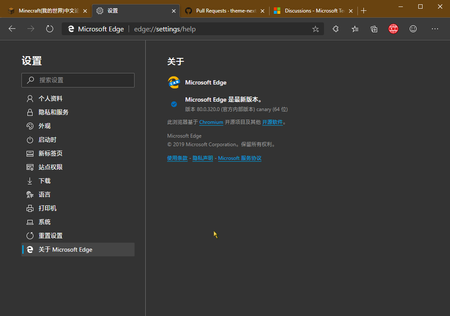
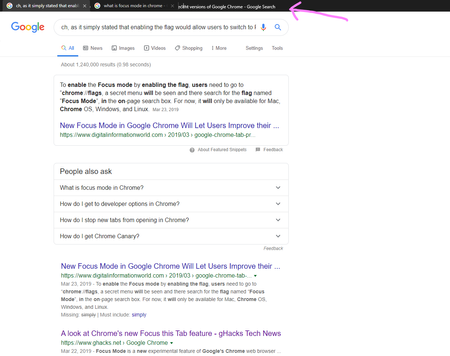
There is a UI bug when using Focus Mode in Edge insider Canary Version 78.0.257.0 (Official build) canary (64-bit) you can see it in the pictures: unfortunately smiley button is not available in Focus Mode and we can't attach custom screenshots to the feedbacks... how to produce? enable Focus Mode flag, go to Focus Mode and type in a long sentence to searchSolved1KViews2likes1Comment