sensitivity labels
27 Topics
Can´t Sign confidential documents
Hello, I have a problem. I want to send confidential contracts to customers for signing with Adobe DocuSign. This contracts have a label "confidential" from purview and are encrypted. But now the customer cant sign the contract with DocuSign because of the encryption. Is there a way that they can sign the document? We must encrypt the documents because compliance reasons and ISMS. Thank you.111Views2likes5Comments
Lifecycle using Custom Protection with Purview Sensitivity Labels
Organizations using Purview Sensitivity Labels with custom protection face a fundamental governance challenge: there is no lifecycle‑ready way to maintain, audit, or update per‑document user rights as teams evolve. This affects compliance, need‑to‑know enforcement, and operational security. Document lifecycle challenges Team growth: new members do not inherit document‑specific rights. Team shrinkage: departing members retain access unless manually removed. Employee offboarding: accounts are disabled, but compliance may require explicit removal from protected documents. Audit requirements: organizations need to answer “Who has what rights on document X?” — and today, no native tool provides this for custom‑protected files. Existing method Limitation Purview PowerShell Overwrites all existing assignments; no granular updates MIP Client Not yet capable of bulk lifecycle operations OlaProeis/FileLabeler Great tool, but limited by the same PowerShell constraints What the tool enables Rights audit trail per document Controlled lifecycle updates (add/remove/transfer rights) Preservation of original files for rollback Multi‑action batch processing Admin‑only delegated workflow with MIP superuser role Full logging for compliance Supported operations ListRightAssignments – extract all rights from each document under a given label GUID SetOwner / AddOwner – assign or add owners AddEditor / AddRestrictedEditor / AddViewer – role‑based additions RemoveAccess – remove any user from all roles AddAccessAs – map one user’s role to one or more new users Multi‑action execution – combine operations in a single run Safe mode – original files preserved; updated copies created with a trailer Because this tool can modify access to highly sensitive content, it must be embedded in a controlled workflow: ticket‑based approval, delegated admin, MIP superuser assignment, and retention of all logs as part of the audit trail. This ensures compliance with need‑to‑know, separation of duties, and legal requirements. I would appreciate feedback from the community and Microsoft product teams on: whether similar lifecycle capabilities are planned for Purview whether the MIP SDK is the right long‑term approach how others handle custom‑protected document lifecycle today interest in collaborating on a more robust open‑source version Max79Views0likes1CommentDefault Sensitivity Label to be added to migrated files (from Local Network Server)
Hi Experts, We are migrating our file-sharing services from a local network file server to MS Teams/SPO. The requirement is to enable and give default sensitivity labels from the migrated files. Manually assigning sensitivity labels in over a TB of files is hectic and could be prone to error as well. MS Purview MIP labels and label policies are configured, however, at present, only new documents and/or revised files are only having the sensitivity labels assigned. Any suggestions, guide, and tips will be highly appreciated. Thanks, Rhey1.1KViews1like6Comments
Justification not triggered when downgrading between sublabels under same parent label
Hi all, I am looking for confirmation of expected behaviour with Microsoft Purview sensitivity labels and justification. We have justification enabled in our sensitivity label policy. When a user changes a label between labels that belong to the same label group, no justification prompt appears. When a user changes from a label in one label group to a label in a different label group, the justification prompt does appear as expected. Is this behavior by design? Specifically, does Microsoft treat the label group as the enforcement boundary for downgrade justification, meaning justification is not evaluated when moving between labels within the same group, even if effective protection is reduced? If this is expected, is there any supported way to require justification when downgrading between labels in the same label group? Thank you!49Views0likes1CommentLabel group migration - existing files labelled with former parent labels
Hi, I have a question about behavior during migration from legacy parent labels to label groups. Historically, we were allowed to apply parent labels directly to content. In our environment, we have an existing parent label called PUBLIC which has sublabels. PUBLIC itself has content encryption configured, so during migration it will be recreated as a sublabel within a label group. As a result, there are existing files that are currently labelled simply as PUBLIC (applied back when parent labels could be used directly). Post-migration, we plan to de-publish this newly created PUBLIC sublabel from user-facing policies. My question is about what happens to those existing files during and after the migration. Will files that are already labelled as PUBLIC automatically be updated to a specific label within the label group, such as PUBLIC/PUBLIC, or will they remain labelled as PUBLIC with no automatic relabelling? In other words, does the label group migration perform any automatic relabelling of existing content, or does it only affect label structure and publication going forward?36Views0likes1Comment
Guidance: Sensitivity Labels during Mergers & Acquisitions (separate tenants, non-M365, etc.)
We’re building an internal playbook for how to handle Microsoft Purview sensitivity labels during mergers and acquisitions, and I’d really appreciate any lessons learned or best practices. Specifically, I’m interested in how others have handled: Acquired organizations on a separate Microsoft 365/O365 tenant for an extended period (pre- and post-close): How did you handle “Internal Only” content when the two tenants couldn’t fully trust each other yet? Any tips to reduce friction for collaboration between tenants during the transition? Existing label structures, such as: We use labels like “All Internal Only” and labels with user-defined permissions — has anyone found good patterns for mapping or reconciling these with another company’s labels? What if the acquired company is already using sensitivity labels with a different taxonomy? How did you rationalize or migrate them? Acquisitions where the target does not use Microsoft 365 (for example, Google Workspace, on-prem, or other platforms): Any strategies for protecting imported content with labels during or after migration? Gotchas around legacy permissions versus label-based protections? General pitfalls or watch-outs between deal close and full migration: Anything you wish you had known before your first M&A with Purview labels in play? Policies or configurations you’d recommend setting (or avoiding) during the interim period? Any examples, war stories, or template approaches you’re willing to share would be incredibly helpful as we shape our playbook. Thanks in advance for any insights!64Views0likes0Comments
MIP SDK cannot read file labels if a message was encrypted by Outlook Classic.
C++ application uses MIP SDK version 1.14.108. The application does Office files decryption and labels reading. The problem with labels reading is observed. Steps to reproduce: Create a docx file with a label which does not impose encryption. Open Outlook Classic, compose email, attach the document from 1, click Encrypt, send. During message sending our application intercepts encrypted by Outlook docx file in temporary folder C:\Users\UserName\AppData\Local\Temp Application decrypts the intercepted file using mipns::FileHandler::RemoveProtection. Visual inspection demonstrates that decryption runs successfully. Then a separate FileHandler for decrypted file is created, and mipns::FileHandler::GetLabel() returns an empty label. It means that the label was lost during decryption. Upon visual inspection of the decrypted file via Word we can see that the label is missing. Also, we do not see MSIP_Label* entries in meta data (File -> Info -> Properties -> Advanced Properties -> Custom). Here is a fragment of MIP SDK reducted log during file handler creation ================= file_engine_impl.cpp:327 "Creating file handler for: [D:\GitRepos\ ...reducted]" mipns::FileEngineImpl::CreateFileHandlerImpl gsf_utils.cpp:50 "Initialized GSF" `anonymous-namespace'::InitGsfHelper data_spaces.cpp:415 "No LabelInfo stream was found. No v1 custom properties" mipns::DataSpaces::GetLabelInfoStream data_spaces.cpp:428 "No LabelInfo stream was found. No v1 custom properties" mipns::DataSpaces::GetXmlPropertiesV1 file_format_base.cpp:155 "Getting protection from input..." mipns::FileFormatBase::GetProtection license_parser.cpp:233 "XPath returned no results" `anonymous-namespace'::GetXmlNodesFromPath license_parser.cpp:233 "XPath returned no results" `anonymous-namespace'::GetXmlNodesFromPath license_parser.cpp:299 "GetAppDataNode - Failed to get ID in PL app data section, parsing failed" `anonymous-namespace'::GetAppDataNode api_log_cache.cpp:58 "{{============== API CACHED LOGS BEGIN ============}}" mipns::ApiLogCache::LogAllMessages file_engine_impl.cpp:305 "Starting API call: file_create_file_handler_async scenarioId=89fd6484-7db7-4f68-8cf7-132f87825a26" mipns::FileEngineImpl::CreateFileHandlerAsync 37948 default_task_dispatcher_delegate.cpp:83 "Executing task 'ApiObserver-0' on a new detached thread" mipns::DefaultTaskDispatcherDelegate::ExecuteTaskOnIndependentThread 37948 file_engine_impl.cpp:305 "Ended API call: file_create_file_handler_async" mipns::FileEngineImpl::CreateFileHandlerAsync 37948 file_engine_impl.cpp:305 "Starting API task: file_create_file_handler_async scenarioId=89fd6484-7db7-4f68-8cf7-132f87825a26" mipns::FileEngineImpl::CreateFileHandlerAsync file_engine_impl.cpp:327 "Creating file handler for: [D:\GitRepos\...reducted....docx]" mipns::FileEngineImpl::CreateFileHandlerImpl file_format_factory_impl.cpp:88 "Create File Format. Extension: [.docx]" mipns::FileFormatFactoryImpl::Create file_format_base.cpp:363 "V1 metadata is not supported for file extension .docx. Setting metadata version to 0" mipns::FileFormatBase::CalculateMetadataVersion compound_file.cpp:183 "Open compound file for read" mipns::CompoundFile::OpenRead gsf_utils.cpp:50 "Initialized GSF" `anonymous-namespace'::InitGsfHelper compound_file_storage_impl.cpp:351 "Get Metadata" mipns::CompoundFileStorageImpl::GetMetadata compound_file_storage_impl.cpp:356 "No Metadata, not creating GSF object" mipns::CompoundFileStorageImpl::GetMetadata metadata.cpp:119 "Create Metadata" mipns::Metadata::Metadata metadata.cpp:136 "Got [0] properties from DocumentSummaryInformation" mipns::Metadata::GetProperties compound_file_storage_impl.cpp:351 "Get Metadata" mipns::CompoundFileStorageImpl::GetMetadata compound_file_storage_impl.cpp:356 "No Metadata, not creating GSF object" mipns::CompoundFileStorageImpl::GetMetadata metadata.cpp:119 "Create Metadata" mipns::Metadata::Metadata metadata.cpp:136 "Got [0] properties from DocumentSummaryInformation" mipns::Metadata::GetProperties =================118Views0likes1Comment
How to apply sensitivity labels to external emails received in my Outlook?
I have created a sensitivity label and an auto-labeling policy that applies the label when an email contains sensitive information. When an internal user sends the email, the label is applied correctly. But when I receive an email with sensitive information from an external user, the label is not applied. How can I apply the sensitivity label to emails that come from external users?223Views0likes3Comments
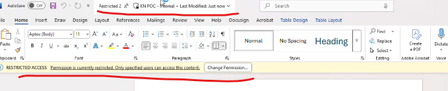
Downgrading of encrypted label (User defined permission) in SPO to Desktop app
Hi I have a file stored in SharePoint that was originally labeled Restricted with user-defined encryption. When I open the word file from SharePoint using a desktop Office application and downgrade the label to Internal, the original encryption and permissions are still retained. This issue occurs only when opening the file from SharePoint into the desktop app—the previous protection settings persist even though the sensitivity label correctly updates to Internal. I’ve attached a screenshot for reference. Is there any official Microsoft documentation that explains why this behavior occurs and the underlying reason for it? Additionally, what is the recommended workaround if I want to fully remove user-defined permissions when downgrading the label? I have already tried reapplying the Internal label, but the file remains encrypted with the prior permissions.Solved121Views0likes1CommentRelabeling files won't reflect the Label changes
I am running Microsoft Purview Scanner, where we scanned and applied the Default Label "Internal" to all the documents in the file share for "One Folder". After that has been applied successfully, we realized that some of the Access Controls in the Label called "Internal" need to be updated. So we enabled Access control permissions for this label to include the "Export" option. I thought changes made to a published label would reflect already labeled files. But it doesn't. Even though we opened and closed one file and didn't reflect my changes. Steps we tried: Re-ran scan with the option to re-label existing files (already labeled files) with the same label to see if it reflect new changes. But nothing. We reset the Scan service and restarted the server too. nothing worked. Do anyone know if a Label is applied already to files in file share and we update some of the settings for the same label, with the changes reflect properly? I know it reflects in cloud, but not sure why it can't reflect in file sharesSolved240Views0likes2Comments