product updates
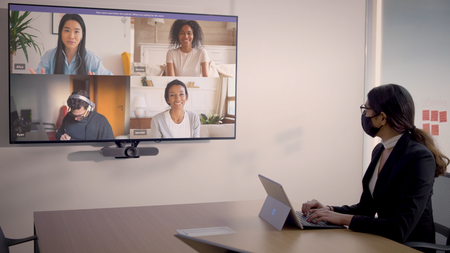
162 TopicsManage meeting space availability with Microsoft Teams Panels
Microsoft Teams Panels are now generally available, providing a space and time management solution powered by a native Teams experience, running on a compact digital display that can be mounted virtually anywhere.120KViews14likes117CommentsMeeting Recordings in Microsoft Teams are available for M365 subscribers
At Microsoft, we’re always listening to our users — and now, we’re proud to launch a new feature that reflects that commitment: meeting and call recordings. Built to help you capture, store, and share meeting content securely, this capability is now live for all Microsoft 365 Personal, Family, or Premium subscribers in Microsoft Teams. Whether you’re a music teacher saving a piano lesson, a creator recording a podcast interview, or volunteers documenting planning calls, recordings make it easy to revisit and share the moments that move your work and passions forward. And when capturing what matters is this simple, anyone can do more, share more, and bring their ideas to life faster than ever. What's available: On all platforms, M365 Teams users can now: Record meetings and calls with a single click — just select Start recording from the More options (...) menu during any session. Access recordings securely in the cloud for up to 30 days after the meeting ends. Watch and replay recordings directly in Teams from the meeting chat — everyone who joined the meeting can access them there. Download recordings for offline viewing. Learn more: See the Record a Meeting in Teams support article for step‑by‑step guidance and tips. How to Get Started To use recordings: Ensure you have an active Microsoft 365 subscription. Update your Teams app to the latest version. Join a meeting or call and select Start recording from the More options (...) menu. Your recording will be available in the meeting chat for 30 days, ready to view, download, or delete. We Want Your Feedback Your input helps us make Teams better. Here’s how you can share your thoughts: Report bugs or issues using the in-app feedback form—include logs and screenshots for faster investigation. Learn more how to send feedback or suggest a feature in Teams Free Suggest features or vote on ideas at the Microsoft Teams Free Feedback Portal.622Views0likes0CommentsWhat's new in Teams Free | September 2025
Start an instant meeting on mobile from chat and see your recent calls on Meet tab on desktop and web. Read more about the latest updates on the Teams Insider Blog: https://insider.teams.com/blog/whats-new-in-teams-free-september-2025/70Views0likes0CommentsAI and Microsoft Teams: A New Era of Collaboration
With the latest wave of Copilot innovation, we are giving every channel, meeting, and community an agent that can collaborate with you and your team, acting as a virtual teammate. Throughout a team’s workday, agents will keep everyone updated on project status, run smarter meetings, draft useful content, stay on top of tasks, and provide timely answers to questions. Additionally, with tools like the GitHub app for Teams and the Teams AI Library, developers now have a streamlined way to collaborate on code within Teams and powerful resources to build and deploy agents faster than ever. Let’s explore how the addition of these agents and new Copilot skills help individuals and groups streamline their work in Teams.19KViews10likes3Comments