modern site pages
2 Topics
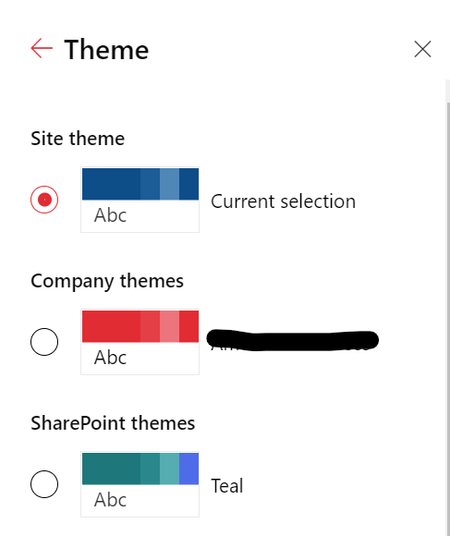
SharePoint custom theme toggles to a default Blue after a published site page refresh.
I have created a SharePoint subsite and applied a custom theme to it. The page looks good until I publish it. After it is published, once I refresh the page, it quickly toggles to a default blue theme. The theme was created using the custom PowerShell script as below, $themepalette = @{ "themePrimary" = "#e81a2b"; "themeLighterAlt" = "#fef5f6"; "themeLighter" = "#fbd8db"; "themeLight" = "#f8b6bb"; "themeTertiary" = "#f1707b"; "themeSecondary" = "#eb3342"; "themeDarkAlt" = "#d11726"; "themeDark" = "#b01320"; "themeDarker" = "#820e18"; "neutralLighterAlt" = "#f8f8f8"; "neutralLighter" = "#f4f4f4"; "neutralLight" = "#eaeaea"; "neutralQuaternaryAlt" = "#dadada"; "neutralQuaternary" = "#d0d0d0"; "neutralTertiaryAlt" = "#c8c8c8"; "neutralTertiary" = "#595959"; "neutralSecondary" = "#373737"; "neutralPrimaryAlt" = "#2f2f2f"; "neutralPrimary" = "#000000"; "neutralDark" = "#151515"; "black" = "#0b0b0b"; "white" = "#ffffff"; } Add-SPOTheme -Identity "ThemeName" -Palette $themepalette -IsInverted $false877Views0likes0CommentsSite Pages Library loading once deleted a page
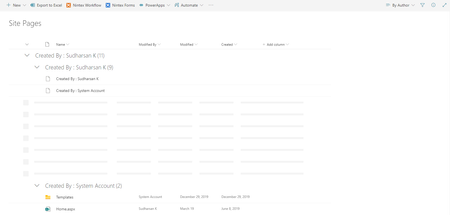
Hi Everyone, I don't know whether you are experiencing this issue or not. Its strange, the 'Site Pages' library behaves differently whenever a page is deleted. When a page is deleted, it displays the shimmer and it is not refreshed unless the whole page is reloaded. I am using the default modern site pages library without any customization done to the library or views etc. Please look at the screenshot below785Views0likes1Comment