Intune
4369 TopicsSeparate APP policies
Hi All I hope you are well and have a Merry Christmas and a Happy New Year. Anyway, trying to get my head around APP policies for both BYOD and Corp (COBO) Android devices. I'd like nothing more than a single APP policy for Android but there are certain settings such block screenshots that I would like to include in the BYOD APP policy but not include in the Corp (COBO) APP policy. So, my thinking is: BYOD APP policy > Assigned to E3 / F3 groups > Filter on EXCLUDE corp devices Corp Owned / Intune Enrolled COBO APP policy - Filter on EXCLUDE personal devices Could someone advise on the best way to achieve this? What's the best Device / App filter syntax to use? Info appreciated9Views0likes0Comments
Company Portal | App installation issues
Anyone else experiencing issues with downloading apps from company portal? Win32 apps, pressing install and just spins on “download pending… your device is syncing and will begin downloading your app shortly” Experiencing this issues with 2 different tenants. In 2 different countries now.103Views0likes1CommentEntra ID LAPS and BitLocker on Hybrid AD–Joined Devices
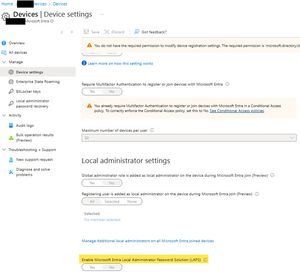
Hi All, We have Hybrid AD–joined Windows devices with BitLocker managed on-prem via GPO and BitLocker recovery keys already escrowed to Microsoft Entra ID. If we enable Windows LAPS in Entra ID (cloud LAPS), will this have any impact on: Existing BitLocker recovery keys stored in Entra ID, or Current/future BitLocker configuration and escrow behavior? Is there any dependency or interaction between Entra ID LAPS and BitLocker on hybrid devices? Thanks in advance DilanSolved69Views0likes3Comments
How to foce intune client in Ubuntu to synch automatically
Hello, in my company we have enrolled Devs Ubuntu devices to control some security setting and allow or not the access to our company apps and content. We have set compliance policies and enabled conditional access to check its. i have been surprised this morning by the last checking date of my Ubuntu laptops and ask my Devs of last signin in company portal client and the date match with the last checking date. I concluded, the company portal is synching only when the user open it and signin. This is a big problem for us because we are certified ISO27001 and we must check all devices compliance. Somebody has a script to deploy on those ubuntu devices and force a synch every day waiting for a Microsoft evolution of this process. Thanks a lot and regards Majid970Views2likes6Comments
Device Enrollment
Hi everyone, I need some guidance regarding a device-management scenario in my environment. We currently have Microsoft 365 Business Basic with the Intune Plan 1 add-on. All of our devices (about 150+) are Azure AD Registered, and I’m trying to determine the best method to enroll them into Intune using only our existing licenses. I’m unsure which enrollment method is most appropriate for this setup, and I haven’t been able to find a solid, recommended approach. I want to avoid unnecessary complexity and I cannot upgrade or change our licensing. I would really appreciate a well-structured explanation that covers: The best enrollment method for this scenario Why this method should be used Step-by-step guidance Pros and cons of the proposed method Any insights from those who have handled similar situations would be extremely helpful. Thanks in advance!56Views0likes3Comments
Issues with Windows 11 Autopilot Hybrid Joined Since last Week
Hi all, as of Thursday 4th December our Windows 11 Autopilot (Hybrid Joined) has ceased functioning. On the very first step, after the user attempts to enter their username&password, we can see the deployment profile gets downloaded to the device but then everything immediately stops with error "Something went wrong. Confirm you are using the correct sign-in information and that your organisation uses this feature. You can try and do this again and contact your system administrator with the error code 800004005". We can see that the ODJ process never starts. And we think we're seeing errors with the device reading the deployment profile JSON locally. Has anyone else had any errors? Wondering if Microsoft have made a change somewhere or have issues.951Views0likes11CommentsMicrosoft Intune for MSPs resource guide
Welcome to your home for all things #IntuneForMSPs! Our goal is to help you grow your Microsoft Managed Service Provider (MSP) business by combining productivity apps, intelligent cloud services, and the world-class security of Microsoft 365 with the multi-tenant management capabilities of you, our partners. Join us January 20 at 8:00 a.m. PST (4:00 p.m. UTC) on the Microsoft Intune Tech Community and kick off our new community meetup series with a guide to getting started with Microsoft 365 Business Premium. Hear first-hand experiences with configuring and managing customer tenants and learn best practices. Community meetups will feature subject matter experts on camera with Q&A in the chat (Comments) on Tech Community. Come curious and ready to learn! Jump to: Marketing and business development | Demos and tutorials | Partner resources | Microsoft communities | Select content from Microsoft MVPs In the spotlight Click the image below to watch the Microsoft Intune multi-tenant management video with Jonathan Edwards. Marketing and business development Start by joining Microsoft Partner programs: AI Business Solutions for Partners Microsoft Security Partners Join the Partner Skilling Hub for Free Go to Microsoft Partner Skilling Hub Create your free account Select Solution areas of interest Intune content: AI Business Solutions, Security Recommended modules: Implement with impact: Endpoint Management with Microsoft Intune | Microsoft Partner Skilling Hub Implement with impact: Implement Identity and access management with Microsoft Entra - Modules Demos and tutorials Whether deploying solutions for yourself or for your customers, these resources can help you with prescriptive ‘do this next’ guidance to get you up to speed quickly. Download this guide: Enhancing Security with Microsoft 365 Business: A Hands-on, Effective Guide Follow along with the companion videos: Achieve greater security and productivity with Microsoft Intune and Microsoft 365 Explore click-through interactive guides for more advanced instruction: Microsoft Intune guided demos Topics include configuring app protection policies, configuring Conditional Access, updating Windows from the cloud, configuring corporate devices, deploying and managing line of business (LOB) apps, enabling Universal Print, accessing corporate resources on personal-owned devices, setting up Windows Autopilot for new device delivery, and reducing bandwidth consumption with Delivery Optimization. Partner resources Nerdio knowledge hub Inforcer resources Microsoft communities Microsoft 365 Blog small and medium business-related posts Microsoft 365 Partner LinkedIn channel Select content from Microsoft MVPs To find an MVP near you, visit the Microsoft MVP home page. Peter Klapwijk - In The Cloud 24/7 Blog Ugur Koc - Ugur Koc Blog Andy Malone - Andy Malone on YouTube Rudy Ooms - Call4Cloud Blog Somesh Pathak - Intune IRL Blog Oktay Sari - AllThingsCloud Blog Jon Towles - Mobile Jon Blog3.2KViews1like1Comment