identity management
611 TopicsDisplay On-prem Password Policy on SSPR Page
Hi All We are beginning to rollout SSPR with on-prem writeback. So far so good. Is there a way we can display our on-prem password policy requirements on the SSPR screen? I have seen the MS docs, but can't really make any sense of them so any help would be greatly appreciated. SK127Views1like3Comments
Multitenant organization (MTO): user licenses
Hello everyone, As described https://learn.microsoft.com/en-us/microsoft-365/enterprise/set-up-multi-tenant-org, I have created an MTO. It seems to have worked because I can see users from tenant A in tenant B. Everything looks correct, as the users have #EXT# in their usernames, their type is “Member”, and their identity is “ExternalAzureAD”. BUT they are all unlicensed. My question: is there a way to synchronize the licenses of the users, or do I really have to purchase the same license twice for a single user? Specifically, I am interested in the following licenses: Microsoft 365 Business Premium (access to Teams, SharePoint, Exchange Online shared mailboxes, etc.) Dynamics 365 licenses (e.g., Business Central). Thank you very much for your assistance, and warm regards, Nico2.7KViews0likes4Comments
Orphaned TPM-bound Entra Workplace Join device — no tenant access, backend deletion required
I have a personal Windows device that remains stuck in a TPM-protected Workplace Join to a former Microsoft Entra ID tenant. I no longer have tenant access and am not an admin. Local remediation completed: - dsregcmd /leave executed as SYSTEM - All MS-Organization / AAD certificates removed - Device still reports WorkplaceJoined : YES Azure Support ticket creation fails with: AADSTS160021 – interaction_required Application requested a user session which does not exist. Tenant inaccessible / user not present in tenant. This is an orphaned Entra ID device object. Requesting guidance or escalation for backend deletion. Tenant ID: 99f9b903-8447-4711-a2df-c5bd1ad1adf7 Device ID: f47987f4-a20b-4c34-a5f7-40ab0f593c6c22Views0likes0CommentsGrant Just-in-Time Admin Access with Microsoft Entra PIM
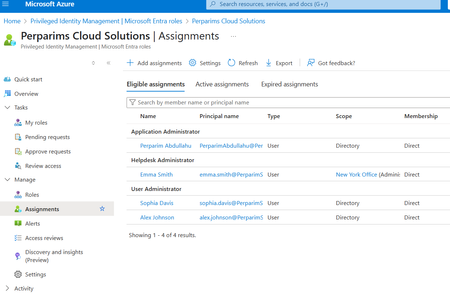
In my lab, I worked with Microsoft Entra Privileged Identity Management (PIM) to grant Just-in-Time admin access. Instead of permanent assignments, users become eligible for roles and must activate them only when needed. Steps I tested: - Configured roles as eligible rather than permanent - Required MFA and approval for role activation - Verified access automatically expired after the time window This approach reduces standing privileges and aligns with Zero Trust by securing privileged access. Curious — does your org still keep permanent Global Admins, or have you moved to JIT with PIM?104Views0likes1Comment
Entra Risky Users Custom Role
My customer implemented unified RBAC (Defender Portal) and removed the Entra Security Operator role. They lost the ability to manage Risky Users in Entra. Two options explored by the customer - Protected Identity Administrator role (licensing unclear) or create a custom role with microsoft.directory/identityProtection/riskyUsers/update, which they couldn't find under custom role. Do you know if there are other options to manage Risky Users without using the Security Operator role?195Views0likes4CommentsIssues with Microsoft Authenticator not popping up Approval message
We have recently implemented MFA with a conditional access policy. We turned off the ability to receive texts/calls and are forcing the Authenticator app. This is causing issues when users need to re set up the account in the Authenticator app. I have had multiple scenarios this week where the Microsoft Authenticator app has stopped displaying the approve/deny message. The end users try to fix the issue themselves and will remove their accounts from the app and try to reenroll by going to myapps.microsoft.com and restarting the setup process. The problem lies in that even though they are visiting the portal from devices that are excluded from MFA via conditional access (Compliant/Hybrid AD Joined) the myapps.microsoft.com portal is still enforcing MFA to log in. Since they have removed their account from the application they can not authenticate to the portal. There is no alternate method since Phone/Text are disabled. In order to get the end user back into the portal I have to go to the regular MFA Setup page, enable phone calls or texts, enable and enforce MFA on the end user, and they can finally get in to re-set up the account. All of this could be fixed with a one time bypass for cloud!Solved1MViews1like41CommentsRequest to enable preview feature - Face Check with CAP
Dear Microsoft, I am on a business premium plan for my home test tenant. I cannot raise ticket nor do I have an account manager. I know this is in private preview. I would like my tenant to be enabled to test this new Verified ID feature to have "Face Check" in CAP as one of the Grant conditions. tenant id: bc85b508-0107-4472-a49c-fc8cefd4f0d7 Thank you.53Views0likes0CommentsSecurity Best Practices for Bookings Page's Mailbox Objects in Entra ID
Hi, are there any recommendations / best practices for hardening the user objects that are created in Entra ID when I create a new Microsoft Bookings page? Unlike regular shared mailboxes, the sign-in is enabled by default, I can simply reset the password, sign in via Outlook Web and see the Microsoft Bookings calendar. Bad actors could brute force this sign-in, register the MFA authentication method of their choice and gather data of the customers that used my public bookings page. What is the recommeded way to handle these objects in Entra ID? Conditional Access settings? Azure Monitoring alerts for sign-ins? Defender alerts for when an inbox rule is created? Kind regards, YaseminSolved880Views0likes4CommentsEntra Verified ID: CAP Preview Feature to require Face Check
During one of the MS demo video, I saw a preview feature for Conditional Access Policy to require "Face Check". I have now enabled Entra Verified ID and also switched on Face Check. When I create a new CAP, I do not see the "Require Face Check" option under the Grant. How can I request to have this feature released to my tenant? Thanks!232Views0likes2Comments
Can External ID (CIAM) federate to an Azure AD/Entra ID tenant using SAML?
What I'm trying to achieve I'm setting up SAML federation FROM my External ID tenant (CIAM) TO a partner's Entra ID tenant (regular organizational tenant) for a hybrid CIAM/B2B setup where: Business users authenticate via their corporate accounts (OIDC or SAML) Individual customers use username/password or social providers (OIDC) Tenant details / Terminology: CIAM tenant: External ID tenant for customer-facing applications IdP tenant: Example Partner's organizational Entra ID tenant with business accounts Custom domain: mycustomdomain.com (example domain for the IdP tenant) Configuration steps taken Step 1: IdP Tenant (Entra ID) - Created SAML App Set up Enterprise App with SAML SSO Entity ID: https://login.microsoftonline.com/<CIAM_TENANT_ID>/ Reply URL: https://<CIAM_TENANT_ID>.ciamlogin.com/login.srf NameID: Persistent format Claim mapping: emailaddress → user.mail Step 2: CIAM Tenant (External ID) - Added SAML IdP (Initially imported from the SAML metadata URL from the above setup) Federating domain: mycustomdomain.com Issuer URI: https://sts.windows.net/<IDP_TENANT_ID>/ Passive endpoint: https://login.microsoftonline.com/mycustomdomain.com/saml2 DNS TXT record added: DirectFedAuthUrl=https://login.microsoftonline.com/mycustomdomain.com/saml2 Step 3: Attached to User Flow Added SAML IdP to user flow under "Other identity providers" Saved configuration and waited for propagation The problem It doesn't work. When testing via "Run user flow": No SAML button appears (should display "Sign in with mycustomdomain") Entering email address removed for privacy reasons doesn't trigger federation The SAML provider appears configured but never shows up in the actual flow Also tried using the tenant GUID in the passive endpoint instead of the domain - same result My question Is SAML federation from External ID to regular Entra ID tenants actually possible? I know OIDC federation to Microsoft tenants is (currently, august 2025) explicitly blocked (microsoftonline.com domains are rejected). Is SAML similarly restricted? The portal lets me configure everything without throwing any errors, but it never actually works. Am I missing something in my configuration? The documentation for this use case is limited and I've had to piece together the setup from various sources. Or is this a fundamental limitation where External ID simply can't federate to ANY Microsoft tenant regardless of the protocol used?206Views1like1Comment