extensibility
312 TopicsMicrosoft 365 & Power Platform Community call
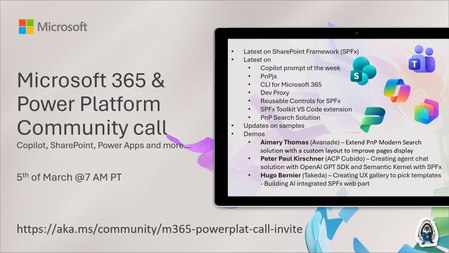
💡 Microsoft 365 & Power Platform Development bi-weekly community call focuses on different use cases and features within the Microsoft 365 and Power Platform - across Microsoft 365 Copilot, Copilot Studio, SharePoint, Power Apps and more. Demos in this call are presented by the community members. 👏 Looking to catch up on the latest news and updates, including cool community demos, this call is for you! 📅 On 5th of March we'll have following agenda: Latest on SharePoint Framework (SPFx) Latest on Copilot prompt of the week PnPjs CLI for Microsoft 365 Dev Proxy Reusable Controls for SPFx SPFx Toolkit VS Code extension PnP Search Solution Demos this time Aimery Thomas (Avanade) – Extend PnP Modern Search solution with a custom layout to improve pages display Peter Paul Kirschner (ACP Cubido) – Creating agent chat solution with OpenAI GPT SDK and Semantic Kernel with SPFx Hugo Bernier (Takeda) – Creating UX gallery to pick templates - Building AI integrated SPFx web part 📅 Download recurrent invite from https://aka.ms/community/m365-powerplat-dev-call-invite 📞 & 📺 Join the Microsoft Teams meeting live at https://aka.ms/community/m365-powerplat-dev-call-join 💡 Building something cool for Microsoft 365 or Power Platform (Copilot, SharePoint, Power Apps, etc)? We are always looking for presenters - Volunteer for a community call demo at https://aka.ms/community/request/demo 👋 See you in the call! 📖 Resources: Previous community call recordings and demos from the Microsoft Community Learning YouTube channel at https://aka.ms/community/youtube Microsoft 365 & Power Platform samples from Microsoft and community - https://aka.ms/community/samples Microsoft 365 & Power Platform community details - https://aka.ms/community/home 🧡 Sharing is caring!48Views0likes0CommentsMicrosoft 365 & Power Platform product updates call
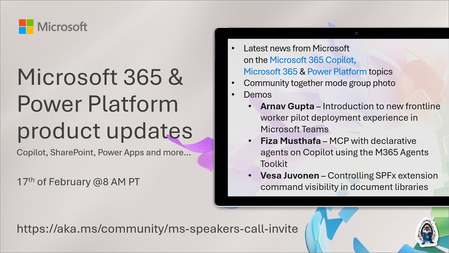
💡Microsoft 365 & Power Platform product updates call concentrates on the different use cases and features within the Microsoft 365 and in Power Platform. Call includes topics like Microsoft 365 Copilot, Copilot Studio, Microsoft Teams, Power Platform, Microsoft Graph, Microsoft Viva, Microsoft Search, Microsoft Lists, SharePoint, Power Automate, Power Apps and more. 👏 Weekly Tuesday call is for all community members to see Microsoft PMs, engineering and Cloud Advocates showcasing the art of possible with Microsoft 365 and Power Platform. 📅 On the 17th of February we'll have following agenda: News and updates from Microsoft Together mode group photo Arnav Gupta – Introduction to new frontline worker pilot deployment experience in Microsoft Teams Fiza Musthafa – MCP with declarative agents on Copilot using the M365 Agents Toolkit Vesa Juvonen – Controlling SPFx extension command visibility in document libraries 📞 & 📺 Join the Microsoft Teams meeting live at https://aka.ms/community/ms-speakers-call-join 🗓️ Download recurrent invite for this weekly call from https://aka.ms/community/ms-speakers-call-invite 👋 See you in the call! 💡 Building something cool for Microsoft 365 or Power Platform (Copilot, SharePoint, Power Apps, etc)? We are always looking for presenters - Volunteer for a community call demo at https://aka.ms/community/request/demo 📖 Resources: Previous community call recordings and demos from the Microsoft Community Learning YouTube channel at https://aka.ms/community/youtube Microsoft 365 & Power Platform samples from Microsoft and community - https://aka.ms/community/samples Microsoft 365 & Power Platform community details - https://aka.ms/community/home 🧡 Sharing is caring!76Views0likes0CommentsMicrosoft 365 & Power Platform Community call
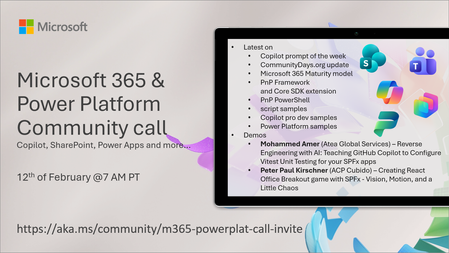
💡 Microsoft 365 & Power Platform Development bi-weekly community call focuses on different use cases and features within the Microsoft 365 and Power Platform - across Microsoft 365 Copilot, Copilot Studio, SharePoint, Power Apps and more. 👏 Looking to catch up on the latest news and updates, including cool community demos, this call is for you! 📅 On 12th of February we'll have following agenda: Copilot prompt of the week CommunityDays.org update Microsoft 365 Maturity model Latest on PnP Framework and Core SDK extension Latest on PnP PowerShell Latest on script samples Latest Copilot pro dev samples Latest on Power Platform samples Picture time with the Together Mode! Mohammed Amer (Atea Global Services) – Reverse Engineering: Teaching GitHub Copilot to Configure Vitest Unit Testing for your SPFx apps Peter Paul Kirschner (ACP Cubido) – Creating React Office Breakout game with SPFx - Vision, Motion, and a Little Chaos 📅 Download recurrent invite from https://aka.ms/community/m365-powerplat-dev-call-invite 📞 & 📺 Join the Microsoft Teams meeting live at https://aka.ms/community/m365-powerplat-dev-call-join 👋 See you in the call! 💡 Building something cool for Microsoft 365 or Power Platform (Copilot, SharePoint, Power Apps, etc)? We are always looking for presenters - Volunteer for a community call demo at https://aka.ms/community/request/demo 📖 Resources: Previous community call recordings and demos from the Microsoft Community Learning YouTube channel at https://aka.ms/community/youtube Microsoft 365 & Power Platform samples from Microsoft and community - https://aka.ms/community/samples Microsoft 365 & Power Platform community details - https://aka.ms/community/home 🧡 Sharing is caring!214Views0likes0CommentsMicrosoft 365 & Power Platform product updates call
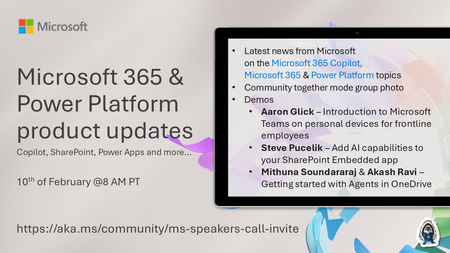
💡Microsoft 365 & Power Platform product updates call concentrates on the different use cases and features within the Microsoft 365 and in Power Platform. Call includes topics like Microsoft 365 Copilot, Copilot Studio, Microsoft Teams, Power Platform, Microsoft Graph, Microsoft Viva, Microsoft Search, Microsoft Lists, SharePoint, Power Automate, Power Apps and more. 👏 Weekly Tuesday call is for all community members to see Microsoft PMs, engineering and Cloud Advocates showcasing the art of possible with Microsoft 365 and Power Platform. 📅 On the 10th of February we'll have following agenda: News and updates from Microsoft Together mode group photo Aaron Glick – Introduction to Microsoft Teams on personal devices for frontline employees Steve Pucelik – Add AI capabilities to your SharePoint Embedded app Mithuna Soundararaj & Akash Ravi – Getting started with Agents in OneDrive 📞 & 📺 Join the Microsoft Teams meeting live at https://aka.ms/community/ms-speakers-call-join 🗓️ Download recurrent invite for this weekly call from https://aka.ms/community/ms-speakers-call-invite 👋 See you in the call! 💡 Building something cool for Microsoft 365 or Power Platform (Copilot, SharePoint, Power Apps, etc)? We are always looking for presenters - Volunteer for a community call demo at https://aka.ms/community/request/demo 📖 Resources: Previous community call recordings and demos from the Microsoft Community Learning YouTube channel at https://aka.ms/community/youtube Microsoft 365 & Power Platform samples from Microsoft and community - https://aka.ms/community/samples Microsoft 365 & Power Platform community details - https://aka.ms/community/home 🧡 Sharing is caring!176Views0likes0Comments
Size increase of .sppkg packages with heft/v1.22
After upgrading our solution to SPFx 1.22.rc-0 and switching to the new heft build toolchain our .sppkg packages have suddenly grown massively in size. They are more than double the size of the 1.21 version. Is there a reason for this? Is there anything we can do to reduce the package size back to what it was previously? Our main solution contains both web parts and list extensions, split into several bundles. Let me know what other details would be helpful.83Views1like1CommentMicrosoft 365 & Power Platform Community call - Community demos
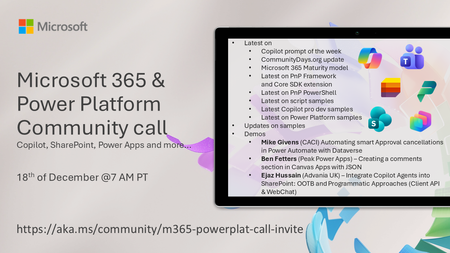
💡 Microsoft 365 & Power Platform Development bi-weekly community call focuses on different use cases and features within the Microsoft 365 and Power Platform - across Microsoft 365 Copilot, Copilot Studio, SharePoint, Power Apps and more. 👏 Looking to catch up on the latest news and updates, including cool community demos, this call is for you! 📅 On 18th of December we'll have following agenda: Copilot prompt of the week CommunityDays.org update Microsoft 365 Maturity Model update Latest on PnP Framework and Core SDK extension Latest on PnP PowerShell Latest on Copilot pro dev samples Latest on Power Platform samples Picture time with the Together Mode! Mike Givens (CACI) Automating smart Approval cancellations in Power Automate with Dataverse Ben Fetters (Peak Power Apps) – Creating a comments section in Canvas Apps with JSON Ejaz Hussain (Advania UK) – Integrate Copilot Agents into SharePoint: OOTB and Programmatic Approaches (Client API & WebChat) 📅 Download recurrent invite from https://aka.ms/community/m365-powerplat-dev-call-invite 📞 & 📺 Join the Microsoft Teams meeting live at https://aka.ms/community/m365-powerplat-dev-call-join 👋 See you in the call! 📖 Resources: Previous community call recordings and demos from the Microsoft Community Learning YouTube channel at https://aka.ms/community/youtube Microsoft 365 & Power Platform samples from Microsoft and community - https://aka.ms/community/samples Microsoft 365 & Power Platform community details - https://aka.ms/community/home 🧡 Sharing is caring!96Views0likes0CommentsMicrosoft 365 & Power Platform product updates call
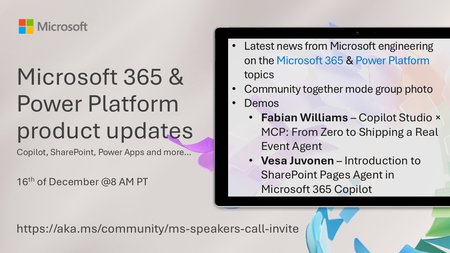
💡Microsoft 365 & Power Platform product updates call concentrates on the different use cases and features within the Microsoft 365 and in Power Platform. Call includes topics like Microsoft 365 Copilot, Copilot Studio, Microsoft Teams, Power Platform, Microsoft Graph, Microsoft Viva, Microsoft Search, Microsoft Lists, SharePoint, Power Automate, Power Apps and more. 👏 Weekly Tuesday call is for all community members to see Microsoft PMs, engineering and Cloud Advocates showcasing the art of possible with Microsoft 365 and Power Platform. 📅 On the 16th of December we'll have following agenda: News and updates from Microsoft Together mode group photo Fabian Williams – Copilot Studio × MCP: From Zero to Shipping a Real Event Agent Vesa Juvonen – Introduction to SharePoint Pages Agent in Microsoft 365 Copilot 📞 & 📺 Join the Microsoft Teams meeting live at https://aka.ms/community/ms-speakers-call-join 👋 See you in the call! 🎅🎄 Notice that this call is on a holiday break after 16th of December call and back on 13th of January 2026. 💡 Building something cool for Microsoft 365 or Power Platform? We are always looking for presenters - Volunteer for a community call demo at https://aka.ms/community/request/demo 📖 Resources: Previous community call recordings and demos from the Microsoft Community Learning YouTube channel at https://aka.ms/community/youtube Microsoft 365 & Power Platform samples from Microsoft and community - https://aka.ms/community/samples Microsoft 365 & Power Platform community details - https://aka.ms/community/home133Views0likes0CommentsMicrosoft 365 & Power Platform Community call - Community demos
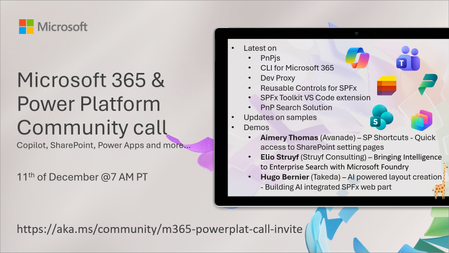
💡 Microsoft 365 & Power Platform Development bi-weekly community call focuses on different use cases and features within the Microsoft 365 and Power Platform - across Microsoft 365 Copilot, Copilot Studio, SharePoint, Power Apps and more. 👏 Looking to catch up on the latest news and updates, including cool community demos, this call is for you! 📅 On 11th of December we'll have following agenda: Copilot prompt of the week SharePoint Framework roadmap update from Microsoft Latest on PnPjs project Latest on CLI for Microsoft 365 Latest on Dev Proxy Latest on reusable controls for SPFx Latest on SPFx Toolkit VS Code extension Latest on PnP Search solution for enterprise search Latest on SPFx samples Picture time with the Together Mode! Aimery Thomas (Avanade) – SP Shortcuts - Quick access to SharePoint setting pages Elio Struyf (Struyf Consulting) – Bringing Intelligence to Enterprise Search with Microsoft Foundry Hugo Bernier (Takeda) – AI powered layout creation - Building AI integrated SPFx web part 📅 Download recurrent invite from https://aka.ms/community/m365-powerplat-dev-call-invite 📞 & 📺 Join the Microsoft Teams meeting live at https://aka.ms/community/m365-powerplat-dev-call-join 👋 See you in the call! 📖 Resources: Previous community call recordings and demos from the Microsoft Community Learning YouTube channel at https://aka.ms/community/youtube Microsoft 365 & Power Platform samples from Microsoft and community - https://aka.ms/community/samples Microsoft 365 & Power Platform community details - https://aka.ms/community/home 🧡 Sharing is caring!187Views0likes0CommentsMicrosoft 365 & Power Platform product updates call
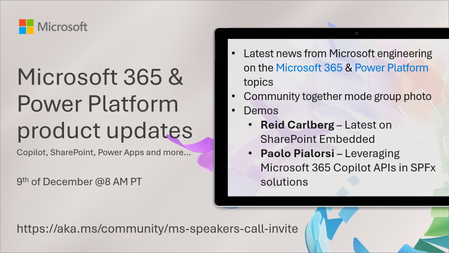
💡Microsoft 365 & Power Platform product updates call concentrates on the different use cases and features within the Microsoft 365 and in Power Platform. Call includes topics like Microsoft 365 Copilot, Copilot Studio, Microsoft Teams, Power Platform, Microsoft Graph, Microsoft Viva, Microsoft Search, Microsoft Lists, SharePoint, Power Automate, Power Apps and more. 👏 Weekly Tuesday call is for all community members to see Microsoft PMs, engineering and Cloud Advocates showcasing the art of possible with Microsoft 365 and Power Platform. 📅 On the 9th of December we'll have following agenda: News and updates from Microsoft Together mode group photo Reid Carlberg – SharePoint Embedded Wrapped 2025: Updates from Ignite and More Paolo Pialorsi – Leveraging Microsoft 365 Copilot APIs in SPFx solutions 📞 & 📺 Join the Microsoft Teams meeting live at https://aka.ms/community/ms-speakers-call-join 📅 You can also download recurrent invite to this call from https://aka.ms/community/ms-speakers-call-invite 👋 See you in the call! 🎅🎄 Notice that this call is on a holiday break after 16th of December call and back on 13th of January 2026. 💡 Building something cool for Microsoft 365 or Power Platform? We are always looking for presenters - Volunteer for a community call demo at https://aka.ms/community/request/demo 📖 Resources: Previous community call recordings and demos from the Microsoft Community Learning YouTube channel at https://aka.ms/community/youtube Microsoft 365 & Power Platform samples from Microsoft and community - https://aka.ms/community/samples Microsoft 365 & Power Platform community details - https://aka.ms/community/home112Views0likes0Comments
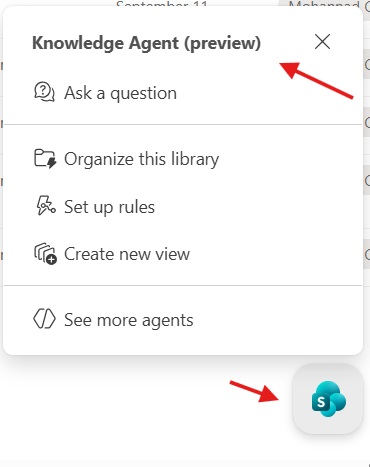
SharePoint Knowledge Agent Vs Power automate AI builder
If we want to classify, summarize and extract key info from documents uploaded/edited inside a SharePoint document libraries. seems we can do this using AI builder inside power automate which get triggered when add/edit a document or using the Knowledge Agent, mainly the "Organize this library" option. can any one advice when you use each?Solved173Views0likes1Comment