data security
8 TopicsAzure Database Security Newsletter - April 2026
Welcome to the quarterly edition of Azure Database Platform Security Newsletter. In this newsletter we highlight the importance of strong encryption for data security, and call out recent encryption, key management, and auditing enhancements designed to help you strengthen your security posture while simplifying operational management. Data is one of the most critical assets organizations manage, and protecting it is essential to maintaining trust, resilience, and long‑term success. As cyber threats continue to evolve and regulatory expectations increase, strong encryption has become a foundational requirement rather than an optional safeguard. Encryption protects sensitive data across its entire lifecycle. Data is encrypted at rest using Transparent Data Encryption (TDE) to protect stored information, in transit using Transport Layer Security (TLS) to secure data as it moves across your application and server, and in use through Always Encrypted to help ensure data remains protected even from high-privileged users. Together, these capabilities reduce risk and support compliance obligations. Feature highlights 💡 Customer-Managed Keys in Fabric SQL Database Customer-Managed Keys (CMK) are now generally available for Fabric SQL Database, allowing you to use Azure Key Vault keys to encrypt all workspace data, including all SQL Database data. This feature gives organizations greater control over key management and helps meet data governance and encryption requirements. More information on How to encrypt Fabric SQL Database with Customer Managed Keys (Video). Versionless keys for Transparent Data Encryption in Azure SQL Database Azure SQL Database now lets you use versionless key URIs for Transparent Data Encryption (TDE) with customer-managed keys, automatically applying the latest enabled key from Azure Key Vault or Managed HSM. This update simplifies encryption management. Auditing in Fabric SQL Database Auditing for Fabric SQL Database is now generally available. Organizations can track and log database activities, addressing questions about data access for compliance, threat detection, and forensic analysis. Audit logs are stored in One Lake, and access is controlled by Fabric workspace roles and SQL permissions. Best Practices Corner Retain all historical TDE keys and key versions Always keep all historical Transparent Data Encryption (TDE) keys and their versions. Databases and backups remain encrypted with the key version that was active at the time of encryption. Restoring an older database requires access to the exact key version used. Deleting older keys or versions can make database restore impossible and result in permanent data loss. See Everything you need to know about TDE key management for database restore. Apply the Principle of Least Privilege Always grant users, applications, and services the minimum level of access required to perform their database tasks. Avoid broad administrative or owner-level permissions unless absolutely necessary. Regularly review, restrict, and remove excessive or unused privileges to reduce the attack surface and limit the impact of compromised credentials or configuration errors. This control aligns with established security standards such as NIST SP 800‑53 (AC‑6: Least Privilege), CIS Critical Security Controls, ISO/IEC 27002, and OWASP database security guidance. Enable Auditing on Azure SQL and SQL Server Always enable auditing on Azure SQL to record database activities for security monitoring, compliance, and forensic investigation. Auditing provides visibility into database access and changes, helping detect unauthorized or suspicious behavior and supporting incident response and regulatory requirements. See Auditing - Azure SQL Database. Blogs and Video Spotlight 🅱️ In the last three months, we've published blog posts on major releases and features. These updates offer practical insights and highlight the latest in data security and database management. Why ledger verification is non-negotiable How to Enable Microsoft Entra ID for Azure Cosmos DB (NoSQL) Why Developers and DBAs love SQL’s Dynamic Data Masking (Series-Part 1) Announcing Preview of bulkadmin role support for SQL Server on Linux Zero Trust for data: Make Microsoft Entra authentication for SQL your policy baseline Community & Events 👥 The data platform security team will be on-site at several upcoming events. Come and say hi! Previous events SQL Konferenz FABCON 26 - Microsoft Fabric Community Conference - FABCON SQLCON - Microsoft SQL Community Conference - SQLCON Upcoming events SQLBits DataGrillen Call to action 📢 Take 15 minutes this week to validate your database encryption posture: confirm TDE is enabled, review your key management plan (including retaining historical key versions), and ensure TLS is enforced for all connections. If you are using Fabric SQL Database, consider enabling Customer-Managed Keys and turning on Auditing to strengthen governance and investigation readiness. Share this newsletter with your security and DBA partners and align on one concrete improvement you can complete.Purview Lightning Talks | Presented by the Microsoft Security Community
Purview Lightning Talks Join the Microsoft Security Community for Purview Lightning Talks; quick technical sessions delivered by the community, for the community. You’ll pick up practical Purview gems: must-know Compliance Manager tips, smart data security tricks, real-world scenarios, and actionable governance recommendations all in one energizing event. Hear directly from Purview customers, partners, and community members and walk away with ideas you can put to work right immediately. Register now; full agenda coming soon! When: Thursday, April 30, 2026 | 8:00AM - 9:30AM (PT, Redmond Time) Where: Join Here: https://aka.ms/JOIN-WEBINAR-23-MICROSOFT-PURVIEW To stay informed about future webinars and other events, join our Security Community at https://aka.ms/SecurityCommunity. We hope you will join us! This event may be recorded and shared publicly with others, including Microsoft’s global customers, partners, employees, and service providers. The recording may include your name and any questions you submit to Q&A Fine print: This event is certified fluff-free. There will be no sales pitches, marketing, or recruitment during this compilation of lighting fast sessions proudly presented by members of the Microsoft Security Community.108Views0likes0CommentsAzure Database Security Newsletter - January 2026
Happy New Year and welcome to our first newsletter of 2026! This year, we’re doubling down on something that matters to every one of us: keeping data safe without slowing innovation. Security isn’t just a checkbox—it’s the backbone of everything we build. That’s why our database security strategy is rooted in the Zero Trust model, a simple but powerful idea: never assume, always verify. Here’s what that means in practice: Identity first: Every user and workload proves who they are, every time. Devices matter: Only trusted endpoints get through the door. Networks stay clean: Segmentation and encryption keep traffic locked down. Apps and workloads: Least privilege isn’t optional—it’s standard. Data protected everywhere: Protected at rest, in transit, and under constant watch. Driving all of this is our Security First Initiative (SFI)—a mindset that makes security part of the design, not an afterthought. It’s how we ensure that trust isn’t just a promise; it’s a practice. 2026 is about scaling this vision and making security seamless for everyone. Feature highlights of 2025 Dynamic Data Masking in Cosmos DB Now in public preview, Dynamic Data Masking is a server-side, policy-based security feature that automatically masks sensitive fields at query time for non-privileged users, while leaving the underlying data unchanged. Masking policies are enforced based on user roles and Entra ID identity, supporting privacy and compliance scenarios (PII/PHI) and reducing the need for custom app logic. This enables granular, real-time protection, secure data sharing, and safe testing with anonymized production data. Auditing in Fabric SQL Database Auditing is now in public preview for Fabric SQL Database. This feature allows organizations to track and log database activities—answering critical questions like who accessed what data, when, and how. It supports compliance requirements (HIPAA, SOX), enables robust threat detection, and provides a foundation for forensic investigations. Audit logs are stored in One Lake for easy access, and configuration is governed by both Fabric workspace roles and SQL-level permissions. Customer-Managed Keys in Fabric SQL Database Now in public preview, Customer-Managed Keys (CMK) let you use your own Azure Key Vault keys to encrypt data in Microsoft Fabric workspaces, including all SQL Database data. This provides greater flexibility and control over key rotation, access, and auditing, helping organizations meet data governance and encryption standards. SQL Server 2025 SQL Server 2025 raises the bar for enterprise data protection with a suite of powerful, built-in security enhancements. From eliminating client secrets through managed identity authentication to adopting stronger encryption standards and enforcing stricter connection protocols, this release is designed to help organizations stay ahead of evolving threats. With these updates, SQL Server 2025 simplifies compliance and strengthens data security—right out of the box. Best Practices Corner Don’t use passwords—use Entra instead Modern identity security for Azure SQL means eliminating SQL authentication wherever possible and adopting Microsoft Entra ID–based passwordless authentication. This strengthens security, simplifies identity governance, and aligns with Zero Trust and Microsoft’s Secure Future Initiative principles. Failover Ready? Don’t Forget Your TDE Keys For successful geo-replication setup and failover, all necessary encryption keys for Transparent Data Encryption must be created and available on both primary and secondary servers. It is possible and, in certain cases, required to configure different TDE protectors on replicas, as long as the key material is available on each server. It’s time for TLS 1.2 Legacy TLS 1.0 and 1.1 are no longer secure and are being retired across Azure services. To avoid connection failures and strengthen your security posture, make sure all applications, drivers, and clients connect using TLS 1.2 or higher. Blogs and Video Spotlight Geo-Replication and Transparent Data Encryption Key Management in Azure SQL Database | Microsoft Community Hub Everything you need to know about TDE key management for database restore | Microsoft Community Hub Secure by default: What’s new in SQL Server 2025 security | Microsoft Community Hub Secure by Design: Upcoming CMK and Auditing Features in Fabric SQL Database | Data Exposed Latest progress update on Microsoft’s Secure Future Initiative | Microsoft Security Blog Community & Events The data platform security team will be on-site at several upcoming events. Come and say hi! SQL Konferenz SQLCON - Microsoft SQL Community Conference Call to Action Last year brought some seriously powerful updates—Dynamic Data Masking in Cosmos DB, Auditing in Fabric SQL Database, and Customer Managed Keys that give you full control over your security strategy. These features are built to help you move faster, stay compliant, and protect data without friction. Try them out and see the impact firsthand. If this got you fired up, share it with your team and drop a comment to keep the momentum going. And don’t wait—download SQL Server 2025 today and experience the newest security capabilities in action. Let’s push data security forward together.Purview YouTube Show and Podcast
I am a Microsoft MVP who co-hosts All Things M365 Compliance with Ryan John Murphy from Microsoft. The show focuses on Microsoft 365 compliance, data security, and governance. Our episodes cover: Microsoft Purview features and updates Practical guidance for improving compliance posture Real-world scenarios and expert discussions Recent episodes include: Mastering Records Management in Microsoft Purview: A Practical Guide for AI-Ready Governance Teams Private Channel Messages: Compliance Action Required by 20 Sept 2025 Microsoft Purview DLP: Best Practices for Successful Implementation Shadow AI, Culture Change, and Compliance: Securing the Future with Rafah Knight 📺 Watch on YouTube: All Things M365 Compliance - YouTube 🎧 Listen on your favourite podcast platform: All Things M365 Compliance | Podcast on Spotify If you’re responsible for compliance, governance, or security in Microsoft 365, this is for you. 👉 Subscribe to stay up to date – and let us know in the comments what topics you’d like us to cover in future episodes!93Views1like0Comments
Can MS Purview mask data in CE
Hi Can MS Purview enable data masking in Dynamics Customer Engagement / Service, If yes how this can be achieved? if No, Can we expect this feature in near future? Note: We would not enable any mask (Field Security Profile) features directly in CE, would like to happen using MS Purview223Views0likes1CommentPurview AMA March 12 - Ask Questions Below!
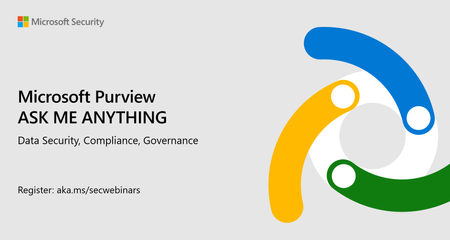
The next Purview AMA covering Data Security, Compliance, and Governance takes place on 12 March at 8am Pacific. Register HERE! Your subject matter experts are: Maxime Bombardier - Purview Data Security and Horizontals Sandeep Shah - Purview Data Governance Peter Oguntoye - Purview Compliance And, if you'd like to get started now, feel free to post your questions as comments below. They may be answered live, or if we don't get to them, they will be answered in-text below (you may also note what you'd prefer!) Thank you for being a part of the Purview community, we can't do exciting events like this without you! Don't forget to register ✏️130Views0likes0Comments
Sensitivity Label change alert
We have successfully rolled out Sensitivity Labels across our organization. All users an admins subscribe to M365 E5 I would like create an alert email which fires when a Sensitivity Label is replaced with a lower-order label on any document or email. The Activity Explorer logs in Purview show the labell applied, but events, but I am struggling to find a way to create an alert. I tried using PowerAutomate, but unable to find a solution there. Thanks Dheeraj486Views0likes2Comments