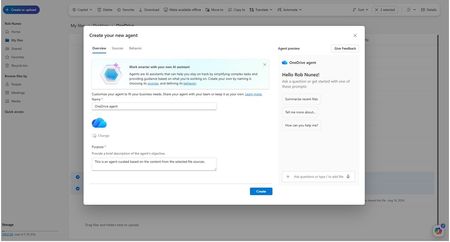
copilot in onedrive
66 TopicsOneDrive Office Hours | April 2026
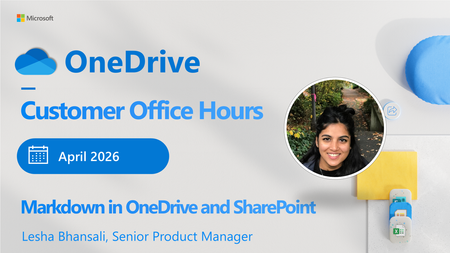
Get ready for April’s OneDrive Customer Office Hours! This session creates space for open conversation around the latest updates and how they support the way you use your files every day. In this month’s session, we’ll walk through what’s new and open the floor for questions, feedback, and shared experiences. Join us for our next call Date: April 29, 2026 Time: 8:00 AM-9:00 AM Pacific Time (US & Canada) Special Topic: Markdown in OneDrive with Lesha Bhansali & Stephen Rice Register Today: OneDrive Office Hours | April 29 Our goal is to make it easier to work with Markdown files right where you store them. With built‑in support in OneDrive and SharePoint, you can open, read, and update Markdown files directly in your browser. Whether you’re reviewing notes, documentation, or shared files, everything stays simple and in one place. Anyone can join this one-hour webinar to ask us questions, share feedback, and learn more about the features we’re releasing soon and our roadmap. We can't wait to share, listen, and engage every month! Note: Our monthly public calls are not an official support tool. To open support tickets, go to see Get support for Microsoft 365; distinct support for educators and education customers is available, too. New way to register and watch on demand! Go to: Microsoft OneDrive: Customer Office Hours – Microsoft Adoption to see upcoming sessions, to register and rewatch previous sessions! Save the Calendar invite so you never miss a call: https://aka.ms/OfficeHoursCalendar Each call is recorded and made available on demand shortly after. Stay up to date on Microsoft OneDrive adoption on adoption.microsoft.com. Join our community to catch all news and insights from the OneDrive community blog. And follow us on X: @OneDrive. Thank you for your interest in making your voice heard and taking your knowledge and depth of OneDrive to the next level. and depth of OneDrive to the next level. You can ask questions and provide feedback in the event Comments below and we will do our best to address what we can during the call. 😎 Register and join live: aka.ms/OneDriveOfficeHours.38Views0likes0CommentsOneDrive Office Hours | March 2026
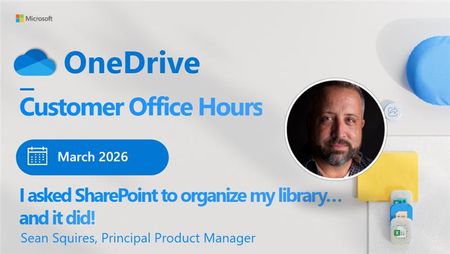
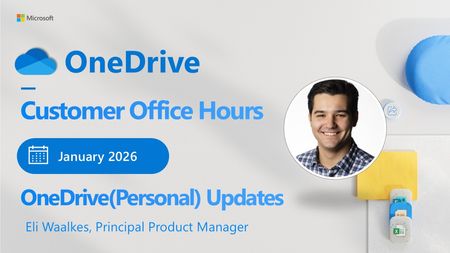
OneDrive Consumer Office Hours are back! Creating space for open conversation around the latest updates and how they support the way you use your files every day. In this month’s session, we’ll walk through what’s new and open the floor for questions, feedback, and shared experiences.285Views0likes0CommentsOneDrive Office Hours | February 2026
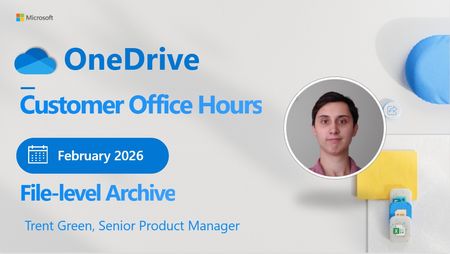
OneDrive Consumer Office Hours are back! Creating space for open conversation around the latest updates and how they support the way you use your files every day. In this month’s session, we’ll walk through what’s new and open the floor for questions, feedback, and shared experiences.287Views0likes0CommentsCopilot missing in Word, Excel and PowerPoint desktop apps of some users
Hi Everyone, At my company we're setting up copilot. After allowing access through the Admin Centers we've encountered various oddities. Some users can use the sharepoint/onedrive search functionality. But most can't. Some users have the Copilot button in some of their apps. There is no consistency in which app they get it. Some have it in word, others in excel, some in multiple, some in none. A handful of users have Copilot in all apps. Things like transcribe work fine everywhere. We switched intune to push Office apps with Current Channel instead of Semi-Annual, to no avail. We use M365 Business premium with the Teams phone standard addon.668Views0likes1CommentOneDrive Office Hours | January 2026
There’s no better way to start the new year than listening, learning, and taking action! OneDrive Consumer Office Hours are back this January, creating space for open conversation around the latest updates and how they support the way you use your files every day. In this month’s session, we’ll walk through what’s new and open the floor for questions, feedback, and shared experiences.652Views0likes7CommentsOneDrive Office Hours | December 2025
Join the OneDrive product team live each month on our monthly OneDrive Customer Office Hours to hear what's top of mind, get insights into roadmap updates, and dig into a special topic. Each call includes live Q&A where you'll have a chance to ask the OneDrive product team any question about OneDrive - The home of your files.903Views0likes2Comments
Data Extraction and Manipulation
Right. So I have been trying to achieve the following; Extract Key Data from a structured PDF > Push this Key Data into a Word/Excel document I can get parts of this process to work. Copilot seems pretty good at extracting data from PDFs and Excel files etc, it will show me the correct data in the chat. BUT when I ask it to push this into a pre-existing word template it just doesnt work. The best result I had was when Copilot added the Key Data to the end of the Word doc. Not what I wanted but not a million miles off. Its also fine with putting this into a new word document. So it feels like Copilot has all the functionaility required but just wont combine this with using a pre-existing word/excel template. I even tried content control boxes. For some context, this sort of thing (basically copying pasting data from one doc to another) is incredibly time consuming and there is a LOT of this in my industry. Hoping that there is a way to achieve this, even if it means multiple steps etc! 🙃2.5KViews0likes2CommentsNOW ON DEMAND| OneDrive Office Hours | September 2025
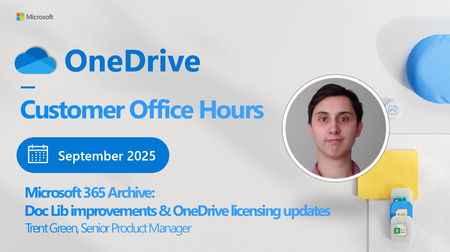
Join the OneDrive product team live each month on our monthly OneDrive Customer Office Hours to hear what's top of mind, get insights into roadmap updates, and dig into a special topic. Each call includes live Q&A where you'll have a chance to ask the OneDrive product team any question about OneDrive - The home of your files.913Views0likes3CommentsOneDrive and SharePoint at Microsoft Ignite 2025: What to Expect
Next week Microsoft Ignite 2025 lands in San Francisco’s Moscone Center for the first time! Bringing a wave of innovation that’s reshaping the industry for AI-driven content management, secure collaboration, and seamless digital experiences.1.1KViews0likes0Comments